
OpenAI Agents API turns the managed harness behind Codex into a developer platform for durable cloud agents. This guide explains what the new API manages, how to start a session, which sandbox model to choose, how subagents and tools behave, what costs to expect, and which production controls still belong to you.
OpenAI Agents API: The Quick Answer
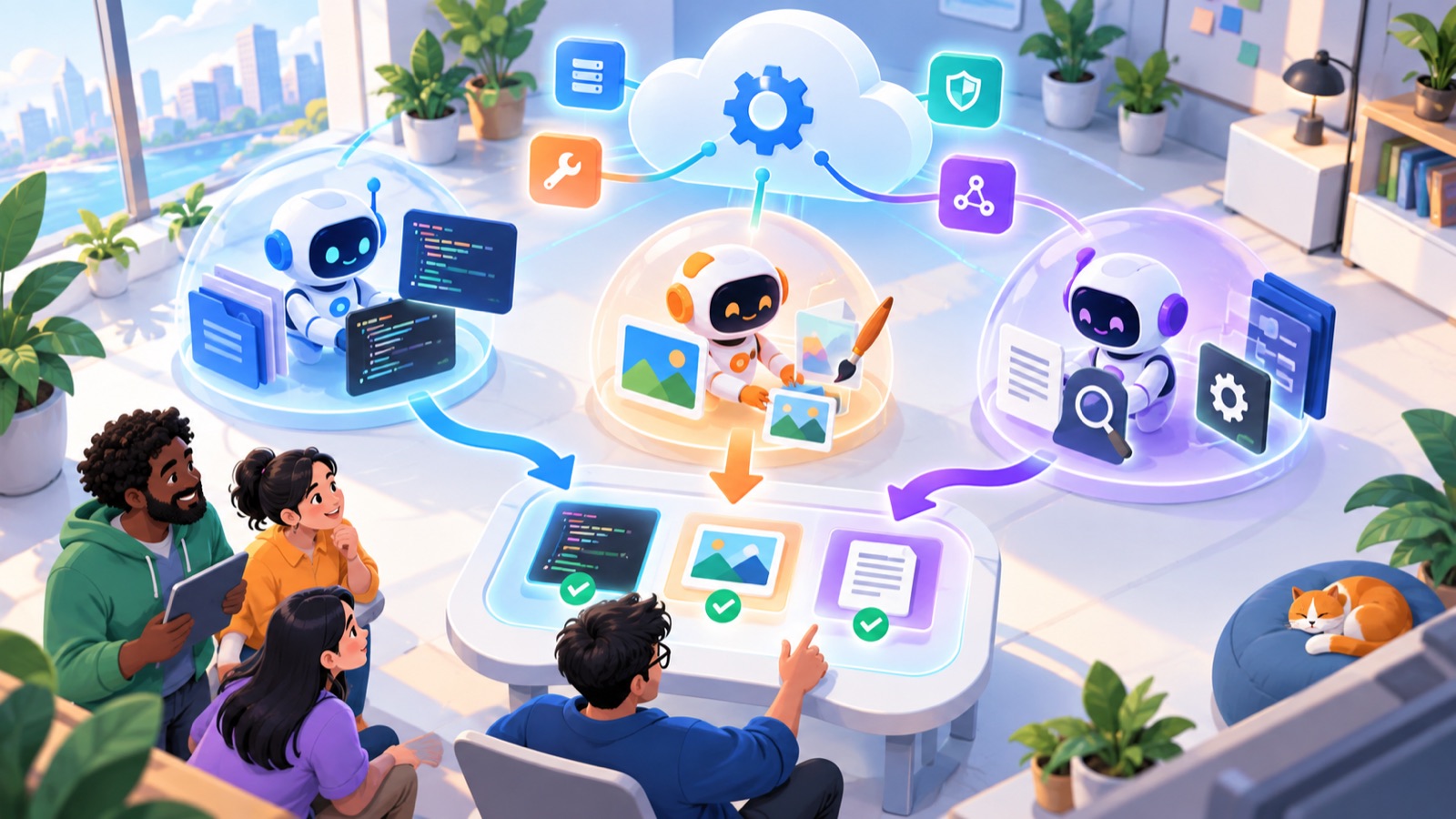
The OpenAI Agents API is a managed runtime for agents that may work for minutes, hours, or longer across multiple tool calls and context windows. Your application describes the task, model, tools, and execution environment. OpenAI runs the agent loop, stores durable session state, coordinates tools and optional subagents, compacts context as it grows, and exposes progress through events and saved session items. The agent can execute in an OpenAI-hosted sandbox, a supported partner environment, or infrastructure you operate.
That makes the API different from a normal model request. A model endpoint answers a turn. An agent runtime owns the loop around many turns: decide, call a tool, inspect the result, revise the plan, write files, delegate work, recover, and continue. It is also different from the open-source Agents SDK. With the SDK, your process runs the orchestration code. With the Agents API, OpenAI operates the Codex-derived harness as a service.
The public beta is available to developers, and OpenAI says there is no separate platform fee for the Agents API itself. You still pay for the model tokens and tools used, plus container or partner-compute charges when applicable. Public beta also matters: interfaces, limits, and operational behavior can change. Treat your integration as versioned infrastructure, not a fire-and-forget wrapper.
Two constraints deserve attention before you prototype. OpenAI’s current overview says Agents API session state supports United States data residency only and does not support Zero Data Retention. Choosing a self-hosted sandbox does not remove those session-level constraints. If your organization requires a different residency region, ZDR, or exclusive control of stored orchestration state, evaluate the Responses API or a self-run Agents SDK design instead.
Why the Managed Codex Harness Matters
Agent demos are easy to build because the happy path is short. Production agent systems are difficult because the unhappy paths multiply. Tool definitions change. A network call times out. The model repeats a costly step. An execution container expires. Context fills with logs. A human needs to approve a sensitive action. A long task disconnects from the browser but still needs to finish. A subagent returns an ambiguous answer, and the coordinator mistakes that for verified completion.
The harness is the layer that manages this work around the model. OpenAI describes the new service as the same general foundation used behind Codex. That does not mean every Codex product behavior becomes an API guarantee. It means developers can use a maintained orchestration layer rather than implementing context management, delegation, tool loading, event streaming, and recovery patterns from scratch.
This launch fits AI Feature Drop’s existing coverage of agent workflows. If you want the user-facing side of Codex before the API architecture, begin with the ChatGPT desktop app Codex guide. For reusable instructions and tool packaging, see the Codex agent plugins guide and the Codex skills guide. The Agents API sits one layer lower: it lets you put similar orchestration ideas inside your own product.
OpenAI Agents API Architecture in Plain English
A useful architecture diagram separates five responsibilities. Mixing them together creates the most common security and debugging mistakes.
| Layer | What it does | Who owns the decision |
|---|---|---|
| Application control plane | Authenticates users, starts sessions, stores business IDs, enforces product rules, receives events, and decides what counts as success. | You |
| Managed agent harness | Runs the reasoning loop, coordinates model calls, manages context, selects tools, steers work, and coordinates subagents. | OpenAI operates it; you configure it |
| Model | Interprets the task, reasons about next actions, drafts outputs, and decides when configured tools are useful. | You select from supported models |
| Tools and data | Expose specific information or actions through MCP, custom functions, web search, plugins, files, and command-line utilities. | You define and authorize them |
| Execution environment | Provides the filesystem, packages, compute, secrets, network policy, and command execution needed to do work. | You choose the environment model |
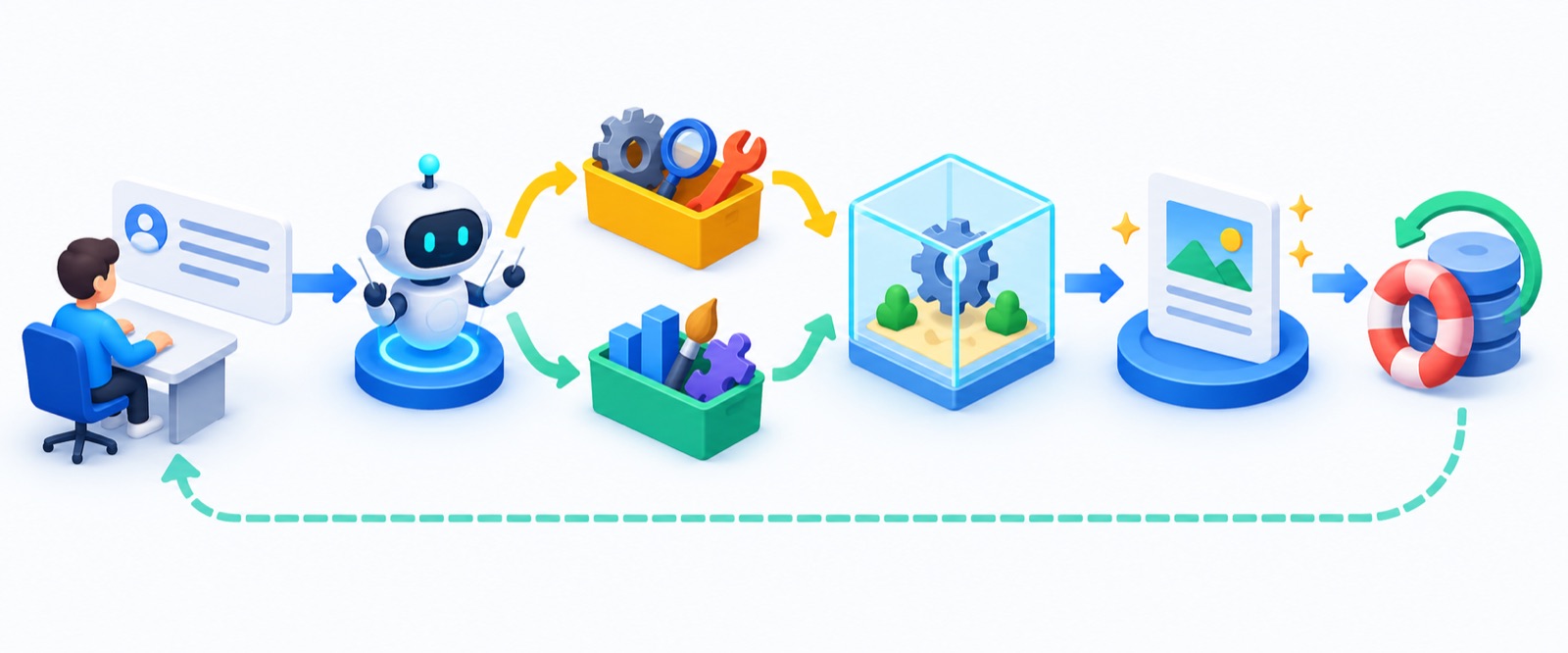
A session is the durable envelope around the work. The session contains an agent configuration or a reference to a reusable agent, an optional environment, input, metadata, and access to configured vaults. Turns represent successive pieces of work. Items represent messages, tool calls, reasoning records, commands, and outputs. Events let a client follow activity as it happens. Artifacts preserve useful files created during execution.
The key mental model is that a session is not merely a saved chat. It is an operational object with state, usage, status, required actions, an environment relationship, and a history that your application can inspect. Store the session ID in your own database alongside your user, project, job, and idempotency keys. Do not make the browser tab the only place that knows a job exists.
OpenAI’s automatic compaction helps the session continue when context becomes large, but compaction is not a substitute for application state. Put durable facts in files, structured records, or authoritative systems. Ask the agent to write checkpoint artifacts after important milestones. Keep business approvals and side-effect receipts in your own ledger. A summary created during compaction can preserve intent, but your billing record, deployment approval, or customer entitlement should never exist only in model context.
How to Start an OpenAI Agents API Session
The official quickstart is the source of truth for the current beta request shape. The pattern below is deliberately small and illustrative. Check the Agents API quickstart and the current SDK reference before shipping, because beta field names and headers may evolve.
1. Create a project-scoped API key. Keep it on the server. Give it only the permissions your control plane needs. Never expose it in client-side JavaScript or put the broad application key inside agent-generated code.
2. Choose a first task that is bounded. Good prototypes have a clear input, a finite set of tools, an expected artifact, and an objective validation step. “Analyze these three files and produce a cited report” is better than “run my business.”
3. Define the agent. Select a supported model, write concise instructions, attach only required tools, and leave multi-agent mode off until the single-agent path is reliable.
4. Select an environment. Start with no code environment for tool-only work, or use a hosted sandbox when the task needs files and commands. Self-host only when the control benefit justifies lifecycle work.
5. Create the session and keep its ID. Stream events if the user needs live progress, but also persist the ID so a worker can reconnect, continue, inspect, or clean up later.
6. Verify the outcome outside the agent. Parse the final response, check the required artifact, run deterministic validation, and record completion only when the requested effect is proven.
import OpenAI from "openai";

const client = new OpenAI();

const session = await client.beta.agents.sessions.create({
  agent: {
    model: "gpt-6-astra",
    instructions: [
      "Prepare a release-readiness report for the supplied project.",
      "Cite every finding to a file and command result.",
      "Do not deploy, publish, delete, or send messages.",
      "Write the final report to /workspace/output/readiness.md."
    ].join(" "),
    tools: [{ type: "web_search" }]
  },
  environment: {
    type: "openai_hosted"
  },
  metadata: {
    job_type: "release_readiness"
  },
  input: [{
    role: "user",
    content: [{ type: "input_text", text: "Review the project and list blocking risks." }]
  }]
});

console.log(session.id, session.status);
This example intentionally forbids external side effects and requests a named output. In a real integration, follow the SDK’s current types for file upload, environment configuration, streaming, and artifact retrieval. The session-create API reference documents the session object, required actions, status, metadata, usage, and environment fields.
Choose the Right Agents API Sandbox
The environment decision is more important than the model choice for many production systems. It determines where commands run, where temporary files live, how packages arrive, which credentials may be visible to executed code, what network destinations are reachable, and who must recover the runtime when it fails.
| Option | Best for | Main advantage | Main responsibility or tradeoff |
|---|---|---|---|
| OpenAI-hosted sandbox | Fast prototypes, standard compute, disposable analysis, code generation, and artifact creation | Low setup; OpenAI provisions and manages the environment | Container charges apply; review supported packages, networking, retention, and data controls |
| Partner sandbox | Teams already using a supported platform or needing particular CPU, GPU, storage, VPC, or startup characteristics | Choice of infrastructure profile and provider integrations | You manage another vendor relationship, billing model, and security boundary |
| Self-hosted sandbox | Custom network policy, internal systems, existing compute, private package mirrors, or tightly controlled runtime images | Greater control over execution compute and local secrets | You own provisioning, executor connectivity, lifecycle, patching, capacity, and failure recovery |
| No execution environment | Agents that only call approved remote tools and never need files or shell commands | Smallest execution surface | Less flexibility for code, local artifacts, and complex transformations |
Self-hosting does not mean OpenAI disappears from the architecture. The managed harness and session state still run as part of the Agents API. A self-hosted executor connects to that session and carries out commands in your environment. The current overview explicitly says self-hosting does not make the service eligible for Zero Data Retention. Separate the question “Where does code execute?” from “Where does orchestration state live?”
A useful reference implementation from Vercel demonstrates another important pattern: keep the broad application-control API key outside the sandbox and pass a narrower environment key to the executor. Agent-generated code may be able to read environment credentials, so every secret present in the sandbox should be treated as potentially usable by the task. Prefer short-lived, audience-bound credentials and workload identities over long-lived shared keys.

A practical environment-selection rule
Begin with the smallest environment that can complete the task. If the agent only needs to search approved documentation and call one business API, it may not need shell access. If it must transform files or run tests, a hosted sandbox is a reasonable proof-of-concept. Move to a partner or self-hosted environment when you can name the missing control: a specific network route, hardware profile, internal package, residency architecture, observability integration, or secret boundary. “More control” is not a design requirement until you define what needs controlling.
Tools, MCP, Tool Search, and Programmatic Calling
The Agents API supports several tool styles, and they have different trust models. Built-in tools such as web search are operated as platform capabilities. MCP servers expose a catalog of external functions and resources through a standard protocol. Application function tools pause for your application to execute a call and return its result. Command-line tools live inside the execution environment. Plugins and skills may package tools, instructions, and reusable workflows.
Tool search matters when a system has many tools. Loading hundreds of full schemas into every model turn wastes tokens and can make selection less accurate. OpenAI’s tool-search design defers tool definitions and loads relevant ones when needed. Programmatic tool calling lets the agent write code that chains or parallelizes calls and filters large results before returning only the useful subset to model context. Together, these features aim to reduce context noise, but they do not remove the need for permissions.
Design tools as narrow capabilities
A tool named `run_sql` with unrestricted credentials is convenient and dangerous. A safer tool might expose read-only access to a curated semantic view, limit row counts, reject mutation statements, and tag every query with a job ID. A generic `send_message` action can contact the wrong person. A narrower `send_release_notice_to_approved_channel` action can enforce the destination, template, and approval requirement in code.
For every tool, define the authority independently of the natural-language description. The description helps the model choose. The server-side implementation enforces. Validate arguments, authenticate the caller, check authorization on every request, set timeouts, use idempotency keys for side effects, and return structured errors. Never rely on “please do not” instructions as the only protection for deletion, purchases, credential changes, publishing, or messages.
- Expose only the operations required by the task.
- Use read-only credentials by default and create explicit write paths.
- Put destinations, tenants, and resource ownership checks in code.
- Cap result size and return stable identifiers instead of huge payloads.
- Mark side effects clearly and require approval at a deterministic boundary.
- Log tool name, validated arguments, authorization decision, result status, and receipt ID.
- Treat web pages, documents, and tool output as untrusted data that may contain prompt injection.
For related user-facing permission patterns, read our Codex plugin permission boundaries guide. If your agent connects to a broad tool catalog, the same principles behind MCP allowlists apply: restrict servers, restrict operations, and verify the effective tool set rather than trusting configuration intent.
How Agents API Subagents Really Work
Multi-agent mode allows the coordinator to split independent work into focused assignments. Each subagent has its own model context, which can reduce distraction and allow parallel research, analysis, or coding. The coordinator creates subagents, sends them tasks, waits, and synthesizes their results. This is useful when the work is genuinely separable: one subagent reviews security, another checks tests, and a third compares documentation.
Separate context does not automatically mean separate authority. OpenAI’s current multi-agent documentation says subagents inherit configured MCP tools, their credentials and allowed-tool settings, web-search configuration, environment files, and command-line tools. If all agents share the same environment, they also share its filesystem boundary. Do not describe subagents as security sandboxes unless you actually provision separate environments and credentials around them.
Parallelism also changes cost and failure behavior. Three subagents can reduce wall-clock time while increasing simultaneous model and tool usage. A poorly scoped coordinator may create overlapping work, duplicate searches, or wait indefinitely. Start with a small maximum concurrency. Give each subagent a bounded question, required evidence, output format, and stopping condition. Tell the coordinator how to resolve disagreement instead of merely concatenating answers.
When not to use subagents
Do not delegate a five-minute sequential task just because the API supports delegation. Avoid subagents when every task needs the same large context, when later work depends on earlier output, when one narrow tool call can answer the question, or when merging introduces more risk than parallelism saves. Multi-agent systems are an optimization for independent work, not a badge of sophistication.
Our Claude Code subagent permissions guide explores the same general distinction between delegation and authority. Product details differ, but the durable lesson is identical: list what each worker can read, execute, and change before increasing concurrency.
OpenAI Agents API Pricing and the Real Cost Equation
OpenAI states that the Agents API itself has no additional platform fee. That sentence is easy to misread as “agents are free.” The service still bills the model tokens and tools the workflow uses. An OpenAI-hosted sandbox uses standard container pricing. A partner environment may have its own compute and storage bill. A self-hosted environment consumes your infrastructure and engineering time.
A practical estimate should include more than the first model response:
Total task cost =
  model input + cached input + model output + reasoning
  built-in tool calls and search content
  hosted container runtime or partner compute
  retries, recovery turns, and failed attempts
  coordinator and subagent usage
  storage, logs, egress, and your operating overhead
The exact numbers depend on the selected model and current rate card, so use the official OpenAI API pricing page when estimating. Measure completed business outcomes, not prompt count. A more expensive agent that finishes a validated task once can be cheaper than a low-cost model that retries, produces unusable artifacts, and consumes human review time.
Six ways to control cost without crippling the agent
1. Give the session a precise finish line. Define the artifact, tests, scope, and maximum acceptable work. Ambiguity creates exploration and repeated turns.
2. Load tools on demand. Defer large schemas and keep stable instructions at the front of context so caching can work.
3. Use programmatic filtering. Aggregate large tool results in code and return the smallest useful evidence to the model.
4. Cap parallelism. Increase subagents only when wall-clock savings justify the extra model and tool usage.
5. Checkpoint before expensive phases. Validate a research plan before generating a full deliverable; verify a diff before rerunning an agent.
6. Stop on repeated failure. Track identical errors, schema mismatches, and retry counts. Escalate rather than paying the agent to rediscover the same block.
AI Feature Drop’s Codex pricing and usage limits guide provides useful background on cost-aware delegation, while the ChatGPT Work and Codex mode guide helps decide whether a task belongs in a user-facing product workflow or a developer-controlled API integration.
Security and Data Controls Before Production
A managed harness reduces orchestration engineering. It does not accept responsibility for your business authorization model. You still decide who can start an agent, which tenant the session belongs to, which tools it receives, what files enter the environment, which actions require approval, and how outputs become trusted.
Begin with the data-control boundary. The current Agents API overview says session state is retained so work can continue, can be deleted, supports U.S. data residency only, and does not support ZDR. Classify the data before sending it. If policy prohibits retained agent-session data, do not assume a self-hosted executor fixes the problem. It changes the execution location, not the managed session service.
Secrets
Assume any credential available to agent-executed code may be read and used by that code. Keep the broad control-plane key outside the sandbox. Prefer a separate environment credential scoped to one project and purpose. Use short expiration, narrow audiences, read-only permissions, server-side allowlists, and secret rotation. Never place customer-wide database credentials in a generic environment template used across unrelated tasks.
Network access
Deny outbound network access by default when the task does not need it. If browsing or package installation is required, allow only trusted destinations and record effective rules. An agent that can read sensitive files and post arbitrary HTTP requests has an exfiltration path even if every named MCP tool is read-only. Treat network policy as part of the tool model.
Prompt injection
External documents, issue bodies, web pages, package metadata, and tool output can contain instructions designed to redirect the agent. Mark retrieved content as data, keep system and business rules separate, and put authorization checks in code. Before any side effect, re-evaluate the requested operation using trusted state, not text copied from an external source.
Human approval
Human review is most effective at narrow, high-consequence boundaries: before sending a message, merging code, publishing content, changing permissions, starting a purchase, deleting data, or deploying. Approval should display the exact target, action, diff, evidence, and reversible recovery step. A generic “continue?” prompt after twenty opaque actions is not meaningful control.
Safe defaults
- Read-only tools and bounded datasets
- Short-lived workload identities
- No network unless required
- Explicit artifact and validation contract
- Approval before external side effects
- Session and artifact cleanup policy
Risky shortcuts
- One admin credential for every task
- Broad shell and unrestricted egress
- Trusting tool descriptions as enforcement
- Letting subagents inherit unknown authority
- Calling “agent finished” a verified result
- Storing the only job record in a browser
Reliability, Recovery, and the Agent Run Ledger
Recent developer discussions show a consistent pattern: production failures occur at operational boundaries. A third-party API silently changes a field. A tool returns empty data without an error. Several subagents back off and retry at the same time. Raw transcripts make the next turn more expensive and less clear. The client disconnects after a command succeeds but before it records the receipt.
The answer is not a longer prompt. Build a small run ledger outside model context. It should let an engineer explain what the system intended, what authority it had, what it actually called, what changed, and whether the result was verified.
| Ledger field | Why keep it |
|---|---|
| Application job ID and session ID | Connects business state to the managed agent object. |
| Agent configuration version | Records model, instructions, tools, concurrency, and environment template. |
| Input fingerprint | Shows which files or records the run used without depending on mutable names. |
| Resolved tool and permission map | Captures effective authority, including inherited subagent access. |
| Approval decisions | Records who approved which exact action and when. |
| Tool and command receipts | Supports idempotent recovery and prevents duplicate side effects. |
| Environment version | Identifies image, packages, capabilities, and relevant network policy. |
| Artifact checksums | Proves which output was reviewed, published, or deployed. |
| Usage and timing | Supports cost analysis, rate-limit tuning, and capacity planning. |
| Deterministic verification result | Separates a confident final message from proven completion. |
Test the recovery path deliberately
Before production, disconnect the client during a long turn and prove another worker can reconnect. Kill the sandbox and test whether the lifecycle manager provisions or resumes correctly. Return a malformed tool result. Change a mock schema. Trigger a rate limit. Force an approval timeout. Run the same idempotent request twice. Fill context with irrelevant logs and check whether the agent still preserves the task’s non-negotiable constraints.
For compaction, create golden tasks with facts introduced early and validations performed late. Ask the agent to write decisions to a checkpoint file. After one or more compaction boundaries, verify that the final artifact preserves the original constraints and references the checkpoint. Do not claim compaction is reliable because one conversational demo worked. Measure task completion, constraint retention, recovery time, duplicate effects, and reviewer corrections across a representative workload.
Agents API vs Agents SDK vs Responses API
These products overlap because all can support tool-using agents. The deciding question is not “which is most advanced?” It is “who should own the loop, state, and execution infrastructure for this workload?”
| Choice | Who runs the loop? | State model | Best use | Main tradeoff |
|---|---|---|---|---|
| Responses API | Your application coordinates requests; OpenAI handles each response and supported tools | You choose conversation and application state patterns | Short or tightly controlled tool workflows, custom application logic, compliance-sensitive designs | You build more orchestration for long autonomous work |
| Agents SDK | Your process runs the open-source agent orchestration library | You own runtime and persistence choices | Teams that want code-level control, custom tracing, guardrails, and deployment | You maintain and upgrade the harness and infrastructure |
| Agents API | OpenAI runs the managed Codex harness | Durable managed sessions with items, turns, events, usage, and artifacts | Long-running cloud agents, file work, delegation, managed context, and recoverable sessions | Public-beta constraints, retained session state, U.S.-only residency, and less control over the managed loop |
If you already have a reliable SDK loop, migration is not automatically an upgrade. Calculate the engineering work the managed harness removes, the controls you would give up, and the observability you still need to build. If your workload is a three-step form assistant, the Agents API may be unnecessary. If your agent edits a repository for two hours, spawns specialist reviews, produces artifacts, and must survive client disconnects, a durable managed runtime becomes compelling.
The older Assistants API should not be used as the conceptual default for a new build. OpenAI previously directed Assistants users toward Responses. The new Agents API is a separate managed harness for a different class of long-running work. Always follow the current migration and product documentation rather than matching names loosely.
Interactive Agents API Environment Decision Helper
Use this lightweight selector to identify a sensible starting architecture. It is not a compliance decision or a pricing calculator. It turns the most important workload constraints into a recommended first prototype.
Whichever path the helper suggests, begin with one bounded workflow and a test corpus. The right architecture is the one that completes real tasks reliably under your policies, not the one with the longest feature list.
A Production Readiness Checklist
Use this checklist before allowing an Agents API workflow to touch customer data or create external effects.
- The task has a named owner, user or tenant boundary, and a measurable definition of success.
- The selected API is appropriate; a simpler Responses call was considered.
- Model, instructions, tools, concurrency, and environment are versioned.
- Every tool enforces authorization server-side and rejects out-of-scope resources.
- Secrets are short-lived, least-privilege, and separated between control plane and executor.
- Network access is denied or allowlisted according to a documented need.
- External content is treated as untrusted and prompt-injection controls are tested.
- Side effects use idempotency keys and require approval at defined boundaries.
- Session IDs, events, tool receipts, artifacts, usage, and verification results are recorded.
- The system can reconnect after client loss and recover after environment failure.
- Retries use backoff, jitter, limits, and a stop condition.
- Subagent access and shared filesystem behavior have been reviewed explicitly.
- Cost limits cover tokens, tools, environment runtime, retries, and parallel workers.
- Compaction tests preserve early constraints across long representative tasks.
- Data residency, retention, deletion, and legal requirements have been approved.
- A human can stop a run, revoke credentials, quarantine artifacts, and reverse changes.
For teams building remote coding workflows, our Codex remote workspace guide adds practical context about environment ownership and remote execution. If your agent reviews pull requests, pair this checklist with the Codex PR review guide so generated findings remain reviewable rather than becoming automatic merge authority.
Final Recommendation: Adopt the Runtime, Keep the Judgment
The OpenAI Agents API is most valuable when your bottleneck is not the model call but the machinery around sustained work. Durable sessions, context management, tool search, programmatic calling, optional subagents, and pluggable execution environments remove a substantial amount of orchestration plumbing. That can help a small team prototype a serious agent workflow faster.
The managed layer does not make the application production-ready by itself. You still need a narrow authority model, a trustworthy execution environment, cost controls, a run ledger, objective verification, and a recovery plan. The public beta’s U.S.-only residency and lack of ZDR will rule it out for some workloads. Subagent tool inheritance requires deliberate review. Hosted sandboxes simplify setup but add container cost and another place where files and secrets must be governed.
Start with one task that has a clear artifact and no external side effects. Run it against a representative test set. Measure total task cost, reviewer corrections, recovery behavior, duplicate actions, constraint retention, and time saved. Add tools one at a time. Add write authority last. Introduce subagents only when independent parallel work has demonstrated value.
The right promise is not “one API call replaces your agent platform.” The better promise is: one managed API can take ownership of the repetitive harness work, while your team keeps ownership of product intent, permissions, evidence, and the decision that a task is genuinely complete.
Continue Learning on AI Feature Drop
- ChatGPT Desktop App Codex Guide — understand the user-facing Codex workflow that inspired the managed harness.
- OpenAI Codex Agent Plugins Guide — package tools, skills, and workflow instructions.
- OpenAI Codex Skills Guide — create reusable, testable operating procedures.
- Codex Plugin Permission Boundaries — reduce authority before connecting real systems.
- OpenAI Codex Pricing and Usage Limits — plan cost-aware delegation habits.
- ChatGPT Work and Codex Guide — choose the right surface for a business workflow.
- Codex Remote Workspace Guide — think through remote environment ownership.
- Codex PR Review Sidebar Guide — keep code-agent outputs reviewable.
Sources and References
- OpenAI: Introducing the Agents API
- OpenAI API docs: Agents API overview
- OpenAI API docs: Agents API quickstart
- OpenAI API docs: run and continue sessions
- OpenAI API docs: OpenAI-hosted sandboxes
- OpenAI API docs: multi-agent behavior and limitations
- OpenAI Codex open-source repository
- Vercel reference implementation for Agents API self-hosted execution
The Agents API is in public beta. Confirm current SDK types, supported models, rates, residency, retention, sandbox behavior, and feature limitations in official documentation before production deployment. Customer performance claims in the launch announcement are vendor-supplied and are not treated here as independent benchmarks.
OpenAI Agents API FAQ
What is the OpenAI Agents API?
It is a managed service that runs the agent harness behind Codex for developers. You define the task, model, tools, and environment; OpenAI operates the loop, durable session, context management, and optional subagent coordination.
Is the Agents API the same as the Agents SDK?
No. The SDK is an open-source library whose orchestration runs in your process. The Agents API is a hosted runtime where OpenAI operates the harness and stores durable session state. Choose based on who should own the loop and state.
How is the Agents API different from the Responses API?
The Responses API is the lower-level choice for model responses and supported tool use under application-controlled orchestration. The Agents API adds a managed long-running loop, durable sessions, environment integration, automatic compaction, and built-in subagent coordination.
Does the OpenAI Agents API cost extra?
OpenAI says there is no separate Agents API platform fee. You pay for model tokens and tools, and may also pay OpenAI container rates, partner sandbox charges, or your own infrastructure costs. Retries and subagents can add usage.
Can I self-host the Agents API sandbox?
You can connect a self-hosted execution environment while OpenAI continues to run the managed harness and session. Self-hosting gives more control over compute and local secrets, but you own provisioning, connectivity, lifecycle, patching, and recovery.
Does a self-hosted sandbox provide Zero Data Retention?
No. OpenAI’s current overview says Agents API does not support ZDR and that choosing a self-hosted sandbox does not make it ZDR-eligible. It also currently lists U.S.-only data residency for session state.
Can Agents API subagents use my tools?
Current documentation says subagents inherit configured MCP tools, credentials, allowlists, web search, environment files, and command-line access. They do not support application function tools in the current beta. Review effective authority before enabling parallel workers.
What should I log for a managed agent run?
Keep your application job ID, session ID, configuration version, input fingerprint, effective tools and permissions, approvals, command and tool receipts, environment version, artifact checksums, usage, timing, and deterministic verification result.
When should I avoid the Agents API?
Avoid it when the task is short enough for a simple Responses call, when you must run and store the entire loop yourself, or when current residency and retention constraints conflict with policy. Public-beta risk may also be unacceptable for critical workloads.
How should I test automatic context compaction?
Use long golden tasks with constraints introduced early and checked late. Write checkpoints to durable files, cross multiple context boundaries, inject failures, and measure constraint retention, task success, reviewer corrections, and recovery rather than relying on a single demo.
Post a Comment