
Codex Remote DigitalOcean Workspace Guide: Run Cloud Coding Agents Safely
Use Codex Remote cloud workspaces without losing control. This guide explains when to choose a DigitalOcean Droplet, how to scope access, what to approve from mobile, how to manage costs, and how to verify AI coding work before you ship.
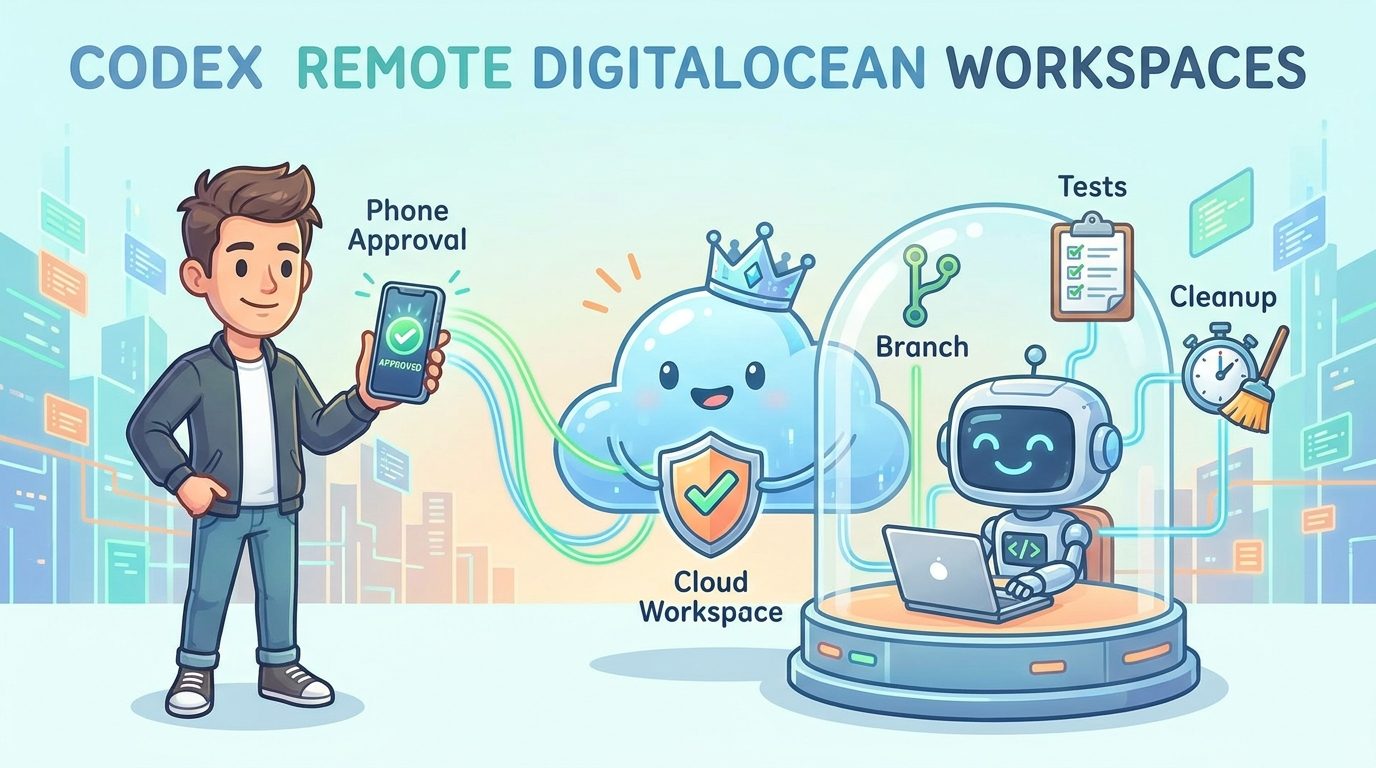
Quick Answer: What Is a Codex Remote DigitalOcean Workspace?
A Codex Remote DigitalOcean workspace is a cloud machine, usually a DigitalOcean Droplet, that Codex can connect to as the place where AI coding work happens. Instead of letting Codex operate directly on your personal laptop, you give the agent a cleaner, more isolated environment where it can clone a repository, install dependencies, run tests, make changes, and hand back a branch or diff for review.
The feature matters because Codex Remote has moved from a neat mobile-control idea into a real remote development workflow. OpenAI’s release notes say Codex Remote is generally available on all ChatGPT plans, with mobile users able to start or continue work on a connected Mac or Windows host, review progress, and approve actions from a phone. The newer DigitalOcean Droplet Workspace plugin adds a cloud option: it can provision a Droplet, configure SSH access, and connect that Droplet to the Codex app as a remote workspace.
This article is a focused cluster guide for readers who already understand the broader Codex Remote workflow and now need a practical decision guide for the DigitalOcean side: when to use it, how to prepare it, what to approve, what it might cost, and how to avoid turning a helpful coding agent into an unmanaged cloud risk.
Why This Narrow Codex Remote Topic Matters
Most Codex Remote coverage stops at the feature announcement: you can use your phone, pair a host, approve work, and now provision a DigitalOcean Droplet. That is useful, but it does not answer the real developer question: should I run this agent on my laptop or in the cloud? That decision changes the security model, the cost model, the debugging workflow, and the cleanup checklist.
A local machine is convenient because it already has your code, editor settings, package manager cache, SSH configuration, test databases, and private tooling. But that convenience is exactly the risk. Personal developer machines often contain many repositories, long-lived credentials, unrelated secrets, private files, browser sessions, and local services. A coding agent working there may have more context and authority than the current task needs.
A DigitalOcean Droplet is different. It can be created for one task, one repository, and one branch. It can start clean, receive only the credentials it needs, and disappear when the work is done. That makes it attractive for dependency upgrades, open-source contributions, reproducible test runs, risky refactors, and tasks where you want the agent away from your daily machine.
The tradeoff is operations. A cloud workspace is now infrastructure. Someone has to choose the Droplet size, understand billing, connect SSH safely, avoid overbroad secrets, monitor long-running sessions, and destroy or stop the Droplet afterward. The practical value of the DigitalOcean plugin is not merely that Codex can create a machine. The value is that a developer can design a safer agent workspace with a shorter blast radius.
SEO and Search-Gap Signal Behind This Article
This topic was chosen because AIFeatureDrop’s recent analytics favor practical Codex explainers. In the latest GA4 window used for this run, the strongest article traffic included Codex Banked Resets Explained, Codex Computer Use on Windows, and OpenAI Codex Pricing and Usage Limits. That pattern is clear: readers are not only clicking generic AI news; they want operational guides that help them use Codex without wasting time, credits, or trust.
The related pillar article already explains Codex Remote broadly. Existing clusters cover setup and mobile approval behavior. The content gap left open is narrower: a DigitalOcean workspace decision guide. Official sources confirm the feature, but they do not fully walk through the developer workflow of choosing local versus cloud, scoping a repository, approving commands from a phone, controlling Droplet cost, and cleaning up after a run.
That makes the primary keyword Codex Remote DigitalOcean workspace a useful cluster target. It is specific enough to avoid competing with broad OpenAI announcements, but connected enough to strengthen the Codex Remote pillar. Secondary keyword targets include DigitalOcean Droplet Workspace plugin, Codex Remote cloud workspace, Codex Remote DigitalOcean setup, Codex cloud workspace cost, and Codex Remote security checklist.
Local Host vs DigitalOcean Workspace: The Real Decision
The safest way to choose is to ask what the task needs. If the task requires your exact local environment, hardware, private services, or an already configured test database, a local host may be reasonable. If the task is self-contained, risky, experimental, or easy to reproduce from a clean checkout, a DigitalOcean workspace is usually cleaner.
| Question | Use local host when... | Use DigitalOcean workspace when... |
|---|---|---|
| Does the task need my exact machine? | It depends on local services, hardware, or private dev tools. | It can run from a clean repository clone and documented setup steps. |
| How risky are the commands? | They are read-only or tightly scoped to a known project. | They install dependencies, run migrations, modify many files, or test unfamiliar tooling. |
| How sensitive is the repository? | You can control the exact files Codex can access. | You want a separate environment with only one repository and limited credentials. |
| Will the task run while I am away? | Your host will stay online and you can review prompts carefully. | A cloud machine is more reliable and easier to keep available temporarily. |
| Do you need reproducibility? | Your local setup is already the source of truth. | You want a clean task log, isolated dependencies, and an environment others could recreate. |
The mistake is thinking cloud automatically means safe. A Droplet with production secrets, broad SSH access, and no cleanup plan is not safer than a laptop. The safer version is a Droplet with one branch, one task, minimal secrets, test commands, clear logs, and a planned shutdown.
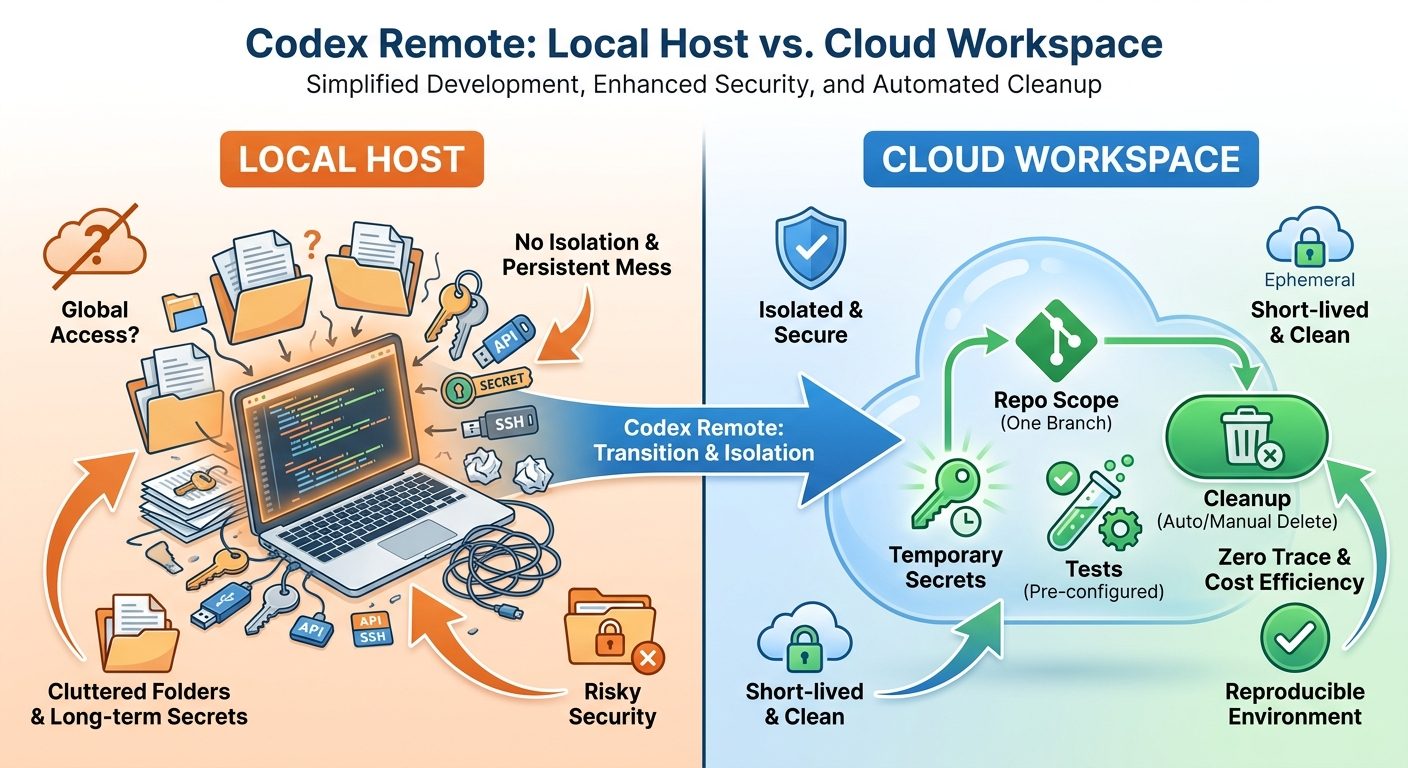
Codex Remote DigitalOcean Setup Checklist
The exact user interface can change, so use this as a durable workflow checklist rather than a pixel-by-pixel tutorial. The important sequence is prepare, isolate, connect, test, approve, verify, and clean up.
1. Update the ChatGPT and Codex apps
OpenAI’s release notes explicitly say users should update the ChatGPT mobile app and Codex app before connecting. That is not a throwaway line. Remote Control, QR pairing, mobile approvals, and plugin behavior depend on the latest app-side support. If something behaves strangely, update before debugging deeper.
2. Decide the workspace type before creating anything
Do not create a Droplet just because the plugin makes it easy. First decide whether the task actually benefits from cloud isolation. Good candidates include dependency upgrade rehearsals, unfamiliar build systems, open-source patches, test reproduction, documentation generation, and refactors that should not touch your personal machine.
3. Create or connect only the repository you need
A good Codex workspace is intentionally boring. It should contain the repository for the task, not your whole developer life. Use a fresh branch. Add a short task brief in the repo or prompt. Include expected commands such as install, test, lint, build, and typecheck. Tell Codex what it should not touch.
4. Use temporary or minimal credentials
If Codex needs repository access, prefer the narrowest token or SSH key you can use. Avoid production credentials unless the task absolutely requires them. For most code tasks, the agent needs repository read/write access and package registry access, not live customer data, admin cloud credentials, or broad account permissions.
5. Run a harmless smoke test first
Before asking Codex to modify code, ask it to inspect the repository, identify setup steps, and run a read-only command or basic test. This confirms the Droplet is connected, the repository is present, dependencies are understandable, and mobile approval prompts are visible enough to evaluate.
6. Approve from your phone only when the action is specific
Mobile approval is useful, but it can also make risky actions feel casual. A safe approval should tell you the command, working directory, files affected, network access, and expected result. If the approval prompt is vague, decline or ask Codex to restate the plan before proceeding.
Cost Control: How to Avoid a Forgotten Droplet Problem
DigitalOcean’s Droplet pricing page emphasizes predictable virtual-machine pricing and notes per-second billing with a minimum charge. That is helpful for short-lived workloads, but the habit still matters. If a Droplet exists after the task is complete, it can become background waste. The cost problem is not usually one careful two-hour run; it is a forgotten workspace that stays alive because nobody owns cleanup.
Use this simple rule: every Codex cloud task needs an owner, a purpose, a branch, and an end condition. If you cannot name those four things, the task is not ready for a cloud workspace.
Practical cost controls are simple: choose the smallest Droplet that can run the project, tag it with the repo and task name, set a calendar cleanup reminder, stop long-running loops, destroy the Droplet after pushing the branch, and keep a note of what commands were run. Teams should also define who pays for agent workspaces and whether developers can create large machines without approval.
Security Rules for Codex Cloud Workspaces
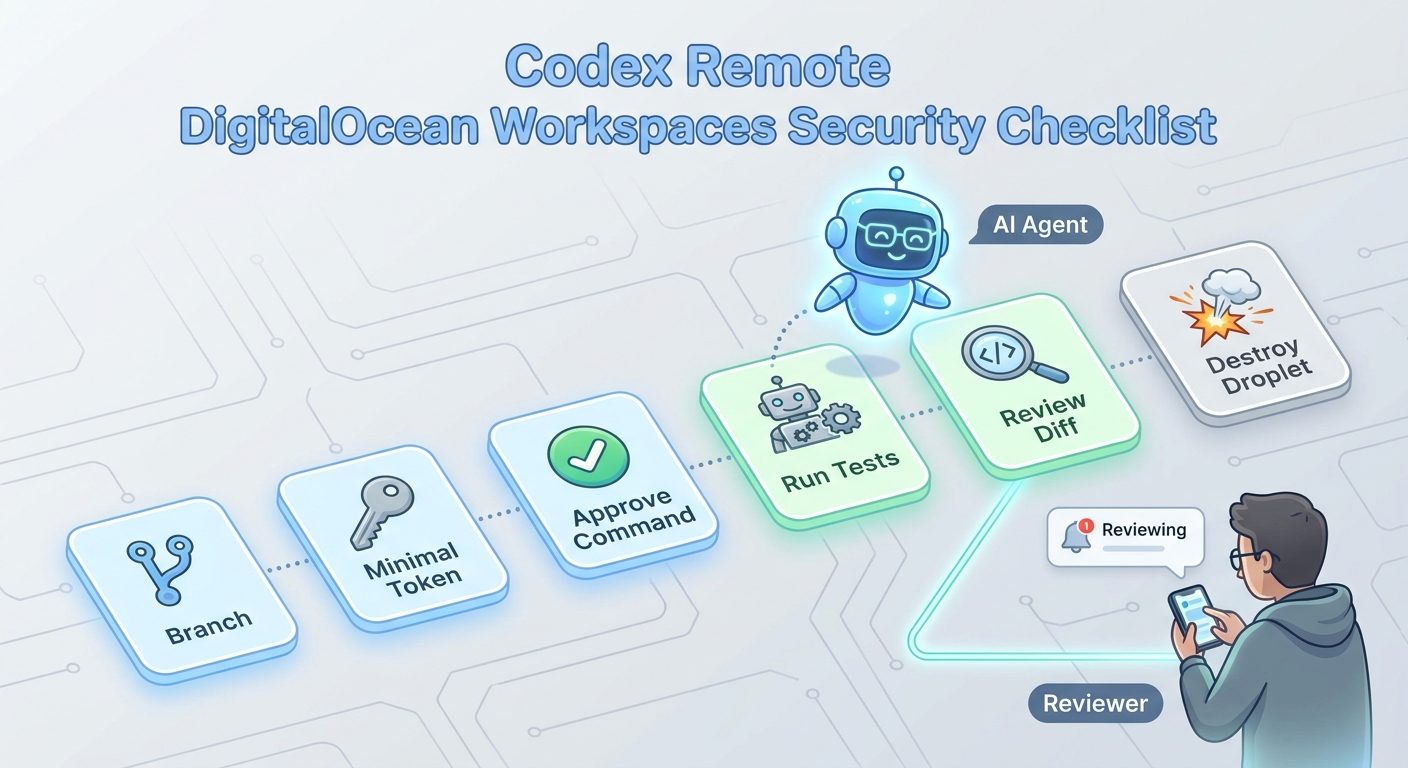
A DigitalOcean workspace reduces some local-machine risk, but it introduces cloud and credential risk. The goal is not perfect isolation; the goal is a smaller blast radius than your personal workstation.
Safer patterns
- Create a fresh branch for each Codex Remote cloud task.
- Clone only the repository needed for the task.
- Use temporary credentials and revoke them afterward.
- Keep production secrets out of the workspace unless absolutely required.
- Ask Codex to explain commands before approving from mobile.
- Run tests, lint, typecheck, or build before accepting changes.
- Destroy or stop the Droplet when the task ends.
Risky patterns
- Using a cloud workspace as a permanent developer machine without governance.
- Giving the agent broad cloud credentials for a small code task.
- Approving shell commands from your phone without reading them.
- Letting Codex install unknown packages without review.
- Leaving Droplets running after the branch is pushed.
- Merging agent-generated code without a human diff review.
For business use, the policy should be explicit. Which repositories can be used with Codex Remote? Are cloud workspaces required for certain risky tasks? Which secrets are allowed? Who can approve over-budget Droplets? How should the pull request document agent involvement? These are boring questions, which is why they are useful.
Best Use Cases for a Codex Remote DigitalOcean Workspace
Dependency upgrade rehearsal
Cloud workspaces are excellent for dependency upgrades because they keep messy installs away from your main machine. Ask Codex to upgrade one dependency or framework version, run tests, document breaking changes, and produce a branch. Keep the task bounded. Avoid telling the agent to modernize the whole repo in one pass.
Open-source contribution sandbox
A Droplet gives Codex a clean place to clone an open-source project, reproduce an issue, and create a patch. This avoids mixing unfamiliar dependencies into your private setup. It also makes the work easier to describe in a pull request because the setup starts from a clean environment.
Bug reproduction with logs and tests
If a bug can be reproduced from a failing test, error log, or minimal dataset, a DigitalOcean workspace is often ideal. Give Codex the failure, expected behavior, and permitted files. Let it run tests and propose a fix. Stop if it starts changing unrelated code.
Documentation, examples, and release notes
Not every cloud task has to be high-risk code. Codex can use the workspace to inspect the repository and update docs, examples, changelog entries, or developer instructions. These tasks are good first runs because mistakes are easier to spot and rollback.
CI failure investigation
If a CI failure is caused by environment or dependency issues, a cloud workspace can help reproduce it without contaminating your laptop. The trick is to mirror the CI setup as closely as possible. Ask Codex to document environment differences instead of guessing blindly.
What to Approve, Reject, or Steer From Mobile
Phone approvals are the feature that makes Codex Remote feel magical. They are also the feature that can make developers careless. A small screen and a busy day are not a great environment for reviewing risky shell commands. Use a clear approval policy.
| Action | Default decision | Why |
|---|---|---|
| Read files, list directories, inspect tests | Usually approve | Low-risk if scoped to the task repository. |
| Install dependencies | Approve with caution | Check package source, lockfile impact, and whether it matches the task. |
| Run tests, lint, build | Usually approve | Verification commands are the reason to use a workspace. |
| Modify many unrelated files | Steer or reject | Ask Codex to narrow the diff and explain why each file matters. |
| Access secrets or production services | Reject by default | Most development tasks do not need production authority. |
| Delete files, reset branches, or force push | Reject unless fully understood | These actions can destroy work or hide mistakes. |
A strong steering prompt is short and specific: “Pause. Summarize the current diff, list tests run, and propose the smallest next command. Do not modify additional files until I approve.” That turns the agent back into a collaborator instead of a runaway automation loop.
Troubleshooting Common Codex DigitalOcean Workspace Problems
The workspace connects, but Codex cannot build the project
Ask Codex to compare the repository’s documented setup with the Droplet environment. Missing system packages, wrong Node or Python versions, missing environment variables, or private package registry access are common causes. Do not solve this by dumping all local secrets into the Droplet. Add only the minimum required setup.
The agent keeps looping on the same error
Stop the run and ask for a status summary. Agent loops often happen when the goal is vague or the failure signal is weak. Provide the exact failing test, expected behavior, and files that are in scope. If Codex cannot explain the next step, do not keep approving commands.
Mobile approval prompts are too vague
Reject and ask Codex to restate the command with purpose, working directory, affected files, and rollback plan. A good remote workflow depends on useful approval prompts. If you cannot judge the action from your phone, defer it until you can review on a larger screen.
The Droplet is underpowered
Do not immediately jump to a large machine. First ask whether the project can use a smaller install, fewer parallel workers, or a narrower test target. If the task genuinely needs more CPU or memory, resize intentionally and update the cleanup reminder. Bigger machines are fine when chosen deliberately.
The branch works in the Droplet but not locally
That is useful information. Ask Codex to document environment assumptions, dependency versions, commands run, and any generated files. The final pull request should include enough setup detail for a human reviewer to reproduce the result.
Team Policy Template for Codex Remote Cloud Workspaces
If a team adopts Codex Remote without policy, every developer will invent a different security and cost model. That is how tool excitement becomes operations debt. Use a short policy instead of a giant bureaucracy.
The policy should make good behavior easy. For example: default to cloud workspaces for risky dependency upgrades; default to local hosts for tasks that need private local services; require a cleanup note in the pull request; and require human review before merging any agent-generated code. That is enough structure for most teams without slowing everyone down.
How This Fits With Other Codex Limits and Workflows
Codex Remote DigitalOcean workspaces are not separate from the rest of the Codex product story. They connect directly to usage limits, remote approvals, computer use, banked resets, and agentic workflow safety. A longer cloud session may be useful, but it still needs the same discipline as any other Codex run: scope the task, avoid repeated vague prompts, verify the diff, and know when to stop.
If you are planning heavy work, read this alongside the Codex Banked Resets workflow guide. If the task involves remote control or local host risk, read the Codex Computer Use on Windows setup guide. If you are deciding whether Codex is the right paid tool for this workflow, compare it with the Codex pricing and usage limits explainer.
The broader lesson is that coding agents are becoming infrastructure. Copilot has AI credits. Claude Code has usage windows and permission settings. Codex has remote hosts, cloud environments, app approvals, skills, and background work. The winning workflow is not “use the most powerful agent everywhere.” It is “put the agent in the right box, give it a clear job, and verify what comes back.”
Final Recommendation: Use DigitalOcean for Isolation, Not Laziness
The DigitalOcean Droplet Workspace plugin is a strong addition to Codex Remote because it gives developers a cleaner place to run agentic coding tasks. It is especially useful for experiments, dependency upgrades, open-source patches, CI reproduction, and tasks where your personal machine is the wrong environment. Used well, it can reduce local clutter, limit blast radius, and make remote Codex work more reproducible.
But it does not remove responsibility. You still need to decide what repository the agent can access, what credentials it receives, what commands you approve, what tests must pass, how long the Droplet should live, and who reviews the final code. If those answers are vague, start with a smaller task or a local dry run.
The practical rule is simple: use a Codex Remote DigitalOcean workspace when isolation and availability make the task safer or easier. Do not use it as an excuse to approve bigger, vaguer, less-reviewed AI work. The best remote coding workflow is not the one where Codex can do the most. It is the one where you can clearly see what Codex did, why it did it, and how to verify it before shipping.
Keep Learning on AI Feature Drop
- Codex Remote Explained — the broader pillar guide for phone approvals, QR pairing, and local/cloud remote workflows.
- Codex Remote Setup Checklist — a practical setup flow for phone approvals and remote workspaces.
- Codex Remote Mobile Approval Checklist — decide what to approve, reject, or steer from your phone.
- Codex Banked Resets Explained — understand longer Codex sessions and flexible usage limits.
- Codex Computer Use on Windows — host setup and safety background for Codex remote control.
- OpenAI Codex Pricing and Usage Limits — plan usage before running expensive or long agent sessions.
Sources and References
- OpenAI Help Center: ChatGPT release notes, Codex Remote GA and DigitalOcean plugin
- OpenAI Codex product page
- DigitalOcean Blog: Run Codex in the cloud
- DigitalOcean Droplet pricing
Product availability, pricing, app behavior, and plugin capabilities can change. Verify your current ChatGPT plan, Codex app version, DigitalOcean account settings, repository permissions, and organization policies before using cloud workspaces for production code.
FAQ: Codex Remote DigitalOcean Workspaces
What is a Codex Remote DigitalOcean workspace?
It is a DigitalOcean Droplet connected to Codex as a cloud workspace where the coding agent can work on a repository, run commands, and prepare changes without using your personal machine as the execution environment.
What does the DigitalOcean Droplet Workspace plugin do?
OpenAI’s release notes say the plugin can provision a DigitalOcean Droplet, configure SSH access, and connect it to the Codex app as a remote workspace.
Is a DigitalOcean workspace safer than running Codex locally?
It can be safer when it is scoped to one repository, uses minimal credentials, and is destroyed after the task. It is not automatically safe if you give it broad secrets, leave it running, or approve risky commands without review.
When should I use a local host instead?
Use a local host when the task depends on your exact machine, local services, hardware, or private development tools that are difficult to reproduce in the cloud.
How do I avoid DigitalOcean cost surprises?
Choose the smallest suitable Droplet, tag it clearly, time-box the task, set a cleanup reminder, stop agent loops, and destroy or stop the Droplet when the branch or diff is captured.
Can I approve Codex actions from my phone?
Yes, Codex Remote supports mobile progress review and approvals through the ChatGPT mobile app. Approve only specific actions you understand, especially when commands modify files, install packages, or access credentials.
Should teams allow Codex cloud workspaces?
Teams can allow them, but should define repository scope, credential rules, Droplet size limits, cleanup ownership, verification requirements, and pull request documentation standards.
What is the best first task for a Codex DigitalOcean workspace?
Start with a low-risk documentation update, test reproduction, dependency rehearsal, or open-source patch. Avoid production-sensitive work until the team understands the approval and cleanup workflow.
Post a Comment