
Codex Remote Setup Checklist: Use Phone Approvals and DigitalOcean Workspaces Safely
Codex Remote is powerful because it moves AI coding work from a single desk to a phone-supervised local or cloud workspace. This checklist shows how to pair devices, choose a workspace, approve actions, protect secrets, and clean up DigitalOcean droplets without turning convenience into risk.
Codex Remote Setup Checklist: Quick Answer
Codex Remote setup should start with a simple rule: decide what authority the coding agent needs before you pair a phone, connect a host, or create a cloud workspace. OpenAI’s release notes say Codex Remote is generally available on all ChatGPT plans, lets users start or continue Codex work from the ChatGPT mobile app on a connected Mac or Windows host, and supports reviewing progress plus approving actions from a phone. The same update says Remote Control now uses authenticated one-to-one QR pairing between each supported mobile device and each host.
The new DigitalOcean Droplet Workspace plugin adds another path. Instead of relying only on a personal laptop or office workstation, Codex can provision a DigitalOcean Droplet, configure SSH access, and connect that droplet to the Codex app as a remote workspace. That is a big workflow improvement, but it also turns Codex Remote into remote infrastructure. You are no longer only asking an AI model to edit files. You are deciding where code runs, which credentials exist there, which commands can be approved from mobile, how long a cloud machine stays online, and who reviews the final diff.
This cluster article supports our broader Codex Remote explainer . The pillar covers what the feature is and why it matters. This guide narrows the intent: a practical, repeatable checklist for developers who want to set up Codex Remote safely on a local host or DigitalOcean workspace.
Who Needs a Codex Remote Checklist?
You need a checklist if your Codex task is more serious than a quick documentation edit. The moment Codex can inspect a repository, run shell commands, use SSH, install packages, or wait for phone approval, the workflow deserves guardrails. A phone approval can feel casual because it appears in a mobile app, but it may authorize an action on a real development machine or cloud server. That gap between “small tap” and “real system effect” is where risk appears.
Solo developers need this because personal machines are messy. A laptop may contain private repositories, SSH keys, local environment variables, browser sessions, database dumps, and unrelated client folders. Teams need it because remote coding agents create governance questions: which projects can use Codex Remote, who may pair devices, whether cloud droplets are allowed, how secrets are injected, and how cleanup is proven.
AIFeatureDrop analytics also support this article angle. In the last complete analytics window, Codex articles were among the site’s strongest pages: Codex Banked Resets, Codex Computer Use on Windows, and OpenAI Codex pricing all attracted measurable sessions. That pattern says readers want operational Codex guidance, not just announcement summaries. A setup checklist is a better cluster topic than another broad “what is Codex Remote” article because it answers a narrower action-oriented search intent.
Preflight Checklist Before You Connect Anything
Do this before opening the Codex app, pairing a phone, or creating a DigitalOcean workspace. The goal is to make the task boring, bounded, and reversible.
- Write the task in one sentence. If you cannot summarize the expected change, Codex will probably explore too broadly.
- Create a separate branch. Never let a remote agent work directly on your main branch unless the task is read-only.
- Define acceptance checks. List the test, lint, build, or manual verification step that proves the work is done.
- Choose local or cloud deliberately. Do not default to your personal machine simply because it is available.
- Limit secrets. Remove unnecessary environment variables, use temporary tokens where possible, and avoid production credentials.
- Prepare a stop rule. Decide when you will pause the agent: repeated failures, broad file changes, unexpected network calls, or unclear approval prompts.
- Set a cleanup reminder. If a droplet is involved, cleanup is part of the task, not an afterthought.
This may feel slower than simply asking Codex to start, but it saves time later. Remote agents become expensive and risky when they are asked to infer scope. A short preflight note gives Codex a smaller search space and gives you a clearer standard for accepting or rejecting its work.
| Preflight item | Good example | Bad example |
|---|---|---|
| Task scope | “Update the Stripe webhook parser to handle the new event field and add one regression test.” | “Fix payments.” |
| Workspace | Fresh branch on a droplet with only this repository and a temporary token. | Personal laptop with every client repo and long-lived SSH keys. |
| Verification |
npm test -- webhook-parser.test.ts
and a clear diff summary.
|
“Looks good.” |
| Stop rule | Pause if Codex edits unrelated billing files or asks for broad network access. | Keep approving until something works. |
Local Host vs DigitalOcean Droplet: Setup Decision Matrix
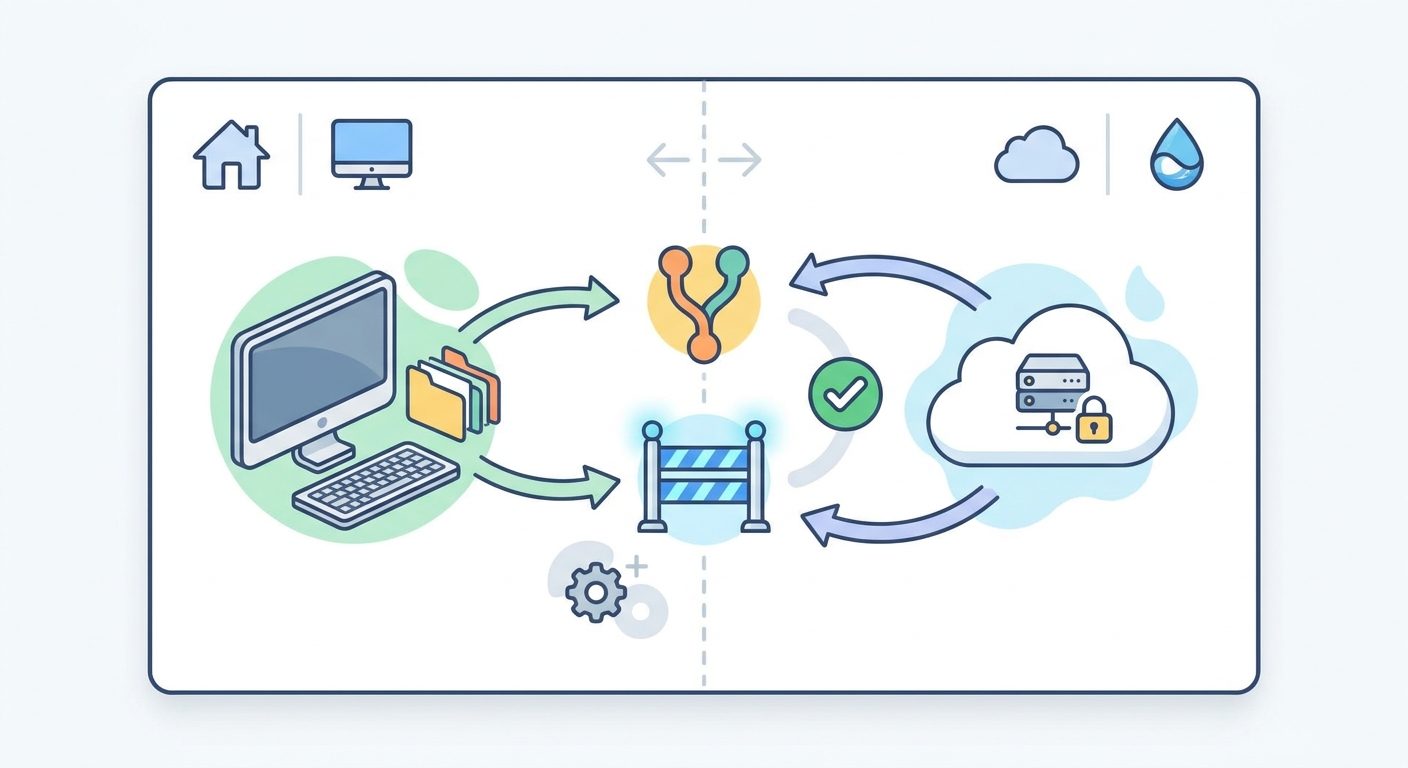
The first major setup decision is where Codex should run. OpenAI’s update names connected Mac and Windows hosts for Codex Remote, while the DigitalOcean plugin creates a cloud workspace and configures SSH access. Both options are useful. Neither is automatically safer in every situation.
| Situation | Best default | Why | Extra check |
|---|---|---|---|
| Small fix in a project already configured locally | Local Mac or Windows host | Fastest path when dependencies and test data are already available. | Confirm unrelated folders and secrets are not in scope. |
| Dependency upgrade or risky install | DigitalOcean Droplet | A disposable machine avoids polluting your personal setup. | Destroy the droplet after the branch is pushed. |
| Open-source issue with no private secrets | DigitalOcean Droplet | Clean environment makes reproduction easier and lowers private-data risk. | Use a limited GitHub token or SSH deploy key. |
| Project needs local hardware, VPN, or private service | Local host | The cloud workspace may not reach required internal resources. | Restrict commands and avoid broad filesystem access. |
| Team wants repeatable agent sandboxes | DigitalOcean Droplet | Cloud workspaces are easier to standardize, tag, log, and tear down. | Define cost center, owner, expiration, and secret policy. |
| Long task while traveling | Depends | A laptop may sleep; a droplet may stay reachable. | Set a time limit and checkpoint before leaving it unattended. |
My recommendation is to treat a local host as the convenience option and a droplet as the isolation option. Use local when the task genuinely depends on your existing environment. Use DigitalOcean when the task benefits from a clean, disposable workspace. If you cannot justify why Codex needs your personal machine, the cloud workspace is often the cleaner starting point.
Phone Pairing Checklist for Codex Remote
OpenAI says Remote Control uses authenticated one-to-one QR pairing between each supported mobile device and each host. That matters because pairing is not just a login nicety; it grants a mobile device the ability to monitor and approve work on a specific host. Treat it more like adding a remote-control device than scanning a normal web sign-in code.
- Update apps first. OpenAI’s release note says users should update the ChatGPT mobile app and Codex app before connecting.
- Pair only your own supported device. Avoid shared phones, borrowed tablets, or unmanaged devices for work repositories.
- Pair one host at a time. Name hosts clearly so you know whether you are approving actions on a laptop, office machine, or droplet.
- Test with a read-only task. Ask Codex to inspect the repository and summarize setup instructions before approving edits.
- Review existing pairings. OpenAI notes that connections used since June 8 remain paired, while older inactive connections need to pair again. This is a good moment to clean up stale devices.
- Know what sign-out does. The release note says signing out turns off Remote Control without removing existing pairings. Do not assume sign-out is the same as deleting trust relationships.
For teams, device pairing should be in policy. Decide whether personal phones can approve work on company repositories, whether managed devices are required, and who audits paired hosts. If that sounds bureaucratic, remember what is being approved: commands and code changes in a development environment.
How to Approve Codex Remote Actions Safely
Approvals are the control point that keeps a remote coding agent from becoming a blind automation script. The goal is not to approve fewer actions for its own sake. The goal is to approve actions you understand and reject actions that are too broad, too risky, or unrelated to the task.
Green-light approvals
- Reading files inside the target repository.
- Running a specific test command you provided.
- Installing documented dependencies in a disposable workspace.
- Creating or updating files directly tied to the task.
- Summarizing a diff before making another change.
Red-flag approvals
- Commands that access home directories, SSH folders, or credential stores.
- Unexplained network calls or broad package installs.
- Database migrations without a rollback plan.
- Edits across unrelated modules.
- Repeated “try again” loops with no new diagnosis.
A practical approval prompt should answer four questions: what command will run, where it will run, what it can change, and how you will verify the result. If any of those are unclear, ask Codex for a short risk summary before continuing. This simple habit reduces both security risk and wasted usage.
DigitalOcean Workspace Checklist: SSH, Secrets, Cost, and Cleanup
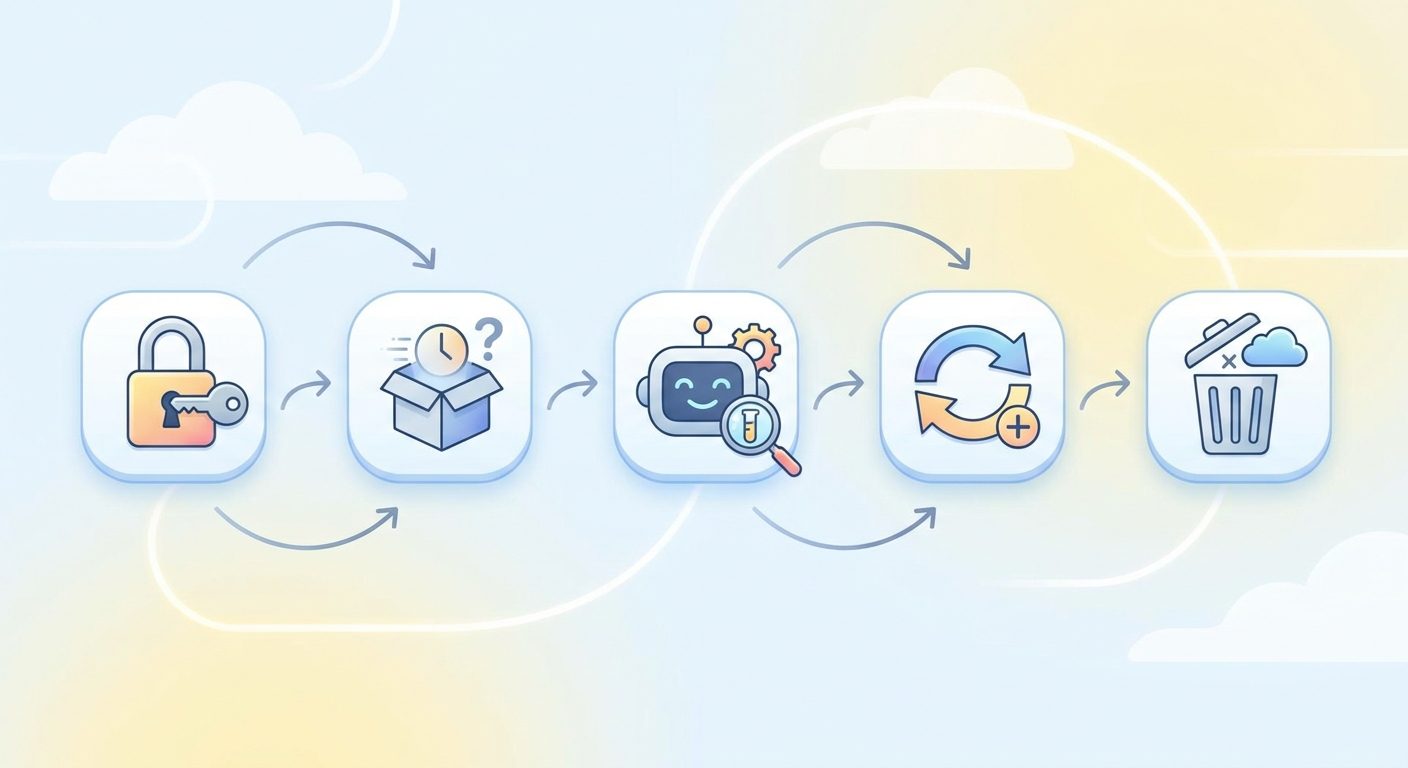
The DigitalOcean plugin is useful because it can provision a Droplet, configure SSH access, and connect it to the Codex app as a remote workspace. That removes friction, but friction was also a reminder to think. When provisioning gets easier, cleanup and access control become even more important.
Before creating the droplet
- Choose the smallest reasonable machine for the repository and test workload.
- Name it with project, owner, and expiration date.
- Decide whether the task needs a private repository token or whether a public clone is enough.
- Create a separate branch and keep production secrets out of the workspace.
- Write down the expected cleanup action: stop, snapshot, or destroy.
While Codex is working
- Approve commands only inside the target repository unless there is a clear reason.
- Ask Codex to summarize installed packages and changed files after setup.
- Run tests before asking for more edits.
- Pause if the agent starts chasing unrelated errors or expanding scope.
- Keep an eye on uptime. DigitalOcean pricing is designed to be predictable, but an unnecessary running droplet is still waste.
After the task
- Push the branch or export the patch.
- Remove temporary credentials and revoke any tokens that were only needed for the run.
- Capture the test command and result in the pull request.
- Destroy or stop the droplet according to your policy.
- Record cleanup in the issue, pull request, or team task log.
The key is to make cloud cleanup visible. If a task creates infrastructure, the final answer should include what happened to that infrastructure. A good pull request note says not only what Codex changed, but also where it ran, which tests passed, and whether the workspace was removed.
Team Policy Template for Codex Remote
Teams should not wait until every developer invents a different remote-agent habit. A lightweight policy can prevent most problems without blocking useful experimentation.
| Policy area | Recommended rule | Why it matters |
|---|---|---|
| Device pairing | Only approved, secured devices can pair with company hosts. | Phone approvals are remote-control decisions, not casual notifications. |
| Repository eligibility | Start with low-risk repos; require approval for sensitive systems. | Not every codebase should be available to a remote agent by default. |
| Cloud workspaces | Use named, tagged, temporary droplets with owners and expiration. | Prevents orphaned machines and unclear billing. |
| Secrets | Use temporary or scoped credentials; never inject production secrets by default. | Limits damage if a command or dependency behaves unexpectedly. |
| Review | Human review and tests are required before merging AI-generated work. | Codex can assist, but the team owns the shipped code. |
| Evidence | PR must list workspace, tests run, files touched, and cleanup status. | Makes remote-agent work auditable. |
This is enough for most small teams. Larger organizations can add centralized logging, cost-center tagging, managed devices, security review for sensitive repositories, and tighter network rules. The important thing is to make the remote-agent boundary explicit: where it runs, what it can touch, who approves, and how the result is verified.
Three Practical Codex Remote Setup Examples
Example 1: Documentation cleanup from your phone
Use a local host or small droplet. Ask Codex to update outdated setup instructions, run a docs formatter, and summarize changes. This is a safe first workflow because it is easy to review and unlikely to require sensitive credentials. Approve only file reads, markdown edits, and formatting commands.
Example 2: Dependency upgrade rehearsal in a droplet
Create a clean DigitalOcean workspace, clone the repo, install dependencies, and ask Codex to upgrade one package. Require a test run and a short report of breaking changes. This is a strong droplet use case because install side effects stay away from your personal machine.
Example 3: Bug fix on a local environment
If the bug depends on a local service, use your Mac or Windows host. Give Codex the failing test and narrow file list. Do not let it scan unrelated directories. If the agent asks to access credentials or external services, require a written reason and rollback plan before approving.
Across all three examples, the pattern is the same: scope first, approve deliberately, verify with tests, and clean up after the agent. Codex Remote is most useful when it extends your development workflow, not when it replaces engineering judgment.
Keep Learning on AI Feature Drop
- Codex Remote Explained — the broader pillar covering mobile approvals, QR pairing, local hosts, and cloud workspaces.
- Codex Banked Resets Explained — understand flexible usage limits before longer Codex Remote sessions.
- Codex Computer Use on Windows — useful background for safe host setup and permission habits.
- OpenAI Codex Pricing and Usage Limits — compare remote workflows with plan and usage constraints.
- How to Use Codex Banked Resets — plan heavy coding sessions with fewer wasted iterations.
- Codex Record & Replay Checklist — related checklist thinking for reusable AI workflows.
Final Recommendation: Pair Slowly, Approve Carefully, Clean Up Always
Codex Remote is genuinely useful. It lets you continue coding work from a phone, supervise a connected host, and use a cloud workspace when your laptop is not the right environment. The DigitalOcean plugin makes that cloud path easier by provisioning a droplet, configuring SSH, and connecting it to Codex. But ease is not the same as safety.
If you are an individual developer, start small. Pair one device, run a read-only inspection, approve a harmless docs change, and learn what the mobile approval flow feels like. Move to DigitalOcean when isolation matters. Do not give Codex broad access to a personal machine just because it is convenient.
If you are a team, turn this article into a lightweight policy. Define who can pair devices, which repos can use remote agents, how droplets are named, how secrets are scoped, and what proof is required before merge. Codex Remote should make development more flexible, not less accountable.
The best setup is simple: a clear task, a clean branch, the right workspace, narrow credentials, meaningful approvals, tested output, and visible cleanup. That is how Codex Remote becomes a safer workflow instead of a risky shortcut.
Sources and References
- OpenAI Release Notes: Codex Remote GA and DigitalOcean plugin
- OpenAI Help Center: ChatGPT release notes
- OpenAI Codex remote connections documentation
- DigitalOcean: Run Codex in the cloud
- DigitalOcean pricing
Product access, app behavior, supported devices, cloud pricing, and workspace policies can change. Always verify your current ChatGPT plan, Codex app version, DigitalOcean account, and organization rules before using Codex Remote for production work.
FAQ: Codex Remote Setup
What is the safest way to set up Codex Remote?
Start with a scoped task, separate branch, updated ChatGPT mobile and Codex apps, one trusted paired device, and a low-risk read-only test. Add editing permissions only after you understand the approval flow.
Should I use Codex Remote on my laptop or a DigitalOcean Droplet?
Use your laptop when the task needs your existing local environment. Use a DigitalOcean Droplet when you want isolation, a clean setup, cloud availability, or a disposable workspace for risky installs and experiments.
What does QR pairing do in Codex Remote?
OpenAI says Remote Control uses authenticated one-to-one QR pairing between each supported mobile device and each host. Treat that as granting a trusted mobile device remote approval ability for a specific workspace.
Can I approve Codex actions from my phone?
Yes. OpenAI says users can review progress and approve actions from the ChatGPT mobile app. You should approve only when the command, working directory, impact, and rollback plan are clear.
What should I avoid approving?
Avoid approving vague commands, broad filesystem access, credential-store access, production database actions, unexplained network calls, and repeated loops that are not tied to a new diagnosis.
How do I protect secrets in a Codex Remote workspace?
Use temporary or scoped credentials, avoid production secrets, keep environment variables minimal, revoke tokens after the task, and prefer disposable cloud workspaces for risky experiments.
How do I avoid DigitalOcean workspace costs?
Name and tag droplets, choose the smallest suitable size, set an expiration reminder, push or export work promptly, and stop or destroy the droplet after the task.
Can teams use Codex Remote safely?
Yes, if they define rules for device pairing, eligible repositories, cloud workspace tagging, secret handling, human review, tests, and cleanup evidence before broad adoption.
Post a Comment