
ChatGPT Codex PR Review Sidebar Guide: Fix Pull Request Feedback Safely
Codex inside the ChatGPT desktop app can now help you inspect pull request feedback, review changed files, leave line-specific guidance, and apply scoped fixes without bouncing between your editor, browser, and terminal. This guide shows the safe workflow.
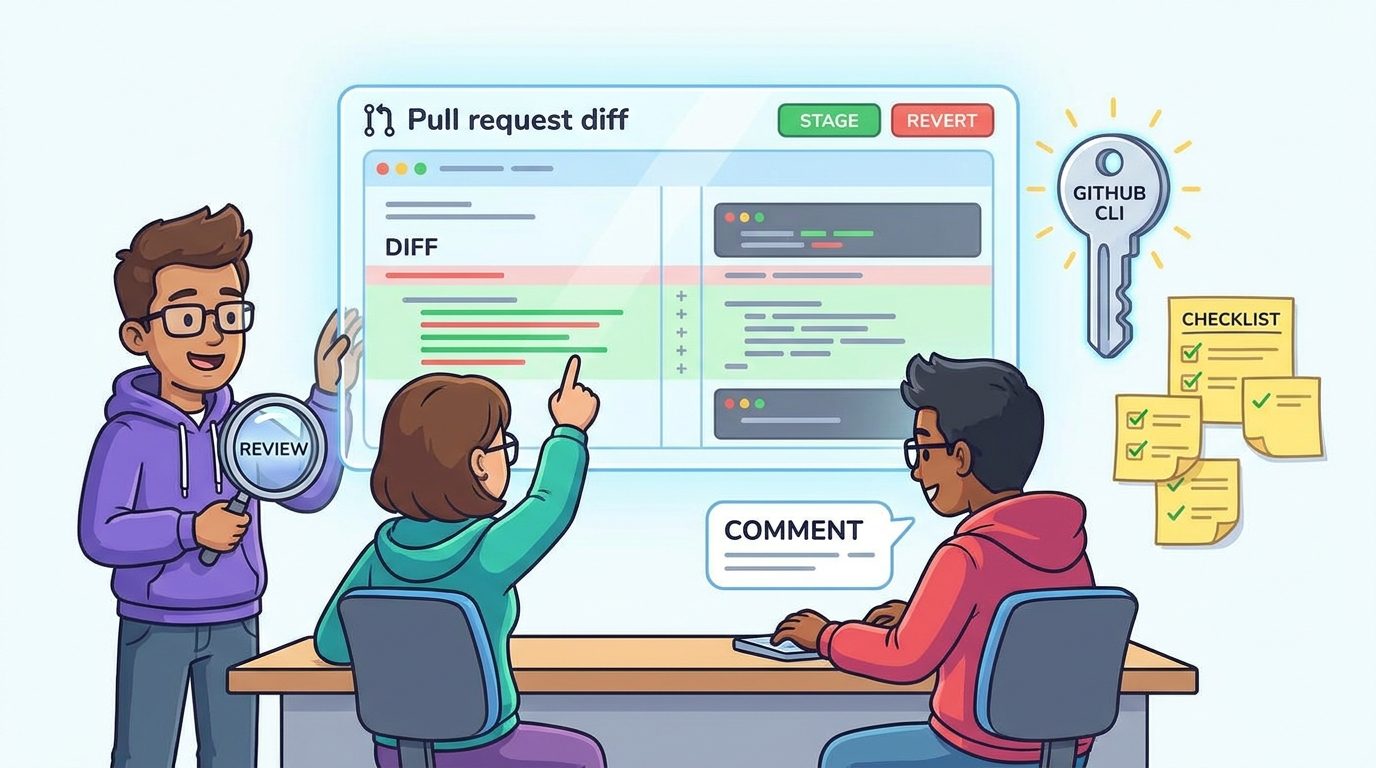
ChatGPT Codex PR Review Sidebar: Quick Answer
The ChatGPT Codex PR review sidebar is the pull request feedback view inside the ChatGPT desktop app. When your project is on a GitHub pull request branch and Codex has access to the repository context, the sidebar can show pull request details, review comments, changed files, and diff context so you can ask Codex to address specific feedback in the same task.
The most useful workflow is not “let Codex fix the whole pull request.” The safer workflow is: open the PR branch, confirm GitHub CLI authentication, inspect the review pane, run /review or read existing reviewer comments, leave precise inline comments where needed, ask Codex for a minimal patch, inspect the resulting diff, then stage and push only the changes you understand.
This is a cluster guide connected to our broader ChatGPT desktop app Codex guide. The pillar article explains the overall desktop app setup, Codex migration, multi-repository projects, Remote, model usage, and safety habits. This article goes narrower: it focuses on the PR review loop because search results are still thin, developers are asking practical setup questions, and official docs describe the feature but do not fully translate it into a team-ready routine.
Why the PR Review Sidebar Matters for AI Coding Work
Pull request review is where AI coding tools either become genuinely useful or quietly dangerous. A coding agent can write a patch quickly, but the real engineering value appears when the patch survives review: the diff is understandable, reviewer concerns are addressed, tests still pass, and the final commit is narrow enough for teammates to trust.
OpenAI’s recent ChatGPT desktop app update makes Codex feel less like a separate coding harness and more like a work surface inside ChatGPT. OpenAI says the Codex app is merging with the ChatGPT desktop app, with new capabilities across core workflows including inline editing within diffs, pull request review in the side panel, faster computer use powered by GPT-5.6, and support for multiple repositories in a single project. That is a meaningful product shift because it brings the review loop into the same place where the agent is planning and editing.
Official ChatGPT Learn documentation describes the review pane as a way to understand what changed, give line-specific feedback, and decide what to stage, revert, commit, or push. It also states that typing /review asks Codex to inspect changes and report prioritized findings without changing your working tree. That distinction matters. Review mode should produce findings first. Editing should come later, after you choose what is worth fixing.
The sidebar also solves a common AI-coding annoyance: context switching. Without it, a developer may read comments in GitHub, ask an agent in an IDE, open files in a separate editor, run commands in a terminal, and then return to GitHub to check whether the feedback is resolved. Each jump adds friction and increases the chance that the agent fixes the wrong thing. A PR-aware sidebar can make the loop tighter, but only if you keep control of scope.
There is also an SEO reason this topic deserves a focused guide. Recent analytics for AI Feature Drop show that practical Codex explainers continue to pull the strongest engagement: Codex banked resets, Codex pricing, and Codex computer-use pages are among the top viewed pages in GA4. Search Console is still early for the site, but it shows impressions around Codex and coding-agent topics. A narrow PR review sidebar guide supports the latest OpenAI pillar without competing with it.
Before You Use Codex for Pull Request Reviews
The setup is simple, but it is easy to miss one prerequisite and assume the feature is broken. Treat this as a preflight checklist before asking Codex to handle reviewer comments.
gh and authenticating with gh auth login helps Codex load pull request context, review comments, and changed files.One subtle point: the review pane reflects the state of your Git repository, not only what Codex edited. It can include changes made by you, changes made by Codex, and other uncommitted changes in the repository. That is useful because it shows the real diff, but it also means you need a clean mental model of what belongs in this pull request.
Safe Workflow for Fixing Pull Request Feedback With Codex
The best Codex PR workflow is boring on purpose. Boring means repeatable. Repeatable means fewer accidental commits, fewer surprise edits, and fewer “the agent changed more than I asked” moments. Use this process as your default until your team has a better one.
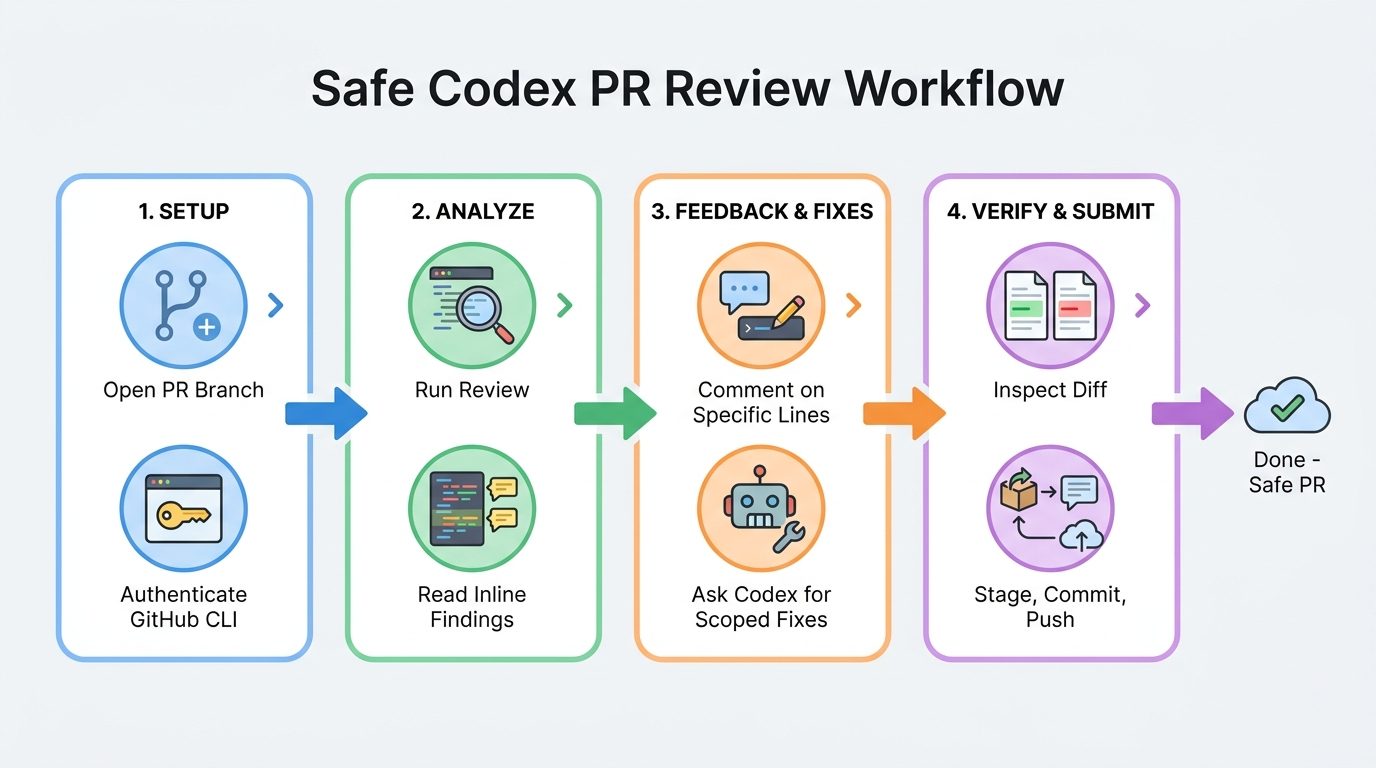
1. Open the correct project and branch
Open the ChatGPT desktop app, choose the project or folder, and make sure the local branch matches the pull request branch. If the PR was opened from a fork or a branch with unusual permissions, verify that your local checkout is actually the branch Codex should inspect. Do not start by asking the agent to “look at the PR” until you have confirmed the repository state.
2. Confirm GitHub context is available
If pull request details do not appear, check GitHub CLI authentication. OpenAI’s docs specifically mention installing gh and signing in with gh auth login. This is not cosmetic. Without authenticated GitHub context, Codex may still inspect local files, but it may not see reviewer comments, PR metadata, or changed-file context in the sidebar.
3. Run a review before requesting edits
Use /review to ask Codex to inspect changes and report prioritized findings. The point is to separate diagnosis from execution. A good review finding should tell you what is risky, why it matters, and where it appears in the diff. If the finding is vague, ask Codex to restate it with file names, lines, expected behavior, and a minimal fix plan before allowing edits.
4. Choose the smallest useful review scope
The review pane can show unstaged changes, staged changes, a selected commit, a branch diff, or the last assistant turn. Use the narrowest scope that answers the question. If a human reviewer left a comment on one file, do not ask Codex to review the entire branch unless the comment implies a cross-file issue.
5. Convert feedback into line-specific instructions
Inline comments are the feature that makes this workflow powerful. Instead of typing “fix the review comments,” attach feedback to specific lines or hunks. Then send a follow-up instruction such as: “Address the inline comments only, keep the scope minimal, do not refactor unrelated code, and explain each changed file before editing.”
6. Inspect the diff before staging
After Codex makes changes, inspect the diff in the review pane. Use staging and revert controls deliberately. Stage the files or hunks you accept. Revert changes that do not belong. If a file contains both staged and unstaged changes, remember that this is normal Git behavior, not necessarily an app bug.
7. Run tests or checks outside the agent’s promise
If Codex says a fix should pass, treat that as a claim to verify, not as proof. Run the relevant unit tests, type checks, lint checks, build steps, or manual QA. If the agent cannot run a check because of environment limitations, say that clearly in the PR rather than pretending it was verified.
8. Commit with a human-readable explanation
When the fix is ready, commit the narrow patch with a message that a teammate can understand. If Codex helped, you can still keep the commit message normal: explain the behavior fixed, not the fact that an AI tool touched it. Push to the PR branch only after you have reviewed staged content.
How to Use Inline Comments Without Confusing Codex
Inline comments are the biggest upgrade over a generic chat prompt because they anchor feedback to specific lines. Codex can respond more precisely when it sees exactly where your concern lives. But line comments can also create confusion if they are vague, contradictory, or mixed with unrelated requests.
| Weak instruction | Better inline guidance | Why it works |
|---|---|---|
| “Fix this.” | “This branch can return null; add the existing fallback used in settings.ts and keep the public API unchanged.” | Names the risk, the reference pattern, and the boundary. |
| “Make it cleaner.” | “Extract only the repeated date formatting into a helper; do not rename unrelated variables.” | Prevents broad refactoring disguised as cleanup. |
| “Reviewer is right.” | “Address this reviewer comment by adding a regression test for empty input and a minimal guard in the parser.” | Turns approval into executable scope. |
| “Update docs too.” | “Add one note to the usage section explaining the new flag. Do not rewrite the whole README.” | Keeps documentation edits proportional. |
| “Can you improve performance?” | “Check whether this loop re-fetches the same data. If yes, propose a cache plan before editing.” | Asks for diagnosis before an unsafe optimization. |
After leaving inline comments, send a short coordinating message in the task. A good message tells Codex what to do with those comments and what not to touch. For example: “Address the three inline comments. Keep changes limited to the files already in the diff unless you need a test helper. Before editing, summarize the fix plan in three bullets.”
That last sentence is important. Asking for a plan before editing helps you catch overreach. If Codex proposes changing authentication, build configuration, and test fixtures for a one-line reviewer comment, stop and narrow the task.
Risk Checklist: What Not to Let Codex Do in a PR Review
AI review is useful because it can read patiently and suggest patches quickly. It is risky because it can also produce confident changes that look reasonable at first glance. Use this checklist before accepting any Codex-generated pull request fix.
Good Codex PR tasks
- Fix a reviewer comment on a small function.
- Add a missing unit test for an edge case.
- Update documentation after a behavior change.
- Rename a poorly named local variable in a narrow diff.
- Apply a formatting or lint correction already required by CI.
- Summarize what changed for the PR description.
Risky Codex PR tasks
- Approve or merge its own changes without review.
- Refactor unrelated files while answering one comment.
- Change security, auth, billing, or data deletion logic casually.
- Rewrite tests to match broken behavior.
- Hide failing checks by weakening assertions.
- Push broad architectural changes into a small PR.
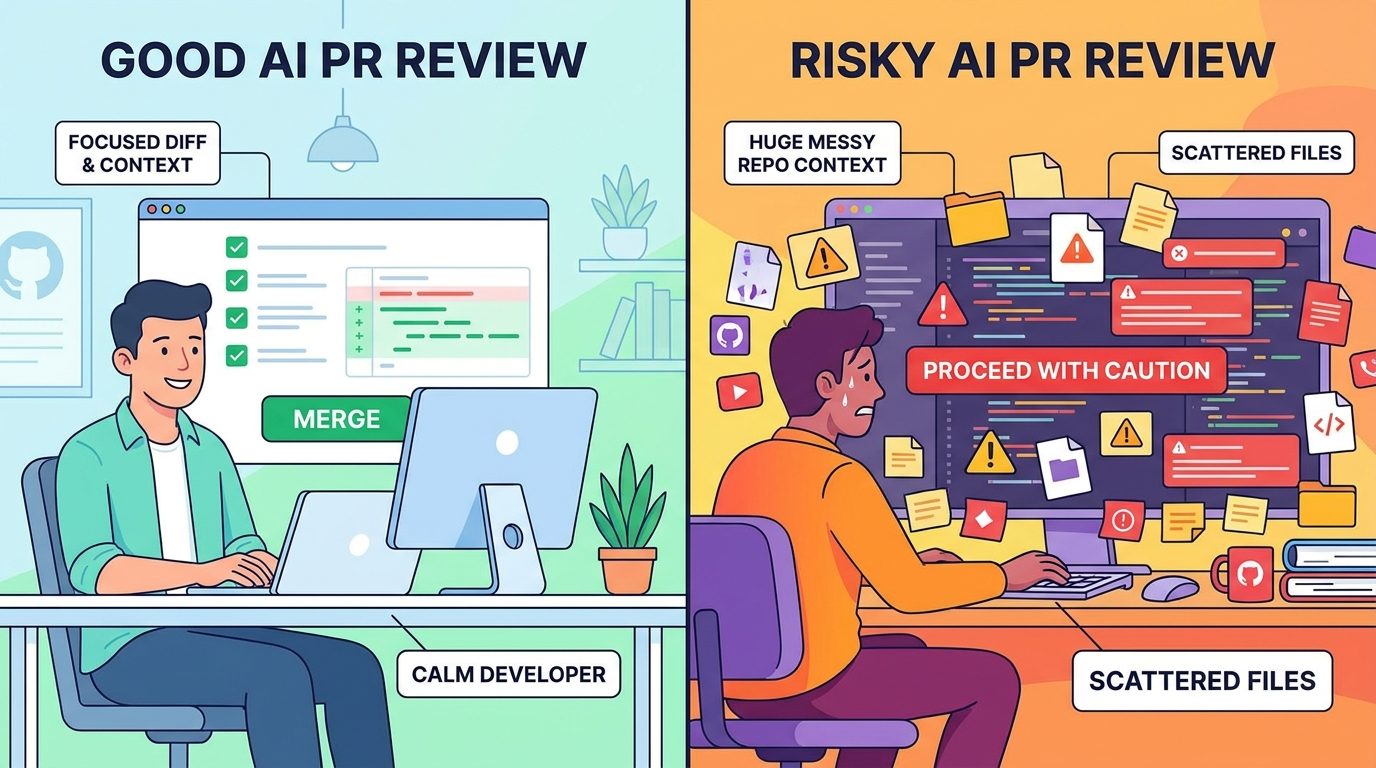
Three rules catch most problems. First, Codex should explain the patch before or immediately after making it. Second, every accepted change should map back to reviewer feedback, a failing check, or a clear requirement. Third, you should be able to revert the agent’s work at the file or hunk level without losing your own unrelated edits.
Pay special attention to tests. A coding agent may correctly add a regression test, but it may also adjust a test to match its implementation. That is not always wrong, but it deserves suspicion. Ask: did the test become more faithful to the product behavior, or did it become easier for the agent’s patch to pass?
Also avoid permission creep. If your sandbox or approval settings normally block destructive commands, keep them blocked during PR review. The fact that the task is inside a review flow does not make file deletion, credential access, database changes, or external pushes automatically safe.
Practical Examples of Codex PR Review Sidebar Prompts
Here are prompt patterns you can adapt. The goal is not to sound fancy. The goal is to make Codex behave like a careful junior engineer who asks before widening scope.
Example 1: Fix one reviewer comment
Prompt: “Address the inline reviewer comment on src/billing/limits.ts. Keep the fix limited to that file and its existing unit test unless you find a direct compile error. Before editing, explain the minimal patch.”
This prompt names the file, bounds the scope, allows one test, and requires a plan. It is ideal when a reviewer found a small edge case or naming issue.
Example 2: Ask for a review without edits
Prompt: “Run /review against the branch diff and report only high-confidence findings. Do not edit files. Group findings by correctness, security, tests, and readability.”
This keeps review separate from execution. It is especially useful before you ask Codex to touch a pull request created by another person.
Example 3: Turn PR comments into a plan
Prompt: “Read the PR sidebar comments and produce a fix plan. For each comment, say whether it needs a code change, a test change, a docs change, or no change. Do not edit yet.”
This is the safest pattern for messy review threads. Codex may find that some comments are resolved, duplicated, or blocked by product decisions. A plan helps you avoid unnecessary edits.
Example 4: Keep a multi-file fix under control
Prompt: “Fix the validation bug referenced in the review comments. You may touch the validator, the existing validation test file, and the changelog entry only. If you think another file must change, ask first.”
Multi-file fixes are often necessary, but they should still have a fence. “Ask first” is a simple guardrail that stops the agent from quietly expanding a narrow task into a refactor.
Example 5: Review Codex’s own patch
Prompt: “Review only the last assistant turn. Look for accidental broad changes, missing tests, and behavior changes not requested by the inline comments. Do not edit.”
OpenAI’s docs mention review scopes such as “Last turn.” That scope is useful after an agent edit because it lets you check what Codex just did instead of re-reviewing the entire branch.
ChatGPT Desktop App vs IDE vs GitHub for PR Feedback
The desktop app sidebar does not replace every existing review surface. It changes which surface is best for each job. GitHub remains the source of truth for the pull request conversation. Your IDE remains the best place for deep code navigation and local debugging. The ChatGPT desktop app is strongest when you want the agent, the diff, and the reviewer context in one controlled loop.
| Surface | Best for | Weak spot | Use with Codex when… |
|---|---|---|---|
| ChatGPT desktop app | Agent-assisted review, inline fix guidance, staging/reverting, PR context | Needs correct repo state and GitHub authentication | You want Codex to inspect feedback and propose scoped fixes. |
| IDE extension | Deep navigation, local debugging, file-by-file coding | May not show the whole PR conversation as naturally | You need to inspect code relationships while Codex helps edit. |
| GitHub web UI | Team conversation, approvals, checks, final merge decision | Not ideal for long local edit loops | You are reviewing human comments, CI, and merge readiness. |
| Terminal / CLI | Tests, git status, commits, branch hygiene | Less visual for comments and hunks | You need deterministic verification outside the agent UI. |
A practical routine is to use all four surfaces intentionally: GitHub for the conversation, desktop app for Codex-assisted fixes, IDE for deeper understanding, and terminal for verification. The mistake is treating any one surface as the whole workflow.
Team Rules for Safer Codex Pull Request Reviews
If you manage a small team, write down rules before the PR sidebar becomes popular. The tool is easy enough that developers may start using it before anyone agrees what counts as acceptable AI assistance. You do not need a heavy policy. You need a clear working agreement.
These rules also help with cost and usage limits. The broader the task, the more likely Codex is to consume time, model usage, and developer attention. Narrow PR feedback loops usually deliver the best return because the problem is already defined by a reviewer or a failing check.
Troubleshooting: Why PR Details May Not Appear
If the sidebar does not show the pull request context you expect, work through these checks before blaming the feature.
- You are on the wrong branch. Make sure your local branch is the PR branch and not the base branch or a stale copy.
- GitHub CLI is missing or unauthenticated. OpenAI’s docs specifically mention
ghauthentication for loading PR context, comments, and changed files. - The folder is not a Git repository. The review pane requires a Git repository. Initialize or open the correct repo.
- Permissions are incomplete. Private repositories, forks, or organization policies may block context loading.
- The diff scope is wrong. Switch between unstaged, staged, commit, branch, or last-turn views depending on what you need.
- There are mixed staged and unstaged changes. Seeing the same file in multiple states can be normal Git behavior.
- The review is detached. OpenAI docs mention a setting for detached code review tasks. Check whether review results are appearing in a separate task.
If you still cannot load PR context, fall back to a manual but safe workflow: paste the reviewer comment, provide the relevant diff, ask Codex for a plan, and keep edits scoped. Do not give the agent a vague instruction just because the rich sidebar is unavailable.
Related AI Feature Drop Guides
- ChatGPT Desktop App Codex Guide — the broader pillar guide for setup, workflows, multi-repository projects, and usage control.
- OpenAI Codex Pricing and Usage Limits — understand plans, credits, and usage tradeoffs before delegating long coding tasks.
- Codex Banked Resets Explained — learn how flexible usage windows can affect heavy coding sessions.
- Codex Remote Mobile Approval Checklist — review AI coding work safely from your phone.
- Codex Remote DigitalOcean Workspace Guide — run cloud coding agents with safer workspace boundaries.
- Codex Record & Replay Explained — turn repeatable coding workflows into reusable agent routines.
- Codex Computer Use on Windows — setup and safety notes for desktop automation.
Sources and References
- OpenAI ChatGPT Learn: Code review
- OpenAI ChatGPT Learn: ChatGPT desktop app
- OpenAI: ChatGPT is now a partner for your most ambitious work
- OpenAI: Codex in ChatGPT
- GitHub CLI
Feature availability, model names, usage policies, and UI labels can change. Verify your ChatGPT plan, app version, organization policy, and GitHub permissions before relying on Codex for production pull request workflows.
FAQ: ChatGPT Codex PR Review Sidebar
What is the ChatGPT Codex PR review sidebar?
It is the pull request context area in the ChatGPT desktop app that can show PR details, reviewer feedback, changed files, and review comments so Codex can help you inspect and address feedback in the same task.
Do I need GitHub CLI for Codex PR reviews?
OpenAI’s code review documentation says installing GitHub CLI and authenticating with gh auth login helps Codex load pull request context, review comments, and changed files. Without it, PR details may not appear correctly.
Does /review change my files?
OpenAI’s docs describe /review as a way for Codex to report prioritized findings without changing your working tree. If you later ask Codex to apply fixes, your normal sandbox and approval settings apply.
Can Codex stage, revert, commit, or push changes?
The review pane includes Git actions for staging, unstaging, and reverting at diff, file, or hunk level. Treat commit and push actions as human-controlled checkpoints: inspect the diff and run checks before sending changes to the PR branch.
What is the safest first prompt for PR feedback?
Start with a non-editing prompt: “Read the PR comments and produce a fix plan. Do not edit yet.” Then approve only the small fixes that map to reviewer feedback.
Why are PR comments not showing in ChatGPT?
Common causes include being on the wrong branch, missing GitHub CLI authentication, insufficient repository permissions, opening a folder that is not a Git repo, or viewing the wrong diff scope.
Should teams allow Codex to fix review comments automatically?
Teams can allow Codex-assisted fixes, but they should require human ownership, scoped prompts, protected areas for sensitive code, external verification, and review of the final diff before pushing.
How does this support the broader ChatGPT desktop app Codex workflow?
The PR review sidebar is a focused part of the larger desktop Codex workflow: setup, projects, multi-repository context, local files, Remote, and usage control are covered in the related pillar guide.
Post a Comment