
ChatGPT Desktop App Codex Guide: Set Up, Review PRs, and Manage AI Coding Workflows
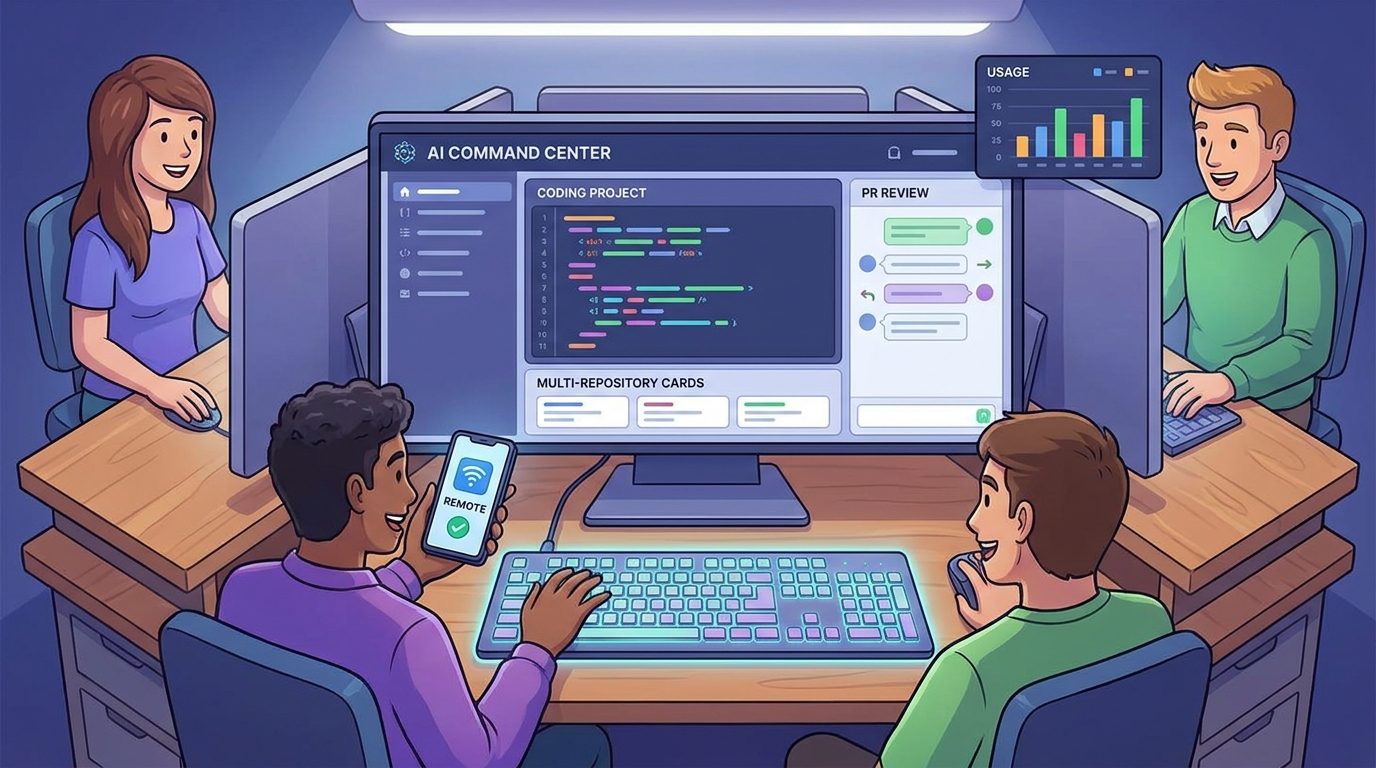
Codex is no longer just a separate coding app. OpenAI has folded Codex into the ChatGPT desktop app, bringing coding tasks, pull request review, multi-repository projects, Remote, files, browser work, and long-running agent activity into one command center. This guide explains what changed and how to use the new workflow without losing control of your code, costs, or review process.
ChatGPT Desktop App Codex: Quick Answer
ChatGPT desktop app Codex is OpenAI’s new unified desktop experience for coding work. In the July Codex changelog, OpenAI says Codex is now part of the ChatGPT desktop app on macOS and Windows. Existing Codex app users can update and keep their projects, settings, and workflows. You can also make Codex the default view and keep the Codex app icon on macOS if you prefer the coding-first feel.
The practical change is bigger than a name change. Codex now sits beside Chat and Work inside one desktop app. It can edit Markdown and code directly in the app, use inline annotations, revise selected content, review GitHub pull requests in a sidebar, work across repositories in one project, show task activity more clearly, and use the GPT-5.6 model family for faster Computer Use. The ChatGPT mobile app also now supports creating, opening, forking, and managing Codex tasks from a conversation.
This guide focuses on the workflow decisions that official release notes do not spell out: what to migrate, which features matter first, when multi-repository context helps, how PR review should fit into your process, how Remote changes approvals, and how to keep usage limits predictable.
What Changed When Codex Joined the ChatGPT Desktop App?
The standalone Codex app was already a powerful coding surface, but it was still perceived as a separate place for AI coding. The new ChatGPT desktop app turns Codex into one mode of a broader productivity workspace. OpenAI’s desktop app documentation describes it as a command center for complex work: run projects in parallel, work with files, use your computer, and keep long-running work moving from one desktop workspace.
That matters because modern AI coding is no longer only “edit this file.” Developers ask agents to inspect a repository, review a pull request, operate a browser, debug a web app, coordinate a remote machine, prepare a document, or continue a task from a phone. Putting Codex inside ChatGPT makes those workflows feel less fragmented.
The July update includes several concrete changes. First, Codex can now live inside the ChatGPT desktop app on macOS and Windows while preserving existing projects, settings, and workflows. Second, direct editing becomes more natural: you can edit Markdown and code in the app, use inline annotations, and ask Codex to revise selected content. Third, GitHub pull request review moves into the sidebar so reviewer feedback can sit beside the diff. Fourth, one project can span multiple repositories, which is useful for full-stack apps, monorepos split across services, and product work that touches docs plus code.
Analytics also support writing about this now. In the latest 28-day AIFeatureDrop report, the site recorded 336 active users, 426 sessions, and 657 page views. Organic Search contributed 174 sessions, while OpenAI/Codex pages dominated the top performers: the Codex banked resets guide drew 112 page views, OpenAI Codex pricing and usage limits drew 43 page views, and Codex Computer Use on Windows drew 26 page views. Search Console still shows limited query rows, but Codex-related impressions include terms around Codex computer use and Codex remote desktop. The audience is already telling us that practical Codex workflow explainers are worth expanding.
How to Set Up Codex in the ChatGPT Desktop App
If you already used the Codex app, the migration path is intentionally low-friction. Update to the current ChatGPT desktop app, sign in with the same ChatGPT account and workspace, and check that your projects, settings, plugins, and workflows appear. If you prefer the old coding-first feel, make Codex the default view. On macOS, OpenAI also says existing users can keep the Codex app icon.
If you are new to Codex, start with a small local project before connecting every important repository. Install the desktop app, sign in, choose a folder or project, then ask Codex to inspect the project and explain how to run tests. Do not begin with a production migration. The first session should verify that Codex sees the right files, uses the right shell, respects your permission settings, and can run a harmless command.
For teams, the rollout should be slower. Create a short internal note: which repositories are allowed, which models are default, whether Computer Use is permitted, which plugins are approved, and when developers may use Remote from a phone. Codex can move fast, but team trust comes from predictable boundaries.
The New Codex Features That Actually Matter
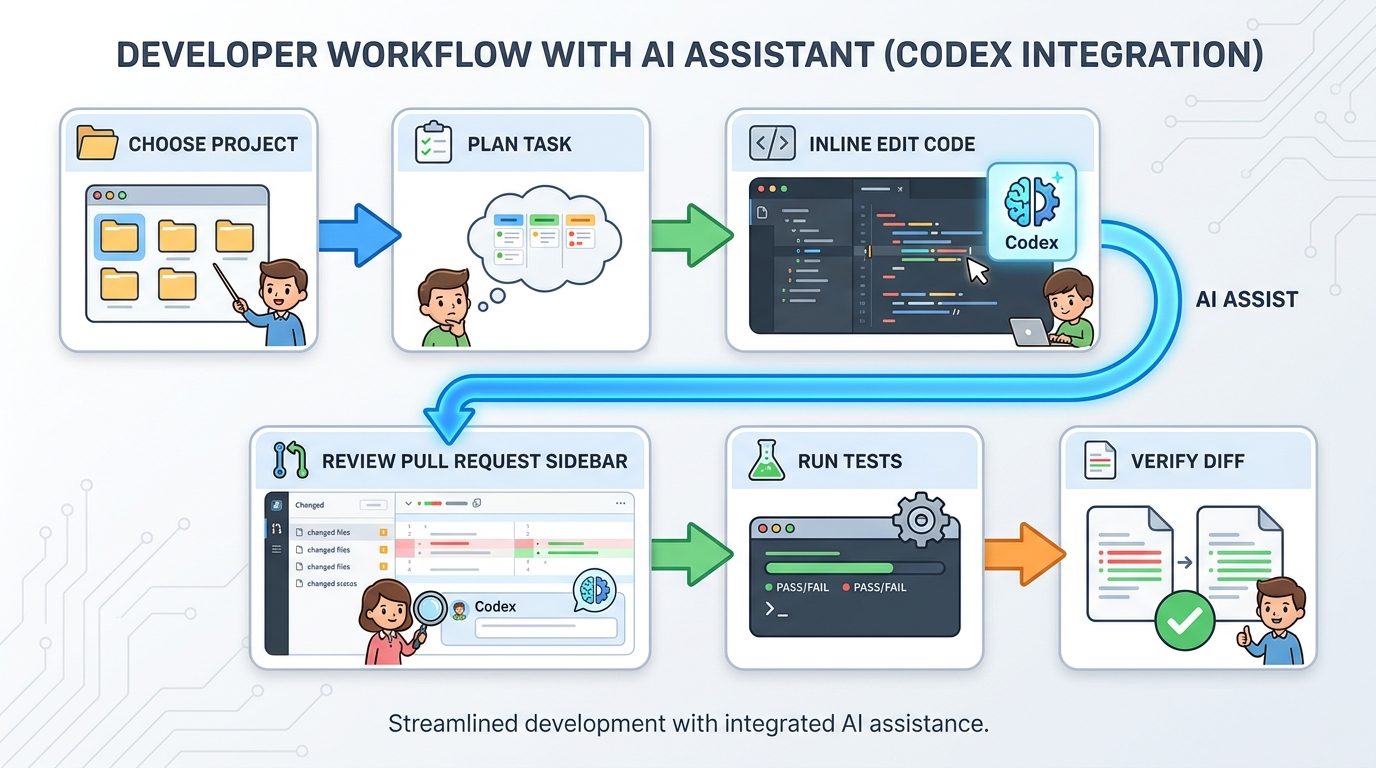
Release notes can make every feature sound equally important. They are not. For most developers, the five features worth learning first are direct editing, inline annotations, pull request review, multi-repository projects, and clearer task activity. Remote and mobile controls matter once you already trust the desktop workflow.
Direct Markdown and code editing
Direct editing matters because it shortens the loop between AI suggestion and human revision. If Codex drafts a README section, test explanation, changelog entry, or small code change, you can edit the text in place and ask Codex to revise selected content instead of reprompting from scratch. That encourages a healthier workflow: collaborate with the draft instead of treating the model’s first answer as final.
Inline annotations
Inline annotations are useful for targeted feedback. Instead of saying “fix this whole file,” point to the exact paragraph, function, or diff region. This reduces context bloat and usually produces better edits. It also helps reviewers leave precise instructions when Codex is revising a pull request.
Pull request review in the sidebar
The PR sidebar is the most developer-specific update. It lets reviewer feedback sit alongside the diff, so Codex can help interpret comments, propose changes, and keep the review thread visible. This is valuable, but it must not replace human review. Use Codex to summarize feedback, draft fixes, and check tests; keep a developer responsible for approving the final diff.
Multi-repository projects
Working across repositories is powerful for apps split into frontend, backend, infrastructure, docs, and SDK repositories. It is also risky because more context can mean more confusion and higher usage. Use multi-repo projects for clearly connected tasks, such as updating an API contract and the client SDK together. Avoid dumping unrelated repositories into one project because it “might help.”
Clearer task activity
OpenAI says the update makes task activity and progress easier to follow while Codex works. That sounds small, but observability is essential for long-running agent work. If you cannot tell whether an agent is inspecting files, running tests, waiting for approval, or stuck in a loop, you cannot manage it safely.
A Practical Workflow for Everyday Codex Use
The best Codex workflow is boring in the right places. Start with a plan, give narrow context, let Codex make a focused change, inspect the diff, run verification, and then decide whether another iteration is worth it. The desktop app makes this easier because projects, files, diffs, pull request context, and task status are visible in one place.
| Stage | What to ask Codex | What you should verify |
|---|---|---|
| Understand | “Summarize this repository and identify the test command.” | Codex found the right package manager, scripts, and app entry points. |
| Plan | “Propose a small plan for this bug without editing files yet.” | The plan touches the right files and avoids broad rewrites. |
| Edit | “Apply the minimal fix and explain the diff.” | The diff matches the plan and does not introduce unrelated changes. |
| Verify | “Run the targeted test and summarize the result.” | Tests actually ran in the right environment and failures are visible. |
| Review | “Prepare a PR summary and risk notes.” | The summary is accurate and does not overclaim safety. |
| Iterate | “Fix only the failing test or reviewer comment.” | The next change is scoped, not a full second rewrite. |
This sequence also controls usage. Vague prompts make agents explore. Focused plans make agents execute. If you repeatedly say “try again” without changing the constraints, you are likely spending more usage while getting less clarity. The desktop app’s task activity view can help you catch that pattern early.
How to Use the Codex PR Review Sidebar Safely
Pull request review is where Codex can save real time, especially when a reviewer leaves many small comments. The sidebar workflow lets Codex keep feedback visible beside the diff, interpret review comments, draft changes, and explain tradeoffs. That can reduce the “hunt through comments, edit file, rerun test, update response” loop.
The safe pattern is to separate three jobs: comprehension, patching, and approval. Let Codex summarize reviewer feedback and map comments to files. Let it draft small fixes. Then a human should inspect the final diff, rerun relevant checks, and decide whether the reviewer’s concern is truly resolved. Codex can help with review, but it cannot own accountability for a merged PR.
Good PR tasks for Codex
- Summarize reviewer feedback into a checklist.
- Apply a small formatting or naming change.
- Update tests after an agreed implementation change.
- Draft a response explaining what changed.
- Identify which comments are blocked by missing product decisions.
Risky PR tasks for Codex
- Silently accepting every suggestion without judgment.
- Rewriting large sections to satisfy vague comments.
- Changing security-sensitive code without a second review.
- Marking tests as sufficient without running them.
- Resolving comments in GitHub before the human checks the diff.
For more context on adjacent OpenAI coding workflows, connect this guide with our OpenAI Codex pricing and usage limits guide and Codex banked resets explainer. PR review is valuable only if the time saved is worth the usage consumed.
When Multi-Repository Codex Projects Help
Multi-repository projects sound like an obvious upgrade, but they require discipline. They help when the task genuinely crosses repository boundaries: updating an API and client SDK, changing shared types, coordinating frontend and backend behavior, or revising docs after a code change. They hurt when extra repositories become irrelevant noise.
A good multi-repo prompt names the repositories and the relationship between them. For example: “The backend repo defines the API response. The frontend repo consumes it. Inspect both, propose the smallest compatible change, and do not edit until I approve the plan.” That gives Codex a map. A bad prompt says: “Look at all my repos and improve the app.” That invites exploration without a finish line.
| Use multi-repo when… | Avoid it when… |
|---|---|
| The same feature spans frontend and backend. | You only need a one-file bug fix. |
| An SDK or docs repo must match a service change. | The additional repos are merely “nice to have” context. |
| You can name the exact contract between repositories. | You cannot explain why each repo is included. |
| You plan to review diffs per repository. | You want Codex to roam broadly and discover work. |
If you want a simple rule, use one repository by default and add another only when the task would be impossible or error-prone without it. This keeps Codex faster, cheaper, and easier to review.
How Remote and Mobile Controls Fit Into the Desktop App
Remote connections let you access work running on another device or machine. OpenAI’s Remote documentation says the mobile app can start or continue ChatGPT Work or Codex tasks on a connected Mac or Windows host, send follow-up instructions, approve actions, review outputs and diffs, and get notifications when a task completes or needs attention. The connected host supplies the projects, files, credentials, permissions, plugins, browser setup, Computer Use, and local tools.
That host-based model is important. Your phone is not magically running the repo. It is steering a trusted desktop or remote environment. That means your security posture depends on the host: keep it updated, keep it awake only when intended, review connected devices, and avoid pairing devices you do not control. The June Remote GA update also moved to authenticated one-to-one QR pairing between each phone and each host, so each device-host pair should be treated as a real access relationship.
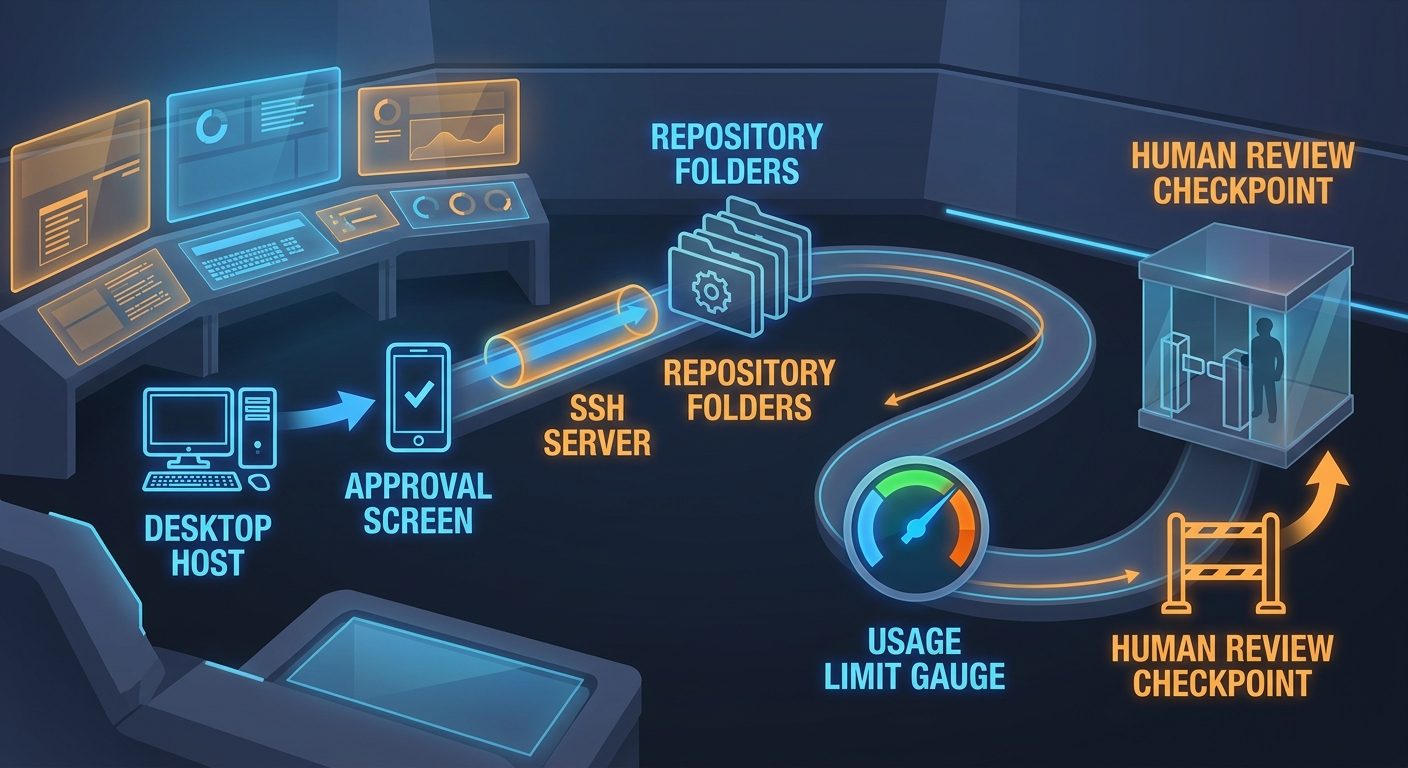
Remote is best for monitoring and steering, not for starting risky tasks casually from a queue. A good mobile workflow is: start a scoped task on desktop, step away, receive a notification, review the diff or terminal summary on mobile, approve a safe next step, and inspect final changes later on the main machine. A bad workflow is: launch a vague multi-hour migration from your phone while half-reading the diff.
AIFeatureDrop already has deeper Remote coverage if you want to go further: see the Codex Remote mobile approval checklist, the DigitalOcean workspace guide, and the Codex Remote explainer.
Usage Limits, GPT-5.6 Models, and Cost Control
OpenAI’s pricing page says ChatGPT Work and Codex share usage. It also explains that the number of Codex messages depends on the model used, task complexity, local versus cloud execution, context size, reasoning, tool use, retrieval, and caching. In plain English: two prompts that look similar can consume different amounts of your allowance because one may involve more files, tools, reasoning, or output.
The GPT-5.6 family is split into three recommended choices. Sol is the flagship for complex coding, computer use, research, and security work. Terra balances capability and cost for everyday work. Luna is the fastest and lowest-cost option for lightweight or high-volume workloads. The right model choice is not “always strongest.” The right choice is “strong enough for the task.”
For usage control, use three habits. First, start with a plan before allowing edits. Second, choose Luna or Terra for routine work and reserve Sol for high-value hard tasks. Third, stop after each agent run and inspect whether the next turn has a clear purpose. If it does not, you are probably burning usage to compensate for an unclear prompt.
Permissions and Security Checklist
Because Codex can use files, shell commands, browser context, plugins, Remote, and sometimes Computer Use, security is not optional. The desktop app should inherit your normal engineering discipline: least privilege, clear approvals, sensitive-data boundaries, and testable output. The more Codex can do, the more important it becomes to decide what it should not do.
For Windows users, Computer Use can operate desktop apps in the foreground, which means the host desktop must be dedicated to the task while it runs. If you are using remote SSH projects, keep the host configured like normal SSH infrastructure: trusted keys, least-privilege users, no unauthenticated public listeners, and clear project boundaries.
Three Example Workflows Worth Trying
1. Fix a failing test from a pull request
Open the PR in the desktop app, let Codex read the reviewer comments and failing test output, ask for a plan without edits, then approve a minimal fix. After Codex edits, run the targeted test and ask it to prepare a concise PR response. This is a good use case because the task has a clear objective and a verification command.
2. Update a docs page after a feature change
Use inline annotations to point Codex at the section that needs updating. Ask it to revise only the selected content, then manually adjust tone and examples. This is where direct Markdown editing shines because you can collaborate on the draft instead of reprompting the entire document.
3. Coordinate frontend and backend changes
Create a multi-repository project only when both repositories are necessary. Ask Codex to identify the contract, propose a change, and list impacted files before editing. Review diffs repository by repository. This avoids the classic agent failure mode where a broad multi-repo prompt turns into an uncontrolled rewrite.
Decision Checklist Before You Let Codex Work Longer
Before a long Codex session, pause for one minute and answer five questions. What exact outcome do you want? Which files or repositories are truly relevant? Which model is strong enough without being wasteful? Which command proves the work is done? Which action requires human approval no matter how confident Codex sounds? This tiny checklist prevents most bad agent runs because it turns an open-ended request into a bounded engineering task.
If the answer to any question is unclear, ask Codex for a plan instead of an edit. Planning is cheaper, safer, and easier to correct than a large diff. Once the plan is right, let Codex execute one stage, inspect the result, and continue only when the next instruction is specific. That is the core habit behind reliable desktop Codex use.
Related AIFeatureDrop Guides
- OpenAI Codex Pricing and Usage Limits — understand plan and usage tradeoffs before long sessions.
- Codex Banked Resets Explained — a strong companion for usage planning.
- Codex Remote Mobile Approval Checklist — safer approvals from your phone.
- Codex Remote DigitalOcean Workspace — when to use a cloud workspace.
- Codex Record & Replay Explained — turn demonstrated workflows into reusable skills.
- Codex Computer Use on Windows — setup and safety notes for Windows foreground tasks.
- OpenAI Codex Computer Use Explained — understand browser and desktop automation boundaries.
Sources and References
- OpenAI Codex changelog
- OpenAI ChatGPT desktop app documentation
- OpenAI What's new digest for ChatGPT and Codex
- OpenAI Remote connections documentation
- OpenAI Codex pricing and usage documentation
Codex features, model names, and limits can change. Verify current OpenAI documentation and your workspace policy before relying on a workflow for production code.
FAQ: ChatGPT Desktop App Codex
What happened to the Codex app?
OpenAI says Codex is now part of the ChatGPT desktop app on macOS and Windows. Existing Codex app users can update while keeping projects, settings, and workflows. You can also make Codex the default view and keep the Codex app icon on macOS.
Is Codex still available as a coding-focused experience?
Yes. Codex remains a dedicated coding surface inside the ChatGPT desktop app, alongside Chat and Work. The difference is that it now lives in a broader desktop command center.
Can Codex review GitHub pull requests in the desktop app?
Yes. The July update adds GitHub pull request review in the sidebar, with reviewer feedback beside the diff. Use it to summarize comments and draft fixes, but keep human approval for final merges.
Does Codex work across multiple repositories?
Yes. Codex can work across repositories in one project. Use this when a task genuinely spans repos, such as frontend and backend changes, not as a default for every small bug fix.
Can I manage Codex tasks from my phone?
Yes. The ChatGPT mobile app supports creating, searching, opening, forking, and managing Codex tasks, plus Remote workflows for connected desktop hosts.
How should I choose between GPT-5.6 Sol, Terra, and Luna?
Use Luna for lightweight or high-volume tasks, Terra for balanced everyday coding, and Sol for complex reasoning, research, security, Computer Use, or difficult multi-step work.
Do ChatGPT Work and Codex share usage limits?
OpenAI’s pricing page says ChatGPT Work and Codex share usage. Task size, model choice, context, tool use, reasoning, retrieval, and caching can all affect consumption.
What is the safest way to start using desktop Codex?
Start with one non-critical repository, ask Codex to summarize the project and test command, approve one small edit, inspect the diff, and run verification before using broader agent workflows.
Post a Comment