
Codex Plugin Permission Boundaries: Safe Scopes, MCP Tools, and Review Checks
A practical guide to designing Codex plugin permission boundaries for reusable skills, MCP tools, team approvals, and safer agent workflow rollout. Use the smallest useful package, treat MCP tools like API permissions, and keep draft-first review gates before broad rollout.
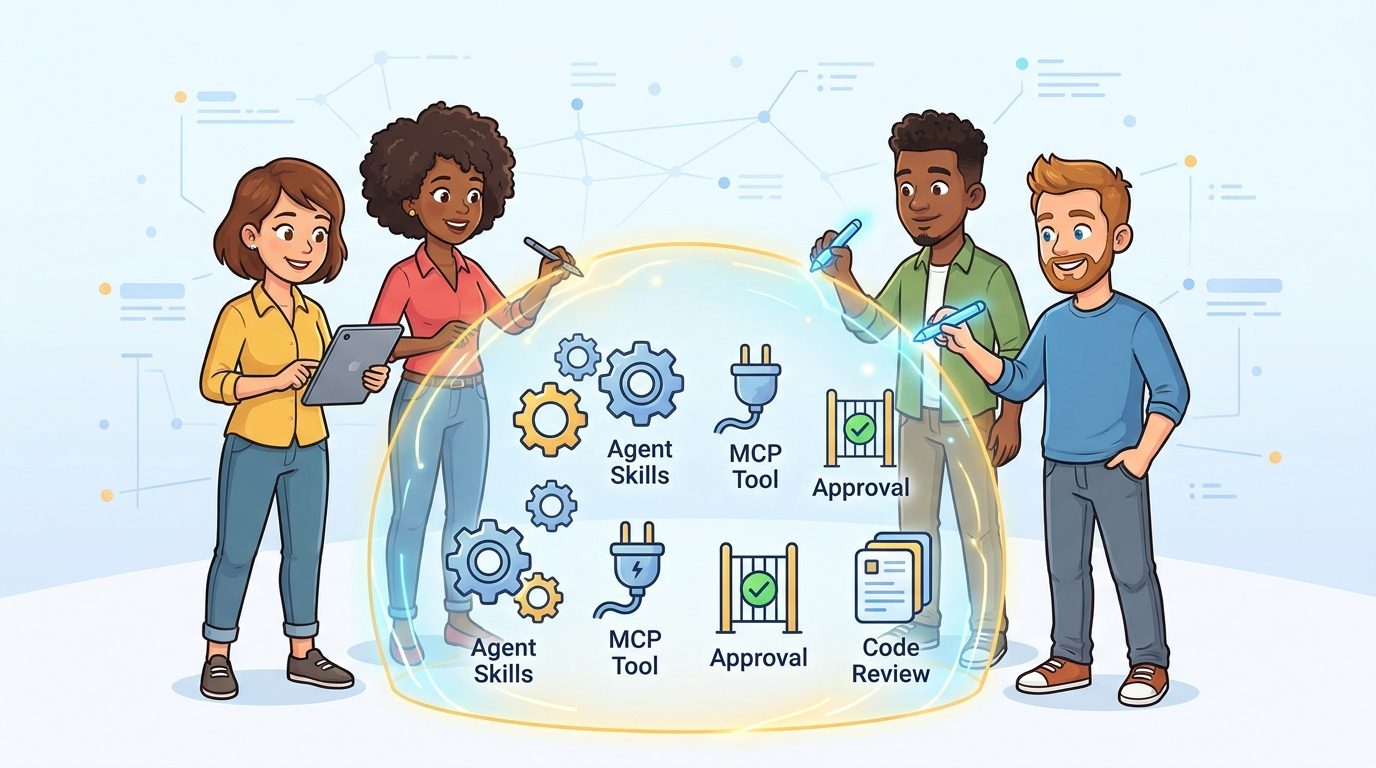
Quick Answer: What Permission Boundary Should a Codex Plugin Have?
A Codex plugin should only receive the instructions, resources, connectors, MCP tools, and action permissions required for one repeatable job. If the plugin helps review release notes, it should not also edit production configuration, access unrelated repositories, or call external tools that are not needed for that review. The safest boundary is narrow, documented, testable, and easy for a human reviewer to understand.
This cluster guide supports our broader pillar, OpenAI Codex Agent Plugins Guide, by narrowing the problem to one practical search intent: how teams should decide what a plugin is allowed to do before they package it, install it, or roll it out across a workspace. The pillar explains the bigger concept. This guide gives you the permission model, examples, review checklist, and troubleshooting path.
Why Plugin Boundaries Matter More Than Plugin Features
Reusable agent workflows are attractive because they reduce repeated prompting. Instead of pasting the same requirements, examples, schema, review rubric, and tool instructions into every chat, a team can package that workflow once and reuse it. That is powerful. It is also where risk begins, because packaged workflows can spread faster than an informal prompt.
The OpenAI Codex documentation describes skills as reusable workflow instructions and plugins as installable bundles that can include skills, connectors, or both. Connectors can be backed by MCP servers, which means a plugin can move beyond “follow these instructions” into “access this system” or “perform this action.” The permission boundary is the line between helpful reuse and accidental overreach.
Most teams do not get into trouble because a plugin has one obviously dangerous tool. They get into trouble because a useful plugin slowly grows. The release-note helper starts reading commits. Then it reads issues. Then it edits changelogs. Then someone gives it repository write access because editing is convenient. Then the plugin is used in a broader project than originally intended. Each step feels reasonable in isolation, but the combined boundary becomes unclear.
A strong boundary keeps three things visible: the job, the input surface, and the output action. The job says what the plugin is for. The input surface says what it can read. The output action says what it can change, create, submit, or publish. If any of those three cannot be explained in one sentence, the plugin is not ready for broad reuse.
The Four-Layer Boundary Model
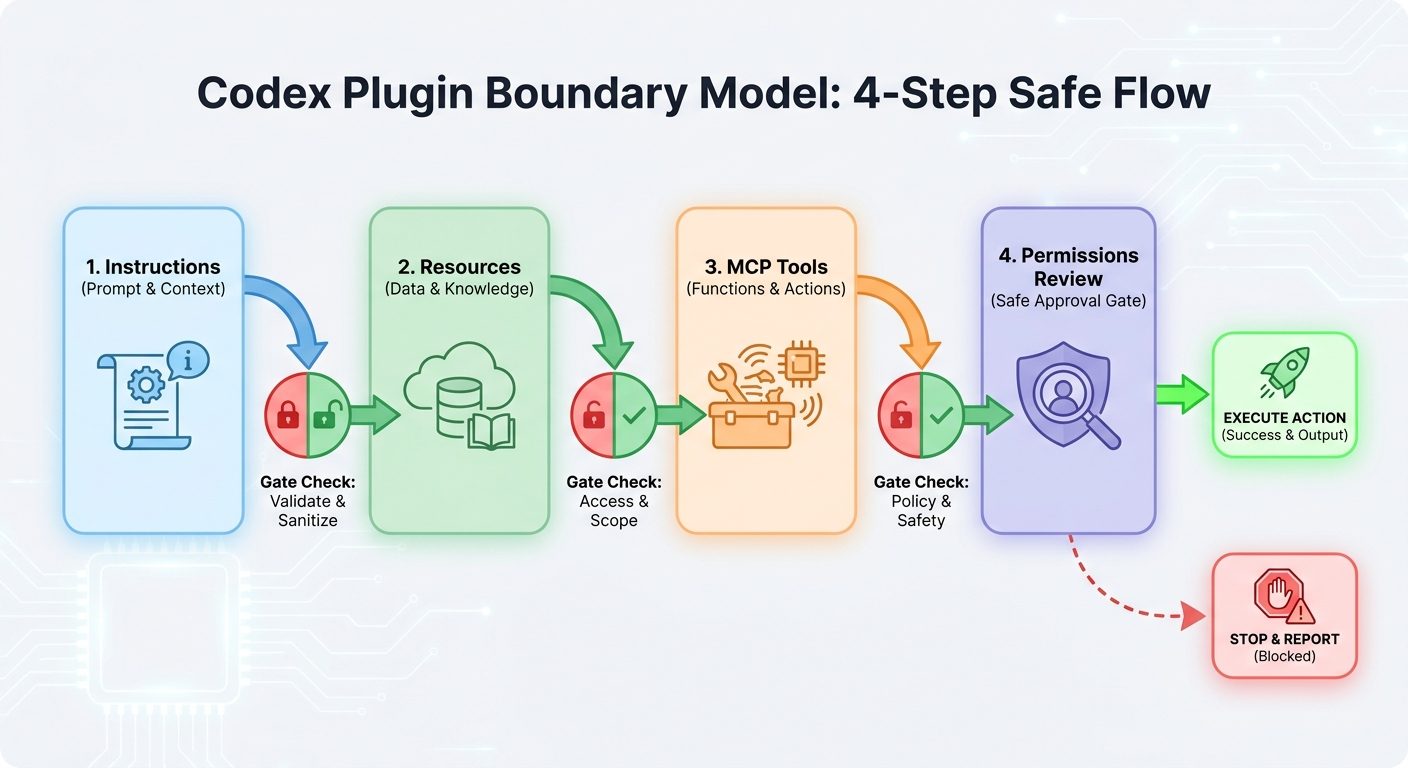
Think about Codex plugin permissions in four layers. Each layer should be reviewed separately because each creates a different kind of risk.
What workflow does the plugin teach Codex to follow? This includes checklists, writing standards, review rubrics, and task rules.
What files, templates, examples, schemas, or brand guidance does it bring into context? Resources can shape decisions even when they do not execute actions.
What connectors or MCP tools can it call? Tool access can expose private data, query external systems, or create side effects.
What can it edit, run, submit, publish, or send? Action permission is where workflow design becomes operational risk.
This model prevents a common mistake: treating “plugin permission” as a single yes-or-no approval. A plugin may be safe at the instruction layer but risky at the action layer. Another plugin may have harmless output actions but risky resources because it includes sensitive templates or private policy documents. Good review separates these layers before deciding where the plugin can run.
Skill vs Plugin vs Connector: Choose the Smallest Useful Package
The easiest way to reduce risk is to choose the smallest package that solves the job. A skill is usually enough when the workflow depends on repeatable instructions, templates, or examples. A plugin becomes useful when installation, distribution, bundled capabilities, or connector access matter. A connector or MCP server is appropriate only when the agent needs live external context or tool calls.
| Need | Best fit | Boundary question |
|---|---|---|
| Reusable writing rubric, code review checklist, article outline, or meeting brief | Skill | What instructions and resources are included? |
| Shareable bundle with several skills and optional connected tools | Plugin | Who can install it and where can it run? |
| Access to private docs, ticket systems, databases, or APIs | Plugin with connector or MCP server | What data can the tool read, and what actions can it perform? |
| Automated changes to files, pull requests, messages, or production systems | Plugin plus explicit action approvals | Which writes require human review? |
For example, a “PR summary style guide” should probably be a skill. It needs instructions and examples, not external tools. A “customer bug triage assistant” may need a plugin if it must connect to tickets and documentation. A “release manager” that edits changelogs, opens pull requests, and posts launch notes needs the strictest boundary because it combines reading, reasoning, writing, and communication.
MCP Tool Scope Matrix for Codex Plugins
MCP makes plugins more capable because it gives agents a standard way to connect to external systems. The official MCP documentation describes MCP as a protocol for connecting AI applications to data sources, tools, and workflows. That flexibility is useful, but it means plugin review must treat every MCP tool like an API permission.
| Tool type | Low-risk starting scope | Higher-risk scope | Review requirement |
|---|---|---|---|
| Documentation search | Read-only search and fetch on approved docs | Private docs across many teams | Confirm source list, citations, and data sensitivity |
| Issue tracker | Read issues and suggest labels | Edit status, assign users, close issues | Require dry-run mode before writes |
| Repository tools | Read files and open draft patches | Direct commits or branch changes | Keep branch protection and human PR review |
| Database or analytics | Read aggregated reports | Query raw customer data | Limit fields, log queries, avoid unnecessary PII |
| Messaging tools | Draft messages for review | Send directly to channels or customers | Require explicit approval for external sends |
The best first MCP tools are read-only and citation-friendly. Search, fetch, summarize, compare, and draft are safer than mutate, delete, publish, deploy, or notify. A plugin can still be useful when it cannot write anything. In fact, read-only plugins are often the best way to prove value before expanding scope.
Three Safe Boundary Examples
Example 1: Documentation Review Plugin
Job: review a pull request for documentation drift. Inputs: changed files, related docs, and a writing checklist. Tools: read-only repository search and documentation search. Output: a comment draft with cited files and suggested edits. Boundary: no direct file edits until the plugin has produced reliable suggestions across several reviews.
Example 2: Release Notes Plugin
Job: draft release notes from merged pull requests and issue labels. Inputs: merged PR metadata, issue titles, and release-note style examples. Tools: issue tracker read access and repository read access. Output: a draft markdown section. Boundary: no publishing, tagging, or customer announcement without human review.
Example 3: Test Failure Triage Plugin
Job: summarize failing tests and point to likely owners. Inputs: CI logs, test names, changed files, and ownership map. Tools: read-only CI log fetch and repository search. Output: a short maintainer note. Boundary: no retry loops, no auto-reverts, and no direct changes to flaky tests during early rollout.
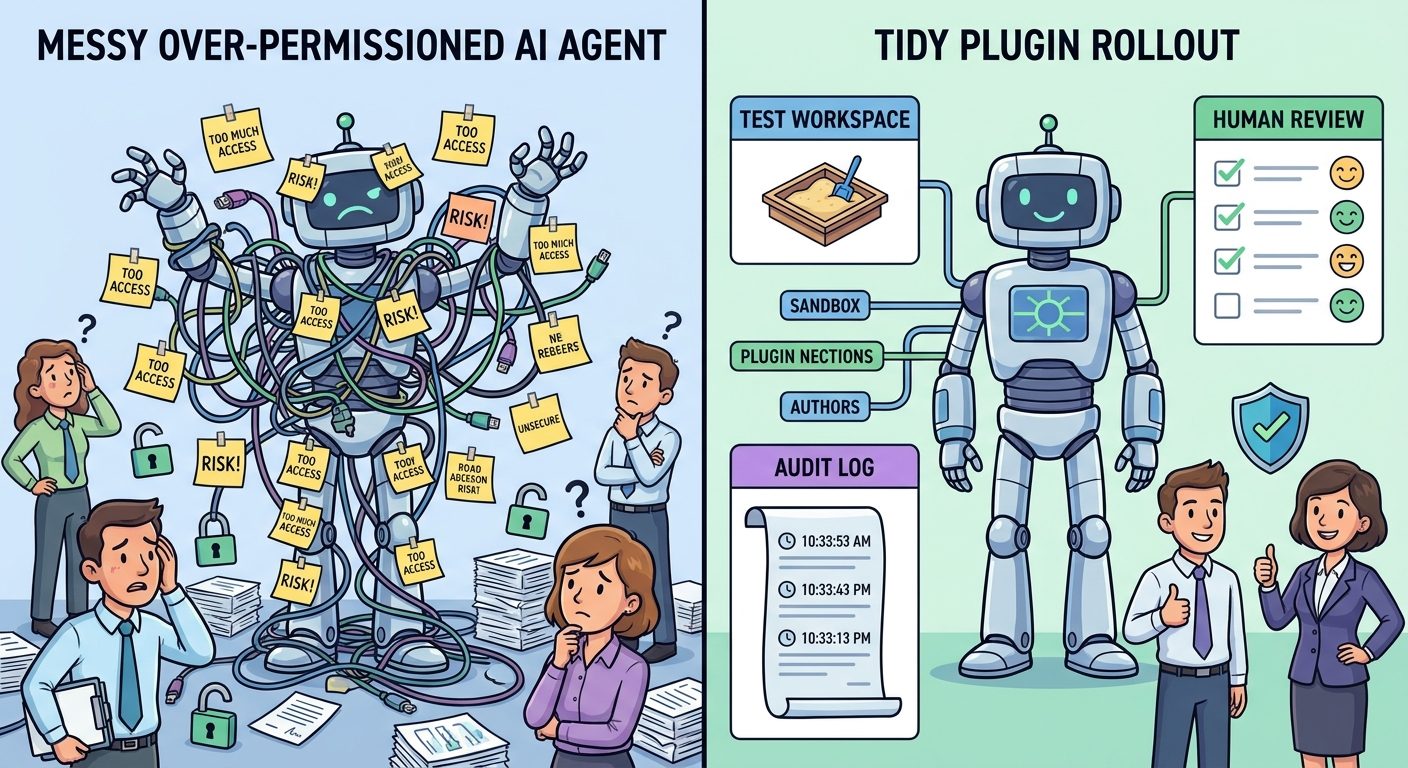
These examples are intentionally modest. They prove a principle: a plugin does not need broad permissions to be valuable. The first win is often making human review faster, not replacing the reviewer.
Write a Boundary Statement Before You Build
A boundary statement is a short paragraph that travels with the plugin. It should appear in the README, install notes, or internal approval request. It forces the builder to describe the plugin in operational language instead of feature language.
This Codex plugin helps [team] perform [specific job].
It may read [approved inputs].
It may use [approved skills/resources/tools].
It may produce [allowed outputs].
It must not [forbidden actions].
Human approval is required before [review gates].
The owner is [person/team], and usage should be reviewed [cadence].
Here is a concrete version:
This Codex plugin helps the platform team summarize CI failures.
It may read CI logs, changed files, and repository ownership docs.
It may use the test-triage skill and read-only repository search.
It may produce a draft pull request comment.
It must not edit files, retry workflows, close issues, or message external channels.
Human approval is required before posting comments or opening pull requests.
The owner is Developer Productivity, and usage should be reviewed weekly.
If the team cannot agree on the boundary statement, do not install the plugin broadly. The disagreement is useful signal. It means the workflow’s scope, owner, or risk level is still unclear.
Codex Plugin Review Checklist
Use this checklist before sharing a Codex plugin across a team or organization.
Approve when
- The job is narrow and repeatable.
- The plugin uses the smallest useful package: skill first, plugin second, tools only when needed.
- MCP tools are read-only during the first rollout.
- Outputs are drafts, comments, or reports before they become direct actions.
- There is a named owner and a review cadence.
- The plugin has a rollback or disable path.
Pause when
- The plugin asks for broad access “just in case.”
- It combines private data, write actions, and external messaging in one first release.
- No one can explain what the plugin must not do.
- The plugin can affect production systems without a human gate.
- Costs, logs, or audit trails are unclear.
- The same plugin is intended for unrelated teams with different data sensitivity.
The checklist is not bureaucracy for its own sake. It protects plugin reuse from becoming silent automation sprawl. A small plugin with a clear owner can be improved safely. A large plugin with unclear permissions becomes difficult to debug, audit, or trust.
A Practical Rollout Plan
Phase 1: Local or single-workspace test
Run the plugin against a harmless repository, sample folder, or test workspace. Use approval mode that pauses before writes or external actions. Compare its output with a human baseline. Record false positives, missing context, confusing instructions, and tool calls that were not necessary.
Phase 2: Read-only team pilot
Let a small team use the plugin for a repeatable workflow. Keep tools read-only and require human approval for comments, edits, or messages. Ask users to mark outputs as useful, noisy, or wrong. The acceptance rate matters more than the number of runs.
Phase 3: Draft output
Allow the plugin to prepare drafts: changelog text, PR comments, documentation edits, triage summaries, or test notes. Do not allow direct publishing yet. Draft output gives the team speed while keeping the final decision human.
Phase 4: Narrow writes with review gates
Only after the plugin proves itself should it receive narrow write access. Even then, preserve branch protection, PR review, message approval, and audit logs. A good plugin rollout expands slowly because trust is earned from repeated correct behavior.
Troubleshooting Boundary Problems
The plugin keeps asking for extra permissions
Break the workflow into smaller jobs. A plugin that needs many unrelated permissions may actually be several plugins: one for research, one for drafting, and one for controlled updates.
The plugin output is useful but too risky to automate
Keep it as a draft-only workflow. Useful suggestions do not require autonomous writes. Human review can remain the product boundary.
The MCP tool returns too much private context
Reduce the data source, filter fields, add allowlists, or replace raw access with a search/fetch pattern that returns only citation-friendly excerpts.
Different teams want different behavior
Create team-specific skills or configuration files rather than one broad plugin. Shared install does not mean identical permissions.
Reviewers do not trust the plugin
Require evidence links, shorten the task, show tool calls where possible, and add examples of accepted and rejected outputs.
Keep Learning on AI Feature Drop
Sources and References
FAQ: Codex Plugin Permission Boundaries
What is the safest first Codex plugin boundary?
The safest first boundary is read-only: reusable instructions, approved resources, read-only search or fetch tools, and draft outputs that require human approval before posting, editing, or publishing.
Should every reusable workflow become a plugin?
No. If the workflow only needs instructions, examples, and templates, a skill is usually simpler and safer. Use a plugin when installation, sharing, connectors, or MCP tools are genuinely needed.
How should MCP tools be reviewed?
Review MCP tools like API permissions. Confirm what each tool can read, what it can write, what data it exposes, whether it logs actions, and whether it supports a dry-run or read-only mode.
Can a Codex plugin edit code safely?
It can, but editing should come later in the rollout. Start with read-only analysis and draft patches, then allow narrow writes only with branch protection, human review, and a clear owner.
What is a boundary statement?
A boundary statement is a short description of what the plugin may read, which tools it may use, what it may produce, what it must not do, and where human approval is required.
Common Anti-Patterns to Avoid
The first anti-pattern is the “Swiss army plugin.” It promises to review code, write documentation, update tickets, send Slack summaries, run tests, edit release notes, and publish announcements. That sounds efficient, but it makes review almost impossible. A reviewer cannot easily tell whether the plugin needs every permission it requests because the job itself is too broad. Split broad workflows into smaller plugins or skills with separate owners.
The second anti-pattern is treating an MCP server as harmless because the plugin interface looks friendly. MCP is a connection layer. A friendly interface can still reach sensitive systems. If a tool can query private customer records, update tickets, or send messages, it deserves the same review as any internal app integration.
The third anti-pattern is skipping examples. A plugin without realistic examples will drift. Include examples of good outputs, bad outputs, and rejected actions. If the plugin should never change production deployment files, say that directly. If it should cite the source of every recommendation, include a sample citation pattern.
The fourth anti-pattern is allowing silent external communication. Drafting a customer email, Slack update, or incident note can be useful. Sending it without approval is a different risk category. Keep external sends behind explicit review unless the workflow has mature policy, auditing, and owner accountability.
Team Template: Plugin Approval Note
Copy this lightweight template into a pull request, internal wiki page, or plugin README before rollout. It gives reviewers enough structure without turning the process into a heavy governance exercise.
Plugin name:
Owner:
Primary job:
Allowed readers:
Allowed tools:
Allowed outputs:
Forbidden actions:
Required approval gates:
Test workspace:
Rollback/disable path:
Review date:
For a documentation review plugin, the approval note might say that the plugin can read changed files, documentation folders, and style guidance; can use repository search and a documentation glossary; can produce draft comments and patch suggestions; must not edit files directly, publish docs, or message customers; and must be reviewed after two weeks of team use. That is enough for a reviewer to understand the boundary and enough for future maintainers to know why the plugin was approved.
The key is to make permission decisions durable. A chat decision disappears. A README, PR note, or approval record stays with the plugin. When the plugin changes, update the note. If the new version needs broader tools or actions, treat that as a new approval, not a minor implementation detail.
Post a Comment