
Codex Skills turn one-off instructions into reusable workflows your agent can load when the task matches. This guide explains what skills are, how SKILL.md works, where to store them, when to package plugins, and how to keep team workflows useful instead of messy.
Quick Answer: What Are OpenAI Codex Skills?
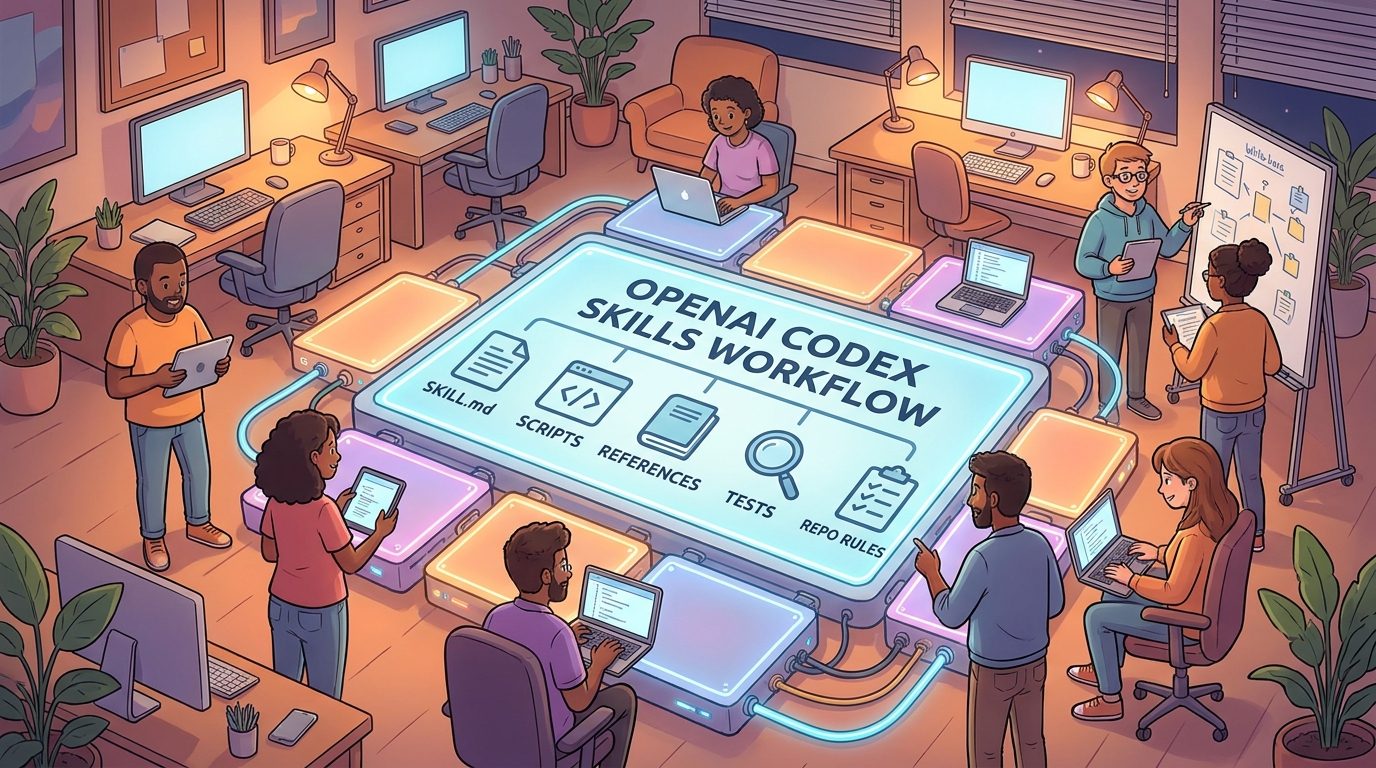
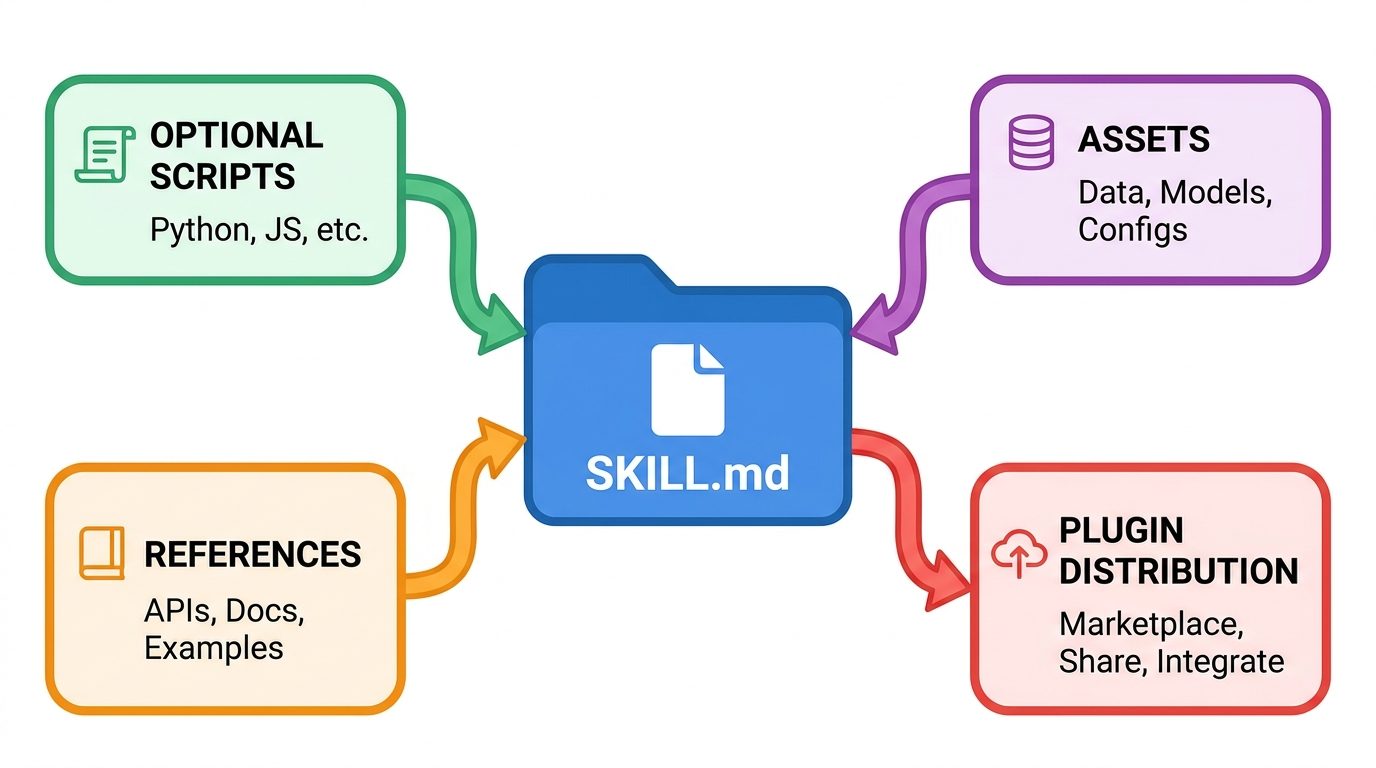
OpenAI Codex Skills are reusable instruction packages that give Codex a task-specific workflow. Instead of pasting the same prompt every time you want an agent to review a pull request, write a migration plan, triage an issue, generate release notes, or follow a team checklist, you can package that behavior into a skill. A skill usually starts as a folder with a SKILL.md file. It can also include optional scripts, references, assets, and metadata that help Codex complete the job more reliably.
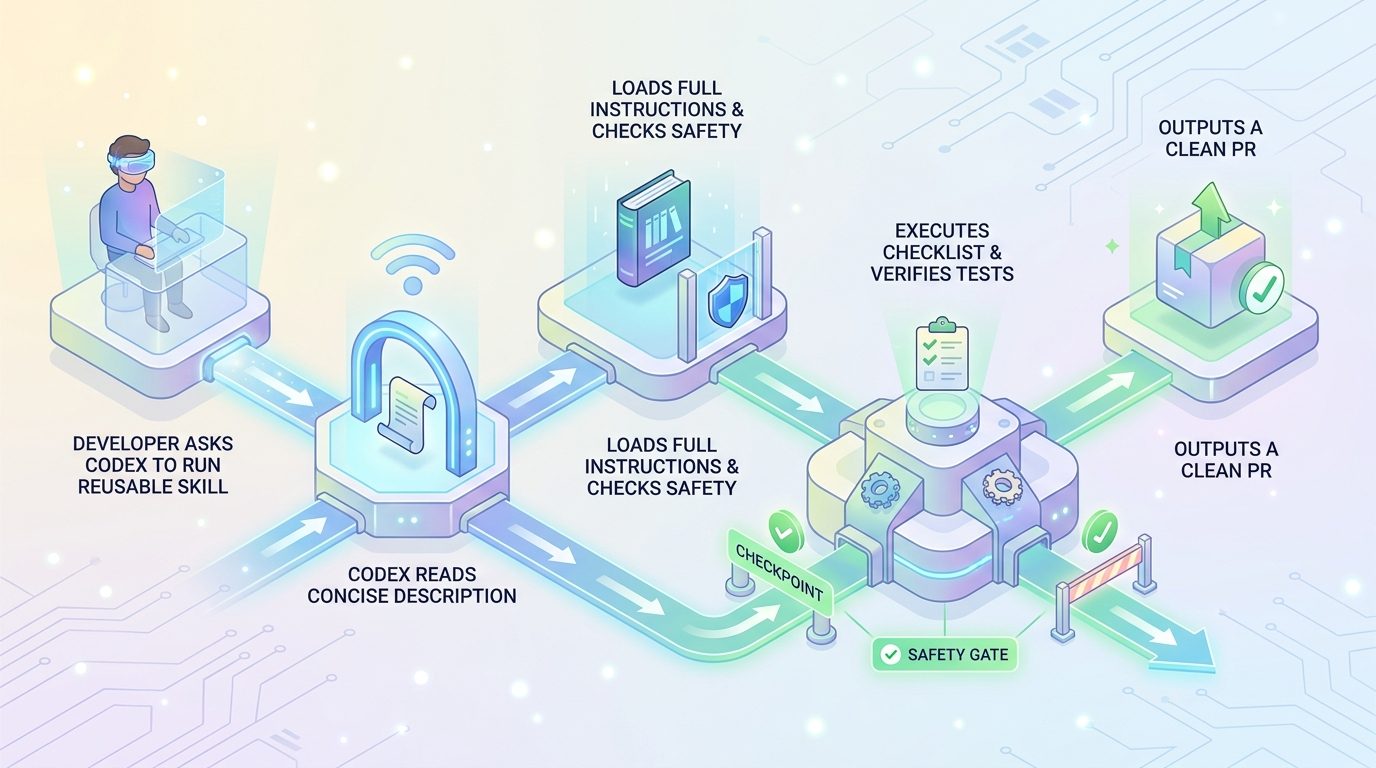
The simplest way to think about a skill is this: it is not a model, not a plugin marketplace listing, and not a random prompt snippet. It is a small operating manual for a repeatable task. Codex sees the skill name and description first. When the task matches, it reads the full instructions and follows the workflow. That progressive loading matters because it keeps everyday context lighter while still letting complex workflows carry detailed steps when needed.
This is why skills are becoming important for serious agentic coding. Codex is no longer just a terminal helper. OpenAI positions Codex as the same coding agent across ChatGPT, the editor, and the terminal. Recent Codex release notes also point toward richer skill discovery, plugin manifests, workspace publishing, and secure skill resource reading. Put simply: reusable agent workflows are moving from “nice trick” to core product surface.
Why Codex Skills Matter for Real Developer Work
The first stage of AI coding was prompt improvisation. Developers learned to ask better questions: “refactor this,” “write tests,” “explain this error,” or “review this diff.” That works for small tasks, but it breaks down when the same workflow must happen repeatedly. A team does not want every engineer inventing a different release-note process. A founder does not want to retype the same security checklist before every agent run. A maintainer does not want Codex to forget the project’s conventions every time it opens a new session.
Skills solve that repeatability problem. They let you write instructions once, store supporting references near the instructions, and make Codex load the details only when relevant. A good skill can encode how your team names branches, how it runs tests, which files should not be touched, how to format changelog entries, how to summarize risks, or how to produce a handoff for human review.
Analytics also support this direction for AI Feature Drop. In the latest complete 28-day GA4 window, AIFeatureDrop’s highest-performing posts were practical AI coding explainers, especially Codex pricing, Codex banked resets, ChatGPT desktop Codex setup, and Codex computer-use guides. Search Console impressions also show early discovery around concrete agent-feature terms rather than broad AI news. That makes Codex Skills a strong pillar topic: it sits directly between user confusion, recent product changes, and the site’s existing OpenAI authority.
There is also a search-gap reason. Current results are split between official documentation, YouTube tutorials, scattered personal guides, and generic Codex introductions. Many explain that skills exist, but fewer explain how a beginner should decide between a prompt, a repo instruction file, a local skill, a plugin, or an MCP connector. Even fewer explain how teams should review skills before letting agents execute scripts or follow automation instructions. That gap is exactly where a practical guide can help.
How Codex Skills Work: Progressive Instructions Instead of Prompt Spam
OpenAI’s documentation describes skills as packages of instructions, resources, and optional scripts. The key design idea is progressive disclosure. Codex starts with a compact list of available skill names and descriptions. If it decides a skill fits the task, it reads the full SKILL.md instructions. That means the skill description is not decorative. It is the trigger surface. If the description is vague, Codex may not choose the skill. If it is too broad, Codex may choose it too often.
Good skill descriptions front-load the use case. “Use this skill to prepare database migration pull requests for the payments service” is better than “helps with backend work.” The first version tells Codex when to use it and when not to. The second version competes with every backend task and creates noise.
Skills can be invoked explicitly or implicitly. In Codex-style surfaces, explicit invocation can happen when you select or mention a skill. Implicit invocation happens when the agent matches the task to the skill description. For everyday reliability, assume both matter. Write the skill so a human can deliberately select it, but also write the description clearly enough that an agent can discover it when the task naturally fits.
OpenAI’s docs also note that Codex uses a budget for the initial skill list. If many skills are installed, it may shorten descriptions or omit some from the first list. That creates a real design constraint: do not create one giant library of overlapping skills with poetic descriptions. Keep each skill focused, name it clearly, and avoid near-duplicates that fight for the same trigger.
The Anatomy of a Useful Codex Skill
A skill can be small, but it should not be sloppy. At minimum, it needs a SKILL.md file with metadata and instructions. The metadata tells Codex the skill’s name and description. The body tells Codex what to do. Optional folders can add deterministic scripts, supporting references, templates, diagrams, sample outputs, or UI metadata.
The mistake beginners make is treating SKILL.md like a dumping ground. A skill should not be a thousand-line manifesto unless the workflow truly demands it. Put the shortest reliable instructions in the main file. Move long examples, policy documents, and templates into references. That keeps the skill readable for humans and easier for Codex to follow.
Another common mistake is starting with scripts too early. Scripts are powerful, but they raise maintenance and safety requirements. If a workflow can be expressed with clear instructions, start there. Add scripts only when deterministic behavior matters: generating a report, validating JSON, resizing images, checking link status, running tests, or transforming data. The best skill design is boring in the right places.
Where Codex Loads Skills From
Location matters because it defines scope. OpenAI’s documentation explains that Codex can read skills from repository, user, admin, and system locations. A repo-scoped skill teaches Codex something about the current project. A user-scoped skill follows one developer across projects. An admin-scoped skill can standardize workflows across a machine or shared environment. System skills are bundled by OpenAI.
| Skill scope | Typical location | Best use |
|---|---|---|
| Repository skill | .agents/skills inside the working tree or parent repository path | Project-specific workflows: test commands, release process, code style, service ownership, migration rules. |
| User skill | $HOME/.agents/skills | Personal workflows you use everywhere: note-taking, PR summaries, local reporting, preferred review format. |
| Admin skill | /etc/codex/skills | Shared machine or team defaults where central governance matters. |
| System skill | Bundled with Codex | General built-in helpers such as skill creation or planning workflows. |
Choose the narrowest scope that still solves the problem. If a skill mentions a repository’s test command, data model, or release branch, keep it with that repository. If it encodes your personal writing preference, keep it in your user folder. If it defines a company-wide security review checklist, consider admin distribution or a plugin-based approach after review.
Scoped placement also prevents accidental context leakage. A skill for one client should not silently shape work in another client’s repository. A personal automation habit should not become team policy. The boring folder decision is actually a governance decision.
Codex Skills vs Plugins vs AGENTS.md vs MCP
The biggest confusion around Codex Skills is that they overlap with other agent configuration concepts. The overlap is real, but each tool has a different job. A skill describes a repeatable workflow. A plugin distributes skills and connectors. An AGENTS.md file usually describes project-wide instructions. MCP connects agents to external tools or data sources. Prompt snippets are disposable instructions for one task.
| Tool | Use it when... | Do not use it for... |
|---|---|---|
| Prompt | You have a one-time instruction or experiment. | Workflows you repeat every week. |
| AGENTS.md | You need baseline project instructions that should apply broadly. | Specialized workflows that should trigger only for certain tasks. |
| Codex Skill | You need reusable, task-specific instructions with optional references or scripts. | External tool authentication or broad plugin distribution by itself. |
| Plugin | You want to distribute one or more skills, optionally with connectors or presentation metadata. | A tiny private workflow that only one repository needs. |
| MCP connector | The agent needs live access to an external service, database, issue tracker, documentation system, or internal tool. | Plain written instructions that require no external access. |
A practical example helps. If every task in a repository must follow a code style and test command, put that baseline in project instructions. If you often ask Codex to prepare a release note from merged pull requests, make that a skill. If you want to share a pack of release, triage, and customer-support skills across an organization with integrations, package them as a plugin. If the agent must read Jira, Linear, GitHub Issues, or an internal documentation server, use an appropriate connector.
A Practical SKILL.md Template You Can Adapt
Start with a narrow, testable workflow. The example below is intentionally simple. It gives Codex a clear trigger, tells it what inputs to collect, defines the steps, and explains what the final output should include. You can expand it with references and scripts once it proves useful.
---
name: pr-risk-review
description: Use this skill when reviewing a pull request for risk, test coverage, rollout safety, and reviewer handoff. Do not use it for general code explanation.
---

# PR Risk Review Skill

When this skill is used:
1. Identify the changed files and summarize the user-visible behavior change.
2. Look for migration risk, auth/security risk, data-loss risk, performance risk, and test gaps.
3. Do not rewrite code unless the user asks for edits.
4. If tests are available, recommend the smallest meaningful verification command.
5. Return:
   - Summary
   - Risk level: low / medium / high
   - Key concerns
   - Suggested tests
   - Reviewer questions
   - Safe next step

If required context is missing, ask for the diff, branch name, or failing test output.
This template works because it has boundaries. It says when to use the skill, when not to use it, what not to do, and what output format to produce. It also tells Codex what to do if context is missing. That last part matters because agent workflows often fail when the model guesses instead of asking for the missing input.
For more advanced skills, add a references/ folder. A security review skill might include a secure-coding checklist. A documentation skill might include a style guide. A migration skill might include examples of accepted database migrations. Keep the main instructions short and let references carry the extra detail.
High-Value Codex Skill Examples
Skills are most valuable when the task is repeated, structured, and easy to verify. They are less valuable when the task is creative, rare, or too ambiguous to describe. Here are practical examples that map well to real engineering work.
1. Release note generator
A release skill can collect merged pull requests, group changes by product area, remove internal noise, flag breaking changes, and output a customer-friendly changelog. Add a reference file with your tone rules and banned phrases. If the process uses a script to collect commit metadata, keep that script small and auditable.
2. Test failure triage
A test-triage skill can ask for the failing command, stack trace, and recent diff, then produce a likely-cause analysis before editing. This reduces the dangerous pattern where an agent starts modifying files before it understands the failure. Pair it with a rule: no code edits until the suspected cause is stated.
3. Migration checklist
A migration skill can define the safe order for schema changes, feature flags, compatibility windows, backfills, and rollback notes. This is exactly the kind of workflow that benefits from repeatability because a missed step can cause production pain.
4. Documentation refresh
A docs skill can tell Codex to compare implementation changes against README files, API docs, screenshots, and examples. It can require the final answer to include changed docs, skipped docs, and uncertain docs. This is a good lightweight skill because it mostly needs instructions and references, not scripts.
5. Support issue summarizer
A support skill can turn messy issue threads into reproducible steps, environment details, suspected component, severity, and next action. It should avoid promising fixes. Its job is to turn chaos into a clear engineering handoff.
Decision Helper: Should This Become a Skill?
Not every prompt deserves a skill. Too many skills can create noise, make discovery worse, and confuse the agent. Use this simple decision helper before turning a workflow into a reusable package.
This widget is intentionally simple, but the principle is useful. Frequency creates maintenance value. Risk creates consistency value. Repeatability creates agent reliability. If a workflow scores high on all three, a skill is likely worth it.
Safety and Team Governance for Codex Skills
Skills can make agents much more reliable, but they can also make mistakes more repeatable. That is the uncomfortable part. A bad prompt hurts once. A bad shared skill can influence many runs across many people. Treat skills like lightweight code: review them, version them, test them, and remove them when they become stale.
What good skills improve
- Consistent outputs across developers and projects.
- Less repeated prompting and fewer forgotten checklist steps.
- Better onboarding for recurring team workflows.
- Clearer handoffs for reviews, tests, and release operations.
- Lower context waste because detailed instructions load only when needed.
What poor skills can break
- They can over-trigger if descriptions are too broad.
- They can encode outdated commands or unsafe assumptions.
- They can hide risky scripts behind a friendly workflow name.
- They can leak project-specific behavior into the wrong scope.
- They can crowd the skill list and make discovery worse.
Review scripts more strictly than instructions
An instruction-only skill can still be wrong, but a script can execute real work. Review scripts for file writes, network calls, credential access, destructive commands, and hidden dependencies. If a skill needs a script, document what the script does and what inputs it expects. Prefer scripts that validate, summarize, or transform data over scripts that make irreversible changes.
Version skills with the project when possible
Repository skills should usually live with the repository so changes are visible in code review. If a release workflow changes, the skill update should be reviewed alongside the process change. This is healthier than keeping critical instructions in someone’s private folder.
Disable or retire stale skills
Skills are not “set and forget.” If a skill references old commands, old branch names, removed services, or outdated policy, it becomes a source of agent confusion. Schedule periodic cleanup. Fewer accurate skills are better than dozens of stale ones.
A Beginner-Friendly Workflow for Creating Your First Codex Skill
If you are creating your first skill, do not start with your most complex workflow. Start with something small that you already understand. A pull request summary, release note draft, documentation refresh, or test-triage checklist is better than a full production deployment agent.
- Pick one repeated workflow. Write down the task in one sentence.
- Define when the skill should trigger. Include when it should not trigger.
- Write the expected output. Agents are more reliable when output structure is explicit.
- Add constraints. Tell Codex what not to edit, what to ask before doing, and what must be verified.
- Test it with a real task. If the output is vague, improve the instructions instead of adding more model pressure.
- Move long examples into references. Keep
SKILL.mdreadable. - Share carefully. If teammates will use it, review it like a small code change.
After the skill works, consider whether it should stay local, live in the repository, or become part of a plugin package. Most beginners should start local or repo-scoped. Distribution comes later, after the workflow proves stable.
Common Mistakes to Avoid With Codex Skills
The fastest way to make skills disappointing is to treat them as magic. A skill does not remove the need for judgment. It gives Codex a better starting point. If the workflow is poorly defined, the skill will faithfully repeat poor instructions. Start with one concrete job, test it on a real example, and improve the skill after observing where the agent hesitates, guesses, or overreaches.
Making one giant universal skill
A universal skill that tries to cover planning, refactoring, testing, code review, docs, release notes, security, and deployment will usually underperform. It becomes too vague to trigger correctly and too long to maintain. Split large workflows into smaller skills with clear names. One skill can summarize pull requests. Another can triage test failures. Another can prepare release notes.
Forgetting the human approval step
Reusable does not mean autonomous by default. For code changes, production operations, customer communications, or billing-sensitive tasks, the skill should include a checkpoint. Ask Codex to produce a plan, show the diff, list risks, or request confirmation before running a risky command. The best skills make review easier; they do not hide the review.
Ignoring examples
Agents follow examples well. If your expected output has a specific structure, include a short example in the skill or a reference file. This is especially helpful for release notes, support handoffs, test reports, and review summaries. Examples reduce ambiguity more effectively than another paragraph of abstract instruction.
Not measuring whether the skill helps
After a week of use, ask a simple question: did this skill save time, reduce mistakes, or make outputs more consistent? If not, simplify it. A useful skill should feel like a reliable team habit, not another artifact people maintain because it sounded clever.
Related AI Feature Drop Guides
- ChatGPT Desktop App Work and Codex Guide — understand how Codex fits into ChatGPT desktop workflows.
- ChatGPT Desktop App Codex Setup Guide — set up Codex, review pull requests, and manage coding workflows.
- OpenAI Codex Pricing and Usage Limits — compare workflow value with usage limits and cost awareness.
- Codex Computer Use on Windows — learn safer setup patterns for Codex-style automation.
- OpenAI AgentKit Guide — broader agent workflow design and governance patterns.
Sources and References
- OpenAI documentation: Build skills
- OpenAI Codex product page
- openai/codex GitHub releases
- openai/codex GitHub repository
Product interfaces and release details can change. Verify current Codex documentation and your organization’s policy before distributing shared skills or enabling scripts.
FAQ: OpenAI Codex Skills
What is an OpenAI Codex Skill?
An OpenAI Codex Skill is a reusable workflow package, usually built around a SKILL.md file, that gives Codex task-specific instructions. It can include optional scripts, references, assets, and metadata.
Do I need to write code to create a Codex Skill?
No. Many useful skills are instruction-only. Add scripts only when you need deterministic behavior such as validation, formatting, report generation, or repeatable local checks.
Where should I store Codex Skills?
Use repository skills for project-specific workflows, user skills for personal workflows, admin skills for shared machine defaults, and plugins when you want broader distribution or bundled connectors.
How are Codex Skills different from AGENTS.md?
AGENTS.md usually provides broad project instructions. A skill is task-specific and should trigger only when a particular workflow is needed.
What is the difference between a Codex Skill and a plugin?
A skill defines reusable behavior. A plugin is a distribution package that can bundle one or more skills and optional connectors or metadata.
Can Codex choose a skill automatically?
Yes. Codex can use skills explicitly when selected by the user or implicitly when the task matches the skill description. Clear descriptions improve matching.
Can skills run scripts?
Skills can include optional scripts, but scripts should be reviewed carefully because they may read files, write files, call tools, or interact with external systems.
How many Codex Skills should a team create?
Create fewer, better skills. Focus on repeated, structured, high-value workflows. Too many overlapping skills can reduce discoverability and make behavior less predictable.
What makes a good SKILL.md description?
A good description clearly states when to use the skill, the main workflow it supports, and when not to use it. Avoid vague labels like “helps with coding.”
Are Codex Skills only for developers?
They are most obvious in developer workflows, but the same pattern can support documentation, support triage, release operations, research, reporting, and other structured knowledge work.
Post a Comment