
Claude Code Subagent Permissions: Control Models, Tools, and Worktrees Safely
Subagents make Claude Code faster and cleaner, but they also introduce new questions about model cost, tool access, worktree isolation, background work, and team policy. This guide turns the new permission syntax into a practical setup playbook.
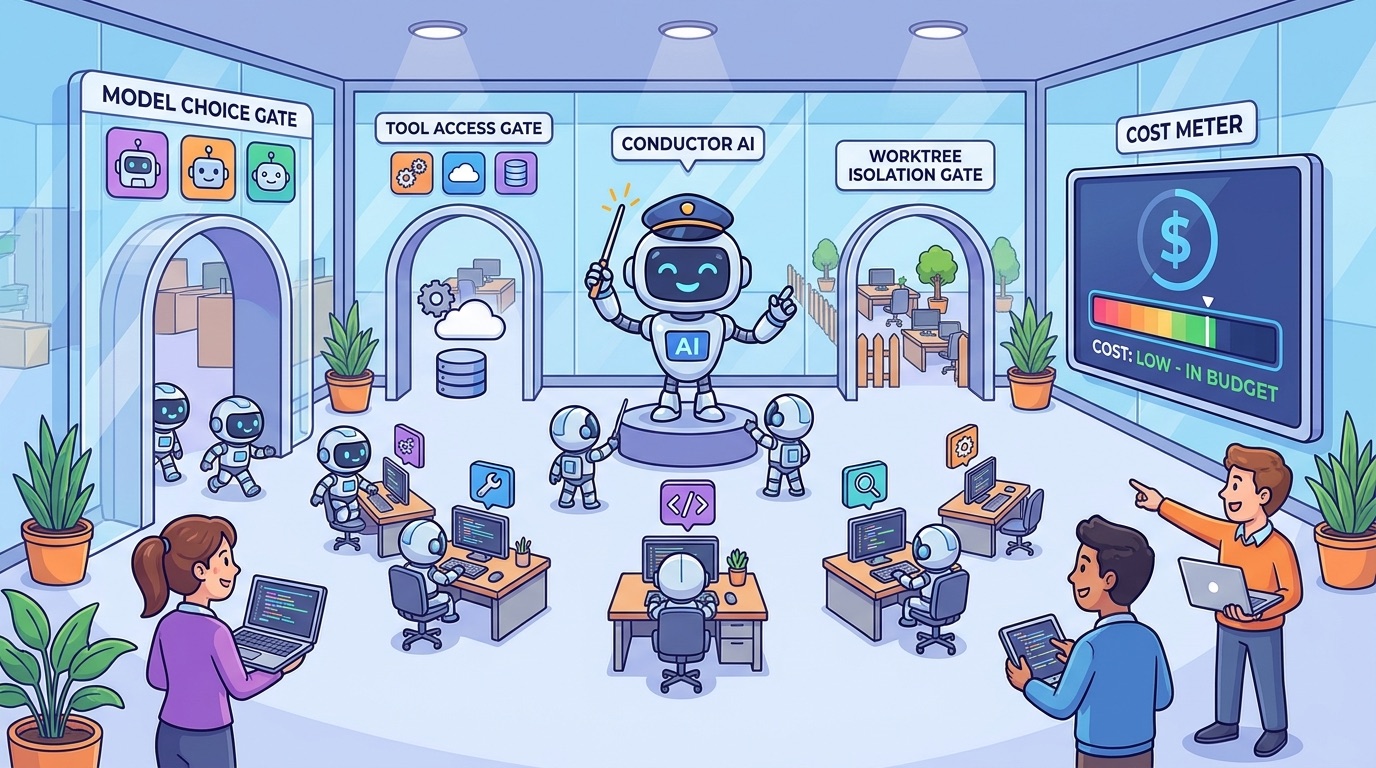
Quick Answer: Treat Subagents Like Junior Teammates With Scoped Access
Claude Code subagent permissions decide how much freedom delegated agents get when they search code, review files, run tools, use stronger models, or work in isolated environments. The safest practical setup is not to block every subagent. It is to let ordinary read-only and low-risk subagents move quickly while asking for confirmation when a subagent changes cost, scope, or operational risk.
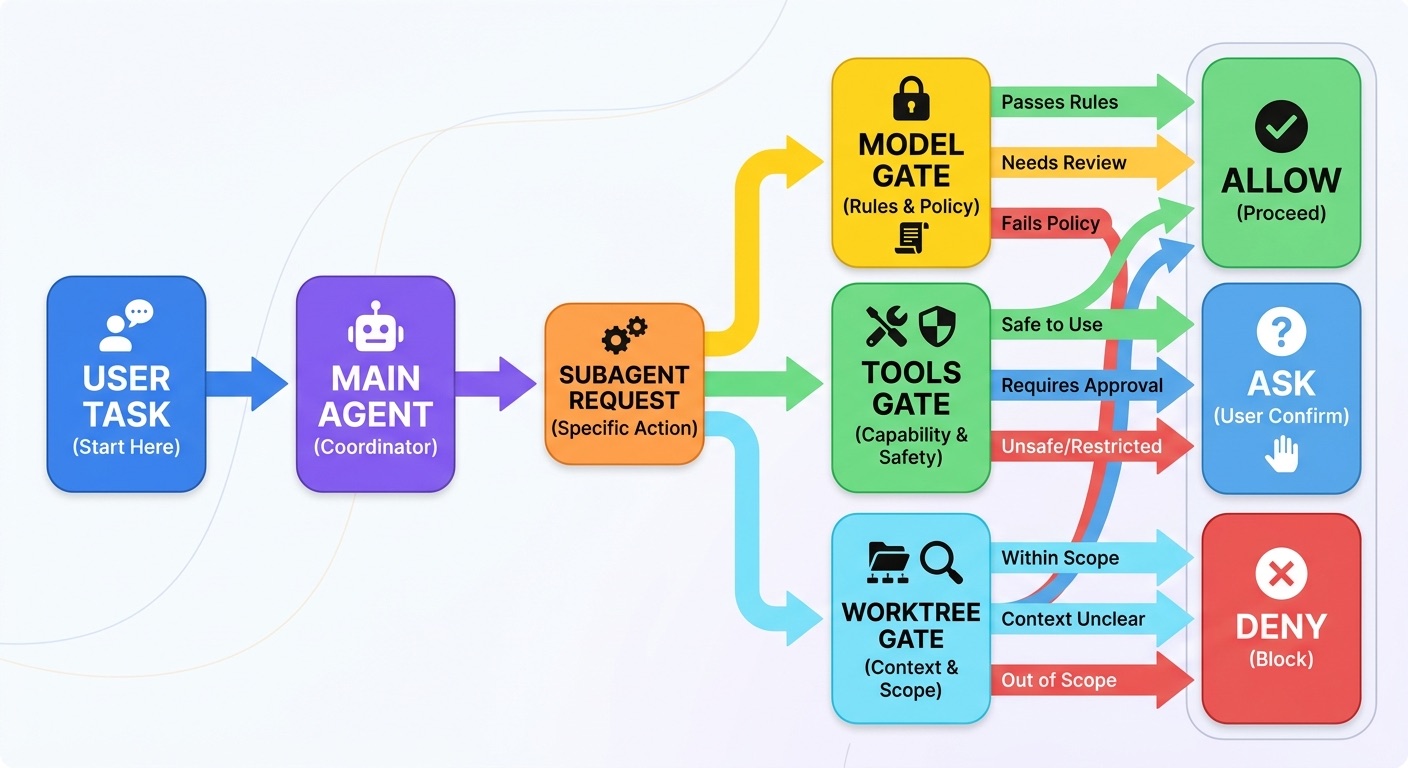
The most important new syntax is Tool(param:value) for deny and ask rules. For subagents, that means rules such as Agent(model:opus), Agent(isolation:worktree), and Agent(isolation:*). These rules let a team say, “Claude may delegate normal exploration, but ask before launching an expensive model or creating isolated work.” That distinction is exactly what was missing from many early agent setups.
This is a focused cluster guide connected to our pillar article, Claude Code Permission Rules Explained. The pillar explains the permission system broadly. This article zooms into the subagent layer: model selection, tools, isolation, managed settings, hooks, and rollout patterns for teams.
Why Claude Code Subagent Permissions Matter Now
Claude Code is no longer just a terminal assistant that suggests edits. It can delegate work to specialized subagents, preserve main-chat context, use custom prompts, load project settings, run with independent tool restrictions, and route work to different models. That makes it much more useful for real development work. It also means permissions now shape the workflow, not just the security posture.
The recent Claude Code changelog added parameter-based permission matching for tool inputs. Anthropic’s own examples include Agent(model:opus) for blocking or prompting Opus-tier subagents and Agent(isolation:worktree) for worktree-based isolation. The same update improved auto mode so subagent spawns are evaluated before launch. That is a clear signal: subagent creation is now important enough to deserve first-class permission controls.
AIFeatureDrop’s analytics also support this topic. In the latest complete 28-day window, the site recorded 315 sessions and 801 page views, with 98 sessions from organic search. Developer workflow pages are consistently among the strongest performers: Microsoft Copilot workflow guides, Codex setup and usage articles, GitHub Copilot credit pages, and Claude Code configuration articles all show engagement. Readers are not just looking for product announcements. They want practical operating instructions for AI coding agents.
Search Console data is still sparse because the site is young, but early indexed Claude pages have appeared in rankable positions. That supports a narrow, practical cluster article rather than a broad repeat of the pillar. “Claude Code subagent permissions” is specific, timely, and naturally linked to the permission rules pillar without cannibalizing it.
What You Actually Need to Control in a Subagent
A Claude Code subagent is useful because it works in its own context and returns a summary instead of filling your main conversation with logs, search results, or large file excerpts. Built-in subagents such as Explore, Plan, and general-purpose handle different kinds of tasks. Custom subagents can be created for code review, documentation, security checks, migration planning, test triage, and more. Each subagent can have its own prompt, tools, model, and permissions.
The goal is not to make subagents weak. A subagent that cannot read code, run tests, or inspect context will waste time. The goal is to match the permission surface to the job. A documentation subagent should read code and write docs. A security review subagent may need read access and grep tools but not deployment credentials. A migration subagent may need write access only in a branch or worktree.
The Agent Permission Rules That Matter Most
The new parameter syntax works for deny and ask rules. It matches a direct top-level scalar parameter sent to a tool. For subagents, the practical examples are model and isolation choices. That means you can ask before a subagent uses a costly model, ask before any explicit isolation mode, or deny a model tier that your team has not approved.
{
  "permissions": {
    "ask": [
      "Agent(model:opus)",
      "Agent(isolation:*)",
      "Bash(run_in_background:true)"
    ],
    "deny": [
      "Read(./.env)",
      "Read(./secrets/**)",
      "Bash(git push *)"
    ],
    "allow": [
      "Bash(git status *)",
      "Bash(git diff *)",
      "Bash(npm test *)"
    ]
  }
}
Notice the shape of this policy. It does not deny all subagents. It asks when a subagent makes a choice that changes cost or operational shape. It denies secrets and risky git operations. It allows routine development commands. This keeps Claude Code useful while preserving human judgement at the points that matter.
There are limits. Parameter matching does not inspect nested objects or arrays. It does not replace tool-specific syntax for commands, file paths, or domains. For Bash, use Bash(command pattern), not Bash(command:...). For files, use Read(path), Edit(path), or Write(path). For web fetches, use domain rules. This matters because a policy that looks correct but uses the wrong syntax can quietly fail or produce startup warnings.
Deny, Ask, Allow: The Order That Shapes Subagent Behavior
Claude Code evaluates permission rules in this order: deny first, ask second, allow last. Specificity does not override that order. If a call matches a broad deny rule, a narrower allow rule will not rescue it. If a call matches ask and allow, the ask rule wins. This is especially important with subagents because teams often try to write broad safety rules and then add exceptions later.
| Rule type | Best use for subagents | Mistake to avoid |
|---|---|---|
| Deny | Block never-allowed tools, paths, models, domains, or commands. | Denying Agent entirely when you only meant to block one high-cost model. |
| Ask | Prompt for judgement around premium models, worktrees, background tasks, external services, or risky edits. | Asking for every harmless subagent action until developers approve blindly. |
| Allow | Let routine tests, diffs, status checks, reads, and safe local commands flow. | Allowing broad package-manager prefixes that can hide deploy or publish scripts. |
A practical mental model is “deny never, ask judgement, allow routine.” If you cannot explain which bucket a subagent action belongs in, do not automate that decision yet. Observe how the team uses Claude Code for a few sessions, then tighten the policy around the real risk points.
Safe Subagent Permission Patterns You Can Adapt
The best policy depends on your repository, team size, and risk tolerance. A solo side project can move faster than a regulated enterprise service. Still, the same pattern works in most places: start read-friendly, block secrets, ask for cost and isolation, and only allow exact commands you trust.
Pattern 1: Solo developer with fast exploration
This setup lets Claude Code use subagents for context management while asking before the choices that could surprise you. It is useful for personal projects, small apps, and exploratory coding where the main risk is wasting usage or making messy edits.
{
  "permissions": {
    "allow": [
      "Bash(git status *)",
      "Bash(git diff *)",
      "Bash(npm test *)",
      "Bash(npm run lint *)"
    ],
    "ask": [
      "Agent(model:opus)",
      "Agent(isolation:*)",
      "Bash(run_in_background:true)"
    ],
    "deny": [
      "Read(./.env)",
      "Read(~/.ssh/**)",
      "Bash(rm -rf *)"
    ]
  }
}
Pattern 2: Team repository with custom review agents
Teams often create custom subagents for code review, test triage, documentation, security, or migration planning. In that case, use tool restrictions inside the subagent definition and permission rules at the project level. A review subagent should not need write access. A documentation subagent may need write access only to docs. A migration subagent may need edit access but should ask before broad shell commands or worktree isolation.
{
  "permissions": {
    "ask": [
      "Agent(model:opus)",
      "Agent(isolation:worktree)",
      "Agent(isolation:*)",
      "Bash(git push *)",
      "Bash(gh pr create *)"
    ],
    "deny": [
      "Read(./secrets/**)",
      "Read(./production-data/**)",
      "Bash(kubectl delete *)",
      "Bash(terraform destroy *)"
    ],
    "allow": [
      "Bash(npm run test)",
      "Bash(npm run build)",
      "Bash(pytest *)"
    ]
  }
}
Pattern 3: Enterprise managed settings
Enterprise teams should not rely only on individual developer settings. Managed settings have the highest priority and cannot be overridden by user or project settings. Use them for organization-wide boundaries: disabling bypass permissions, limiting unsafe modes, blocking sensitive model tiers, restricting marketplace additions, and denying secrets or production systems.
Project settings can still encode repository-specific workflow rules. Local settings can handle personal preferences. But the hard security and compliance boundaries should live in managed settings so one local experiment cannot widen access across the organization.
Worktree Isolation: Powerful, but Worth an Ask Rule
Worktree isolation lets a subagent work in a separate git worktree instead of modifying the current working tree. That can be excellent for parallel experiments, migration attempts, branch comparisons, and risky edits. It can also create confusion if developers do not know where changes happened, how to review them, or how to clean up the worktree later.
That is why Agent(isolation:worktree) is a strong ask-rule candidate. You are not saying worktrees are bad. You are saying they change the operational shape of the session. A human should confirm when the agent moves from “inspect and summarize” to “create isolated work and possibly modify files elsewhere.”
Good reasons to allow or approve worktrees
- Testing a risky migration without touching the current branch.
- Running an experimental refactor in parallel.
- Comparing two implementation strategies.
- Letting a subagent create a draft patch for human review.
- Keeping exploratory changes out of your main checkout.
Reasons to slow down
- The task lacks a clear acceptance test.
- The repo has fragile generated files or custom hooks.
- The developer may not notice where the changes landed.
- The worktree would touch deployment or credential config.
- The team has no cleanup or review process for agent worktrees.
For most teams, the right answer is not “deny all worktrees.” It is “ask before worktrees, then document how to review them.” A simple checklist helps: name the task, name the branch or worktree, list changed files, run targeted tests, summarize the diff, and clean up if the experiment is rejected.
Model Cost Control: When to Ask Before Opus or Large Context
Subagents can control costs by routing simple tasks to faster, cheaper models. Anthropic’s subagent documentation explicitly mentions model routing as a benefit: use a lower-cost model for straightforward exploration, save stronger models for harder reasoning. The same capability can become a budget problem if every delegated task asks for the most expensive model.
The Agent(model:opus) example is useful because it turns model choice into a deliberate decision. An Opus-level subagent may be justified for architecture review, difficult debugging, security analysis, or ambiguous migrations. It is probably overkill for listing files, summarizing docs, finding TODO comments, or checking a straightforward test failure.
| Subagent task | Model policy | Reason |
|---|---|---|
| Search for relevant files | Use low-latency model or built-in Explore | The task is mostly retrieval and summarization. |
| Summarize logs | Usually allow cheaper model | High volume, low strategic judgement. |
| Security-sensitive code review | Ask before premium model | Worth stronger reasoning, but track the decision. |
| Large architectural migration | Ask before premium model and worktree | High impact, high context, high review burden. |
| Docs update from known diff | Allow normal model | Bounded and easy to review. |
Cost control should not be framed as “use weaker AI.” It should be framed as “route the task to the right worker.” Human teams do this naturally. You do not ask a senior architect to alphabetize imports. Claude Code subagents should follow the same principle.
Bad Subagent Governance Creates Invisible Risk
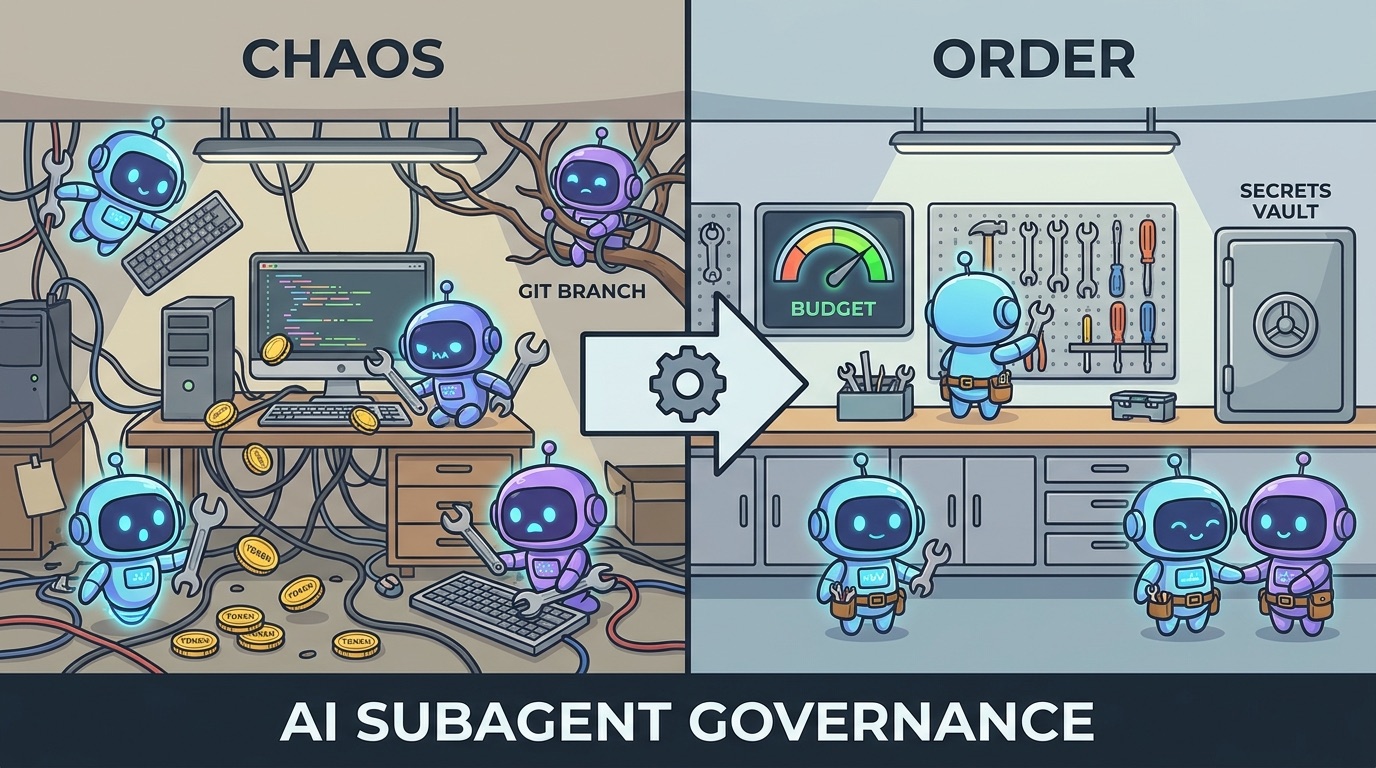
The danger with subagents is that the messy parts can disappear from the main conversation. That is also their benefit. A subagent searches, investigates, runs tools, and returns a neat summary. If permissions are too loose, the main user may not notice how much context was read, which model was used, whether isolation was created, or which tools were invoked. If permissions are too strict, the user gets constant prompts and stops trusting the workflow.
The balance is visibility at the right moments. Ask before a subagent uses a premium model. Ask before isolation. Ask before background work. Ask before GitHub, deployment, cloud, or package-publishing actions. Deny secrets and destructive operations. Allow normal reads, diffs, tests, and safe local checks. That design keeps the subagent useful without hiding the decisions that carry real risk.
Managed Settings and Project Settings for Teams
Claude Code settings have several scopes: managed, user, project, and local. Managed settings are for organization-wide rules that cannot be overridden. Project settings are for repository-shared rules that collaborators can commit. User settings are personal preferences across projects. Local settings are machine-specific or experimental. Permissions merge across scopes, so you need to understand how broad rules can interact.
For a team, put hard boundaries in managed settings: disable bypass permissions if it is not allowed, disable auto mode if the organization is not ready for it, deny sensitive paths, and constrain models or tools that require approval. Put repository-specific command allowlists in project settings: tests, builds, linters, and safe status commands. Let individuals use local settings only for convenience that does not weaken the shared policy.
A good rollout starts with one repository. Observe which subagent prompts appear, where developers feel slowed down, and which risky actions deserve more friction. Then update rules. Do not try to design the perfect policy in a meeting without watching real sessions. Agent workflows are too contextual for that.
When Permissions Are Not Enough: Add Hooks
Permission rules are static. Hooks can add dynamic checks at lifecycle events such as PreToolUse, PermissionRequest, SubagentStart, SubagentStop, WorktreeCreate, WorktreeRemove, and ConfigChange. This is useful when a rule needs more context than a simple tool pattern can express.
For example, a permission rule can ask before Bash(git push *). A hook can inspect the branch name, remote, changed files, time of day, or ticket metadata before deciding whether to block or log the action. A permission rule can ask before a worktree; a hook can log the worktree path and cleanup status. A permission rule can deny secrets; a hook can scan tool inputs for sensitive filenames your team updates over time.
Use hooks carefully. They are powerful, but they also add maintenance. Start with permission rules first. Add hooks only for policy that truly needs dynamic context, audit logging, or integration with internal systems.
A Practical Rollout Plan for Claude Code Subagent Permissions
Start by listing the subagent use cases your team actually wants: codebase exploration, test triage, code review, documentation, migration planning, security review, release note drafting, or CI debugging. Then decide which of those require read-only access, which need edits, which need shell commands, and which should ever use premium models or worktrees.
- Inventory normal commands. Collect test, build, lint, typecheck, format, and status commands that are safe in your repository.
- Block sensitive paths. Deny environment files, secrets, SSH keys, production exports, and customer data directories.
- Add subagent ask rules. Start with
Agent(model:opus),Agent(isolation:*), and background execution ask rules. - Define custom subagent roles. Give review, docs, security, and migration subagents only the tools they need.
- Test normal and risky workflows. Confirm normal exploration is smooth and risky work prompts or blocks.
- Review prompt fatigue. If developers see too many prompts, move truly routine actions into allow rules.
- Log outcomes. Track whether subagents produced useful diffs, reliable reviews, or wasted loops.
This rollout plan keeps the conversation practical. The purpose of governance is not to prove that every risk has a rule. The purpose is to let developers use Claude Code confidently without surprising the team later.
Common Mistakes With Claude Code Subagent Permissions
1. Denying the whole Agent tool too early
If you deny Agent entirely, you lose the main context-management benefit of subagents. That may be correct for extremely sensitive environments, but most teams should first try ask rules around model, isolation, background behavior, and dangerous tool access.
2. Letting custom subagents inherit every tool
A custom subagent should have a role. If its role is code review, it likely needs read and grep tools more than write tools. If its role is documentation, it may need write access only under docs. Tool restrictions should reflect the job.
3. Treating CLAUDE.md as enforcement
Project instructions are useful, but they are guidance. Permission rules are enforcement. If the rule matters for safety or cost, encode it in permissions or hooks rather than relying only on a note that says “please do not.”
4. Asking so often that nobody reads prompts
Prompts should mean something. If every read, status check, and test command triggers approval, developers learn to click through. Allow low-risk routine work so ask prompts remain high-signal.
5. Ignoring cleanup
Subagents that create worktrees, branches, logs, or background tasks need cleanup habits. Ask for a final handoff: what changed, where it changed, which tests ran, what remains, and what should be deleted if rejected.
Claude Code Subagent Permissions Checklist
- Link subagent policy to real use cases, not abstract fear.
- Allow read-only exploration when it does not include sensitive paths.
- Ask before
Agent(model:opus)or other high-cost model choices. - Ask before
Agent(isolation:worktree)orAgent(isolation:*). - Ask before background execution, external services, package publishing, PR creation, deployment, or git push.
- Deny secrets, environment files, private keys, production exports, and customer data.
- Use exact safe command allowlists instead of broad package-manager prefixes.
- Remember: deny wins over ask and allow; ask wins over allow.
- Use managed settings for organization-wide non-negotiables.
- Use project settings for repository-specific safe commands and subagent workflow rules.
- Add hooks only when static permissions are not expressive enough.
- Review prompt fatigue after real usage and adjust the policy.
Keep Learning on AI Feature Drop
- Claude Code Permission Rules Explained — the broader pillar guide for deny, ask, allow, modes, and managed settings.
- Claude Code CLAUDE.md Template — write project instructions that reduce repeated context.
- How to Reduce Claude Code Usage — avoid wasteful agent loops and long sessions.
- Claude Code Usage Limits Explained — understand why scoping and model routing matter.
- Claude Code GitHub Action Explained — connect local permissions thinking with automated workflows.
- GitHub Agentic Workflows Explained — compare agent governance across developer platforms.
Sources and References
- Claude Code documentation: Configure permissions
- Anthropic Claude Code changelog
- Claude Code documentation: Create custom subagents
- Claude Code documentation: Settings scopes and managed settings
- Claude Code documentation: Hooks reference
Claude Code changes quickly. Verify exact syntax, available modes, and organization policy controls against the official documentation before applying rules to production repositories.
FAQ: Claude Code Subagent Permissions
What are Claude Code subagent permissions?
They are permission controls that affect delegated Claude Code agents, including what tools they can use, whether specific model or isolation choices require approval, and which actions are denied.
Should I block all Claude Code subagents?
Usually no. Subagents help preserve context and specialize work. A better default is to allow low-risk subagents while asking for premium models, worktree isolation, background work, or risky tool use.
What does Agent(model:opus) do?
As an ask or deny rule, it matches an Agent tool call where the model parameter is set to opus. Teams can use it to require confirmation before launching a higher-cost subagent.
What does Agent(isolation:worktree) do?
It matches a subagent request that uses worktree isolation. This is useful as an ask rule because worktrees change where edits happen and how they need to be reviewed.
Can allow rules use Tool(param:value)?
Claude Code documentation says parameter matching is for deny and ask rules. Allow rules should use each tool’s canonical specifier syntax.
Are permission rules enough for enterprise security?
No. They are a strong layer, but teams should also use managed settings, least-privilege credentials, code review, branch protection, hooks where needed, logging, and clear production access policies.
Post a Comment