
Claude Code CLAUDE.md Template: Save Context, Reduce Limit Burn, and Keep Agent Sessions on Track
Quick answer: the best CLAUDE.md template is short, operational, and test-focused
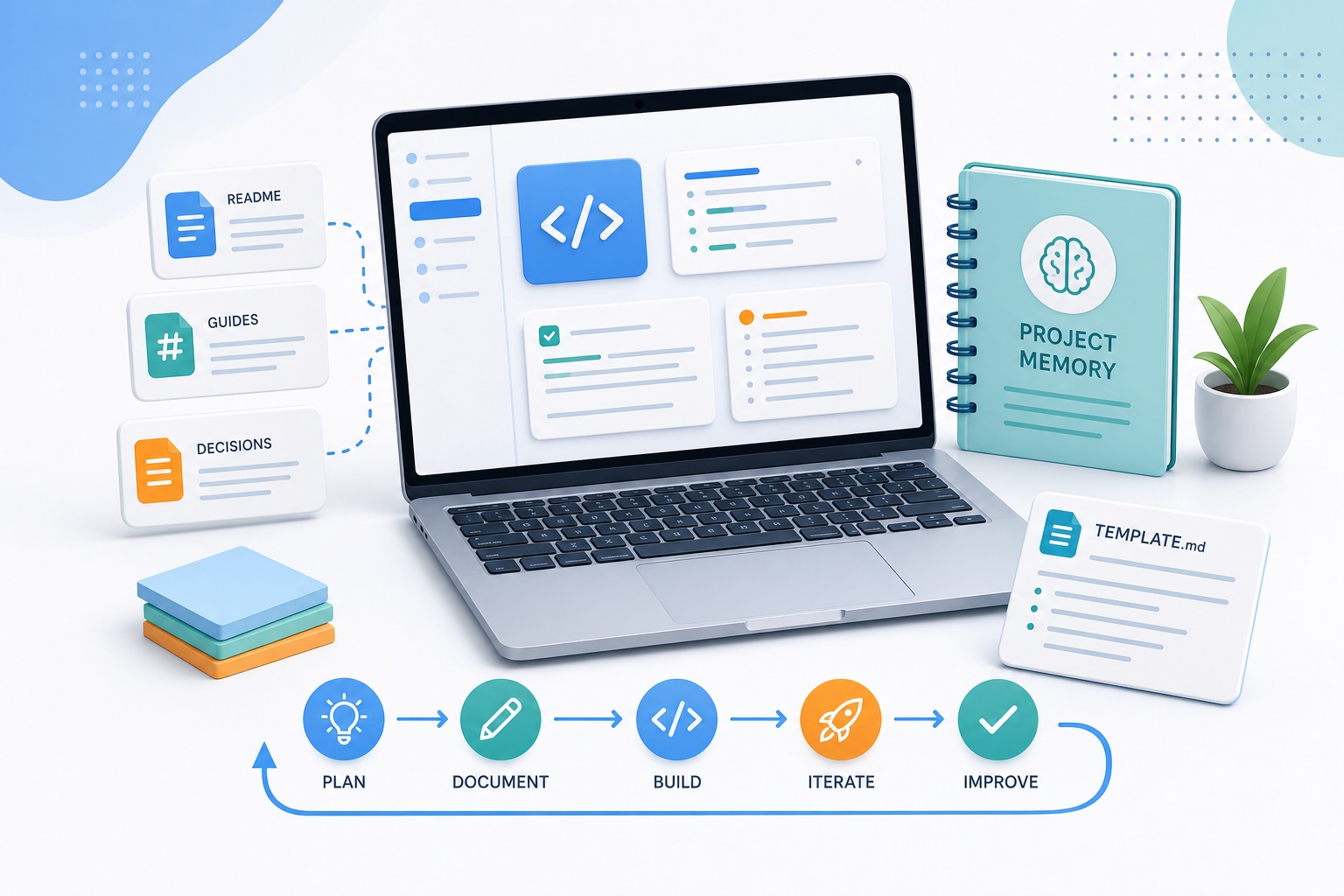
The best Claude Code CLAUDE.md template is not a giant product manual. It is a concise operating guide that tells Claude Code what the project is, where important files live, how to run checks, what commands are safe, which files are protected, and what workflow to follow before editing. A good file reduces wasted exploration, prevents repeated mistakes, and helps each coding session start closer to useful work.
Claude Code is powerful because it can inspect a repository, reason through files, run commands, edit code, and iterate. That same strength is why sloppy context gets expensive. If every session begins with “read the repo, infer the architecture, guess the test command, ask about deployment, then discover the same lint rule again,” you are spending valuable agent time on orientation instead of progress. A strong project memory file turns repeated orientation into a one-time investment.
Anthropic’s Claude Code documentation describes CLAUDE.md as a place for human-written instructions and rules. It can exist at project, user, local, or managed-policy levels. The documentation also distinguishes those instruction files from auto memory, which stores repository learnings Claude accumulates automatically. The practical takeaway is simple: write explicit instructions for durable rules, and let auto memory capture discovered patterns. Do not make Claude rediscover facts that your team already knows.
Why a CLAUDE.md template matters for usage-limit efficiency
Usage-limit conversations often focus on plan names, five-hour windows, weekly caps, and whether a limit reset is coming soon. Those topics matter. Anthropic announced in May 2026 that Claude Code’s five-hour rate limits were doubled for Pro, Max, Team, and seat-based Enterprise plans, and that peak-hour reduction was removed for Pro and Max users. Even with that improvement, high-friction workflows can still burn through useful capacity quickly.
Think of Claude Code usage as a combination of task difficulty, context size, tool calls, and retries. A project memory file does not magically change your subscription. It changes how much friction the agent faces before it can do valuable work. The fewer times Claude Code needs to scan folders, infer conventions, ask avoidable questions, run wrong commands, or repair changes made against the wrong assumptions, the more of each session goes toward output.
Claude starts with known architecture, commands, and constraints instead of rebuilding the map every session.
Clear guardrails reduce edits to protected files, wrong package managers, and skipped verification steps.
New sessions can resume from the same operating model, even when the previous conversation is no longer ideal.
The key is restraint. Many developers make the file too long, too abstract, or too aspirational. Claude Code does not need a manifesto. It needs operational truth: “Use pnpm, not npm.” “Run this focused test first.” “Do not edit generated files.” “Use plan mode for database migrations.” “Ask before touching billing logic.” That kind of instruction saves real cycles.

Copy-paste Claude Code CLAUDE.md template
Use this template as a starting point. Keep the first version under 120 lines if possible. Add links to deeper docs instead of pasting entire documents into the memory file. When a section becomes too long, move detail into docs/ and reference it with a short instruction.
# Project instructions for Claude Code

## Project snapshot
- Product: [one-sentence description]
- Primary users: [who uses it]
- Main stack: [framework, language, database, hosting]
- Current priority: [active roadmap or sprint goal]

## Repository map
- App code: [path]
- API/server code: [path]
- Tests: [path]
- Components/UI: [path]
- Database/migrations: [path]
- Config/env examples: [path]
- Docs with deeper context: [path]

## Commands Claude should prefer
- Install: [command]
- Type check: [command]
- Lint: [command]
- Unit tests: [command]
- Focused test: [command pattern]
- Build: [command]
- Local dev: [command]

## Workflow rules
1. For multi-file changes, inspect relevant files first and propose a short plan.
2. Prefer focused tests before full test suites unless the change is broad.
3. Explain risky assumptions before editing.
4. Keep diffs small and reversible.
5. After edits, summarize changed files and verification results.

## Do not touch without explicit approval
- Production secrets or .env files
- Generated lockfiles unless dependency changes require it
- Database migrations in production paths
- Billing, auth, or permissions logic
- Public API contracts

## Coding standards
- [Style rule 1]
- [Naming convention]
- [Error handling pattern]
- [Logging/telemetry rule]
- [Accessibility or security requirement]

## Testing expectations
- Minimum check for small UI change: [command]
- Minimum check for API change: [command]
- Minimum check for data/model change: [command]
- If a test fails, report whether it is new or pre-existing.

## Context-saving rules
- Do not read unrelated folders unless needed.
- Search by symbol or path before broad repository scans.
- Ask for missing product decisions instead of guessing.
- If context grows large, summarize current state before continuing.

## Known pitfalls
- [Pitfall Claude often repeats]
- [File or command that looks right but is wrong]
- [Flaky test or local setup issue]

## Useful references
- Architecture: @docs/architecture.md
- API conventions: @docs/api.md
- Release process: @docs/release.md
How to fill each section without bloating context
Project snapshot: give Claude the product map in 60 seconds
The project snapshot should answer the questions Claude would otherwise infer from a dozen files: what the product does, who uses it, what stack it runs on, and what the current priority is. Keep this section factual and short. “Next.js app for B2B invoice review with a FastAPI backend and Postgres database” is more useful than “modern scalable AI-enabled finance platform.”
Include the current priority because it helps Claude choose tradeoffs. If the sprint goal is “stabilize checkout,” the agent should be cautious around billing flows. If the priority is “migrate from REST to GraphQL,” it should understand why duplicate patterns may exist temporarily. This is especially useful for teams that rotate between refactors, bug fixes, and feature work.
Repository map: point to paths, not essays
A repository map is one of the highest-ROI parts of a CLAUDE.md file. Claude Code can explore the filesystem, but every broad scan costs attention. A path map tells it where to start. If UI components live under src/components, API routes under src/app/api, and database migrations under supabase/migrations, say so directly.
Do not list every folder. List the folders Claude is most likely to need for common tasks. If your repository is a monorepo, add a short note about packages and ownership. For example: “Customer dashboard lives in apps/web; shared UI is packages/ui; do not edit packages/legacy without approval.” That one line can prevent a surprising amount of wasted exploration.
Commands: remove package-manager guesswork
Wrong commands are a common source of agent waste. Claude may infer a command from package.json, but many projects have wrappers, workspaces, task runners, or environment requirements. Put preferred commands in the file: install, type check, lint, focused tests, full tests, build, and local dev. If a command is slow, label it.
The most important command is often the focused test pattern. If Claude knows how to run one relevant test file before launching a full suite, it can iterate faster and avoid unnecessary tool cycles. Add examples such as pnpm test -- path/to/file.test.ts or pytest tests/api/test_auth.py -q. The exact command matters less than removing ambiguity.
Workflow rules: make the agent behave like your best teammate
Workflow rules should encode how your team wants AI-assisted changes to happen. For small copy edits, Claude can simply edit and verify. For multi-file changes, ask it to inspect first, propose a short plan, then execute. For risky areas like auth, payments, migrations, or permission systems, require explicit confirmation before edits.
This is where the file directly supports usage-limit efficiency. If Claude starts every complex task by planning, it is less likely to thrash through speculative edits. If it runs focused verification after each logical change, it catches problems early. If it summarizes what changed, the next session has a cleaner handoff.
Context budget rules: what to include, what to link, and what to omit
Claude Code memory works best when the loaded instructions are dense with decisions, not dense with prose. Anthropic’s docs note that auto memory loads a limited initial slice, and practical context management becomes more important as projects and sessions grow. The principle applies to CLAUDE.md too: make the first screen count.
| Section | Include directly | Move to linked docs | Omit |
|---|---|---|---|
| Architecture | One-paragraph map and key paths | Full diagrams, ADRs, domain model detail | Outdated history nobody uses |
| Commands | Exact preferred commands and focused test patterns | Long troubleshooting matrix | Alternative commands you do not want used |
| Standards | Rules that change generated code | Full style guide | Generic advice such as “write clean code” |
| Safety | Protected files and approval boundaries | Compliance policy details | Secrets, credentials, private keys |
| Roadmap | Current priority and active migration notes | Long product strategy docs | Speculation or unresolved debate |
A useful rule of thumb: if an instruction changes what Claude should do in the next hour, include it. If it is background knowledge Claude may occasionally need, link it. If it is vague culture language, remove it. A smaller file with crisp operational rules usually outperforms a longer file full of good intentions.
The workflow stack: CLAUDE.md, auto memory, hooks, and compaction
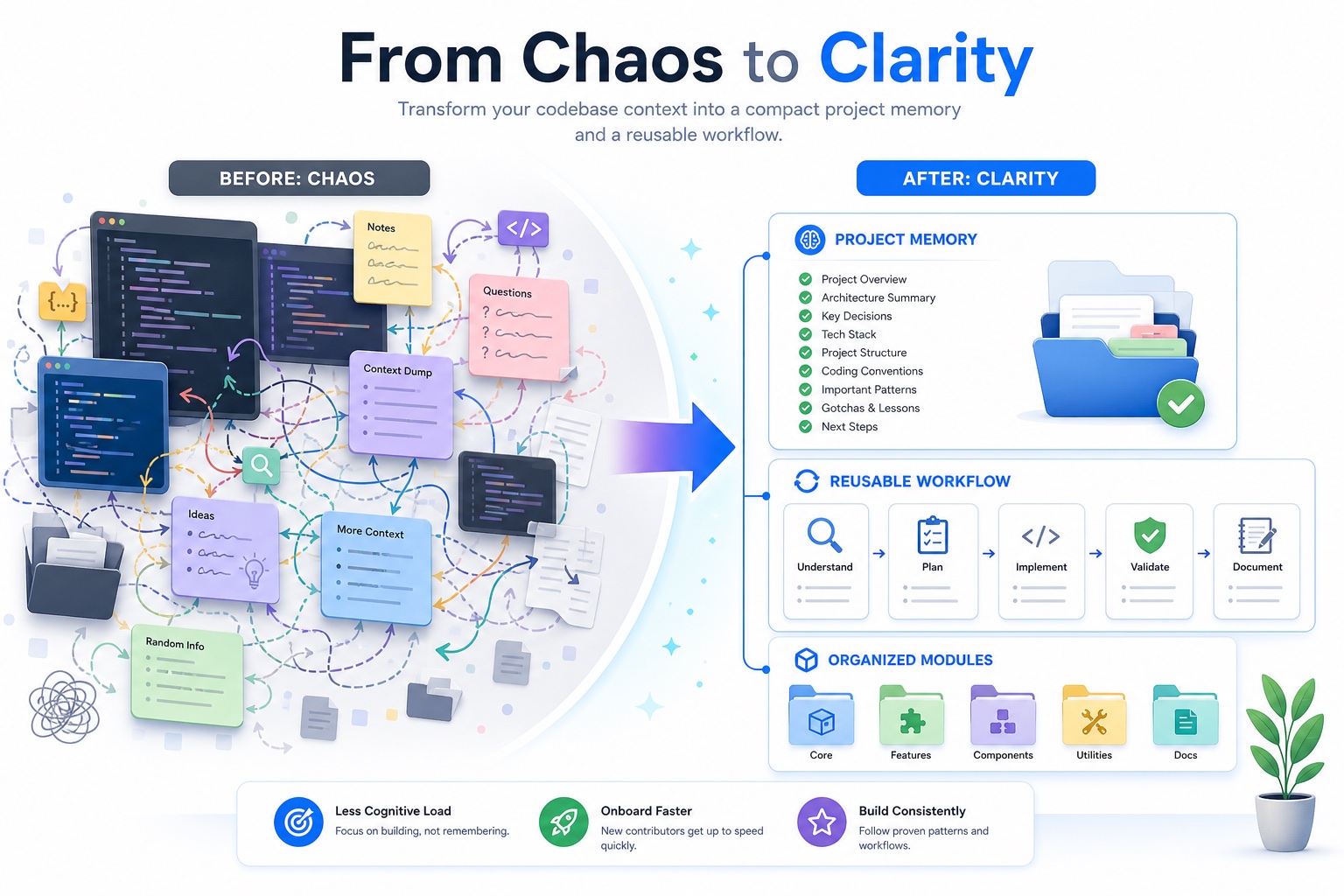
Project memory is only one layer. Claude Code also supports auto memory for learned patterns, hooks for automation, CLI/session controls, and broader context-management ideas such as compaction in the Claude API. You do not need every layer on day one, but understanding the stack helps you decide where each kind of information belongs.
Best for stable human-written rules: architecture, commands, standards, safety boundaries, and workflow preferences.
Best for learned repository patterns, recurring fixes, and discoveries Claude accumulates over time.
Best for automation such as formatting after edits, notifications, command logging, and protected-file checks.
Hooks deserve special attention for teams trying to reduce wasted limit cycles. A post-edit formatter can prevent Claude from repeatedly fixing style noise. A protected-file hook can stop edits to dangerous files before they happen. A notification hook can reduce idle time when approval is needed. These automations are not replacements for good instructions; they are guardrails that make the instructions enforceable.
Compaction is also part of the broader context conversation. Anthropic’s API documentation describes server-side compaction as a strategy for long-running conversations and agentic workflows. Claude Code users do not need to configure API compaction for every CLI session, but the design lesson is relevant: long tasks need summaries, state handoffs, and aggressive pruning of stale detail. Add a context-saving rule that tells Claude to summarize state before a session gets unwieldy.
A practical 30-minute setup process
If you already have a large repository, do not try to perfect the memory file in one sitting. Build it in three passes.
Pass 1: write the facts you know
Create ./CLAUDE.md or ./.claude/CLAUDE.md. Add the product snapshot, repository map, commands, protected files, and minimum verification rules. This should take fifteen minutes. Avoid deep explanations. Your goal is to remove the top ten recurring questions a new teammate would ask.
Pass 2: ask Claude Code to audit the file
Open Claude Code and ask it to compare the memory file against the repository. The prompt can be simple: “Review CLAUDE.md against this repo. Identify missing commands, wrong paths, and risky assumptions. Do not edit yet.” This uses some context once, but it can save many future sessions from repeated mistakes.
Pass 3: update after the next real task
After Claude completes a real task, ask what instruction would have made the task smoother. Add only durable lessons. If the agent struggled because a test command was hidden, add the command. If it misunderstood an architectural boundary, add that boundary. If it made a one-off mistake unlikely to repeat, do not clutter the file.
Common CLAUDE.md mistakes that waste Claude Code sessions
Do this
- Use exact commands and paths.
- Keep instructions short and testable.
- Link to deeper docs with
@docs/file.mdreferences when useful. - Separate stable team rules from personal local preferences.
- Flag protected files and risky domains.
- Update the file when repeated mistakes appear.
Avoid this
- Writing a long company manifesto.
- Embedding secrets or private credentials.
- Listing every folder in the repository.
- Keeping outdated migration notes forever.
- Using vague rules like “be careful.”
- Letting personal shortcuts leak into team-shared instructions.
The most dangerous mistake is mixing permanent rules with temporary state. “We are debugging checkout today” belongs in the current prompt or a task note, not necessarily in the team’s permanent CLAUDE.md. “Checkout code lives in apps/web/src/checkout and requires approval before changing payment authorization” is durable and belongs in the file.
Another mistake is hiding too much detail in imported docs. Imports are useful, but they can become a backdoor for context bloat. If your imported architecture document is thirty pages long, consider linking it as a reference rather than importing it into every session. Claude can open it when needed.
Example: a lean CLAUDE.md for a SaaS dashboard
Here is a more concrete example. Adapt it to your stack rather than copying it blindly.
# Claude Code instructions

## Snapshot
B2B SaaS dashboard for customer onboarding analytics. Next.js app, Node API routes, Postgres via Prisma, deployed on Vercel. Current priority: reduce onboarding funnel bugs without changing billing logic.

## Key paths
- Web app: apps/web/src
- Shared UI: packages/ui
- API routes: apps/web/src/app/api
- Prisma schema: packages/db/prisma/schema.prisma
- Tests: apps/web/tests and packages/*/src/**/*.test.ts

## Preferred commands
- Install: pnpm install
- Type check: pnpm typecheck
- Lint: pnpm lint
- Focused test: pnpm test -- [path]
- Build web: pnpm --filter web build

## Workflow
- For multi-file changes, propose a 3-5 step plan before editing.
- Prefer focused tests before full workspace checks.
- Never edit billing authorization, auth middleware, or production env files without explicit approval.
- After changes, report files touched, tests run, and remaining risks.

## Standards
- Use existing UI components from packages/ui before creating new components.
- Keep server actions typed and return explicit error states.
- Do not add dependencies unless there is no reasonable in-repo solution.
- Preserve accessibility labels on forms and buttons.

## Known pitfalls
- apps/web/src/lib/legacy-api.ts is deprecated; use apps/web/src/lib/api-client.ts.
- Some Playwright tests require seeded local data; use unit tests first for component-only changes.
Notice what this example does not include: every component name, every database table, or every design principle. It includes the facts most likely to change Claude’s actions. That is the standard you should apply to your own file.
How this supports the usage-limits pillar article
The pillar article explains the bigger picture: Claude Code usage limits, higher rate limits, plan differences, and smarter agent workflows. This cluster article focuses on one tactical piece of that system. If your limit pain comes from genuinely large tasks, a higher plan or better task batching may be appropriate. If your limit pain comes from repeated setup, wrong commands, vague prompts, and context drift, a CLAUDE.md file is the first fix.
In internal linking terms, this article should sit underneath the pillar as a practical implementation guide. The pillar answers “how do Claude Code limits work?” This article answers “what file can I create today to make Claude Code spend less time rediscovering my project?” Together, they create a useful cluster for developers searching both for limit explanations and concrete workflow improvements.
FAQ: Claude Code CLAUDE.md templates and project memory
Where should I put CLAUDE.md?
For a team-shared project, put it at ./CLAUDE.md or ./.claude/CLAUDE.md and commit it if the instructions are safe to share. Use local or user-level instructions for personal preferences that should not apply to everyone.
Can a CLAUDE.md file reduce Claude Code usage limits?
It does not change your plan limits, but it can reduce avoidable usage by giving Claude Code better starting context, preferred commands, safety rules, and verification workflow. That means fewer repeated scans, wrong commands, and corrective loops.
How long should CLAUDE.md be?
Short enough that every line earns its place. A strong first version is often 60-120 lines. Link to deeper docs instead of pasting long architecture documents into the main memory file.
What should not go in CLAUDE.md?
Do not include secrets, access tokens, private keys, personal credentials, or outdated assumptions. Avoid generic slogans and long background essays. Include operational rules that change what Claude should do.
Should I use auto memory or CLAUDE.md?
Use both for different jobs. CLAUDE.md is best for explicit human-written rules. Auto memory is useful for learned patterns that Claude discovers while working in the repository.
Should every monorepo package have its own CLAUDE.md?
Not always. Start with a root file that maps packages and shared rules. Add nested files only when a subproject has materially different commands, standards, or safety constraints.
Can hooks replace CLAUDE.md instructions?
No. Hooks automate actions such as formatting, notifications, or protected-file checks. CLAUDE.md explains intent and workflow. The best setup uses concise instructions plus hooks for repeatable enforcement.
How often should I update the template?
Update it when project commands, architecture, protected areas, or recurring mistakes change. A quick review every two weeks is enough for most active teams.
Authoritative references
For current implementation details, verify behavior against Anthropic’s official documentation: Claude Code memory and CLAUDE.md docs, Claude Code hooks guide, Claude Code CLI reference, Claude API compaction docs, and Anthropic’s May 2026 higher usage limits announcement.
Next step
Create a lean CLAUDE.md file, run one real Claude Code task, then add only the durable lessons that would have made the task faster. For the broader limits strategy, read the related pillar article: Claude Code Usage Limits Explained.
Post a Comment