
How to Reduce Claude Code Usage: 2026 Workflow Checklist for Longer Coding Sessions
How to reduce Claude Code usage is the practical follow-up to the broader Claude Code usage limits question: before you upgrade plans, tighten the way Claude Code reads context, plans work, calls tools, and verifies changes.

Quick answer: how to reduce Claude Code usage without slowing down
The best way to reduce Claude Code usage is not to ask Claude to “use fewer tokens.” The better move is to reduce unnecessary context, avoid broad tool loops, and turn every agentic session into a scoped workflow. Claude Code is powerful because it can inspect repositories, edit files, run commands, use tools, and keep a long working memory. Those same strengths are exactly why usage can disappear quickly when a task is vague.
For the broader plan-level explanation, this article supports our latest pillar draft, Claude Code Usage Limits Explained: 2026 Guide to Higher Rate Limits, Plans, and Smarter Agent Workflows. That pillar covers the five-hour and weekly limits, plan differences, and why Anthropic’s 2026 higher-limit update matters. This cluster guide goes narrower: it focuses on the daily behavior that makes Claude Code limits last longer.
The simple rule is this: make Claude Code spend its intelligence on decisions, not discovery waste. A good session begins with a compact brief, a small file boundary, a verification command, and a stopping condition. A bad session begins with “look at the whole repo and fix everything.” The first pattern creates a repeatable loop. The second pattern invites full-repository scanning, redundant summaries, and extra tool calls.
Why Claude Code usage drains faster than normal chat
Claude Code is not just a chat box. It is an agentic coding interface. A single user request may trigger file reads, searches, edits, test runs, shell output analysis, follow-up reasoning, and a final summary. That loop creates more input and output than a short web chat because Claude must repeatedly reason over code, tool results, and conversation state.
Anthropic’s help center separates usage limits from length limits. Usage limits control how much you can interact with Claude over time, while length limits relate to the context window. The same help article says usage across claude.ai, Claude Code, and Claude Desktop counts toward the same usage limit. That means heavy terminal sessions can affect how much Claude you have left for chat and desktop work.
Anthropic also lists factors that affect usage consumption: message length, attachment size, current conversation length, tool usage, model choice, and features. Claude Code touches several of those at once. A large repository can make message context big. Tool output can grow quickly. Long sessions accumulate decisions and mistakes. High-capability models can be worth it for hard work, but they are not always the best default for repetitive cleanup.
One subtle problem is “context drag.” Early in a session, Claude may read files that stop being relevant later. If you continue asking unrelated questions, that earlier context can still influence the working memory or summary. The result is a session that feels convenient but becomes expensive, noisy, and harder to steer. Usage optimization is partly about cost, but it is also about quality control.
| Usage drain source | What it looks like | Better workflow |
|---|---|---|
| Full-repo discovery | Claude searches many directories before it knows the task. | Name the target area, file patterns, and expected output first. |
| Long mixed-purpose sessions | Bug fixing, refactoring, docs, and tests all happen in one thread. | Use one session per outcome and create a short handoff between sessions. |
| Unbounded tool loops | Claude repeatedly runs tests, searches logs, or edits files without a stop rule. | Set a maximum investigation path and ask for a decision checkpoint. |
| Oversized prompts | You paste full files, logs, or stack traces without trimming. | Paste the relevant excerpt, then allow targeted file reads only when necessary. |
| Wrong model intensity | Every task uses the most capable model even when the work is routine. | Use strong models for architecture and debugging; use lighter routing for mechanical edits when available. |
The Claude Code usage optimization checklist
This checklist is designed for developers who want Claude Code to stay useful throughout the day. You do not need to apply every item at once. Start with the first four and you will usually see the biggest improvement: task scope, file boundary, plan-first editing, and clean handoffs.
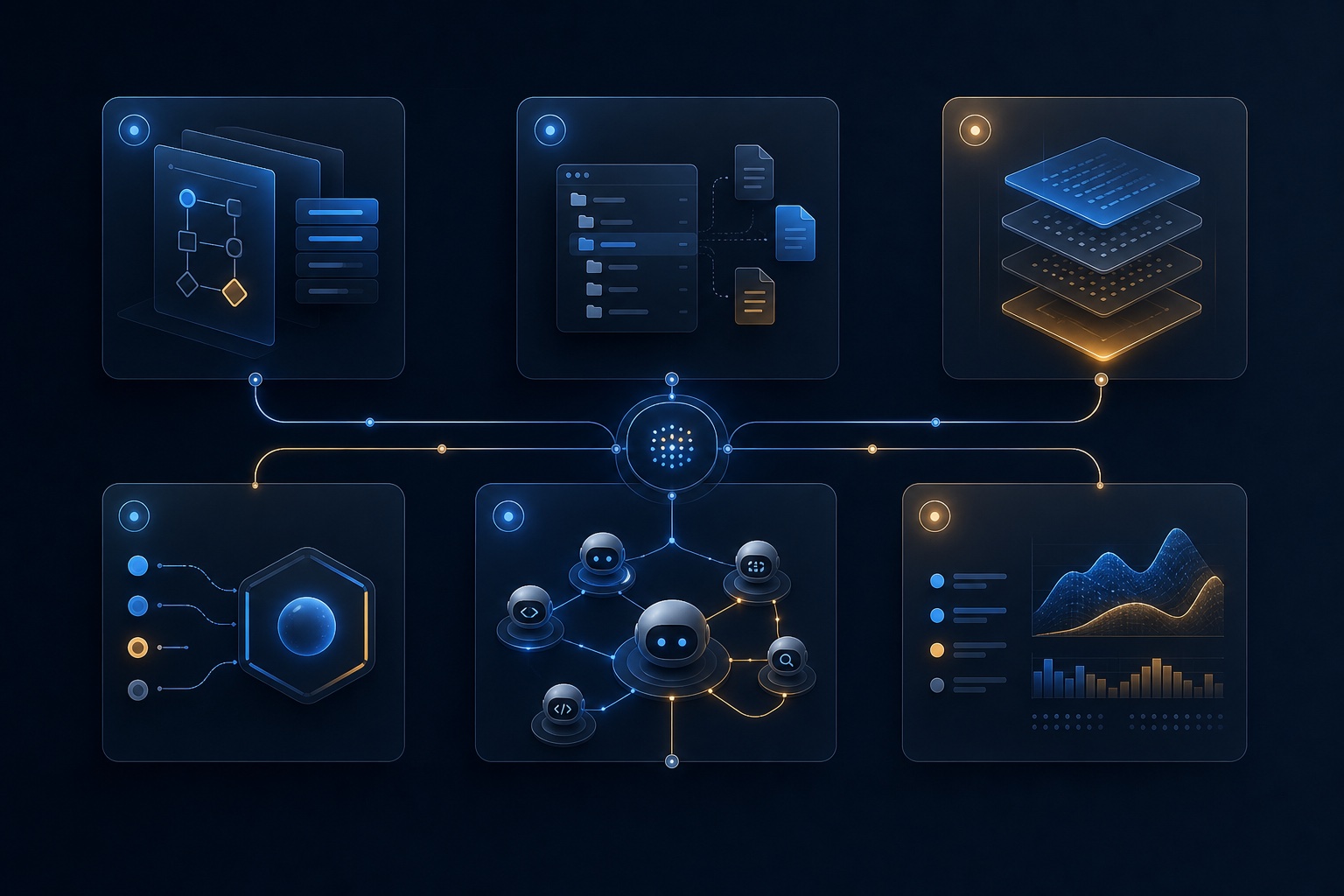
1. Start every session with one outcome
Claude Code performs best when the desired endpoint is unambiguous. “Fix the auth bug” is better than “review the backend.” “Update the pricing card component to match this copy and run the component test” is better still. A precise outcome prevents Claude from spending usage on speculative discovery.
Use a one-sentence success condition. Example: “The session is complete when the failing OAuth callback test passes and no unrelated files are changed.” This gives Claude a natural stopping point and helps you reject unnecessary expansions.
2. Give a file boundary before asking for analysis
When you already know the relevant area, say so. Name directories, files, or commands. If you do not know the exact file, give a small search path. For example: “Start in src/auth and tests/auth; do not inspect unrelated packages unless you explain why.” This keeps exploration focused.
File boundaries also improve review quality. Claude can explain what it did in the exact surface area you care about, and you can compare the diff against your intent. That is better than receiving a broad summary after an agent has scanned half of the project.
3. Ask for plan mode before edits
Before letting Claude edit, ask for a short plan with assumptions, target files, risks, and verification steps. This costs a little upfront, but it prevents expensive correction loops. A plan lets you catch the wrong approach before Claude changes code, runs tests, and then has to unwind the work.
A strong plan prompt is short: “Inspect only enough to propose a plan. Do not edit yet. Return target files, suspected cause, proposed patch, and verification command.” After you approve, Claude can execute with less wandering.
4. Prefer short handoffs over endless sessions
Compact context can help when you need continuity, but a fresh session with a clean handoff is often better when the task changes. The handoff should include the goal, files touched, decisions made, current blocker, and next command. Avoid pasting every detail from the old session. The point is to preserve useful state while dropping noise.
5. Use subagents narrowly, not everywhere
Subagents are valuable when they divide a complex workflow into clear roles, such as “test failure investigator,” “security review,” or “docs updater.” They are wasteful when each subagent has a vague mission and searches the same repo again. The usage-saving pattern is to give each subagent a narrow question and a limited context package.
6. Limit tool permissions and loops
Claude Code can run commands and inspect outputs, but every loop consumes attention and usage. Ask Claude to checkpoint before running expensive commands, migrations, broad test suites, or repeated searches. For a bug fix, start with the smallest failing test. For a refactor, run a targeted typecheck before the full suite. For logs, provide the relevant range instead of dumping thousands of lines.
7. Keep project instructions short
A CLAUDE.md file or project instruction can save repetition, but it can also become a hidden tax if it grows into a long manifesto. Keep standing instructions concise: coding style, test command, branch rules, architectural boundaries, and security constraints. Move rare details into docs that Claude can open only when needed.
8. Monitor plan-level usage and session behavior
Anthropic’s usage limit best practices recommend checking Settings > Usage on paid plans. For teams, Claude Code’s monitoring documentation explains OpenTelemetry options for metrics and logs. You do not need enterprise observability for a solo workflow, but teams should measure where agent time goes before blaming plan limits.
A reusable Claude Code session template
Copy this template when you want a practical starting point. It is intentionally short because long prompts can become part of the problem. Customize the file paths and verification command for your project.
Goal: Fix [specific bug / implement specific change].
Scope: Start in [directories/files]. Do not inspect unrelated areas unless you explain why first.
Constraints: Do not make broad refactors. Preserve public API unless required.
Plan first: Inspect only enough to propose a plan. Do not edit until I approve.
Verification: Use [targeted test/typecheck/lint command]. Stop after one failed verification and explain the next decision.
Completion: Summarize changed files, risk, and follow-up work.
This template reduces usage because it prevents the agent from having to infer your boundaries. It also makes the session easier to audit. If Claude proposes a plan that violates the scope, you can correct it before the edit loop begins. If the verification fails, Claude has a clear decision point instead of repeatedly trying random fixes.
For larger projects, add a “known context” section with two or three bullets. Do not paste the whole architecture document. Example: “Auth callbacks are handled in src/auth/callback.ts. Session storage uses Redis. The failing behavior started after the cookie domain change.” That is enough to focus the first investigation.
Settings, telemetry, and model routing that can reduce waste
Claude Code usage optimization has two layers: human workflow and system configuration. Human workflow decides what the agent is allowed to think about. Configuration decides what the agent can do repeatedly, what it logs, and how teams learn from usage patterns.
Anthropic’s tool-use documentation explains that tools add token overhead through tool definitions, tool calls, tool results, and sometimes server-side tool charges in API contexts. In Claude Code, the practical lesson is straightforward: tools are powerful, but tool loops should be purposeful. A shell command that answers a direct question is useful. A broad search repeated every few minutes is usually a sign that the task was under-scoped.
| Control | Usage-saving role | Watch out for |
|---|---|---|
| Project instructions / CLAUDE.md | Removes repeated setup instructions. | Long standing context can become a hidden baseline. |
| Plan-first workflow | Prevents wrong edits and correction loops. | Do not spend too long planning small obvious changes. |
| Subagents | Separates review, testing, and docs tasks. | Broad subagents can duplicate discovery. |
| Telemetry | Shows team-level patterns in commands, tools, and sessions. | Be careful with prompt/content logging and sensitive data. |
| Model routing | Reserves highest capability for hard reasoning. | Cheap routing can cost more if it produces bad edits. |
If you manage a team, document three tiers of work: quick mechanical changes, normal feature work, and high-risk reasoning. Then decide how Claude Code should behave in each tier. The point is not to micromanage every prompt. The point is to avoid using the most expensive, broadest agent behavior for tasks that need a narrow edit.
Interactive usage saver quiz
Use this lightweight quiz before starting a session. It estimates whether your task is likely to burn limits quickly and suggests a safer workflow.
Practical examples: reducing Claude Code usage by role
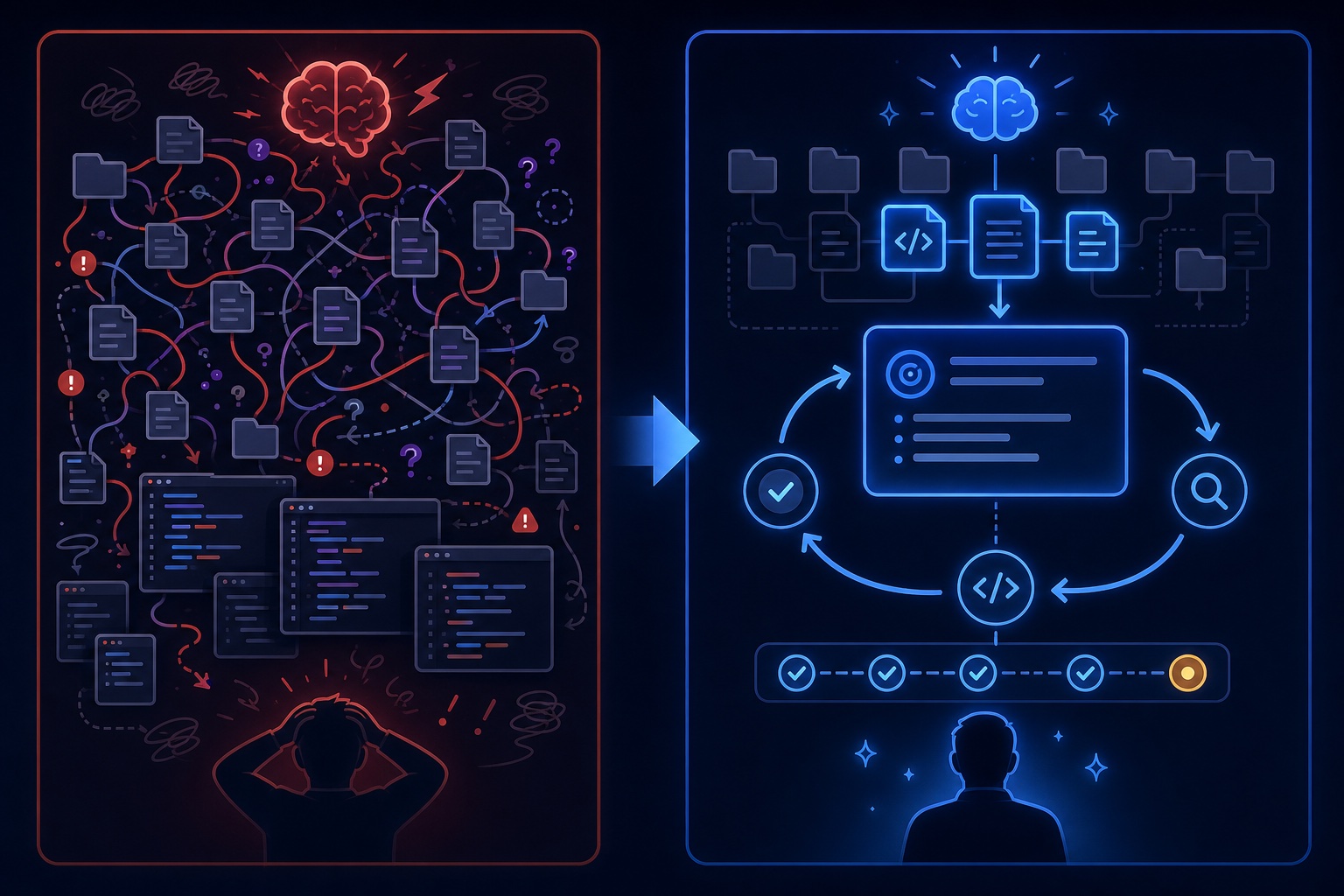
Solo developer fixing production bugs
Your highest-leverage habit is to start from the symptom and the failing command. Give Claude the error, the likely area, and one verification step. Do not ask for a general review. If Claude needs more context, let it request specific files. This keeps the debugging loop focused and usually produces cleaner patches.
Founder building an MVP
MVP work often burns usage because every task feels connected to every other task. Split sessions by user-visible outcome: signup, billing, onboarding, dashboard, email, analytics. Start each session with the product behavior you want, not a broad instruction to “continue the app.” The more modular your prompts, the more modular the resulting code tends to be.
Engineering manager or team lead
Your job is to create defaults. Provide a short repository guide, approved commands, sensitive paths Claude should avoid, and examples of good task briefs. Encourage developers to paste handoffs into tickets or pull requests. This turns individual usage optimization into team knowledge.
Agency or freelancer
Client projects often have unfamiliar codebases, which encourages broad exploration. Resist that temptation. Ask the client for reproduction steps, target files if known, and acceptance criteria. Use Claude Code to verify assumptions, not to wander through proprietary code without a plan.
“Fix the mobile menu close bug in src/components/Nav. Inspect only the nav component and related test. Plan first. Verify with npm test -- Nav.”
“Review the app and improve the navigation. Run whatever you need and make it better.”
Should you upgrade your Claude plan or optimize workflow first?
Anthropic’s plan guide lists Free, Pro, Max 5x, and Max 20x tiers for individual users, with Team and Enterprise plans for organizations. Higher limits can absolutely be worth it if Claude Code is central to your workday. But upgrading is not a substitute for clear workflow design. If the problem is repeated full-repo scans, vague prompts, or uncontrolled test loops, a bigger allowance simply lets the same pattern run longer.
Use this decision rule: optimize first when your tasks are poorly scoped; upgrade when your tasks are well scoped but genuinely frequent or complex. A developer doing daily multi-hour agentic coding may need Max or Team capacity. A casual user hitting limits after two vague sessions may just need better boundaries.
This is where the pillar and cluster relationship matters. The pillar article explains what the usage limits are and how plans compare. This cluster article explains the operational habits that make those limits feel better in practice. Together, they answer both search intents: “what are the limits?” and “how do I stop hitting them so fast?”
Internal links and related reading for the Claude Code cluster
Use this article alongside AI Feature Drop’s broader developer-agent coverage. The closest supporting pillar is the latest Claude Code usage limits guide stored in the pillar workflow at blog_pillar_article/articles/html_article_2026-05-15_09-00-24.html. When its public Blogger permalink is finalized, this cluster article should link directly to that pillar with anchor text such as “Claude Code usage limits explained.”
External references used
FAQ: reducing Claude Code usage
What is the fastest way to reduce Claude Code usage?
Scope each session to one outcome, name the relevant files or directories, ask for a plan before edits, and set a verification command. Those four habits prevent most waste from broad exploration and correction loops.
Does Claude Code share usage limits with Claude chat?
Anthropic says usage across claude.ai, Claude Code, and Claude Desktop counts toward the same usage limit. If you run long Claude Code sessions, expect that to affect your overall Claude allowance.
Should I use compact context or start a new session?
Use compact context when the same task continues and the history still matters. Start a new session when the goal changes, the thread has become noisy, or you can provide a clean handoff in a few bullets.
Do subagents reduce usage?
Subagents can reduce wasted effort when each one has a narrow job. They can increase usage if multiple agents duplicate broad discovery. Use them for separate review, testing, documentation, or investigation lanes with clear boundaries.
Can telemetry help a small team?
Yes, especially if Claude Code is used across many repositories. Telemetry can reveal repeated command loops or expensive patterns, but teams should configure logging carefully to avoid collecting sensitive prompt or code content unnecessarily.
Is upgrading to Claude Max worth it for Claude Code?
It can be worth it for daily heavy users, but optimize first. If you hit limits because of vague sessions, Max gives you more runway but does not fix the underlying workflow. If you hit limits after disciplined, high-value sessions, upgrading is easier to justify.
What should I put in CLAUDE.md?
Keep it short: project purpose, coding conventions, test commands, safe/unsafe directories, branch rules, and review expectations. Avoid turning it into a long architecture book that Claude must carry into every session.
How does tool use affect usage?
Tool use adds context through tool definitions, tool calls, tool results, and command output. Tools are essential for coding agents, but repeated broad tool calls are one of the fastest ways to burn usage without improving results.
Final recommendation
If Claude Code limits feel tight, do not start with plan anxiety. Start with workflow hygiene. A scoped task, a short plan, a file boundary, and a clean verification command can make the same plan feel much more generous. Then use usage settings or telemetry to decide whether you truly need more capacity.
The teams that get the most from Claude Code will not be the teams that run the broadest prompts. They will be the teams that give agents crisp jobs, safe tools, and measurable stopping points. That is how you reduce Claude Code usage while getting better code out of every session.
Post a Comment