
Claude Design to Code Workflow: How to Use Claude Design, Opus 4.7, and Claude Code
Claude Design is more important than another AI design launch because it points to a workflow shift: Claude is moving from answering questions into helping teams turn product intent into prototypes, artifacts, and implementation-ready handoffs. For founders and product teams, the practical question is not whether Claude can make a pretty mockup. The question is whether it can shorten the loop between idea, prototype, review, and code without creating design debt.
Anthropic launched Claude Design by Anthropic Labs on April 17, 2026 as a workspace for creating designs, prototypes, slides, one-pagers, and other visual work. The same launch matters because it connects design output to Claude Code handoff. When a design is ready, Claude can package the intent into a bundle that developers can pass to Claude Code with a single instruction. That makes Claude Design less like a standalone image generator and more like the front of a design-to-build pipeline.
This guide explains what Claude Design does, how it fits with Claude Opus 4.7 and Claude Code, where it belongs in product workflows, what teams should test before relying on it, and how to adopt it without replacing the parts of design review that still need human judgment.
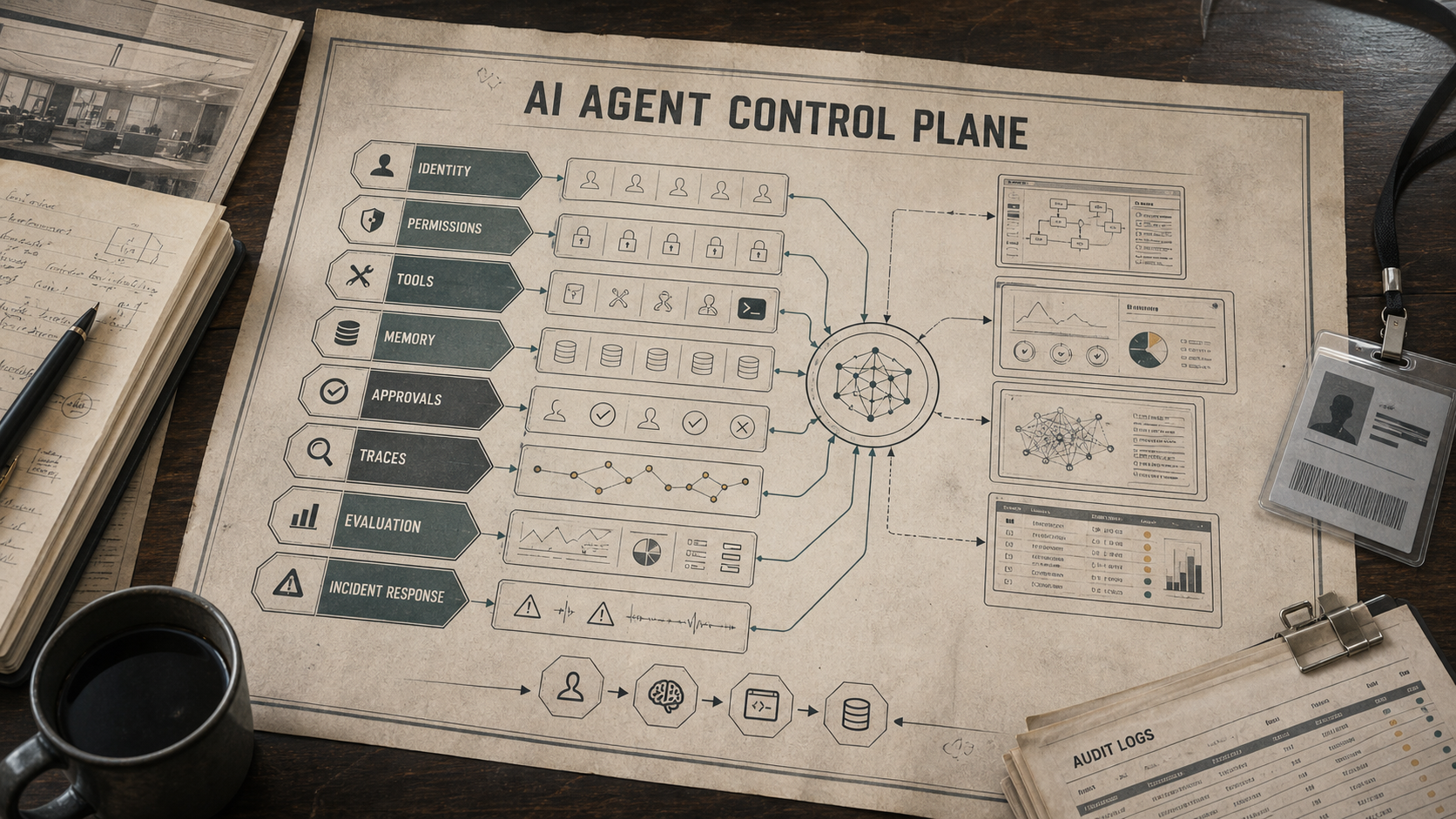
What Is Claude Design?
Claude Design is an Anthropic Labs product for collaborating with Claude on visual work. Anthropic's Claude Design launch announcement describes it as a way to create designs, prototypes, slides, one-pagers, and assets through conversation. The important detail for builders is that Claude Design is not only about static pictures. It helps teams move from a rough prompt or brief into artifacts that can be refined, shared, exported, and handed to engineering.
That changes the evaluation criteria. A generated design is not useful because it looks impressive for ten seconds. It is useful if a product manager can explain the user flow, a designer can assess layout and brand fit, a founder can test positioning, and a developer can understand what needs to be implemented. Claude Design should be judged by whether it improves that loop.
Anthropic says Claude Design is available for Claude Pro, Max, Team, and Enterprise subscribers, and that Enterprise organizations have it off by default until admins enable it. That availability detail matters for teams planning rollout. If your design workflow depends on Claude Design, confirm plan access, organization settings, usage limits, and extra-usage behavior before promising it as a standard operating process.
Why Claude Design Matters for Builders
Most product work gets stuck in translation. A founder describes a feature in words. A designer turns those words into a flow. A developer turns that flow into UI. A stakeholder asks for a deck. A customer asks what changed. Each step loses context unless the team keeps design intent, constraints, and implementation notes together.
Claude Design is interesting because it tries to keep those layers closer. A team can use Claude to explore visual directions, produce a prototype, refine the design against brand rules, export a presentable artifact, and then hand the intent to Claude Code. If that workflow works well, the advantage is not "AI replaces design." The advantage is that teams spend less time creating throwaway first drafts and more time judging concrete options.
For early-stage founders, this can be a faster path from idea to user feedback. For developers, it can create clearer UI requirements before implementation. For designers, it can turn vague stakeholder requests into reviewable drafts sooner. For operators, it can help produce internal decks, one-pagers, and workflow visuals without waiting for a dedicated design cycle.
How It Connects to Claude Opus 4.7
The Claude Design launch sits next to Anthropic's newer model direction. In the Claude Opus 4.7 announcement, Anthropic says the model improves advanced software engineering, high-resolution vision, professional interfaces, slides, docs, long-running work, and instruction following. It also says Opus 4.7 is available across Claude products, the API, Amazon Bedrock, Google Cloud Vertex AI, and Microsoft Foundry, with API pricing listed at $5 per million input tokens and $25 per million output tokens.
Those details matter because design-to-code work needs more than visual taste. It needs instruction fidelity, the ability to inspect visual references, and the discipline to preserve constraints across multiple turns. If a user says "keep the left navigation dense, preserve the billing table, and only change the onboarding state," the model must follow those constraints literally. Anthropic warns that prompts written for earlier models may need retuning because Opus 4.7 follows instructions more literally. That is a useful warning for teams building repeatable design prompts or handoff templates.
The article also notes that Opus 4.7 has better high-resolution image handling and introduces public-beta task budgets on the Claude Platform, plus a new xhigh effort level. For product teams, the takeaway is simple: the Claude stack is being optimized for longer, more precise, multimodal work. That is exactly the kind of work a design-to-code pipeline needs.
The Practical Workflow: Brief to Prototype to Code
1. Start with a structured product brief
Claude Design will produce better work when the prompt describes a product decision, not just a visual mood. A weak prompt is "make a modern dashboard." A stronger brief is "create a compact B2B billing dashboard for finance admins, with overdue invoices, plan usage, payment method risk, and a review queue for disputed charges." The stronger brief gives Claude job context, audience, data hierarchy, and product constraints.
A good Claude Design brief should include the user role, business goal, primary workflow, required UI states, brand constraints, density preference, device target, and non-negotiable exclusions. For example: "Do not create a marketing landing page. This is an operational tool for repeated daily use. Prioritize scanability, clear tables, and low-friction actions." That kind of instruction protects the output from drifting into decorative AI visuals.
2. Ask for multiple directions, then converge
Use Claude Design first for exploration, not final truth. Ask for two or three distinct layout directions: dense operational dashboard, guided wizard, and command-center view. Then compare them against the actual workflow. Which one reduces clicks? Which one makes state visible? Which one keeps risky actions reviewable? Which one will be easier to implement with your component system?
The goal is to create options that reveal tradeoffs. A visually elegant prototype may hide critical data. A dense dashboard may be efficient for expert users but too complex for first-time onboarding. A wizard may reduce cognitive load but slow power users. Claude Design can accelerate the exploration, but the team still needs to choose based on the workflow.
3. Turn the chosen direction into a review artifact
Once a direction is selected, refine it into something reviewable. Ask Claude Design to clarify empty states, loading states, error states, permission states, and edge cases. A beautiful happy-path screen is not enough. Real products need the canceled subscription state, the failed payment state, the "no data yet" state, and the case where a user has permission to view but not edit.
This is where teams should involve designers and engineers. Designers should check hierarchy, spacing, accessibility, information scent, and brand fit. Engineers should check component availability, data dependencies, responsiveness, and implementation risk. Product owners should check whether the artifact still solves the original business problem.
4. Package design intent for Claude Code
Anthropic says Claude Design can package a design into a handoff bundle for Claude Code. Treat that bundle as a starting point, not a substitute for engineering review. The handoff should capture layout intent, component behavior, interaction states, data requirements, accessibility notes, and implementation constraints. It should not just describe pixels.
For a serious product workflow, add a short implementation brief before sending the handoff to Claude Code. Include the target repository, framework, design system, routes, component ownership, test expectations, and what should not be changed. If the repo already has a table component, modal component, or theme system, say so. Claude Code performs best when it can adapt to the codebase instead of inventing an unrelated UI pattern.
5. Review the generated code like production work
Claude Code can accelerate implementation, but code generated from a visual artifact still needs review. The official Claude Code GitHub Actions documentation recommends keeping project rules in a repository-level CLAUDE.md file, using GitHub Secrets for API keys, limiting action permissions, reviewing suggestions before merge, and configuring timeouts and max turns to control costs. Those are not bureaucratic details. They are the difference between useful automation and uncontrolled changes.
When you use Claude Code after Claude Design, review the output for component reuse, accessibility, responsive behavior, state management, security, performance, and tests. Design-to-code handoff is successful only if the implementation fits the existing product.
Implementation Handoff Template for Claude Code
The most useful Claude Design to code workflow includes a handoff file that tells Claude Code how to translate the prototype into the existing repository. Put the context in a repository-level CLAUDE.md or paste it into the Claude Code session before implementation.
# Claude Design handoff: customer health dashboard

## Goal
Implement the reviewed Claude Design prototype as one route in the existing Next.js app.
Do not redesign the full application.

## Scope
- Route: /dashboard/customer-health
- Components to reuse: DataTable, StatusBadge, RiskPill, EmptyState, SidePanel
- Data source for this pass: mock data in app/dashboard/customer-health/mock-data.ts
- Out of scope: authentication, billing settings, global navigation, theme tokens

## Required states
- Loading state
- Empty account list
- High-risk account with overdue support issues
- Permission state where the user can view but not edit
- Mobile inspection view for one account

## Review checklist
- Preserve existing spacing and color tokens
- Use semantic buttons and table headers
- Add tests for risk-score rendering and empty state
- Do not introduce a new UI library
- Summarize changed files before finishing
If the team uses Claude Code through GitHub Actions, keep the workflow narrow. The example below is intentionally scoped to pull-request assistance rather than automatic merging.
name: Claude design handoff review

on:
  pull_request:
    types: [opened, synchronize, reopened]

permissions:
  contents: read
  pull-requests: write

jobs:
  claude-review:
    runs-on: ubuntu-latest
    steps:
      - uses: actions/checkout@v4
      - name: Review UI implementation against design handoff
        uses: anthropics/claude-code-action@v1
        with:
          anthropic_api_key: ${{ secrets.ANTHROPIC_API_KEY }}
          prompt: |
            Review this PR against CLAUDE.md and the design handoff.
            Focus on component reuse, accessibility, responsive behavior,
            state coverage, and whether the code changed unrelated files.
            Leave review comments only; do not push commits.
This kind of template gives Claude Code constraints it can actually follow: route, component inventory, allowed files, required states, review expectations, and explicit exclusions. It also gives human reviewers a clear standard for deciding whether the generated implementation matched the design intent.
Where Claude Design Fits Best
Claude Design is strongest when the goal is to turn ambiguous intent into concrete artifacts. That makes it useful for product concepting, UI prototypes, sales one-pagers, investor update slides, onboarding flows, internal tools, dashboards, feature launch collateral, and design review preparation. It is especially useful when teams need speed but still want to preserve intent across product, design, and engineering review.
Claude Design is less useful when you need production-grade brand systems, highly specialized interaction design, exact compliance with a mature design system, pixel-perfect recreation of an existing UI, or complex animation behavior. It can support those workflows, but it should not be the only review step.
A Practical Adoption Framework

Define the artifact before prompting
Decide whether you need a prototype, a slide, a one-pager, a UI state, a design-system exploration, or a developer handoff. Different artifacts need different constraints. A slide needs narrative clarity. A prototype needs interaction states. A developer handoff needs structure, dependencies, and edge cases.
Write prompts as product requirements
Do not prompt only with style adjectives. Include user role, workflow, information hierarchy, input data, output decisions, and failure states. If the artifact will become code, include the implementation environment and existing UI conventions early.
Keep humans in the design review loop
Claude can generate useful drafts, but humans still own judgment. Someone must check whether the design is usable, on-brand, accessible, feasible, and truthful. If the artifact explains a product, verify the claims. If it guides a workflow, test the workflow. If it becomes code, review the implementation.
Build a reusable prompt library
Teams should not start from a blank prompt every time. Create prompt templates for dashboards, onboarding flows, support tools, mobile screens, sales one-pagers, investor slides, and Claude Code handoffs. Include brand rules, product vocabulary, preferred UI density, and common exclusions. Update those templates when Claude changes behavior.
Measure the workflow, not the novelty
The useful metric is not "we generated ten designs." Better metrics are time from brief to review, number of review cycles, implementation rework, design-system compliance, stakeholder clarity, prototype-to-user-test speed, and whether Claude Code handoff reduced engineering ambiguity.
Example Workflow: Founder MVP Prototype
Imagine a founder building a lightweight customer-success dashboard. The first prompt should not ask for a generic SaaS interface. It should define the buyer, user, workflow, and constraints: "Create a compact dashboard for customer success managers at B2B SaaS companies. Show renewal risk, expansion opportunities, unresolved support issues, and next-best actions. Keep it dense, table-forward, and suitable for daily use. Avoid a marketing hero layout."
The founder can then ask Claude Design for three directions: account health, task queues, and revenue risk. After choosing the strongest direction, they ask Claude to add empty states, overdue states, permission states, and a mobile inspection view.
When the prototype is coherent, the founder creates a handoff for Claude Code: target a Next.js app, reuse existing table and badge components, avoid changing global styles, implement only the dashboard route, and add mock data with clear interfaces. The developer then reviews the generated code, tightens state handling, checks responsiveness, and connects real data later.
Claude Design vs. Figma, Canva, and Code-First Tools
Claude Design should not be evaluated as a direct replacement for every design tool. Figma remains where many teams maintain detailed design systems, component libraries, comments, and collaboration workflows. Canva is strong for brand-friendly visual publishing. Code-first tools are better when implementation fidelity is the main output.
Claude Design fits earlier and between these tools. It is useful when the team has intent but not yet a polished artifact. It can help create first drafts, prototypes, slides, and handoff material. The right question is not "Does Claude Design replace our design stack?" A better question is "Which part of our current workflow is slow because ideas stay abstract for too long?"
If the bottleneck is visual exploration, Claude Design can help. If the bottleneck is production governance, use it carefully. If the bottleneck is frontend implementation, pair it with Claude Code and a strict repository guide.
Limits and Risks
The first risk is hallucinated product detail. Claude may invent copy, features, metrics, or UI states that sound plausible but do not exist. Treat generated artifacts as drafts until product owners verify every claim.
The second risk is design-system drift. AI-generated UI often looks coherent in isolation but may not match your real components, spacing, accessibility standards, or responsive behavior. Before handoff, map the prototype to existing components and reject anything that requires unnecessary new primitives.
The third risk is over-trusting visual polish. A polished prototype can make weak strategy look stronger than it is. Review the workflow, not only the appearance. Ask whether the design reduces cognitive load, exposes the right data, and helps users make decisions.
The fourth risk is uncontrolled implementation. Claude Code can make meaningful changes, especially when triggered through automation. Use secrets properly, keep permissions narrow, review generated changes, set timeouts, and maintain project-specific instructions in CLAUDE.md. Teams comparing broader agent workflow patterns can also read the OpenAI AgentKit guide for another approach to workflow design, evals, and guardrails.
Decision Guide: Who Should Use It?
Use Claude Design now if you often need to turn briefs into prototypes, decks, one-pagers, or implementation handoffs and you already have humans who can review the output. It is a strong fit for founders, product managers, design teams, developer advocates, internal-tools teams, and agencies.
Wait or pilot carefully if your workflow requires strict brand approval, regulatory review, complex localization, highly custom motion design, or exact parity with a mature design system. Claude Design can still help, but it should sit inside a controlled review process.
For developers, the best first use case is a narrow UI implementation from a reviewed prototype. Do not ask Claude Code to rebuild an entire product from a generated design. Start with one route, one component set, or one interactive state. Measure how much ambiguity the handoff removed and how much cleanup the code required.
FAQ
Is Claude Design just an image generator?
No. Claude Design is positioned as a collaborative visual workspace for designs, prototypes, slides, one-pagers, and more. Its most interesting feature for builders is the ability to package design intent for Claude Code handoff.
Who can use Claude Design?
Anthropic says Claude Design is available for Claude Pro, Max, Team, and Enterprise subscribers. Enterprise organizations have it disabled by default until admins enable it in organization settings.
Does Claude Design replace designers?
No. It can accelerate first drafts and exploration, but designers still need to review usability, accessibility, brand fit, interaction quality, and design-system consistency. Treat it as a collaborator and drafting surface, not a design authority.
How does Claude Design connect to Claude Code?
When a design is ready, Anthropic says Claude Design can package everything into a handoff bundle for Claude Code. In practice, teams should add repository context, component rules, test expectations, and constraints before asking Claude Code to implement.
What should teams test before adopting it?
Test whether Claude Design reduces time from brief to review, whether outputs match your design system, whether handoffs reduce engineering ambiguity, and whether Claude Code implementations require less cleanup than a normal build brief.
Conclusion
Claude Design is worth paying attention to because it makes visual product work part of the broader Claude workflow. It can help teams move from idea to prototype, from prototype to review, and from review to code handoff. That is more valuable than another generated mockup because the real product bottleneck is often context transfer.
The practical adoption path is narrow and disciplined: start with one workflow, write product-grade prompts, review outputs like real design artifacts, package intent carefully for Claude Code, and measure whether the workflow reduces rework. Claude Design should not replace human product judgment. It should make that judgment faster, more concrete, and easier to turn into working software.
Internal link suggestions: - Link from the OpenAI AgentKit pillar in the workflow design section with anchor "Claude Design to code workflow" once this draft is live. - Link from the Gemini File Search pillar where it discusses citation-first UI to this Claude article with anchor "prototype and UI handoff workflow". - Future Claude cluster ideas: "Claude Code GitHub Actions setup for product teams", "Claude Design prompts for SaaS dashboards", and "Claude Opus 4.7 migration checklist for coding workflows". Hook evaluation: - Headline option A: "Claude Design to Code Workflow: How to Use Claude Design, Opus 4.7, and Claude Code" | Virality 8 | CTR 8 | Retention 9 - Headline option B: "Claude Design Review: Prototypes, Slides, Brand Systems, and Claude Code Handoff" | Virality 8 | CTR 8 | Retention 8 - Headline option C: "How Claude Design Changes Product Prototyping and Developer Handoff" | Virality 8 | CTR 8 | Retention 8 - Selected headline: option A, because it combines fresh product intent with concrete developer workflow search terms. - Opening angle: "not another design launch; a workflow shift from prompt to prototype to code handoff" | Virality 8 | CTR 8 | Retention 9 Sources checked: - Anthropic, "Introducing Claude Design by Anthropic Labs", published April 17, 2026, https://www.anthropic.com/news/claude-design-anthropic-labs - Anthropic, "Introducing Claude Opus 4.7", published April 2026, https://www.anthropic.com/news/claude-opus-4-7 - Anthropic Claude Code Docs, "Claude Code GitHub Actions", checked May 10, 2026, https://code.claude.com/docs/en/github-actions - Anthropic Newsroom, checked May 10, 2026, https://www.anthropic.com/news Image prompts: - Hero: modern realistic editorial image showing a Claude Design workflow moving from product brief to visual prototype to developer handoff. - Inline: realistic desk-level planning scene representing a practical Claude Design adoption framework from prototype review to code handoff.
Post a Comment