
Claude Code Permission Rules Explained: Safer Agent Access Without Slowing Developers Down
Claude Code permission rules are becoming the difference between a helpful coding agent and a nervous security review. This guide explains the new parameter-based rule syntax, how deny, ask, and allow rules really work, and how teams can give Claude Code useful access without turning every action into a permission popup.
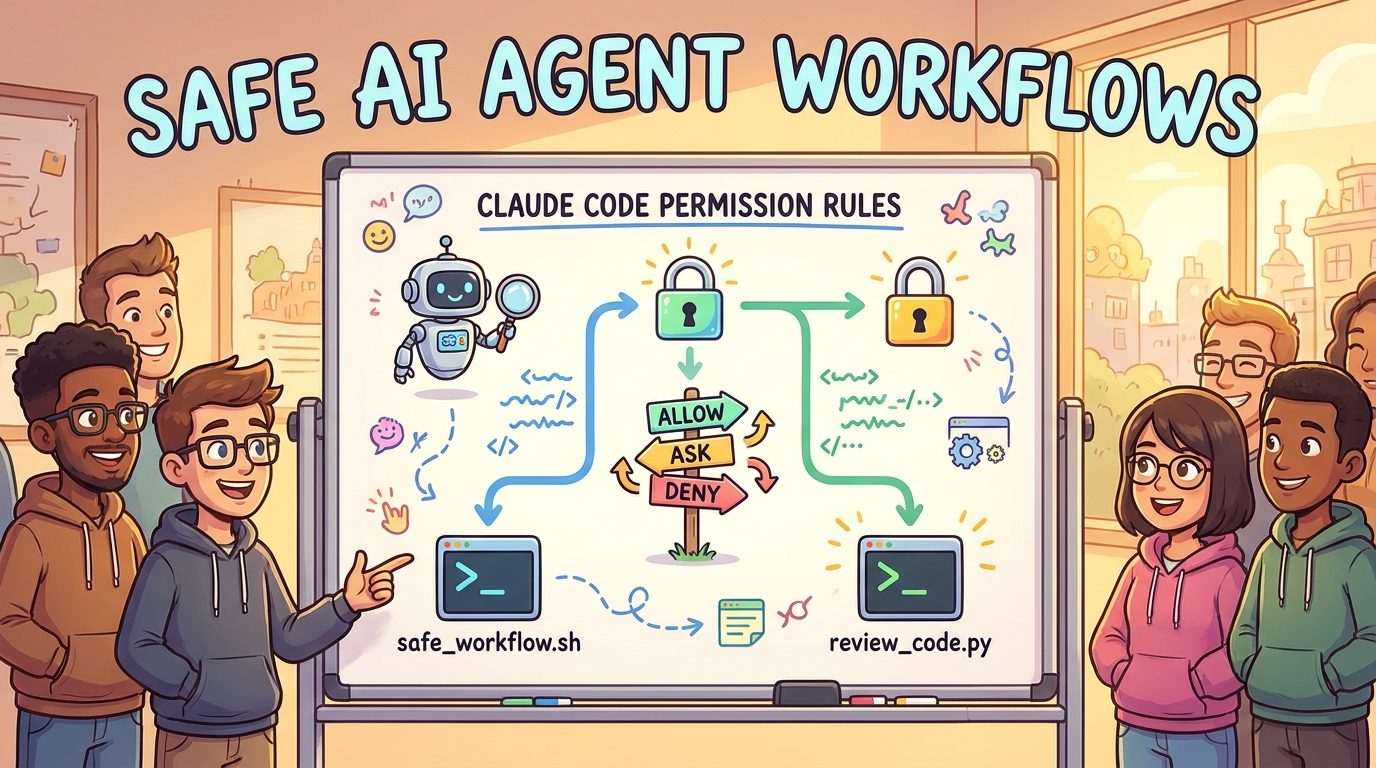
Claude Code Permission Rules: Quick Answer
Claude Code permission rules control which tools Claude Code can use automatically, which actions must ask first, and which actions are blocked. The important new capability is parameter-based matching with syntax like Agent(model:opus) or Bash(run_in_background:true). Instead of only approving a whole tool or a command prefix, teams can now gate specific tool inputs that change cost, risk, isolation, or operational behavior.
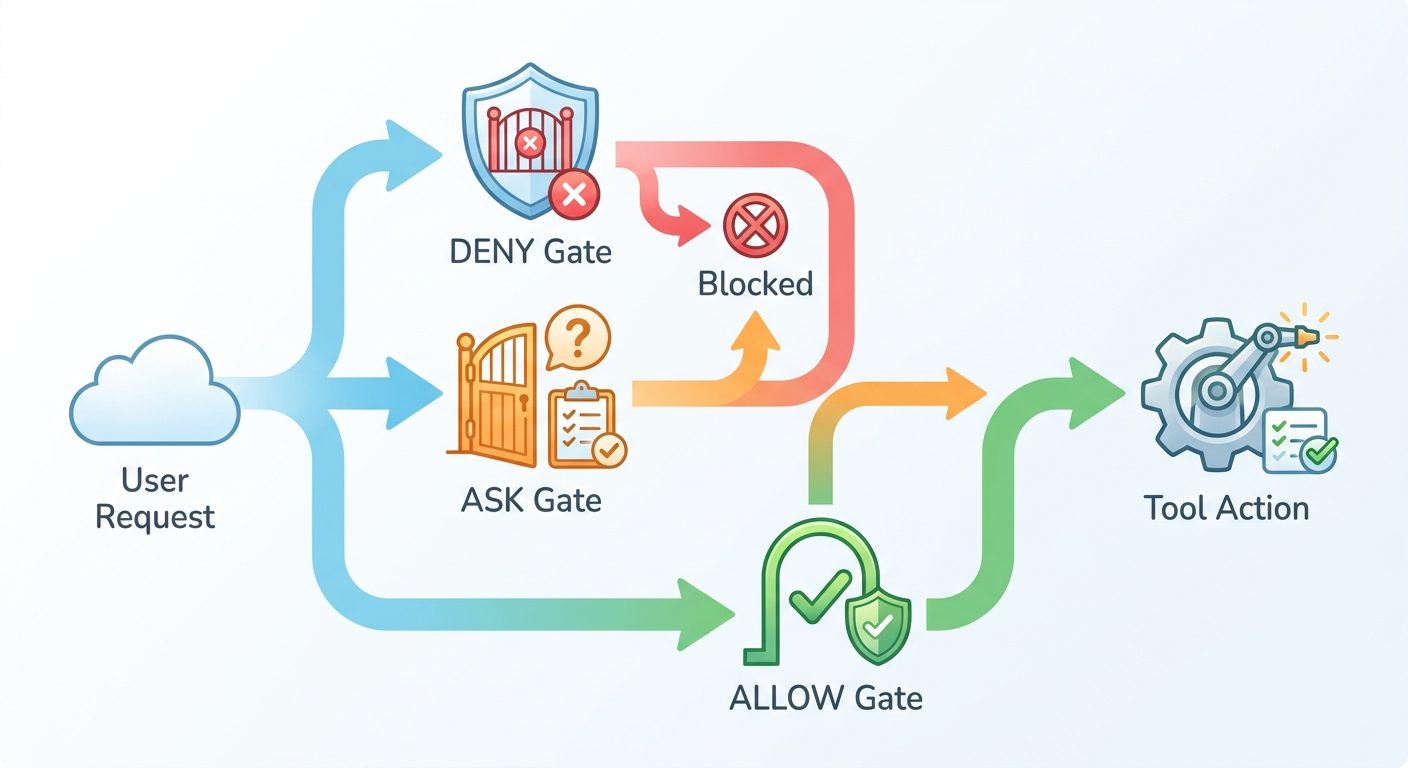
The simple version is this: use allow rules for boring repeatable work, ask rules for actions that need human judgement, and deny rules for actions your project never wants the agent to take. Claude Code evaluates rules in a strict order: deny first, ask second, allow last. That means a broad deny rule cannot be “overridden” by a narrower allow rule later. If a call matches deny, it is blocked.
This article focuses on a practical question: how should developers, founders, and engineering teams configure Claude Code so it remains fast enough to be useful while reducing the chance of costly, unsafe, or surprising agent behavior?
Why Claude Code Permissions Matter More Now
Claude Code started as a terminal coding assistant, but recent releases have pushed it closer to an agentic development environment. It can use tools, edit files, call subagents, work in background sessions, interact with remote control, load skills, follow project settings, and run inside team-managed workflows. That is powerful, but it changes the security model. A coding assistant that only suggests a diff is one thing. A coding agent that can spawn another agent, use a stronger model, read more context, run shell commands, and continue in the background deserves more careful boundaries.
The recent Claude Code changelog added Tool(param:value) syntax for deny and ask permission rules. The same changelog also includes fixes around auto mode, subagent review, nested skills, closest-directory settings, available model enforcement, background sessions, and remote control. Those are not random quality-of-life changes. They show the product is moving toward more complex, team-shaped agent workflows. Permissions are therefore not just a security feature; they are a workflow design feature.
AI Feature Drop analytics support this topic direction. In the last complete analytics window, the site recorded 308 sessions, 785 page views, and 96 organic-search sessions. Existing developer workflow pages are among the strongest performers: Copilot cowork skills, Codex computer use on Windows, GitHub Copilot AI credit pages, Claude Code CLAUDE.md templates, Claude Code usage limits, and the Claude Code GitHub Action explainer all received engagement. That pattern says readers want practical AI coding guidance, especially when limits, agent behavior, and configuration choices are confusing.
Search results for this topic are also uneven. Official Claude Code documentation explains the permission system well, but it is dense and reference-oriented. Google results show official docs, AI summaries, and a few general permission guides. What is missing is a complete, practical playbook that connects the new parameter syntax with real developer scenarios: subagents, premium model gating, CI, remote sessions, project settings, and team governance. That is the gap this guide fills.
What Claude Code Permission Rules Actually Control
Claude Code permissions sit between the model’s intention and the tool execution layer. A prompt can ask Claude to do something, and a CLAUDE.md file can guide preferred behavior, but those instructions do not grant access by themselves. Permission rules decide whether a tool call can proceed without a prompt, must ask the user, or is blocked. This matters because model instructions are soft guidance, while permission rules are enforced by Claude Code.
The mistake is treating permissions as a one-time installation chore. They should evolve with the way your team uses Claude Code. A solo developer may need speed and a few hard blocks. A startup team may need shared project rules. An enterprise team may need managed settings that developers cannot widen locally.
How the New Tool(param:value) Syntax Works
The new syntax lets deny and ask rules match a top-level parameter sent to a tool. For example, Agent(model:opus) can match a subagent call that explicitly requests an Opus-tier model. Agent(isolation:worktree) can match a subagent call requesting a worktree. Bash(run_in_background:true) can match a Bash tool call that runs in the background. The value supports * as a wildcard, so Agent(isolation:*) matches any explicit isolation value.
That sounds small, but it solves a real governance problem. Before parameter matching, teams often had to choose between broad tool access and constant prompts. With parameter-based ask or deny rules, you can keep normal agent behavior smooth while forcing review for the part of the call that changes risk. A normal subagent might be fine. A premium-model subagent, a worktree-isolated subagent, or a background operation may deserve explicit review.
{
  "permissions": {
    "ask": [
      "Agent(model:opus)",
      "Agent(isolation:*)",
      "Bash(run_in_background:true)"
    ],
    "deny": [
      "Bash(rm -rf *)",
      "Read(./.env)",
      "WebFetch(domain:internal.example.com)"
    ],
    "allow": [
      "Bash(npm test *)",
      "Bash(npm run build *)",
      "Bash(git status *)"
    ]
  }
}
There are important limits. Parameter matching only applies to direct scalar fields of a tool input. It does not match nested fields inside objects or arrays. It also does not replace the canonical matching syntax for fields that already have special tool-specific handling. For Bash commands, use Bash(command pattern), not Bash(command:...). For file paths, use Read(path), Edit(path), or Write(path). For web fetches, use domain rules such as WebFetch(domain:example.com). This prevents rules that look safe but could be bypassed through compound commands, URL variations, or path normalization edge cases.
Deny, Ask, Allow: The Rule Order That Prevents Surprises
The most important concept in Claude Code permissions is evaluation order. Rules are checked as deny, then ask, then allow. Specificity does not beat order. A broad deny rule wins over a narrower allow rule. A matching ask rule prompts even if a more specific allow rule also matches. This can feel counterintuitive if you come from firewall rules or policy systems where later exceptions are common. In Claude Code, you should design broad rules carefully because they do not carry allowlist exceptions.
| Rule type | What it means | Best use | Common mistake |
|---|---|---|---|
| Deny | Block the matching tool call. | Secrets, destructive commands, risky domains, prohibited tools, model tiers the team never wants. | Using a broad deny and expecting a narrower allow to override it. |
| Ask | Pause and request confirmation. | Background tasks, premium models, worktree isolation, package publishing, deployment-adjacent commands. | Putting too many everyday actions behind ask, which trains developers to approve blindly. |
| Allow | Run without manual approval. | Test commands, builds, formatting, read-only checks, safe project-local commands. | Allowing broad shell prefixes that can include unsafe compound behavior. |
A useful mental model is “deny for never, ask for judgement, allow for routine.” If you cannot explain why a rule belongs in one of those buckets, it is probably too broad or too vague. Permissions work best when they reflect real team policy, not anxiety.
Safe Permission Patterns for Real Claude Code Workflows
Here are practical permission patterns that match how developers actually use Claude Code. Treat them as starting points, not copy-paste policy. Your language stack, repository layout, compliance needs, and team trust level should shape the final settings.
Pattern 1: Fast local development
For a solo developer or small internal project, allow common read-only and test commands while asking for background execution and denying sensitive reads. This keeps the assistant useful for everyday coding without granting free access to secrets.
{
  "permissions": {
    "allow": [
      "Bash(npm test *)",
      "Bash(npm run lint *)",
      "Bash(npm run typecheck *)",
      "Bash(git diff *)",
      "Bash(git status *)"
    ],
    "ask": [
      "Bash(run_in_background:true)",
      "Agent(model:opus)"
    ],
    "deny": [
      "Read(./.env)",
      "Read(~/.ssh/**)",
      "Bash(rm -rf *)"
    ]
  }
}
Pattern 2: Team repository with subagents
If your team uses subagents, gate the choices that affect cost and isolation. You may allow normal agent use but ask when the model tier or isolation mode changes. This is especially useful when different plans or team policies apply to different model families.
{
  "permissions": {
    "ask": [
      "Agent(model:opus)",
      "Agent(isolation:*)",
      "Bash(run_in_background:true)"
    ],
    "deny": [
      "Agent(model:mythos*)",
      "Read(./secrets/**)",
      "Bash(git push *)"
    ]
  }
}
Pattern 3: CI and release-sensitive project
For projects with deployment risk, do not allow commands just because they start with a familiar package manager. Build scripts sometimes publish, deploy, or mutate infrastructure. Allow exact safe commands and ask for release-adjacent commands.
{
  "permissions": {
    "allow": [
      "Bash(npm run test)",
      "Bash(npm run build)",
      "Bash(pytest *)"
    ],
    "ask": [
      "Bash(npm publish *)",
      "Bash(git push *)",
      "Bash(gh release *)"
    ],
    "deny": [
      "Bash(terraform destroy *)",
      "Bash(kubectl delete *)"
    ]
  }
}
The bigger lesson is to approve the smallest useful behavior. A rule like Bash(npm *) may feel convenient, but it can cover too much. Exact commands are less glamorous and more reliable.
Claude Code Subagent Permissions: Where Parameter Rules Shine
Subagents are where the new parameter syntax becomes especially valuable. Agentic coding often benefits from delegation: one agent explores tests, another reviews security, another writes docs, another checks migration risk. But every spawned subagent can increase context usage, model cost, coordination overhead, and policy complexity. Recent Claude Code updates improved how auto mode evaluates subagent spawns before launch, and nested subagents can go several levels deep. That makes guardrails important.
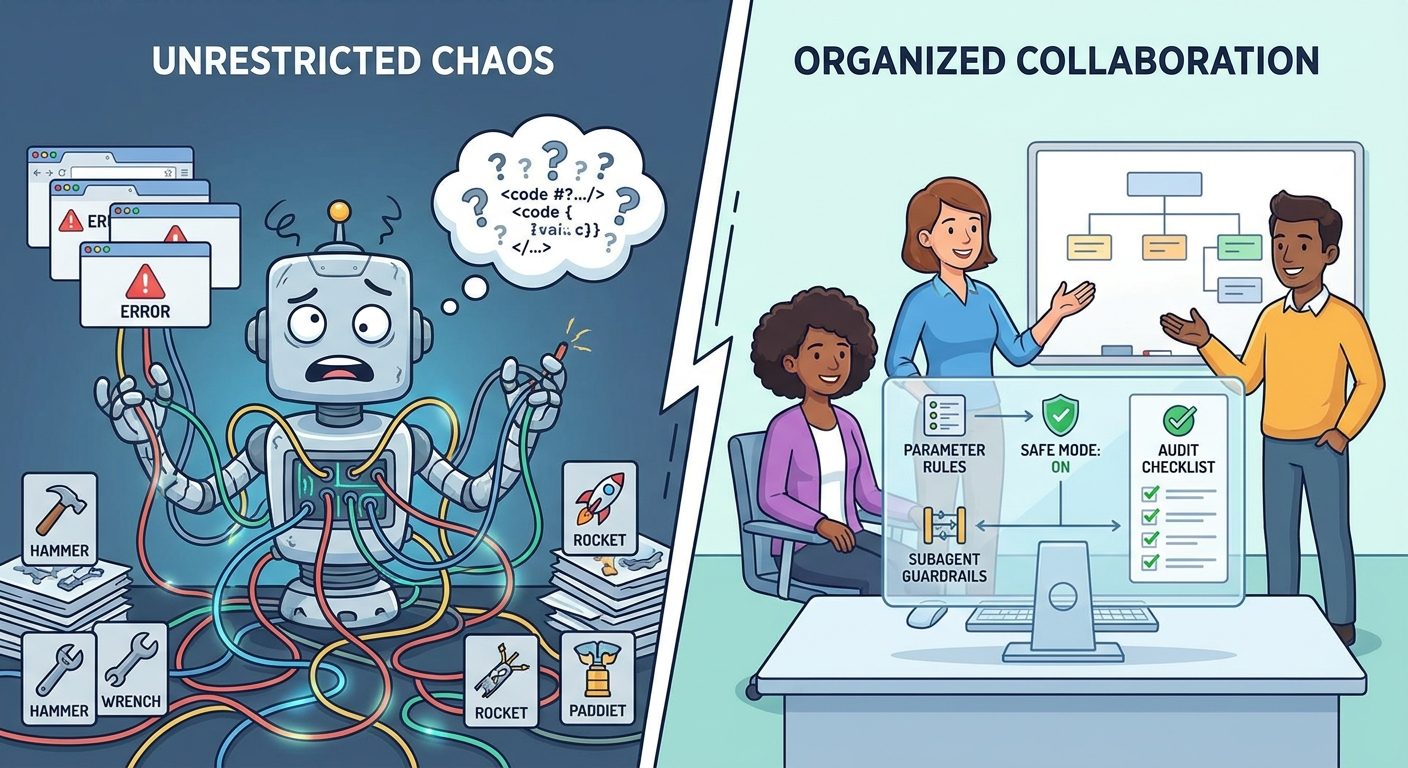
Use parameter-based ask rules to create a checkpoint before expensive or unusual subagent decisions. For example, a normal lightweight subagent might be acceptable for a test-failure investigation. A subagent requesting Opus, a 1M context model, or worktree isolation may be worth a human review. This does not mean the action is bad. It means the action crosses a threshold where the developer should confirm intent.
Good reasons to ask first
- The agent requests a higher-cost model tier.
- The agent wants to run in the background.
- The agent asks for isolation or a worktree.
- The task spans multiple repositories or sensitive directories.
- The agent wants to interact with external services.
Bad reasons to over-prompt
- Every normal test run.
- Every file read inside the project.
- Every formatting command.
- Every small edit in a non-sensitive directory.
- Every status or diff check.
The goal is not to make Claude Code timid. A timid agent wastes time. The goal is to make the risky moments visible while preserving flow for routine work. If developers see prompts only when the choice matters, they are more likely to read them carefully.
How Permission Rules Fit With Claude Code Modes
Permission rules are one layer. Permission modes are another. Standard mode prompts for first use of tools. Plan mode allows exploration without source edits. Accept-edits mode reduces friction around file changes. Auto mode attempts to approve aligned actions with safety checks. Dont-ask mode denies tools unless pre-approved. Bypass permissions mode is intentionally risky and should be reserved for isolated environments such as disposable containers or virtual machines.
For most professional teams, the safest default is not a single aggressive mode. It is a combination of conservative defaults, explicit allow rules for common workflows, ask rules for high-impact parameters, and deny rules for hard boundaries. Managed settings can prevent developers from weakening organization-level policy. Project settings can encode repository-specific workflow rules. User settings can add personal convenience only where policy allows it.
| Scenario | Recommended mode | Permission strategy |
|---|---|---|
| Learning a new codebase | Plan mode | Allow reads and safe search; block secrets; avoid edits until the plan is reviewed. |
| Normal feature work | Default or accept-edits | Allow test/build/format commands; ask for background tasks and unusual agent choices. |
| High-risk migration | Default with strict ask rules | Ask for broad edits, premium subagents, worktree isolation, package changes, and generated PR operations. |
| Disposable sandbox | Possibly bypass permissions | Only in a container or VM where destructive actions cannot harm real files, credentials, or accounts. |
| Enterprise team | Managed defaults | Use managed settings to disable unsafe modes and enforce model/tool boundaries. |
If you are already using Claude Code heavily, read this alongside our Claude Code usage limits guide and Claude Code usage reduction checklist. Permission design and usage control are connected. A vague agent session with broad permissions can burn time, credits, and developer attention. A scoped session with the right guardrails is usually faster and safer.
Managed Settings for Teams and Enterprises
Individual developers can tune permissions for their own workflow, but organizations need consistency. Managed settings are useful when a team wants to prevent unsafe modes, constrain model access, define allowed or denied MCP servers, and ensure policy cannot be silently widened by project settings. This matters when Claude Code becomes part of normal engineering operations rather than a personal experiment.
A practical enterprise policy might disable bypass permissions, restrict auto mode while it is still considered a research-style workflow, block specific model tiers unless approved, deny access to secret directories, and ask before any background execution. That still leaves room for productive use: developers can run tests, inspect diffs, ask for explanations, and make project-local edits. The point is to separate everyday assistance from actions that affect security, cost, compliance, or infrastructure.
Do not write managed settings in isolation from developers. If a policy is too restrictive, people will route around it or stop using the tool. If it is too loose, security teams will eventually shut it down. The better process is collaborative: observe real Claude Code usage for a week, identify the handful of actions that create risk, write targeted rules, and review the prompts developers actually see.
Common Claude Code Permission Mistakes
1. Using broad deny rules and expecting exceptions
Because deny rules are evaluated before ask and allow rules, a broad deny cannot be softened by a narrower allow rule. If you deny Bash(git *), do not expect Bash(git status *) in allow to rescue status checks. Instead, deny specific dangerous git commands such as push, reset, or clean when appropriate.
2. Allowing package-manager prefixes too broadly
Package managers can run scripts that do almost anything. npm run build may be safe in one project and deploy production in another. Prefer exact safe commands, especially in repositories with release scripts.
3. Forgetting secrets and local credential files
Agents do not need blanket access to environment files, SSH keys, cloud config, browser profiles, or production credentials to be useful. Deny or ask around those paths. If a task genuinely needs a secret, humans should decide how to provide the minimum necessary information.
4. Prompting so often that prompts become noise
Security prompts only work when people read them. If every harmless action asks for approval, developers will develop click-through habits. Allow low-risk routine actions so ask prompts remain meaningful.
5. Confusing guidance with enforcement
A CLAUDE.md instruction like “never deploy” is helpful but not enough. Use permission rules to enforce hard boundaries. For better project instructions, see our Claude Code CLAUDE.md template guide.
A Practical Setup Workflow for Permission Rules
Start with observation. List the commands and tool actions Claude Code actually uses in your project: tests, builds, linters, formatters, searches, package installs, database commands, git operations, and any MCP tools. Then place each action into one of three buckets. Routine actions can be allowed. Judgement actions should ask. Prohibited actions should be denied.
Next, add parameter-based checks for the actions that are easy to miss: subagent model selection, isolation mode, background execution, and anything that changes the cost or operational shape of a session. These are exactly the cases where Tool(param:value) adds information that a plain tool-level rule cannot express.
Then test the rules in a safe branch or sandbox. Ask Claude Code to run a normal workflow, then a risky workflow, then a subagent workflow. Confirm that the ordinary path is smooth and the risky path prompts or blocks as intended. If developers hit prompts for safe commands all day, refine the allow rules. If risky commands slip through, tighten ask or deny rules.
This widget is not a formal security model. It is a habit-builder. The best permissions are not theoretical. They match how your team actually works.
Claude Code Permissions vs Hooks vs Human Review
Permissions answer the question “can this tool call happen?” Hooks can add more dynamic behavior before or after tool use, such as custom checks, logging, or policy enforcement. Human review answers the broader question “is this a good idea?” A mature Claude Code setup uses all three.
| Layer | Best for | Not enough for |
|---|---|---|
| Permission rules | Static allow, ask, and deny decisions around tools, commands, paths, domains, and parameters. | Complex context-aware policy that needs custom logic. |
| Hooks | Custom pre-tool checks, audit workflows, organization-specific validations, and richer automation. | Replacing clear team policy or reviewing generated code quality. |
| Human review | Architecture decisions, production impact, security judgement, and final code acceptance. | Reducing repetitive approval friction for boring safe commands. |
Do not make a human approve every command that a rule could safely handle. Do not make a rule approve every action that deserves judgement. Good agent governance is about putting the right decision at the right layer.
Claude Code Permission Rules Checklist
- Define “routine,” “judgement,” and “never” actions for your repository.
- Allow exact test, lint, build, and status commands that are safe in your project.
- Ask before background execution, premium model subagents, unusual isolation modes, package publishing, deployments, and git push.
- Deny reads of secrets, credentials, private keys, production exports, and sensitive customer data.
- Avoid broad package-manager and shell prefixes unless you fully trust the script surface.
- Remember that deny beats ask and allow, regardless of specificity.
- Use
Tool(param:value)for top-level scalar parameters, not nested fields. - Use tool-specific syntax for Bash commands, file paths, and web domains.
- Keep prompts rare enough that developers read them.
- Test the rules with normal, risky, and subagent workflows before rolling them out to a team.
- Use managed settings when organization policy must not be widened locally.
- Revisit rules after Claude Code updates, new plugins, new MCP servers, or major repo changes.
Keep Learning on AI Feature Drop
- Claude Code Usage Limits Explained — understand session limits and why scoping matters.
- How to Reduce Claude Code Usage — practical workflow habits for longer, cleaner sessions.
- Claude Code CLAUDE.md Template — write project instructions that reduce repeated context.
- Claude Code GitHub Action Explained — connect permissions thinking with automated workflows.
- GitHub Agentic Workflows Explained — compare agent governance across developer platforms.
- OpenAI Codex Pricing and Usage Limits — compare coding-agent limits across AI tools.
Sources and References
- Claude Code documentation: Configure permissions
- Anthropic Claude Code changelog
- Anthropic documentation hub
- Claude Code product page
Claude Code evolves quickly. Verify exact rule syntax, available modes, and managed settings against the official documentation before applying policy to production repositories.
FAQ: Claude Code Permission Rules
What are Claude Code permission rules?
Claude Code permission rules decide whether tool calls are allowed automatically, must ask for confirmation, or are denied. They control tool access more directly than prompt instructions or project notes.
What does Tool(param:value) mean in Claude Code?
It is parameter-based matching for deny and ask rules. It matches a top-level scalar parameter sent to a tool, such as Agent(model:opus) or Bash(run_in_background:true).
Can allow rules use parameter-based matching?
According to Claude Code documentation, parameter matching is for deny and ask rules. Allow rules continue to use each tool’s canonical specifier syntax.
Which rule wins if deny and allow both match?
Deny wins. Claude Code evaluates deny first, ask second, and allow last. Specificity does not override that order.
Should I deny all Bash commands for safety?
Usually no. Denying all Bash access can make Claude Code much less useful. A better approach is to allow exact safe commands, ask for risky commands, and deny specific destructive or sensitive commands.
How should teams control expensive subagents?
Use ask or deny rules around model parameters, isolation choices, and background execution. For example, ask before Agent(model:opus) or any explicit isolation mode if those choices affect cost or policy.
Are permission rules enough for security?
No. They are one important layer. Teams still need secret handling, code review, tests, branch protection, least-privilege credentials, and clear policies for production systems.
Where should I put Claude Code permission rules?
Rules can be managed through the permissions UI and settings files. Teams may use project or managed settings depending on whether the rules are local workflow preferences or organization-level policy.
Post a Comment