
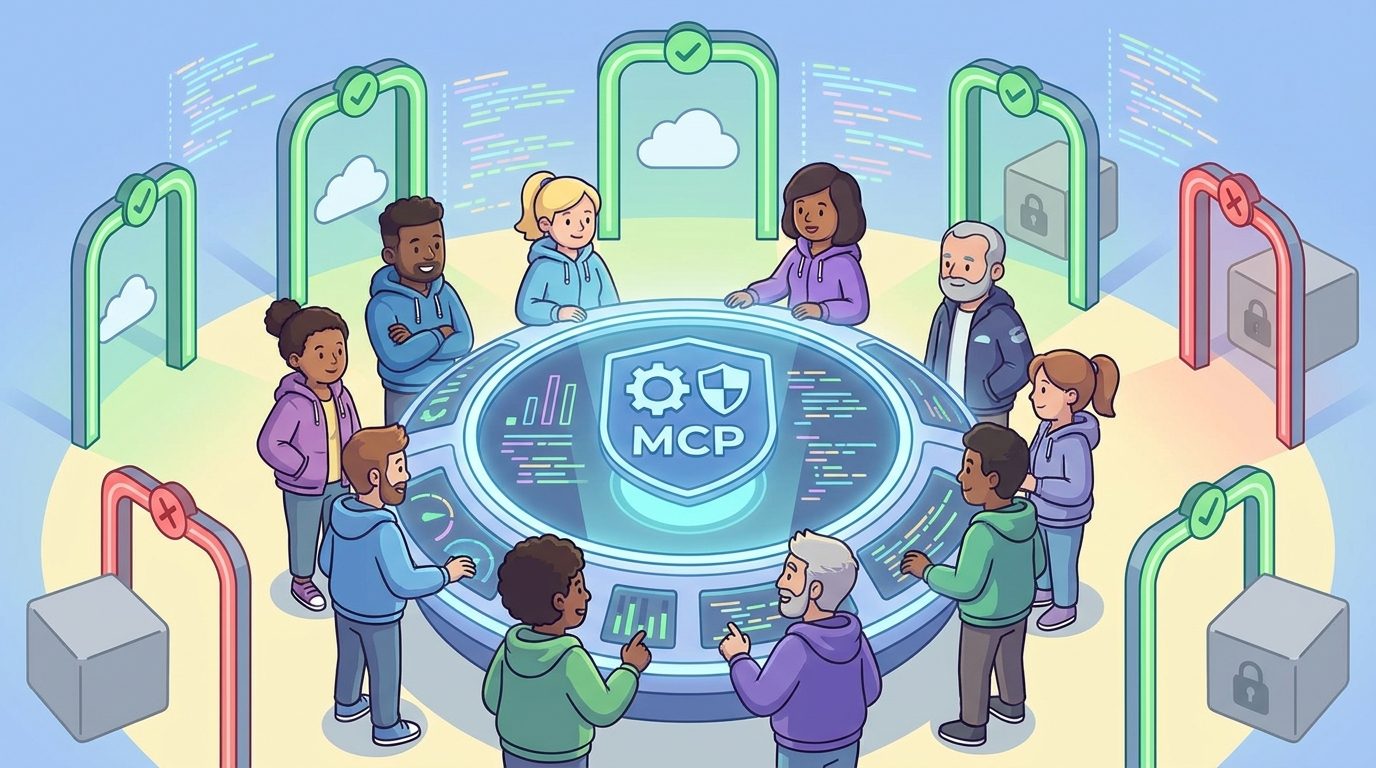
GitHub Copilot MCP allowlists give enterprise owners a practical way to approve trusted agent tools, block risky MCP servers, and still let developers use useful context from issues, docs, tests, and pull requests. This guide explains how the policy works, what to allow first, what to deny, and how to roll it out without turning AI coding agents into another security headache.
GitHub Copilot MCP Allowlists: Quick Answer
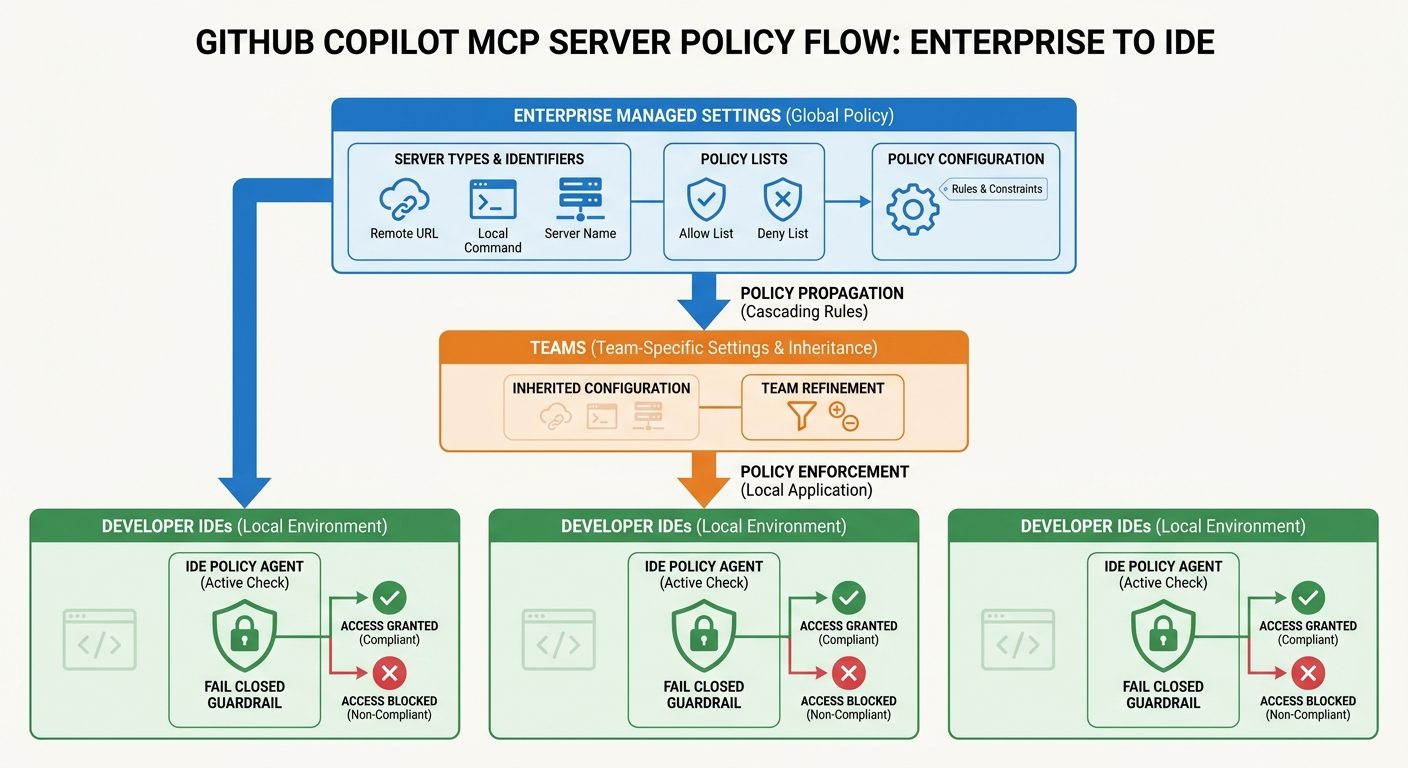
GitHub Copilot MCP allowlists are enterprise managed settings that let admins decide which Model Context Protocol servers Copilot clients are allowed to run. GitHub introduced two policy keys for this: allowedMcpServers and deniedMcpServers. These keys live in copilot/managed-settings.json and can match MCP servers by remote URL, local command, or server name.
The practical reason this matters is simple: MCP turns Copilot from a chat assistant into a tool-using coding agent. A developer can connect Copilot to issue trackers, documentation, local scripts, test runners, service catalogs, browser tools, and other context sources. That can make agent mode far more useful. It can also create a new governance problem if every developer can run any server with any permissions.
This article is a cluster guide for our broader GitHub Copilot MCP tools guide. The pillar article explains what MCP tools do in agent mode. This guide goes narrower: it focuses on enterprise allowlists, denied lists, policy layering, safe setup, and the developer workflows that are worth enabling first.
It is also worth noting what this guide is not. It is not a promise that every Copilot plan exposes the same admin controls, and it is not a substitute for your organization’s security review. GitHub’s product surface changes quickly. Treat the examples here as a practical decision framework, then verify the exact syntax and plan behavior in GitHub’s current documentation before committing policy changes.
Why MCP Allowlists Matter for Copilot Agent Mode
MCP is powerful because it gives an AI assistant structured access to outside tools and context. Without MCP, a coding assistant mostly relies on the files, chat history, and snippets you provide. With MCP, Copilot can ask a connected server for richer information: repository metadata, issue details, pull request history, internal docs, test results, dependency information, or external system context. That turns Copilot into a more capable collaborator, especially in agent mode and code review.
The problem is that a tool-using agent is only as safe as the tools it can call. A well-configured MCP server can reduce copy-paste work and keep secrets out of prompts. A poorly configured or untrusted server can expose sensitive context, execute unwanted local commands, or become an unclear dependency inside code review. The same feature that makes agent mode productive also creates a new policy surface for enterprise admins.
GitHub’s recent changelog says enterprise owners can centrally control which MCP servers Copilot clients are allowed to run using allowedMcpServers and deniedMcpServers. The announcement also states that policies fail closed, which means a malformed or unverifiable configuration is blocked rather than allowed. That is the right security posture, but it means sloppy rollout can frustrate developers if admins do not test the rules first.
This is why the search gap is real. Official docs explain the mechanism. Developers and admins need the operating model: which servers should go on the first allowlist, when to deny instead of allow, why serverName is not strong security control, how to handle local command-based servers, and how to avoid creating a policy so strict that everyone works around it.
AIFeatureDrop analytics support this angle too. Recent GA4 data shows practical AI coding articles continue to attract the strongest engagement on the site, especially guides about Codex limits, Copilot credits, Claude Code limits, and developer workflow controls. The current Microsoft pillar is already about GitHub Copilot MCP tools. A governance-focused cluster article is a natural next internal link because it answers the question that comes immediately after setup: “How do we safely let people use this?”
How GitHub Copilot MCP Allowlists Work
At a high level, an enterprise managed setting is a policy file that tells Copilot clients what behavior is allowed. For MCP governance, GitHub describes two relevant keys: allowedMcpServers and deniedMcpServers. Each list contains matchers. A matcher is a rule that identifies an MCP server by something GitHub can compare against the developer’s configured server.
The three matcher types matter because they are not equally strong. A remote server URL is usually the cleanest identifier for a hosted MCP service. A local server command is useful for stdio-based servers that run on a developer machine. A server name is convenient for communication and organization, but GitHub explicitly frames it as a convenience rather than a security control because user-assigned names can be changed.
| Matcher | Best use | Risk to remember |
|---|---|---|
serverUrl | Remote HTTP or SSE MCP servers with stable URLs. | Use canonical URLs and avoid broad wildcards unless you truly trust the whole domain pattern. |
serverCommand | Local stdio servers launched by exact command and arguments. | Local commands need careful review because they run in the user environment. |
serverName | Human-friendly labeling and convenience matching. | Do not rely on the name alone for strong security; users can rename servers. |
| Deny rule | Known-bad, non-compliant, or high-risk server patterns. | Deny rules should be specific enough that they do not accidentally block approved tools. |
| Allow rule | The trusted baseline for developer productivity. | Overly broad allow rules can undermine the whole point of governance. |
Policy layering is the other important concept. GitHub says a server must pass every policy layer when policies come from multiple layers. In practical terms, an enterprise baseline can be stricter than a team configuration. If an enterprise denies a server, a team should not be able to quietly allow it back in. If the enterprise allows a category and marks parts of the policy overridable, teams may be able to define narrower allow and deny lists on top of the baseline.
This layered model is healthy because MCP needs both central security and team-specific productivity. A platform team may approve a company documentation MCP server for everyone. A payments team may need a narrow service catalog server that other teams should not use. A frontend team may need browser or design-system context that would be irrelevant for backend services. The best policy model creates a safe floor, then lets teams add reviewed tools where the business case is clear.
Practical Configuration Examples for MCP Allowlists
The exact syntax should be verified against GitHub’s current enterprise managed settings reference before you commit anything. Still, it helps to think in examples because most mistakes happen at the policy design stage, not the JSON formatting stage.
Example 1: Allow a trusted hosted documentation server
A documentation MCP server is often the safest first candidate because it can give Copilot accurate internal context without letting the agent mutate production systems. If your company hosts a read-only documentation MCP server, a remote URL matcher is usually more appropriate than a name-only matcher.
{
  "allowedMcpServers": [
    {
      "serverUrl": "https://mcp.example-company.com/docs"
    }
  ]
}
The security review should still ask basic questions. Who operates the server? What data can it access? Does it log prompts or responses? Does it expose private docs by default? Can access be scoped by team? Does it require authentication? A server being read-only does not automatically make it low risk if the data source contains sensitive information.
Example 2: Deny unknown public demo servers
Public MCP demos are useful for learning, but they are not automatically appropriate for enterprise repositories. A deny list can block a known risky server or an unapproved endpoint pattern. Be precise. Blocking broad internet patterns can break developer experiments, while allowing broad wildcard patterns can create a false sense of security.
{
  "deniedMcpServers": [
    {
      "serverUrl": "https://unapproved-tools.example/*"
    }
  ]
}
Example 3: Control a local stdio server by command
Local command-based servers are common in developer tooling because they can run close to the codebase. They also deserve more scrutiny. If the server is launched by a command, review the executable source, package provenance, update channel, permissions, and arguments. Match exact commands and arguments where possible.
{
  "allowedMcpServers": [
    {
      "serverCommand": {
        "command": "company-mcp-docs",
        "args": ["--read-only"]
      }
    }
  ]
}
The key idea is to approve behavior, not vibes. “It is an MCP server” is not enough. “It is our read-only docs server, deployed by the platform team, scoped through company auth, with reviewed logs and a change process” is much better.
What Should Go on Your First MCP Allowlist?
The safest rollout starts with tools that are useful, narrow, and easy to audit. Do not begin by approving every server developers can find. Start with a small baseline, gather feedback, and expand only when a workflow repeatedly proves valuable.
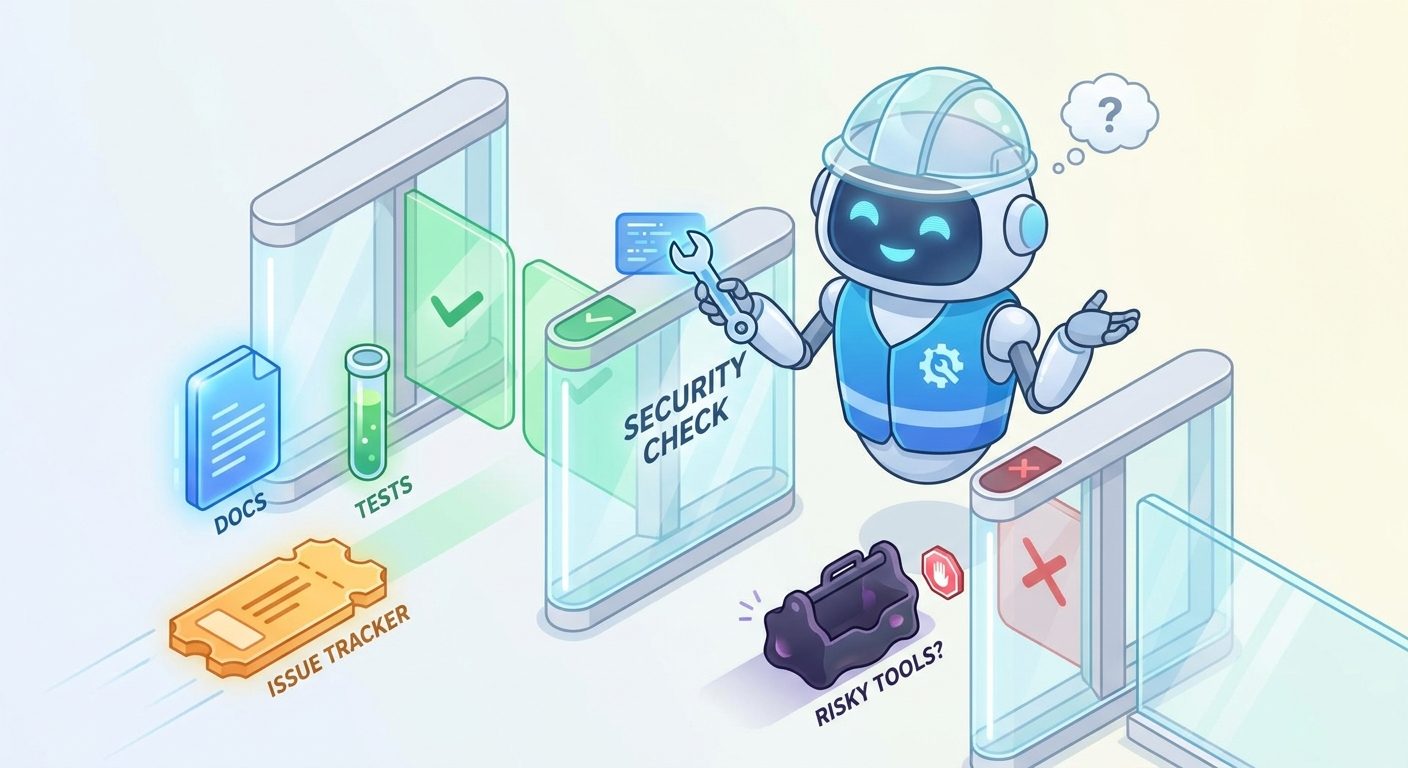
Be more cautious with servers that can write data, trigger deployments, modify tickets, send messages, browse arbitrary websites, execute shell commands, or access customer records. Those servers may still be valid in mature environments, but they should not be the default first wave. If a tool can change the outside world, it needs stronger review, clearer approvals, and probably a narrower team rollout.
A Safe Rollout Plan for Copilot MCP Allowlists
The best MCP governance plan is not a giant policy document. It is a rollout sequence. Developers need confidence that MCP tools will work. Security teams need confidence that tools are reviewed. Admins need confidence that policy mistakes will not break every IDE on Monday morning. A phased rollout gives each group a way to learn without forcing an all-or-nothing launch.
Ask teams which MCP servers they already use or want to use. Capture server URL, command, owner, data accessed, permissions, and business purpose. Do not start with assumptions. Start with reality.
Separate read-only context servers, local command servers, write-capable servers, experimental public servers, and servers that touch regulated or customer data. This makes approval decisions easier.
Approve the lowest-risk, highest-value servers first. Internal docs, issue context, service catalog lookup, and test report retrieval are often good candidates.
Use the deny list for servers your organization has explicitly rejected. Keep rules narrow enough that they do not block unrelated approved tools.
Use a team that already understands Copilot agent mode. Ask them to report blocked tools, false positives, setup confusion, and productivity wins.
Developers should know how to request a new MCP server, what evidence is needed, who reviews it, and how long approval usually takes.
Governance should adapt. Remove unused servers, tighten risky matchers, and promote safe team-specific tools into the enterprise baseline when they become broadly useful.
This rollout mirrors the safe workflow advice in our Copilot MCP tools pillar: do not start by connecting everything. Start by connecting the specific context sources that make agent mode better without handing it unnecessary power.
Developer Workflows Worth Enabling First
An allowlist is only valuable if it supports real work. The wrong approach is to treat MCP governance as a security-only project. The right approach is to define the workflows that safe MCP access should unlock. That gives admins a reason to approve servers and gives developers a reason not to bypass policy.
Workflow 1: Turn an issue into a scoped implementation plan
When Copilot can read issue details and repository context, it can draft a small implementation plan that respects acceptance criteria. The MCP server does not need write access to be useful. It only needs to retrieve the issue, labels, linked discussions, and maybe related pull requests. The developer still chooses the final plan.
Workflow 2: Debug a failing test with structured output
A test-report MCP server can provide failing test names, stack traces, logs, and historical failure context without pasting everything into chat. This is one of the cleanest high-value use cases because the task is bounded and verifiable: fix the test, run the test, inspect the diff.
Workflow 3: Improve pull request review context
GitHub has also announced broader availability for Copilot code review support with agent skills and MCP context. A read-only MCP connection can help review comments account for internal standards, external issue context, or service ownership. This is useful, but it should stay clearly attributed and reviewable. Developers need to know when a suggestion came from MCP context rather than only the model’s general reasoning.
Workflow 4: Keep documentation updates aligned with implementation
When a code change affects behavior, Copilot can use documentation context to suggest where updates are needed. This works best when docs are served through a trusted read-only server. The agent should point to relevant docs and propose edits; a human should still verify accuracy before publishing.
Workflow 5: Help new engineers understand service boundaries
New team members often ask basic questions about ownership, dependencies, runbooks, and environment setup. A service catalog MCP server can make Copilot far more helpful without giving it broad write access. This is a productivity win that also reduces repeated questions in chat channels.
Security Checklist Before You Approve an MCP Server
Before a server goes on the allowlist, answer these questions in plain language. If the owner cannot answer them, the server is not ready for broad Copilot use.
Approval signals
- The server has a clear owner and maintenance path.
- Data access is read-only or tightly scoped.
- Authentication uses approved company identity controls.
- Logs are understood and do not leak sensitive prompts.
- The server has a versioning and update process.
- Developers can explain the workflow it improves.
Block or review deeper
- The server can execute arbitrary commands.
- The server asks for broad tokens or personal credentials.
- The source or operator is unknown.
- The server touches production customer data.
- The server performs writes without human approval.
- The tool’s value is vague or purely experimental.
Also separate MCP governance from prompt governance. An allowlist controls which servers can run. It does not automatically guarantee that every prompt, retrieved document, or generated code change is safe. You still need code review, secret scanning, branch protection, least privilege, and human approval for high-risk changes.
Troubleshooting: Why a Copilot MCP Server Is Blocked
Because GitHub says MCP policies fail closed, a blocked server may not mean the server is malicious. It may mean the config is malformed, a matcher is too strict, a URL canonicalization issue changed what the policy sees, or a higher policy layer denies what a team layer tried to allow. Use a structured debugging process before blaming developers or security.
| Symptom | Likely cause | What to check |
|---|---|---|
| Approved server still blocked | Matcher mismatch or higher-layer deny rule. | Compare actual server URL/command with the managed settings matcher. Check enterprise and team layers. |
| All MCP servers blocked | Malformed policy or fail-closed behavior. | Validate JSON, schema, branch location, and rollout status before broad deployment. |
| Name-based rule fails unexpectedly | Server was renamed or name is not a strong identifier. | Prefer URL or command matchers where possible. |
| Local server blocked on some machines | Command path or arguments differ by OS or setup. | Standardize the install path or use a wrapper command with reviewed arguments. |
| Developers request many exceptions | Baseline allowlist is too narrow or request path is unclear. | Group requests by workflow and approve reusable tools instead of one-off exceptions. |
| Security rejects every server | No risk classification or compensating controls. | Start with read-only docs or test-report servers and define low-risk approval criteria. |
The healthiest signal is not “no one complains.” It is that developers know how to request tools, admins can explain why something is blocked, and approved servers map to real workflows. If people quietly stop using agent mode because MCP is too hard, the policy has failed even if it looks secure on paper.
Common MCP Allowlist Mistakes
Mistake 1: Allowing by server name only
Names are useful for humans, not reliable enough for strong enforcement. If you can match a stable URL or exact command, do that. Use names to make logs and docs readable, not as the only security boundary.
Mistake 2: Approving tools before defining data access
A server is not safe just because it is popular. Ask what data it reads, whether it writes anything, how it authenticates, and what it logs. The data behind the server is often more sensitive than the server code itself.
Mistake 3: Making the policy so strict that developers bypass it
If the request process is slow or unclear, teams may fall back to copy-pasting sensitive context into chat or running tools outside approved workflows. Good governance makes the safe path easier than the workaround.
Mistake 4: Treating MCP as only a security issue
MCP governance is also a productivity design problem. The allowlist should reflect the workflows your organization wants to encourage: better code review, faster debugging, clearer issue implementation, and more accurate documentation updates.
Mistake 5: Forgetting to remove unused servers
Every approved server becomes part of the operating surface. Review usage periodically. If a server is unused, unclear, or no longer maintained, remove it or move it back to a pilot-only approval.
Keep Learning on AI Feature Drop
- GitHub Copilot MCP Tools Guide — the source pillar for understanding MCP tools in agent mode.
- GitHub Copilot AI Credits Explained — cost-control context for advanced Copilot workflows.
- How to Reduce GitHub Copilot AI Credits — practical budget habits for agentic coding.
- OpenAI Codex Pricing and Usage Limits — compare Copilot governance with Codex usage constraints.
- Claude Code Usage Limits Explained — compare AI coding agent limits across tools.
- Gemini Flash-Lite Routing Guide — model routing and cost-control lessons for agent workflows.
Sources and References
- GitHub Changelog: MCP allowlists in enterprise managed settings
- GitHub Docs: Extending Copilot Chat with MCP servers
- GitHub Docs: Using the GitHub MCP Server in your IDE
- Visual Studio Code Docs: Add and manage MCP servers
- GitHub Changelog: Copilot code review agent skills and MCP generally available
- GitHub Docs: Managing Copilot policies for enterprise
Product details, availability, and policy syntax can change. Verify current GitHub documentation and your organization’s Copilot plan before applying production policy.
FAQ: GitHub Copilot MCP Allowlists
What are GitHub Copilot MCP allowlists?
They are enterprise managed settings that control which Model Context Protocol servers Copilot clients can run. They help admins approve trusted MCP servers and block risky or non-compliant ones.
What is the difference between allowedMcpServers and deniedMcpServers?
allowedMcpServers defines servers that are permitted. deniedMcpServers defines servers that should be blocked. In layered policy environments, a server generally needs to pass every relevant policy layer.
Can I match MCP servers by name?
Yes, GitHub describes a serverName matcher, but it is a convenience rather than a strong security control because users can rename servers. Prefer serverUrl or serverCommand when possible.
Which Copilot clients enforce MCP allowlists?
GitHub’s changelog says enforcement currently applies to the GitHub Copilot app, Copilot CLI, and VS Code. Check GitHub’s current docs for the latest supported clients.
Should every company enable MCP servers in Copilot?
Not automatically. Start with a small, reviewed allowlist of read-only context servers that solve real developer problems. Expand only after testing, security review, and usage feedback.
Are MCP servers safe if they are read-only?
Read-only servers are usually safer than write-capable tools, but they can still expose sensitive information. Review data scope, authentication, logging, ownership, and access controls.
Why did my approved MCP server get blocked?
Common causes include malformed JSON, mismatch between the actual server and matcher, URL canonicalization, a higher-level deny rule, or fail-closed policy behavior.
How does this relate to Copilot agent mode?
Agent mode becomes more useful when it can use tools and context. MCP allowlists make that tool access governable, so agents can help with issues, tests, docs, and reviews without uncontrolled server sprawl.
Post a Comment