
Gemini 3.8 Live Voice Agent Guide: Async Tools, Cost, Security, and Reliable Sessions
A useful voice agent needs more than a convincing demo. It must know when a turn is finished, keep tools from freezing the conversation, protect credentials, survive WebSocket resets, bound its cost, and recover when audio appears to vanish. This guide turns Gemini 3.8 Live into a practical production workflow.
Gemini 3.8 Live Voice Agent: The Quick Answer
A Gemini 3.8 Live voice agent is a persistent, bidirectional audio experience built on Google’s Live API. The standard `gemini-3.8-live` model is the sensible default for fast conversation and direct actions. The separate `gemini-3.8-live-extended-thinking` model is for multi-step requests that need background reasoning and non-blocking tools while the model continues to speak.
The model choice is only the first decision. A production system also needs a clear session state machine. With standard Live, `turnComplete` can represent the end of the response. With Extended Thinking, one spoken utterance may only be an acknowledgment while reasoning or tools are still running. Your client must keep listening until `interaction_status` reports `IDLE`. Treating a pleasant “I’m checking that” as task completion is one of the easiest ways to ship a voice agent that sounds confident but has not actually finished its work.
Google lists both new model IDs as stable and announced their general availability on September 15. At the same time, the broader Live API capability pages remain labeled Preview. That distinction matters. Stable model IDs reduce one kind of change risk; they do not turn every surrounding protocol, authentication feature, partner integration, or platform behavior into a permanent contract. Production teams should pin SDK versions, log every lifecycle event, test recovery, and maintain a controlled fallback.
This guide does not promise a universal latency number or repeat launch claims as guarantees. Voice quality changes with the microphone, network, language, accent, room noise, telephony route, tool latency, prompt, and user behavior. The goal is to help you build a system you can measure and operate, not merely connect a microphone to a model.
What Gemini 3.8 Live Changes for Voice Agents
Google introduced two audio-to-audio models: `gemini-3.8-live` and `gemini-3.8-live-extended-thinking`. Both accept text, images, audio, and video as input, and both can produce native audio. The standard model combines responsive dialogue with interleaved reasoning. Extended Thinking adds configurable background reasoning for tasks that may require several steps or external systems.
The most consequential change is not a prettier voice. It is asynchronous work. A traditional voice pipeline often pauses while a database, booking service, search endpoint, or internal workflow returns. The new Live models can continue the interaction while tools run. That improves perceived responsiveness, but it moves complexity into your application. Tool calls can finish out of order. Users can add conditions while work is in progress. An interruption may cancel model output while a backend task is still executing. A spoken progress update is not a verified action.
The models have a 131,072-token input limit and a 65,536-token output limit according to Google’s model pages. Those numbers sound generous, but continuous audio accumulates context quickly. Google’s best-practices guide estimates roughly 25 audio tokens per second. Persistent conversation therefore requires deliberate context management rather than assuming the nominal window makes memory free.
If you already use Google’s wider agent ecosystem, the Live API can complement rather than replace it. Our guides to Google ADK workflows, Gemini managed agents, and Gemini background execution cover orchestration patterns that become even more important when the front end is a live conversation.
Gemini 3.8 Live vs Extended Thinking: Choose by Task Shape
Do not select Extended Thinking because the name sounds more capable. Select it when the task requires its lifecycle. The standard model is designed for low-latency conversations, direct commands, and tools that return quickly. Extended Thinking is designed for complex requests that involve planning, several tools, or slow systems where silence would damage the experience.
| Decision | Gemini 3.8 Live | Gemini 3.8 Live Extended Thinking |
|---|---|---|
| Best fit | Triage, voice search, device control, intake, simple support, language practice. | Booking changes, investigation, multi-system support, planning, analysis, tool-heavy workflows. |
| Reasoning behavior | Interleaved reasoning with no configurable `thinking_level`. | Background reasoning with `low`, `medium`, or `high` thinking levels. |
| Tool declarations | Non-blocking by default; blocking remains available for compatibility. | Non-blocking only. A blocking tool declaration produces an error. |
| Completion signal | `turnComplete` returns the conversation to idle. | Use `interaction_status`; wait for `IDLE`, not only `turnComplete`. |
| Progress speech | Optimized for immediate turns and fast tools. | Can speak intermediate updates while reasoning or waiting for tools. |
| Client complexity | Lower. | Higher: background state, tool concurrency, and final completion must be modeled. |
A practical selection test uses matched tasks. Give both models the same realistic calls, tools, network, and acceptance rules. Measure time to first audible response, time to verified final answer, accepted task completion, tool-call accuracy, duplicated calls, interruption recovery, and cost. A model that speaks sooner but completes fewer actions may be worse. A model that reasons longer but reliably resolves a difficult workflow may be cheaper than escalating to a human.
Google’s launch post reports that Extended Thinking scored 82.6 on Artificial Analysis’ Speech-to-Speech Quality Index, 68.6% on τ-Voice, and 35.1% on the τ-Voice banking benchmark. Those results are useful evidence that voice quality and task completion are separate dimensions. They are not a guarantee for your customer calls. Treat the benchmark as a reason to test, not a reason to skip testing.
A Reliable Gemini 3.8 Live Voice Agent Architecture
A demo can connect the browser directly to the Live API and play returned audio. A reliable product separates responsibilities. The capture layer owns microphone permission, resampling, buffering, playback, and interruption. The session layer owns authentication, connection setup, reconnection, event parsing, and context compression. The orchestration layer owns tools, policies, authorization, idempotency, and result verification. The observability layer owns transcripts, timings, state transitions, usage, errors, and redaction.
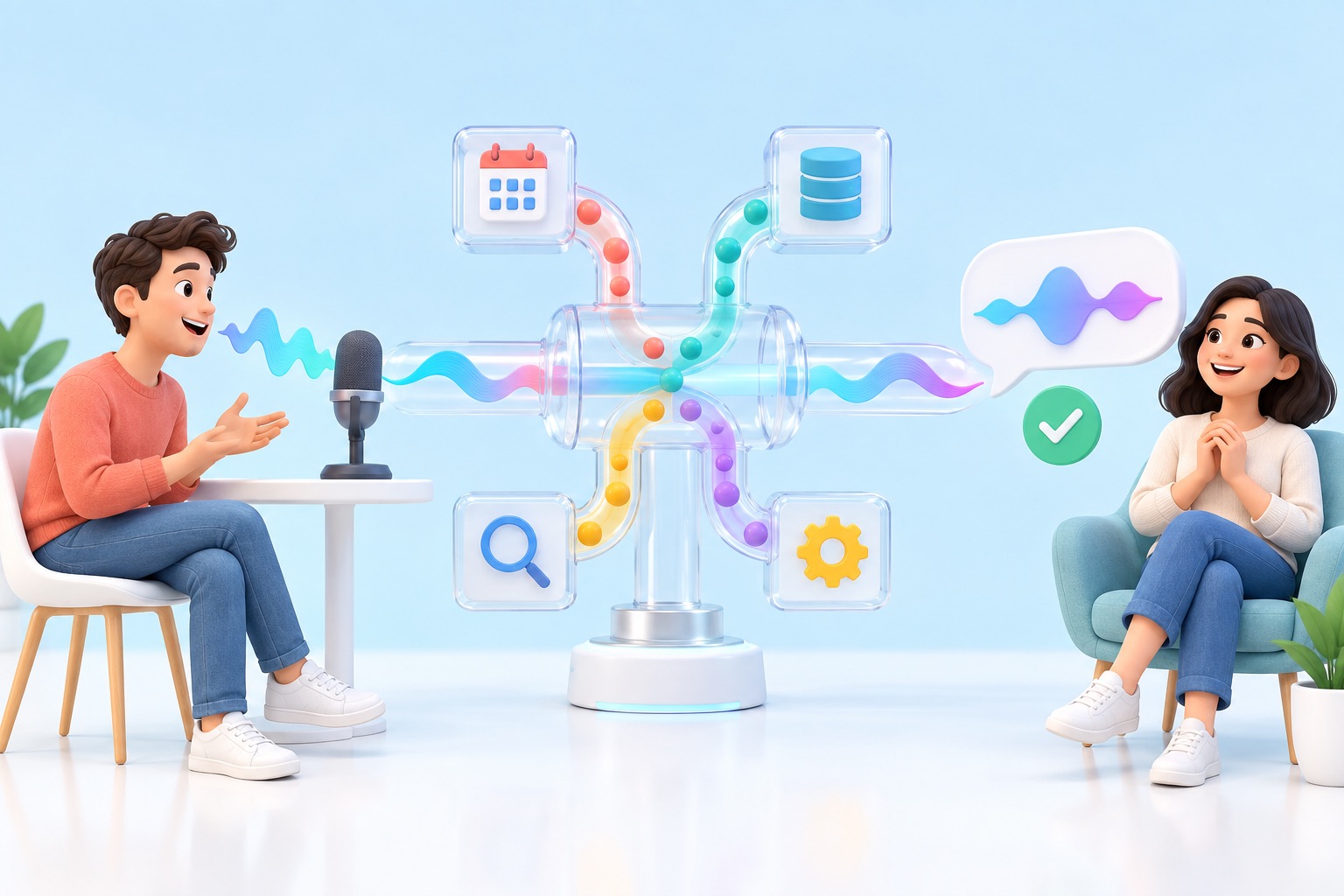
Capture and playback
Google recommends resampling microphone input to 16 kHz before transmission and sending small chunks, commonly between 20 and 100 milliseconds, to reduce latency. Your client also needs a playback queue that can be cleared immediately when the user interrupts. Canceling generation on the server does not magically remove audio already buffered in the browser, mobile app, or telephony bridge. If stale audio continues after an interruption, the system feels as if it ignored the user even when the server behaved correctly.
Session controller
The controller should represent explicit states such as connecting, listening, user-speaking, model-speaking, tool-running, waiting-for-final, interrupted, reconnecting, and closed. Do not infer state from whether audio is currently playing. Extended Thinking may be silent while reasoning, speak a progress update while a tool is still running, or send several utterances before reaching `IDLE`.
Tool runner
Give tools narrow contracts. A `find_available_slots` tool is safer than a vague `manage_calendar` tool. Validate every argument on the server, apply user and tenant authorization there, attach an idempotency key to state-changing operations, and distinguish a tool result from a user-facing confirmation. A failed tool should return structured failure information rather than a prose blob the model might misread.
Observability
Record event timestamps for speech start, detected speech end, first model event, first audio playback, first tool call, tool completion, final verified result, interruption, reconnection, and session close. Redact sensitive content at capture time when possible. A text transcript alone cannot explain whether a problem came from the microphone, VAD, network, model, tool, or playback queue.
When the agent also needs retrieval, do not assume the Live model provides every text-model feature. The model page lists no file search, structured outputs, code execution, or URL context for Gemini 3.8 Live. Put those capabilities behind explicit tools or a separate service. Our Gemini API file search and multimodal RAG guide explains how retrieval can live beside, rather than inside, the voice loop.
How Async Tools Change the Conversation Lifecycle
Asynchronous function calling lets a tool run while the conversation continues. For standard Gemini 3.8 Live, non-blocking behavior is the default, though a blocking declaration can preserve a simpler sequential flow. Extended Thinking requires `NON_BLOCKING` tools. Google’s tool guide also describes result scheduling choices for the standard model: interrupt current output, wait until idle, or store the result silently for later use. Extended Thinking uses its own background interaction lifecycle and does not support the same blocking or scheduling options.
Think of a user asking, “Move my appointment to Friday afternoon, but only if Dr. Rao is available.” The agent may acknowledge the request, call an availability tool, continue clarifying the desired time, then receive the result. If the user changes the doctor while the first lookup is running, your application must decide whether to cancel the old tool, ignore its late result, or present both. That decision belongs in orchestration code, not in an optimistic prompt.
1. Accept the request. Capture the user’s words and assign a conversation-turn identifier.
2. Authorize before execution. Check that this user can read or change the requested resource.
3. Start the tool with an idempotency key. The same logical action must not execute twice after a retry or reconnect.
4. Keep the voice channel truthful. Say “I’m checking” rather than “It’s done” until the tool returns and verification passes.
5. Reconcile late results. Discard results that belong to an abandoned turn or explicitly ask whether the user still wants them applied.
6. Wait for the correct completion signal. With Extended Thinking, `interaction_status: IDLE` is the reliable session-level finish.
7. Confirm the external state. Read the updated record back from the source of truth before telling the user the action succeeded.
The best system prompt describes this behavioral contract in direct language: which facts must be collected, which tools may be called, when confirmation is required, what the agent must never assume, and how it should respond to failure. Google’s best-practices page recommends separating persona, conversational rules, tool-flow instructions, and guardrails. That structure also makes prompt reviews easier for security and product teams.
If your wider application routes between models, keep the routing policy outside the live conversation. The principles in our Gemini Flash-Lite routing guide apply here: define task classes, record why a route was chosen, and test fallbacks rather than letting an opaque heuristic silently change user experience.
Session Resumption, Context Compression, and Long Calls
Live conversation creates two different lifetimes: the logical session and the network connection. Google says a connection is limited to around ten minutes. The service sends a GoAway message before termination, and session resumption can continue one logical session across new connections. Retain the newest resumption handle, reconnect before the old socket disappears, and test the handoff under real audio load.
Without context compression, Google documents a 15-minute limit for audio-only sessions and a two-minute limit for sessions that include audio and video. Context window compression can extend the logical session by retaining a sliding window and evicting older tokens after a configured trigger. It prevents abrupt context exhaustion and can control compounding cost, but it is not perfect memory. Important commitments, tool outcomes, consent, identifiers, and policy decisions should live in an explicit application state, not only in conversational history that may be compressed away.
| Problem | Control | What to verify |
|---|---|---|
| Socket ends around ten minutes | Session resumption and GoAway handling | No lost or duplicated speech during reconnection; newest handle retained. |
| Audio context grows continuously | Sliding-window context compression | Old details are intentionally evicted; critical state is stored separately. |
| Video exhausts context quickly | Send frames only when useful | Frame cadence matches the task; irrelevant frames are not continuously streamed. |
| Tool result arrives after interruption | Turn IDs and cancellation policy | Late results cannot mutate state or confuse the next turn. |
| Transcript becomes the only memory | Structured session state | Consent, confirmations, and completed actions survive compression and reconnection. |
Video deserves special discipline. Migration guidance says turn coverage can include all audio activity and all video by default. If your app continuously sends frames, it may spend context and money on information the user did not ask the agent to inspect. Send a camera frame because it changes the answer, not merely because a camera is available.
For complicated asynchronous work, a voice session should not become the database. Store a concise task record with the user’s request, authorized scope, active tool calls, latest accepted constraints, verified outcomes, and pending decisions. On reconnect, rehydrate that record and provide only the context needed to continue safely.
Secure Browser and Mobile Access With Ephemeral Tokens
Never ship a long-lived Gemini API key in browser JavaScript or a mobile binary. Google recommends ephemeral tokens for direct client-to-Live connections. Your backend authenticates the user, requests a short-lived token, and returns that token to the client. The client uses it for the WebSocket connection while your durable API key remains on the server.
Google’s current defaults allow one minute to start a new session with an ephemeral token and 30 minutes to send messages over the connection. Tokens can be limited to one use and constrained to a model and connection configuration. That is useful because security is not only expiration. A stolen token that can connect only to `gemini-3.8-live` with audio responses and session resumption is less flexible than an unrestricted credential.
Safer direct-client design
- Authenticate the user on your own backend.
- Mint a short-lived, single-use token.
- Constrain the model and allowed session configuration.
- Keep tool authorization and state changes on trusted infrastructure.
- Rate-limit token minting per user and device.
Unsafe shortcuts
- Embedding a normal API key in the web app.
- Letting the model’s tool arguments bypass server validation.
- Using one shared token across users or sessions.
- Logging raw audio, transcripts, or secrets indefinitely.
- Treating a voice match as identity verification.
Ephemeral tokens are themselves documented as Preview. If your risk profile cannot accept a direct-client preview authentication mechanism, proxy audio through a trusted server or use an approved integration whose data path and credentials you have reviewed. The tradeoff is extra network distance and infrastructure cost. Measure it rather than assuming a proxy always makes conversation unusably slow.
Privacy also differs between free and paid usage. Google’s pricing page states that free-tier content may be used to improve Google products, while paid-tier content is not. That is a critical design boundary for customer conversations, health information, financial data, confidential workplace material, or any call where consent and retention matter. Verify current terms for your access route before launch.
Gemini 3.8 Live Pricing and a Transparent Call-Cost Estimate
Google currently lists the same paid Live rates for the standard and Extended Thinking model IDs: $0.75 per million text input tokens, $3 per million audio input tokens, $1 per million image or video input tokens, $4.50 per million text output tokens, and $12 per million audio output tokens. The pricing page translates audio into approximately $0.005 per minute of input and $0.018 per minute of output. Search grounding can add separate request charges after the included allowance.
A simple call estimate starts with listening time and speaking time. If a ten-minute interaction contains ten minutes of streamed input and four minutes of model speech, the audio portion is roughly $0.05 for input plus $0.072 for output, or $0.122 before transcription, text, video, search, telephony, tool infrastructure, retries, and accumulated context. That is a planning estimate, not a bill prediction.
Context makes live pricing more subtle than a flat per-minute phone rate. Google explains that persistent sessions are billed against an active context that can grow as the conversation continues. Context compression can cap retained history and prevent later turns from repeatedly carrying an ever-larger context. Output and input transcription also generate text tokens billed at the text output rate in addition to audio charges.

Cost controls that also improve quality
Stop streaming when the user has clearly ended the experience. Do not leave a listening session open in the background. Send video frames only when they add information. Use context compression before the active window grows without bound. Avoid repeating large instructions on every turn. Keep tools focused so the model does not wander through unnecessary calls. Measure retries, because a cheap model that repeatedly fails can cost more than a stronger model that completes the task once.
Separate AI cost from telephony, transcription, monitoring, storage, retrieval, search, and human escalation. The product question is not “What does the model cost per minute?” It is “What does a successfully completed and accepted task cost?” That denominator exposes the difference between inexpensive conversation and useful automation.
AI Feature Drop readers already search for practical cost controls. Our Google Flow and Veo credits guide uses the same principle: understand the billable unit, then connect it to the workflow decision that creates value.
Migrate From Gemini 3.1 Flash Live Without Hidden Breakage
Migration is not only a model-name replacement. Google’s Gemini 3.8 Live model page documents several behavior changes. Update `gemini-3.1-flash-live-preview` to `gemini-3.8-live`, then remove `thinking_level` or `thinking_config` from the standard model setup. The standard 3.8 model uses interleaved reasoning but does not accept that control.
Function calls become non-blocking by default. If your application assumes the conversation pauses until every tool response returns, either redesign the state machine or explicitly declare blocking behavior on the standard model while you migrate. Do not carry that shortcut into Extended Thinking; it requires non-blocking tools.
Remove `enable_affective_dialog`, because affective dialogue is no longer part of the configuration. Do not set `proactive_audio: false`; proactive audio is permanently enabled for the 3.8 models and disabling it returns an error. Review turn coverage because video frames may be included by default. If you need text logs, enable input or output audio transcription rather than requesting a text-only response path that the live integration does not support in the same way as a normal text model.
✓ Change the model string and pin the SDK version used in your release.
✓ Remove unsupported thinking configuration from standard Live.
✓ Review every tool for blocking versus non-blocking behavior.
✓ Track `interaction_status` when adopting Extended Thinking.
✓ Remove affective-dialog settings and do not disable proactive audio.
✓ Audit video-frame defaults and output-transcription requirements.
✓ Replay a fixed audio corpus and compare turn boundaries, interruptions, tools, and cost.
✓ Keep the previous path available until production canaries pass.
Use a shadow or canary phase. Replay representative recordings without mutating external systems, or route a small percentage of consenting users to the new model. Compare accepted task completion, error categories, human escalation, duration, interruption behavior, and cost. Release notes can tell you what the contract intends; only your logs can tell you how your application behaves.
Gemini 3.8 Live Troubleshooting: Silence, VAD, Interruptions, and Errors
When a live agent fails, diagnose the pipeline in order. Confirm the microphone produced audio. Confirm resampling and encoding. Confirm the WebSocket stayed open. Confirm setup completed. Confirm audio chunks were sent. Confirm speech activity or manual turn boundaries occurred. Confirm server events arrived. Confirm audio was decoded and queued. Confirm the tool state did not prevent a final response.
| Symptom | Likely cause | First check |
|---|---|---|
| Text works, streamed audio gets no response | Voice activity detection or turn finalization did not trigger; audio format may also be wrong. | Log speech-activity events. Test manual `activityStart` and `activityEnd` with known 16 kHz PCM. |
| `thinking_level` setup error | The standard 3.8 model does not accept configurable thinking. | Remove thinking config or switch deliberately to Extended Thinking. |
| Blocking tool declaration fails | Extended Thinking accepts non-blocking tools only. | Declare `NON_BLOCKING` and handle asynchronous completion. |
| Agent says it is done before the tool is done | Client treats an utterance or `turnComplete` as final during Extended Thinking. | Wait for `interaction_status: IDLE` and verify external state. |
| User interrupts but old speech keeps playing | Client playback buffer was not flushed. | Stop and discard queued audio immediately on interruption. |
| Long call disconnects | Connection lifetime or context limit reached. | Handle GoAway, store resumption handles, and enable context compression. |
| Costs rise later in the same call | Active context is compounding or video/transcription is unnecessary. | Inspect retained context, compression, frames, transcripts, and retries. |
| Model cannot use a feature from a text model | Live model does not support file search, structured outputs, code execution, or URL context. | Move that capability behind a tool or separate service. |
A recent independent reproduction reported that streamed audio on one Gemini 3.8 Live setup produced no response under automatic VAD while manual activity markers worked. That report is useful because it documents the audio, SDK and raw WebSocket tests. It is not evidence that every project has the same defect. Use it as a diagnostic branch: if text responds on the same session and known-good audio produces no speech events, test manual turn boundaries and preserve a pre-speech buffer so the beginning of the utterance is not clipped.
Latency also needs a definition. Measure at least four intervals: user speech end to first server event, speech end to first playable audio, speech end to verified final answer, and total tool time. A marketing number that starts after transcription or stops at the first filler cannot be compared with an end-to-end number that includes VAD, network, reasoning, playback, and tool completion.
Create a small acoustic test corpus with quiet speech, background noise, interruptions, fast speakers, long pauses, names, numbers, accents, code-switching, and poor connections. Add tool failures, late results, duplicate responses, reconnections, and permission denials. Your voice agent should not merely pass the happy path; it should fail honestly and recover predictably.
Production Launch Gate for Gemini 3.8 Live
The models are capable enough to justify real product work. The broader Live API remains Preview, so launch should be a risk decision rather than a binary argument about whether the technology is “ready.” A low-risk language-practice companion can tolerate more change than a banking, healthcare, emergency, or account-control agent.
✓ Task boundary: the agent has a narrow job and an explicit handoff path.
✓ Model evidence: standard Live and Extended Thinking were compared on matched, representative tasks.
✓ Truthful progress: the agent distinguishes checking, acting, and confirmed completion.
✓ Tool safety: authorization, validation, idempotency, timeouts, and rollback are implemented.
✓ Session resilience: GoAway, reconnection, resumption, compression, and late events are tested.
✓ Client security: durable keys never reach the browser or mobile client; ephemeral tokens are constrained.
✓ Privacy: consent, retention, redaction, free-versus-paid data terms, and regional requirements are documented.
✓ Observability: event timings, state transitions, usage, tool outcomes, and errors are measurable without retaining unnecessary sensitive data.
✓ Cost guardrails: call duration, video, transcription, search, retries, and escalations have budgets.
✓ Fallback: users can repeat, switch channels, reach a human, or complete the task another way.
Start with informational and reversible tasks. A voice agent that explains an order status is easier to govern than one that changes a payment method. Add state-changing tools only after your logs prove that turn identity, interruptions, retries, and confirmation behave correctly.
For application builders expanding beyond voice, compare this design with our Gemini Flash application guide. For consumer-facing product context, our Gemini connected apps guide helps explain why user expectations around app access and integrations can differ from developer API behavior.
Sources and References
- Google DeepMind: Introducing Gemini 3.8 Live and Extended Thinking
- Google: Build real-time voice applications with Gemini Audio
- Google AI for Developers: Gemini 3.8 Live model page and migration notes
- Google AI for Developers: Gemini 3.8 Live Extended Thinking
- Google: Live API capabilities guide
- Google: Thinking in the Live API
- Google: Tool use with the Live API
- Google: Session management with the Live API
- Google: Live API best practices
- Google: Ephemeral tokens for the Live API
Prices, limits, model availability, Preview status, and data-handling terms can change. Verify the current official pages for your project, region, and access route before deployment.
FAQ: Gemini 3.8 Live Voice Agents
Is Gemini 3.8 Live free?
Google lists a free tier for Gemini 3.8 Live and Extended Thinking, with paid usage priced by modality. The free tier may use submitted content to improve Google products, while the paid tier is listed as not doing so. Check current quotas and terms before using real customer data.
Which Gemini Live model should I use?
Start with `gemini-3.8-live` for direct, low-latency dialogue and fast tools. Evaluate `gemini-3.8-live-extended-thinking` when the task needs multi-step reasoning or slower asynchronous tools. Choose using matched task-completion tests, not the model name.
Why does Gemini 3.8 Live accept audio but not respond?
Check encoding, sample rate, setup completion, speech-activity events, and turn finalization. If text works in the same session but known-good audio produces no speech events, test manual `activityStart` and `activityEnd` while preserving a short pre-speech buffer.
How long can a Gemini Live session run?
Google says connections last around ten minutes and can be continued with session resumption. Without context compression, audio-only sessions are limited to 15 minutes and audio-video sessions to two minutes. Compression can extend the logical session.
Do I need ephemeral tokens?
Use ephemeral tokens when a browser or mobile client connects directly to the Live API. Do not expose a durable API key in client code. Keep tool authorization and state-changing operations on trusted infrastructure.
Does transcription cost extra?
Yes. Google says input or output audio transcription generates text tokens billed at the text output rate in addition to audio token charges. Enable transcription when observability or accessibility justifies it and include it in cost planning.
What is the difference between turnComplete and interaction_status?
For standard Gemini 3.8 Live, `turnComplete` can mark the end of a turn and return the session to idle. Extended Thinking may speak several times while work continues, so wait for `interaction_status: IDLE` before treating the overall request as finished.
Can Gemini 3.8 Live switch languages during a call?
Google says native audio models can detect and switch among 97 languages during conversation. Test the exact languages, accents, code-switching patterns, names, and noisy conditions that your users will bring.
Is Gemini 3.8 Live production-ready?
The model IDs are stable, but the broader Live API documentation remains labeled Preview. Production suitability depends on your use case and controls. Reversible informational tasks have a different risk profile from payments, healthcare, identity, or account changes.
Can the Live model search files or return structured JSON?
Google’s model page lists file search, structured outputs, code execution, caching, and URL context as unsupported for Gemini 3.8 Live. Put those functions behind explicit tools or a separate model/service.
Post a Comment