
Google ADK Workflows Guide: Build Reliable AI Agents With Graphs, Dynamic Logic, and Human Approval
Google ADK workflows are the practical bridge between flexible AI agents and predictable production software. This guide explains what ADK 2.0 changed, when to use graph workflows, when dynamic workflows make more sense, how collaborative agents fit in, and what teams should check before migrating real applications.
Google ADK Workflows: Quick Answer
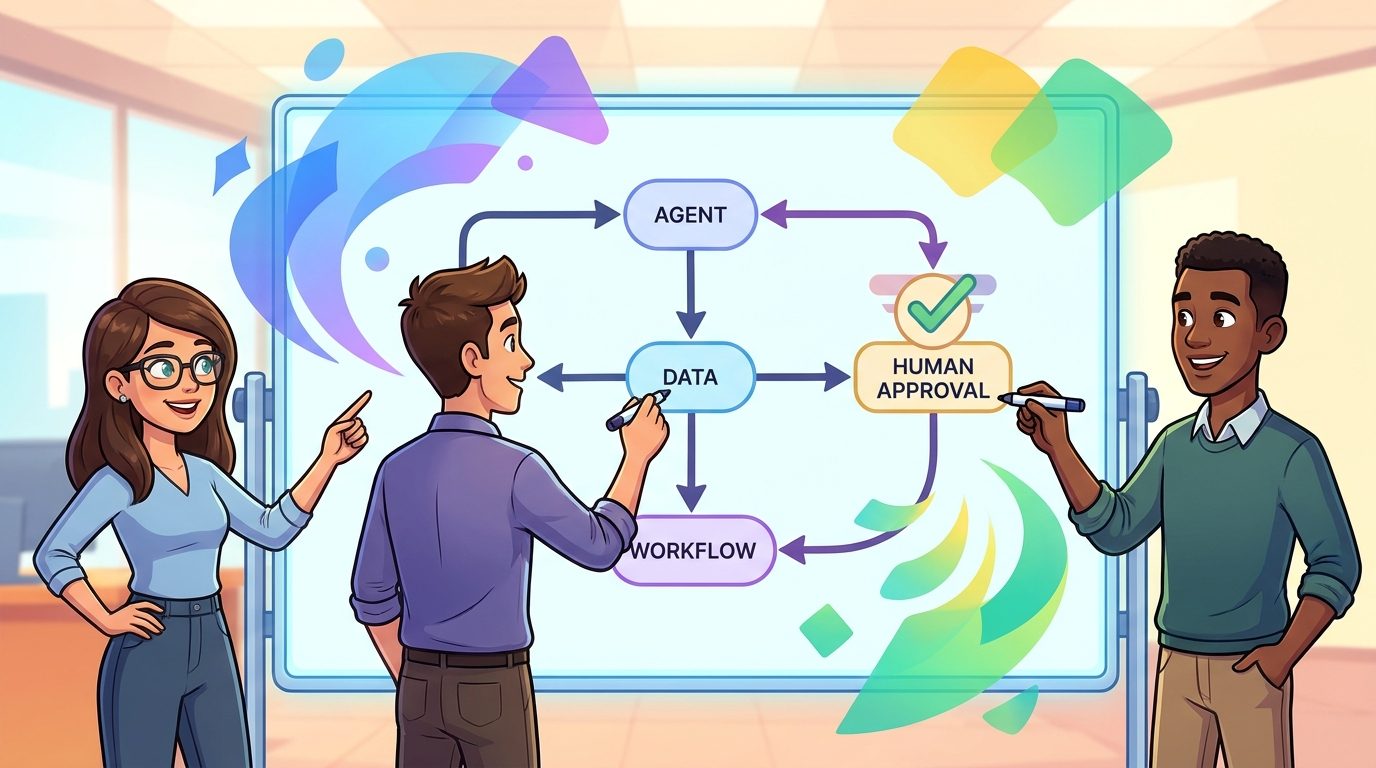
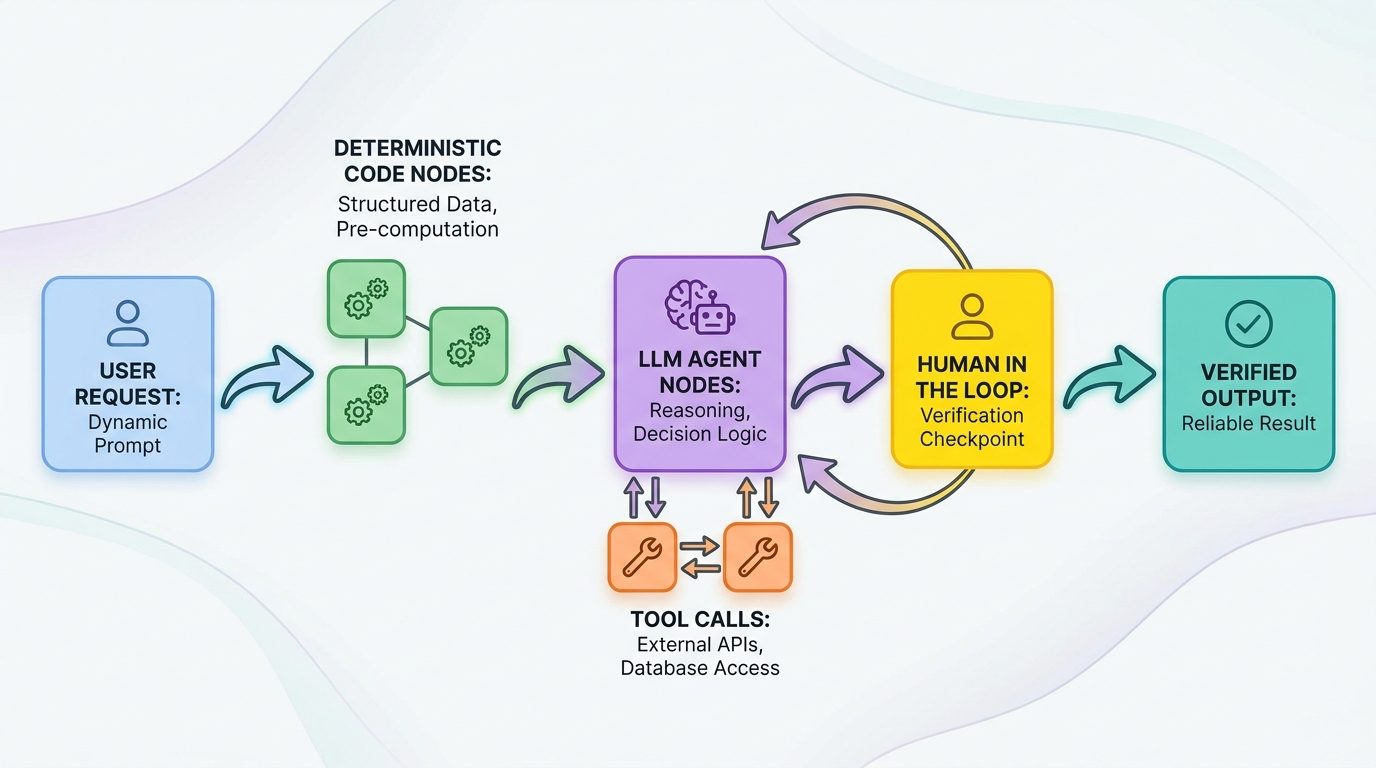
Google ADK workflows are a way to build AI agents where the language model does not control every step by itself. Instead of asking one autonomous agent to read a huge prompt, choose tools, route the next action, handle errors, and remember the business process, ADK lets you define a workflow runtime around the agent. The workflow can route tasks through deterministic code, LLM nodes, tools, human approval steps, retries, parallel branches, and specialist subagents.
The shortest explanation is this: use an autonomous agent when the task is ambiguous and requires language reasoning; use a workflow when the process has known steps, compliance requirements, handoffs, retries, or cost-sensitive orchestration. ADK 2.0 matters because it gives developers a more explicit structure for that second category. It does not remove agents. It gives agents rails.
Google’s official ADK materials describe three important workflow ideas: graph-based workflows, dynamic workflows, and collaborative workflows. Graph workflows are good when the path is known. Dynamic workflows are good when the path needs loops, conditionals, or code-based branching. Collaborative workflows are good when a coordinator must delegate work to multiple specialist agents while keeping each agent focused.
This article is written for developers, founders, product engineers, and engineering leads who already understand the appeal of AI agents but are now asking the harder question: how do we make them reliable enough to run inside real products?
What Is Google ADK?
Google’s Agent Development Kit, usually shortened to ADK, is an open-source framework for building, evaluating, and deploying AI agents. It supports the common agent building blocks developers expect: model selection, instructions, tools, sessions, memory, callbacks, and deployment paths. The newer ADK 2.0 release adds stronger workflow concepts so agents can be composed into predictable execution structures instead of relying only on an LLM loop.
The important phrase is code-first. ADK is not only a prompt playground or visual demo builder. It is meant for engineers who want to express agent behavior in application code, connect tools, test behavior, deploy to a runtime, and gradually harden the system. That makes it different from consumer AI assistants and closer to a backend framework for agentic applications.
ADK also sits inside a broader Google AI ecosystem. If you are building with Gemini models, Google Cloud, Agent Platform, Genkit, or related developer tools, ADK gives you a structured way to define how agents behave. It does not replace every other Google AI tool. A full-stack app team might use Genkit Agents API for web app integration and use ADK patterns for backend workflows. A Workspace automation builder might still prefer Google Workspace Studio with Gemini when the goal is business-user automation rather than code-first agent engineering.
The real value of ADK appears when an agent needs to do more than answer. It might fetch data, call tools, validate a policy, ask for approval, update records, write a report, branch into a subtask, and recover from a tool failure. You can prompt an LLM to follow those steps, but prompts are not the same as control flow. ADK workflows let you move the control flow back into software where it belongs.
Why ADK 2.0 is different from a basic agent loop
A basic agent loop usually works like this: the model sees the user request, selects a tool, receives the tool output, thinks again, selects another tool, and continues until it decides it is done. That pattern is flexible, but it can also be slow, expensive, unpredictable, and hard to audit. If the tool output is huge, the context gets noisy. If the model makes a bad routing choice, the workflow can drift. If an external service fails, the model may explain the failure instead of following a recovery path.
ADK 2.0 pushes developers toward a different architecture. The workflow runtime can decide which node runs next. A node can be a tool, an agent, a function, or a nested workflow. The model is still valuable for reasoning over messy language, but it does not have to decide every transition. That separation is the core idea behind reliable agentic software.
Why Workflows Matter for Production AI Agents
AI agent demos usually optimize for magic. Production agents need boring reliability. The same agent that looks impressive in a demo can become risky when it touches payments, customer support, compliance, security, infrastructure, or user data. Workflows matter because many real-world tasks are not open-ended conversations. They are processes with rules.
Consider a refund assistant. It might need to fetch purchase history, check policy, classify the customer message, request approval above a threshold, issue a refund, send an email, and close a ticket. Only some steps require natural language reasoning. Fetching history, enforcing thresholds, calling an API, and closing the ticket are deterministic software tasks. If you ask one autonomous agent to handle everything, you are paying the model to rediscover a process your team already knows.
Google’s ADK 2.0 announcement makes a similar point: agents are useful for ambiguity, but business workflows often need strict execution. The model is strong at interpreting messy input and generating useful language. It is not always the best place to encode routing, retries, compliance boundaries, or required order of operations.
This is also why ADK workflows are a better article topic than a generic “Google AI agent update.” The search gap is practical. Developers do not need another definition of an AI agent. They need to know when the autonomous-agent pattern becomes fragile and what Google’s workflow runtime gives them instead.
What Changed in ADK 2.0?
ADK 2.0 introduces a workflow runtime that treats agents, tools, and functions as nodes inside a graph-based execution engine. In plain English, your application can now define a durable path through different execution units. An agent is no longer only a standalone executor. It can participate as one node in a larger workflow.
The official ADK docs list three headline capabilities: graph-based workflows, dynamic workflows, and collaborative workflows. The Python release reached general availability earlier, while Go 2.0 reached general availability at the end of June. Google’s July explainer then framed the release around a broader reliability problem: pure autonomous agents can be flexible, but deterministic workflow control is often better for production business processes.
For Python teams, the docs highlight event schema changes, custom session storage considerations, BaseAgent becoming part of the BaseNode model, callback migration, and new retry behavior. For Go teams, the docs highlight a new major module import path, interface and event changes, and additional event fields. These are not cosmetic changes. They tell you ADK is moving from “agent runs some tools” toward “workflow runtime coordinates nodes.”
The big conceptual shift
The old mental model was: “Build an agent and give it tools.” The ADK 2.0 mental model is: “Build a workflow and decide where agents should reason.” That shift sounds small, but it changes how teams design systems. A workflow-first team starts by drawing the process. Which steps are deterministic? Which steps need a model? Which steps require approval? Which outputs should be stored? Which failures should retry? Which state should each node see?
That workflow-first design can reduce context bloat, model confusion, and repeated tool calls. It also helps teams explain the system to security reviewers, product managers, and operations teams. “The model decides everything” is a hard architecture to approve. “The model analyzes complaint text at this node, then code routes the result through approved paths” is much easier to reason about.
Graph Workflows vs Dynamic Workflows vs Collaborative Agents
ADK 2.0 gives teams multiple workflow styles. The best choice depends on how predictable the task is. If you already know the sequence, a graph workflow is clean. If the task needs loops and conditionals, dynamic workflows are more natural. If the task needs several specialists, collaborative workflows let you split responsibilities.
| Workflow style | Best for | Avoid when | Example |
|---|---|---|---|
| Graph-based workflow | Known process with clear nodes and routes. | The flow has many unpredictable loops or branching rules. | Intake → classify → approve → execute → notify. |
| Dynamic workflow | Complex logic that is easier to express with code constructs. | The process is simple enough for a static graph. | Retry a research loop until enough sources are verified, then summarize. |
| Collaborative workflow | Coordinator agent delegates to specialized agents. | One agent can solve the task with focused context. | Research agent gathers sources, coding agent writes patch, review agent checks risk. |
| Autonomous single agent | Open-ended exploration, brainstorming, or one-off support. | Business logic must follow strict routes. | Explain an error, draft an answer, brainstorm test cases. |
When graph workflows are the right tool
Use a graph workflow when you can draw the process in a few boxes. This is ideal for business processes where the steps are stable and compliance matters. A graph is also easier for reviewers to understand because every edge has meaning. If the model produces a classification, the workflow can route based on that output. If a tool succeeds, the workflow moves forward. If approval is missing, the workflow pauses.
When dynamic workflows are the right tool
Use dynamic workflows when the control logic is real software logic. The ADK docs describe dynamic workflows as useful for loops, conditionals, recursion, automatic checkpointing, and code-based routing. That matters when your process is not a simple line. A research workflow might loop until it finds enough trustworthy sources. A support workflow might branch repeatedly based on product, account state, and customer language. A data-cleaning agent might iterate over records and skip completed nodes when resuming.
When collaborative agents are the right tool
Use collaborative agents when specialization improves reliability. One giant prompt that asks a single agent to research, code, test, review, write documentation, and summarize risk will eventually become noisy. A collaborative workflow can separate those responsibilities. Each specialist receives narrower context. The coordinator decides when to call them and how to combine results. This looks similar to the subagent pattern used in other coding tools, but ADK’s workflow framing gives you more explicit control around routing and outputs.
Practical ADK Workflow Examples
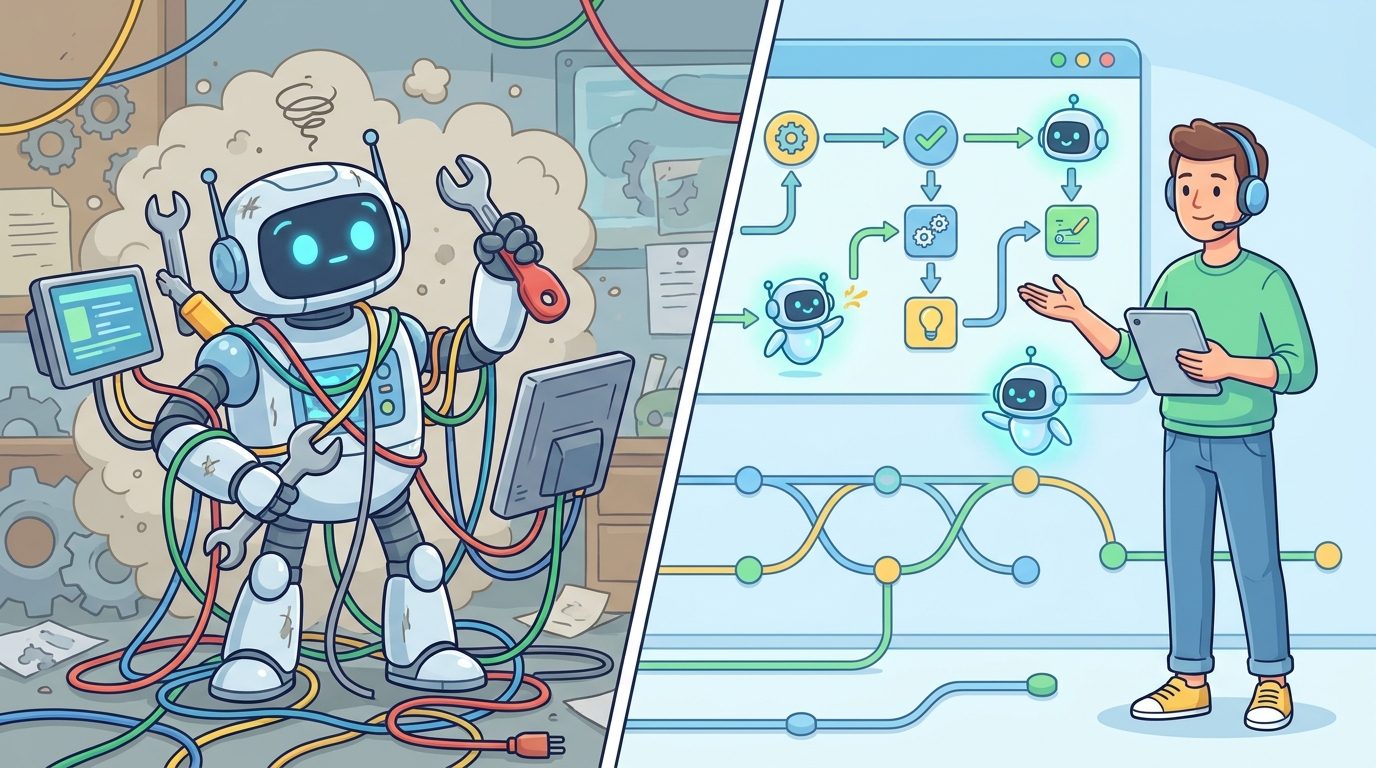
The best way to understand ADK workflows is to map them to real tasks. The exact code will depend on your language and framework version, but the architecture pattern is stable: keep deterministic work in deterministic nodes, reserve LLM calls for language-heavy reasoning, and make approval explicit.
Example 1: Customer refund workflow
A refund workflow is a classic case for ADK 2.0. Fetching purchase history is a tool call. Checking a policy might be code plus a model node if the complaint is unstructured. Issuing a refund is an API call and should not be left to open-ended model routing. Sending a personalized message can be an LLM node. Closing the ticket is deterministic. The workflow can enforce that a refund above a threshold requires human approval before the payment node runs.
START → fetch_purchase_history → analyze_complaint_agent → route_eligibility
eligible → approval_if_needed → issue_refund → draft_email_agent → close_ticket
not eligible → draft_explanation_agent → close_ticket
This design gives the model a valuable role without letting it own the whole process. The agent reads messy complaint text and drafts communication, but code controls the payment path.
Example 2: Developer support triage
Imagine a support assistant for API errors. A graph workflow can normalize the incoming ticket, classify the product area, fetch recent incidents, search docs, ask a specialist agent to reason over the stack trace, and draft a response. If confidence is low, the workflow routes to a human engineer. If the error matches a known incident, the workflow can attach status-page context. Again, the agent does not need to decide every step from scratch.
Example 3: Compliance research agent
A compliance workflow might need live web research, internal policy lookup, source citation, and human sign-off. A dynamic workflow is useful because the agent may need to loop until it has enough verified sources. The workflow can track which sources were checked, which claims need citations, and whether the final output passed review. This is where Google’s broader work around grounding and enterprise agent platforms becomes relevant, but the ADK design question remains the same: what should the model reason about, and what should code guarantee?
Example 4: Multi-agent coding assistant
A coding workflow could have a planner agent, an implementation node, a test runner tool, and a review agent. The workflow can require tests before summarizing success. It can stop when tests fail repeatedly instead of asking the model to keep guessing. It can isolate the review agent from irrelevant planning chatter so the review stays focused on the diff. If you have read our Google Antigravity artifacts workflow guide, the same principle applies: persistent artifacts and explicit state beat a messy chat transcript.
ADK 2.0 Migration Checklist
If you are starting a new prototype, ADK 2.0 is the obvious place to begin. If you already run ADK 1.x in production, slow down. The official docs call out breaking changes and compatibility considerations that can affect storage, validation, callbacks, and Go imports.
Check before upgrading
- Session database schemas and event storage shape.
- Strict JSON validators in clients, gateways, or analytics pipelines.
- Custom agent execution overrides that may no longer run as expected.
- Manual event appending or direct session mutation.
- Broad exception handling inside tools that could mask framework retries.
- Human-in-the-loop interruptions that require special exception handling.
- Go module import paths and event construction signatures.
Do not do this
- Do not write ADK 2.0 events into a shared rigid 1.x schema without testing.
- Do not hide all tool failures behind
except Exception. - Do not migrate callbacks by assuming old run overrides still control execution.
- Do not convert every task into a workflow just because workflows are new.
- Do not give every node the entire conversation history by default.
The safe migration path is to create a small compatibility test suite around your current sessions, tool failures, event readers, and UI clients. Then build one isolated ADK 2.0 workflow that mirrors a real production path. Watch the event stream, output fields, retries, and state boundaries. Only after that should you move a critical agent into the new runtime.
For Go teams, pay attention to the new major module path. For Python teams, pay attention to session storage and callback behavior. In both cases, treat the workflow runtime as a real architecture change, not a dependency bump.
Decision Helper: Should This Be an ADK Workflow?
Use this simple helper before designing an agent. It will not write your architecture, but it forces the right questions. The more your task needs order, state, approval, and retries, the more likely ADK workflows are a good fit.
The most common mistake is using an LLM to orchestrate what code already knows. The second most common mistake is over-correcting and turning every flexible task into a rigid graph. Good ADK design is not “agents versus workflows.” It is choosing which parts of the system need language reasoning and which parts need software control.
Why This Topic Is a Strong GoogleAI Search Opportunity
AI Feature Drop’s recent analytics show that practical feature explainers perform better than generic AI news. The site’s GoogleAI content already includes useful coverage around Gemini API file search and multimodal RAG, Genkit human approval, Google Workspace Studio, NotebookLM, Antigravity, and Veo. ADK workflows extend that cluster into code-first production agents.
Search result checks also show a gap. Official pages explain ADK, and GitHub repositories provide source-level detail, but developers still need a practical article that translates those details into architecture decisions. What is the difference between a graph workflow and a dynamic workflow? Why would a team migrate? Which breaking changes matter? When should a task remain a simple agent? Those questions are ideal for a pillar article because they combine explanation, examples, migration guidance, and internal linking.
The article angle is deliberately narrow. “Google AI agents” is too broad. “Google ADK workflows” is specific enough to match developer intent while still supporting a full guide. It also avoids duplicating the recent Genkit Agents API topic, which focuses more on full-stack conversational app plumbing. ADK workflows are about execution control.
Limitations and Honest Caveats
ADK 2.0 is powerful, but it is not magic. Workflows can make agents more reliable, but they also add design responsibility. A bad graph can encode the wrong business logic. A dynamic workflow can become hard to understand if every branch is hidden in code. A collaborative multi-agent setup can create overhead if the task does not need specialization. The framework gives you structure; it does not automatically give you good architecture.
There is also a learning curve. Developers who are comfortable with prompt-first experimentation may find workflow design slower at first. That friction is real. But it is also the same friction that turns prototypes into systems. Production software has schemas, error handling, observability, tests, and deployment rules. Production agents need the same discipline.
Finally, do not make unsupported performance assumptions. Google’s official explainer includes illustrative benchmark-style examples, but your cost, latency, and reliability depend on your model, tools, context size, traffic, and failure modes. Measure your own workflow before promising savings to a team or client.
Final Recommendation
Use Google ADK workflows when your agent has to follow a process, not merely hold a conversation. If the task has required steps, tool calls, approval gates, retries, durable state, or specialist handoffs, design the workflow first and then decide where agents belong. If the task is exploratory, creative, or low-risk, a simpler autonomous agent may still be enough.
For new projects, start with a small workflow that has one deterministic tool node, one LLM node, one validation step, and one clear output. For existing ADK users, run a migration spike before touching production storage. For teams comparing frameworks, evaluate ADK against the part of your system that hurts most: routing, state, deployment, observability, human approval, or multi-agent collaboration.
ADK 2.0 is not just another agent framework update. It is a signal that the next stage of agent development is less about making agents sound impressive and more about making them dependable. That is exactly where serious AI applications need to go.
Keep Learning on AI Feature Drop
- Genkit Agents API Explained — full-stack agent state, streaming, and frontend integration.
- Genkit Human Approval Guide — practical patterns for pausing risky AI actions.
- Google Antigravity Artifacts Workflow — persistent artifacts and structured agent work.
- Gemini API File Search and Multimodal RAG — retrieval and context design for AI workflows.
- How to Use Google Workspace Studio With Gemini — no-code Google automation context.
- Google Flow and Veo Credits Explained — another practical GoogleAI limits and workflow guide.
Sources and References
- Google Developers Blog: Why we built ADK 2.0
- ADK docs: Welcome to ADK 2.0
- ADK docs: Dynamic workflows
- GitHub: google/adk-python
- GitHub: google/adk-go
- Google Cloud docs: Agent Development Kit on Gemini Enterprise Agent Platform
Product behavior, APIs, and compatibility details can change. Always verify the official ADK documentation before migrating production applications.
FAQ: Google ADK Workflows
What are Google ADK workflows?
Google ADK workflows are structured execution flows that let developers compose agents, tools, functions, approval steps, and routing logic as workflow nodes instead of relying only on one autonomous LLM loop.
What is new in ADK 2.0?
ADK 2.0 adds a workflow runtime with graph-based workflows, dynamic workflows, collaborative workflows, node-based execution, compatibility changes, and stronger support for production agent control.
When should I use a graph workflow?
Use a graph workflow when the process has known steps and clear routes, such as intake, classification, approval, execution, notification, and closure.
When should I use a dynamic workflow?
Use a dynamic workflow when the control flow needs loops, conditionals, recursion, automatic checkpointing, or code-based logic that would be awkward in a static graph.
Are ADK workflows better than autonomous agents?
They solve a different problem. Autonomous agents are useful for open-ended reasoning. Workflows are better when the process needs predictable routing, retries, state boundaries, approval gates, and auditability.
Does ADK 2.0 replace Genkit?
No. Genkit is useful for full-stack AI app development and conversational application plumbing. ADK focuses on code-first agent development and workflow execution control. Some teams may use both.
What should I check before migrating to ADK 2.0?
Check session storage schemas, event validators, callbacks, custom execution overrides, manual event handling, broad exception handling, human approval interruptions, and Go module import paths.
Can ADK workflows improve security?
They can help by separating execution control from model reasoning. A workflow can prevent unauthorized paths by design, but teams still need authentication, authorization, input validation, testing, and monitoring.
Post a Comment