
Google Antigravity Artifacts Workflow: Verify AI Coding Agent Work Before You Ship
Google Antigravity Artifacts are useful only if teams know how to read them. This guide turns agent output into a practical review workflow: what to inspect, what to test, when to trust the result, and when to send the agent back with a tighter brief.
Google Antigravity Artifacts Workflow: Quick Answer
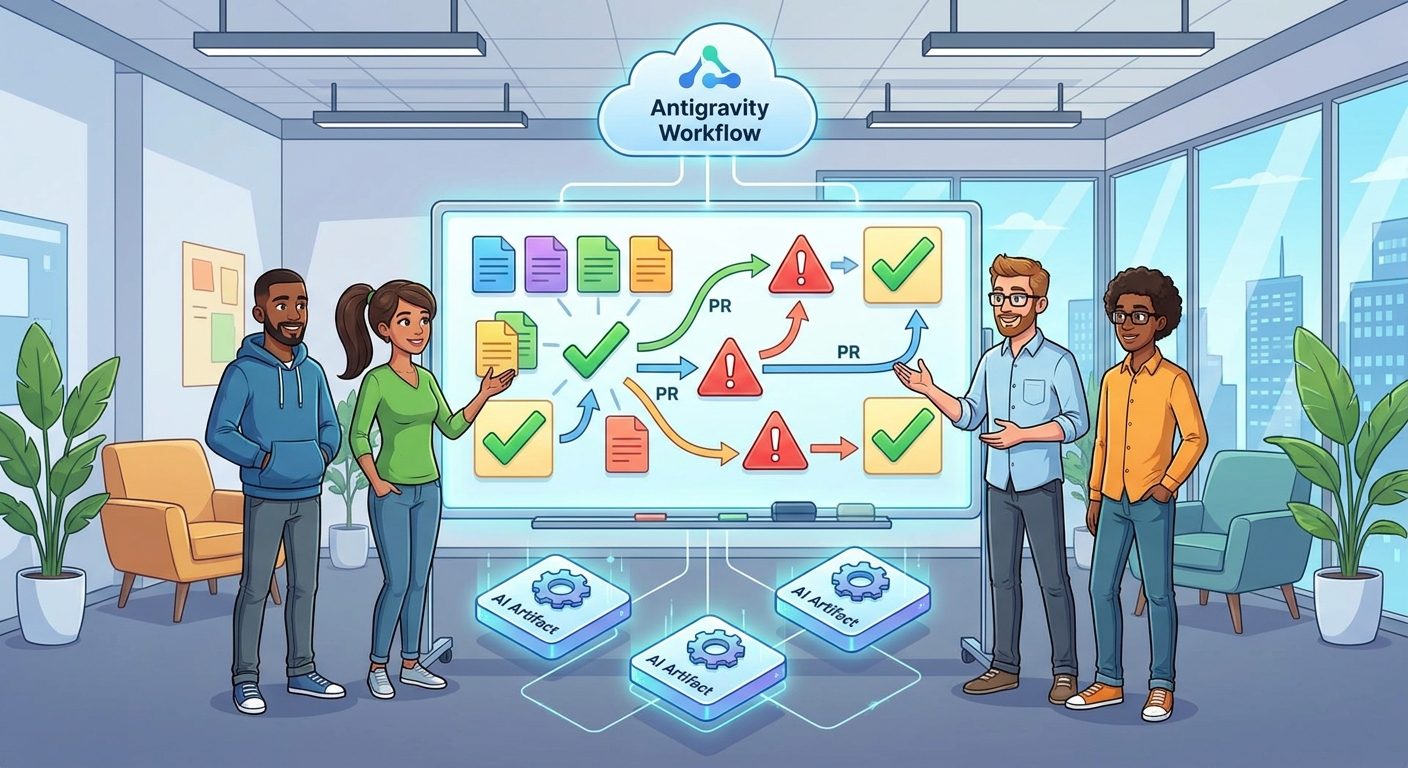
Google Antigravity Artifacts are the evidence layer between an AI coding agent and the human who has to approve the work. Instead of judging an agent only by the final diff, artifacts should help you understand the plan, changed files, assumptions, commands run, test results, screenshots, logs, unresolved risks, and next steps. The best workflow is simple: give the agent a narrow task, require an artifact that explains the work, verify the artifact against the actual repository, run your own checks, then decide whether the output is ready for a pull request.
The important shift is that artifacts are not decoration. They are not a pretty transcript, and they are not a replacement for code review. They are a structured handoff. If the artifact makes it easy to answer “what changed, why, how was it tested, and what is still risky?” then Antigravity becomes easier to use in serious projects. If the artifact is vague, overconfident, or detached from the files it claims to modify, it should slow you down rather than speed you up.
This cluster guide supports our broader Google Antigravity explained pillar. That pillar covers the Manager Surface, CLI, sandboxed agents, and comparisons. This article goes narrower: how to review artifacts so AI coding agents can move faster without quietly shipping unverified work.
What Are Google Antigravity Artifacts?
In an agentic development environment, an artifact is any packaged output that helps a human understand what the agent did. It may be a plan, a task summary, a generated file, a screenshot, a test report, a terminal log, a design note, or a decision memo. The exact product implementation can evolve, but the workflow value stays the same: artifacts turn agent activity into reviewable evidence.
That matters because AI coding agents do not behave like normal autocomplete. A sidebar assistant might answer one question. A coding agent can inspect several files, create branches, change logic, run commands, and iterate on errors. Without artifacts, the human reviewer is forced to reconstruct the story from raw diffs and scattered logs. With good artifacts, the reviewer gets a map of the work before diving into details.
Think of Antigravity Artifacts as a bridge between the Manager Surface and the pull request. The Manager Surface helps you supervise tasks. The artifact helps you decide whether the task reached a reviewable state. It should not hide uncertainty. A useful artifact says, “I changed these files, I tested this path, I did not test that path, and here is the evidence.”
| Artifact type | What it should answer | Why it matters |
|---|---|---|
| Plan artifact | What is the agent going to do before editing? | Prevents broad, expensive, or risky task drift. |
| Change summary | Which files changed and what behavior changed? | Speeds up human code review. |
| Test artifact | Which checks ran, which passed, and what failed? | Separates verified work from confident claims. |
| Risk note | What assumptions, edge cases, or secrets were avoided? | Creates a safety trail for teams. |
| Handoff artifact | What should the next human or agent do? | Makes multi-step agent workflows less chaotic. |
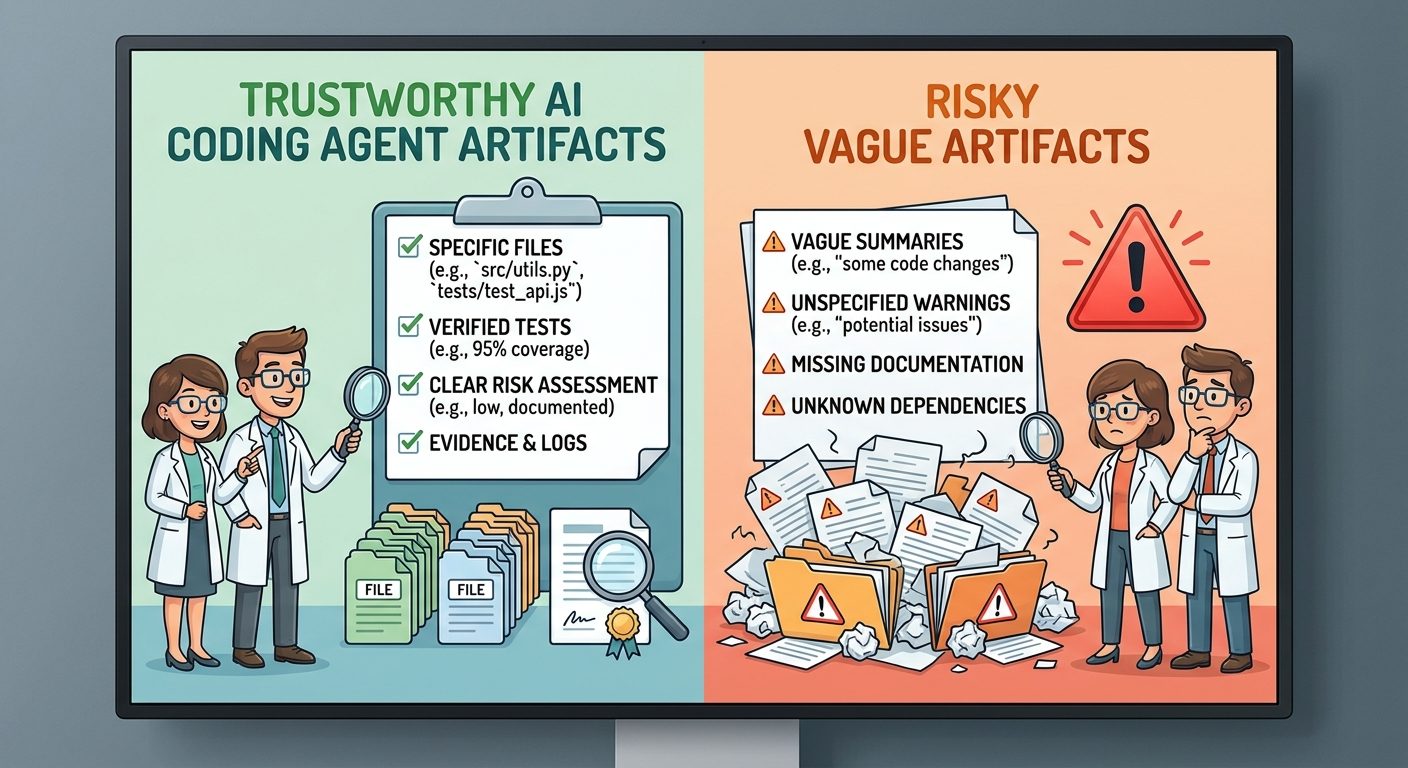
The strongest artifacts are boring in the best way. They are specific, short enough to scan, and anchored to evidence. The weakest artifacts sound polished but omit file names, test commands, constraints, or unresolved questions.
Why This Topic Has a Search Gap
Early interest around Google Antigravity is naturally broad. People search for what it is, how it compares with Cursor or Copilot, whether it has a CLI, and how its agent manager works. But the more useful long-tail question appears after the first demo: “How do I know the agent’s work is safe?” That question is underserved because most launch coverage focuses on capability, not verification.
AIFeatureDrop analytics also point in the same direction. In the last complete 28-day window, Organic Search produced 140 sessions, while practical AI coding and workflow pages were among the strongest post-level performers. Top pages included Copilot workflow coverage, Codex Computer Use, Codex banked resets, and GitHub Copilot credit guides. Search Console data is still sparse for the young property, but the visible impressions around Claude permission queries reinforce a pattern: developers search for narrow safety, limit, and workflow answers after they hear about a new AI coding feature.
That is why “Google Antigravity Artifacts workflow” is a better cluster topic than another general Antigravity overview. It supports the latest pillar without duplicating it, and it gives readers a specific process they can use immediately.
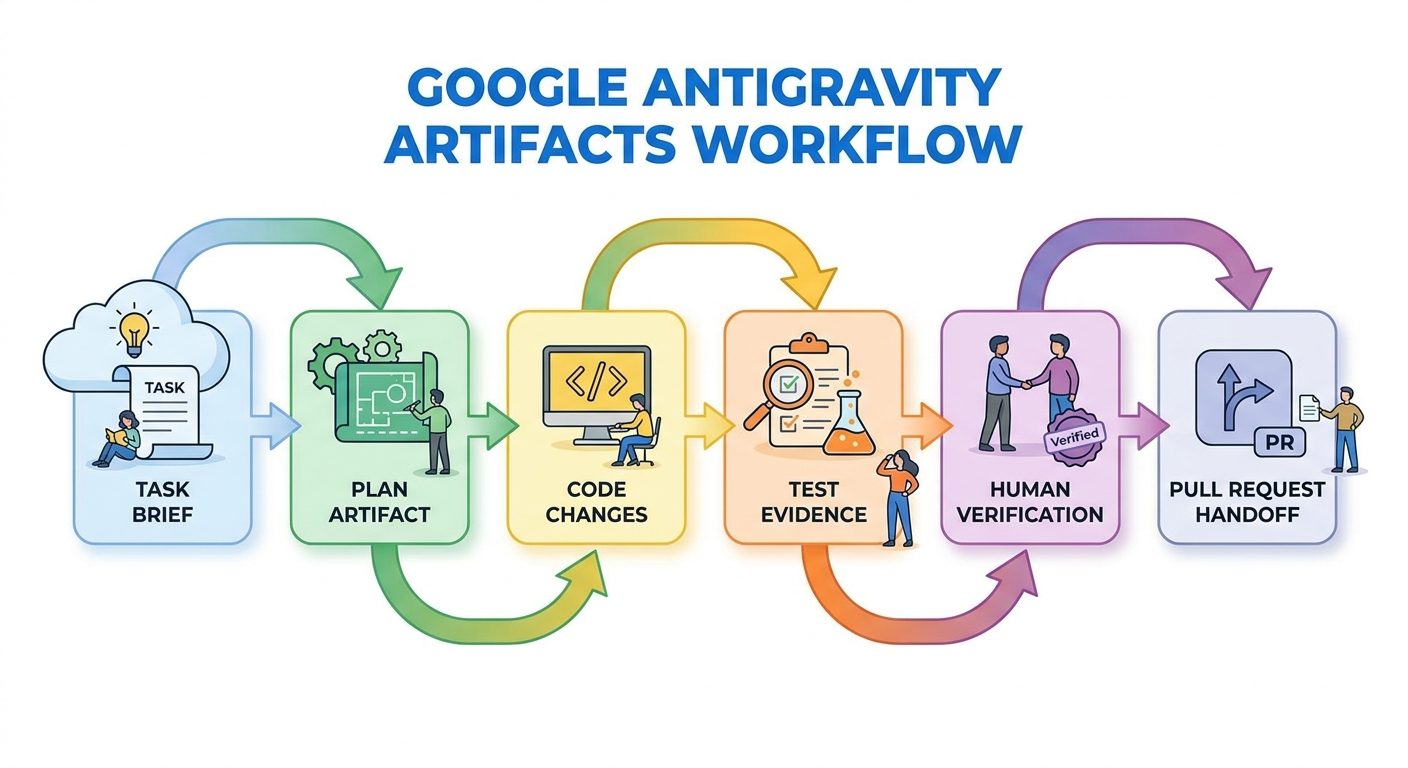
The Five-Step Antigravity Artifact Workflow
The safest Antigravity workflow starts before the agent touches code. If the input task is vague, the artifact will often be vague too. If the input task includes success criteria, constraints, and test expectations, the artifact has something concrete to report against.
Step 1: Write a task brief the artifact can be judged against
A good brief includes the problem, the desired outcome, the files or directories in scope, the parts of the repo that are off-limits, and the verification command. For example: “Update the settings page copy to clarify workspace permissions. Only edit the settings UI and related tests. Do not change auth logic. Run the settings test suite and include any failing command output in the artifact.”
This is not bureaucracy. It is how you prevent an agent from creating an impressive artifact for the wrong job. The artifact should be graded against the original brief, not against the agent’s own interpretation after the fact.
Step 2: Require a plan artifact before large edits
For tiny tasks, you may not need a separate plan. For anything involving multiple files, data migrations, permissions, billing logic, or production behavior, ask for a plan first. The plan should list expected files, proposed changes, risk areas, and tests. If the plan is wrong, correcting it is cheaper than reviewing a bad diff later.
Step 3: Keep execution contained
Use branches, sandboxes, clean working trees, and explicit permission boundaries. This advice mirrors the habits we recommend in our Claude Code permission rules guide: powerful agents are easier to trust when their access is scoped. Antigravity’s artifact is helpful, but it should not be your only safety control.
Step 4: Verify the artifact against reality
The artifact says tests passed. Did they actually run? The artifact says only three files changed. Does the diff agree? The artifact says no behavior changed. Do snapshots, screenshots, or integration tests support that claim? The human reviewer should treat the artifact as a lead, not a verdict.
Step 5: Convert good artifacts into team memory
When an artifact is accurate, attach it to the issue, PR, or internal task. Over time, strong artifacts become examples for future agents and teammates. Weak artifacts become training material too: they show where prompts, permissions, or project instructions need improvement.
Antigravity Artifact Review Checklist
Use this checklist every time an Antigravity agent produces work you might merge, share, or hand off. You do not need a formal ceremony for every small change, but you do need a repeatable pattern so review quality does not depend on mood or deadline pressure.
| Review question | Good artifact signal | Red flag |
|---|---|---|
| Does it restate the task? | The artifact clearly maps output to the original brief. | It summarizes a different or broader task. |
| Does it name changed files? | Files, directories, and generated assets are listed. | It says “updated the codebase” without specifics. |
| Does it explain behavior changes? | User-facing and system-facing changes are separated. | It focuses on implementation but ignores behavior. |
| Does it include verification evidence? | Commands, results, screenshots, or logs are included. | It says “tested” without command names or output. |
| Does it disclose uncertainty? | Untested paths and assumptions are named. | It sounds certain while skipping edge cases. |
| Does it respect boundaries? | Forbidden files, secrets, and permissions are untouched. | It edits config, auth, billing, or secrets unexpectedly. |
This checklist also helps teams compare AI coding tools fairly. Whether you use Antigravity, Copilot, Codex, Claude Code, Cursor, or another agent, the review standard should be similar: evidence first, confidence second.
Practical Examples of Strong and Weak Artifacts
Example 1: Small UI copy update
A strong artifact says: “Updated SettingsPermissionsPanel.tsx copy to clarify that workspace admins can approve integrations. Updated SettingsPermissionsPanel.test.tsx snapshot. Ran pnpm test SettingsPermissionsPanel; all tests passed. Did not change permission enforcement logic.” That is useful because the reviewer can quickly inspect the exact files and confirm the scope.
A weak artifact says: “Improved settings permissions UX and tested the change.” It may be true, but it does not give the reviewer enough evidence. The human still has to discover the files, infer the behavior, and check whether sensitive logic changed.
Example 2: API error handling change
A strong artifact separates code behavior from test behavior: “Added retry handling for 429 responses in the client wrapper. No retry is attempted for 401 or 403. Added unit tests for 429, 500, and auth failures. Did not change rate-limit headers. Integration test was not run because staging credentials were unavailable.” Notice the honest limitation. It does not pretend the work is fully verified.
A weak artifact says: “Made API calls more robust.” That phrase sounds helpful, but it can hide dangerous ambiguity. More robust how? Retries can overload services, mask auth bugs, or violate API rules. The artifact needs specifics.
Example 3: Multi-file refactor
A strong artifact includes a migration map: old module, new module, files touched, tests run, known risks, and rollback suggestion. It also says whether generated code or manual edits were used. For larger changes, the artifact should help a reviewer decide whether the pull request should be split.
A weak artifact celebrates completion. “Refactor complete” is not evidence. Refactors are especially risky because behavior is supposed to stay the same. The artifact should tell you how sameness was checked.
How Teams Should Use Antigravity Artifacts in Real Projects
Solo developers can keep the workflow lightweight. Teams need a shared standard. Otherwise one person treats artifacts as formal evidence, another treats them as marketing copy, and a third ignores them entirely. The result is inconsistent AI-agent review quality.
Create an artifact template
Use a short template that agents can follow: task, changed files, behavior changes, verification commands, screenshots if relevant, known risks, and next steps. Store it in project instructions or a team playbook. The template should be strict enough to create consistency but short enough that people actually read it.
Attach artifacts to pull requests
When an AI agent produces code, the PR should include the artifact or a condensed version of it. This gives reviewers context without forcing them to read raw agent logs. It also creates accountability. If the artifact claims a test ran, the reviewer can ask for the output or rerun it.
Use artifacts for handoffs between agents
One underrated use case is agent-to-agent handoff. A first agent can investigate the issue and produce an artifact. A second agent can implement only after the human approves the plan. This is similar to how teams separate discovery from execution. It reduces the risk of one long agent session drifting through planning, editing, debugging, and guessing.
Keep security and credentials separate
Artifacts should never expose secrets. They can say that secrets were not inspected, that environment variables were mocked, or that credentials were unavailable. They should not paste tokens, private customer data, or sensitive logs. If your artifact workflow requires copying secrets into a report, the workflow is broken.
For teams already experimenting with AI coding agents, this connects naturally with our GitHub agentic workflows guide and our Claude Code subagent permissions checklist. Different products have different surfaces, but the team habit is the same: scope the agent, collect evidence, and review before trust.
Common Mistakes When Reviewing AI Coding Agent Artifacts
Good habits
- Ask for an artifact before reviewing a complex diff.
- Compare the artifact with the actual changed files.
- Rerun critical tests locally or in CI.
- Look for honest uncertainty and untested paths.
- Attach the artifact to the PR for team context.
Risky habits
- Accepting a polished artifact without checking the diff.
- Letting the agent define success after the task is done.
- Ignoring skipped tests or missing command output.
- Allowing artifacts to include secrets or private logs.
- Using one long agent session for discovery, coding, and review.
The biggest mistake is confusing confidence with evidence. AI agents often write fluent summaries. Fluency can make incomplete verification feel complete. A good reviewer reads the artifact with polite suspicion: useful, but not final.
The second mistake is asking for too much in one artifact. If a task touches authentication, billing, database schema, and UI copy, the artifact becomes too broad to review cleanly. Split the work. One small artifact for one bounded task is usually more valuable than one impressive report for a messy mega-task.
The third mistake is failing to update project instructions. If every Antigravity run produces the same weak artifact, the problem may not be the agent alone. Your team may need a better artifact template, clearer test commands, stricter branch rules, or smaller task briefs.
How Antigravity Artifacts Compare With Logs, Diffs, and Pull Request Summaries
Artifacts do not replace logs, diffs, or PR summaries. They connect them. A raw terminal log is detailed but noisy. A diff is precise but does not explain intent. A PR summary is useful but often written after the fact. An artifact should combine enough intent, evidence, and risk disclosure to make the rest easier to inspect.
| Review object | Strength | Weakness | Best use |
|---|---|---|---|
| Raw agent log | Shows detailed activity. | Long, noisy, and hard to trust quickly. | Debugging suspicious behavior. |
| Git diff | Shows exact code changes. | Does not explain intent or test coverage. | Final technical review. |
| PR summary | Communicates change to teammates. | Can be too polished or too late. | Human-facing merge discussion. |
| Antigravity artifact | Connects plan, changes, tests, and risks. | Must still be verified. | Agent-to-human handoff. |
The best workflow uses all four. Ask Antigravity for an artifact, inspect the diff, rerun important checks, and then convert the verified artifact into a concise PR summary.
Artifact Trust Checker
Use this quick helper to decide whether an artifact is ready for review, needs clarification, or should be rejected before deeper code review.
Final Recommendation: Make Artifacts a Review Habit, Not a Nice Extra
Google Antigravity becomes more useful when artifacts are treated as part of the engineering workflow, not as optional summaries. The agent can move quickly, but the team still needs a reliable checkpoint between autonomous work and production code. That checkpoint is the artifact review.
Start with a simple rule: no complex agent-generated change gets reviewed without a clear artifact. The artifact must state the task, changed files, behavior changes, verification evidence, and remaining risks. If it cannot do that, ask the agent to produce a better handoff before spending human review time on the diff.
This does not make development slower. It prevents a common AI-agent trap: saving time during implementation while losing time during review. Good artifacts compress review time because they point humans to the right files, tests, and uncertainties. Bad artifacts reveal that the task was underspecified or underverified before the code reaches a teammate.
If you are adopting Antigravity for real projects, pair this workflow with the broader Google Antigravity pillar guide, then build a team artifact template before your first serious multi-file agent task.
Keep Learning on AI Feature Drop
- Google Antigravity Explained — the related pillar covering Manager Surface, Artifacts, CLI, and sandboxed agents.
- Google AI Studio Play Store Internal Testing — another GoogleAI workflow checklist for safe app publishing.
- Codex Record & Replay Checklist — a parallel checklist for reusable AI workflows.
- Claude Code Permission Rules — permission design ideas that also apply to agentic coding workflows.
- Claude Code Subagent Permissions — how to scope specialized agents safely.
- GitHub Agentic Workflows — setup, security, billing, and automation ideas for coding agents.
Sources and References
- Google Antigravity product page
- AI Feature Drop: Google Antigravity Explained
- AI Feature Drop: Google AI Studio Play Store Internal Testing
- AI Feature Drop: Claude Code Permission Rules
- AI Feature Drop: Codex Record & Replay Checklist
Product capabilities and naming can change. Verify current Google Antigravity documentation, workspace settings, and organization policy before relying on an AI coding agent for production work.
FAQ: Google Antigravity Artifacts
What are Google Antigravity Artifacts?
They are reviewable outputs from an AI coding-agent workflow, such as plans, change summaries, test results, screenshots, logs, risk notes, or handoff reports that help humans verify agent work.
Are Antigravity Artifacts enough to trust an AI agent?
No. Artifacts are evidence, not proof. You should compare them with the actual diff, rerun important tests, and review sensitive logic before merging work.
What should a strong artifact include?
A strong artifact includes the original task, changed files, behavior changes, verification commands, test results, screenshots or logs when relevant, assumptions, and untested paths.
When should I ask for a plan artifact?
Ask for a plan artifact before multi-file edits, security-sensitive changes, database work, billing logic, permission changes, migrations, or any task where a wrong direction would be expensive.
Can artifacts be used in pull requests?
Yes. A verified artifact can be condensed into a pull request summary so reviewers understand what the agent changed and how the work was checked.
What is the biggest artifact red flag?
The biggest red flag is a confident summary without specific files, commands, test results, or risk disclosure. That usually means the artifact is too vague for engineering review.
Should artifacts include secrets or private logs?
No. Artifacts should never expose secrets, tokens, customer data, or sensitive logs. They can describe that a secret-backed path was not tested without pasting the secret.
How does this support the broader Antigravity workflow?
The broader Antigravity workflow helps agents plan and execute coding tasks. Artifacts provide the human verification layer between agent execution and code review.
Post a Comment