
Gemini 3.8 Live Avatar Setup Guide: Try It, Price It, and Deploy It Safely
Gemini 3.8 Live Avatar setup is easier to demo than to ship responsibly. This guide shows the console path, the API configuration, the real speaking-time cost, and the production checks that turn a striking demo into a useful visual agent.
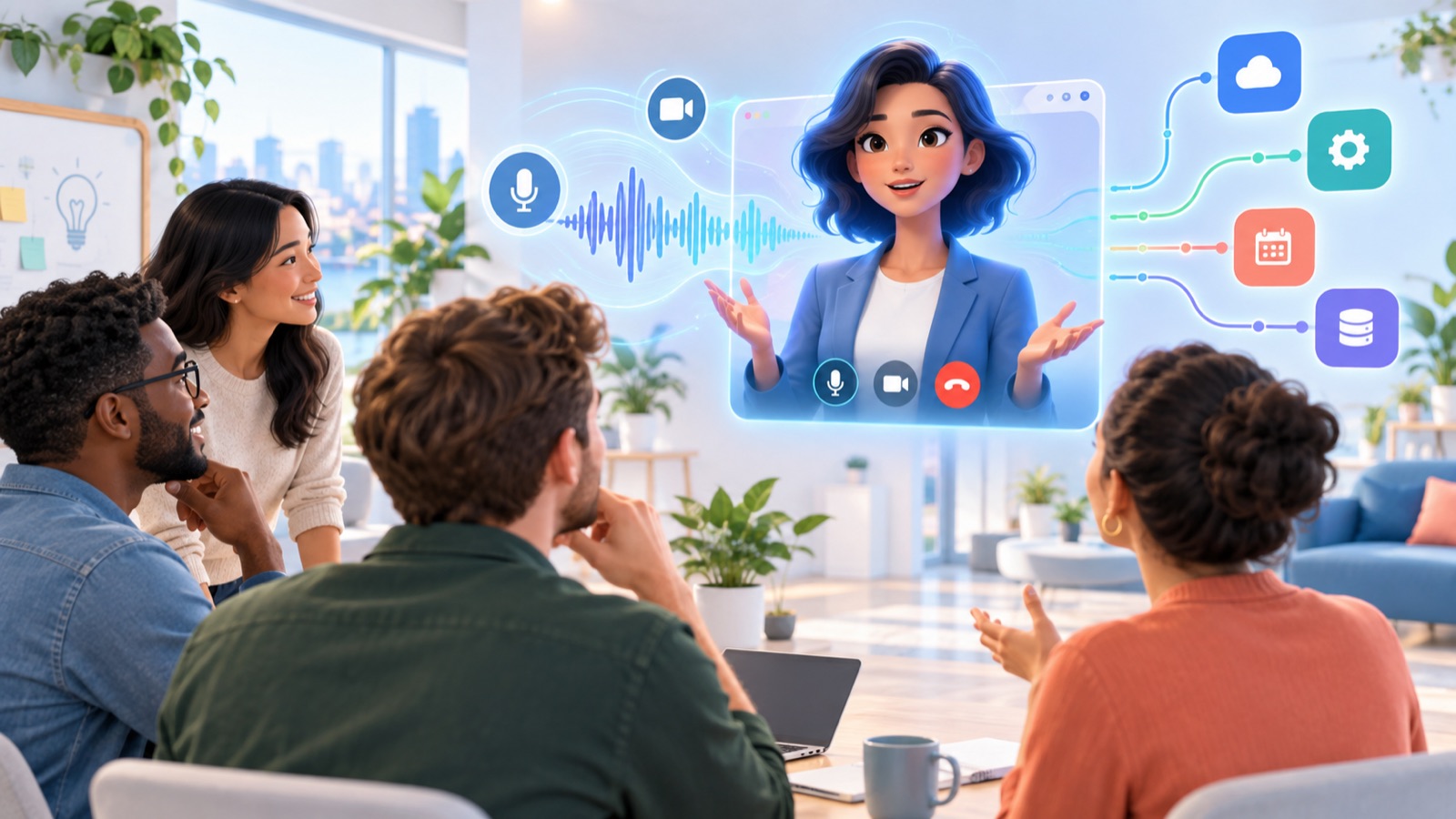
gemini-3.8-live in Google’s Gemini Enterprise Agent Platform. You can test a prebuilt avatar in Studio, or request VIDEO output through the Live API. It produces synchronized 24 FPS avatar video, charges video only while the avatar is speaking, and currently limits custom-photo avatars to select customers. Start with a prebuilt avatar, audio-only business logic, and a short measured pilot before committing to a customer-facing rollout.What Gemini 3.8 Live Avatar Actually Adds
Gemini 3.8 Live Avatar is not a separate chatbot and it is not the same feature as a profile picture inside a consumer Gemini chat. It is a generated video-output layer attached to Google’s real-time Gemini 3.8 Live model. The underlying session still listens to audio, can receive text and visual inputs, can call tools, and can maintain a live bidirectional connection. The new part is that the model can return synchronized video of a speaking digital presenter instead of returning only audio.
Google documents the output as 24 FPS MP4 avatar video with facial expressions and lip movement synchronized to the generated speech. That distinction matters technically. Your application is no longer rendering a static portrait beside an audio stream. It is receiving a continuously generated visual response whose delivery, playback, billing, buffering, accessibility, and failure states all need product decisions.
The feature sits on top of the capabilities covered in our broader Gemini 3.8 Live voice-agent guide: full-duplex audio, asynchronous tool execution, interruptions, session management, security, and cost. Read that pillar first if you have not yet built a stable audio session. An avatar cannot rescue broken microphone capture, a blocking tool runner, missing reconnection logic, or confusing conversation design. It makes those weaknesses more visible.
Google’s launch material positions Live Avatar for enterprise experiences such as customer service, interactive walkthroughs, virtual concierges, tutors, and game characters. Those examples share a useful trait: visual presence supports the job. A hotel concierge can demonstrate where to tap; a tutor can use expression and gaze to keep attention; a product guide can remain present while background tools check inventory. The visual layer earns its place when it improves trust, comprehension, accessibility, or task completion—not merely because a talking face looks new.
What it includes
- Generated 24 FPS avatar video synchronized with speech.
- Prebuilt avatars and compatible prebuilt voices.
- Optional camera input so the agent can respond to what the user shows.
- Live API tools, multimodal input, multilingual switching, and interruption handling.
- SynthID watermarking in generated audio and video.
What it does not solve
- Consent, disclosure, or identity-rights policy for your organization.
- Conversation design and escalation to a human.
- Backend authorization for tool calls.
- Browser playback, bandwidth, accessibility, or fallback design.
- Evidence that users prefer an avatar over a simpler voice interface.
Should You Add Live Avatar to a Voice Agent?
The fastest way to waste money on an avatar is to start with the avatar. Start with the user task. If the user needs to resolve a billing issue, book an appointment, learn a physical process, or navigate a service counter, ask what visual presence contributes at each moment. Does the face provide reassurance? Does the agent need to gesture toward content? Does lip synchronization help in a noisy or multilingual setting? Or is the face simply occupying screen space while the user waits for a database call?
A strong candidate has a screen, a repeatable interaction, a reason for the agent to remain visually present, and a measurable outcome. Kiosks, onboarding stations, guided tours, remote support, hospitality, and tutoring may qualify. A weak candidate is a background assistant, an IVR replacement, a screen reader, or any workflow where users frequently multitask away from the display. Audio-only is cheaper, lighter, and often less socially demanding.
| Use case | Avatar value | Primary risk | Recommended first test |
|---|---|---|---|
| Hotel or venue concierge | Warm welcome, multilingual guidance, visible presence at a kiosk | Queue length, privacy in public spaces, incorrect booking actions | Five common questions with read-only availability lookup |
| Product onboarding | Explains steps while a user follows along | Avatar distracts from the actual interface | Compare task completion with captions and audio-only control |
| Customer support | Can acknowledge wait states while tools run | False sense of human identity or authority | Low-risk account questions with a clear human handoff |
| Virtual tutor | Expression, turn-taking, and multilingual conversation | Minor safety, overreliance, and hallucinated instruction | Adult learners and a narrow, source-grounded lesson |
| Internal help desk | May increase approachability for occasional users | High cost for employees who mainly want fast answers | Offer avatar as optional, not mandatory |
| Background productivity agent | Usually little benefit | Unnecessary visual cost and cognitive load | Keep voice-only or text-first |
Community reaction to the launch reinforces this decision discipline. Recent Reddit threads included practical questions—where the feature lives, whether consumer subscribers receive it, what custom images require, and what businesses would actually use it for—but also skepticism about uncanny presentation and enterprise-only access. That is useful product research, not noise. Your pilot should test acceptance and utility, not assume that more humanlike presentation automatically creates more trust.
Gemini 3.8 Live Avatar Access and Prerequisites
Google announced Live Avatar as generally available in Gemini Enterprise. The related Agent Platform model documentation lists gemini-3.8-live as generally available with standard pay-as-you-go support in the us and eu multi-regions. Access to the model does not necessarily mean every project has every avatar capability. Custom avatars, in particular, are limited to select customers who work with a Google Cloud account team.
That explains a common source of confusion: the consumer Gemini app, Google AI Studio, Gemini Enterprise Agent Platform Studio, and the Live API are not interchangeable surfaces. A paid Gemini consumer plan does not guarantee that a Live Avatar control appears in the consumer app. For the documented no-code test, use Agent Platform Studio’s real-time streaming area in a Cloud project. For application integration, use the enterprise endpoint and appropriate authentication.
- A Google Cloud project you are authorized to use.
- Billing enabled and a budget alert configured before extended testing.
- Access to Gemini Enterprise Agent Platform and the real-time Studio.
- The relevant API enabled for the project.
- A supported
usoreulocation for standard pay-as-you-go. - A microphone and browser permission to use it; a camera only if your test needs visual input.
- A test script that avoids real customer data and consequential actions.
- A consent and disclosure statement prepared before anyone outside the project team joins.
If you are still deciding how Google agent components fit together, our guides to Gemini managed agents and Google ADK workflows provide broader architecture context. Live Avatar is the presentation and conversation layer; it does not replace workflow orchestration, retrieval, identity, or policy controls.
Gemini 3.8 Live Avatar Setup in Agent Platform Studio
The Studio path is the right first move because it separates product-fit testing from application engineering. You can hear the voice, see the visual response, try system instructions, and test optional camera input before building a WebSocket client. Keep the first session intentionally short. The goal is not to impress a stakeholder for twenty minutes; it is to answer a few concrete questions about latency, behavior, and value.
Open the real-time Studio
In Google Cloud, select the intended project and open Agent Platform, then Studio, then the real-time streaming experience. Verify that the project and location are the ones approved for the pilot. If your organization uses separate development and production projects, stay in development.
Select the correct model
Use the model switcher and choose gemini-3.8-live. Do not assume a similarly named consumer Live mode is the same endpoint. Note the selected region and record it with your test results.
Choose Live Avatar output
Select the Live Avatar experience, then choose one of the available prebuilt avatars and a compatible voice. Start with a stock avatar. It removes identity-rights questions and lets the team evaluate the interaction before pursuing allowlisted custom-avatar access.
Add narrow system instructions
Give the agent one role, a short scope, and an explicit fallback. For example: “You are a lobby guide. Answer questions about opening hours and directions using the provided information. Do not claim to complete bookings. If you are uncertain, say so and offer the front-desk handoff.” Avoid a sprawling instruction that makes evaluation ambiguous.
Leave the camera off first
Test microphone input, turn-taking, captions, and avatar playback without visual input. Then enable the camera only for a test that needs it. This makes it easier to isolate whether a problem comes from audio capture, video input, model behavior, avatar rendering, or network delivery.
Run a five-scenario script
Include one normal question, one interruption, one unsupported request, one ambiguous phrase, and one handoff. Measure time to first response, whether the avatar talks over the user, whether it clearly discloses its automated nature, and whether the fallback is honest.
Do not judge the feature only by lip synchronization. A technically smooth face can still deliver a poor interaction. Watch whether the agent maintains conversational rhythm, acknowledges a tool wait without inventing a result, recovers after interruption, and lets the user exit. Also test without sound, with captions, and on a constrained network. Accessibility and degraded-mode behavior belong in the demo, not after it.
Configure Gemini 3.8 Live Avatar Through the API
The critical API switch is simple: set generation_config.response_modalities to ["VIDEO"], then provide an avatar_config and a compatible speech configuration. The surrounding application is the hard part. You need regional OAuth authentication, a bidirectional WebSocket, audio capture, event handling, video playback, tool execution, session lifecycle management, and a fallback when any layer fails.
from google import genai
from google.genai import types

client = genai.Client()

config = types.LiveConnectConfig(
    response_modalities=["VIDEO"],
    speech_config=types.SpeechConfig(
        voice_config=types.VoiceConfig(
            prebuilt_voice_config=types.PrebuiltVoiceConfig(
                voice_name="Puck"
            )
        )
    ),
    avatar_config=types.AvatarConfig(
        avatar_name="Ben"
    ),
    system_instruction=types.Content(
        parts=[types.Part.from_text(
            text="You are a clearly disclosed automated guide. "
                 "Never claim a tool action succeeded until its result arrives."
        )]
    )
)

async with client.aio.live.connect(
    model="gemini-3.8-live",
    config=config
) as session:
    # Capture audio, receive events, play audio/video, and handle tools.
    pass
This excerpt mirrors the shape of Google’s official configuration, but it is intentionally not a full production client. Copying a setup block does not provide token refresh, reconnect logic, backpressure, observability, playback synchronization, user consent, content policy, or authorization around business tools. Build those as explicit components.
Design the event loop for interruption
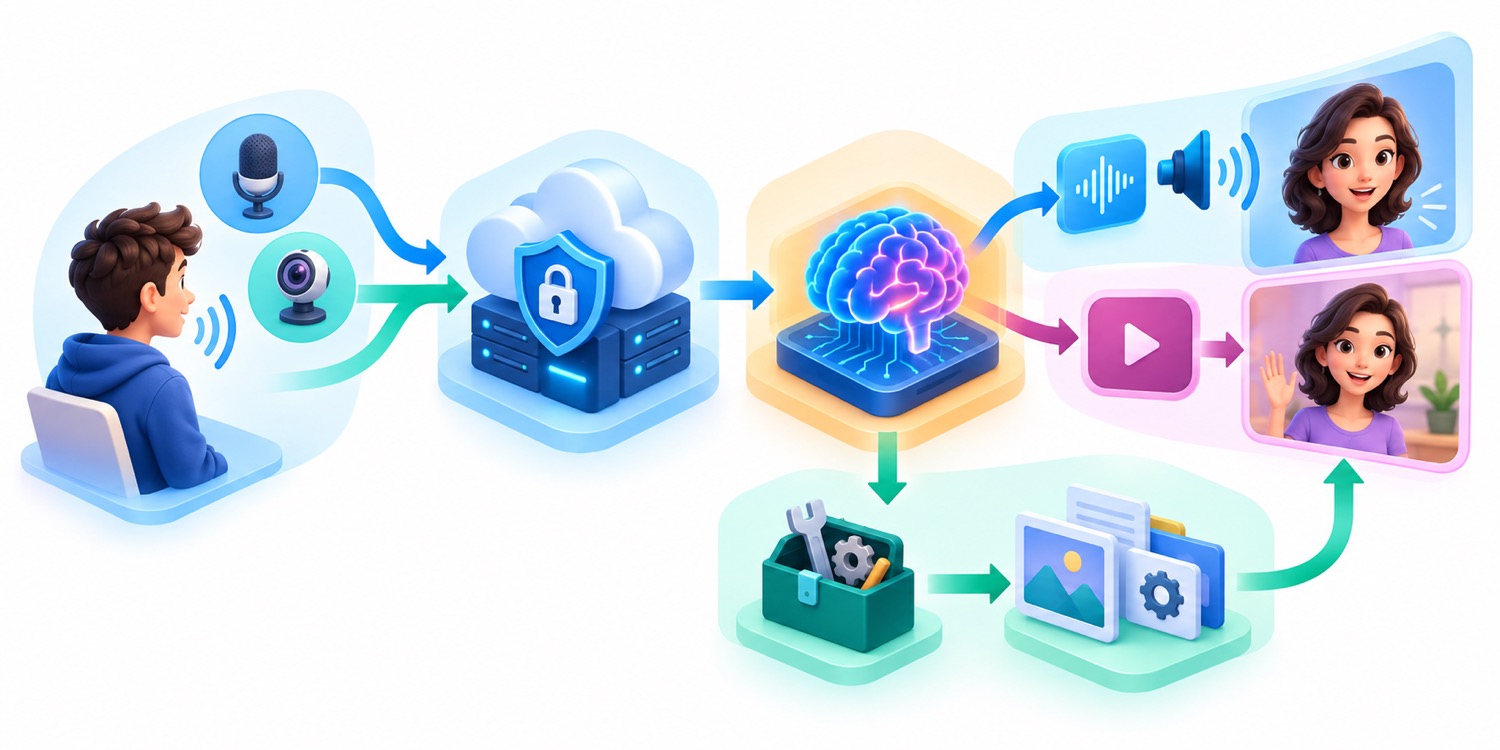
A live session is not a request-and-response endpoint with a pretty face. Audio, generated video, tool calls, user interruptions, and session-control events can overlap. Keep media capture, server receive, playback, and tool execution from blocking each other. If a tool handler runs directly inside the receive loop, the client may stop processing audio or video while it waits on an external service.
For non-blocking tools, return the result using the exact function-call identifier and a structured response. If a tool finds nothing, say status: "no_results", mark whether retrying is useful, and include guidance. Google warns against returning an empty object because the model may retry with variations. Add a prompt-level cap on consecutive retries so a voice interaction cannot quietly turn into a costly tool loop.
Keep business authorization outside the model
The avatar may sound confident and look present, but it should not become the authorization boundary. A booking, refund, account change, or data lookup still needs verified user identity, server-side permission checks, idempotency, and an audit record. Treat model tool calls as proposals to a controlled tool layer. Return a confirmed result only after the backend completes the action.
A Production Architecture That Can Fail Gracefully
A practical Live Avatar application has at least six layers: capture, session control, model connection, tool execution, playback, and observability. Keep them separable. The system should be able to fall back from avatar video to audio, from audio to text, and from automation to a human or static help channel without losing the user’s place.
| Layer | Responsibility | Failure to plan for | Safe response |
|---|---|---|---|
| Capture | Microphone, optional camera, consent state | Denied permission, wrong sample rate, silent device | Explain the issue and provide text input |
| Session controller | Connect, authenticate, resume, terminate | Token expiry, server reset, mobile backgrounding | Reconnect with bounded retries or start a clean session |
| Model stream | Send media and receive events | Out-of-order events, interruption, malformed payload | Stop playback, preserve safe state, surface a neutral message |
| Tool runner | Call approved business services | Timeout, duplicate call, stale result | Use idempotency keys and stateful cancellation |
| Playback | Render audio and avatar video in sync | Buffering, drift, unsupported codec, low bandwidth | Switch to audio or captions without implying failure |
| Observability | Latency, errors, token use, outcomes | Logging sensitive audio or faces | Log events and metrics with deliberate redaction |
Make degradation an experience, not an error screen. If the video stream stalls but audio continues, show a clear static state and keep captions available. If audio playback fails, offer text. If a tool exceeds its service-level target, let the avatar state that it is still checking and offer a cancel button. If the connection is lost, do not leave a smiling frozen face that suggests the agent is still listening.
Long sessions deserve special care because Live API billing includes accumulated context. Context from previous turns can be reprocessed in later turns until the configured window is reached. Session compression and resumption can improve continuity, but they do not remove the need for a conversation boundary. Define when a service interaction is complete, summarize only what must persist, and end the session cleanly.
For adjacent patterns, see the Gemini background execution guide. The same principle applies here: background work must have an explicit state, a user-visible status, and a trustworthy completion signal.
Gemini 3.8 Live Avatar Pricing: Convert Tokens Into Speaking Time
Google’s Agent Platform price table lists separate rates for Gemini 3.8 Live text, image/video input, audio input, text output, audio output, and avatar-video output. The visually cheap-looking line is avatar video at $1 per million output tokens. The conversion rate changes the interpretation: Google states that avatar video uses 6,192 tokens per second and is charged only while the avatar is actively speaking. At that rate, sixty seconds of speaking produces 371,520 video tokens, or about $0.3715 for the avatar video layer alone.
Generated audio is metered separately. At 25 audio tokens per second and $12 per million audio output tokens, sixty seconds of generated speech is roughly $0.018. Combined, one minute in which the avatar is actively speaking is approximately $0.3895 for avatar video plus audio output, before text processing, user audio, visual input, grounding, accumulated context, network, storage, application infrastructure, or enterprise licensing. That is an estimate from published conversion rates, not a promise about your invoice.
The useful denominator is not session length. It is avatar speaking time. A ten-minute interaction in which the user speaks for six minutes and the avatar speaks for four has a different video cost from a ten-minute monologue. The product decision is therefore tied to turn design. Concise responses, good interruption handling, and visible text can improve both experience and cost.
Model the full interaction, not one attractive line item
Run three budget scenarios: expected, high usage, and misuse. Expected should use observed speaking time from a scripted pilot. High usage should include verbose responses, repeat questions, and a longer tool wait. Misuse should include abandoned sessions, users deliberately prompting long monologues, and automated traffic. Add session caps and rate limits before public launch.
Analytics from AI Feature Drop provides a related editorial signal. Over the last 28 days, practical pricing and limits pages remained the strongest article group: the Codex pricing guide led individual article traffic, while Google Flow and Veo credits also appeared among the top pages. Search Console data was too sparse to validate a new Gemini Avatar keyword directly, but GA4 and the new pillar’s early engagement support a focused setup-and-cost article rather than another broad launch recap.
Custom Live Avatars: Access, Image Requirements, and Consent
Prebuilt and custom avatars have different risk profiles. Google’s documentation says custom avatars are available only to select customers and require contacting a Google Cloud account team. Do not build a launch schedule around self-service custom-avatar access until your organization has confirmed entitlement in writing and tested it in the intended project and region.
For eligible customers, the reference image is configured per session. Google recommends PNG, RGB color, at least 704 by 1280 pixels, 720p or higher, under 5 MB, and a clean portrait composition. The head and shoulders should fill most of the frame; the person should face the camera with a neutral expression against a simple background. The guidance explicitly excludes images of minors, celebrities, and offensive content.
The technical checklist is the easy part. The rights checklist is harder. Google places responsibility on the customer to secure all consent and rights needed to process face and voice samples. That means your organization should know who owns the image, what the depicted person agreed to, where the source file is stored, who can activate it, how consent can be withdrawn, how derived outputs are handled, and what happens when the person leaves the organization.
Approve before upload
- Identity and authority of the person granting consent.
- Specific approved business purpose and channels.
- Geographies, languages, and duration of use.
- Voice rights if a custom voice is paired.
- Retention and deletion path for the source assets.
- Clear prohibition on celebrity or third-party likenesses.
Disclose during use
- That the user is interacting with an automated AI agent.
- Whether audio or video is being captured.
- What the agent can and cannot do.
- How to reach a human or exit the session.
- Where to find the relevant privacy notice.
- How high-impact decisions are reviewed.
SynthID watermarking is a useful provenance measure, but it is not a substitute for visible or spoken disclosure. Users should not need a detection tool to learn that the friendly person on screen is generated. Put the disclosure in the interface and, where appropriate, in the opening spoken line. Avoid anthropomorphic design that suggests a real employee is on the call.
A Live Avatar Testing Plan That Measures More Than Novelty
A good pilot compares Live Avatar with an alternative. At minimum, test against the same agent in audio-only mode. If the task can also be completed with text or a normal form, include that control. Otherwise, an enthusiastic team may interpret “people watched the demo” as proof that the avatar improved the service.
1. Measure task outcomes
Choose a narrow goal: finish check-in, locate a venue, learn a procedure, resolve a common account question, or hand off correctly. Track completion, time, abandonment, repeated questions, escalation, and errors. Ask whether the visual layer helped the user understand or simply lengthened the exchange.
2. Measure conversational quality
Log time to first audio, time to first video frame, audio/video drift, interruption recovery, tool-call wait states, and the frequency of the avatar speaking after the user has started talking. Test accents, code-switching, domain terms, background conversation, and low-volume speech. Use custom vocabulary only where it genuinely improves recognition, and verify it does not bias unrelated phrases.
3. Measure cost in the unit you control
Track avatar speaking seconds per session, not merely session count. Break down normal turns, tool fillers, repeated explanations, error recovery, and abandoned output. A response that begins after the user leaves can still consume output and frustrate the next person at a kiosk. Stop generation promptly when the client disconnects or the user cancels.
4. Test accessibility and social comfort
Provide captions, keyboard control, readable contrast, a mute state, and a non-avatar alternative. Test with people who use assistive technology and with users who dislike eye contact or humanlike agents. A visual persona can help some people and create pressure for others. Optionality is often the best design.
5. Test adversarial and awkward situations
Interrupt mid-sentence. Ask the agent to impersonate a person. Attempt to trigger a prohibited action. Feed background speech that sounds like a command. Ask for a refund without authentication. Disconnect the network during a tool call. Reopen the session after token expiry. Show an unexpected object to the camera. The product is ready only when these cases produce bounded, comprehensible behavior.
| Launch metric | Example acceptance criterion | Why it matters |
|---|---|---|
| Task completion | At least as good as audio-only control | The visual layer must not reduce usefulness |
| Time to first response | Within the service target on typical devices | A lifelike face makes silence feel more broken |
| Interruption recovery | No stale tool result is presented as current | Prevents incorrect actions after user intent changes |
| Disclosure comprehension | Users correctly identify the agent as AI | Watermarking alone is not informed interaction |
| Avatar speaking time | Within the budget model at p50 and p95 | Speaking time drives the video-output meter |
| Fallback success | Audio/text/human route works in every forced failure | Prevents a video problem from blocking service |
Safety, Privacy, and Trust Rules for a Face-to-Face AI Agent
A face increases perceived agency. People may give a smiling, responsive presenter more authority than a text box even when the underlying model is identical. Design against that effect. The agent should disclose that it is automated, state the limits of its role, cite or show the source of consequential information, and hand off when confidence or authorization is insufficient.
Minimize captured data. If camera input is unnecessary, leave it off. If visual input is needed for one step, activate it only after an explicit prompt and show a persistent indicator. Avoid retaining raw audio, video, face images, or transcripts by default. If logs are needed for quality, separate operational telemetry from content, redact identifiers, limit access, and define deletion schedules.
Tool access needs least privilege. A lobby guide may read hours and directions but should not edit reservations. A support agent may retrieve a ticket after authentication but should not expose other users’ records. A sales guide may check inventory but should not finalize a financial commitment without clear confirmation. Bind every sensitive action to server-side identity and policy, not to the conversational tone of the avatar.
Run legal and policy review for the actual deployment, especially in employment, education, healthcare, finance, public services, biometrics, or interactions with children. Google’s documentation points customers to its prohibited-use and acceptable-use policies, but product compliance is broader than vendor policy. Regional consent, recording, biometric, accessibility, and consumer-protection rules may apply.
Gemini 3.8 Live Avatar Troubleshooting
Troubleshoot from the outside inward. First confirm the user device captured media and granted permission. Then verify the client established the correct regional connection and completed setup. Then check that the session requested VIDEO, specified a valid avatar and voice, and received model events. Finally, inspect decoding, buffering, and rendering.
| Symptom | Likely cause | First check |
|---|---|---|
| Audio works but no avatar video appears | Response modality is audio or text, invalid avatar configuration, or client ignores video events | Confirm response_modalities=["VIDEO"] and log event types |
| Live Avatar option is missing | Wrong product surface, project, region, entitlement, or account policy | Verify Gemini Enterprise Agent Platform Studio and project access |
| Custom image upload is unavailable | Custom avatars are allowlisted | Use a prebuilt avatar and contact the Cloud account team |
| Video freezes while audio continues | Playback buffer, bandwidth, decoder, or frame handling issue | Measure receive timestamps and render queue separately |
| Avatar responds to background talk | Acoustic conditions or direct-address detection failed | Test microphone placement, noise profile, and explicit activation |
| Cost exceeds the estimate | Longer speaking time, retries, accumulated context, or omitted modalities | Compare billed usage with speaking seconds and full token breakdown |
| Tool result arrives after user changes intent | Client does not cancel or reconcile in-flight work | Track call IDs, cancellation state, and current interaction intent |
| Session ends unexpectedly | Connection lifetime, auth, network, or session-management issue | Log close codes, token age, GoAway, and resumption events |
Do not hide recovery behind endless animation. If the agent cannot continue, say what failed in plain language and offer the safest next step. For the broader audio pipeline—including PCM formats, voice-activity detection, session resumption, and context compression—return to the main Gemini 3.8 Live guide.
Gemini Live Avatar vs Audio-Only: A Practical Launch Decision
Choose Live Avatar when
- Users are already looking at a screen or kiosk.
- Visual presence measurably helps comprehension or confidence.
- The budget supports roughly $0.39 per active speaking minute for video plus generated audio, before other costs.
- You can provide disclosure, captions, fallback, and human escalation.
- You can test identity rights and custom-avatar consent properly.
Stay audio-only when
- The assistant runs in the background or over a phone line.
- The screen should prioritize forms, maps, products, or documents.
- Bandwidth, battery, or cost is constrained.
- Users want speed more than social presence.
- You have not yet stabilized tools, sessions, authorization, and observability.
The lowest-risk rollout is progressive. Stage one proves the agent’s business logic with text and audio. Stage two adds a prebuilt avatar to a limited internal or invited pilot. Stage three compares outcomes against the audio-only control. Stage four expands only if the visual layer earns its cost and passes accessibility, safety, and reliability gates. Custom likenesses come last, after consent and governance are mature.
Google’s 97-language claim and dynamic switching create real potential for global service, but language count is not service quality. Test the vocabulary, accent, cultural expectations, and human escalation path for each launch market. A smooth lip-sync demo in one language does not validate a regulated support workflow in another.
Final recommendation
Use Gemini 3.8 Live Avatar as an optional presentation layer for a voice agent that already works. Start with a prebuilt avatar, a narrow read-only task, a five-scenario test script, visible AI disclosure, captions, and a hard budget cap. Track avatar speaking seconds and task outcomes. Expand only when the face improves the service—not merely the demo.
Continue with the broader Gemini 3.8 Live architecture, security, and session guide.
Sources and References
- Google: Introducing Gemini 3.8 Live with Live Avatar
- Google Cloud: Live Avatar general availability
- Google Cloud: Developer’s guide to Gemini 3.8 Live
- Google Cloud: Configure live avatars
- Google Cloud: Gemini 3.8 Live model reference
- Google Cloud: Agent Platform generative AI pricing
- Google AI for Developers: Live API session management
- Google AI for Developers: Live API best practices
Features, entitlements, regions, quotas, and prices can change. Verify the current Google Cloud documentation and your own project configuration before purchasing, deploying, or estimating a production workload.
FAQ: Gemini 3.8 Live Avatar Setup and Cost
What is Gemini 3.8 Live Avatar?
It is a generated video-output capability for Google’s real-time Gemini 3.8 Live model. It returns synchronized avatar video and speech for conversational agents while retaining Live API features such as multimodal input, interruptions, and tool calls.
Is Live Avatar available in the consumer Gemini app?
The documented Live Avatar workflow is in Gemini Enterprise Agent Platform Studio and the enterprise Live API. Do not assume a consumer Gemini subscription exposes the same controls or model endpoint. Check the exact product surface and project entitlement.
How do I try Gemini 3.8 Live Avatar without writing code?
Open Agent Platform Studio’s real-time streaming experience in an authorized Cloud project, select gemini-3.8-live, choose Live Avatar, select a prebuilt avatar and voice, add narrow system instructions, and start a short test session.
How do I enable Live Avatar in the API?
Set generation_config.response_modalities to ["VIDEO"], then provide an avatar configuration and speech configuration when opening the live session. Production clients also need authentication, streaming, playback, reconnection, tools, logging, and fallbacks.
How much does Gemini 3.8 Live Avatar cost per speaking minute?
Using Google’s listed rate and conversion, avatar video is about $0.3715 per active speaking minute and generated audio is about $0.018, for roughly $0.3895 combined. This excludes input, text, context, tools, infrastructure, licensing, and other charges.
Am I charged while the avatar is listening?
Google’s pricing notes say avatar-video output charges apply while the avatar is actively speaking, not while it is idle and listening. Other session inputs, context, and services may still incur charges.
Can I upload my own face for a custom avatar?
Custom avatars are available only to select customers who request access through their Google Cloud account team. Eligible customers must follow image requirements and secure all necessary consent and rights for face and voice samples.
What reference image works best for a custom avatar?
Google recommends a high-quality RGB PNG, at least 704 by 1280 pixels and 720p, under 5 MB, with a front-facing neutral head-and-shoulders portrait against a simple background. Do not use minors or celebrities.
Does SynthID replace an AI disclosure?
No. SynthID helps identify generated output, but users should receive a clear visible or spoken notice that they are interacting with an automated AI agent, plus information about capture, capabilities, and exit options.
Should every voice agent use an avatar?
No. Audio-only is usually better for phone calls, background assistants, low-bandwidth settings, and tasks where the screen should show useful content instead of a face. Add an avatar only when testing shows that visual presence improves outcomes.
Post a Comment