
Claude Code Permissions Guide: Safer Hooks, Subagents, and Statuslines
Claude Code is no longer just a terminal chatbot that edits files when you ask. It is becoming a configurable agentic coding environment with permissions, lifecycle hooks, specialized subagents, statusline telemetry, settings scopes, background work, and team policy. This guide explains how to use those controls together so the assistant can move fast without quietly turning your repository into a risky experiment.
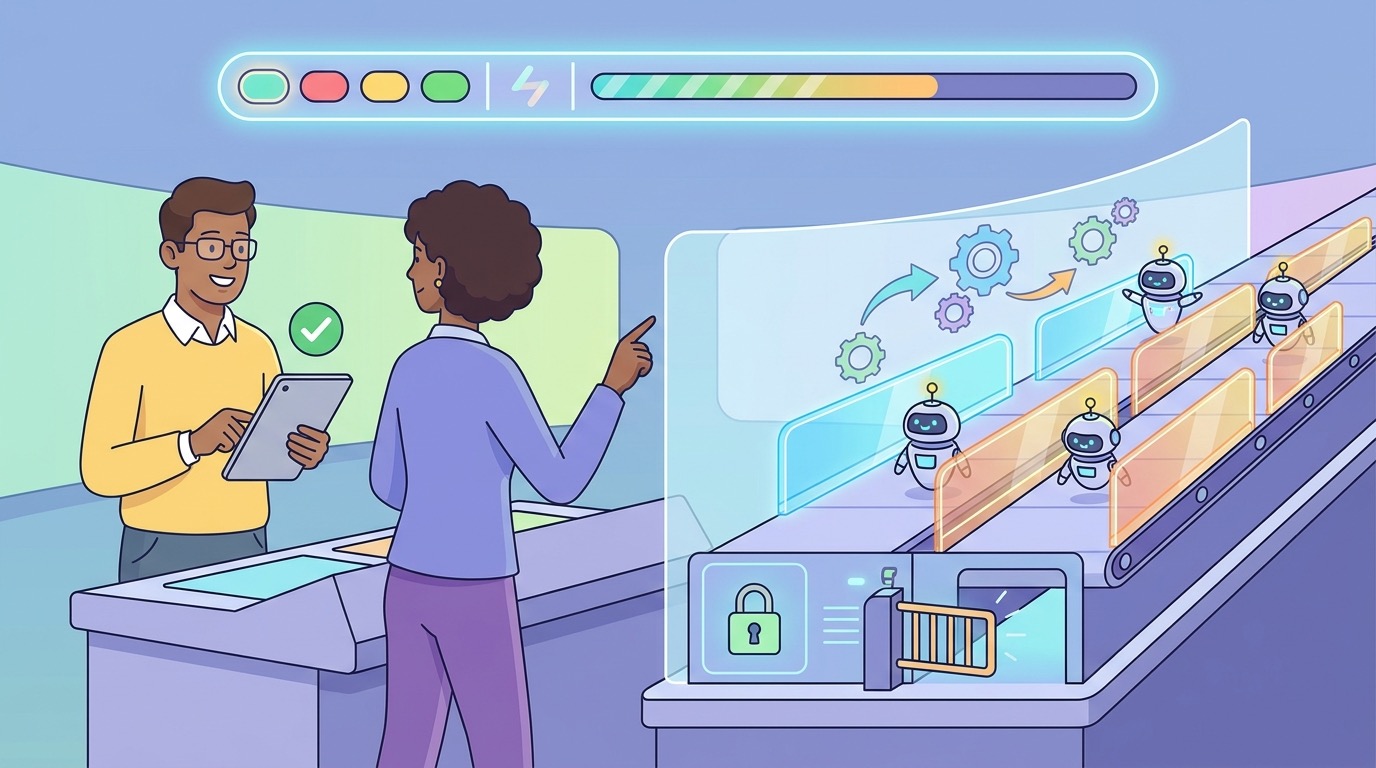
Quick Answer: What Are Claude Code Permissions?
Claude Code permissions are the controls that decide what the coding agent can read, edit, run, delegate, and automate. In normal use, Claude Code is read-only until it needs to modify files or execute commands that may affect your system. When it needs more access, it asks for permission, uses allow/ask/deny rules, and applies configuration from user, project, local, command-line, or managed scopes. The practical goal is not to click “approve” faster. The goal is to make the safe path obvious and the dangerous path noisy.
The best Claude Code setup combines four layers. First, permissions define which tools and commands are allowed, denied, or require confirmation. Second, hooks add programmable checkpoints before and after important events such as tool use, permission requests, file changes, subagent starts, or session stops. Third, subagents isolate noisy research or specialized work in their own context windows with their own tool restrictions. Fourth, a statusline gives you persistent visibility into model, context, cost, directory, git state, or custom risk signals while you work.
This topic is a good fit for a pillar article because search results are fragmented. Official documentation explains each feature, GitHub issues reveal real friction around permission prompts and background agents, and Search Console data for AI Feature Drop already shows Claude permission queries appearing with impressions but low clicks. Users need a single practical guide that turns the docs into a safe operating model.
Why Claude Code Permissions Matter More Now
Claude Code has been moving quickly. Recent changelog entries show a product that is adding more background behavior, more accessibility fixes, more session controls, more managed settings, more subagent limits, and more security-sensitive permission checks. That is good news for power users, but it also means old habits can become unsafe. A developer who treats Claude Code like a simple autocomplete tool may accidentally approve broad commands, let background agents continue working without visibility, or share project settings that are fine on one machine but risky on another.
The analytics story supports the same direction. Over the last 28 complete days, AI Feature Drop received most measurable discovery from Organic Search and Direct traffic. Top performers were practical explainers, especially AI coding workflow guides. Existing Claude pages about usage limits, permissions, subagent permissions, and hooks have small but useful signals: the site has impressions for queries such as “claude code permissions” and “how to handle permissions and data scope when building agents in claude code,” but CTR is still low. That points to an opportunity for a broader pillar that connects scattered Claude Code topics into one strong internal-link hub.
The fixed category sequence also selected Claude for this article because the latest generated labeled post was OpenAI. That matters editorially. AIFeatureDrop already has strong OpenAI Codex coverage and Google/Microsoft agent content. A Claude permissions pillar can strengthen topical authority by linking older Claude pieces together and by targeting a practical search intent: “how do I let an AI coding agent work without giving it unsafe access?”
There is also a timing reason. Claude Code’s official docs now describe more mature controls: settings scopes, workspace trust, hooks, subagents, status lines, sandboxing, security guidance, managed settings, and monitoring. Users are not short on documentation. They are short on judgment. They need help deciding what belongs in project settings, what belongs in local settings, which hooks are useful, when subagents should be blocked, and what to watch during long sessions.
| Signal | What it means for this article |
|---|---|
| GSC impressions for Claude permission queries | There is early search visibility but not enough click capture. |
| GA4 top pages favor practical coding-agent explainers | A hands-on Claude Code workflow guide matches site performance. |
| Official docs are feature-specific | A pillar can connect permissions, hooks, subagents, statuslines, and team policy. |
| GitHub issues show friction around permissions and background agents | Users need debugging and guardrail advice, not just definitions. |
The Claude Code Permission Model in Plain English
Think of Claude Code as a capable teammate sitting at a terminal with a set of keys. Permissions decide which doors are always open, which doors require a yes/no confirmation, and which doors stay locked. The official security documentation says Claude Code uses read-only permissions by default and requests explicit approval before editing files or running commands that can modify the system. It also includes built-in protections such as working-directory boundaries, sandboxing options, prompt-injection defenses, network request approvals, workspace trust, and fail-closed matching for commands that do not clearly match safe rules.
For normal developers, the most important distinction is allow, ask, and deny. An allow rule makes a tool or command run automatically when it matches. An ask rule forces confirmation. A deny rule blocks it. The mistake is assuming allow rules are purely convenience. They are also risk decisions. If an allow rule is too broad, Claude can execute a command repeatedly without asking. If an ask rule is too narrow, you may suffer prompt fatigue and start approving without reading. If a deny rule is too aggressive, the agent becomes useless and starts working around your policy.
Claude Code settings also have scopes. User settings apply across your projects. Project settings are shared with collaborators when committed. Local settings are personal to one repository and normally ignored by git. Managed settings are for organizations that must enforce policy. The ordering matters because managed settings sit at the top and cannot be overridden, while local and project settings shape daily team workflows. Permission rules merge differently from simple settings, so teams should treat them as policy assets rather than random preferences.
A good permission setup begins with a threat model, not a JSON file. Ask what could go wrong if Claude misunderstands the task, reads untrusted content, follows malicious instructions inside a file, runs a command in the wrong directory, or modifies generated files that should be ignored. Then design rules for your actual workflow. A frontend project may safely allow formatting commands and test runs. A production infrastructure repository should be much stricter around shell commands, cloud CLIs, secret files, and network access.
Do not try to eliminate every prompt. Prompts are useful when they appear at the right time. The real target is high-signal prompting: routine safe actions run smoothly, ambiguous actions ask clearly, and risky actions are blocked before fatigue sets in.
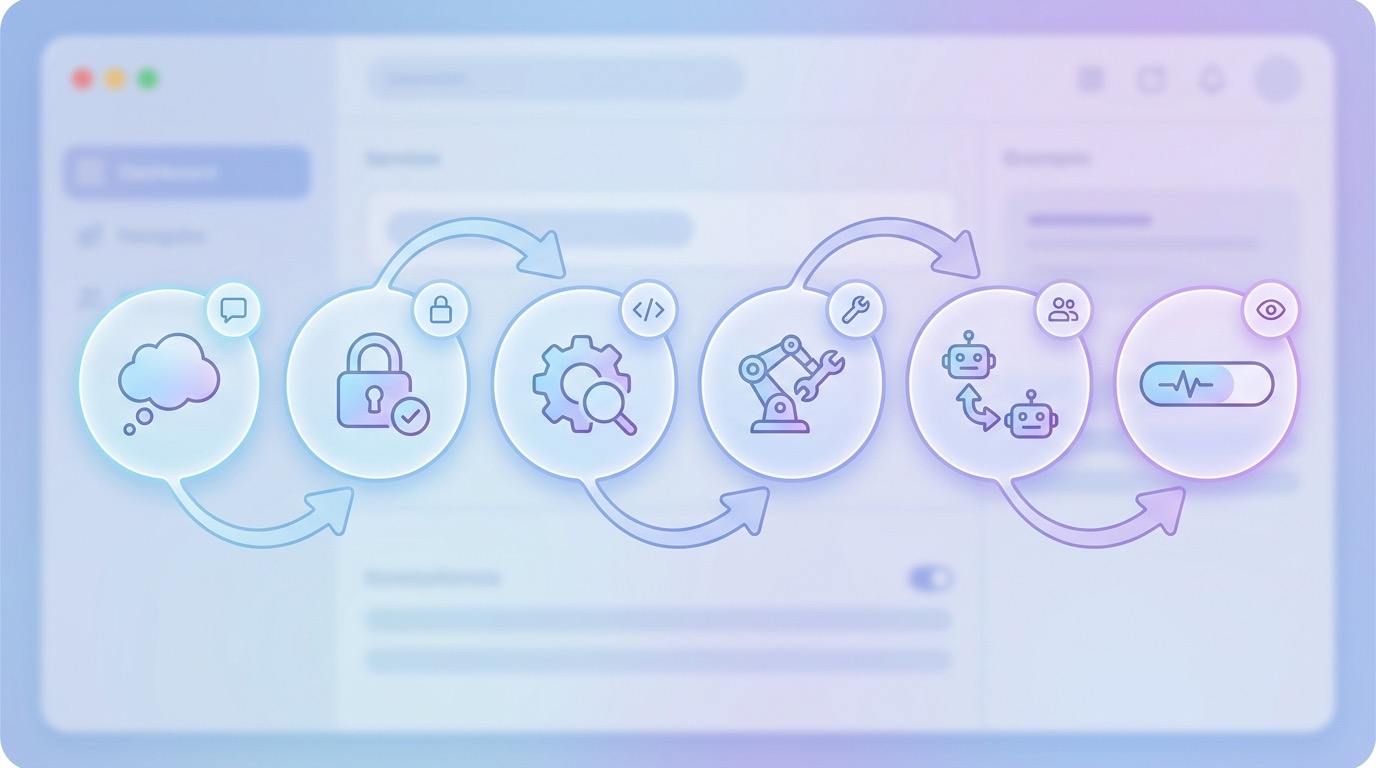
Claude Code Hooks: The Guardrail Layer Most Teams Underuse
Hooks are user-defined shell commands, HTTP endpoints, or prompt hooks that run at specific points in the Claude Code lifecycle. The official hooks reference describes events such as SessionStart, UserPromptSubmit, PreToolUse, PermissionRequest, PostToolUse, SubagentStart, SubagentStop, FileChanged, PreCompact, PostCompact, and SessionEnd. That sounds technical, but the purpose is simple: hooks let your workflow react before or after important agent actions.
The highest-value hooks are not flashy. They are boring safety rails. A PreToolUse hook can block destructive command patterns. A PermissionRequest hook can log why approval was requested. A PostToolUse hook can record commands that changed files. A FileChanged hook can remind the user to run tests when a sensitive file changes. A SessionEnd hook can summarize changed files or write a lightweight audit note. The point is not to create a mini operating system around Claude Code. The point is to reduce the number of decisions a tired developer has to make manually.
Hooks also create a better path for teams. Instead of telling every developer “please remember not to run destructive shell commands,” a project can ship a hook that blocks known bad patterns. Instead of asking people to manually attach the same review checklist, a hook can print it when relevant files change. Instead of relying on memory for policy, the repository can encode policy near the workflow.
There are risks. Hooks run code, so bad hooks are themselves a supply-chain surface. A project-level hook should be readable, minimal, reviewed, and trusted before people approve it. Avoid hooks that silently phone home, scrape secrets, or modify files in surprising ways. Prefer hooks that observe, block, or explain. If a hook writes files or calls external services, document that behavior plainly.
| Hook use case | Good implementation | Risky implementation |
|---|---|---|
| Block dangerous shell commands | Pattern-match known destructive commands and deny with a clear reason. | Try to parse every possible shell expression and accidentally allow edge cases. |
| Audit approvals | Log command, directory, and reason locally for review. | Send sensitive command data to an external endpoint without consent. |
| Test reminders | Suggest relevant tests after source files change. | Run expensive or destructive test suites automatically after every tiny edit. |
| Subagent visibility | Record when a subagent starts and stops. | Create nested automation that spawns more work without user awareness. |
Start with one hook: a readable PreToolUse guard for destructive commands or sensitive paths. Once the team trusts that, add observability hooks. Only later should you add workflow automation hooks. This gradual approach avoids the most common failure mode: a clever hook system that nobody understands and everyone eventually disables.
Claude Code Subagents: Keep Noisy Work Out of the Main Conversation
Subagents are specialized AI assistants that handle particular tasks in their own context windows. The official subagents documentation says they are useful when a side task would flood the main conversation with search results, logs, file contents, or specialized analysis. A subagent can have a custom prompt, specific tool access, a model choice, and independent constraints. Built-in subagents such as Explore and Plan can help with research and planning, while custom subagents can handle recurring tasks such as security review, test analysis, documentation cleanup, or migration planning.
For permission design, subagents matter because they separate capability from context. A read-only exploration agent can inspect code and return a concise summary without filling your main session. A documentation agent can be allowed to read docs and propose changes but denied shell commands. A test-debugging agent can be allowed to read test output and suggest likely causes without editing files. This is cleaner than giving one general agent every tool for every task.
Search-gap research showed strong recent friction around background agents and subagent behavior in the Claude Code repository. Issues and changelog entries mention nested background agents, concurrency caps, budget caps, lost or stuck background sessions, and limits around subagent spawning. That does not mean subagents are bad. It means they should be intentionally constrained. If a subagent can spawn more subagents, run expensive tasks, or continue after the main user has lost context, it needs guardrails.
Use subagents when
- The task is noisy but the final answer can be short.
- The task needs a specialized checklist or persona.
- You want a lower-cost or read-only worker for exploration.
- You want to prevent one task from polluting the main context.
- The same review pattern repeats across projects.
Avoid subagents when
- The task is simple enough for the main conversation.
- You cannot explain what tools the subagent should have.
- The subagent would need broad write access and vague goals.
- You are using subagents to avoid understanding the work.
- The workflow could create nested or long-running automation.
A practical team pattern is to define a few named agents: a read-only explorer, a security reviewer, a documentation reviewer, and a test failure analyst. Keep their tool lists tight. Make the description field precise so Claude knows when to delegate. For example, a security reviewer should not be a general coding agent. It should inspect diffs, identify risky patterns, cite files, and recommend fixes. If it needs edits, the main agent can apply them with visible approval.
Subagents are also a cost-control feature. When they run with cheaper models or narrower context, they can reduce waste. But this only works if the subagent is scoped. A vague “go investigate everything” agent can burn context and time. A specific “read these failing test logs and identify likely root causes” agent is much safer.
Claude Code Statusline: Put Risk Signals Where You Can See Them
The Claude Code statusline is a customizable bar at the bottom of the interface. According to the official documentation, it can run a command that receives JSON session data through stdin and prints whatever you want displayed. Common examples include model name, context usage, cost, working directory, git branch, and progress bars. The statusline does not replace good permissions, but it solves a different problem: awareness.
Agentic coding fails quietly when the user loses situational awareness. You forget which repository you are in. You stop noticing the context window is nearly full. You switch models and do not realize you are using a higher-cost setup. You keep asking follow-up questions after the session has drifted from the original task. A statusline can make those signals visible without requiring another command.
For individual developers, a good statusline might show current directory, git branch, model, context percentage, and estimated session cost if available. For teams, it can show environment labels such as “production repo,” “sandbox mode,” or “local settings active.” For security-sensitive projects, it can show whether sandboxing is enabled, whether there are uncommitted changes, or whether a hook audit file has recent entries.
The widget above is intentionally simple. It does not calculate security. It forces the right conversation. The more sensitive your code, the more autonomous your setup, and the more people who share it, the more your Claude Code configuration should move from personal convenience to reviewed policy.
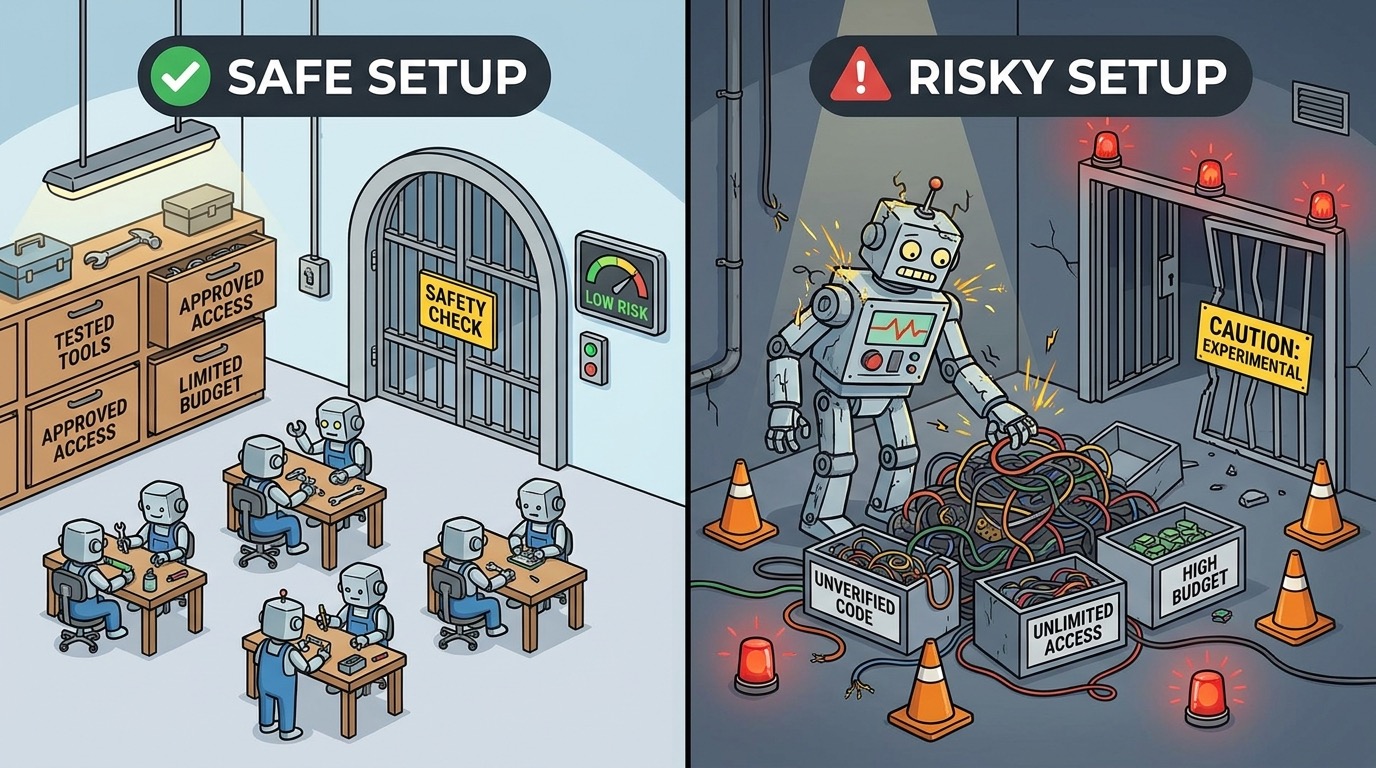
A Practical Claude Code Permission Setup for Teams
Here is a sensible starting pattern for teams that want Claude Code to be useful without becoming a governance headache. First, leave global user settings personal. Do not ask developers to copy a giant shared user configuration into their home directories. Second, put only reviewed, repository-specific rules into project settings. Third, keep machine-specific approvals in local settings. Fourth, use a short CLAUDE.md or project instructions file for workflow norms, but do not stuff it with vague policy that nobody reads.
For permissions, allow low-risk commands that the team already trusts, such as repository-specific test commands, formatters, linters, or build checks. Ask for commands that modify files, install packages, access the network, or run broad shell expressions. Deny known dangerous commands and sensitive paths. If your repository contains secrets, infrastructure definitions, database migrations, or deployment scripts, create stricter rules for those directories.
For hooks, start with two. Use a PreToolUse hook to block obvious destructive shell commands and sensitive path writes. Use a SessionEnd or PostToolUse hook to write a lightweight local audit of commands and changed files. Keep the scripts short enough for a reviewer to understand in one sitting. Avoid clever dependencies unless the team already uses them.
For subagents, define only the agents you genuinely need. A read-only explorer is almost always useful. A security reviewer is useful if you have a checklist. A test analyst is useful if your failures are noisy. A documentation agent can help with release notes and API docs. Do not create ten agents because it feels advanced. Every agent is another policy surface.
For statuslines, show information that changes user behavior. A pretty statusline that shows the time is harmless, but not strategic. A statusline showing branch, dirty git state, model, context usage, and session cost can prevent mistakes. If a user sees “main branch” or “production-infra” while approving a command, they are more likely to slow down.
| Layer | Recommended first move | Why it helps |
|---|---|---|
| Permissions | Allow only boring repo checks; ask for broad shell; deny destructive patterns. | Reduces prompt fatigue while preserving meaningful approvals. |
| Hooks | Add one readable PreToolUse guard and one local audit hook. | Creates safety and traceability without heavy process. |
| Subagents | Define a read-only explorer and one specialist reviewer. | Keeps noisy work separate and limits tool access. |
| Statusline | Show model, context, cost, branch, and directory. | Improves situational awareness during long sessions. |
| Documentation | Write a short team policy in the repository. | Makes approvals and agent behavior reviewable. |
This setup also improves SEO relevance for AIFeatureDrop’s Claude content. Older internal posts cover specific pieces: Claude Code permission rules, Claude Code subagent permissions, Claude Code hooks, and Claude Code statusline permission alerts. This pillar ties those pieces together and gives Google a stronger hub page to understand the site’s Claude Code coverage.
Claude Code Permissions Checklist
Use this checklist before you turn a personal Claude Code experiment into a team workflow. It is deliberately practical. If you cannot answer one of these questions, pause before adding more automation.
1. Define the repository risk level
Is this a toy project, a normal app, a customer system, an auth service, an infrastructure repository, or a regulated codebase? The same permission rule is not equally safe everywhere. A command that is harmless in a local demo can be risky in production infrastructure.
2. Decide what the agent may do without asking
Auto-approval should be reserved for repetitive, low-risk actions. Formatters, read-only search, small local tests, and harmless project commands may qualify. Package installs, network calls, cloud CLIs, database commands, and broad shell scripts should not be casually allowed.
3. Decide what must always ask
Anything that changes dependencies, deletes files, writes outside expected directories, touches secrets, modifies deployment files, or uses network access should ask until the team has reviewed a safer pattern.
4. Decide what must be denied
Deny rules are appropriate for known bad patterns: destructive deletes, writes to secrets, production deploy commands, credential printing, suspicious network pulls, and commands that bypass your team’s normal review process.
5. Review project-shared settings like code
If a settings file changes what Claude Code can do for every collaborator, it deserves code review. Treat it like CI configuration, not like a personal editor theme. Add comments in surrounding documentation if the JSON format itself does not support enough explanation.
6. Keep local approvals local
Personal “don’t ask again” choices should not accidentally become team policy. Use local settings for machine-specific paths, personal tools, and temporary experiments.
7. Add one visibility layer
Whether you use a statusline, an audit log, or both, make agent actions visible. Invisible automation is where trust breaks down.
8. Run a tabletop failure test
Ask: what happens if Claude reads a malicious README, tries to run a destructive command, edits the wrong file, starts a long background task, or burns through context? If the answer is “we would notice only after damage,” add a guardrail.
9. Link policy to training
Developers need to know why a prompt appears. A short team note explaining “approve these, question these, deny these” is more effective than a complex rules file with no context.
10. Revisit after product updates
Claude Code is changing frequently. Revisit permissions after major updates, new subagent behavior, new hooks, new permission modes, or new managed settings. A safe configuration is not a one-time artifact.
Search-Gap and Data-Gap Findings Behind This Article
The selected topic was validated through three inputs. First, analytics showed that AI Feature Drop’s strongest measurable pages are practical AI coding and product-feature explainers. Second, Search Console showed Claude permission-related queries with impressions but weak click capture, which suggests the site has partial relevance but needs a stronger hub. Third, recent official and community sources showed that Claude Code permissions are not a static topic. The changelog and docs include updates around permission checks, hooks, managed settings, background sessions, subagents, statusline behavior, sandbox restrictions, workspace trust, and telemetry.
The content gap is the missing “operating model.” Official docs describe individual features. GitHub issues show bugs and friction. Search results surface an AI overview and documentation pages. But many developers need a decision guide: what should I allow, what should I deny, when should I use hooks, how should I scope subagents, and what should a team monitor? That is the information gain this article adds.
There is also an internal-linking gap. AIFeatureDrop already has several Claude articles, but without a strong pillar, those posts behave like separate tips. This guide turns them into a topic cluster by linking permission rules, subagent permissions, hooks, statusline alerts, usage limits, and usage-reduction habits into one coherent path.
Keep Learning on AI Feature Drop
- Claude Code Permission Rules Explained — learn the allow, ask, and deny structure in more detail.
- Claude Code Subagent Permissions — decide how much access specialized workers should receive.
- Claude Code Hooks Team Rollout Guide — automate checks without hiding risk.
- Claude Code Statusline Permission Alerts — show cost, git state, and risk warnings while you work.
- Claude Code Usage Limits Explained — understand rate windows and practical usage pressure.
- How to Reduce Claude Code Usage — reduce waste with better prompts, context management, and checkpoints.
- OpenAI Codex Pricing and Usage Limits — compare Claude Code controls with another agentic coding workflow.
- ChatGPT Desktop App Work and Codex Guide — choose the right AI coding mode for real projects.
Sources and References
- Anthropic Claude Code docs: settings and configuration scopes
- Anthropic Claude Code docs: hooks reference
- Anthropic Claude Code docs: custom subagents
- Anthropic Claude Code docs: statusline
- Anthropic Claude Code docs: security safeguards and best practices
- Anthropic Claude Code changelog on GitHub
- Anthropic Claude Code GitHub issues
Claude Code changes quickly. Verify your installed version, active settings, organization policy, and current Anthropic documentation before applying security-sensitive configuration.
FAQ: Claude Code Permissions, Hooks, Subagents, and Statuslines
What are Claude Code permissions?
Claude Code permissions are rules and prompts that control what the agent can do with tools, files, shell commands, subagents, and automation. They help decide what runs automatically, what asks for approval, and what is denied.
Should I allow Claude Code to run commands automatically?
Only for low-risk, well-understood commands such as local formatters, linters, or specific test commands. Broad shell access, network commands, package installs, deployment commands, and destructive operations should ask or be denied.
What is the safest first hook to add?
A simple PreToolUse hook that blocks obvious destructive commands or sensitive paths is usually the safest first hook. Keep it short, readable, and reviewed by the team.
Are Claude Code subagents safe?
Subagents can be safe when scoped carefully. Use them for noisy or specialized work, restrict their tools, and avoid vague agents with broad write access or nested background behavior.
What should a Claude Code statusline show?
A practical statusline should show signals that change behavior: current directory, git branch, dirty state, model, context usage, cost, sandbox status, or project risk label.
Where should team permissions live?
Shared repository policy belongs in reviewed project settings. Personal approvals and machine-specific paths belong in local settings. Organization-wide controls belong in managed settings.
How often should we review Claude Code permissions?
Review permissions after major Claude Code updates, after new hooks or agents are added, after incidents or near misses, and whenever the repository risk level changes.
Can hooks replace human review?
No. Hooks reduce repetitive risk and improve visibility, but developers still need to review commands, diffs, generated code, and security-sensitive changes.
Post a Comment