
Claude Code Network Allowlist Guide: Stop Unsafe Agent Requests Without Prompt Fatigue
Claude Code can read, edit, test, delegate, and call tools inside increasingly capable agentic workflows. That power is useful only when network access is intentional. This guide explains how strict network allowlists fit with permissions, sandboxing, hooks, and team policy so agents can fetch what they need without turning every internet request into a stressful approval moment.
Quick Answer: What Is a Claude Code Network Allowlist?
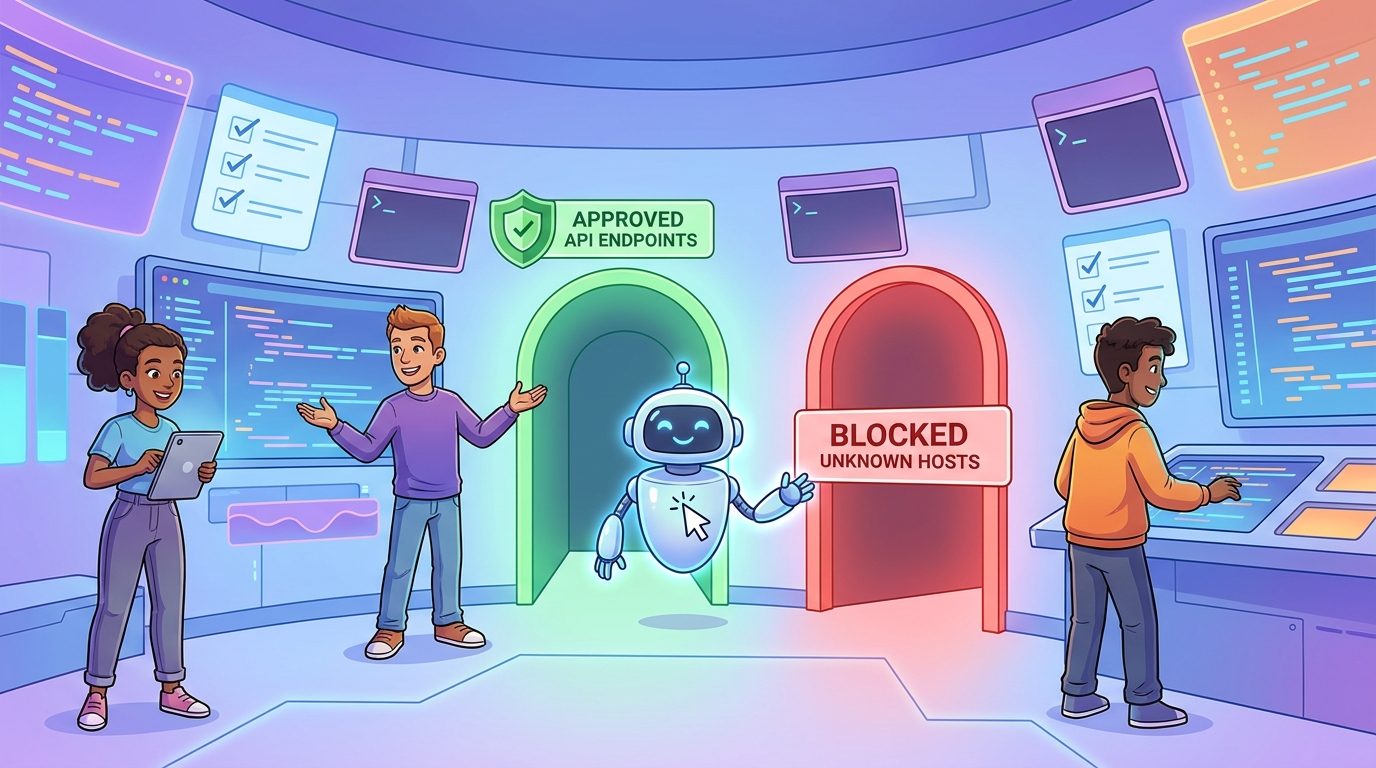
A Claude Code network allowlist is a deliberately small list of internet hosts that sandboxed commands may contact without opening the door to the rest of the web. In the recent Claude Code changelog, Anthropic added a sandbox.network.strictAllowlist setting that can deny non-allowlisted hosts for sandboxed commands without prompting. In plain English: when sandboxing is active, the agent can be allowed to reach known-safe domains and blocked from unknown destinations instead of asking you about every surprise network request.
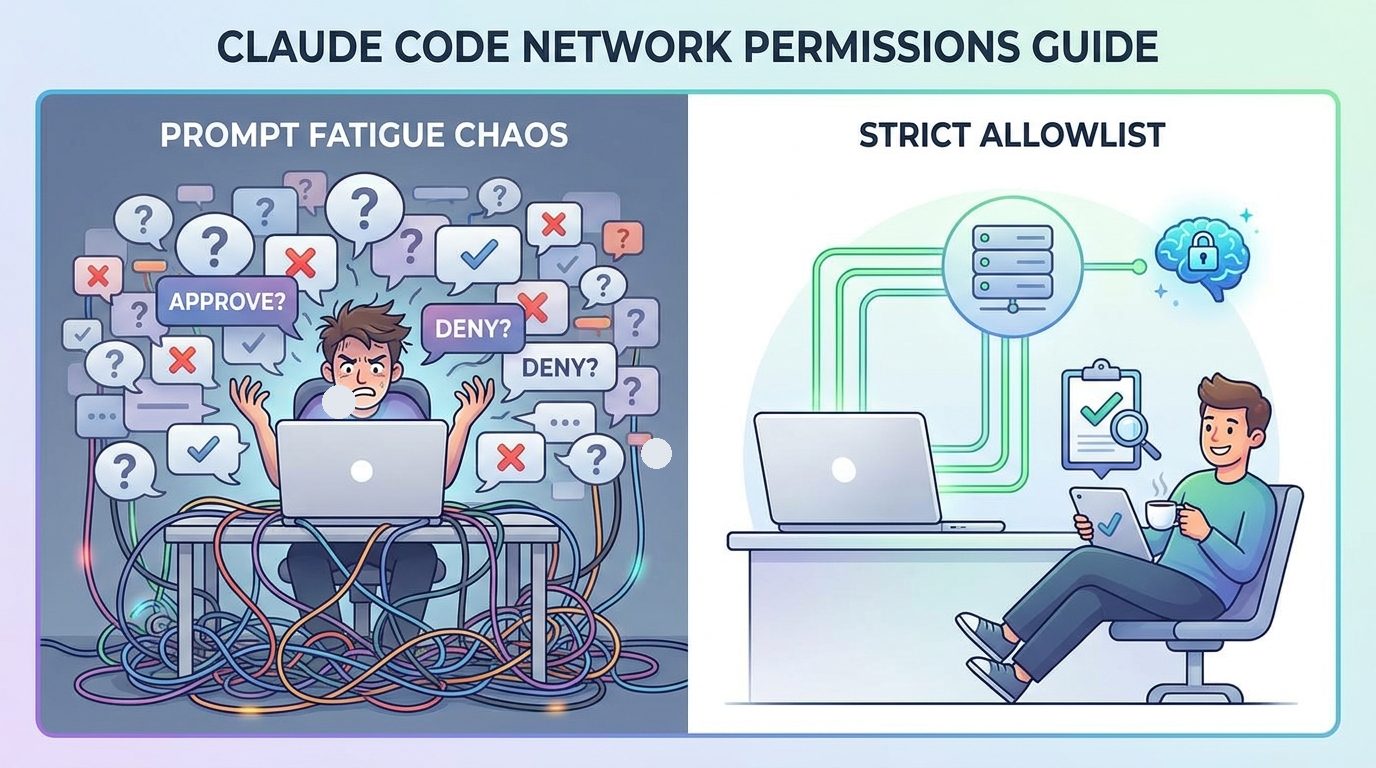
That is different from simply clicking “allow” on a Bash command. A Bash permission answers whether a command can run. A network allowlist answers where that command may reach. The distinction matters because modern coding agents often need package registries, documentation sites, internal APIs, MCP servers, test containers, and model endpoints. If every request prompts, developers get approval fatigue. If everything is open, the agent may fetch untrusted content, leak context to the wrong endpoint, or follow a malicious instruction hidden in a dependency, README, issue, or webpage.
This article is a focused cluster guide for the broader Claude Code Permissions Guide: Safer Hooks, Subagents, and Statuslines pillar. The pillar explains permissions, hooks, subagents, and statuslines as one operating model. This narrower guide answers a practical follow-up question teams quickly run into: “How do we let Claude Code work online without approving random network requests all day?”
Why Network Allowlists Matter More as Claude Code Gets More Agentic
Claude Code is no longer just an assistant that suggests edits. The product now sits inside workflows with permission modes, hooks, background review tasks, subagents, sandboxing, MCP tools, managed settings, statusline visibility, and larger agent teams. Those features create real leverage. They also create more places where a command can cross a trust boundary. A simple grep is local. A test command that downloads dependencies, calls a cloud API, opens an internal service, or follows a URL from a generated script is not local anymore.
Anthropic’s security documentation describes Claude Code as permission-based by default: it is read-only until edits, commands, or other sensitive actions require approval. It also calls out network request approval, prompt injection risk, workspace trust, fail-closed matching, sandboxed Bash, and prompt-fatigue mitigation. The strict allowlist update is important because it tightens one of the hardest areas to supervise manually: outbound network behavior from agent-run commands.
Analytics also support this cluster topic. AIFeatureDrop’s recent GA4 report showed 423 active users, 538 sessions, 796 page views, and 209 engaged sessions for the last 28 complete days, with Organic Search as the strongest discovery channel. The best-performing content pattern is practical AI coding workflow guidance: Codex limits, Copilot credits, Claude usage, and agent safety posts. Search Console showed early impressions for “claude code permissions” and a long-tail query about handling permissions and data scope when building agents in Claude Code. That is exactly the gap this article targets: not abstract AI safety, but the working developer’s question of which controls to use before an agent touches the network.
There is also a search gap. Official documentation explains the building blocks, while changelogs announce what changed. What is missing is a connective guide that turns those pieces into a rollout plan. A team lead does not only need to know that strict allowlists exist. They need to know which hosts belong on the list, which requests should still ask, which should be denied, how hooks should audit decisions, and how to avoid teaching developers to approve prompts without reading them.
| Signal | What it means | Article response |
|---|---|---|
Recent changelog mentions sandbox.network.strictAllowlist | Network control is an active product area, not an old static setting. | Explain the feature in the context of sandboxed commands and team policy. |
| Claude permission queries appear in GSC | AI Feature Drop has topical relevance but needs more precise cluster support. | Target a focused long-tail keyword around network allowlists and prompt fatigue. |
| Official docs are fragmented by feature | Users must connect permissions, sandboxing, hooks, and statuslines themselves. | Provide a practical decision model and rollout checklist. |
| Agentic coding workflows contact external systems | Network requests are both useful and risky. | Show when to allow, ask, block, and audit. |
The Mental Model: Command Permission Is Not Network Permission
The easiest mistake is to treat “Can Claude run this command?” as the whole security question. It is only the first half. The second half is “What can happen after that command starts?” A test runner may read environment variables, download packages, call a database, contact telemetry, or execute scripts from dependencies. A curl command may be harmless if it fetches official docs, risky if it fetches a random paste, and unacceptable if it sends repository context to an unknown endpoint. A package manager may need a registry, but not the entire internet.
That is why network allowlisting is so useful. It turns open-ended internet access into a named set of expected destinations. For a normal web app, that list might include a package registry, an internal mock API, a local development host, documentation domains, and a CI artifact store. For an infrastructure repository, the list may be much smaller. For a sensitive auth or payments repository, the safest first answer may be no outbound network access from agent-run commands unless a human runs the command outside the agent.
Claude Code’s permission modes still matter. Manual mode keeps tight review. Accept Edits lets file work move faster while other sensitive actions still prompt. Plan mode is useful for reading and analysis before edits. Auto mode can reduce prompts for long tasks but needs stronger guardrails. Bypass permissions belongs only in isolated containers or virtual machines. A strict network allowlist is not a replacement for choosing the right mode. It is a network boundary that supports the mode you choose.
Think in four lanes
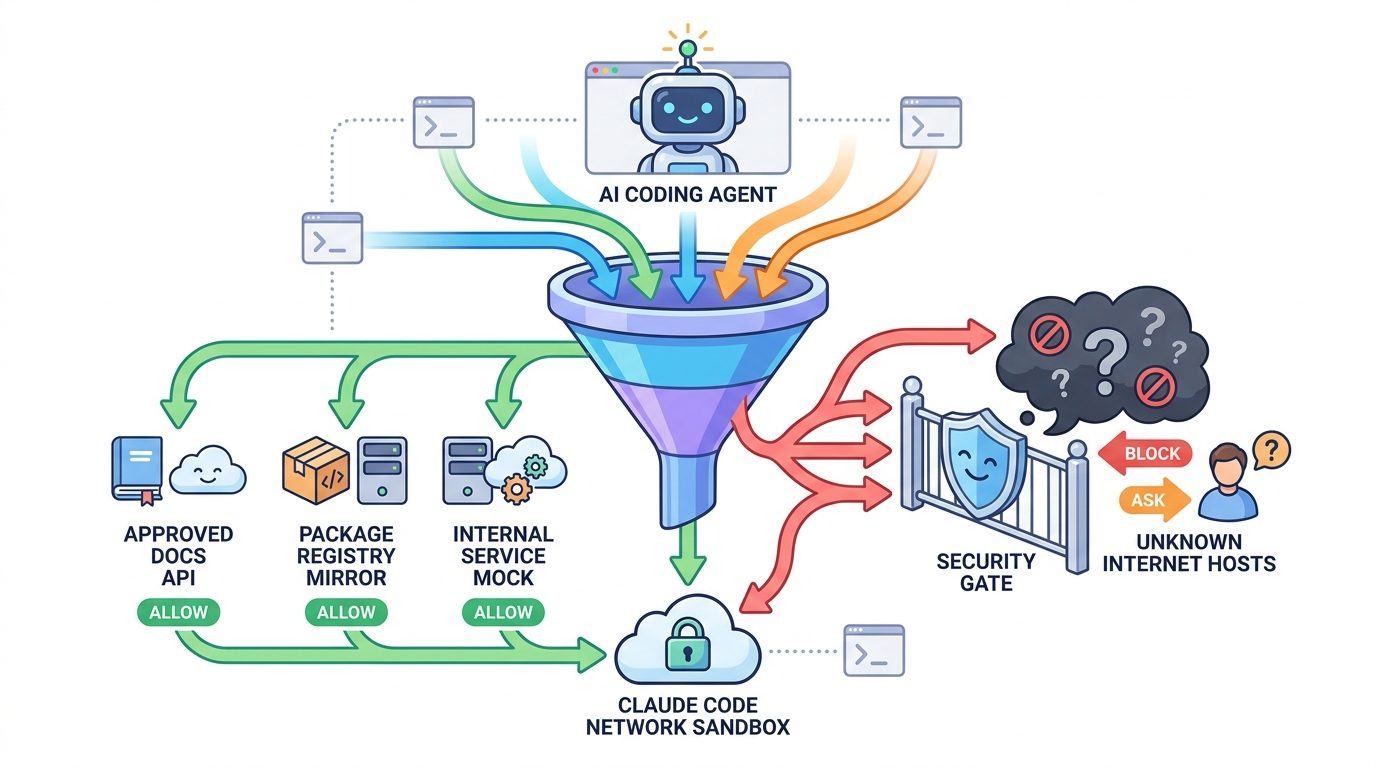
A practical setup has four lanes. The first lane is always allowed: boring, expected hosts that a sandboxed command needs to complete routine work. The second lane is ask first: useful but situational destinations such as a new documentation domain, temporary migration endpoint, or external sample repository. The third lane is always denied: unknown paste sites, personal file-sharing links, production databases, credential endpoints, or any destination that should never be contacted by an autonomous coding agent. The fourth lane is human outside the agent: actions so sensitive that they should not be delegated even with a prompt.
This model is more usable than a giant yes/no rule. Developers can understand it. Security reviewers can audit it. Claude can operate inside it. Most importantly, it reduces the number of approvals that appear during normal work, which makes the remaining approvals more meaningful.
How to Plan a Claude Code Network Allowlist
Do not begin by hunting for every possible domain your project might contact. Begin with the workflow you want Claude Code to run. A good allowlist is not a mirror of your browser history. It is a minimal support system for a specific agent task.
1. Pick one repeatable workflow
Start with something bounded: run unit tests, update docs, perform a dependency audit, generate a migration plan, or review a pull request. Write down what the agent needs to read, which commands it needs to run, and whether any command should contact the network. If the task can succeed without network access, keep the network closed. If the task needs network access, name the exact reason.
2. Separate build-time network from research network
Build-time network access is usually predictable: package registries, internal artifact stores, container registries, and local service endpoints. Research network access is more dangerous because it may pull in untrusted text. Official docs are safer than random forum snippets, but they are still external content. If Claude needs to research, consider a read-only subagent with limited browsing or a human-curated source list rather than broad outbound access from shell commands.
3. Prefer mirrors and mocks for sensitive projects
Teams with stricter requirements should use internal package mirrors, local mock APIs, recorded fixtures, or private documentation snapshots. That way the allowlist can point at infrastructure the team controls. This is especially useful when tests normally reach SaaS APIs. An agent does not need live production access to verify most code changes.
4. Make unknown hosts boringly blocked
The value of sandbox.network.strictAllowlist is not that it makes every network decision exciting. The value is that non-allowlisted hosts can be denied without prompting. A blocked unknown host should be a normal event, not an emergency. If a legitimate workflow breaks, add a reviewed allowlist entry with a reason. If it was unnecessary, leave it blocked.
5. Add a hook for visibility
Hooks are a natural companion to network policy. A PermissionRequest or PreToolUse hook can record why a command wanted network access, which working directory it ran in, and what the developer decided. A PostToolUse hook can write a lightweight local audit when network-sensitive commands succeed. The hook should be simple and readable. Do not create a surveillance system; create a review trail.
6. Put team policy in the right scope
Claude Code settings have scopes: managed, user, project, and local. Personal preferences belong in user settings. Team-shared rules belong in reviewed project settings. Machine-specific choices belong in local settings. Organization-wide restrictions belong in managed settings. A network allowlist that affects everyone should be treated like CI configuration: reviewed, explained, and changed deliberately.
Practical Examples: What Belongs on the Allowlist?
The right answer depends on the repository, but examples make the decision easier. The goal is not to publish a universal list. The goal is to train judgment.
| Workflow | Usually safe to allowlist | Should ask or be reviewed | Usually deny |
|---|---|---|---|
| Frontend unit tests | Localhost services, internal package mirror, approved test asset host. | New CDN, external visual snapshot service, browser download endpoint. | Unknown paste links, production analytics endpoints, personal file shares. |
| Dependency updates | Approved package registry or internal mirror. | New registry, migration guide, official vendor changelog. | Install scripts from unknown domains or one-off shell installers. |
| Documentation rewrite | Official product documentation domains selected by the team. | Community forum threads, GitHub issues, third-party tutorials. | Random copied commands from comments or untrusted snippets. |
| API integration tests | Local mocks, staging-only test services, contract-test server. | Temporary sandbox tenant, vendor test endpoint. | Production customer APIs, credential endpoints, live payment rails. |
| Security review | Internal docs, local scanners, approved vulnerability database mirror. | External advisories after human review. | Uploading code or secrets to unknown scanners. |
Notice the pattern: allowlist entries should be specific and justified. “The internet” is not an allowlist. “All GitHub URLs” may still be too broad for some repositories, because a GitHub issue or raw file can contain prompt-injection text. “The official docs page for the SDK we are updating” is easier to defend. “Our internal registry mirror” is easier to audit.
Good allowlist habits
- Start with one workflow and one repository.
- Prefer official docs, internal mirrors, mocks, and staging-only hosts.
- Require a reason for every new host.
- Log blocked unknown hosts during early rollout.
- Review entries when the workflow changes.
Risky allowlist habits
- Adding wildcard domains because one test failed.
- Allowing production APIs for convenience.
- Letting package install scripts fetch from anywhere.
- Mixing personal local approvals into shared policy.
- Ignoring repeated blocked hosts instead of investigating them.
A safe first-week rollout
For the first week, keep the setup conservative. Run Claude Code in a sandboxed mode for one repeatable task. Allow only the domains needed for that task. Log blocked destinations. When a legitimate request is blocked, ask three questions before adding it: does the agent truly need this destination, can we replace it with a local fixture or mirror, and should this be project-wide or local-only? This is slower than “just allow it,” but only for the first few runs. Once the workflow stabilizes, the prompts drop and the policy becomes boring.
Team Policy: Combine Allowlists With Permissions, Hooks, Subagents, and Statuslines
A network allowlist works best as part of a layered Claude Code setup. If you rely on allowlists alone, you may still approve dangerous commands. If you rely on command permissions alone, you may still miss surprising outbound behavior. If you rely on hooks alone, you may only learn about risk after it happened. The layers support each other.
Permissions decide which tools and commands are allowed, denied, or require confirmation. Keep broad shell commands in ask mode until you know what they do. Deny obvious destructive patterns. Allow only boring commands that the team already understands.
Sandboxing narrows what commands can touch. Filesystem and network isolation reduce the blast radius of a mistaken approval. The strict network allowlist belongs here because it turns network access into a defined boundary.
Hooks add programmable checkpoints. Use them to block known risky patterns, log permission requests, summarize changed files, or remind developers to run verification when sensitive areas change. Keep hooks reviewed and simple. A hook that nobody understands becomes another risk surface.
Subagents isolate noisy work. A read-only research subagent can inspect docs and return a summary without giving the main implementation agent broad write and network capabilities. A security reviewer subagent can analyze diffs without applying changes. This helps prevent one general-purpose agent from having every capability all the time.
Statuslines make the setup visible. Show directory, branch, model, context usage, cost, sandbox state, or project risk label. The point is not decoration. The point is to remind developers what environment they are approving actions in.
This widget is not a compliance tool. It is a conversation starter. The more sensitive the repository, the more people who share the rules, and the more live systems the agent might reach, the more the setup should move from personal convenience to reviewed policy.
Troubleshooting: When Strict Allowlists Break a Claude Code Workflow
The agent says a command failed, but the command works outside Claude Code
That is expected if the command needs a network host that is blocked inside the sandbox. Compare the environment. Outside the agent, your shell may have open network access. Inside the sandbox, non-allowlisted destinations may be denied. Do not immediately add a wildcard. Identify the exact host, confirm why the task needs it, and decide whether to allow, ask, mock, or keep blocked.
A package install fails because it contacts more hosts than expected
Package managers can contact registries, CDNs, metadata services, postinstall scripts, and mirrors. This is one reason internal mirrors are useful. If the install path is too noisy, consider locking dependencies, using a mirror, disabling install scripts where appropriate, or running dependency changes as a human-reviewed step outside the agent.
Claude keeps asking for network permissions
Repeated prompts usually mean the workflow is not well-modeled. Either the task needs a reviewed allowlist entry, or the agent is trying to do online research that should be handled separately. Use a subagent for research, curate sources, or provide local documentation. The answer is rarely “approve everything.”
A legitimate host was blocked
Good. That means the control is working. Add a short review step: who requested the host, which workflow needs it, whether a safer alternative exists, whether it belongs in project or local settings, and when it should be reviewed again. Then update the rule deliberately.
Developers are bypassing the policy
If people bypass rules, the policy may be too noisy, too vague, or blocking common work without explanation. Talk to the developers before tightening further. A strict allowlist should make safe work smoother, not turn every command into paperwork. Use audit data to remove unnecessary prompts and clarify real risks.
The allowlist is growing too quickly
Growth is a warning sign. Group hosts by purpose: package registry, docs, internal service, test endpoint, model/API endpoint, security feed. If a host does not fit a purpose, it probably needs more scrutiny. If many hosts fit the same purpose, look for a mirror, proxy, or fixture strategy.
Claude Code Network Allowlist Checklist
Use this checklist before sharing a network policy with a team. It is intentionally practical and conservative.
A useful internal review question is: “Would we still be comfortable with this host if the agent read a malicious README and tried to follow instructions from it?” If the answer is no, the host should not be broadly allowlisted. Use ask mode, a curated source, or a human handoff instead.
Keep Learning on AI Feature Drop
- Claude Code Permissions Guide: Safer Hooks, Subagents, and Statuslines — the broader pillar covering permissions, hooks, subagents, and statuslines together.
- Claude Code Permission Rules Explained — understand allow, ask, and deny rules before adding network policy.
- Claude Code Hooks Team Rollout Guide — add audit and guardrail automation without hiding risk.
- Claude Code Subagent Permissions — isolate research, review, and implementation workers with tighter tool access.
- Claude Code Statusline Permission Alerts — keep risk, cost, context, and git state visible while agents work.
- Claude Code Usage Limits Explained — connect safety controls with cost and session planning.
Sources and References
- Anthropic Claude Code changelog
- Claude Code security documentation
- Claude Code permission modes documentation
- Claude Code settings and configuration scopes
- Claude Code hooks reference
- Claude Code subagents documentation
Claude Code features and settings can change quickly. Verify your installed version, active sandbox configuration, organization policy, and current Anthropic documentation before applying security-sensitive controls.
FAQ: Claude Code Network Allowlists
What is the difference between a permission rule and a network allowlist?
A permission rule controls whether Claude Code may use a tool or run a command. A network allowlist controls which hosts sandboxed commands may contact. Good setups use both because a command can be allowed while its outbound destinations remain restricted.
Should every Claude Code project use a strict network allowlist?
Not every toy project needs a complex policy, but any repository with customer data, credentials, internal APIs, paid services, compliance requirements, or shared team automation should consider strict network boundaries for agent-run commands.
Can an allowlist reduce prompt fatigue?
Yes. Expected safe destinations can be pre-approved inside a sandboxed workflow, while unknown hosts are denied or sent through a deliberate review path. That reduces noisy prompts and makes the remaining prompts more meaningful.
Should package registries be allowlisted?
Only if the workflow needs them and the team understands the risk. Internal mirrors or locked dependency workflows are safer for sensitive repositories. Avoid broad network access just because a package command failed once.
What should be denied by default?
Unknown paste sites, personal file shares, production customer APIs, credential endpoints, live payment systems, and any destination that could receive sensitive repository context should be denied unless a reviewed exception exists.
How do hooks help with network policy?
Hooks can log permission requests, block risky command patterns, record changed files, and create a lightweight audit trail. They should be short, reviewed, and easy for developers to understand.
Can subagents have different network expectations?
Yes. A read-only research subagent may need curated documentation access, while an implementation agent may need no external network at all. Separating duties makes permissions easier to reason about.
What is the safest way to add a new host?
Document who requested it, which workflow needs it, why a local mock or mirror will not work, whether the rule should be project-wide or local-only, and when the entry should be reviewed again.
Post a Comment