
Claude Code Data Scope Guide: Handle Agent Permissions Without Leaking Context
Claude Code permissions are not only about whether an agent may run a command. The harder question is what project data, tools, files, subagents, MCP servers, and approval history the agent can see while it works. This guide turns that messy safety problem into a practical workflow developers can actually use.
Claude Code Data Scope Permissions: Quick Answer
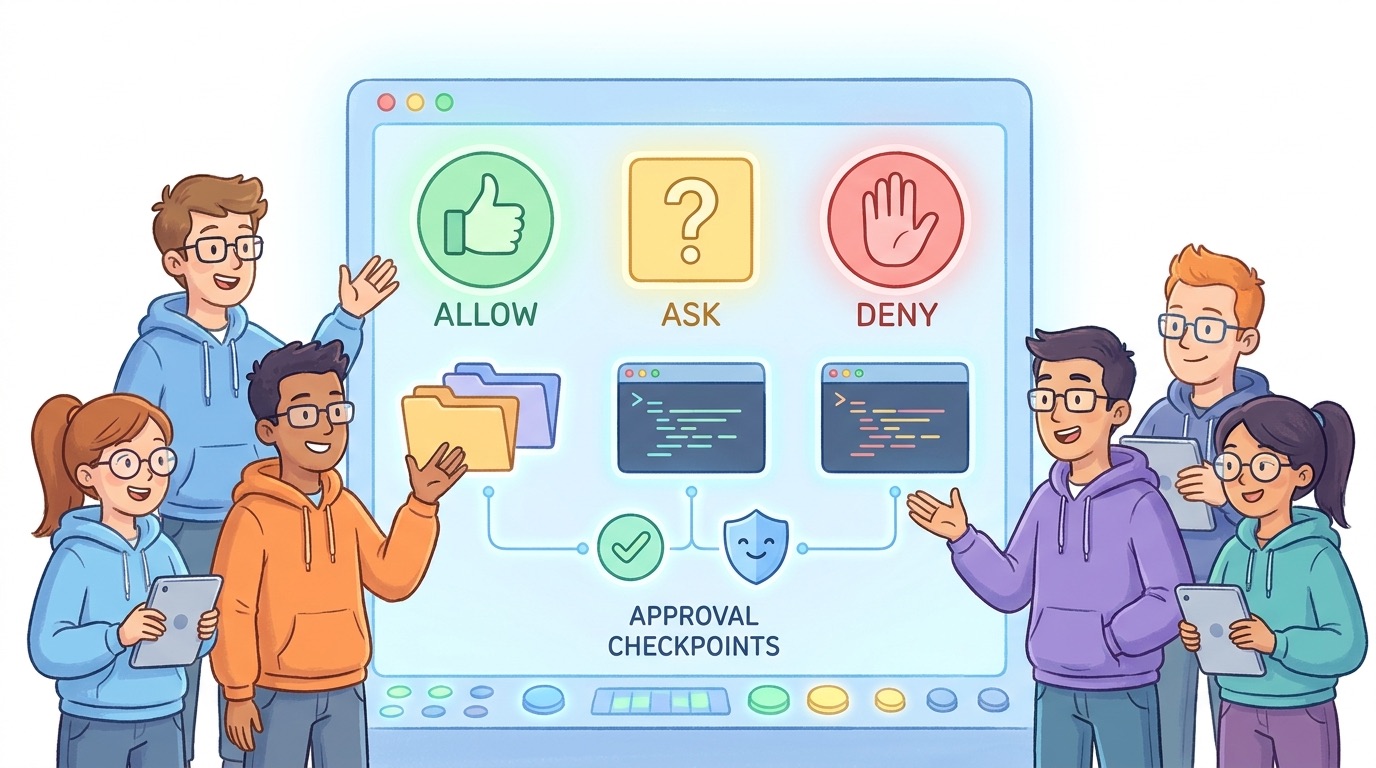
Claude Code data scope permissions are the practical boundaries that decide what an AI coding agent can read, remember, modify, call, and approve while it works inside a project. A safe setup does not rely on one giant permission switch. It combines working directory boundaries, project and local settings, allow/ask/deny rules, hooks, subagents, MCP rules, and human review checkpoints.
The best default is simple: let Claude Code read the project it is supposed to help with, ask before file changes and non-read-only commands, deny obviously dangerous command families, keep personal approvals out of shared project settings, and use hooks or statusline alerts for actions that deserve extra visibility. This keeps the agent useful without turning every task into a stream of permission popups.
This cluster guide supports the broader Claude Code Permissions Guide. The pillar explains hooks, subagents, statuslines, and team guardrails at a high level. This article zooms into one narrow search intent: how to handle data scope when building, configuring, and approving Claude Code agent workflows.
Why Data Scope Is the Missing Piece in Most Claude Code Permission Guides
Most permission tutorials start with commands: should the agent run tests, install packages, edit files, or access the network? That is necessary, but incomplete. An AI coding agent can create risk before it runs a dangerous command. Risk also appears when the agent reads too much, copies sensitive context into a prompt, calls an MCP server with broad access, stores a permanent approval in the wrong scope, or lets a subagent inspect work that should have stayed compartmentalized.
Analytics from AI Feature Drop show that practical AI coding workflows outperform generic AI news. Search Console is also beginning to surface Claude permission queries such as “Claude Code permissions,” “allowed domains Claude,” and data-scope style questions about handling permissions when building agents. The opportunity is not another broad overview. The gap is a concrete setup guide for developers who want Claude Code to work quickly without accidentally widening the blast radius.
Official Anthropic documentation gives the pieces: Claude Code has read-only defaults, settings scopes, project and local configuration files, permission modes, hooks, subagents, working directory boundaries, and MCP controls. What developers still need is a mental model for combining those pieces. A junior developer may ask, “Can I allow this command?” A team lead should ask, “What data does this approval expose, who inherits it, and how will we notice if the agent starts crossing boundaries?”
That is the core shift. Permissions are not only a speed-versus-safety tradeoff. They are a data design problem. You are deciding which context is safe for an autonomous assistant to inspect, which actions should require human approval, which approvals are personal, and which rules should be enforced for everyone.
The Five Data Scopes to Map Before You Change Permissions
Before writing permission rules, map the surfaces Claude Code may touch. This takes ten minutes and prevents weeks of messy exceptions later. Treat each surface as a separate scope with different risk.
A team does not need perfect lockdown for every repo. A toy side project can be loose. A customer-data backend should be conservative. A deployment repo should treat shell commands, cloud credentials, and environment files as high risk. The mistake is using one permission posture everywhere because it felt convenient during a demo.
Understand Claude Code Settings Scopes Before Sharing Rules
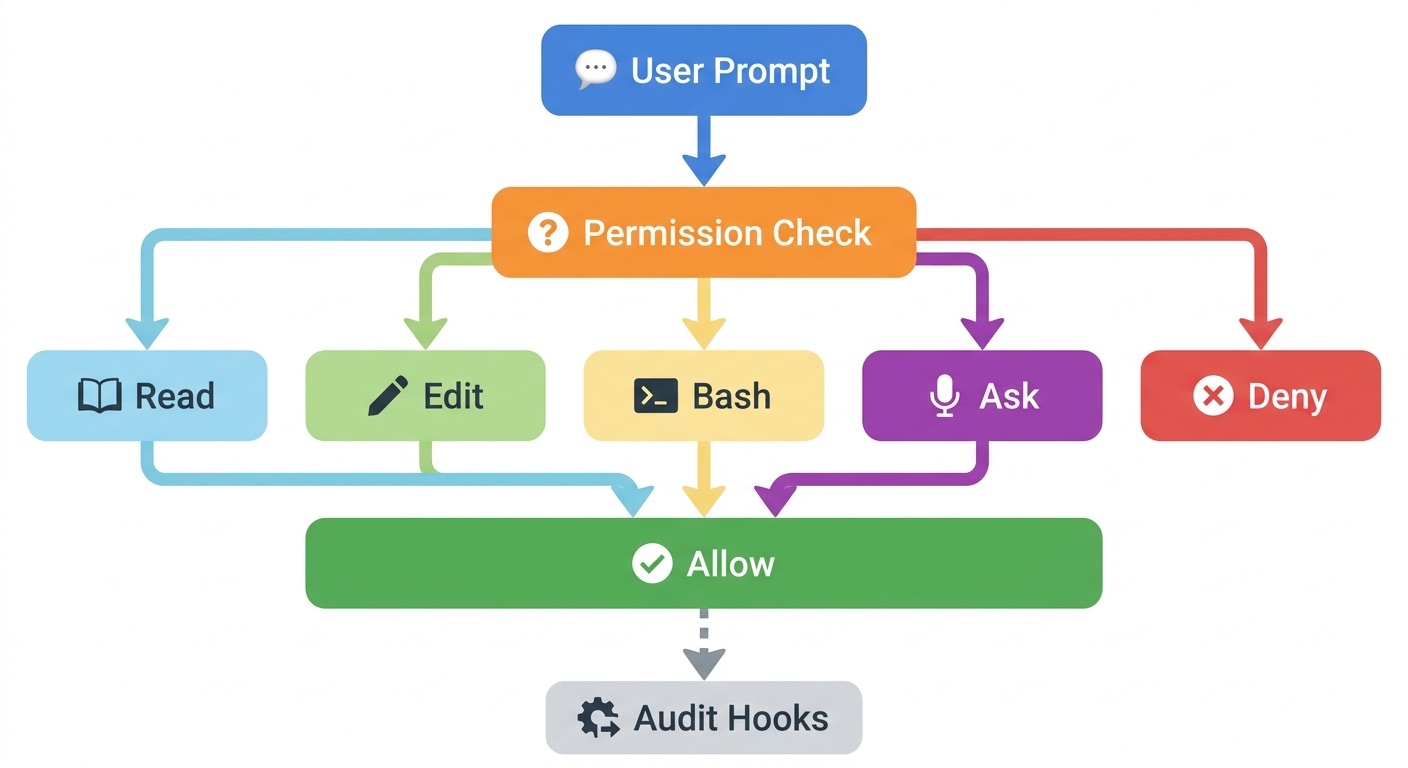
Claude Code settings are scoped. Anthropic documents managed, user, project, and local scopes. This matters because a rule that feels personal can become a team rule if it lands in the repository. A rule that feels temporary can also persist for future sessions when “don’t ask again” saves a Bash approval.
| Scope | Best use | Data-scope warning |
|---|---|---|
| Managed | Organization-wide security requirements, compliance rules, disabling risky modes, standard identity and provider controls. | Use for policies that must not depend on individual discipline. |
| User | Personal preferences, personal tools, and global defaults for one developer. | Do not encode project secrets or team assumptions here because collaborators will not inherit them. |
| Project | Shared rules, hooks, subagents, and MCP definitions the team intentionally reviews in source control. | Anything committed here should be reviewed like code because every collaborator may be affected. |
| Local | Developer-specific approvals, experiments, machine-specific paths, and repo-specific personal overrides. | Great place for personal convenience, but also where stale approvals can accumulate unnoticed. |
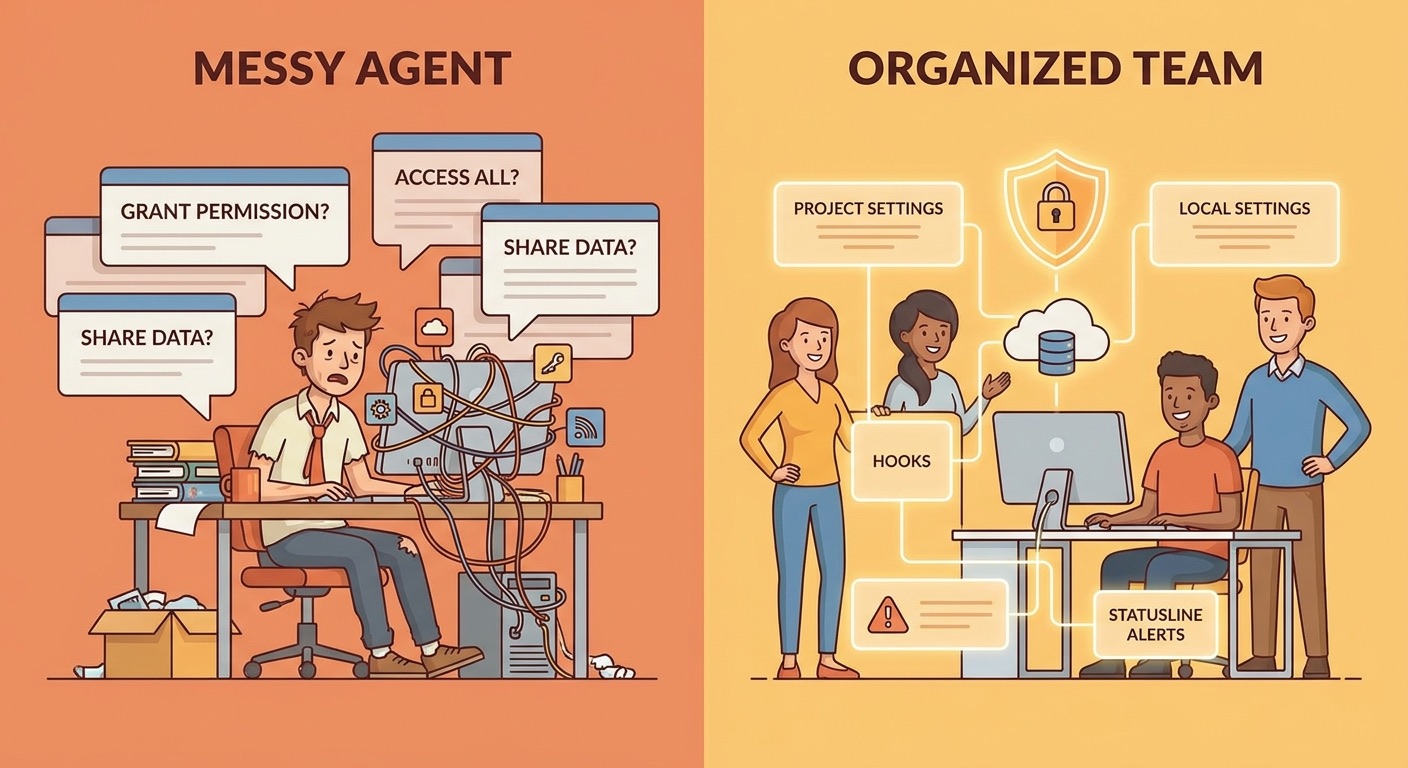
One practical pattern is to keep project settings conservative and local settings convenient. For example, the project can define a shared deny rule for dangerous deploy commands and a shared ask rule for package-manager scripts. A developer can then locally allow a safe test command they run every day. This gives speed without forcing every teammate to inherit one person's machine habits.
Settings precedence also matters. Managed settings sit at the top. Local settings can override some project preferences. Permission rules merge differently and are evaluated by deny, ask, then allow. This means a broad deny can block a narrow allow. That is useful for safety, but it can surprise teams that expect “more specific” rules to win. Write rules with the actual precedence model in mind.
.claude/settings.json as a dumping ground for convenience approvals. If it is committed, it is policy. Keep comments in pull requests explaining why each allow, ask, or deny rule exists.How Allow, Ask, and Deny Rules Shape Data Scope
Claude Code permission rules look simple, but their data impact depends on what a tool can reach. An allow rule reduces friction. An ask rule preserves human judgment. A deny rule blocks an action or tool pattern. The safest teams use all three, instead of trying to solve everything with allowlists.
Use allow rules for boring, repeatable, low-risk work
Allow rules are best for commands that are predictable, local, reversible, and part of normal development. Examples include focused test commands, formatters, linters, and read-only project inspection. Even then, use patterns carefully. Allowing Bash(npm test) is different from allowing every npm * command. The first is a specific workflow. The second may include install scripts, package publishing, or arbitrary lifecycle behavior.
Use ask rules for actions with context or cost consequences
Ask rules are useful when the action is sometimes okay but needs human awareness. A package install, migration script, database command, external web fetch, or cloud CLI call may be legitimate in one task and reckless in another. Asking is not a failure. It is a checkpoint that forces the developer to connect the action to the task.
Use deny rules for categories you never want the agent to attempt
Deny rules are best for destructive commands, deployment commands, production database access, credential reads, broad network calls, and anything that violates the repo's security model. A deny rule should be boring and explicit. If everyone agrees Claude Code should never run a production deploy from a feature branch, encode that instead of relying on memory.
{
  "permissions": {
    "allow": [
      "Bash(npm test)",
      "Bash(npm run lint)",
      "Bash(git status)"
    ],
    "ask": [
      "Bash(npm install *)",
      "Bash(curl *)",
      "WebFetch(domain:docs.anthropic.com)"
    ],
    "deny": [
      "Read(.env)",
      "Bash(rm -rf *)",
      "Bash(aws *production*)",
      "Bash(kubectl delete *)"
    ]
  }
}
This example is intentionally conservative and should not be pasted blindly into every project. Its purpose is to show the shape of a data-scope policy: allow routine checks, ask for actions that widen access or change dependencies, and deny obvious danger. The exact commands depend on your stack, scripts, and deployment model.
A Practical Claude Code Data Scope Workflow
The following workflow is designed for small teams that want safer agent behavior without creating prompt fatigue. It works for solo developers too.
Label the repo as low, medium, or high risk. A marketing site, internal tool, customer-data service, infrastructure repo, and monorepo should not share identical defaults.
Put team-reviewed rules in project settings. Keep personal shortcuts in local settings. If a rule only works on your laptop, it should not become repository policy.
Block the actions that would be unacceptable even if the agent asks nicely: secret reads, production deploys, destructive cloud commands, and broad deletes.
Let Claude Code run the safe commands that help it verify work: tests, linters, formatters, type checks, and local status inspection.
Network requests, dependency changes, generated migrations, package manager commands, and MCP calls often need human context. Do not over-automate them on day one.
Use hooks to log or block patterns that permission prompts do not explain well, such as touching sensitive directories, calling certain tools, or starting long-running workflows.
Stale “don’t ask again” rules are one of the easiest ways to drift from safe to loose. Treat local permission review like clearing old browser extensions.
This workflow is deliberately boring. Boring is good. Security controls that developers understand are more likely to survive contact with deadlines than perfect controls that everyone bypasses.
Real-World Examples: What to Allow, Ask, or Deny
Example 1: A frontend app with no production secrets locally
A frontend repository usually benefits from a permissive development loop. Allow local tests, type checks, formatting, and harmless file edits. Ask before dependency installs because package scripts can run arbitrary code and introduce supply-chain risk. Deny reading environment files unless the team has a clear reason to expose them to an agent session.
Example 2: A backend service with customer data
For a backend service, treat database tools and environment files as high risk. Claude Code can still be useful for tests, refactors, schema discussions, and local mocks. Ask before migrations. Deny production database commands. If the team uses seed data, confirm that it is synthetic. Do not let convenience turn a local agent into a shortcut around data handling policy.
Example 3: An infrastructure repository
Infrastructure repos deserve the strictest posture. Allow read-only inspection and validation commands. Ask for planning commands that call cloud CLIs. Deny apply, delete, destroy, production namespace changes, and credential reads unless the workflow runs in an isolated environment with separate approval. For many teams, Claude Code should propose infrastructure changes but a human or CI pipeline should execute them.
Example 4: A monorepo with mixed risk
Monorepos are tricky because one folder may be harmless and another may handle billing, auth, or production operations. Use working directory boundaries, subagents, and documented task scopes. If a Claude Code session is working on docs, it probably does not need access to deployment scripts. If it is working on auth, it should not automatically read unrelated product analytics exports.
Use Hooks and Subagents to Keep Context Smaller
Subagents are useful because they let teams separate noisy or specialized work from the main conversation. A test-fixing subagent, documentation subagent, or security-review subagent can focus on a narrower task. But subagents are not magic isolation unless you design them that way. Their prompts, available tools, and allowed context still deserve review.
Hooks provide another layer. Anthropic's hooks reference describes lifecycle events such as user prompt submit, pre-tool-use, permission request, post-tool-use, subagent start and stop, and session events. In a data-scope policy, hooks can create visibility around the things humans miss: repeated attempts to read sensitive files, unusual network calls, edits in restricted paths, or risky command patterns.
A useful hook policy does not need to be complex. Start with three alerts: one for secret-like files, one for deployment-related commands, and one for large context or broad file access. Then add more only when the team sees a real need. Too many hook warnings create the same prompt fatigue that permissions were supposed to fix.
MCP Servers Need Their Own Data-Scope Review
Model Context Protocol servers can make Claude Code much more powerful by connecting it to tools, data, and internal systems. They can also widen the data scope dramatically. A filesystem MCP server, issue tracker MCP server, database MCP server, or cloud MCP server changes what the agent can inspect and request. Treat MCP access as a separate integration review, not a small settings tweak.
Ask three questions before enabling a server: what data can it read, what actions can it perform, and what logs prove it behaved correctly? If the MCP server can access customer records, production incidents, private tickets, or cloud resources, it belongs behind explicit ask rules, organization policy, or a limited environment. Do not connect a powerful tool and hope ordinary prompt wording will contain it.
Team Policy Template for Claude Code Data Scope
Use this lightweight policy as a starting point in a pull request or internal docs page. Keep it short enough that developers will actually read it.
| Policy area | Recommended default | Review cadence |
|---|---|---|
| Secrets and env files | Deny reads unless explicitly approved for a documented local-only reason. | Every repository review. |
| Tests and linters | Allow common local commands that do not call external services. | Monthly or when scripts change. |
| Dependency changes | Ask before install, update, or package-manager commands that can run scripts. | Every dependency policy update. |
| Network requests | Ask by default; allow trusted documentation domains only when useful. | Quarterly. |
| Cloud and deployment | Deny production-changing commands in local agent sessions. | Every infrastructure change. |
| Subagents | Use narrow prompts and tool access for specialized tasks. | When subagent prompts change. |
| Local approvals | Developers own and clean up personal approvals. | Weekly during heavy agent use. |
The policy should also say what happens when a prompt appears. Developers should read the command, use the explanation feature when unsure, connect the action to the current task, and prefer approving once over permanent approval when the pattern is new. If they do choose “don’t ask again,” they should understand where the rule is saved and whether it affects future sessions.
Healthy signs
- Project settings are reviewed in pull requests.
- Local settings contain personal convenience rules, not team policy.
- Deny rules are few, obvious, and documented.
- Hooks alert on risky patterns without spamming every action.
- Developers know when to approve once instead of permanently.
Risky signs
- The team runs in bypass-style modes on real projects.
- Broad command patterns are allowed because prompts felt annoying.
- Secrets, logs, or production CLIs are available by habit.
- Subagents inherit broad tool access without review.
- No one knows which approvals were saved last month.
Troubleshooting Common Claude Code Permission Problems
Claude keeps asking for the same safe command
Check whether the approval is being saved in the expected repository root or local settings file. If you are in a worktree, nested directory, or non-git folder, the saved location may not match your assumption. If the command is truly safe and stable, create a narrow allow rule. Avoid broad wildcards just to silence the prompt.
A deny rule blocks something you thought was allowed
Remember the evaluation order: deny, ask, then allow. A broad deny can block narrower allows. Rewrite the policy so the deny is not overly broad, or split workflows so the allowed command does not share the blocked pattern.
The agent wants to read files outside the task
Pause and ask why. Sometimes Claude Code needs context to understand a failing test. Sometimes it is exploring too broadly because the prompt was vague. Give it the exact file, error, and objective. If the repo is high risk, use narrower working directories or additional deny rules for sensitive paths.
The team is clicking through prompts too quickly
This is prompt fatigue. Reduce low-risk prompts by allowing boring checks, then increase visibility for high-risk actions with ask rules, hooks, and statusline alerts. The goal is fewer prompts that matter more, not maximum friction.
Keep Learning on AI Feature Drop
- Claude Code Permissions Guide — the broader pillar covering hooks, subagents, statuslines, and team guardrails.
- Claude Code Network Allowlist Guide — stop unsafe agent requests without prompt fatigue.
- Claude Code Statusline Permission Alerts — show risk, cost, and git state while you work.
- Claude Code Hooks Team Rollout Guide — automate safety checks around agent workflows.
- Claude Code Subagent Permissions — keep specialized agents scoped to the right work.
- Claude Code Usage Limits Explained — connect permissions with cost and context habits.
Sources and References
- Anthropic Claude Code docs: configure permissions
- Anthropic Claude Code docs: settings and configuration scopes
- Anthropic Claude Code docs: security safeguards and prompt injection protections
- Anthropic Claude Code docs: hooks reference
- Anthropic Claude Code docs: custom subagents
- Anthropic Claude Code GitHub issues
Claude Code features and settings can change. Verify current Anthropic documentation and your organization's policy before applying any permission rule to a production repository.
FAQ: Claude Code Data Scope and Permissions
What are Claude Code data scope permissions?
They are the boundaries that decide what Claude Code can read, modify, call, and remember while working in a project. They include file access, command approvals, settings scopes, hooks, subagents, MCP tools, and human review habits.
Should I put all permission rules in project settings?
No. Project settings are best for rules the whole team intentionally shares. Personal convenience approvals should usually stay local so they do not silently become team policy.
What should Claude Code be allowed to run automatically?
Start with boring, repeatable, local commands such as tests, linters, formatters, and status checks. Avoid broad allow patterns for package managers, cloud CLIs, network calls, or destructive commands.
How do I reduce prompt fatigue without using unsafe broad permissions?
Allow low-risk commands narrowly, deny unacceptable actions clearly, keep ambiguous actions in ask mode, and add hooks or statusline alerts for high-risk patterns. Fewer meaningful prompts are better than many noisy ones.
Are subagents safer than the main Claude Code conversation?
Subagents can reduce noise and narrow tasks, but they are not automatically safe. Review their prompts, tools, and available context just like any other agent surface.
Should Claude Code read .env files?
Usually no. Environment files often contain secrets or sensitive configuration. If a task needs example configuration, create a sanitized sample file and keep real secrets denied.
How often should teams review saved approvals?
Weekly during heavy rollout and monthly once stable. Review after major product updates, repo restructuring, or changes to package scripts, cloud tooling, or MCP servers.
What is the safest default for high-risk repositories?
Use conservative project settings, deny secret reads and production-changing commands, ask for network and dependency changes, allow only local verification commands, and keep execution of infrastructure changes in CI or human-controlled workflows.
Post a Comment