
Claude Code Hooks Explained: Automate Safer AI Coding Workflows
Claude Code hooks let developers run checks, blockers, notifications, and workflow helpers at specific moments in an AI coding session. This guide explains the hook lifecycle, practical examples, safety patterns, and when hooks are better than MCP, skills, slash commands, or plain project instructions.
Claude Code Hooks: Quick Answer
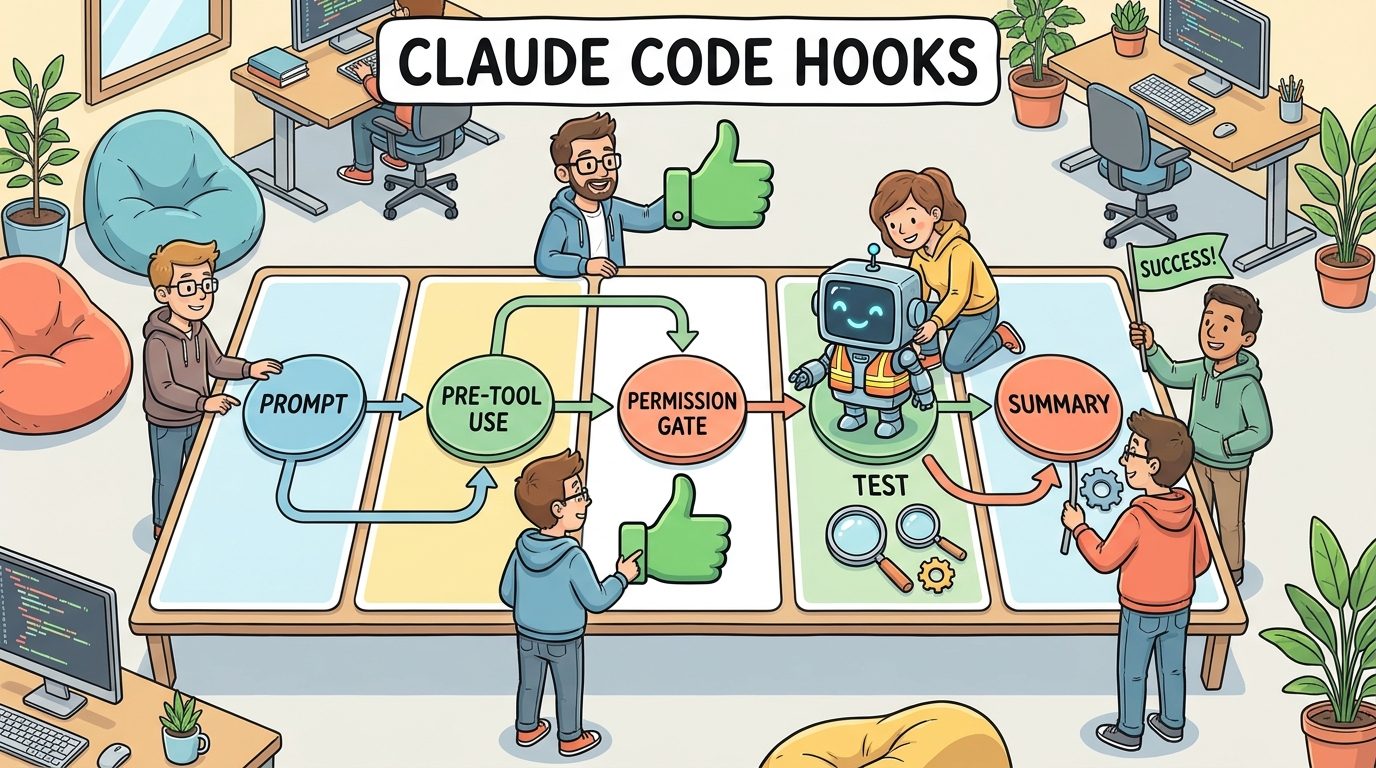
Claude Code hooks are automated actions that run at defined points in a Claude Code session. A hook can run before a tool call, after a file edit, when a prompt is submitted, when a permission request appears, when a subagent starts, or when a session ends. The action can be a shell command, an HTTP endpoint, or an LLM prompt depending on how the hook is configured.
The simplest way to think about hooks is this: Claude is the developer assistant, but hooks are the shop rules. They can remind Claude to run tests, block risky commands, check changed files, send telemetry, format code after edits, or warn when a task is drifting outside the repository. That makes hooks especially useful for teams that want the productivity of agentic coding without giving every AI session unlimited freedom.
This topic is becoming more important because Claude Code is expanding quickly across terminal, IDE, desktop, browser, remote sessions, subagents, and enterprise environments. Recent official changelog updates mention hook matcher fixes, auto-mode denial reasons, sandbox credential controls, and OpenTelemetry logging changes. Those updates point to a larger trend: AI coding is moving from “ask a chatbot to edit code” toward governed developer automation.
What Are Claude Code Hooks?
Hooks are lifecycle-based automation points. Instead of waiting for a human to remember every safety step, you configure Claude Code to call a small program or endpoint when something important happens. The hook receives structured JSON about the event, then it can inspect that context and return a decision, a warning, or additional output.
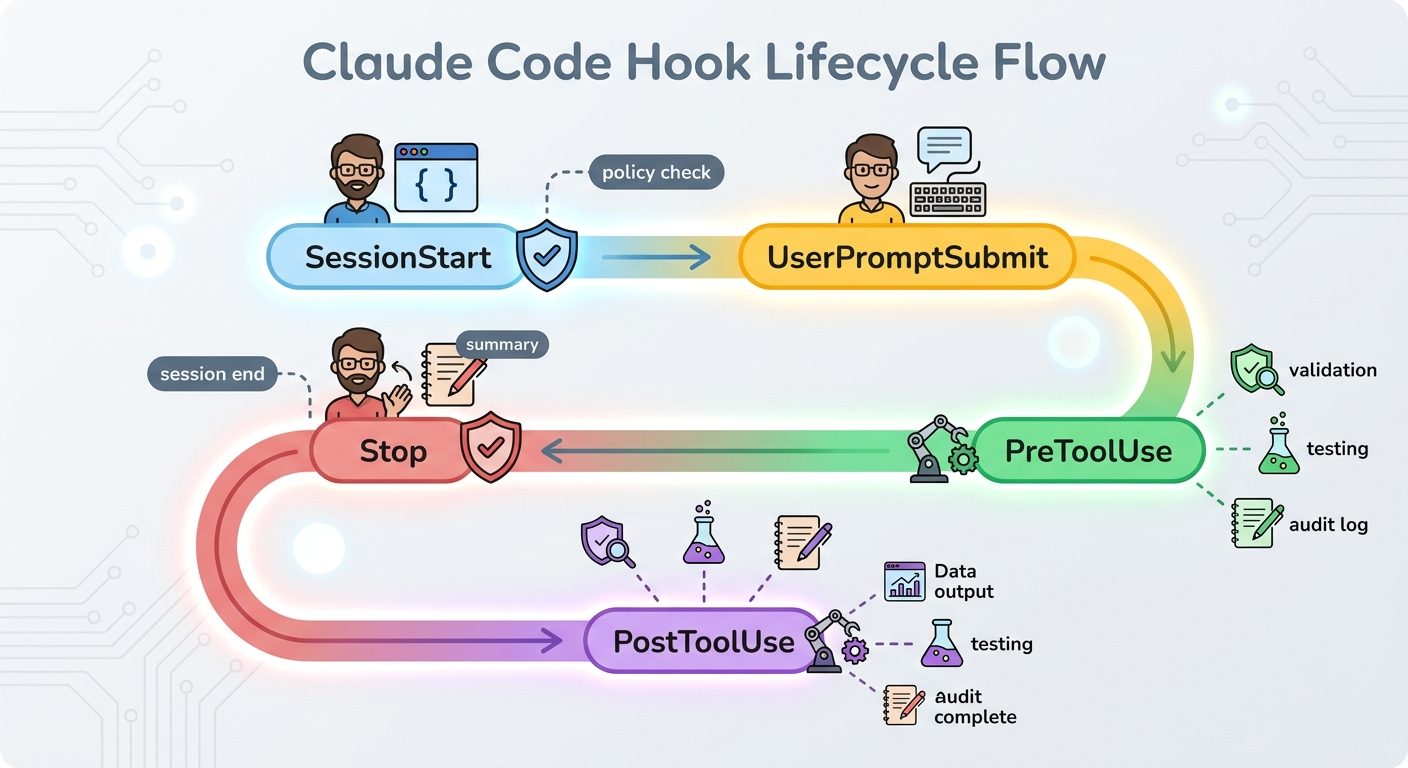
For example, a PreToolUse hook can examine a shell command before Claude runs it. If the command tries to read a secrets file, delete a directory, push to an unapproved remote, or call an unknown production host, the hook can block the action. A PostToolUse hook can inspect a file edit after it happens and run a formatter or test. A UserPromptSubmit hook can expand team context or remind the user when a prompt is missing a ticket number. A Stop hook can summarize what changed at the end of a turn.
That makes hooks different from ordinary instructions. A line in CLAUDE.md can tell Claude “always run tests before finishing.” Most of the time, a good agent will follow that. But a hook can make a check happen outside the model’s memory and mood. It is closer to a CI rule, a pre-commit hook, or a policy gate than a preference.
Hooks can be lightweight. You do not need a giant platform to start. Many useful hooks are tiny scripts: check whether a command contains rm -rf, verify that generated files are formatted, warn when a file outside the working directory is touched, or save a JSON audit log for later review.
The Claude Code Hook Lifecycle Explained
The official hooks reference groups events around session start and end, user prompts, tool calls, permission requests, subagents, background tasks, and file changes. You do not need every event on day one. Most practical teams start with three or four hook points and grow only after they see real workflow pain.
| Hook event | When it runs | Best use case |
|---|---|---|
SessionStart | When a Claude Code session begins or resumes. | Load environment notes, start an audit log, verify repo state, or warn about missing setup. |
UserPromptSubmit | Before Claude processes the user’s prompt. | Attach ticket context, enforce prompt templates, or block prompts that request unsafe production actions. |
PreToolUse | Before Claude runs a tool call. | Block risky shell commands, external network calls, credential access, or unapproved file writes. |
PermissionRequest | When a permission dialog appears. | Log high-risk actions, route approvals, or show policy-specific warnings. |
PostToolUse | After a tool call succeeds. | Run formatters, tests, linters, screenshots, diff checks, or file-quality checks. |
PostToolUseFailure | After a tool call fails. | Collect error logs, add hints, or classify common setup failures. |
SubagentStart / SubagentStop | When a subagent starts or finishes. | Track parallel work, enforce subagent policies, or summarize isolated research tasks. |
Stop | When Claude finishes responding. | Generate a completion note, verify todos, run a final gate, or record session metrics. |
FileChanged | When watched files change. | React to config updates, regenerate artifacts, or validate sensitive files. |
The lifecycle matters because the same check can be useful or annoying depending on where it runs. Running the full test suite before every command would be painful. Running it after a meaningful code edit or before the agent finishes can be helpful. Blocking a command after execution is too late; that belongs in PreToolUse. Summarizing a task before the user prompt is premature; that belongs near Stop.
Think of hook placement like designing speed bumps. Put them where mistakes are expensive, not where they slow every harmless movement.
Practical Claude Code Hook Examples
The best hooks solve a problem your team already has. Do not create hooks just because the feature exists. Start with frustrating, repeated situations: the agent forgets to run tests, edits generated files, uses the wrong package manager, touches secrets, runs broad commands, or completes without a useful summary.
Example 1: Block destructive commands before they run
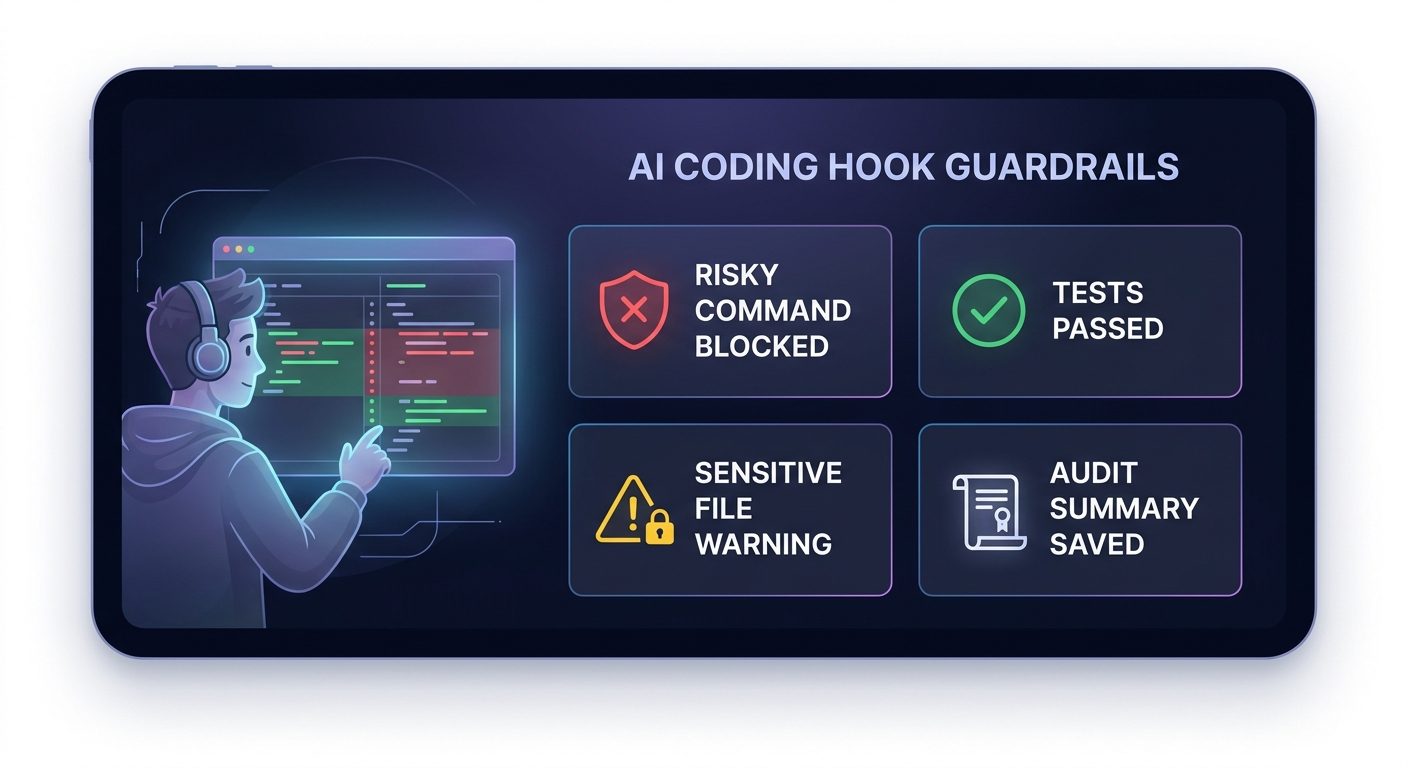
A PreToolUse hook can inspect Bash or PowerShell commands and block commands that match dangerous patterns. Claude Code already has safety systems, and recent changelog updates improved auto-mode classification, but local policy still matters. A fintech team, an agency with client repos, and a solo hobby project should not have identical rules.
// Pseudocode for a PreToolUse command safety check
if tool == "Bash" and command contains ["rm -rf", "git reset --hard", "terraform destroy"]:
  return block("This command requires explicit human approval and a backup plan.")
This hook is not about distrusting Claude. It is about recognizing that coding agents can move quickly. A small automated stop sign is cheaper than recovering a damaged working tree.
Example 2: Run targeted checks after file edits
A PostToolUse hook can run formatters or targeted tests after Claude modifies files. For a JavaScript app, it might run npm run lint -- --file changed-file. For Python, it might run ruff on edited files. For documentation, it might check links or frontmatter. The goal is quick feedback while the context is still fresh.
Be careful with heavy checks. If every tiny edit triggers a full test suite, developers will disable the hook. A better pattern is tiered validation: quick formatting after edits, targeted tests after source changes, and a bigger final check at Stop or before a pull request.
Example 3: Warn when Claude touches sensitive files
Some files should be edited only with special care: authentication middleware, billing code, infrastructure configs, deployment pipelines, and anything containing secrets. A hook can detect edits to those paths and add a warning, create an audit entry, or require a second review. This is especially useful in teams where AI agents are allowed to make real code changes but not silently alter critical systems.
Example 4: Create a better end-of-turn summary
A Stop hook can ask for or generate a structured summary: files changed, tests run, risks, TODOs, and next recommended step. That gives human reviewers a consistent handoff, especially when Claude Code is used in long sessions, remote environments, or parallel subagent workflows.
Example 5: Route high-risk events to an HTTP endpoint
For teams, command hooks are only the beginning. HTTP hooks can send structured events to an internal service, Slack bot, audit dashboard, or policy engine. A lightweight service can classify events, store decisions, and give developers a trace of how AI coding sessions interacted with sensitive resources.
Security and Governance Patterns for Claude Code Hooks
Hooks are powerful because they sit between intent and action. That also means they should be designed carefully. A sloppy hook can leak data, slow work, create false confidence, or become a new source of failure. Treat hook scripts like production-adjacent automation, not throwaway snippets copied between repos.
Good hook design
- Small scripts with one clear responsibility.
- Readable allow and deny rules.
- Fast checks that do not block routine work.
- Helpful error messages with a safe next step.
- Audit logs that avoid secrets and private prompt content.
- Version-controlled team templates for repeatable setup.
Risky hook design
- Huge scripts that nobody reviews.
- Rules that block harmless commands without explanation.
- Sending full prompts, diffs, or secrets to external services.
- Heavy tests after every tiny file change.
- Assuming hooks replace code review, CI, or permissions.
- Copying examples without adapting them to the repo.
Recent Claude Code updates make this topic more timely. The changelog mentions sandbox.credentials settings, org-configured model restrictions, auto-mode denial reasons in transcripts and permission views, and OpenTelemetry response logging controls. Those are not isolated features. They are signs that teams want agentic coding with stronger observability and fewer blind spots.
If your organization logs prompts or assistant responses, be especially careful. The June 25 changelog notes an OpenTelemetry assistant response event that can include model response text depending on environment variables. That is useful for observability, but it also means teams should review logging policies before assuming “telemetry” is harmless. A good hook system avoids sending source code, credentials, customer data, or private prompts to places that do not need them.
Claude Code Hooks vs MCP, Skills, Slash Commands, and CLAUDE.md
One reason developers search for Claude Code hooks is confusion. Claude Code now has many extension points: project instructions, skills, slash commands, MCP servers, plugins, subagents, auto mode, and hooks. They overlap in the sense that they all customize the tool, but they solve different problems.
| Feature | Use it when... | Do not use it when... |
|---|---|---|
CLAUDE.md | You want persistent project instructions, coding style, architecture notes, or repo conventions. | You need an enforceable action at a lifecycle event. |
| Skills | You want reusable procedures, checklists, or specialized task instructions loaded only when relevant. | You need to block a shell command before it runs. |
| Slash commands | You want a user-triggered workflow shortcut such as “review this diff” or “prepare release notes.” | You need automation to happen even when the user forgets. |
| MCP | You want Claude to use external tools, APIs, databases, or services as callable capabilities. | You only need a local policy check around existing tool calls. |
| Hooks | You want lifecycle automation, guardrails, validation, notifications, or audit logging around Claude’s actions. | You are trying to teach Claude domain knowledge that belongs in instructions or a skill. |
| Auto mode config | You want the permission classifier to understand trusted repos, domains, buckets, and organization rules. | You need custom repo-specific tests, formatting, or event logging. |
A practical combination might look like this: put coding style in CLAUDE.md, put release workflow in a skill, expose internal APIs through MCP, use auto mode settings to define trusted infrastructure, and use hooks to block risky commands or run checks. The result is cleaner than trying to force one feature to do everything.
For related context, compare this with our Claude Code permission rules guide, CLAUDE.md template guide, and Claude Code usage limits explainer. Hooks work best when they are part of a broader workflow system, not an isolated trick.
A Beginner-Friendly Claude Code Hooks Starter Plan
If you are adopting hooks for the first time, resist the urge to build a policy fortress. Start with a short plan that improves safety without making Claude Code annoying to use.
Step 1: List your top three repeated failures
Look at real sessions. Does Claude forget tests? Touch generated files? Use the wrong package manager? Try broad destructive commands? Produce weak handoff summaries? Choose the hook based on observed pain, not hypothetical risk.
Step 2: Add one blocking hook and one helpful hook
A good first pair is a PreToolUse safety blocker for obvious destructive commands and a Stop summary hook that records changed files, tests, and open risks. One prevents serious mistakes; the other improves review quality.
Step 3: Keep hooks fast and local
Before using HTTP hooks or centralized policy services, prove the workflow with local scripts. Fast local hooks build trust. Slow network-dependent hooks can make developers feel like the tool is broken.
Step 4: Write human-friendly messages
“Command denied” is not enough. A good hook tells the user why the action was blocked and how to proceed safely. For example: “This command deletes untracked files. Commit or back up your work, then ask for explicit approval.”
Step 5: Review hook logs weekly
Logs reveal whether rules are useful or noisy. If a hook blocks harmless actions every day, fix the hook. If a hook catches real issues, document the pattern and consider adding a related CI or branch protection rule.
Common Claude Code Hook Mistakes to Avoid
Mistake 1: Blocking too much too early
If your first hook blocks half of normal development, users will bypass it. Start with obvious risks, then refine. The best hook feels like a helpful teammate, not a hostile compliance bot.
Mistake 2: Logging sensitive content
Do not casually send prompts, code, diffs, secrets, or customer data to external endpoints. If you need centralized logging, log minimal metadata first: event type, repo, timestamp, decision, and reason. Add content only after a privacy review.
Mistake 3: Confusing hooks with prompts
If you want Claude to know how your architecture works, use CLAUDE.md or a skill. If you want a check to run when Claude uses a tool, use a hook. Mixing these leads to brittle setups.
Mistake 4: Forgetting cross-platform behavior
A shell hook that works on macOS may fail on Windows or inside a remote container. If your team uses multiple environments, keep scripts portable or define platform-specific hooks clearly.
Mistake 5: Treating hooks as complete security
Hooks can reduce risk, but they are not a complete security boundary. Use them with Claude Code permissions, sandbox settings, Git protections, CI checks, least-privilege credentials, and normal code review.
Advanced Hook Patterns for Real Teams
Once the basics are stable, hooks can become a lightweight operating system for AI-assisted development. The goal is not to make every repository complicated. The goal is to encode the small decisions experienced engineers already make: which files are sensitive, which commands are risky, which checks are fast enough to run often, and which events need a human-readable trail.
Policy as a local developer experience
Many teams put policy only in CI, which means mistakes are discovered after the agent has already made changes. Hooks move some of that feedback earlier. For example, if Claude tries to edit a migration file, deployment script, or authentication module, a hook can immediately warn that the change needs a linked issue and reviewer. The developer still controls the work, but the workflow nudges the session toward safer behavior before the branch becomes messy.
Repository-aware validation
A mature hook does not run the same command for every file. It maps changed paths to the smallest useful validation. Frontend component changes might trigger a formatter and a targeted test. API route changes might trigger a contract test. Documentation changes might trigger link checks. Infrastructure changes might avoid automatic execution and instead produce a checklist. This path-aware approach keeps hooks fast while still improving quality.
Human-centered escalation
The best hooks do not simply say no. They explain the reason, suggest a safer alternative, and leave a clear path to approval. If a hook blocks a production command, it can ask for a backup, a ticket, a dry run, or explicit human approval. If a hook detects a risky file edit, it can ask Claude to summarize the risk before continuing. That turns hooks into coaching, not just enforcement.
Measuring whether hooks help
Review hook data like product telemetry. Which rules fire often? Which blocks were useful? Which warnings are ignored? Which checks are slow? A hook system should improve over time. If a rule never catches real risk, remove it. If a rule catches the same issue repeatedly, document that pattern in your team guide and consider adding a CI check too.
Why This Claude Code Hooks Guide Fills a Search Gap
Official documentation is the best source for exact event names and schema details, but it is reference material. Many developers search for a simpler answer: which hook should I use, what problem does it solve, and how do I avoid breaking my workflow? That is the content gap this guide targets.
AI Feature Drop analytics also support this direction. GA4 data for the last 28 complete days showed that practical developer workflow explainers bring meaningful traffic, with strong performance from AI coding and Copilot/Codex-related pages. Search Console data showed impressions across product-feature terms and low-click opportunities where clearer titles and targeted explainers can help. A Claude category article about hooks fits the same pattern: specific, practical, recently updated, and internally connected to existing Claude Code coverage.
The selected topic also avoids repeating the previous OpenAI article category and follows the fixed sequence order. The previous pillar article was OpenAI, so this run selected Claude.
Final Recommendation: Use Hooks to Make Claude Code Boringly Reliable
The best Claude Code hook setup is not flashy. It quietly blocks the scariest mistakes, runs the checks people forget, records the information reviewers need, and stays out of the way when work is safe. That is what mature AI coding workflows need: less drama, more repeatability.
If you are solo, start with a command-safety hook and a final summary hook. If you are on a team, add targeted quality checks and minimal audit logging. If you are in an enterprise, connect hooks with permissions, auto mode, sandboxing, observability, and a clear data-retention policy. Hooks are most valuable when they turn team rules into automatic behavior.
Claude Code is becoming a full developer automation environment. Hooks are one of the clearest signs of that shift. Learn them early, keep them simple, and use them to make agentic coding safer instead of slower.
Keep Learning on AI Feature Drop
- Claude Code Permission Rules Explained — understand safer agent access and approval patterns.
- Claude Code Usage Limits Explained — plan longer AI coding sessions without surprise limits.
- How to Reduce Claude Code Usage — practical workflow habits for efficient Claude Code sessions.
- Claude Code CLAUDE.md Template — use project instructions alongside hooks.
- Codex Record & Replay Explained — compare reusable AI workflow automation ideas.
- OpenAI Codex Pricing and Usage Limits — compare Claude Code with Codex workflow constraints.
- GitHub Copilot AI Credits Explained — understand AI coding cost control across tools.
Sources and References
- Claude Code Hooks reference
- Claude Code changelog
- Claude Code skills documentation
- Claude Code auto mode configuration documentation
- Claude Code Chrome beta documentation
Claude Code features and settings can change quickly. Verify event names, schema details, and organization policies in the official docs before deploying hooks broadly.
FAQ: Claude Code Hooks
What are Claude Code hooks?
Claude Code hooks are automated shell commands, HTTP endpoints, or LLM prompts that run at specific lifecycle events in a Claude Code session, such as before tool use, after file edits, when permissions appear, or when a session ends.
What is the best first Claude Code hook to create?
A practical first hook is a PreToolUse safety check that blocks obviously destructive shell commands. A Stop summary hook is also useful because it creates consistent handoffs after AI coding work.
Are Claude Code hooks the same as MCP?
No. MCP gives Claude access to external tools and services. Hooks run around Claude’s lifecycle events to enforce guardrails, run checks, send notifications, or record audit information.
Can hooks block Claude from running commands?
Yes, PreToolUse hooks can inspect a tool call before execution and return a decision that blocks unsafe or unapproved actions, depending on the hook configuration.
Do hooks replace Claude Code permissions?
No. Hooks are an additional automation layer. You should still use Claude Code permissions, sandboxing, branch protection, CI, least-privilege credentials, and human code review.
Can hooks run tests automatically?
Yes. A PostToolUse or Stop hook can run targeted tests, linters, formatters, or final validation checks. Keep them fast so developers do not disable them.
Are hooks useful for solo developers?
Yes. Solo developers can use hooks to block destructive commands, format files, run tests, and create end-of-session summaries without building a large governance system.
Are hooks safe for enterprise teams?
They can be, if designed carefully. Enterprise teams should review logging, privacy, credential handling, HTTP endpoints, and policy ownership before rolling hooks out broadly.
Post a Comment