
Claude Code Plugins Guide: Build, Install, and Secure Team Workflows
Claude Code plugins turn repeatable AI coding workflows into portable packages. This guide explains what plugins are, when to use them, how plugin marketplaces and trust work, and how teams can install or build plugins without weakening permissions, privacy, or review discipline.

Claude Code Plugins: Quick Answer
Claude Code plugins are reusable packages that can extend Claude Code with skills, agents, hooks, MCP servers, commands, background monitors, executables, and other workflow pieces. Instead of copying one-off files into every repository, a plugin lets a developer or team define a workflow once, version it, share it, and install it where it is useful.
The simple way to think about plugins is this: standalone .claude/ configuration is best for quick local experiments and project-specific behavior, while plugins are better for workflows you want to reuse, distribute, test, or manage across multiple projects. If your team keeps repeating the same code review prompt, migration checklist, release guardrail, documentation workflow, or MCP setup, it is probably moving from “project config” territory into “plugin” territory.
The best plugin strategy is to start small. Package one workflow that is already working manually. Document what it does. Review its manifest and components. Install it in a test repository. Add permission rules around the parts that can run commands, call external services, or change files. Then expand only after the workflow has proven useful.
Why Claude Code Plugins Matter Now
Claude Code has grown from a terminal coding assistant into a broader agentic development environment. Recent documentation describes plugins as a way to package skills, agents, hooks, MCP servers, commands, LSP servers, monitors, and executables. Recent changelog entries also mention plugin marketplaces, catalog helper headers, output-style fixes, and trust requirements around project and plugin helper behavior. That combination points to a larger shift: Claude Code workflows are becoming more modular, shareable, and team-managed.
That shift creates a search gap. Official documentation explains the mechanics, but developers often need a practical guide that connects those mechanics to everyday decisions: when should you use a plugin instead of a project folder, what should you inspect before installing one, how do permission rules apply, what should teams put in managed settings, and how do you avoid turning plugins into a hidden supply chain risk?
AIFeatureDrop analytics support the topic. In the latest complete reporting window, the site recorded 678 active users, 771 sessions, and 855 page views, with Organic Search contributing 193 sessions. The strongest page pattern is clear: coding-agent workflow guides outperform generic AI news. The ChatGPT Desktop App Codex guide led page views, Codex usage and pricing guides continued to attract traffic, and Google/Claude developer workflow pages remained useful internal-link targets. Search Console also surfaced Claude Code permission interest. That tells us readers want practical, safety-aware coding-agent explainers rather than broad product summaries.
This article uses that signal to focus on a high-intent problem: developers want the productivity of reusable Claude Code workflows, but they need an install-and-rollout model that does not blindly trust every marketplace, helper script, hook, or MCP server. Plugins can be the right answer, but only if the team treats them as code, not as decoration.
How Claude Code Plugins Work
A Claude Code plugin is a self-contained directory. It can include a plugin manifest, skills, agents, hooks, command files, MCP configuration, LSP configuration, monitors, and executable files. The manifest gives the plugin a name, description, version, author, and related metadata. The plugin’s components live at the plugin root, not inside the manifest directory. That structure matters because it makes the package understandable: a reviewer can inspect the manifest, then inspect each capability the plugin adds.
Skills are usually the easiest starting point. A skill packages instructions, examples, and workflow context so the user can invoke the same behavior repeatedly. Agents are useful when a workflow benefits from a specialized role such as security reviewer, migration planner, test debugger, or documentation editor. Hooks are more operational: they can run at specific moments around tool use, session events, or configuration changes. MCP servers connect Claude Code to external tools or data. Executables in a plugin can extend what the shell environment can run.
The decision is not “plugins are better than project config.” The decision is about scope. If the workflow belongs to one repository, project configuration is simpler. If the workflow belongs to one developer, user-scope configuration may be enough. If the workflow is reused across many repositories, needs versioning, or should be shared with teammates, a plugin becomes more attractive.
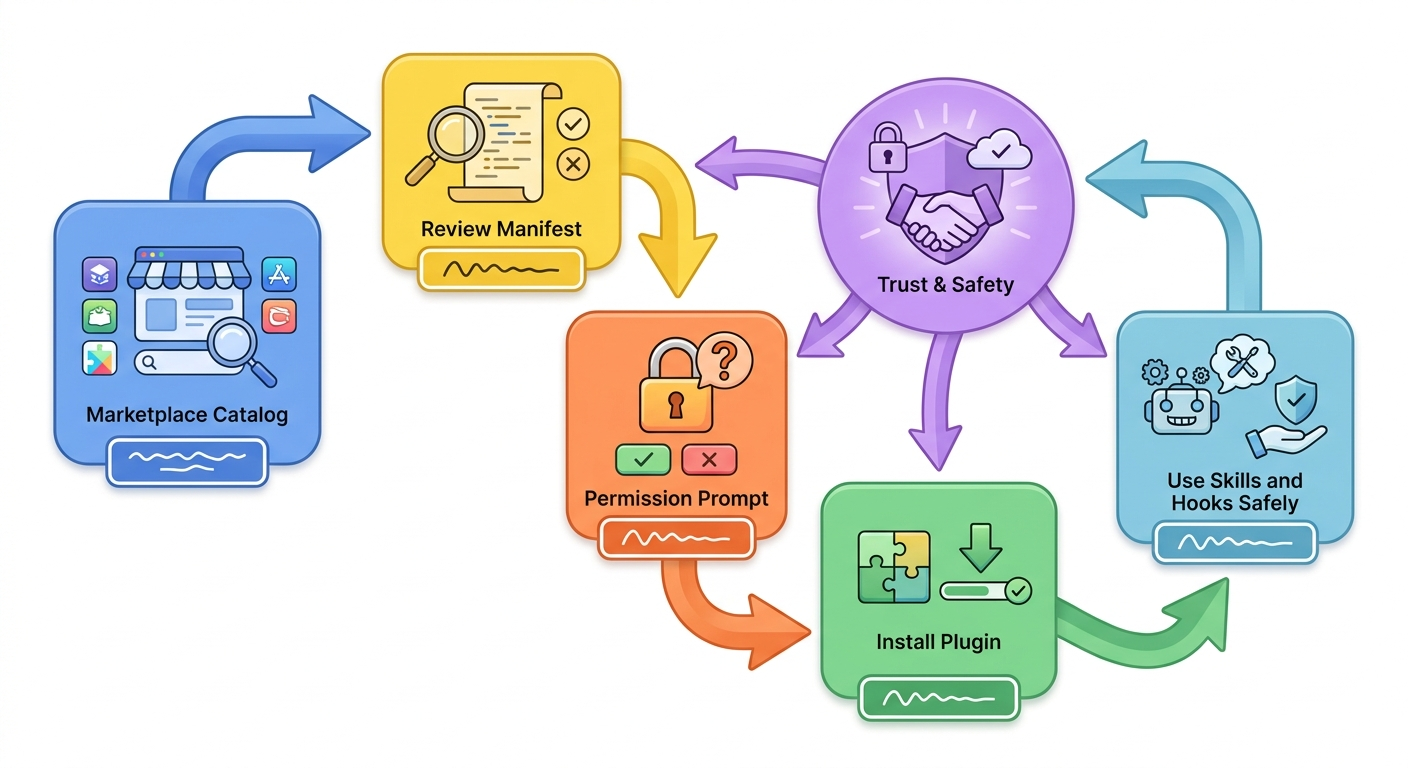
Plugins vs Standalone Claude Code Configuration
The official documentation gives a useful distinction: standalone configuration is good for personal workflows, project-specific customization, and quick experiments; plugins are better for sharing, distribution, versioning, and reuse. That is the right starting point, but real teams need sharper examples.
| Use case | Better choice | Why |
|---|---|---|
| A one-time migration checklist for one repository | Project configuration | It is tied to the repo and may not be worth packaging. |
| A personal prompt for summarizing pull requests | User configuration | It follows one developer and does not need team governance. |
| A shared security review workflow used by every service team | Plugin | It benefits from versioning, reuse, and review. |
| A set of hooks that blocks risky generated changes | Plugin or managed project config | It needs inspection and consistent rollout. |
| An MCP connector for internal issue data | Plugin with managed controls | It crosses a data boundary and should be governed. |
A good rule is to promote only stable workflows into plugins. If you are still changing the prompt every day, keep it local. If three repositories need the same workflow and the team is already copying files around, package it. If a workflow changes permissions, calls external systems, or handles sensitive context, do not distribute it casually; review it like any other developer tool.
Where Permissions Fit Into Claude Code Plugins
Plugins do not remove the need for Claude Code permissions. They make permissions more important. A plugin can add a useful skill that only changes how Claude responds, but it can also add hooks, MCP servers, commands, helper scripts, or workflows that cause tool calls. Claude Code’s permission layer determines what can run automatically, what asks first, and what is blocked.
Claude Code permission rules use allow, ask, and deny behavior. Deny rules are evaluated before ask and allow. Ask rules prompt even when an allow rule also matches. Allow rules are for routine, low-risk actions. This matters for plugins because a team should not approve broad shell access just to make a plugin feel smooth. The better pattern is to allow the boring commands the plugin needs, ask for actions that cross a risk boundary, and deny actions the repository should never allow.
{
  "permissions": {
    "allow": [
      "Bash(npm run test)",
      "Bash(npm run lint)",
      "Bash(git status *)"
    ],
    "ask": [
      "Bash(run_in_background:true)",
      "Agent(model:opus)",
      "Agent(isolation:*)"
    ],
    "deny": [
      "Read(./.env)",
      "Read(./secrets/**)",
      "Bash(rm -rf *)",
      "Bash(git push *)"
    ]
  }
}
The newer parameter-style matching is especially useful around plugin-enabled workflows. If a plugin launches a subagent with a premium model, asks for worktree isolation, or runs something in the background, those are moments where a human checkpoint may be appropriate. The goal is not to block plugins. The goal is to make hidden risk visible.
Plugin Marketplaces and Trust: What to Check Before Installing
Claude Code plugin marketplaces make discovery easier, but easier installation increases the need for review. A marketplace entry can point to a plugin package and metadata. Recent changelog notes describe helper behavior for marketplace catalog entries and headers that may be minted for archive fetches. The security lesson is simple: anything that helps a tool fetch, install, or update code should be understandable to the person approving it.
Before installing a plugin from any marketplace, check the source, the manifest, the component directories, and the update mechanism. Prefer official, known, or team-controlled sources. Avoid unknown catalogs that cannot be verified. Do not install a plugin simply because it promises a dramatic productivity boost. A plugin that adds hooks or MCP servers can affect a coding session in ways that are not obvious from the name alone.
Good signs
- Clear manifest with name, version, author, repository, and purpose.
- Readable skills and agents with narrow responsibilities.
- Hooks that are documented and easy to inspect.
- MCP servers from providers the team already trusts.
- Versioned releases and changelog notes.
- No surprise network helpers or opaque binaries.
Warning signs
- Vague promises such as “unlimited automation” or “bypass prompts.”
- Obfuscated scripts, minified helpers, or unexplained binaries.
- Hooks that run broad shell commands.
- MCP servers asking for wide credentials without a clear reason.
- Marketplace sources with unknown ownership.
- Instructions to disable permissions or paste secrets into prompts.
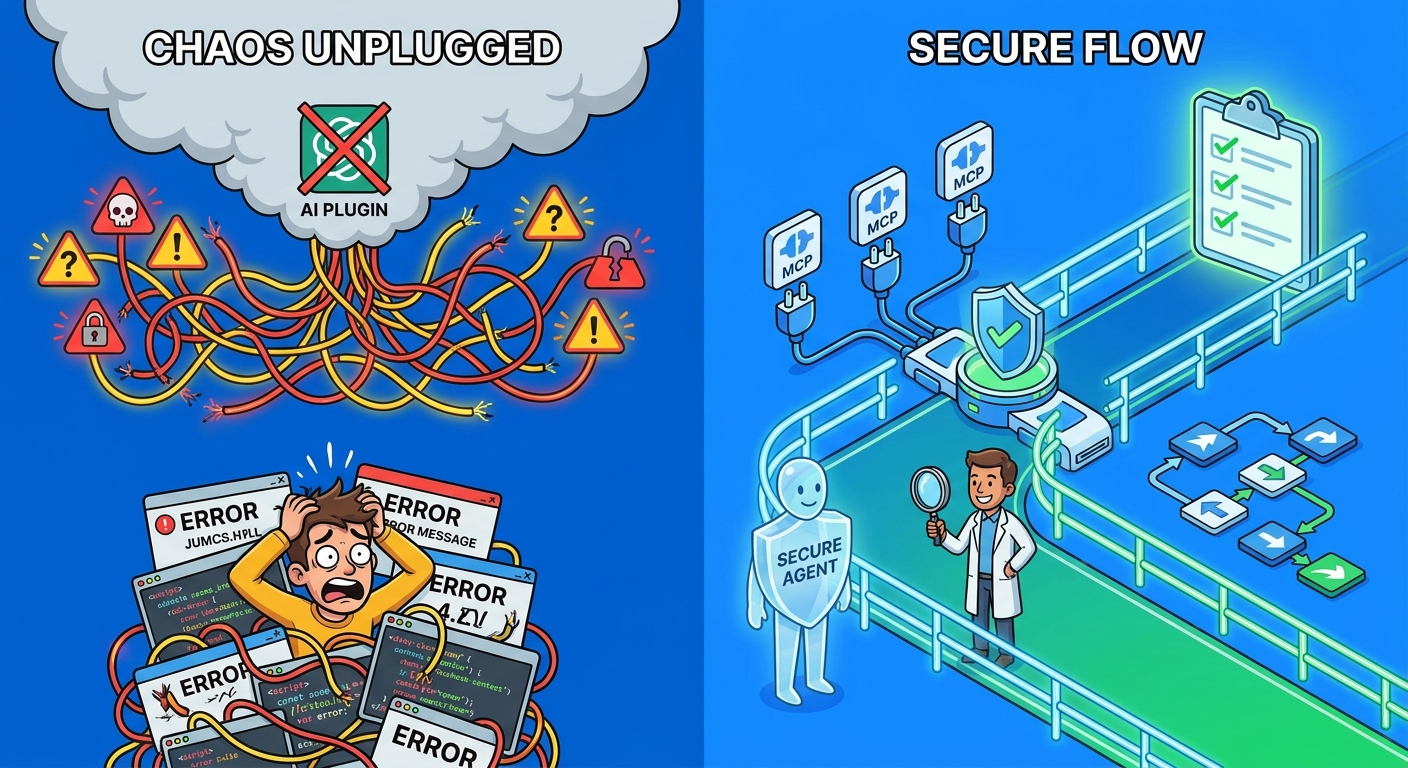
For teams, the safest model is a curated internal marketplace or approved plugin list. Developers can suggest plugins, but a designated reviewer checks the manifest, components, source, permission impact, and update path before the plugin becomes recommended. This is not bureaucracy for its own sake. It is the same discipline teams already apply to dependencies, GitHub Actions, browser extensions, and CI plugins.
How to Build a Useful Claude Code Plugin
Start with a workflow that already works manually. For example, your team may have a strong review prompt for database migrations, a release checklist for package changes, or a documentation style guide for API updates. Do not start by trying to package every best practice your team has. A plugin should make one repeatable workflow easier to run and easier to maintain.
A minimal plugin usually needs a folder, a manifest, and one skill. The skill should explain its purpose, when to use it, what inputs it expects, and what output style is helpful. If the workflow needs a specialized role, add an agent. If it needs validation before tools run, add a hook. If it needs external tool access, consider an MCP server, but treat that as a higher-trust component.
Example plugin idea: safer dependency update review
Imagine a team that frequently asks Claude Code to review dependency updates. The plugin could include a skill called dependency-review that asks Claude to inspect lockfile changes, summarize risky packages, check changelog highlights, suggest tests, and avoid recommending upgrades that require secrets or unverified downloads. The plugin might include a specialized agent for security review, but it should not automatically publish, deploy, or run package-manager commands without permission.
Example plugin idea: migration planning assistant
A migration plugin could include a skill that produces a phased plan, a rollback checklist, a test matrix, and a stakeholder summary. It might include hooks that warn before edits to migration directories or infrastructure files. If the hook runs commands, the team should document those commands and keep permission prompts meaningful.
Example plugin idea: documentation quality workflow
A documentation plugin is a low-risk starting point. It can package tone rules, style examples, API documentation structure, and a review checklist. Because it may only influence writing behavior, it is easier to test and safer to share. This is often a better first plugin than a tool-heavy automation package.
The best plugin is boring in a good way. It has a clear purpose, a small surface area, readable files, obvious versioning, and no surprise privileges. If you cannot summarize what the plugin adds in one paragraph, it is probably too broad.
A Safe Team Rollout Plan
For teams, plugin rollout should look like dependency rollout. First, choose one workflow that has clear value. Second, create or select a plugin. Third, inspect the plugin contents. Fourth, test it in a disposable repository or branch. Fifth, define permission rules for any commands, agents, hooks, or external tools it uses. Sixth, document when developers should invoke it. Seventh, review its behavior after a week of real use.
Use settings scopes deliberately. User scope is fine for personal plugins. Project scope is useful when a repository should share a plugin configuration. Local scope is useful for one developer’s local override or experiment. Managed scope is for organization policy that should not be overridden. If a plugin touches security controls, customer data, production systems, or internal services, managed settings and a curated marketplace become more important.
| Rollout stage | What to do | Success signal |
|---|---|---|
| Experiment | Run the workflow manually or as local configuration. | The workflow saves time without producing noisy output. |
| Package | Create a plugin with a narrow manifest and one or two components. | A reviewer can understand the plugin quickly. |
| Review | Inspect skills, agents, hooks, MCP config, helper scripts, and marketplace source. | No hidden network, secret, or command behavior. |
| Constrain | Add permission rules for risky actions. | Routine work flows; risky moments ask or block. |
| Adopt | Document usage and collect developer feedback. | People use it voluntarily because it helps. |
| Maintain | Version, update, and periodically re-review. | The plugin stays understandable as Claude Code evolves. |
Do not skip maintenance. Claude Code is changing quickly, and plugins may interact with new permission modes, marketplace behavior, MCP capabilities, or agent workflows. A plugin that was safe when it only included a skill may need a new review after adding hooks or external connectors.
Decision Helper: Should This Become a Plugin?
This helper is intentionally simple. The real test is whether packaging the workflow reduces repeated work without hiding risk. If the plugin mostly contains clear instructions, the barrier is low. If it contains hooks, MCP servers, or helper scripts, the barrier should be higher.
Common Mistakes With Claude Code Plugins
1. Treating plugins as harmless prompt packs
Some plugins may be close to prompt packs, but the format can include operational components. Always inspect what the plugin actually contains.
2. Installing from unknown marketplaces without review
Marketplace convenience is not the same as trust. Use known sources, internal catalogs, or verified repositories whenever possible.
3. Shipping too much in the first plugin
A plugin with ten skills, three agents, hooks, MCP servers, and helper scripts is harder to review. Start with one workflow.
4. Forgetting permission design
If a plugin encourages background work, subagents, shell commands, or external connectors, pair it with permission rules. Useful automation and permission discipline should evolve together.
5. Hiding team policy inside undocumented hooks
Hooks can be powerful, but developers should understand what they do. If a hook blocks or changes behavior, document it.
6. Not retiring stale plugins
Plugins are software. Remove ones that no longer match the team’s workflow, dependencies, or risk tolerance.
Claude Code Plugin Review Checklist
- Read the plugin manifest and confirm the source, author, version, and purpose.
- Inspect every top-level directory: skills, agents, hooks, MCP config, commands, monitors, LSP config, and binaries.
- Prefer readable text files over opaque helpers.
- Check whether the plugin can run shell commands, start external servers, or call network services.
- Review any marketplace catalog source and update mechanism.
- Ask what credentials, files, or repositories the plugin expects to access.
- Add deny rules for secrets, production data, and destructive commands.
- Add ask rules for background execution, premium subagents, isolation changes, publish/deploy commands, and unknown MCP tools.
- Install first in a test repository or disposable branch.
- Document when developers should use the plugin and when they should not.
- Version plugins and keep a changelog for team-facing changes.
- Re-review after adding hooks, MCP servers, marketplace helpers, or executables.
Related AI Feature Drop Guides
- Claude Code Hooks Explained — understand the automation layer that plugins can package.
- Claude Code Hooks Team Rollout Guide — plan safer hook adoption across teams.
- Claude Code Statusline Guide — monitor context, cost, git state, and agent workflows.
- Claude Code CLAUDE.md Template — improve project instructions before packaging workflows.
- Claude Code Usage Limits Explained — connect workflow scope with usage control.
- Claude Opus Coding Guide — compare plugin workflows with model and context choices.
Sources and References
- Claude Code documentation: Create plugins
- Claude Code documentation: Configure permissions
- Claude Code documentation: Settings and scopes
- Claude Code documentation: Security
- Anthropic Claude Code changelog
Claude Code evolves quickly. Verify plugin structure, marketplace behavior, permission syntax, and managed settings against the official documentation before applying policy to sensitive repositories.
FAQ: Claude Code Plugins
What are Claude Code plugins?
Claude Code plugins are reusable packages that can extend Claude Code with skills, agents, hooks, MCP servers, commands, monitors, helper executables, and related workflow configuration.
When should I use a plugin instead of standalone configuration?
Use standalone configuration for quick experiments, personal workflows, or one-repository behavior. Use a plugin when the workflow should be reused, versioned, distributed, or shared across teams.
Are Claude Code plugins safe to install?
They can be safe, but they should be reviewed. Inspect the manifest, skills, agents, hooks, MCP configuration, helper scripts, marketplace source, and permission impact before installing.
Can plugins change permissions?
Plugins do not replace Claude Code’s permission system, but plugin components may trigger tool calls that permissions allow, ask about, or deny. Teams should pair plugins with explicit permission rules.
What should teams check before approving a plugin?
Teams should check source credibility, component directories, hook behavior, MCP servers, helper scripts, credentials required, update mechanism, and whether the plugin needs new allow, ask, or deny rules.
Are plugin marketplaces the same as trusted sources?
No. A marketplace improves discovery, but trust still depends on the source, package contents, review process, and update path. Unknown marketplaces should be treated cautiously.
Can I build a plugin with only one skill?
Yes. A single well-written skill is often the best first plugin because it has a small surface area and is easy for teammates to understand.
How do plugins relate to MCP servers?
A plugin can include MCP server configuration, which may connect Claude Code to external tools or services. MCP components deserve extra review because they can cross data and permission boundaries.
Post a Comment