
Gemini 4 Argon Usage Limits Guide: Plans, Quotas, Thinking Levels, and Cost Control
Gemini 4 Argon usage limits are not a simple message cap. This guide explains the five-hour and weekly meters, plan and product differences, low/medium/high thinking, API pricing, and the habits that keep powerful reasoning available for work that actually needs it.

Gemini 4 Argon Usage Limits: The Quick Answer
Gemini 4 Argon is Google’s highest-capability reasoning model for difficult coding, research, mathematical, scientific, and agentic work. It is available through several products, but those products do not all measure usage the same way. The Gemini app and Google Antigravity expose subscription-based usage meters. The Gemini API uses metered token billing. AI Mode in Search, enterprise deployments, and promotional subscriptions can have their own access rules.
The most important fact is that Google does not promise a universal number of Argon messages for every subscriber. A short prompt can be inexpensive, while a long conversation with attachments, web searches, tools, generated artifacts, or deep reasoning can consume much more compute. Two people on the same plan can therefore see different results. Community reports of “three prompts” or “ten messages” are useful warnings, but they are not a published entitlement and should not be treated as one.
If your meter drops faster than expected, first check the product surface, selected thinking level, conversation length, attached files, tools, and whether the task is running as an agent. Then start a clean thread, reduce scope, and compare the result with a lighter model before buying a more expensive plan.
What Gemini 4 Argon Is—and Why It Uses More Compute
Google describes Gemini 4 Argon as its flagship reasoning model. In the Gemini API, it supports text, images, video, audio, and PDF input; code execution; function calling; file search; Search and Maps grounding; structured outputs; URL context; and preview computer use. It does not generate images and it is not a Live API model. Those distinctions matter because a model designed for long, multi-step reasoning is a poor economic choice for every lightweight task.
Argon uses a unified context window of 1,048,576 tokens in the API. Input, hidden thinking, and visible output share that budget. Synchronous output defaults to a smaller ceiling, while background long-decode jobs can extend much further. The headline “one million tokens” is capacity, not a promise that every response should be enormous. More available room can enable harder work, but it also makes task design and cost control more important.
Google exposes three thinking levels: low, medium, and high. Medium is the documented default for the API. A higher level can improve difficult reasoning, but it can also take longer and generate more hidden thinking tokens. That tradeoff explains why a tiny-looking answer can still be expensive: the visible paragraph is not the whole computation.
For related Google workflows, compare this guide with AI Feature Drop’s Gemini Live voice agent guide and Gemini Managed Agents guide. Those articles show why latency, tool use, context, and autonomy must be planned as separate design choices.
How Gemini 4 Argon Limits Actually Work
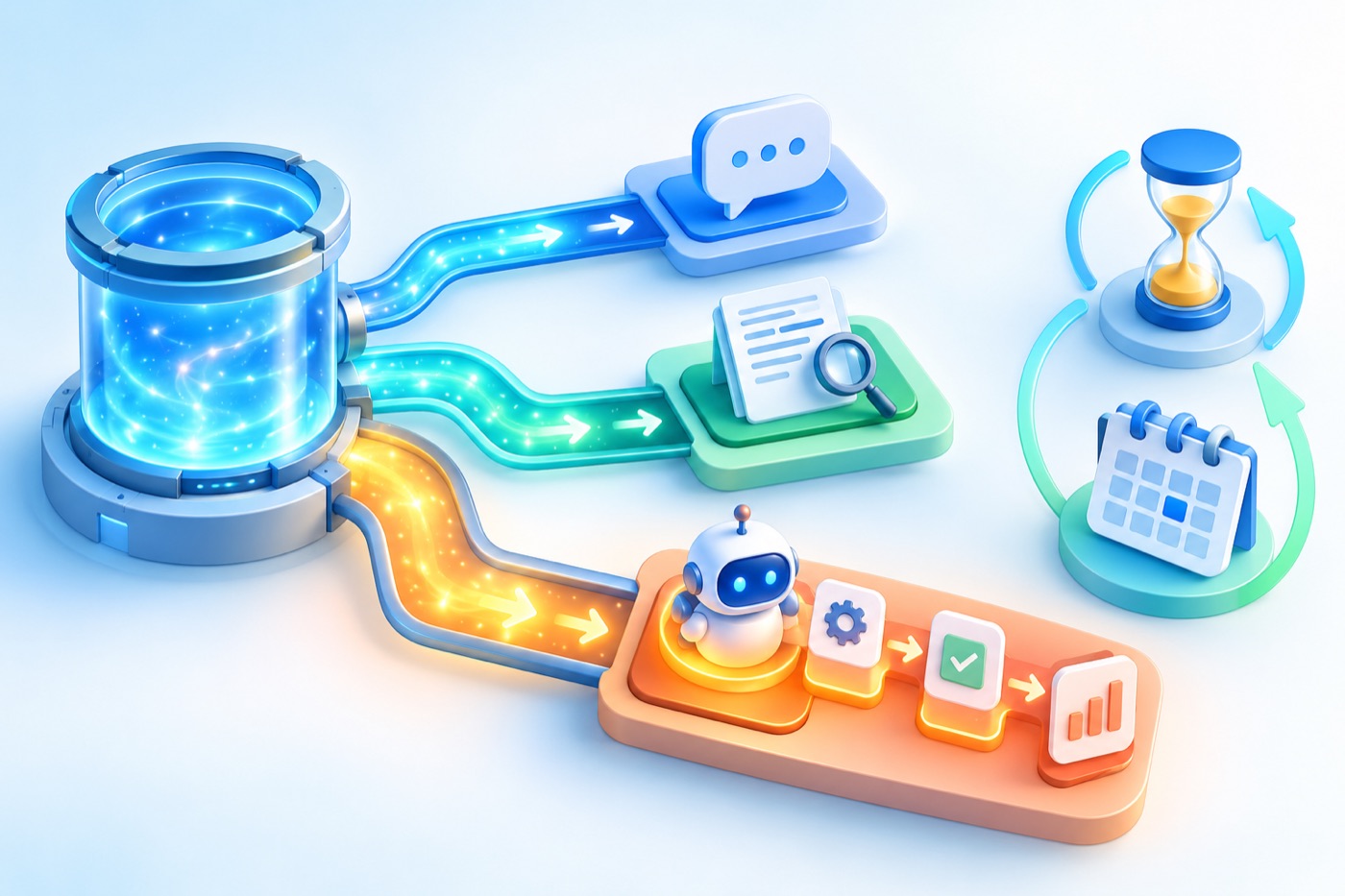
Subscription usage behaves more like a compute allowance than a punch card. In Google’s current products, users may see a shorter rolling meter and a broader weekly meter. The exact interface and entitlement can vary by product and plan. Google can also adjust launch capacity, reset behavior, or access while a rollout is underway. That is why screenshots and anecdotes from one day should not be converted into permanent plan specifications.
The shorter meter protects near-term capacity. The weekly meter limits sustained high-end use. Refreshing the shorter window does not necessarily restore the weekly allowance. If the weekly meter is nearly empty, waiting for a five-hour refresh may not return the model to its earlier availability. In some surfaces, reaching a limit can trigger a wait message, a fallback to a lighter model, or an option to buy or use separate credits.
| What you see | What it usually means | Best response |
|---|---|---|
| A reset time a few hours away | The shorter rolling allowance has been reached. | Wait, switch to Flash, or continue only through a separately billed API project. |
| Weekly allowance nearly exhausted | Heavy Argon work has accumulated across the longer period. | Reserve remaining usage for critical work and route routine tasks elsewhere. |
| Model disappears from a selector | Possible plan, product, rollout, client-version, or temporary capacity issue. | Confirm the correct app, subscription identity, client version, and official availability page. |
| One prompt consumes an unusually large share | The task may include long context, tools, attachments, deep reasoning, or agent steps. | Start clean, reduce context, lower thinking, and separate planning from execution. |
| App quota low but API works | Subscription usage and API billing are separate systems. | Use the API only with an explicit budget and token monitoring. |
Gemini 4 Argon Plans and Product Surfaces
The phrase “I have Google AI Pro” is not enough to diagnose access. You also need to name the surface: Gemini app, AI Mode in Search, Antigravity app, Antigravity CLI, an IDE extension, the older standalone Antigravity IDE, Google AI Studio, Gemini API, or an enterprise environment. Product pages changed during launch week, so the safest rule is to verify the live selector and the official page for the exact surface you plan to use.
| Surface | Access model | How usage is measured | Important distinction |
|---|---|---|---|
| Gemini app | Google AI Pro and Ultra during the public rollout | Subscription usage meters | Supports normal chat and Tasks; exact per-task consumption is not published. |
| AI Mode in Search | Eligible Pro and Ultra subscribers | Product-specific access | Do not assume it shares every Gemini app rule. |
| Antigravity app and CLI | Plan and entitlement dependent | Five-hour and weekly model meters | Launch notes described paid Pro and Ultra access; promotional entitlements may differ. |
| Antigravity IDE | Official docs explicitly exclude Argon | Not applicable | Use the Antigravity app, CLI, or supported IDE extensions instead. |
| Gemini API / AI Studio paid tier | Paid API project; no free Argon API tier | Tokens and tool charges | A consumer subscription is not an unlimited API entitlement. |
| Enterprise | Eligible Gemini Enterprise configuration | Contract and product controls | Administrators should verify model policy, logging, and data terms. |
Promotional, hardware-bundled, student, family-member, or free-trial access can behave differently from a directly billed subscription, particularly in developer products. If Argon appears in the Gemini app but not Antigravity, that does not prove the model is broken. It can indicate that the entitlement is recognized on one surface but not another.
This fragmented access model is precisely why the topic deserves a pillar guide. The official pages are authoritative for their own product, but a user can read three correct pages and still misunderstand whether an app quota, agent quota, or API bill applies.
Choose the Right Gemini 4 Argon Thinking Level
Thinking level is the most obvious control you have, but it should not be used in isolation. A high setting on a badly scoped prompt is still badly scoped. A low setting on a clear, bounded task can outperform a high setting that spends effort exploring irrelevant possibilities.

| Level | Use it for | Avoid it for | Checkpoint |
|---|---|---|---|
| Low | Focused transformation, constrained extraction, a small review, a known debugging hypothesis, or verifying a clear plan. | Problems where missing one dependency invalidates the answer. | If the answer misses causal links, move to medium once—not repeatedly. |
| Medium | Architecture review, multi-document synthesis, normal coding agents, tool use, and difficult business analysis. | Simple email drafts, formatting, routine summaries, and casual questions. | Default here for genuinely complex work, then inspect the result before another run. |
| High | Hard proofs, deep debugging, scientific reasoning, security analysis within policy, and long-horizon agent plans. | Tasks chosen only because “high must be better.” | State the success test and stop condition before spending the run. |
The escalation rule
Start with the lightest model and thinking level that can plausibly succeed. Escalate only when you can name what the previous attempt missed. “Try again, but better” is not an escalation strategy. “The medium answer ignored two concurrency paths; re-evaluate the lock order and prove the invariant” is.
For coding, use a fast model to gather files, summarize the repository, and draft a plan. Give Argon only the hard decision or review step. Then return execution, formatting, and test-output summarization to a lighter model. This supervisor pattern also aligns with the deep engagement AI Feature Drop sees on its Google ADK workflows guide and Gemini Flash-Lite routing guide.
Why Gemini 4 Argon Quota Can Drop Fast
A prompt is only the visible beginning of a request. The system can process prior conversation, instructions, files, retrieved pages, search results, tool calls, intermediate reasoning, and the final answer. Agent tasks may repeat this cycle many times. A one-sentence instruction can therefore trigger far more work than its character count suggests.
1. Long conversation history
Every follow-up can require the model to consider earlier context. A thread that began with a small question may become expensive after dozens of turns, pasted documents, and generated code. When the next task no longer depends on the full history, start a new chat and carry over only a compact brief.
2. Attachments and multimodal input
PDFs, images, audio, video, and large source trees add input. Argon can reason over them, but convenience does not make processing free. Remove irrelevant pages, crop images, extract the needed log range, and provide the smallest evidence set that still supports a correct answer.
3. Tools and grounding
Search, URL reading, code execution, Maps grounding, and agent tools can expand the task. In the API, some tools have separate billing rules. In subscription products, they can increase compute usage even when the interface presents only one user message.
4. Hidden thinking
Visible output length is not a reliable cost proxy. Google’s API pricing explicitly counts output and thinking tokens together. A short answer can follow a long reasoning process. High thinking increases the chance of that tradeoff.
5. Broad agent instructions
“Audit my project” invites exploration. “Review authentication middleware for session fixation; inspect these four files; return findings with severity and evidence; do not edit” gives the agent a boundary and stop condition. Scope is both a quality control and a cost control.
6. Launch-week capacity and evolving entitlements
Fresh model rollouts can change quickly. Community users reported resets, different meters, and plan confusion during Argon’s first public week. Use those reports to recognize possible issues, but check current official pages before assuming yesterday’s behavior is today’s rule.
How to Reduce Gemini 4 Argon Usage Without Losing Quality
✓ Route before you prompt. Decide whether the task is routine, complex, or frontier-level. Use Flash for routine work.
✓ Start a clean thread. Replace a long history with a one-page brief containing goals, constraints, inputs, and the latest decision.
✓ Ask for a plan first. Review the plan before allowing tools, edits, or a long background run.
✓ Limit the evidence set. Attach only relevant files, pages, logs, images, or transcript sections.
✓ Set a stop condition. Tell the model when to stop, what not to explore, and what success looks like.
✓ Use low or medium deliberately. Escalate to high only after identifying a real reasoning failure.
✓ Split discovery from execution. Let a cheaper model gather context; use Argon to judge; let a cheaper model implement routine changes.
✓ Inspect after one run. Do not stack repeated retries before checking whether the prompt, input, or tool failed.
✓ Watch both meters. A short-window reset does not erase the weekly constraint.
✓ Separate subscriptions from API billing. A paid consumer plan and a paid API project solve different problems.
These habits are similar to the cost controls in AI Feature Drop’s OpenAI Codex pricing and usage limits guide, Claude Code limits guide, and Google Flow and Veo credits explainer. The products differ, but the durable skill is workload design: spend expensive reasoning on decisions where it has leverage.
Gemini 4 Argon API Pricing and Cost Control
The API is metered separately from the Gemini app subscription. Google’s introductory rate through November 30 is $2 per million input tokens and $10 per million output tokens, including thinking. Starting December 1, the documented rates become $4 input and $20 output per million tokens. Prices can change, so verify the official pricing page before committing a production budget.
Argon uses implicit caching rather than explicit caching. Google documents a 95% discount on eligible cached input hits for prompts of at least 4,096 tokens. That can materially reduce repetitive long-context workloads, but a cache hit is not guaranteed simply because two prompts look similar. Track the usage object returned by the API rather than assuming a discount.
Search grounding can also add charges after the shared free allowance. One model request may issue more than one search query, and billing is based on the individual queries. If you need predictable costs, log input, cached input, output/thinking, search queries, retries, and failed tasks separately.
| Cost driver | Why it grows | Control |
|---|---|---|
| Input tokens | Long prompts, documents, chat history, images, and tool results | Trim, summarize, retrieve selectively, and reuse stable prefixes. |
| Output plus thinking | Higher thinking, long decode, complex agents | Choose level deliberately and set a realistic output ceiling. |
| Grounding | The model may issue several searches for one prompt | Use grounding only when freshness or citation is necessary. |
| Agent retries | Broad goals create repeated exploration | Define scope, tools, success tests, and maximum iterations. |
| Latency | Hard tasks may take minutes | Use background execution and appropriate timeouts instead of accidental duplicate requests. |
Gemini 4 Argon Workload and API Cost Helper
This widget does not predict a subscription quota percentage; Google has not published a reliable conversion formula. It does two safer things: classifies workload risk and estimates token cost from official API rates using values you enter.
The cost estimate is deliberately transparent. It does not claim to reverse-engineer Google’s subscription meter. If you are comparing a subscription with API billing, record several real tasks and calculate a monthly distribution rather than extrapolating from one dramatic run.
Practical Argon Workflows That Respect the Limit
Software architecture review
Use Flash to inventory services and produce a concise system map. Give Argon the map, the critical files, the failure scenario, and the decision criteria. Ask for risks and a migration plan, not a repository-wide rewrite. Return mechanical edits and test summarization to the faster model.
Deep research synthesis
Collect a bounded source set first. Ask Argon to reconcile disagreements, identify missing evidence, and separate primary facts from interpretation. Do not combine source discovery, open-ended browsing, a forty-page report, presentation design, and follow-up automation in one task.
Contract or policy comparison
Remove sensitive information unless the product’s data terms and your organization’s policy permit it. Provide the relevant clauses and a comparison rubric. Ask for issue spotting, citations to supplied text, and an explicit uncertainty list. A professional must review legal, financial, medical, or compliance-sensitive conclusions.
Complex debugging
Supply the failing test, minimal reproduction, relevant stack trace, and a short list of investigated hypotheses. Ask Argon to rank causes and propose the smallest discriminating experiment. This is much more efficient than attaching an entire repository and asking it to “find the bug.”
Gemini Tasks and background work
Background work is valuable because it can continue while you are away, but autonomy expands the importance of scope, connected-app permissions, and verification. Define which apps the task may use, what actions require confirmation, where output should be saved, and when the task must stop. Assume a complex background task can consume meaningful allowance even if you only typed one instruction.
If you are exploring desktop and agent permissions more broadly, AI Feature Drop’s guide to switching from Google Assistant to Gemini and Gemini prompt guide provide useful companion context.
Should You Upgrade for Gemini 4 Argon?
Upgrade may make sense when
You already value the plan’s storage and Google product bundle; your work includes a few high-leverage reasoning tasks; you can route routine work to cheaper models; and you are willing to monitor two time windows instead of expecting unlimited frontier use.
It can also make sense when the Gemini app, connected Google services, or Antigravity integration saves more time than a standalone API workflow.
Do not upgrade only because
You saw a benchmark, want every prompt to use the strongest model, or assume a higher plan removes all limits. Community reports show that even paid users can exhaust a frontier-model allowance quickly on difficult work.
First test the model on your real workload, verify availability on your required surface, and compare total product value—not only a claimed message count.
For a fair comparison with Claude or ChatGPT, keep the task, context, success test, reasoning setting, and accounting period consistent. Do not compare a coding agent’s multi-step run with a simple chat answer. Do not convert unofficial quota percentages into exact API dollar value without full token records. And do not assume a model that wins one task is best for your daily workflow.
The honest recommendation is to treat Argon as part of a portfolio. Flash is the daily driver. Argon is the specialist. The API is the measurable automation path. The subscription is the integrated interactive path. Your routing discipline matters more than the badge on the model selector.
Sources and Verification Notes
- Google: Gemini 4 Argon in the Gemini app
- Google AI Developers: What’s new in Gemini 4 Argon
- Google AI Developers: Gemini 4 Argon model specification
- Google AI Developers: token counting and unified context
- Google AI Developers: API pricing
- Google Antigravity: Argon rollout
- Google Antigravity: models, plan availability, and usage meters
Plan access, rollout eligibility, quotas, and prices can change. The article avoids fixed subscriber message counts because Google does not publish a universal number. Dated community reports were used to identify questions, not to establish guaranteed limits.
FAQ: Gemini 4 Argon Usage Limits
How many Gemini 4 Argon prompts do I get?
Google does not publish one universal prompt count. Usage depends on plan, product surface, thinking level, context, attachments, tools, and task complexity. Read the live five-hour and weekly meters for your account instead of relying on anecdotes.
Why did one short prompt use so much quota?
The visible prompt and answer are not the full workload. Prior history, system instructions, attachments, retrieval, tools, agent steps, and hidden thinking can all add compute. Start a clean thread and reduce scope to test whether consumption changes.
Do low, medium, and high thinking change usage?
They change reasoning depth. Higher thinking can use more output-and-thinking tokens in the API and may consume more subscription allowance, but Google has not published a fixed percentage conversion for the app.
Does the five-hour reset restore the weekly limit?
No assumption should be made that it does. The shorter and weekly meters serve different purposes. A short-window refresh may restore near-term access while the weekly allowance remains depleted.
Is Gemini 4 Argon included with Google AI Pro?
Google’s public Gemini app rollout includes Pro and Ultra. Antigravity eligibility can vary by specific client and entitlement, especially for trial or promotional plans. Verify the official page and model selector for the exact product you need.
Why is Argon missing from Antigravity IDE?
Official Antigravity documentation says Argon is not available in the standalone Antigravity IDE. Use the Antigravity app, CLI, or supported IDE extensions where your plan is eligible.
Is the Gemini API included with my consumer subscription?
No. Treat API access as a separately billed paid project. The consumer plan gives product access with subscription limits; the API charges for measured usage and tools.
What does Gemini 4 Argon cost through the API?
Google documents introductory pricing through November 30 at $2 per million input tokens and $10 per million output tokens including thinking, changing to $4 and $20 from December 1. Verify the current official page before budgeting.
How can I reduce Argon usage?
Use a clean thread, minimize attachments, route routine work to Flash, plan before execution, choose the lowest sufficient thinking level, define stop conditions, and inspect one run before retrying.
Should I use Argon for email drafting and summaries?
Usually not. A fast model is generally a better default for routine writing and summarization. Use Argon when deeper reasoning, reconciliation, or difficult judgment materially improves the result.
Are user-reported prompt counts reliable?
They are useful as qualitative warnings but not reliable entitlements. Reports mix plans, regions, product surfaces, client versions, thinking levels, context sizes, and task types.
Is Argon better value than Claude or ChatGPT?
It depends on your workload and the surrounding product. Compare the same task, context, reasoning effort, success test, and time period. Include integration value and limits, not only model benchmarks.
Post a Comment