
Gemini 4 Argon Thinking Levels: Low vs Medium vs High and How to Verify Each Run
Gemini 4 Argon thinking levels are the main control for reasoning depth, latency, and token use—but the Gemini app and API do not start from the same default. This guide shows when to choose Low, Medium, or High, how to configure each surface, and how to check whether the result you paid for is the result you received.

Gemini 4 Argon Thinking Levels: The Quick Answer
Gemini 4 Argon thinking levels are discrete reasoning settings: Low, Medium, and High. Google recommends Low for simpler or cost-sensitive work, Medium for most coding, tool-use, document, and analytical tasks, and High for genuinely difficult reasoning such as architecture, formal proofs, multi-file engineering, and complex agent work.
The most important practical rule is not “always use High.” It is use the lowest level that reliably passes your quality check. High can spend more output tokens on internal reasoning, delays the first visible token, and may consume a metered allowance faster. Medium is the documented API default for gemini-4-argon. In the consumer Gemini app, Google’s help page says a conversation defaults to Low when you have not selected a level. That difference alone explains why two people can say “I used the default” and mean different things.
Do not use max_output_tokens as a substitute for a lower thinking level. The cap covers both thinking and the visible answer. Setting it too low can truncate the result after the model spends much of the allowance reasoning. To reduce reasoning spend, lower thinking_level; to prevent runaway output, set a sensible output cap as a separate guardrail.
This tutorial is the focused companion to our broader Gemini 4 Argon usage limits guide. The pillar explains plans, quota windows, product surfaces, and cost control. Here, we stay tightly focused on choosing, configuring, evaluating, and verifying reasoning depth.
What Low, Medium, and High Actually Change
A thinking level is not a personality preset and it is not a promise that the model will expose every private reasoning step. It tells Argon how much inference-time work it should devote before and during the answer. That can affect the quality of decomposition, how many alternatives it checks, how thoroughly it follows dependencies, the delay before an answer begins, and how many billable output tokens—including thinking tokens—the request consumes.
Google’s current developer guide says Medium is the default for the public gemini-4-argon model. Its enterprise guide recommends High for multi-file software engineering, formal proofs, architecture design, and vulnerability discovery; Medium for general coding, tool use, document Q&A, and video understanding; and Low for classification, summarization, and metadata extraction. Those are useful defaults, but they are not a substitute for evaluation on your own prompts.
A task can look simple in a sentence while carrying hidden complexity. “Summarize these contracts” may be Low if you only need one paragraph per file, but High if you require cross-document conflict detection, clause-level citations, and a defensible risk matrix. “Fix this test” may be Low when the failing assertion names the exact defect, but High when the failure comes from a distributed race condition. Choose by the reasoning burden and the cost of a wrong answer, not by prompt length.
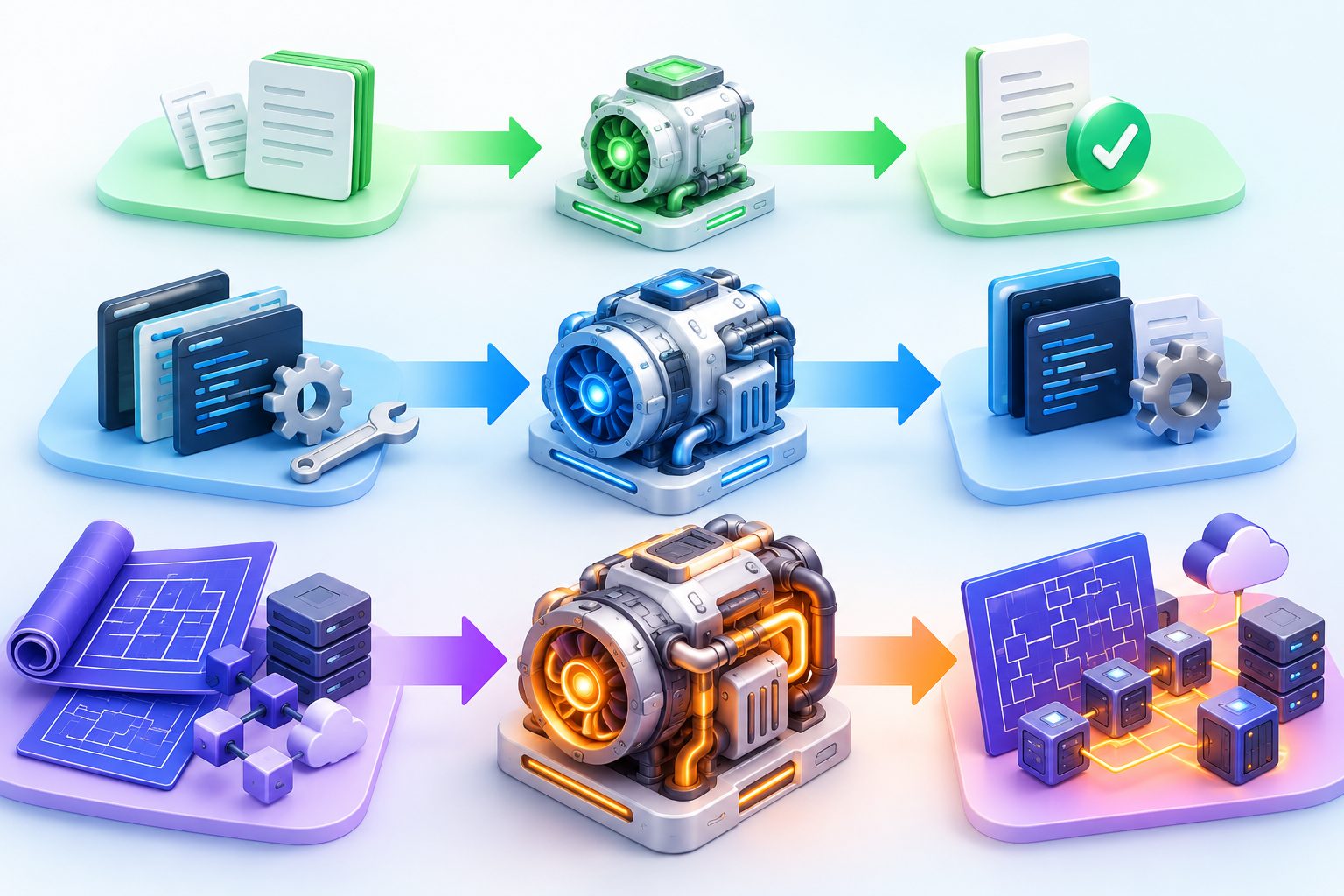
| Level | Good first choices | Warning signs you need more | Reason not to overuse it |
|---|---|---|---|
| Low | Classification, extraction, rewriting, short summaries, deterministic edits | Missed constraints, shallow comparisons, repeated tool mistakes, incomplete dependency analysis | Quality can fall on ambiguous, multi-step, or novel tasks |
| Medium | General coding, debugging, document analysis, tool use, research synthesis | Architecture contradictions, missed edge cases, inability to recover after a failed approach | Costs and latency more than Low even when the task is routine |
| High | Hard architecture, complex refactors, proofs, security analysis, novel algorithms | If High still fails, the issue may be context, tools, data, or prompt design—not insufficient thinking | Highest token use, longest latency, and quickest path to a quota wall |
The Default Is Different in the Gemini App and API
The phrase “default thinking level” is dangerously incomplete unless you also name the product surface. Google’s Gemini Apps Help says that when you manually select a model but do not choose a level, the app defaults to Low. It also says the selected model and level persist within the current conversation, including when you return later. By contrast, the Gemini API and Google Cloud documentation list Medium as the default for gemini-4-argon.
This difference matters during troubleshooting. A developer may reproduce a consumer-app prompt through the API and see different latency, detail, and token use without changing the words. One run may begin at Low and the other at Medium. Smart or automatic model selection adds another variable because the app can select a model according to the prompt unless you turn that behavior off and manually pick Argon.
| Surface | Documented starting behavior | What to record in a test |
|---|---|---|
| Gemini app | Unselected thinking level defaults to Low; a chosen level persists in that conversation | Model, level shown in the picker, auto-selection state, conversation age, attachments, and usage meter before/after |
| Gemini API / AI Studio | gemini-4-argon defaults to Medium | Exact model ID, thinking_level, input tokens, output/thinking usage, latency, output cap, and finish status |
| Google Cloud Agent Platform | Public Argon defaults to Medium; special cyber-permissive model defaults to High | Model variant, region, SDK version, agent tools, continuation behavior, and endpoint version |
| Antigravity | User can choose model and Low, Medium, or High; access and quota depend on plan/account state | Model label, level, project context, tool calls, task duration, and separate Argon quota meter |
How to Choose a Gemini 4 Argon Thinking Level
Use a routing rule based on task complexity, verification cost, and failure impact. Start with a concrete acceptance test: the code must pass these tests, the analysis must cite these documents, the extraction must match this schema, or the answer must resolve these five questions. Then choose the lowest level likely to pass. If it fails, change one variable at a time.
Choose Low when the task is constrained and easy to check
Low is the best value when the path is obvious and the output is mechanically verifiable. Examples include extracting fields from a clean invoice, converting a known structure to JSON, summarizing a single short document, labeling support tickets, translating a bounded passage, or making a small code edit with an existing test. The prompt should state the output format and stop conditions. If you cannot describe success clearly, Low may guess at the missing structure.
Choose Medium for normal knowledge work and software work
Medium is the safe baseline for most users of the API. It gives the model room to inspect dependencies, select tools, compare evidence, and revise a plan without immediately paying for the deepest path. Good examples include debugging a feature across a few files, synthesizing several documents, analyzing a spreadsheet with stated assumptions, building a tool-using workflow, or planning a modest refactor. Medium is also the right control group when you evaluate whether High adds enough value.
Choose High when the task is genuinely hard and failure is expensive
High makes sense for architecture across many components, novel algorithms, subtle concurrency bugs, formal proofs, complex scientific reasoning, security review, and agent work that must sustain a long chain of dependent decisions. Give it structured context, explicit constraints, and a verification protocol. High does not make weak evidence stronger or restore missing files. If the prompt lacks the required data, more thinking can produce a more polished wrong answer.
Route routine execution away from Argon
Argon is a frontier model, not a compulsory daily driver. Once Argon produces a plan, a lighter Gemini model can often perform repetitive transformations, straightforward searches, or boilerplate execution. Bring Argon back for review, exception handling, or the hardest decision. This planner-executor-reviewer pattern appears repeatedly in current user discussions because it preserves scarce Argon quota for the part that benefits from it.
Configure Gemini 4 Argon Thinking Levels Correctly
For the API, set the model ID and thinking level explicitly. Current Google documentation uses low, medium, and high. Numerical thinking_budget values and minimal are not supported by Argon. Use a recent Google Gen AI SDK, and treat the exact field shape as version-sensitive.
Python with the Interactions API
from google import genai

client = genai.Client()

interaction = client.interactions.create(
    model="gemini-4-argon",
    input=(
        "Review this payment retry design for race conditions. "
        "Return risks, a corrected locking strategy, and tests."
    ),
    generation_config={
        "thinking_level": "medium",
        "max_output_tokens": 65536,
    },
)

print(interaction.output_text)
Use Low first for a bounded edit, Medium for normal engineering analysis, and High only after the same evaluation shows that Medium misses important defects. Keep the prompt, files, tool access, output cap, and evaluator fixed when comparing levels.
REST request
curl "https://generativelanguage.googleapis.com/v1beta/interactions"   -H "x-goog-api-key: $GEMINI_API_KEY"   -H "Content-Type: application/json"   -X POST   -d '{
    "model": "gemini-4-argon",
    "input": "Compare these two service boundaries and find race conditions.",
    "generation_config": {
      "thinking_level": "high",
      "max_output_tokens": 131072
    }
  }'
Do not paste a real API key into a script, article, ticket, or chat. Load it from a secret manager or environment variable and keep logs from printing authentication headers.
Gemini app
- Open the model selector in the prompt box.
- Choose Argon manually if your plan exposes it.
- Select Low, Medium, or High instead of assuming the previous conversation’s setting.
- For a clean comparison, start a new conversation so old messages and attachments do not distort context cost.
- After the answer, expand the thinking/status area and note the model label that the app displays.
The app and API expose different usage and telemetry detail. The API can return token accounting and finish status. The app is designed around a compute allowance, not a simple public token invoice, so its percentage meter should not be converted into a universal tokens-per-percent formula.
How to Verify Which Thinking Level Actually Ran
Verification has two parts: confirm the requested configuration, then inspect observable evidence from the response. In the API, log the model ID, requested level, SDK version, response status, finish reason, latency, and usage metadata. In the Gemini app, record the picker state and the response-end model label. Do not infer the level only from response length or how fast text appears.
A current Reddit report claims that High sometimes produced a response labeled only as Argon near the end of a weekly allowance, despite automatic selection being off. That is a useful troubleshooting signal, but it is not official proof of a platform-wide silent downgrade. Treat it as an anecdote to reproduce: capture the before-and-after meter, screenshot the selected setting and final label, start a clean chat, retry with a controlled prompt, and submit feedback if the mismatch persists.

App verification checklist
- Turn off smart or automatic model selection for a controlled test.
- Choose Argon and the intended thinking level manually.
- Use a fresh conversation with no stale attachments.
- Save the exact prompt and the time of the run.
- Inspect the model/level label shown with the response.
- Record the usage meter before and after, without assuming the percentage equals a fixed token count.
- Repeat once with the same prompt; do not run many retries if quota is already scarce.
API verification checklist
- Pin
model="gemini-4-argon"and an explicitthinking_level. - Log the request configuration after your framework or gateway transforms it.
- Record input, thinking/output, and total usage fields returned by the provider.
- Record latency to first token and total completion time.
- Check finish status for truncation, continuation, safety, or tool errors.
- Verify that a proxy did not map an unsupported budget to a different level.
Why Low Can Still Use a Surprising Amount of Quota
Thinking level is only one cost driver. A Low request can still be heavy when the conversation contains a long history, large attachments, images, video, tool traces, connected-app context, or a broad instruction that triggers search and agent steps. The consumer app may also include product-level context that is not obvious from the short message you just typed. “Test” is a tiny input, but it can be ambiguous enough to invite interpretation, and the surrounding conversation can outweigh the visible word.
Current community reports vary dramatically: some people describe a few prompts consuming a large portion of a five-hour allowance, while others run longer sessions with much lower meter movement. These reports are useful evidence of confusion and variability, not a stable benchmark. Google does not publish a fixed number of Argon prompts for every Pro or Ultra user. Capacity, task complexity, context, tools, product surface, account entitlement, and evolving limits can all matter.
Thinking level and output cap solve different problems
thinking_level controls how deeply the model reasons. max_output_tokens caps the combined thinking and visible output for the response. Google’s documentation warns that Argon can spend more of this cap on thinking than earlier models. If the cap is too low, the response may end incomplete after spending tokens on reasoning. A small cap is therefore a safety ceiling, not an efficient replacement for Low.
| Goal | Primary control | Common mistake |
|---|---|---|
| Lower routine cost and latency | Lower thinking_level | Keeping High and forcing a tiny output cap |
| Prevent unexpectedly huge output | Set a sensible max_output_tokens | Assuming the cap changes the model’s reasoning strategy |
| Reduce repeated input cost | Use shorter clean conversations and stable prompt prefixes that can benefit from implicit caching | Dragging a huge stale chat into every simple request |
| Preserve quota for hard work | Route simple tasks to Flash or Low; reserve Argon Medium/High for exceptions | Using High as the default for email rewrites and routine summaries |
For API workloads, thinking tokens are billed as output tokens. The introductory Argon price published by Google ends after November 30, so a workflow that is acceptable at launch pricing should still be evaluated against the normal price. Avoid putting a year in the article title, but always timestamp financial assumptions inside your operational notes because prices and plan limits change.
For a fuller explanation of rolling windows, weekly allowances, plan access, and cost controls, return to the Gemini 4 Argon usage limits guide. If you are designing a multi-model router, our Gemini Flash-Lite routing guide gives a complementary pattern for sending routine work to a cheaper model.
Common Gemini 4 Argon Thinking-Level Errors and Fixes
HTTP 400: thinking budget is not supported
Argon replaces the old numeric reasoning-budget pattern with discrete levels. If your app, proxy, or agent framework still sends thinking_budget, Google can return HTTP 400. Remove the field and send thinking_level as Low, Medium, or High. Current GitHub issues show this migration bug appearing in third-party clients that automatically add a legacy budget.
HTTP 400: MINIMAL is unsupported
minimal is not an Argon level. It may be valid for another Gemini model or represented by a framework’s generic reasoning enum, but Argon accepts Low, Medium, and High. If a client silently maps “off” or “minimal” into the request, update the provider adapter or explicitly choose Low.
High appears to answer as Low
First separate a product label mismatch from a performance impression. Disable automatic selection, start a new conversation, set High again, and inspect the final model label. If the app still reports a different result, save screenshots and send feedback. If you are near a usage cap, record that fact, but do not assume it proves intentional throttling. In the API, inspect the transformed request and provider response because a gateway can rewrite the field.
Response is incomplete after lowering max output
Raise max_output_tokens to at least the current recommended range for Argon, then reduce the thinking level if the goal is lower spend. A response cap covers thinking plus the answer. For genuinely long output, use background execution or the documented continuation workflow instead of hoping a single short request will fit.
The same prompt costs more in the app than AI Studio
Do not expect subscription allowance percentages to map directly to API tokens. The surfaces have different defaults, context handling, account entitlements, tools, and metering. Reproduce with a fresh app conversation and an explicit API level, keep attachments out, and compare output quality rather than trying to derive an exchange rate between “percent of allowance” and tokens.
Temperature changes do nothing
Google’s Argon migration guidance says sampling controls such as temperature, top_p, and top_k are ignored. Thinking level is the main quality-latency-token lever. Remove ignored parameters so operators do not believe they are controlling behavior that the model disregards.
A Quota-Efficient Argon Workflow
A good operating pattern separates planning, execution, and verification. Use Argon only for the phase where frontier reasoning changes the result.
- Define success. Write tests, evidence requirements, output schema, and stop conditions before calling the model.
- Begin at the lowest plausible level. Low for deterministic tasks, Medium for ordinary multi-step work, High only for a clearly hard problem.
- Ask for a plan before broad action. Review the plan for unnecessary files, tools, or subproblems.
- Execute routine steps with a lighter model or deterministic code. Do not spend Argon High on formatting, copying, or boilerplate.
- Return to Argon for the hard exception. Supply only the relevant failure evidence and constraints.
- Verify outside the model. Run tests, compare citations, validate schemas, and require human approval for irreversible actions.
- Log level versus outcome. Keep a compact evaluation record so future routing is based on evidence rather than habit.
This pattern is especially effective for coding. Ask Medium to produce an architecture and risk list, use a lighter coding model to implement well-defined changes, and ask Medium or High to review only the dangerous diffs. For research, use Low or Flash for extraction, Medium for synthesis, and High only when the documents conflict or the question needs a novel chain of reasoning.
Related AI Feature Drop tutorials can help with the surrounding workflow: the Google ADK workflows guide covers deterministic and agentic orchestration; the Gemini Managed Agents guide explains deployment structure; the Gemini API File Search guide helps control retrieval context; and our Gemini prompt guide shows how clearer instructions reduce avoidable iteration.
Test Low vs Medium vs High on Your Own Workload
Do not copy a public benchmark and assume it predicts your task. Build a small evaluation set of 20 to 50 representative cases. Include easy, typical, hard, and adversarial examples. Freeze the prompt template, tool permissions, context, model ID, and output cap. Run each level on the same cases, then score correctness, completeness, latency, token use, and reviewer effort.
| Metric | How to measure | Decision rule |
|---|---|---|
| Task success | Automated tests, schema validation, or rubric score | Reject any level below the minimum quality bar |
| Critical-error rate | Count security, legal, financial, or destructive mistakes separately | Escalate or require human review when risk is unacceptable |
| Latency | Time to first token and total completion time | Use the fastest passing level for interactive work |
| Token/cost | Provider usage metadata and current price | Choose the lowest-cost level that still passes |
| Review effort | Minutes a qualified reviewer spends correcting output | Include human time; a cheap wrong answer is expensive |
| Stability | Repeat a subset and measure outcome variance | A slightly slower stable level may beat an erratic one |
Do not publish “High is 30% better” unless your evaluation supports that exact claim and explains the dataset. The available public discussion is dominated by anecdotes and rapidly changing launch-week behavior. Your best asset is a dated internal benchmark tied to your real acceptance criteria.
Limits, Caveats, and What We Could Not Confirm
Google documents the accepted levels and the main defaults, but it does not publish a universal number of prompts available per plan or a stable conversion from app allowance percentage to tokens. Community reports are inconsistent and can change as capacity and metering evolve. This article therefore avoids a fixed “messages per five hours” table.
The report of High appearing to run at a lighter level comes from a recent user post. We did not independently reproduce it on an authenticated account, and Google has not confirmed it as a general behavior in the sources reviewed. Use the verification procedure above rather than treating the allegation as established fact.
Our live GA4 and Search Console refresh hit a Google OAuth TLS failure during this run. We used the latest successful analytics report, covering September 21 through October 20, and recorded the failure. Search Console returned no query rows in that report, so the topic decision relies on the latest pillar relationship, GA4 format performance, official product changes, current forum demand, and SERP weakness—not invented keyword volume.
Sources and Verification Notes
- Google AI for Developers: What’s new in Gemini 4 Argon
- Google Cloud: Developer’s guide to Gemini 4 Argon
- Gemini Apps Help: About Gemini models and thinking levels
- Google Antigravity: Choose a model and thinking level
- Google AI for Developers: Gemini thinking controls
- Google: Gemini 4 Argon availability and capabilities
- GitHub issue: thinking_budget migration error with Gemini 4
- Reddit report: requested High and observed a different response label
Product access, quotas, defaults, SDK shapes, and prices can change. Verify the current Google documentation and your account’s model picker or billing console before making production or purchasing decisions.
FAQ: Gemini 4 Argon Low, Medium, and High
Which Gemini 4 Argon thinking level should I use?
Start with Low for simple and mechanically verifiable tasks, Medium for most coding, tool use, document Q&A, and analysis, and High for genuinely difficult architecture, proof, security, or multi-file reasoning. Use the lowest level that passes a predefined quality check.
What is the default Gemini 4 Argon thinking level?
It depends on the surface. Google’s API and Cloud documentation list Medium as the default for gemini-4-argon. Gemini Apps Help says the app defaults to Low if you do not select a level.
Does High thinking always produce a better answer?
No. High provides more room for reasoning but cannot repair missing evidence, ambiguous requirements, poor tools, or incorrect context. It may add latency and cost without improving routine tasks.
Why does Low thinking still consume a lot of Gemini quota?
The level is only one factor. Long conversation history, attachments, images, video, connected apps, searches, agent steps, and ambiguous requests can make a Low interaction expensive. Start a clean conversation and reduce context before blaming the level alone.
Can I use max_output_tokens to reduce thinking?
Not safely as a substitute. The cap includes thinking and the visible answer, so a small value can truncate the response. Lower thinking_level to reduce reasoning depth and use max_output_tokens separately as an output safety ceiling.
Why does thinking_budget return HTTP 400 with Argon?
Gemini 4 Argon uses discrete thinking_level values instead of a numeric thinking_budget. Remove the old field and choose Low, Medium, or High.
Does Gemini 4 Argon support Minimal thinking?
No. Current Google documentation says MINIMAL is unsupported for Argon and returns HTTP 400. Use Low as the lightest supported level.
How can I verify which level the Gemini app used?
Disable automatic model selection for the test, manually choose Argon and a level, use a fresh conversation, and inspect the model label shown with the response. Save the prompt, selected setting, time, and allowance meter if reporting a mismatch.
Should I use Argon High for every coding task?
No. Use Low for narrow, testable edits and Medium for most normal engineering work. Reserve High for hard architecture, novel algorithms, subtle concurrency, security analysis, or cases where Medium demonstrably fails.
How should a team evaluate the three levels?
Run the same representative task set at all three levels with fixed prompts, tools, context, and output caps. Score correctness, critical errors, latency, tokens, stability, and human review time. Deploy the lowest-cost level that meets the required quality bar.
Final Recommendation
Make Medium your API baseline, but not an unquestioned default. Use Low aggressively for bounded tasks with strong checks, escalate to Medium for everyday multi-step work, and reserve High for tasks whose difficulty and downside justify the extra reasoning. In the Gemini app, explicitly choose the level because the unselected default can differ from the API.
Most unexpected Argon spend is not solved by one magic toggle. It is solved by cleaner conversations, smaller context, explicit routing, current SDK parameters, evidence-based escalation, and external verification. If you adopt one habit, make it this: record why a task needed a deeper level. Over time, that log becomes a routing policy that protects both quality and quota.
Post a Comment