
Codex Skills Troubleshooting Guide: Fix SKILL.md Discovery, Triggers, and Context Bloat
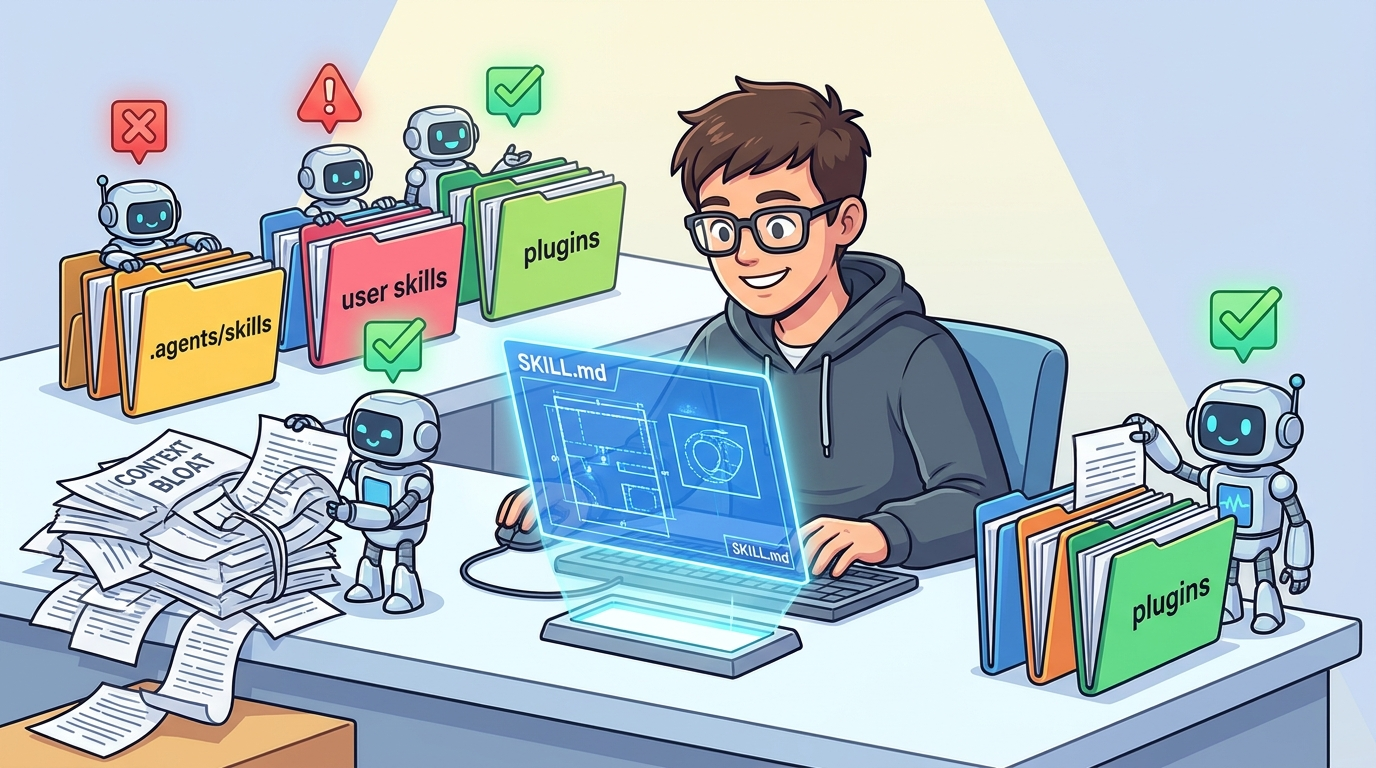
Codex Skills are powerful when they behave like focused reusable workflows. They are frustrating when a skill never appears, triggers at the wrong time, loses its path, duplicates another skill, or fills the context window before the real work begins. This guide turns those failure modes into a practical debugging checklist.
Quick Answer: Why Your Codex Skill Is Not Working
If a Codex Skill is not working, start with four checks: the skill must live in a supported location, the folder must contain a valid SKILL.md, the frontmatter must include a clear name and description, and the task you give Codex must match that description closely enough for the skill to be selected. If the skill still does not appear after an edit, restart Codex or explicitly mention the skill to separate discovery problems from implicit-trigger problems.
OpenAI’s skill documentation says Codex loads skills from repository, user, admin, and system locations, then uses progressive disclosure: the initial catalog includes the skill name, description, and path, while the full SKILL.md is read only when Codex chooses that skill. That design is excellent for context efficiency, but it also means most skill bugs happen before the full instructions are ever read. A brilliant twenty-page skill cannot help if the short description is vague, hidden, duplicated, disabled, or trimmed from the initial catalog.
.agents/skills/<skill-name>/SKILL.md for repo workflows, and test it with an explicit invocation before relying on automatic selection.This cluster article supports our broader OpenAI Codex Skills guide. That pillar explains what skills are and how to design reusable agent workflows. This page is narrower: it focuses on debugging the common things that break after you have already created a skill.
Why Codex Skills Troubleshooting Matters Now
Codex is no longer just a terminal assistant that answers a prompt. OpenAI describes Codex as a coding agent that works across ChatGPT, the desktop app, the IDE extension, and the CLI. The official Codex page highlights skills as a way to teach Codex team standards, workflows, and ways of working so it can contribute with less supervision. That is a useful promise, but it also raises the stakes: if a reusable skill is wrong, the agent repeats the wrong behavior across tasks.
Analytics also point toward the same opportunity. In the last complete 28-day window, AI Feature Drop recorded 524 active users, 643 sessions, and 806 page views in GA4. Organic Search was the second-largest channel with 252 sessions, while the top viewed content leaned heavily toward practical OpenAI and coding-agent explainers. The Codex Banked Resets article led with 194 page views, and the ChatGPT Desktop App Codex setup guide added 68 page views. Search Console data was still sparse for the domain, but it showed early impressions around Codex computer-use and permissions terms. In plain English: the site already earns attention when it explains concrete AI coding workflow problems, not generic product news.
Feature research reinforces that choice. OpenAI’s Build skills documentation describes supported skill locations, progressive disclosure, implicit and explicit invocation, plugin distribution, and the importance of descriptions. Recent OpenAI Codex CLI releases also mention skill and plugin behavior directly. Release 0.146.0 added support for Agent Plugins manifests, workspace plugin publishing, additional plugin marketplaces, executor-provided skill discovery, and fixes that retain more available skills under tight context budgets. GitHub issues from the same period show real user friction around symlinked SKILL.md discovery, missing bundled skill creator availability, disabled repository skills reappearing in generated worktrees, and requests for skill-path environment variables. Those are not abstract concerns; they are exactly the problems a developer hits while trying to make skills reliable.
The search gap is practical. Official docs explain the model, but they do not always walk through “my skill does not trigger” with enough diagnostic steps. GitHub issues capture individual bugs, but they are not written as a beginner-friendly repair guide. This article fills that middle space: enough official grounding to be trustworthy, enough field-level detail to be useful, and enough internal links to help readers understand the broader Codex workflow.
The Mental Model: Codex Sees the Skill Catalog Before It Reads the Skill
The most important troubleshooting idea is that Codex does not start by loading every full skill. It starts with a lightweight list. According to OpenAI’s documentation, that initial list includes each skill’s name and description, and in Codex it also includes the file path. The list is limited to a small portion of the context window, with descriptions shortened first when many skills are installed. Only after Codex selects a skill does it read the full SKILL.md.
That explains why many broken skills feel mysterious. The instructions inside the file may be perfect, but the selection layer is weak. If the description says “helps with files,” Codex may not connect it to “prepare release notes from merged pull requests.” If dozens of skills are installed, your description may be shortened or omitted from the first catalog. If two skills share the same name, Codex may show both and make selection ambiguous. If a skill is disabled by absolute path and Codex runs from a generated worktree, the disabled-path identity may no longer match. If a skill uses a symlink layout, a current GitHub issue suggests some symlink-related path behavior can still be surprising.
Think of each skill as having two layers. The outer layer is the advertisement: name, description, path, and policy. The inner layer is the workflow: instructions, examples, references, scripts, assets, and safety rules. Troubleshooting should start at the outer layer. Only debug the inner workflow after you know Codex can discover and select the skill.
Fix Codex Skill Discovery Problems
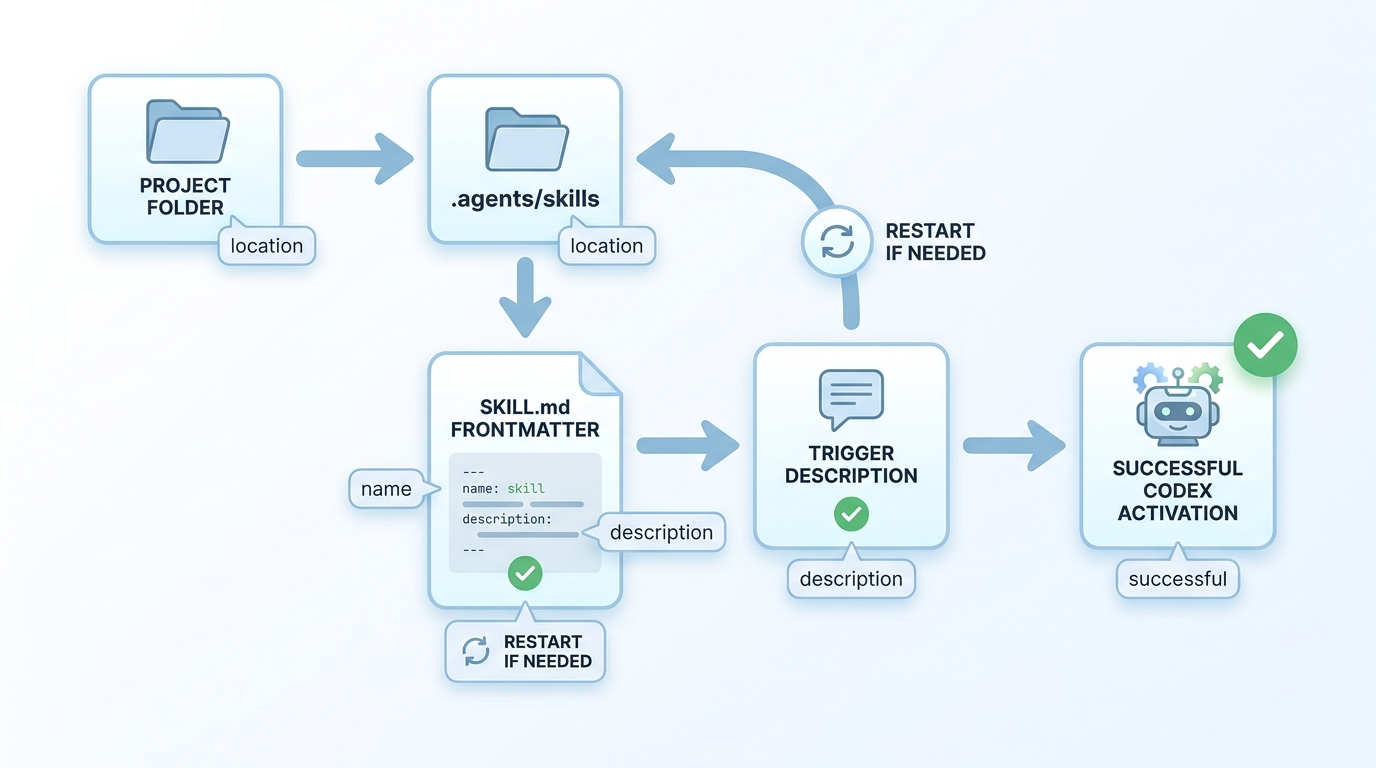
A discovery problem means Codex cannot see the skill at all. The skill may not appear in the skill selector, may not be listed in the available catalog, or may be ignored unless you paste the instructions manually. Do not start by rewriting the entire skill. Start with location, filename, frontmatter, and restart behavior.
Use a supported location
For repository workflows, the simplest reliable path is .agents/skills/<skill-folder>/SKILL.md somewhere between your current working directory and the repository root. OpenAI’s docs say Codex scans .agents/skills from the current working directory upward to the repository root. That means launch location matters. If you start Codex in a nested service folder, it may discover service-specific skills and shared root skills. If you start outside the repository, repo skills may not be in scope.
User-wide skills belong under $HOME/.agents/skills, while admin and system skills use broader machine or bundled locations. The practical recommendation is simple: put team workflow skills in the repo, personal helper skills in the user folder, and avoid clever layouts until the basic version works.
Check the exact file name and frontmatter
The required file is SKILL.md. The docs show a skill directory containing that required file, plus optional scripts/, references/, assets/, and agents/openai.yaml. The SKILL.md must include a name and description in frontmatter. A file named skill.md, SKILLS.md, or README.md may be useful documentation, but it is not the skill entry point.
---
name: release-note-writer
description: Use when turning merged pull requests into concise release notes with risk notes and customer-facing summaries.
---

Follow this workflow when the user asks for release notes...
A good name is short and stable. A good description says when the skill should trigger and when it should not. If the description is too broad, the skill may trigger at the wrong time. If it is too poetic, Codex may not match it to real user prompts. Front-load trigger words because descriptions can be shortened when the catalog is large.
Restart after changes when needed
OpenAI’s docs say Codex detects skill changes automatically, but if an update does not appear, restart Codex. This is not a glamorous fix, but it is the right one after changing folder paths, disabling or enabling skills, adding plugin metadata, or replacing a skill through an installer. A restart turns “Codex cached an old catalog” into an easy yes-or-no result.
Avoid fragile symlink assumptions
The documentation says Codex supports symlinked skill folders and follows the symlink target when scanning locations. At the same time, GitHub issue reports around symlinked SKILL.md files and label/path behavior show that symlink layouts can expose edge cases. If you are troubleshooting, remove complexity first: test with a normal directory and a regular SKILL.md file. Once the regular version works, reintroduce symlinks only if you truly need shared canonical files.
Fix Skills That Appear but Do Not Trigger
A trigger problem means the skill exists, but Codex does not choose it when you expect. This is usually a description problem, not an instruction problem. The full instructions are loaded after selection, so they cannot rescue a weak catalog description.
Test explicit invocation first
Before tuning implicit invocation, mention the skill directly. In Codex CLI or the IDE extension, OpenAI says users can run /skills or type $ to mention a skill. If explicit invocation works, the skill is valid enough to load. Your problem is matching. If explicit invocation fails, return to discovery, location, or file validity.
Rewrite the description like a search query
A weak description says “helps with backend code.” A strong description says “Use when generating database migration files, rollback notes, and test commands for Prisma schema changes.” Codex is matching a task to a compressed catalog entry. Give it the exact words a user is likely to say.
| Weak description | Better description | Why it works |
|---|---|---|
| Helps with docs. | Use when updating README setup steps, CLI examples, environment variables, and troubleshooting notes after code changes. | It names the artifact, context, and task. |
| Use for tests. | Use when triaging failing unit tests, reading stack traces, proposing minimal fixes, and running the smallest relevant test command. | It gives Codex a clear intent boundary. |
| AI marketing workflow. | Use when turning a product feature launch into a blog outline, SEO title options, source list, and publication checklist. | It describes a complete repeatable workflow. |
| Security helper. | Use when reviewing code diffs for secrets, auth bypasses, unsafe file writes, and missing approval checks; do not use for general refactors. | It includes positive and negative scope. |
Use negative boundaries
Skills often over-trigger because the description tells Codex when to use the skill but not when to avoid it. Add a short boundary if the skill has a tempting neighbor. For example, a release note skill can say “Do not use for changelog parsing unless the user asks for customer-facing release copy.” A screenshot skill can say “Do not use for image generation or design mockups.” This reduces accidental activations and protects context budget.
Split one giant skill into smaller skills
If one skill tries to handle release notes, GitHub issues, docs, migrations, social posts, and support replies, Codex receives a blurry description. Smaller skills are easier to trigger and easier to audit. OpenAI’s own best practices say to keep each skill focused on one job and prefer instructions over scripts unless deterministic behavior is needed. Follow that advice. A focused skill makes the selection problem obvious: either the task matches or it does not.
Check implicit invocation policy
Optional agents/openai.yaml metadata can set allow_implicit_invocation: false. That is useful when a skill should only run on explicit request, but it also explains why a skill never triggers automatically. If implicit invocation is disabled by policy, explicit invocation should still work. For team repositories, be deliberate: disable implicit invocation for dangerous or expensive skills, but keep safe everyday workflow skills eligible if their descriptions are precise.
Fix Context Bloat From Too Many Skills
Context bloat happens when Codex spends too much of the initial prompt budget describing available skills instead of understanding the user’s actual task. OpenAI’s docs say the initial skills list uses at most a small portion of the context window, and if many skills are installed, Codex shortens descriptions first. For large skill sets, Codex may omit some skills from the initial list and show a warning. That means adding skills has a cost even before a skill is selected.
Recent Codex release notes also mention work in this area. Release 0.146.0 includes a fix to retain more available skills under tight context budgets and warn when skill catalogs must be truncated. That is helpful, but it does not remove the need for skill hygiene. A messy local skill library can still make the agent less predictable.
writer, blog, or helper. The name should reveal the job.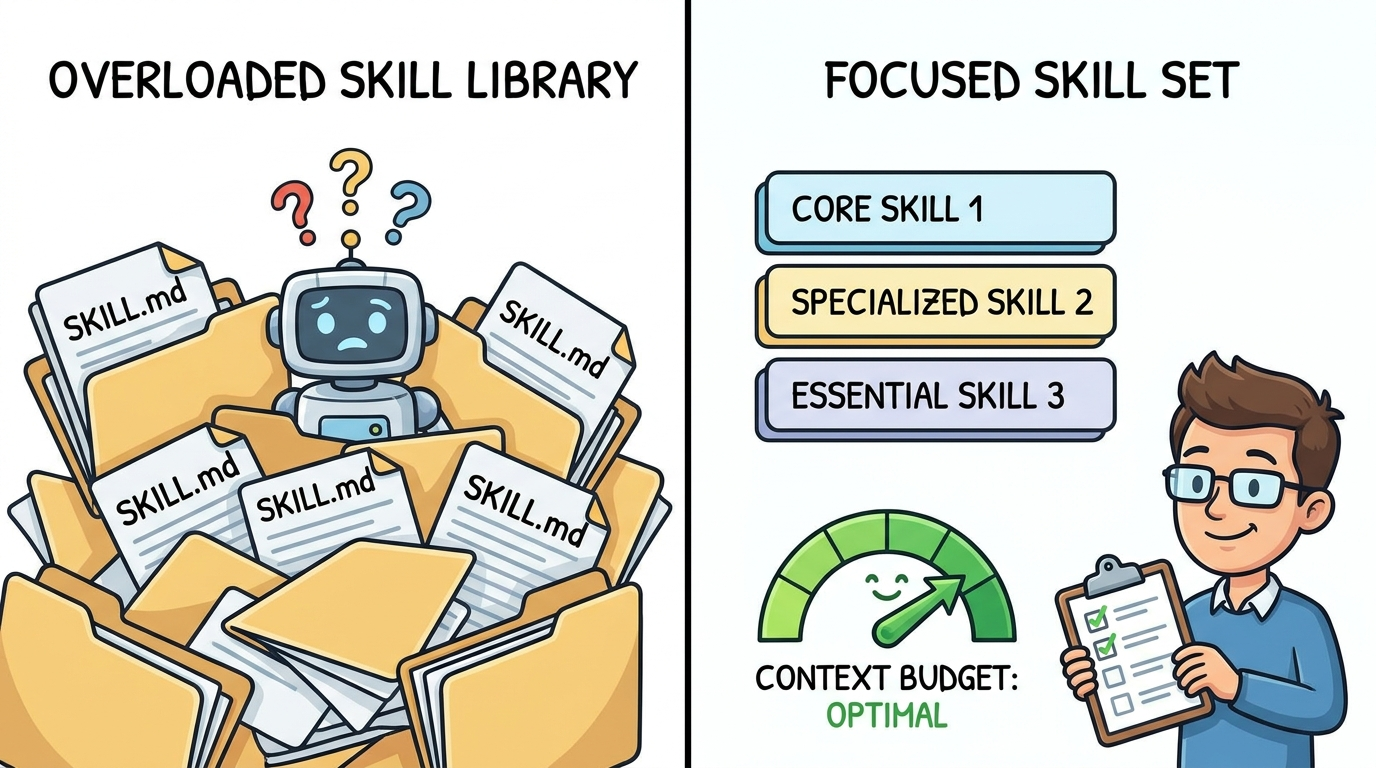
The best practical test is the “cold task” test. Open a new Codex session in the target repository and ask for a task that should trigger exactly one skill. If Codex chooses the wrong skill, compare the descriptions. If it chooses no skill, strengthen the description. If it warns about catalog truncation, reduce active skills. If it chooses multiple possible skills, split scope or rename them.
Fix Duplicate Names, Disabled Skills, and Worktree Surprises
OpenAI’s documentation says if two skills share the same name, Codex does not merge them; both can appear in selectors. This is useful for advanced cases but confusing for normal teams. If a user sees two skills with the same name, they may choose the wrong one. If Codex sees two catalog entries with similar descriptions, implicit selection becomes less predictable.
Give every skill a namespace-style name
Use names that identify the workflow, not the department. docs-readme-refresh is better than docs. rails-test-triage is better than tests. aifeaturedrop-blogger-publish is better than publish. This is not just tidy naming; it helps humans and agents choose the right workflow.
Understand absolute-path disable rules
A recent GitHub issue describes a disabled repository skill being re-enabled in Codex-generated worktrees because the disable setting was stored against an absolute path in the original checkout, while the generated worktree exposed the same repo skill at a different absolute path. Whether or not that exact issue affects your setup, the lesson is useful: path identity matters. If a skill behaves differently in a generated worktree, inspect the active path, not just the source repository.
Version and retire skills like code
A skill is operational behavior. Treat it like code. Review changes, remove stale assumptions, test after Codex upgrades, and keep a small changelog for critical team skills. If a skill controls publishing, deployment, customer data, billing, or destructive file operations, it should be reviewed more strictly than a normal prompt snippet because it can be invoked repeatedly.
Healthy skill library
- Names are unique and task-specific.
- Descriptions are short, trigger-focused, and bounded.
- Repo skills live near the code they affect.
- Risky skills require explicit invocation or approvals.
- Skill changes are tested with realistic prompts.
Fragile skill library
- Several skills overlap on the same generic task.
- Descriptions are long, vague, or marketing-style.
- User-global skills appear in unrelated repositories.
- Disabled skills come back through worktrees or path changes.
- Scripts run without clear input, output, or safety expectations.
Troubleshoot Codex Skills Inside Plugins
Plugins add another layer. OpenAI’s docs explain that skills are the authoring format for reusable workflows, while plugins distribute reusable skills and connectors through a universal plugin directory shared by ChatGPT and Codex. Plugins can include one or more skills and can optionally bundle MCP server connections, bundled MCP configuration, and presentation assets.
That distribution model is powerful, but debugging gets harder because the skill may live inside a plugin cache, marketplace package, or workspace-published plugin rather than a simple repo folder. Recent Codex release notes mention Agent Plugins manifests, workspace plugin publishing, and additional plugin marketplaces. GitHub issues also show demand for environment variables such as CODEX_SKILL_DIR and CODEX_PLUGIN_ROOT during plugin skill execution so bundled scripts can find their own resources reliably.
When plugin skills fail, separate three questions
First, is the plugin installed and enabled? Second, is the skill inside the plugin visible in the catalog? Third, can any bundled script or reference path resolve from the execution environment? Do not assume all three are the same bug. A plugin can be installed while one skill is hidden. A skill can be visible while its script cannot find an asset. A script can work locally while failing remotely because the path assumptions differ.
Prefer relative paths inside the skill folder
When a skill includes scripts, references, or assets, avoid hardcoded machine-specific paths. Put files inside the skill directory and document how the script finds them. If Codex or a plugin runtime exposes official path variables in your environment, use those. Until then, keep plugin scripts simple, inspect paths during testing, and include clear errors when a referenced file is missing.
Keep plugins for distribution, not early authoring
For a new workflow, start with a local skill folder. Test discovery, triggering, context use, and safety. Package it as a plugin after the workflow is stable. This mirrors normal software practice: prototype simply, then distribute. Packaging too early multiplies your debugging surface.
Step-by-Step Codex Skills Debugging Checklist
Use this checklist when a skill is missing, ignored, over-triggering, or wasting context. It is designed to move from simplest to most specific.
1. Prove the folder is discoverable
Create the smallest valid skill in the target location. Give it a unique name and obvious description. Start Codex from the repository folder where you expect the skill to be available. If the tiny test skill appears, your location is correct and your real skill likely has a naming, frontmatter, policy, or cache issue. If the tiny skill does not appear, your launch location or skill path is wrong.
2. Prove explicit loading works
Explicitly mention the skill. If Codex reads it and follows the workflow, the body is valid. If explicit loading fails, do not tune implicit matching yet. Fix file structure, frontmatter, enablement, or plugin installation first.
3. Tune the description against real prompts
Write three prompts a user would actually type. Compare them to the skill description. If the description does not contain the same nouns and verbs, rewrite it. Do not make it longer for the sake of being longer. Make it denser and more concrete.
4. Add examples inside the body
Once the skill triggers, examples inside SKILL.md help the agent execute consistently. Include sample inputs, expected outputs, and edge cases. Examples should not replace the trigger description; they improve performance after the skill is loaded.
5. Remove one variable at a time
If a skill uses symlinks, scripts, plugin packaging, remote executors, and worktrees, simplify it. Test a normal local folder. Then add the script. Then add references. Then test in a generated worktree. Then package it. Complex workflows fail for multiple reasons, and the fastest path is usually subtraction.
Practical Examples: Good and Bad Codex Skills
Example: release note skill that triggers cleanly
A good release note skill might say: “Use when turning merged pull requests, commit summaries, or changelog bullets into customer-facing release notes with risk notes and upgrade instructions.” That description contains the input, output, audience, and workflow. The skill body can then specify tone, sections, examples, source handling, and review steps.
Example: release note skill that triggers too often
A fragile version says: “Use for writing.” That might trigger for blog posts, docs, emails, code comments, pull request summaries, and support replies. Codex may choose it when the user wanted a different writing workflow. The fix is not to add more rules to the body. The fix is to narrow the catalog description.
Example: test triage skill with safe script use
A test triage skill can include a script that parses test output or runs a specific command, but the instructions should still ask Codex to inspect the failure, propose a minimal fix, run the smallest relevant verification, and report uncertainty. Scripts are useful for deterministic parsing. They should not become a hidden permission slip for broad, expensive, or destructive actions.
Example: publishing skill with approval boundaries
A publishing skill should be explicit about external effects. It can generate HTML, validate links, and prepare metadata freely, but it should distinguish drafts from live publishing, include verification steps, and respect the user’s external-action policy. Skills that touch public sites, messages, production services, or credentials need sharper boundaries than private helper skills.
Keep Learning on AI Feature Drop
- OpenAI Codex Skills Guide — the broader pillar guide for designing reusable Codex workflows.
- Codex SKILL.md Template — a focused template for writing reusable agent instructions that actually trigger.
- ChatGPT Desktop App Work and Codex Guide — choose the right surface for real coding tasks.
- ChatGPT Desktop App Codex Setup Guide — set up Codex, review PRs, and manage AI coding workflows.
- OpenAI Codex Pricing and Usage Limits — understand plan and usage constraints before building agent-heavy workflows.
- Codex Computer Use on Windows — troubleshoot a different but related Codex setup path.
- GitHub Copilot Localhost Testing Guide — compare agentic IDE workflows outside the Codex ecosystem.
Sources and References
- OpenAI / ChatGPT Learn: Build skills
- OpenAI Codex product page
- openai/codex GitHub repository
- openai/codex release 0.146.0
- openai/codex release 0.145.0
- openai/codex release 0.144.0
- GitHub issue: symlinked SKILL.md discovery
- GitHub issue: bundled skill creator missing from Codex Desktop
- GitHub issue: disabled repository skill re-enabled in worktrees
- GitHub issue: expose skill path environment variables
Product behavior, release notes, and plugin surfaces can change. Verify your active Codex version, skill locations, and organization policies before relying on a workflow in production.
FAQ: Codex Skills Troubleshooting
Why does my Codex Skill not appear?
The most common reasons are an unsupported location, a missing or misnamed SKILL.md, invalid frontmatter, a disabled skill, or Codex running from a directory where the repo skill is not in scope. Test with a tiny valid skill in .agents/skills and restart Codex if the catalog does not refresh.
Why does my SKILL.md appear but not trigger automatically?
Usually the description is too vague or the skill has implicit invocation disabled. Try explicit invocation first. If explicit invocation works, rewrite the description with concrete trigger words, inputs, outputs, and boundaries.
Can two Codex Skills have the same name?
OpenAI’s documentation says Codex does not merge skills with the same name; both can appear. For normal teams, duplicate names are a bad idea because they make human and automatic selection less predictable.
Do Codex Skills waste context?
They can if too many are active or if descriptions are bloated. Codex uses a limited initial catalog budget and may shorten or omit skills when the list is large. Keep skills focused, disable stale entries, and put project-only skills in repo scope.
Should I use symlinks for SKILL.md files?
Only after the normal folder version works. Documentation supports symlinked skill folders, but issue reports show symlink and path behavior can still create debugging confusion. Simpler file layouts are safer for teams.
What is the best description format for a Codex Skill?
Use one direct sentence: “Use when [specific user task] to produce [specific output] from [specific inputs]; do not use for [neighbor task].” Front-load important trigger words because long descriptions may be shortened.
When should a skill become a plugin?
Package a skill as a plugin when the workflow is stable and you need distribution, connectors, or reusable bundles. For early authoring, a local skill folder is easier to debug.
How do I know whether a problem is discovery or triggering?
If explicit invocation cannot load the skill, it is a discovery, file, policy, or installation problem. If explicit invocation works but automatic selection fails, it is a description, overlap, or implicit-invocation problem.
Post a Comment