
Claude Code Plugin Components Explained: Skills, Hooks, MCP Servers, Agents, LSP, and Monitors
Claude Code plugins can package more than one kind of extension. This guide explains what each component is for, when to use it, when to avoid it, and how to review the safety boundary before sharing a plugin with a team.
Quick Answer: What Are Claude Code Plugin Components?
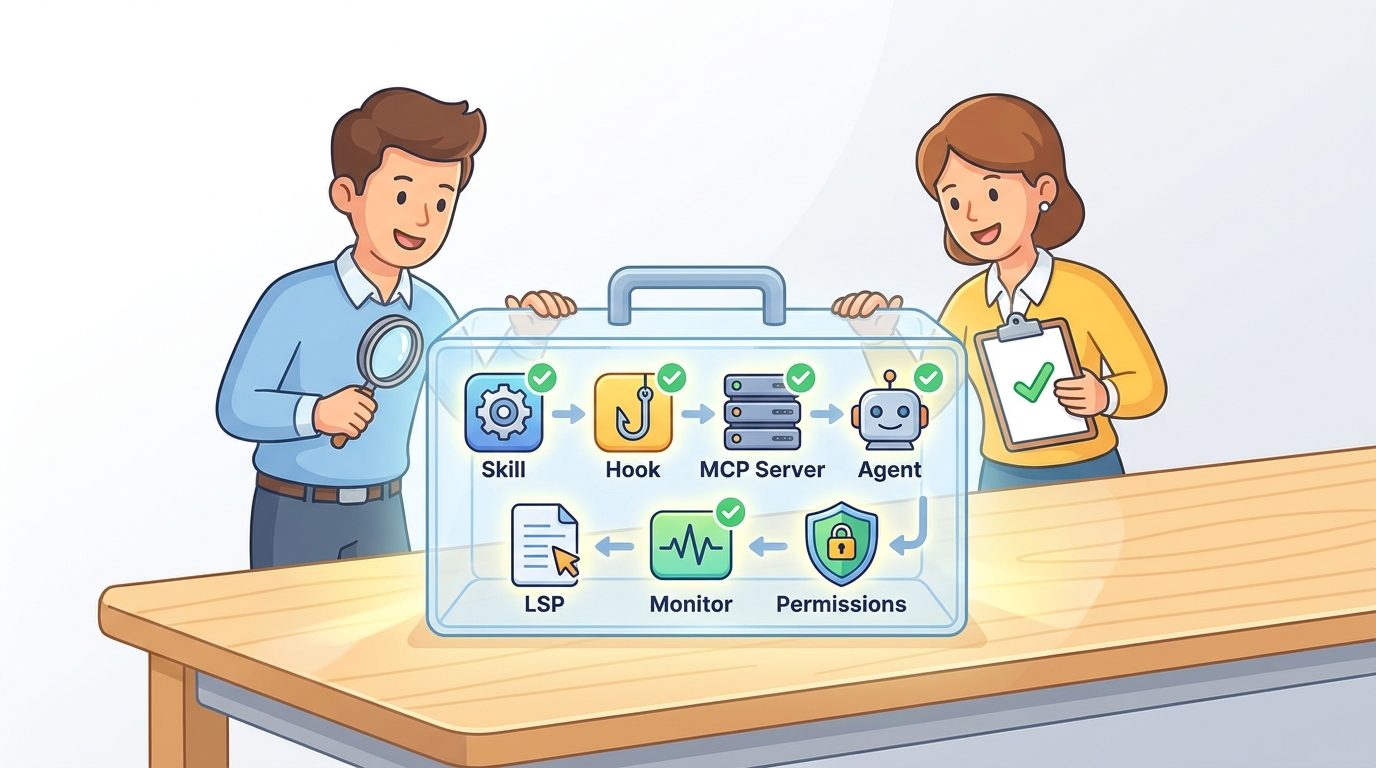
Claude Code plugin components are the building blocks a plugin can package so Claude Code can do something useful beyond its default behavior. The important components are skills, hooks, MCP servers, agents, LSP servers, monitors, executables, and settings. A plugin does not need every component. A good plugin usually has the smallest set of components that solves one repeatable workflow safely.
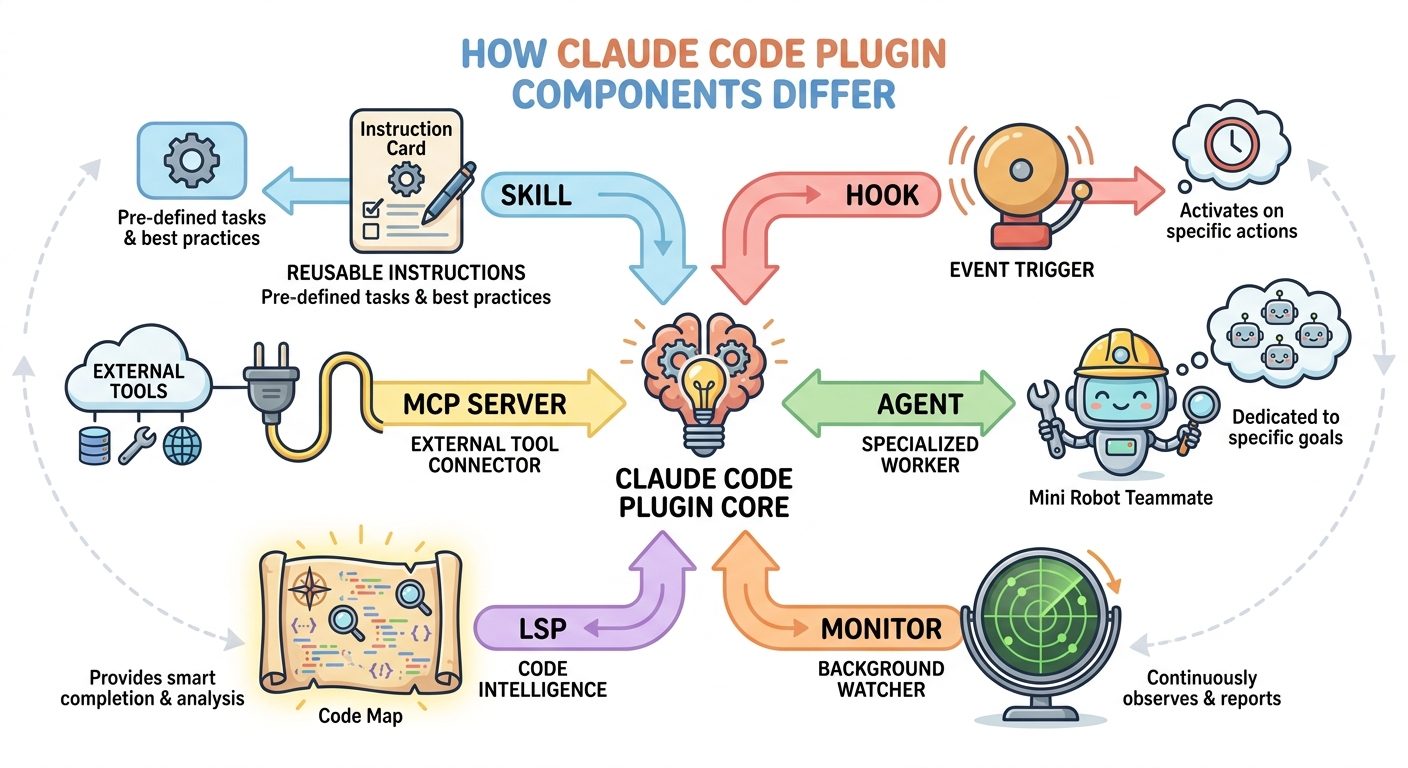
The simplest way to think about the system is this: a skill teaches Claude a repeatable procedure, a hook reacts to an event, an MCP server connects Claude to an external tool, an agent gives Claude a specialist teammate, an LSP plugin improves code intelligence, and a monitor watches background signals. Permissions and trust review sit around all of them.
This article is a supporting cluster guide for our broader Claude Code Plugins Guide. That pillar explains how plugins fit into team workflows. This page zooms in on the decision most builders face after reading the docs: which plugin component should I actually use?
Why This Claude Code Plugin Topic Matters Now
Claude Code’s plugin system is moving from a niche customization feature into a real workflow packaging model. The official documentation now describes plugins as self-contained directories that can extend Claude Code with custom skills, agents, hooks, MCP servers, LSP servers, monitors, and executables. That is powerful, but it also creates a common beginner problem: every component looks useful, so builders are tempted to over-package everything.
Overbuilding a plugin is not just messy. It changes the review surface. A skill is usually readable instruction text. A hook may execute commands or call an endpoint at a lifecycle event. An MCP server may connect Claude Code to third-party systems, databases, issue trackers, or internal APIs. An executable in a plugin can change what commands become available in the tool environment. Those are not equivalent risks, and they should not be reviewed with the same checklist.
AIFeatureDrop’s recent analytics also support this direction. GA4 for the last 28 complete days showed 681 active users, 772 sessions, and 855 page views, with Organic Search delivering 188 sessions. Search Console data is still sparse for some newer posts, but the query pattern is clear: people find the site through practical feature terms, not generic AI news. Existing Claude, OpenAI, GoogleAI, and Microsoft posts perform best when they explain a narrow product feature with direct workflow value.
The latest Claude pillar article on the site covers plugin building, installation, marketplaces, permissions, and team rollout. The previous cluster covered a plugin install checklist. The remaining search gap is the component decision guide: a focused explanation of skills vs hooks vs MCP servers vs agents vs LSP vs monitors that developers can use before they package or approve a plugin.
The Claude Code Plugin Component Map
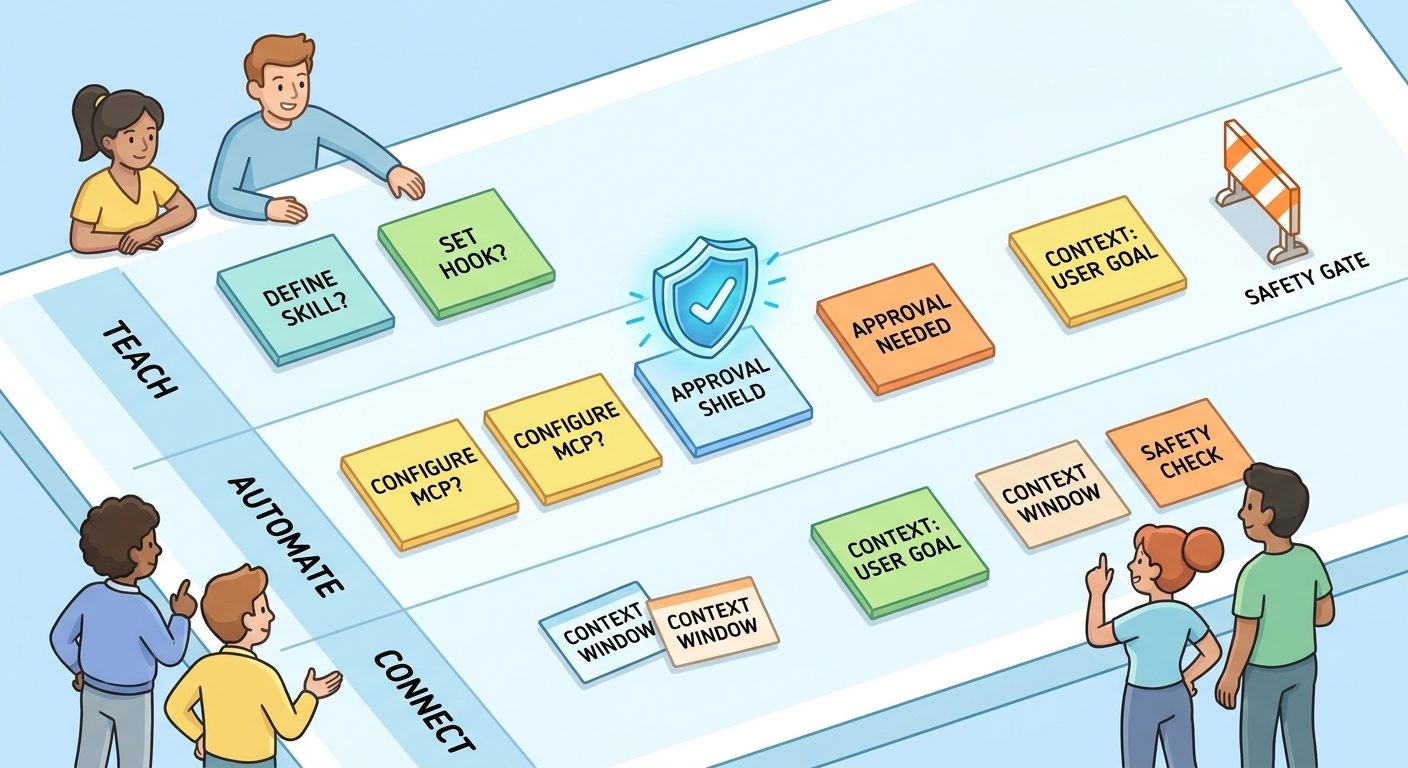
Before choosing a component, separate the problem into three questions. First, is the plugin trying to teach Claude how to do a task? Second, is it trying to trigger an action automatically? Third, is it trying to connect Claude to a live tool or external data source? Most bad plugin designs happen because these questions get mixed together.
| Component | Plain-English job | Best for | Review focus |
|---|---|---|---|
| Skill | A reusable instruction package Claude can load when relevant. | Checklists, writing workflows, code review routines, deployment procedures, analysis playbooks. | Prompt quality, scope, file references, hidden assumptions, whether it asks for unsafe behavior. |
| Hook | An event-triggered action during the Claude Code lifecycle. | Formatting after edits, policy checks before tools, notifications, logging, guardrails. | Trigger timing, command safety, network calls, blocking behavior, failure mode. |
| MCP server | A connector that gives Claude access to external tools or data. | GitHub, Jira, Notion, databases, monitoring tools, design systems, internal APIs. | Authentication, scopes, data exposure, prompt injection risk, write access. |
| Agent | A specialized subagent profile packaged by a plugin. | Security reviewer, docs editor, test strategist, migration assistant. | Allowed tools, model choice, isolation, max turns, role clarity. |
| LSP server | Language server configuration for diagnostics and navigation. | Type errors, go-to-definition, symbol awareness, richer codebase navigation. | Required binary, workspace trust, supported language, local resource impact. |
| Monitor | A background watcher that reacts to ongoing signals. | Long-lived environment checks, external status, background workflow cues. | Noise, privacy, network behavior, frequency, and team expectations. |
The component map matters because a plugin can contain multiple pieces. For example, a testing plugin might include a skill that describes the test strategy, a hook that runs a lightweight formatter after edits, and an LSP configuration that exposes diagnostics. That can be useful. But if the workflow only needs a test-writing checklist, packaging a hook and an MCP server is unnecessary.
Use a Skill When the Workflow Is Mostly Instructions
A skill is the safest starting point for most Claude Code plugin ideas because it is primarily a structured instruction bundle. If your workflow begins with “every time I ask Claude to do this, I paste the same checklist,” that checklist probably belongs in a skill. Skills are great for repeatable but judgment-heavy work: reviewing a pull request, summarizing a bug report, drafting release notes, checking accessibility, cleaning a data file, or following a deployment checklist.
The best skill-based plugins are boring in a good way. They reduce context repetition. They encode team standards. They give Claude a process without silently taking action. They can include reference files, scripts, and examples, but the core value is the procedure. A skill should make Claude more consistent; it should not surprise the user.
Good skill examples
A frontend team might create a “component-review” skill that checks props, accessibility, loading states, error states, design-token usage, and test coverage. A content team might create an “AI-feature-brief” skill that summarizes product docs, verifies official sources, and outputs a repeatable article brief. A data team might create a “query-review” skill that checks whether a SQL change has a rollback path and avoids destructive operations.
In each case, the workflow benefits from structure but does not need automatic execution. The user invokes the skill, reviews the result, and decides what happens next. That human checkpoint is exactly why skills are a good first component for shared plugins.
When a skill is not enough
A skill is not enough when Claude needs live data that cannot be pasted safely, when the workflow must fire automatically at a lifecycle event, or when the plugin needs a specialist agent with separate behavior and tool constraints. If your skill keeps saying “now run this command after every edit,” that may be a hook. If it keeps saying “go check Jira, Sentry, or our database,” that may be an MCP server. If it keeps saying “hand this to a specialized reviewer,” that may be an agent.
Still, the rule remains: begin with a skill unless you can clearly explain why the workflow needs more power.
Use a Hook When Something Must Happen Automatically
Hooks are more powerful because they run at specific Claude Code lifecycle events. The official hook reference describes events such as session start, prompt submission, pre-tool use, post-tool use, permission request, stop, file change, and other points in the agentic loop. A hook can run a command, call an HTTP endpoint, invoke an MCP tool, or use a prompt-style action depending on configuration.
That flexibility is useful for automation. It is also why hooks deserve more review than skills. A skill waits for invocation. A hook can run because an event fired. If a hook formats code after edits, that might be harmless and helpful. If a hook calls an endpoint with session metadata, blocks tool use, or runs a command on every file change, the team needs to understand exactly what it does.
Good hook examples
A lightweight formatting hook after file edits can reduce repetitive cleanup. A policy hook before risky tool use can remind the user to review a production database command. A notification hook can alert a team channel when a long-running coding session finishes. A guardrail hook can block a known-dangerous command pattern if it is carefully scoped and tested.
Recent public GitHub issues around Claude Code hooks show why this matters. Users have reported edge cases involving permission request hook decisions in background sessions and nested repository hook loading. Those reports do not mean hooks are bad. They show that hook behavior is operational, not just instructional. Builders need to test hooks in the exact surfaces where teams will use them: terminal sessions, IDE sessions, web sessions, background sessions, and multi-repository workflows.
When not to use a hook
Do not use a hook when a checklist would work. Do not use a hook just to force style preferences that could live in a shared instruction file. Do not use a hook for anything that makes network requests unless the destination, payload, authentication, and failure behavior are clearly documented. Do not package a hook into a team plugin without explaining how to disable it and how to verify it is running.
Use an MCP Server When Claude Needs a Real Tool Connection
MCP servers are for tool and data connections. The official Claude Code MCP documentation explains that MCP lets Claude Code connect to external systems such as issue trackers, monitoring tools, databases, design tools, and internal APIs. This is a different kind of power from a skill or hook. An MCP server can make Claude more useful because it reduces copy-paste work and gives the model live context. It also expands the trust boundary.
Use an MCP server when the workflow genuinely depends on data that changes outside the current repository. Examples include reading an issue from Jira, checking an error in Sentry, looking up a design in Figma, querying an internal API, or creating a draft in another system. If the user would otherwise copy data from a tool into Claude repeatedly, MCP may be a good fit.
The risk is that external content can be messy, sensitive, or adversarial. Anthropic’s security documentation explicitly discusses prompt injection and recommends trust verification for MCP servers. A connector can expose private tickets, customer notes, database rows, monitoring logs, or write actions. That means an MCP component should have a stricter review process than a plain skill.
MCP review checklist
- Identify whether the server is local stdio, remote HTTP, SSE, or WebSocket.
- List every external system it can read from or write to.
- Check authentication scopes and whether the plugin requests more access than the workflow needs.
- Confirm whether the server can fetch untrusted external content and how that content is handled.
- Test the server in a low-risk environment before connecting it to production tools.
- Document how users revoke credentials and remove the connector.
For a team plugin, the MCP question should be blunt: “Would we be comfortable with every user of this plugin giving Claude this connection?” If the answer is no, the MCP server may need a separate install path, stricter policy, or a smaller scope.
Where Agents, LSP Plugins, and Monitors Fit
Skills, hooks, and MCP servers are the most common decision points, but Claude Code plugins can also package agents, LSP server configurations, and monitors. These components are easy to overlook because they sound more advanced. Used well, they make a plugin feel like a real workflow product instead of a folder of prompts.
Agents: specialist teammates inside a plugin
A plugin agent gives Claude Code a specialized role with its own description, tool expectations, model settings, and turn limits. Use an agent when the task benefits from separation. For example, a security review agent should behave differently from a documentation rewrite agent. A migration planning agent should be deliberate and cautious, while a test-generation agent may focus on edge cases and fixtures.
Do not create an agent just to rename a skill. If the workflow is a simple checklist, keep it as a skill. Use an agent when specialization, isolation, or a distinct review style materially improves the result.
LSP plugins: better code intelligence
LSP plugins help Claude Code receive language-server diagnostics and navigation capabilities. This is useful when the model benefits from type errors, symbol search, go-to-definition, and references. The official plugin discovery documentation lists language server plugins and notes that some require the relevant language server binary to be installed separately.
An LSP plugin is a strong fit for developer tooling because it improves the quality of code navigation without asking users to paste huge context. The review focus is practical: does the binary exist, is it trusted, does it work in the target language, and does it produce useful diagnostics without slowing the environment down?
Monitors: background awareness with restraint
Monitors are for background signals. That can be useful in long sessions, but the risk is noise and privacy. A monitor that constantly watches a sensitive directory, sends status to a server, or interrupts users too often can become a liability. Use monitors for focused, documented cases where background awareness clearly improves the workflow.
A Practical Decision Framework for Claude Code Plugin Builders
When deciding which component to use, avoid starting from the component list. Start from the user problem. A good plugin answers one narrow question: what repeated workflow should become easier, safer, or more consistent? Once the workflow is clear, map it to the smallest component set.
| If your workflow says... | Start with... | Why |
|---|---|---|
| “Claude should follow this repeatable process.” | Skill | Instructions and checklists are cheaper to review and easier to share. |
| “This should happen every time Claude edits a file.” | Hook | The requirement is event-driven, not just instructional. |
| “Claude needs live access to our tool.” | MCP server | The workflow depends on an external system or changing data. |
| “A specialist should handle this subtask.” | Agent | The behavior needs role separation, tool boundaries, or a different review style. |
| “Claude keeps missing type errors or symbol relationships.” | LSP plugin | Code intelligence can reduce guessing and improve edits. |
| “The session needs background signals.” | Monitor | A watcher is appropriate only when passive updates are truly useful. |
Here is the decision rule we use internally: choose the least autonomous component that can solve the workflow. A skill is less autonomous than a hook. A hook is usually less expansive than an MCP server with write access. A specialist agent may be useful, but it should still be bounded. The more autonomy or access a component has, the stronger the review and documentation should be.
This is especially important for teams. A personal plugin can tolerate rough edges. A team plugin becomes shared infrastructure. Once a plugin is used across repositories, it can shape prompts, commands, tool access, code review habits, and security assumptions. Treat that like product design, not just local customization.
Safety Review: Permissions, Trust, and Plugin Boundaries
Claude Code’s security model is permission-based, but plugin builders still have responsibility. Permissions are not a substitute for good component design. A plugin can be technically allowed and still be a bad idea if it hides behavior, asks for broad credentials, or creates confusing automation.
Review every plugin at three levels. First, review the files: manifests, skills, hooks configuration, MCP configuration, binaries, scripts, settings, and documentation. Second, review the behavior: what runs, when it runs, what data it reads, what systems it can write to, and how failure is handled. Third, review the rollout: who installs it, what scope it uses, how updates are managed, and how users can remove it.
Component-specific safety questions
For marketplace plugins, trust is not only about the current code. It is also about updates. A plugin source can change over time, and users may install from community or team marketplaces. Document the source, version, owner, and review process. If a plugin includes executables or MCP servers, be especially careful about update cadence and provenance.
Good plugin design
- Small component set with a clear reason for each piece.
- Readable documentation and examples.
- Minimal external access.
- Obvious install, disable, and update steps.
- Separate path for risky MCP or hook behavior.
Risky plugin design
- Hooks added when a skill would work.
- Broad MCP access without explaining scopes.
- Hidden binaries or unexplained scripts.
- Unclear marketplace ownership.
- Automatic behavior users cannot predict.
Three Concrete Claude Code Plugin Examples
Example 1: Release notes plugin
A release notes plugin probably starts as a skill. It can tell Claude how to read merged pull requests, group changes by audience, write concise notes, and flag breaking changes. If the team wants Claude to read GitHub releases directly, the plugin might optionally add an MCP connector. But the first version should remain a skill until the workflow proves it needs live tool access.
Example 2: Safe refactor plugin
A safe refactor plugin might combine a skill, an LSP plugin, and a light hook. The skill defines the refactor process: inspect, plan, edit one slice, run tests, summarize risks. The LSP component improves symbol awareness. A post-edit hook might run formatting. This is a reasonable multi-component plugin because each piece has a distinct job.
Example 3: Production incident assistant
A production incident plugin is more sensitive. It may need MCP access to monitoring tools, issue trackers, logs, or incident channels. That can save time, but it also raises privacy and write-access concerns. The best design may separate a read-only incident triage plugin from a write-capable remediation plugin. Do not bundle broad production access into a casual team utility.
These examples show the pattern: plugins should grow from workflow evidence, not component enthusiasm. If you cannot explain what each component adds, remove it.
Related AIFeatureDrop Guides
- Claude Code Plugins Guide — the broader pillar article for building, installing, and securing team plugins.
- Claude Code Plugin Install Checklist — a practical review checklist before enabling a plugin.
- GitHub Copilot Agent Plugin Instructions — compare plugin instruction patterns across coding agents.
- Google Agent Plugins Guide — related packaging concepts in GoogleAI workflows.
- Google Data Agent Kit MCP vs Skills — compare MCP and skills in data-agent workflows.
- ChatGPT Computer History Guide — context and privacy lessons for agentic AI tools.
Sources and References
- Claude Code Docs: Create plugins
- Claude Code Docs: Plugins reference
- Claude Code Docs: Discover and install plugins
- Claude Code Docs: Hooks reference
- Claude Code Docs: MCP connections
- Claude Code Docs: Security and prompt injection guidance
- Anthropic Claude Plugins Official GitHub repository
- GitHub issue example: PermissionRequest hook behavior
- GitHub issue example: skills-only plugin packaging request
Feature details can change quickly. Verify current Claude Code documentation, plugin source, and organization policy before installing or distributing a plugin.
FAQ: Claude Code Plugin Components
What is the main difference between Claude Code skills and hooks?
A skill is a reusable instruction package that Claude can load when relevant or when a user invokes it. A hook runs automatically at a lifecycle event, such as before tool use or after an edit. Skills are usually the safer starting point; hooks need stronger review because they can trigger behavior automatically.
When should a Claude Code plugin use an MCP server?
Use an MCP server when Claude needs live access to an external tool or data source, such as an issue tracker, monitoring tool, database, design system, or internal API. Review authentication scopes, write access, prompt injection risk, and removal steps before sharing it.
Can one Claude Code plugin include multiple components?
Yes. A plugin can include skills, agents, hooks, MCP servers, LSP configurations, monitors, binaries, and settings. The best plugins include only the components that the workflow genuinely needs.
Are Claude Code plugin hooks safe?
Hooks can be safe when they are narrow, documented, and tested. They become risky when they run broad commands, make unexplained network calls, block behavior unpredictably, or run in contexts the team has not tested.
What should I inspect before installing a Claude Code plugin?
Inspect the manifest, skills, hooks, MCP configuration, agents, LSP configuration, monitors, executables, scripts, settings, source repository, update policy, and requested permissions. For a step-by-step process, use AIFeatureDrop’s Claude Code plugin install checklist.
Do all Claude Code plugins need a plugin.json manifest?
Plugins commonly use a .claude-plugin/plugin.json manifest for identity, description, version, and metadata, but component discovery can also depend on plugin structure. For production or team sharing, a clear manifest is strongly recommended.
What is the best first Claude Code plugin component to build?
For most teams, start with a skill. It captures a repeatable workflow with the least automatic behavior. Add hooks, MCP servers, agents, LSP, or monitors only after the workflow proves it needs those capabilities.
Post a Comment