
GitHub Copilot Agent Plugin Instructions: AGENTS.md, Skills, and Repo Rules That Work
A practical guide to structuring GitHub Copilot agent plugin instructions across AGENTS.md, copilot-instructions.md, path rules, skills, MCP notes, and team review. This guide gives you a file-by-file map, examples, and a rollout checklist.
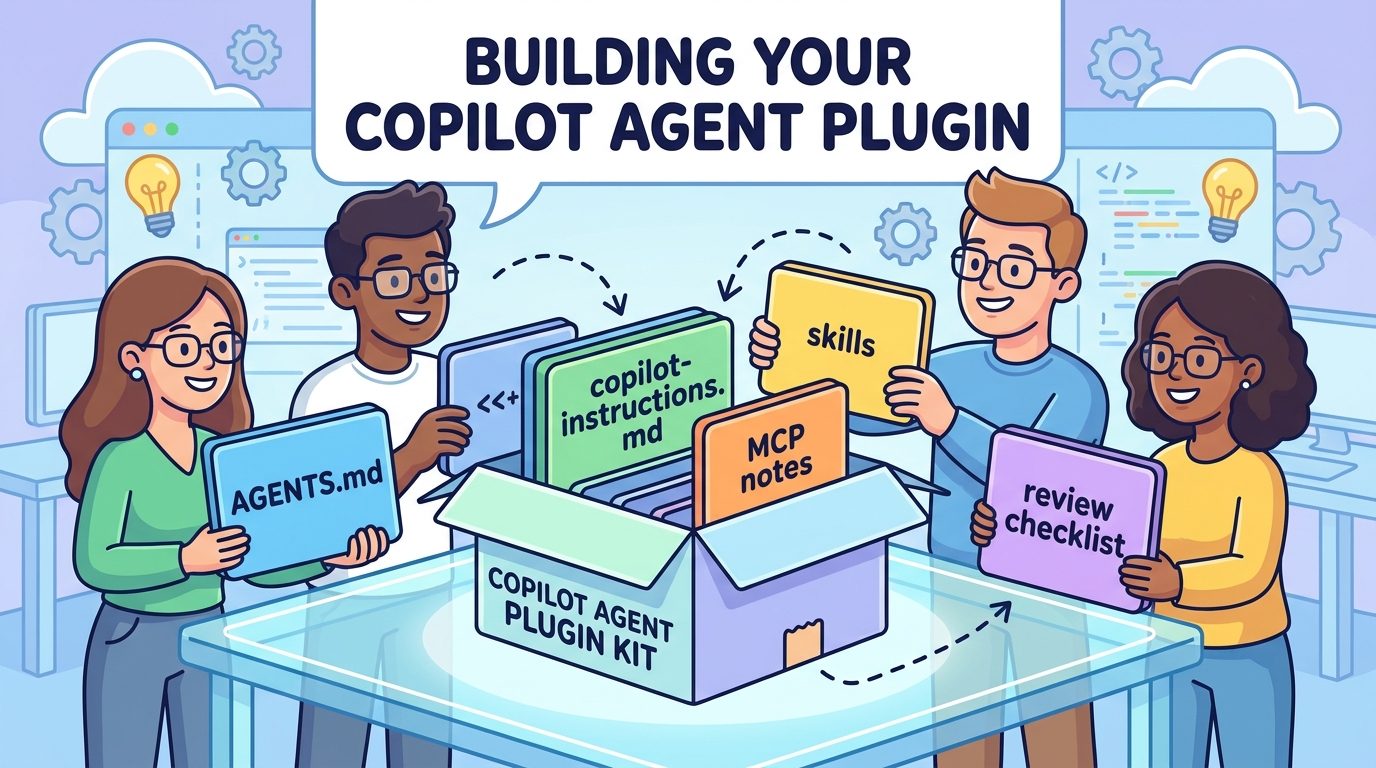
Quick Answer: Which Instruction File Should Your Copilot Agent Plugin Use?
Use the smallest instruction layer that can reliably guide the agent. Put repository-wide standards in .github/copilot-instructions.md, put area-specific rules in .github/instructions/*.instructions.md, put agent operating rules close to the code in AGENTS.md, and package reusable task behavior as a skill or plugin only when the workflow needs to be installed, shared, or combined with tools.
This article is the focused follow-up to our broader GitHub Copilot Agent Plugins Guide. The pillar explains why agent plugins matter. This cluster article answers the next practical question: where do the instructions actually live, how do they interact, and how do you avoid turning a useful plugin into a pile of repeated prompts?
The reason this matters is simple. Copilot agent workflows are getting more capable across GitHub, VS Code, cloud agent sessions, MCP servers, skills, plugins, custom agents, hooks, and prompt files. That power is useful only when the agent receives the right context at the right time. Too little instruction makes the agent improvise. Too much instruction creates context bloat, conflicts, and confusing behavior.
Why This Topic Fits AIFeatureDrop Right Now
Recent AIFeatureDrop analytics continue to reward practical AI feature explainers rather than generic news summaries. GA4 top-page patterns show readers engaging with product-specific guides, while Search Console opportunities include long-tail terms around AI coding workflows, Copilot, MCP, agents, and setup decisions. That points to a narrow tutorial instead of another broad Microsoft AI overview.
The latest pillar on GitHub Copilot Agent Plugins created the natural topical hub. A cluster page about instruction structure supports that hub without competing with it. The pillar can rank for the broader concept of Copilot agent plugins; this page targets a more specific implementation search: GitHub Copilot agent plugin instructions. That is the kind of query a developer or team lead searches after they already understand the feature and need to build something safely.
The feature-gap research also showed a documentation bridge problem. GitHub’s official docs explain repository custom instructions, path-specific instructions, AGENTS.md, MCP, and Copilot cloud agent capabilities. VS Code’s agent customization docs explain plugins, skills, prompt files, hooks, and tools. But many teams need one practical map that says: use this file for this job, avoid this overlap, and review this before rollout.
The Copilot Instruction Map
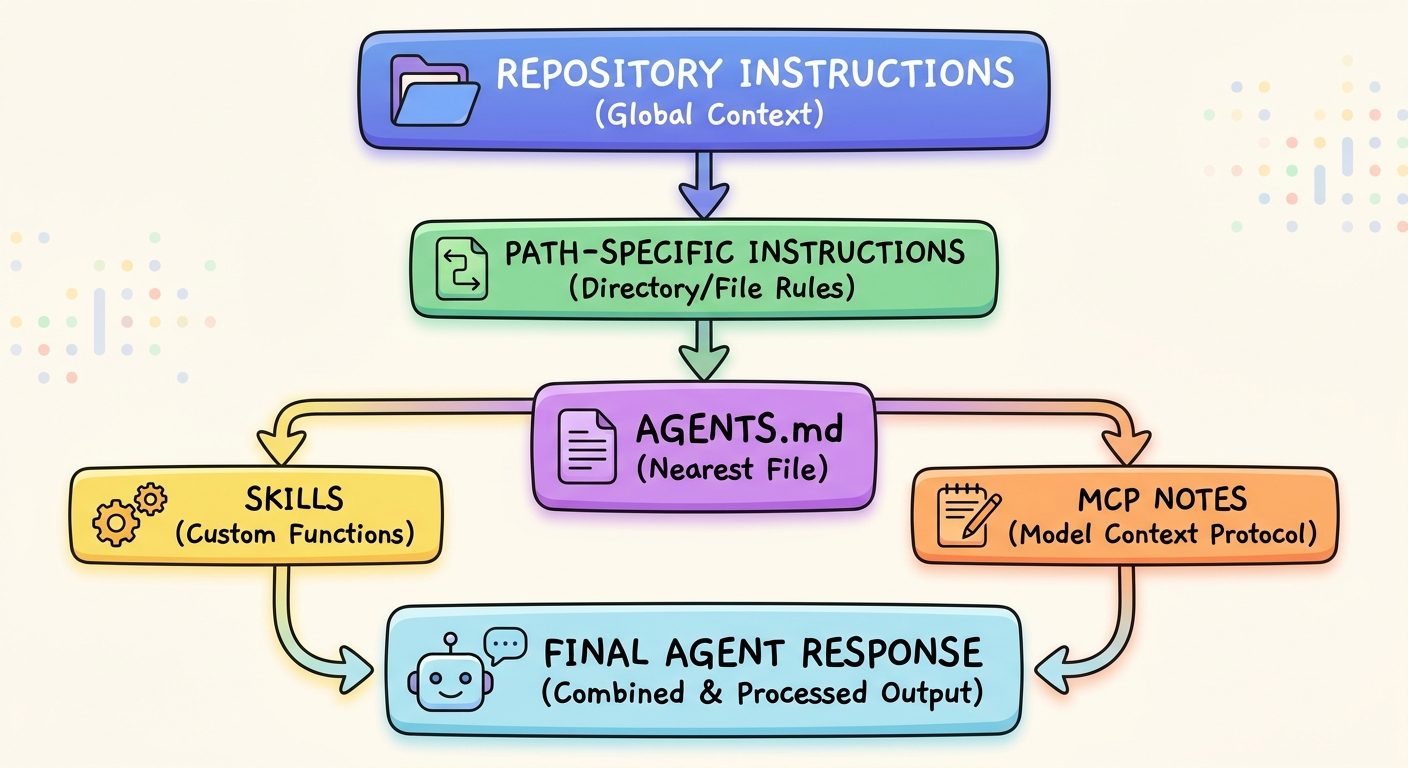
Think of Copilot instructions as a layered system. Each layer has a job. When a layer does a job it was not meant to do, the agent becomes harder to predict.
| Layer | Best use | Do not use it for |
|---|---|---|
.github/copilot-instructions.md | Repository-wide standards: architecture principles, test commands, style rules, dependency policies, review expectations. | Large tutorials, temporary project notes, or secrets. |
.github/instructions/*.instructions.md | Path-specific guidance for frontend, backend, data, infrastructure, docs, or tests. | Rules that apply to every file in the repository. |
AGENTS.md | Agent operating instructions close to the relevant directory; useful for coding agents that need local workflow rules. | A duplicate copy of every repository rule. |
| Skills | Reusable task patterns such as migration checklists, review rubrics, documentation templates, or release-note workflows. | Broad access control or environment-specific secrets. |
| Plugins | Installable bundles that combine skills, resources, connectors, or tool configuration for a repeatable agent workflow. | One giant package for unrelated teams and unrelated tasks. |
| MCP notes | Clear documentation about external context/tools the agent can call and what approval gates apply. | Hidden tool behavior that reviewers cannot inspect. |
The map prevents duplicated guidance. For example, if every directory-level file repeats the same test policy, Copilot receives noisy context. Put the global test policy in repository instructions. Put the frontend-specific command in the frontend path instruction. Put the plugin workflow in a skill. Put the MCP tool’s read/write boundary in the plugin README or review note.
What Belongs in copilot-instructions.md?
The repository-wide instructions file should be boring, stable, and high leverage. It should tell Copilot how your project works, how changes should be validated, and what standards must not be broken. It is not the place for a long essay about every product decision your team has ever made.
A good repository instruction file usually includes the stack, package manager, preferred commands, test expectations, architecture constraints, naming conventions, accessibility rules, security rules, and the definition of done. It can also tell Copilot to keep changes small, explain risky assumptions, avoid generated files, and ask before broad refactors.
# Repository instructions for Copilot
- Use the existing package manager and lockfile.
- Prefer small, reviewable pull requests.
- Run the nearest relevant tests before proposing completion.
- Do not modify generated files unless the task explicitly requires it.
- For public UI changes, preserve accessibility labels and keyboard behavior.
- If a change touches authentication, billing, or customer data, call out the risk in the PR summary.
The key is durability. If the rule should apply to nearly every Copilot request in the repository, it belongs here. If the rule applies only to a subfolder, keep it out of the global file. Global instructions are like road signs. Too many signs make drivers ignore all of them.
When to Use Path-Specific Instructions
Path-specific instructions are ideal when different parts of the repo have different norms. Your frontend may require component accessibility checks. Your API layer may require schema migrations and contract tests. Your docs folder may require a different tone than code comments. If all of those live in one global file, Copilot has to sort through irrelevant guidance on every task.
Use one path-specific instruction file per meaningful area. Keep each file short enough to scan in under a minute. The file should answer three questions: what files does this apply to, what rules matter here, and how should Copilot validate changes in this area?
# .github/instructions/frontend.instructions.md
Apply to: app/**, components/**
- Use existing design tokens instead of hard-coded colors.
- Preserve responsive behavior at mobile widths.
- Add or update component tests when behavior changes.
- Do not introduce a new UI dependency without explaining why.
Path-specific instructions also make plugins easier to trust. If a plugin runs a documentation workflow, it should inherit documentation rules, not backend deployment rules. If a plugin reviews database migrations, it should inherit migration rules, not marketing copy guidance. Clean boundaries improve both quality and cost because the agent spends less context on unrelated policy.
Where AGENTS.md Fits
AGENTS.md is useful because it can live close to the work. GitHub’s custom instructions documentation notes that agent instructions can use AGENTS.md files and that the nearest file in the directory tree can take precedence. That makes AGENTS.md a good fit for local agent behavior: how to plan, how to verify, what commands to prefer, and what risks to call out in that part of the repo.
Do not treat AGENTS.md as a dumping ground for every preference. Treat it like an operating manual for the agent in that directory. A root AGENTS.md might explain the overall workflow. A nested AGENTS.md inside an infrastructure folder might warn that Terraform changes need a plan output and human review. A nested AGENTS.md inside a docs folder might tell the agent to preserve examples and cite source files.
# AGENTS.md
When working in this directory:
1. Start with a short plan before editing.
2. Change the smallest set of files that solves the task.
3. Run the listed validation command or explain why it cannot run.
4. Summarize risks, assumptions, and follow-up work.
5. Do not perform external publishing or deployment steps.
The practical difference is this: repository instructions describe the project; AGENTS.md describes how an agent should behave while working on that project or directory. They overlap sometimes, but they should not become copies of each other.
How to Package Instructions for a Copilot Agent Plugin
A plugin should package a repeatable workflow, not your entire company brain. The cleanest plugin packages usually contain a short README, one or more skills, optional resources, and clear notes about any tool or MCP dependency. If the plugin needs a specific repository instruction, link to it or reference the expected behavior. Do not duplicate a full repo policy inside the plugin unless the plugin must work across repositories that do not share that policy.
Here is a simple structure for a plugin that reviews release notes:
release-notes-plugin/
  README.md
  skills/
    draft-release-notes/SKILL.md
  resources/
    release-note-style.md
    changelog-examples.md
  mcp/
    tools-reviewed.md
  review/
    approval-checklist.md
The README should answer what the plugin does, where it should run, what data it may read, what it may produce, what it must not do, and who owns it. The skill should contain the actual workflow. Resources should be examples, templates, or rubrics. The MCP note should list every external tool and whether it is read-only, draft-only, or allowed to write after approval.
How MCP Server Notes Should Work
MCP is a powerful way to give Copilot access to external context and tools. GitHub’s docs describe how Copilot Chat can be extended with MCP servers and how organizations can control MCP policy for Copilot Business or Enterprise users. The practical takeaway for plugin authors is that every MCP server should have a visible reason to exist.
Create a short MCP note with four columns: tool, purpose, data exposed, and allowed action. A documentation search tool may expose approved docs and return citations. An issue tracker tool may read issue titles and labels. A repository tool may read files and propose patches. A messaging tool may draft updates but not send them. These distinctions matter because “MCP access” is not one permission. It is a bundle of possible reads and writes.
| MCP dependency | Good plugin note | Risky plugin note |
|---|---|---|
| Docs search | Reads approved product docs and returns cited excerpts. | Can search all internal docs. |
| Issue tracker | Reads open issues in selected repos and suggests labels. | Can update issues as needed. |
| Repository tool | Reads changed files and creates draft patch suggestions. | Can commit fixes directly. |
| Messaging | Drafts a team update for human approval. | Sends channel updates automatically. |
If the plugin cannot do its job without a broad MCP tool, split the workflow. Let one plugin gather context and draft a recommendation. Let another human-approved process perform the write action. Most teams get more value from reliable draft automation than from brittle end-to-end autonomy.
Three Practical Instruction Setups
Example 1: Documentation Plugin
The repository instruction says docs must be accurate, concise, and tested against current product behavior. The path-specific docs instruction says tutorials should use step-by-step examples and avoid unsupported claims. The plugin skill says how to compare changed code against documentation. The MCP note says the plugin may read approved docs and changed files, then draft a comment. That is a clean setup because each layer has a different job.
Example 2: Test Failure Triage Plugin
The repository instruction lists test commands and CI expectations. The AGENTS.md inside the test folder tells the agent to summarize failures before proposing edits. The plugin skill describes a triage workflow: inspect failing logs, identify likely owner, suggest next action, and stop. The MCP note allows read-only CI log access. The plugin does not retry workflows or edit flaky tests during early rollout.
Example 3: Release Notes Plugin
The repository instruction defines the release branch and review requirements. A skill contains the release-note writing pattern. Resources provide approved examples and tone. MCP notes describe read-only access to merged pull requests and issue labels. The plugin produces draft release notes only. Publishing remains a human action.
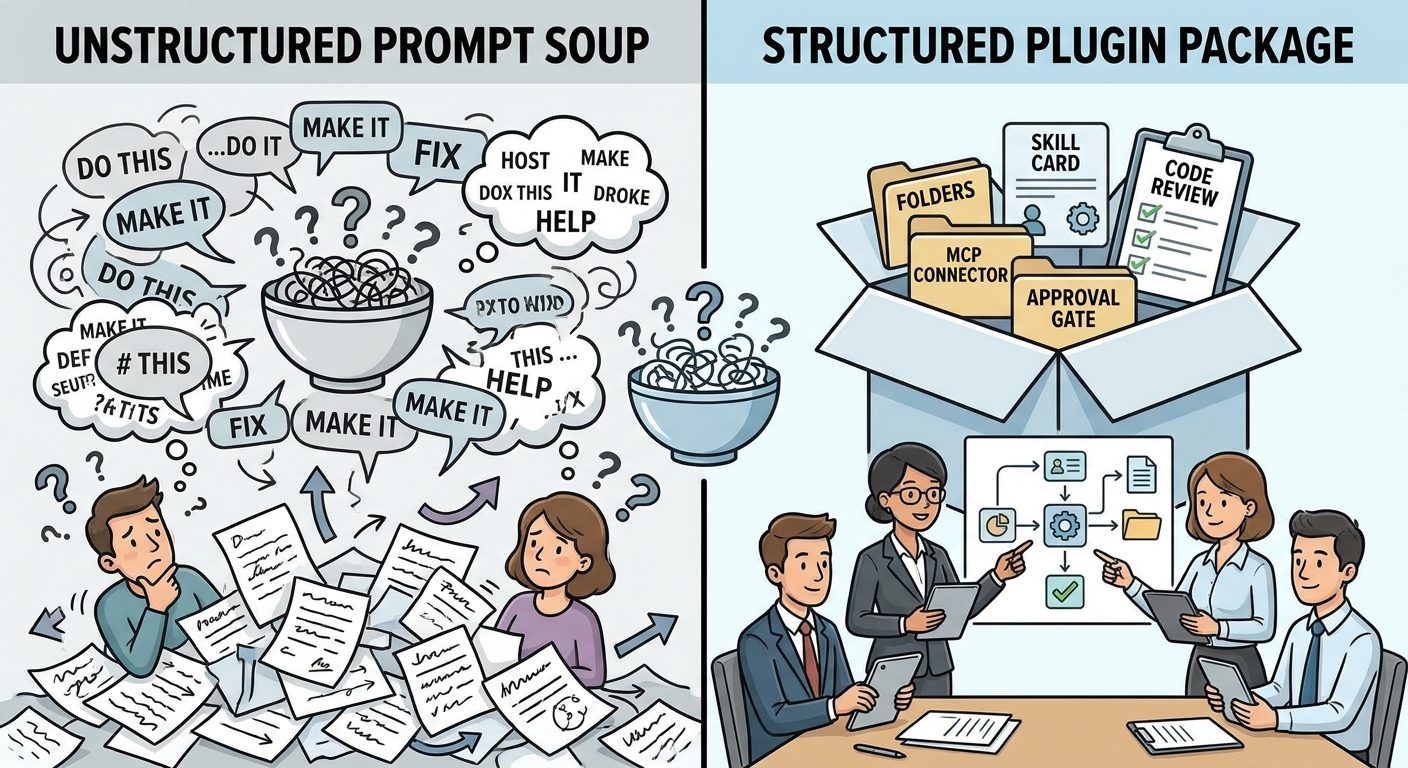
Team Review Checklist Before Rollout
Approve when
- The plugin has one clear job.
- Repository, path, AGENTS.md, skill, and MCP instructions do not duplicate each other.
- Every external tool has a visible purpose and boundary.
- Outputs start as drafts or pull requests, not silent external actions.
- There is a named owner and review cadence.
- Validation commands are documented.
Pause when
- The plugin needs broad permissions “just in case.”
- Instruction files contradict each other.
- The plugin package includes sensitive examples or secrets.
- MCP tools can write, publish, deploy, or message without approval.
- No one can explain what the plugin must not do.
- The workflow is meant for unrelated teams with different standards.
Review is not just security theater. It protects productivity. A clean plugin is easier to debug when Copilot behaves oddly, easier to improve when the workflow changes, and easier to remove if the team no longer needs it.
Common Mistakes That Create Context Bloat
The first mistake is copying the same rules everywhere. If the same ten rules appear in repository instructions, AGENTS.md, skill files, and plugin notes, the agent receives redundant context and may treat repeated rules as more important than more specific instructions. Keep shared rules global and local rules local.
The second mistake is using a plugin to solve a documentation problem. If the team has no clear style guide, no validation commands, and no definition of done, packaging a plugin will not fix that. Write the basic instructions first. Then turn stable workflows into reusable skills or plugins.
The third mistake is letting a plugin depend on private context that is not documented. If the plugin quietly assumes access to internal docs, tickets, or customer data, a future reviewer cannot evaluate the boundary. Document the source, sensitivity, and approval requirement before rollout.
The fourth mistake is making every plugin autonomous too early. Draft-first workflows are often better. Let Copilot prepare a patch, comment, release note, or triage summary. Let humans approve the final action until the workflow has proven itself repeatedly.
A Simple Setup Workflow
- Write the job sentence. Example: “This plugin drafts release notes from merged PRs and issue labels.”
- Move stable repo rules into copilot-instructions.md. Keep only rules that apply broadly.
- Add path-specific instructions only where behavior differs. Frontend, backend, infrastructure, docs, and tests often deserve separate files.
- Add AGENTS.md for local agent behavior. Include planning, validation, review, and forbidden actions.
- Create a skill for the repeatable workflow. Keep it specific and example-driven.
- Document MCP tools separately. Record read/write boundaries and approval gates.
- Run a small pilot. Use read-only or draft-only mode before broader rollout.
- Review usage and quality. Remove instructions that do not improve output.
This workflow is intentionally conservative. It makes the first version useful without giving the plugin every possible permission. You can expand scope later after the plugin earns trust.
Troubleshooting Copilot Instruction Conflicts
Copilot ignores a rule that appears in several files
Remove duplicates and place the rule in the most appropriate layer. Then make the rule concrete. “Write good tests” is weak; “Run the nearest package test command and summarize failures” is stronger.
AGENTS.md and copilot-instructions.md disagree
Use repository instructions for stable project policy and AGENTS.md for local agent behavior. If a local rule is an exception, explain the exception instead of silently contradicting the global file.
The plugin works in one repo but fails in another
Check whether the plugin secretly depends on missing repository instructions, path rules, commands, or MCP tools. Add prerequisites to the README rather than stuffing every repo-specific rule into the plugin.
MCP tools make reviewers nervous
Start read-only. Return cited summaries or draft outputs before allowing edits, comments, messages, or pull requests. Treat every write action as a separate approval gate.
The instruction package is too long
Delete rules that are obvious, outdated, repeated, or not tied to an observable behavior. Keep examples that improve output and remove policy text that no one can test.
Keep Learning on AI Feature Drop
Sources and References
- GitHub Copilot documentation hub
- GitHub Docs: Adding repository custom instructions for Copilot
- GitHub Docs: Extending Copilot Chat with MCP servers
- GitHub Docs: About Copilot cloud agent
- Visual Studio Code Docs: Agent customization
- Visual Studio Code Docs: Agent plugins
Feature names, policies, and preview behavior can change. Verify your organization’s active GitHub Copilot and VS Code settings before rolling out plugin instructions broadly.
FAQ: GitHub Copilot Agent Plugin Instructions
Should I use AGENTS.md or copilot-instructions.md?
Use copilot-instructions.md for repository-wide project rules. Use AGENTS.md for agent operating behavior near the relevant code or directory. They can work together, but they should not duplicate each other.
What should go inside a Copilot agent plugin?
A plugin should contain a clear README, focused skills, optional resources, and explicit notes for tools or MCP servers. It should not contain broad unrelated rules or hidden access assumptions.
Do path-specific instructions matter for plugins?
Yes. Path-specific instructions keep local rules close to the files they affect, which helps plugins produce more relevant output with less context noise.
How do MCP servers change the instruction setup?
MCP servers add external context or actions, so the plugin should document what each server can read, write, or draft and where human approval is required.
How can teams prevent context bloat?
Keep global rules global, local rules local, task workflows inside skills, and tool boundaries inside plugin review notes. Remove repeated, vague, or outdated instructions.
Can a plugin safely create pull requests?
It can, but start with draft patches or draft PRs, preserve branch protection, and require human review before merging or publishing changes.
Post a Comment