
GitHub Agentic Workflows GITHUB_TOKEN Setup: Permissions, Billing, and Safer Rollout
A practical setup guide for GitHub Agentic Workflows with GITHUB_TOKEN, copilot-requests permissions, organization billing, and safer rollout controls. Learn when to use the new no-PAT path, how to avoid over-permissioned agents, and how to roll out repository automation without losing control of security or spend.
GitHub Agentic Workflows GITHUB_TOKEN: Quick Answer
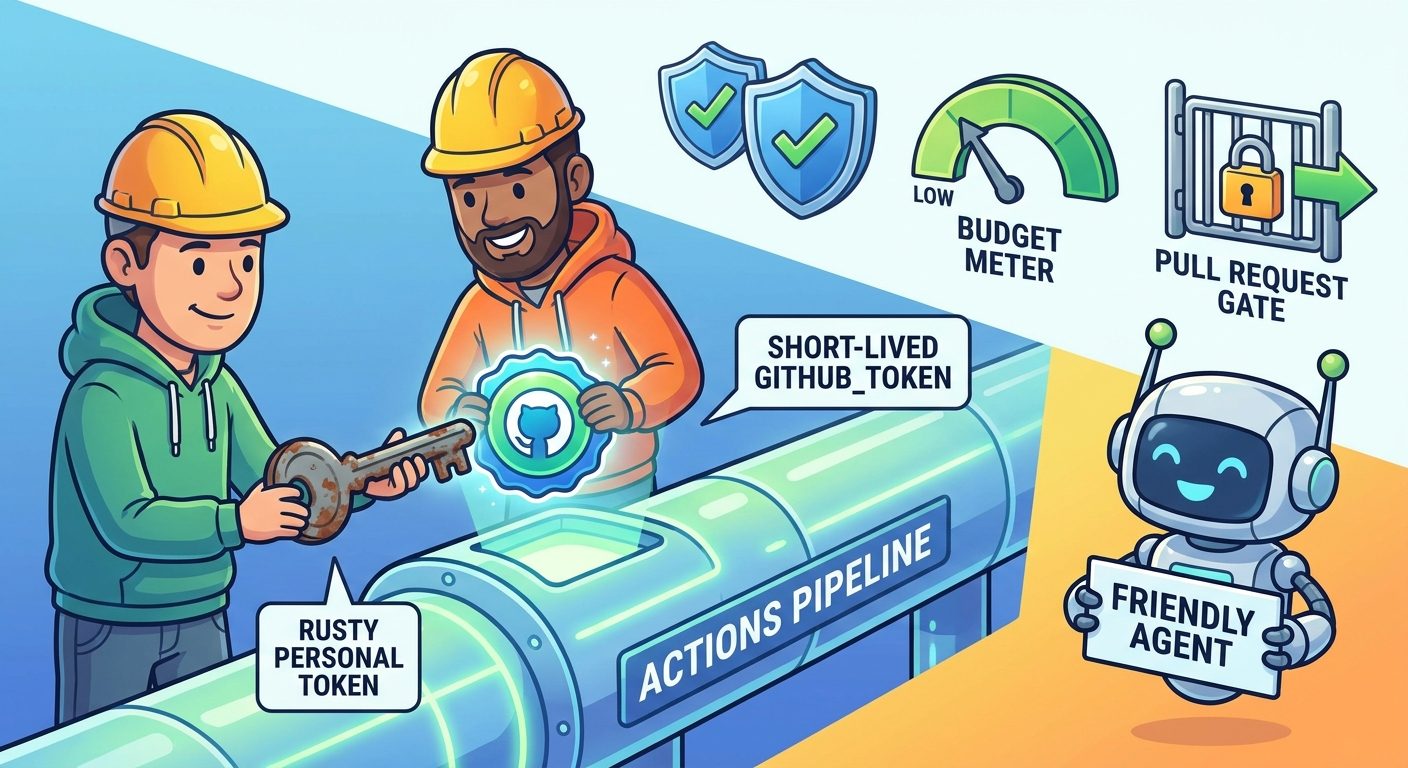
GitHub Agentic Workflows can now use GitHub Actions’ built-in GITHUB_TOKEN instead of requiring a long-lived personal access token. That makes the authentication path cleaner, easier to audit, and more aligned with normal GitHub Actions security. But it also changes how teams should think about organization billing, Copilot request permissions, and rollout controls.
copilot-requests: write only where the workflow needs it, compile and review the generated workflow output, start with a manual or label-based trigger, and monitor AI credit usage from the first run.This cluster guide supports our broader pillar, GitHub Agentic Workflows Explained, by focusing on one specific implementation problem: how to set up the GITHUB_TOKEN path without turning your coding agent into an over-permissioned automation bot.
What Changed: Agentic Workflows No Longer Need a PAT
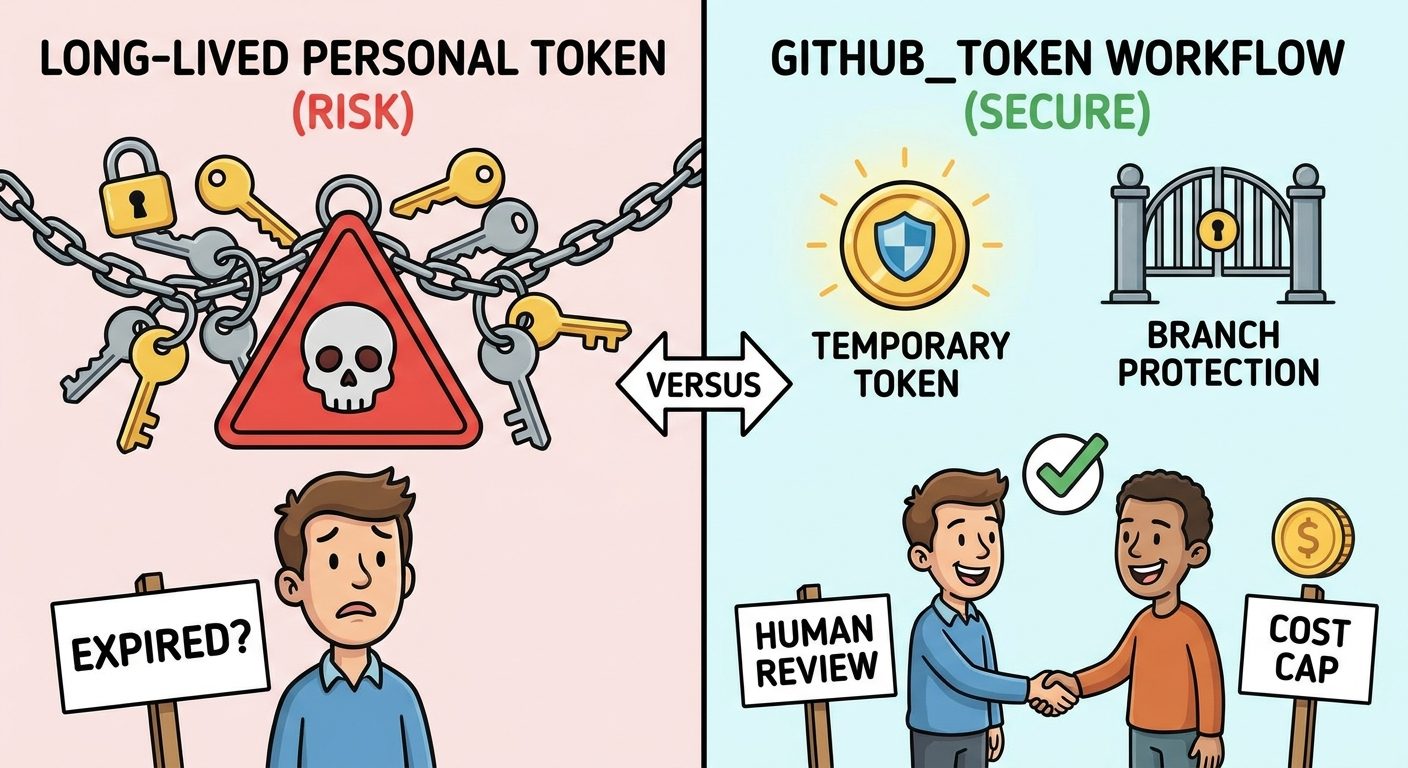
The recent change is simple to state: agentic workflows can use the built-in Actions token. The operational impact is bigger. A personal access token usually belongs to a user, service account, or bot account. It must be created, scoped, stored as a secret, rotated, audited, and revoked during offboarding or incident response. That is a lot of process for automation that may run across multiple repositories.
GITHUB_TOKEN is different because it is generated for the workflow run and controlled through workflow permissions. In standard GitHub Actions, the token can be constrained with the permissions key. That same least-privilege habit matters even more when the workflow involves a coding agent, because the agent may interpret repository context, issues, comments, logs, and documentation before producing an output.
| Question | Personal access token setup | GITHUB_TOKEN setup |
|---|---|---|
| Credential lifetime | Often long-lived until rotated or revoked | Short-lived and tied to a workflow run |
| Owner | User, bot, or service account | GitHub Actions workflow context |
| Storage | Repository or organization secret | Built-in Actions token handling |
| Risk profile | Secret sprawl, stale scopes, offboarding risk | Permission design, trigger scope, agent output risk |
| Billing behavior | Can be user/service-account dependent | Can bill AI credits directly to the organization |
The token change removes a major credential-management problem. It does not remove the need for careful workflow design. You still need branch protection, safe triggers, narrow permissions, cost controls, and human review before generated changes reach production code.
Setup Checklist for the GITHUB_TOKEN Path
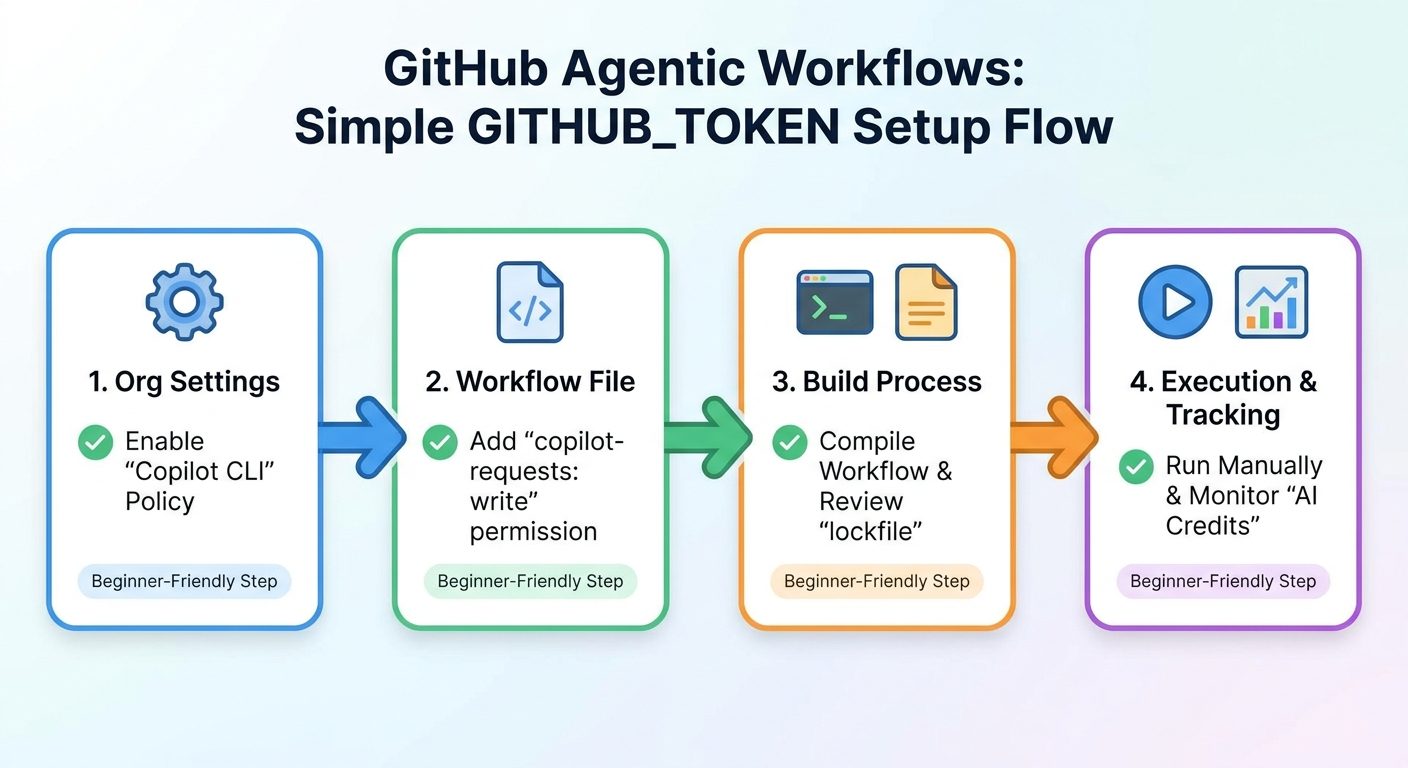
Use this checklist before you merge the first workflow. The order is intentionally conservative: define the task, confirm policy, add only needed permissions, review the generated output, then test with a narrow trigger.
copilot-requests: write only to workflows that actually need Copilot requests.After that, compile the agentic workflow, review the generated Actions YAML and lockfile, and run it manually before enabling event-heavy triggers. Treat the generated workflow like infrastructure-as-code. If the output includes surprising permissions, broad triggers, unexpected write access, or unclear comments, fix the workflow definition before shipping it.
A useful first workflow sentence sounds like this: “When a CI job fails on the default branch, summarize the likely cause, link the failing log, and post a short maintainer comment.” A risky first workflow sentence sounds like this: “Improve the repository automatically whenever anything changes.” The first has scope, evidence, and a clear output. The second has none.
Permission Patterns You Can Use Safely
The safest permission model is boring: read by default, write only where the workflow creates visible value, and no secrets unless the task cannot work without them. An agentic workflow should not receive broad repository powers just because it is convenient.
Pattern A: Read-Only Investigator
Use this for the first experiment. The workflow can inspect issues, pull requests, logs, and files, then save a report or artifact. It is useful for CI summaries, dependency impact reports, documentation checks, and release-note drafts.
permissions:
  contents: read
  actions: read
  pull-requests: read
  issues: read
  copilot-requests: write
Pattern B: Comment-Only Assistant
Use this after the read-only version produces reliable summaries. The workflow can post a comment or triage note, but it still should not change code. This is a good pattern for failed builds, incomplete bug reports, or reviewer prep.
permissions:
  contents: read
  actions: read
  issues: write
  pull-requests: write
  copilot-requests: write
Pattern C: Draft Pull Request Workflow
Use this only after the team trusts the workflow. The agent can prepare a draft pull request for low-risk changes such as documentation updates or generated release notes. Branch protection and human review should remain mandatory.
permissions:
  contents: write
  pull-requests: write
  issues: read
  actions: read
copilot-requests: writeOrganization Billing and AI Credit Controls
When an agentic workflow uses the Actions token inside an organization-owned repository, GitHub says AI credits consumed by that workflow are billed directly to the organization. That is useful for team automation, but it changes budget assumptions. User-level inference budgets are not the main control when the cost is attributed to the organization instead of a person.
| Billing control | Why it matters | How to apply it |
|---|---|---|
| Cost centers | Teams need attribution for automation spend. | Map workflows to the organization or group that benefits. |
| Run frequency | Event-heavy triggers can multiply cost quickly. | Start with manual, label-based, or low-frequency scheduled runs. |
| Token caps | Agentic runs can expand if the task is vague. | Use available cost tools to cap per-run usage. |
| Acceptance rate | Cost is only justified if outputs are used. | Track accepted comments, merged PRs, or minutes saved. |
| Usage reports | Finance and platform teams need evidence. | Review AI credit usage alongside workflow results. |
This is why the cluster links naturally to GitHub Copilot AI Credits Explained and How to Reduce GitHub Copilot AI Credits. Agentic workflows move Copilot usage from individual prompts into automated repository events. That can be powerful, but only if the cost follows clear ownership.
Security Review Before You Enable Write Access
GitHub describes Agentic Workflows as security-first, with controls such as read-only defaults, sandboxed execution, integrity filters, an Agent Workflow Firewall, safe outputs, and threat detection for proposed changes. Those controls matter. They make the workflow more governable than a random bot with a permanent token. But they do not replace your repository policy.
The quiet risk is prompt injection through repository content. Issues, pull request comments, CI logs, documentation, and code comments can contain text that tries to steer the agent away from its instructions. A malicious issue comment might tell the agent to ignore rules, expose secrets, or edit unrelated files. Your workflow definition should say what the agent may read, what it may change, what evidence it must cite, and what it must never do.
Safer defaults
- Manual or label-based triggers
- Read-only repository access at first
- Comments that cite logs and files
- Draft pull requests only after trust is built
- Branch protection and status checks
Risky defaults
- Broad triggers on every event
- Write access before testing
- Secret access for convenience
- Direct pushes to protected branches
- Generated changes without human review
The new Copilot CLI /security-review command complements this workflow but does not replace it. Use the CLI review for local code changes before commit. Use agentic workflows for repository-level automation such as triage, summaries, reports, and controlled maintenance. Both should sit beside existing code scanning, Dependabot, secret scanning, and human review.
A Practical Rollout Plan
Phase 1: Read-only proof
Pick one repository and one workflow. Run it manually. Save the output as an artifact or maintainer-only summary. Measure accuracy, usefulness, cost, and false positives. Do not open pull requests yet.
Phase 2: Comment-assisted workflow
Allow the workflow to post comments or labels on a narrow trigger. Make the output clearly AI-assisted. Require evidence links. Ask reviewers whether the comments saved time or added noise.
Phase 3: Draft pull requests
Allow draft PRs only for narrow, low-risk changes. Documentation drift fixes, release-note drafts, dependency impact notes, and test fixture updates are better first candidates than production logic edits.
Phase 4: Multi-repository catalogue
Only expand after the first workflow has a stable permission block, predictable cost, a clear owner, and a measurable acceptance rate. A platform-owned catalogue is safer than dozens of one-off agent workflows with different rules.
Troubleshooting Common GITHUB_TOKEN Setup Issues
The workflow still asks for a personal access token
Check whether your Agentic Workflows CLI is current, whether your workflow definition has been updated for the new authentication model, and whether your generated files were recompiled after the change. Older examples may still show PAT-based setup.
The workflow cannot make Copilot requests
Review the frontmatter and generated Actions output. The copilot-requests: write permission may be missing, blocked by organization policy, or not included after compilation.
Costs appear under the organization
That can be expected for organization-owned repositories using the Actions token. Review cost centers, AI usage reports, trigger frequency, and token caps.
The workflow posts too many comments
Narrow the trigger, require labels, raise confidence thresholds, or change the workflow to produce artifacts instead of public comments. Noise is a rollout failure, even when the workflow technically works.
Reviewers do not trust the output
Require evidence links, shorten the task, reduce write access, and compare output against human review for several runs before expanding scope.
Keep Learning on AI Feature Drop
Sources and References
- GitHub Changelog: Agentic workflows no longer need a personal access token
- GitHub Changelog: GitHub Agentic Workflows public preview
- GitHub Docs: Use GITHUB_TOKEN for authentication in workflows
- GitHub Docs: Workflow syntax and permissions
- GitHub Changelog: Copilot CLI security review command
GitHub preview features can change. Verify current documentation, organization policy names, and billing controls before rollout.
FAQ: GitHub Agentic Workflows GITHUB_TOKEN
Do GitHub Agentic Workflows still need a personal access token?
No, not for the newer supported path described by GitHub. Agentic workflows can use GitHub Actions’ built-in GITHUB_TOKEN, which removes the need to create and store a long-lived PAT for this automation flow.
What does copilot-requests: write do?
It is the permission GitHub calls out for allowing the agentic workflow to make Copilot requests in the organization-billed setup. Add it only where the workflow needs it, then review the compiled output.
Will GITHUB_TOKEN make agentic workflows safe automatically?
No. It reduces credential-management risk, but you still need least-privilege permissions, safe triggers, branch protection, human review, and cost monitoring.
Are user-level Copilot budgets applied to organization-billed agentic workflows?
GitHub says user-level inference budgets are not considered when billing directly to the organization because the cost is not attributed to a user. Use organization-level cost controls instead.
What workflow should a team build first?
Start with a read-heavy workflow such as CI failure summaries, issue triage suggestions, documentation drift reports, dependency impact summaries, or release-note drafts.
Bottom Line
The GITHUB_TOKEN update is a meaningful improvement because it removes the weakest part of many automation rollouts: long-lived credentials. But the safer path is not simply replacing one token with another. The safer path is a disciplined workflow: narrow task, explicit permission block, organization policy check, compiled output review, low-frequency trigger, AI credit monitoring, and human review for anything that changes code.
If you remember one rule, make it this: the token should be temporary, the permissions should be minimal, and the agent’s output should be reviewable. That combination lets teams get real value from GitHub Agentic Workflows without handing a reasoning system more repository power than it needs.
Example Workflows for the GITHUB_TOKEN Rollout
Concrete examples make the permission discussion easier. A CI failure investigator should read workflow logs, changed files, and pull request metadata, then post a short comment with links to the failed job and the most likely source of the break. It should not rewrite code during the first rollout. A documentation drift checker should compare changed API files with related docs and open a draft note for maintainers. It should not edit unrelated pages, change release configuration, or publish docs automatically.
An issue triage workflow is another strong first candidate. It can classify the issue, ask for missing reproduction steps, suggest labels, and point maintainers to related files. This is useful because the output is reviewable and low risk. The workflow can provide value even when it is imperfect, because a maintainer can accept or ignore a label suggestion. The same is not true for a broad code-modification workflow that silently changes business logic.
For repository maintenance, start with dependency impact reports rather than automatic dependency fixes. The agent can read release notes, summarize likely breaking changes, identify files that import the dependency, and recommend tests to run. Once the team trusts the pattern, you can decide whether draft pull requests are appropriate. This keeps the first phase focused on insight, not autonomous modification.
Review Template for Pull Requests Adding Agentic Workflows
Every pull request that adds or changes an agentic workflow should answer the same review questions. What task does this workflow perform? What event triggers it? Which files can it read? Which files can it write? Which permissions are required, and which were intentionally excluded? How will cost be monitored? What evidence does the agent need to cite in its output? Who owns the workflow when it fails or becomes noisy?
This review template prevents agentic automation from becoming invisible infrastructure. It also helps security, platform, and finance stakeholders speak the same language. Security can review permissions and prompt-injection boundaries. Platform teams can review runner groups, triggers, and logs. Finance can review cost centers and credit usage. Product or engineering leads can review whether the workflow actually saves time.
| Review question | Good answer | Warning sign |
|---|---|---|
| What is the task? | Summarize failed CI runs and suggest owners. | Improve code quality automatically. |
| What triggers it? | Manual dispatch or specific label. | Every issue, pull request, schedule, and comment. |
| What can it write? | One comment or draft pull request. | Any repository file without path limits. |
| How is cost controlled? | Owner, usage review, cap, and low-frequency trigger. | No one knows who pays or monitors usage. |
| How is output reviewed? | Human review, branch protection, evidence links. | Generated changes merge automatically. |
Why This Topic Matters for Searchers
The search intent behind GitHub Agentic Workflows GITHUB_TOKEN is not broad curiosity. Searchers are likely developers, platform engineers, security reviewers, or engineering managers who saw the announcement and need to know what to do next. They are not asking for a generic explanation of AI agents. They want an implementation path that connects authentication, permissions, billing, and rollout risk.
That is why this article stays narrower than the pillar. The pillar explains Agentic Workflows as a product category. This cluster page answers the practical follow-up question: how do we use the new token path without creating a security or cost mess? The information gain is in the checklists, permission patterns, examples, and rollout review template.
For AIFeatureDrop, this also strengthens the Microsoft and GitHub topical cluster. It links the new Agentic Workflows pillar to existing Copilot billing content and earlier Copilot automation articles. That internal link structure helps readers move from announcement-level understanding to implementation details, cost control, and safe workflow design.
Post a Comment