
Claude Managed Agents Self-Hosted Sandbox Checklist for Secure Rollouts
Claude Managed Agents self-hosted sandbox checklist planning matters when your team likes the promise of managed agent orchestration but still needs tighter control over tool execution, repository access, audit logs, network policy, and private system connectivity.

Quick answer: use a sandbox checklist before you give agents real tools
A self-hosted sandbox for Claude Managed Agents is best understood as a controlled place where agent tools and workloads can run near your infrastructure. It is not the same thing as fully self-hosting Claude, and it does not remove the need for policy design. Recent coverage of Anthropic's update describes self-hosted sandboxes as a public beta and MCP tunnels as a research preview, with Anthropic continuing to operate the orchestration layer, context handling, recovery logic, and agent loop.
That distinction is the whole reason this supporting guide exists. The broader Claude Managed Agents explainer covers memory, outcomes, self-hosted sandboxes, MCP tunnels, and enterprise use cases at a pillar level. This article narrows the problem to a rollout checklist: what security, infrastructure, compliance, and developer-experience questions should be answered before a team connects a managed agent to code, internal APIs, files, build systems, or private data?
If your team is still deciding whether an agentic coding tool is worth the operational overhead, review adjacent AI Feature Drop guides on Claude Code usage limits, reducing Claude Code usage, and the CLAUDE.md project memory template. Those pieces are more developer-workflow focused; this checklist is for the moment when a team begins treating agent execution as production infrastructure.
Why Claude Managed Agents self-hosted sandbox planning is different from ordinary automation
Traditional automation is usually predictable: a CI job runs a fixed script, a cron task executes a known command, or a backend service calls a documented API path. Agentic automation is different because the model can decide which tool to call next, what files to inspect, which command to run, and when to recover from an error. That flexibility is exactly what makes managed agents useful, but it also creates a new review surface.
With Claude Managed Agents, the appeal is that Anthropic can handle pieces of the agent loop that most companies do not want to build from scratch: orchestration, context handling, error recovery, and long-running coordination. The self-hosted sandbox changes where tool execution happens. Instead of every tool call happening in a generic external execution environment, the workload can run inside infrastructure controlled by the customer or an approved managed provider. For regulated teams, that can reduce the friction around files, repositories, internal services, data residency, and audit tooling.
However, moving execution closer to your systems does not magically make the workflow safe. It simply moves the risk into a place you can govern. Your team still needs rules for what the agent can access, what it can mutate, how secrets are injected, how outbound traffic is controlled, how logs are retained, and how human approval is handled for risky actions. The checklist below turns those abstract concerns into concrete questions.
For comparison, OpenAI and Microsoft ecosystems are also moving toward deeper agent workflows. AI Feature Drop has separate coverage of OpenAI AgentKit, OpenAI Codex pricing and limits, and GitHub Copilot AI Credits. The common thread is that teams are no longer only choosing a model; they are choosing an operational model for agent work.
Step 1: define what the sandbox is allowed to touch
The first mistake is treating the sandbox as a vague secure box. A useful sandbox design begins with a trust-boundary document that a security reviewer, developer, and product owner can all understand. Write down the exact repositories, folders, service accounts, APIs, databases, queues, object storage buckets, and network destinations the agent can reach during the pilot.
For early pilots, the safest design is not broad access with monitoring. It is narrow access with monitoring. Give the agent a non-production repository copy, a staging branch, synthetic data, a fake payment system, a read-only ticketing integration, or a disposable environment. Then expand only after the team has evidence that logs, permissions, and review workflows behave as expected.
Boundary questions to answer before enabling tool execution
- Repository scope: can the sandbox read one repository, a group, or an entire organization?
- Write scope: can it create branches, open pull requests, commit directly, edit tickets, or run deployments?
- Secrets scope: are secrets injected per job, per environment, or never exposed to the agent runtime?
- Network egress: can the sandbox call arbitrary internet endpoints, approved SaaS APIs, or only internal services?
- Data classification: which data classes are allowed: public, internal, confidential, regulated, customer data, or none?
- Human approval: which actions require a human checkpoint before execution or before results are merged?
- Log retention: where do command logs, tool traces, file changes, and API responses go, and who can query them?
This is also where memory and project instructions matter. A well-scoped project memory file can reduce repeated context and clarify operational rules, but it is not a security boundary. If you need a practical memory pattern for coding agents, see the Claude Code CLAUDE.md template guide. For managed-agent infrastructure, the same concept should be paired with enforceable permissions, not treated as a substitute for them.
Step 2: compare self-hosted sandbox provider options by control, not hype
Public coverage of Anthropic's update mentions several managed provider options, including Cloudflare, Daytona, Modal, and Vercel, alongside the possibility of running the execution environment in customer-controlled infrastructure. The right choice depends less on which provider sounds most advanced and more on what your agent will actually do.
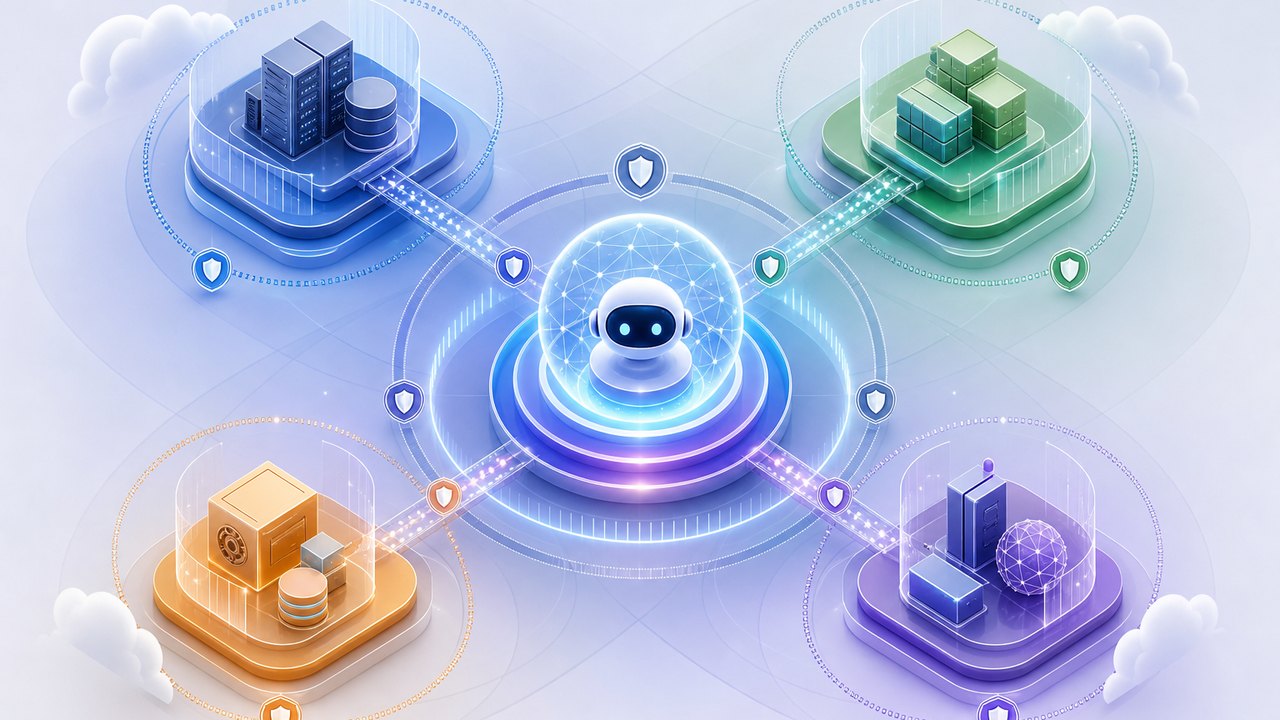
| Option | Best-fit workload | Governance question | Early pilot risk |
|---|---|---|---|
| Customer-controlled infrastructure | Strict data residency, internal network access, custom runtime images, existing SIEM and audit controls | Can the platform team own uptime, patches, logs, scaling, and incident response? | Teams underestimate operational maintenance and make the sandbox too permissive. |
| Cloudflare-style edge or microVM approach | Network-controlled execution, isolated workloads, fast startup, and policy-heavy environments | Can traffic, identity, and logs fit the existing zero-trust model? | Teams assume isolation solves data governance without defining tool permissions. |
| Daytona-style development environments | Stateful coding workspaces, preview URLs, SSH-like developer workflows, longer-running tasks | Who cleans up environments and controls branch/write permissions? | Stale workspaces accumulate secrets, dependencies, or unsupervised changes. |
| Modal-style compute | AI-heavy jobs, scalable CPU/GPU tasks, batch work, or runtime-intensive workflows | How are resource limits, costs, and data movement monitored? | Agent jobs become expensive or broad because compute is easy to allocate. |
| Vercel-style sandboxing | Frontend app work, preview deployments, web workflows, controlled environment variables | How are preview links, credentials, and VPC boundaries governed? | Agent output looks demo-ready before security and review are complete. |
A strong provider comparison includes boring details: region availability, private networking, image customization, log export, secrets handling, cost controls, cold-start behavior, job timeouts, artifact storage, branch permissions, and support escalation. Those details decide whether the sandbox can pass review when the first exciting demo becomes a real production request.
For teams already using multimodal or retrieval workflows, the same provider logic applies. A sandbox that can safely touch code may not be the right place to expose document search, customer data, or file ingestion. If your AI roadmap includes retrieval-heavy features, the Gemini API File Search and multimodal RAG guide is a useful reminder that data pipelines deserve their own access controls.
Step 3: run the Claude Managed Agents self-hosted sandbox checklist
The checklist below is designed for an enterprise pilot. It assumes your team wants to test agent execution in a controlled environment before giving the workflow access to important repositories or internal systems. Use it as a review agenda rather than a one-time form.
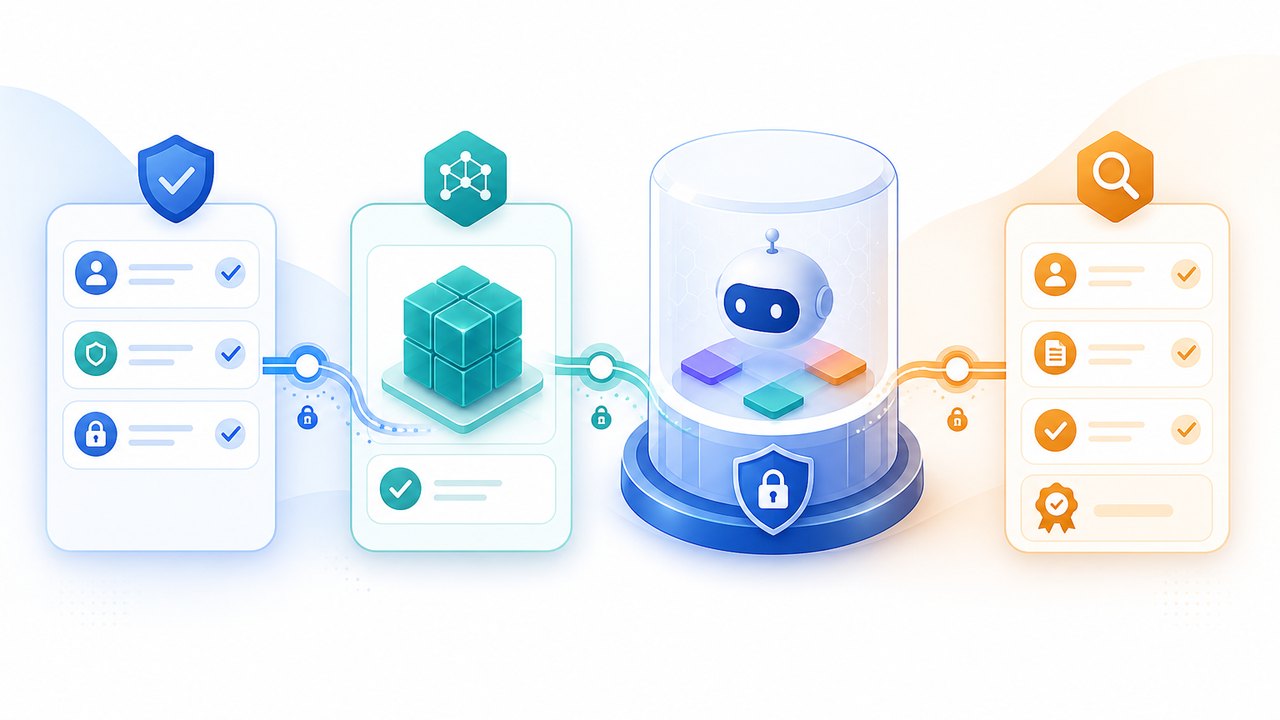
Foundation checklist
- Pick one workload. Examples: dependency update PRs, documentation refreshes, test failure triage, build log analysis, or internal runbook drafting.
- Define success. Decide whether success means a correct pull request, a reviewed plan, a reproducible patch, fewer manual steps, or faster triage.
- Create a sandbox identity. Use a dedicated service account with least-privilege access rather than a developer's personal token.
- Restrict write permissions. Prefer branches, pull requests, draft artifacts, and staging resources before direct production changes.
- Control runtime images. Pin base images, approved packages, build tools, and vulnerability scanning policies.
- Set resource limits. Document CPU, memory, runtime duration, concurrency, storage, and external API budget controls.
- Export logs. Send tool calls, commands, file diffs, errors, and approval events to systems your reviewers already use.
- Write a rollback path. Know how to revoke tokens, stop jobs, delete workspaces, disable tunnel access, and quarantine artifacts.
Tool-permission checklist
Claude's Agent SDK documentation emphasizes tools, permissions, MCP, hooks, sessions, and sandboxing as part of agent development. In a managed-agent rollout, every tool should be classified before it is exposed. The categories can be simple: read-only, low-risk write, high-risk write, external communication, credential access, production operation, or destructive action.
| Tool type | Default pilot setting | Approval pattern |
|---|---|---|
| File read, grep, repository search | Allow in scoped repos | Log automatically; no approval unless sensitive paths are included. |
| File write and patch creation | Allow only in branch or workspace | Require pull request review before merge. |
| Shell commands | Allow approved commands and package managers | Prompt for approval on network installs, destructive flags, or privileged operations. |
| Internal API calls | Start read-only | Require owner approval before mutations. |
| Deployments or production changes | Deny during pilot | Only consider after incident drills, audit review, and executive approval. |
This may feel conservative, but it builds trust. The fastest way to lose organizational support for agents is to let a demo agent take an action that cannot be explained, reproduced, or reversed.
- Logs answer reviewer questions without manual reconstruction.
- The agent uses narrow permissions and produces reviewable artifacts.
- Failure modes are boring, contained, and reversible.
- Developers can explain the workflow without relying on vendor magic.
- The agent needs broad credentials to be useful.
- Reviewers cannot see the commands or tool inputs.
- Costs, runtime, or external calls are unpredictable.
- Teams disagree on who owns incidents or cleanup.
Step 4: prepare for MCP tunnels without treating them as a shortcut
MCP tunnels are exciting because they can allow agents to reach private MCP servers without exposing those servers through public inbound endpoints. Recent reporting describes a lightweight gateway that creates an outbound encrypted connection, with no inbound firewall rules or public endpoints required. That model can be attractive for enterprises that want agents to work with internal databases, APIs, ticketing systems, knowledge bases, or other private services.
But tunnel architecture does not remove the need to govern the tools behind the tunnel. If an internal MCP server can reset passwords, update invoices, query customer data, or trigger deployments, then the tunnel is a path to sensitive operations. The security question is not only whether the connection is encrypted. It is whether the agent should be allowed to call that tool at all, with which identity, under what approval rule, and with which audit trail.
MCP tunnel readiness questions
- Which MCP servers will be reachable, and who owns each one?
- Are tools annotated or documented as read-only, destructive, idempotent, or open-world?
- Can tool calls be logged with enough detail to reconstruct business impact?
- Can sensitive fields be redacted without making logs useless?
- Are authentication tokens short-lived, scoped, rotated, and revocable?
- Does the gateway fail closed if policy, identity, or logging fails?
- Can security disable one tool, one server, or one agent workflow without shutting down the entire platform?
There is a product lesson here: agents become valuable when they reach real systems, but risk increases at the same moment. That is why a useful pilot usually connects one low-risk internal system first, such as a read-only knowledge base or issue tracker. Once the team understands logging, latency, failure handling, and approval flow, it can evaluate more sensitive integrations.
Three safe starter workloads for self-hosted sandboxes
Not every workflow deserves a managed agent on day one. Choose starter workloads that are valuable, frequent, and easy to review. The output should be visible before it changes anything important.
1. Dependency update pull request assistant
The sandbox reads a repository, checks outdated dependencies, runs tests in a controlled environment, and opens a draft pull request with changes and test results. It cannot merge, release, or modify production secrets. This is a good first workflow because success is measurable and review fits normal engineering habits.
2. Build failure triage assistant
The sandbox receives CI logs, summarizes likely causes, suggests files to inspect, and drafts a fix plan. It may create a patch in a temporary branch, but a human reviews the outcome. This is useful because it can reduce repetitive diagnosis without handing over deployment authority.
3. Internal documentation refresh assistant
The sandbox reads approved repositories and documentation folders, identifies stale setup instructions, and opens a docs-only pull request. This is lower risk than production code changes and helps teams test memory, repository access, and review workflows.
As confidence grows, teams can evaluate broader jobs such as migration planning, test generation, release note drafting, and internal API integration. But the same principle should hold: start narrow, log everything, require review, and expand only when the controls are proven.
Interactive readiness quiz: should your sandbox pilot start now?
Use this lightweight quiz as a quick internal discussion starter. It is not a compliance tool, but it can reveal whether the pilot is mature enough for a real review meeting.
Common mistakes that make agent sandboxes harder to approve
The technical work of launching a sandbox is often easier than the organizational work of proving it is safe. These mistakes create review delays and can turn a promising pilot into a governance mess.
Mistake 1: asking for broad access because the agent might need it
Agent teams often request broad repository, API, or database access because they do not know what the agent will need. That is understandable during exploration, but it is not a good production posture. Start by shaping the workload so the agent needs less. A narrower job is easier to approve, easier to debug, and easier to measure.
Mistake 2: relying on prompts as policy
Instructions are important. They help the agent behave consistently and can reduce accidental tool use. But prompts are not equivalent to IAM, network rules, branch protection, or approval gates. If a forbidden action would be harmful, block it outside the model.
Mistake 3: logging only the final answer
For ordinary chat, a final answer may be enough. For tool-using agents, reviewers need the path: tool calls, command outputs, file diffs, API responses, approvals, errors, and retries. Without that path, the organization cannot learn from failures or prove that a result was produced safely.
Mistake 4: skipping cost and resource controls
Sandboxes can run builds, tests, searches, downloads, and external calls. Resource limits should be part of the security plan, not an afterthought. Cost spikes and runaway jobs are operational incidents even when no data is leaked.
Useful references for deeper review
Use the sources below to validate assumptions before a formal rollout. Because availability and product behavior can change quickly, treat provider pages and official documentation as the final source before implementation.
- Anthropic Claude Agent SDK overview for tools, sessions, MCP, permissions, and agent SDK capabilities.
- Anthropic TypeScript Agent SDK reference for SDK options and sandbox-related implementation details.
- The Decoder coverage of self-hosted sandboxes, MCP tunnels, provider examples, and the orchestration boundary.
- InfoQ coverage explaining enterprise security implications and outbound encrypted tunnel positioning.
- Cloudflare sandbox documentation for one managed-provider approach.
- Daytona Claude Managed Agents guide for development-environment style sandbox workflows.
- Modal Claude Managed Agents sandbox repository for compute-oriented sandbox patterns.
- Vercel sandbox guide for web-app and preview-oriented execution contexts.
FAQ: Claude Managed Agents sandbox rollout questions
What is a Claude Managed Agents self-hosted sandbox?
It is a controlled execution environment for agent tool calls and workloads. Public coverage describes it as a way to run tool execution in customer-controlled infrastructure or approved managed environments while Anthropic continues to manage orchestration, context handling, and the agent loop.
Does a self-hosted sandbox make Claude Managed Agents fully on-premise?
No. The important limitation is that self-hosted tool execution is not the same as fully self-hosting Claude or the managed agent orchestration layer. Treat it as a way to control execution locality, network policy, runtime image, data adjacency, and logs, not as a complete on-prem deployment.
When should a company consider self-hosted sandboxes?
Consider them when the blocker is security review, data residency, repository access, network policy, audit logging, custom runtime images, or private system connectivity. If your workflow is simple chat or lightweight drafting, a self-hosted sandbox may add operational overhead without enough benefit.
Are MCP tunnels required for self-hosted sandboxes?
No. They solve a different problem: private connectivity to MCP servers without exposing internal endpoints publicly. A sandbox can be useful for code and tool execution even before MCP tunnels are part of the design.
What should the first pilot workload be?
Pick something narrow, frequent, and reviewable: dependency update pull requests, docs refreshes, test failure triage, or build log analysis. Avoid production writes, sensitive customer data, and privileged operations until logs and approval paths are proven.
How should teams handle secrets?
Use dedicated service accounts, short-lived credentials, least privilege, scoped environment variables, and revocation paths. Do not expose developer personal tokens or broad production credentials to an experimental agent workflow.
How does this relate to Claude Code usage workflows?
Claude Code workflow optimization helps individual developers get better outcomes from agentic coding sessions. Self-hosted sandbox planning is an infrastructure and governance layer for team or enterprise deployments where agent tool execution touches controlled systems.
Final recommendation
Do not evaluate Claude Managed Agents self-hosted sandboxes only as a feature announcement. Evaluate them as a new execution boundary. The winning rollout is not the one with the most connected tools on day one. It is the one where developers get useful agent output, security can inspect the path, platform teams can operate the runtime, and business owners understand which actions still need human approval.
Start small, document the boundary, choose the provider based on control requirements, and keep MCP tunnel access separate from the first sandbox pilot unless private system access is truly necessary. Once the first workflow proves that logs, permissions, costs, and rollback paths work, the organization can expand with confidence.
For the broader context on memory, outcomes, self-hosted sandboxes, MCP tunnels, and enterprise agent strategy, continue with the full Claude Managed Agents guide.
Post a Comment