
GitHub Copilot Agent Finder Explained: Find the Right AI Tools Without Bloated Context
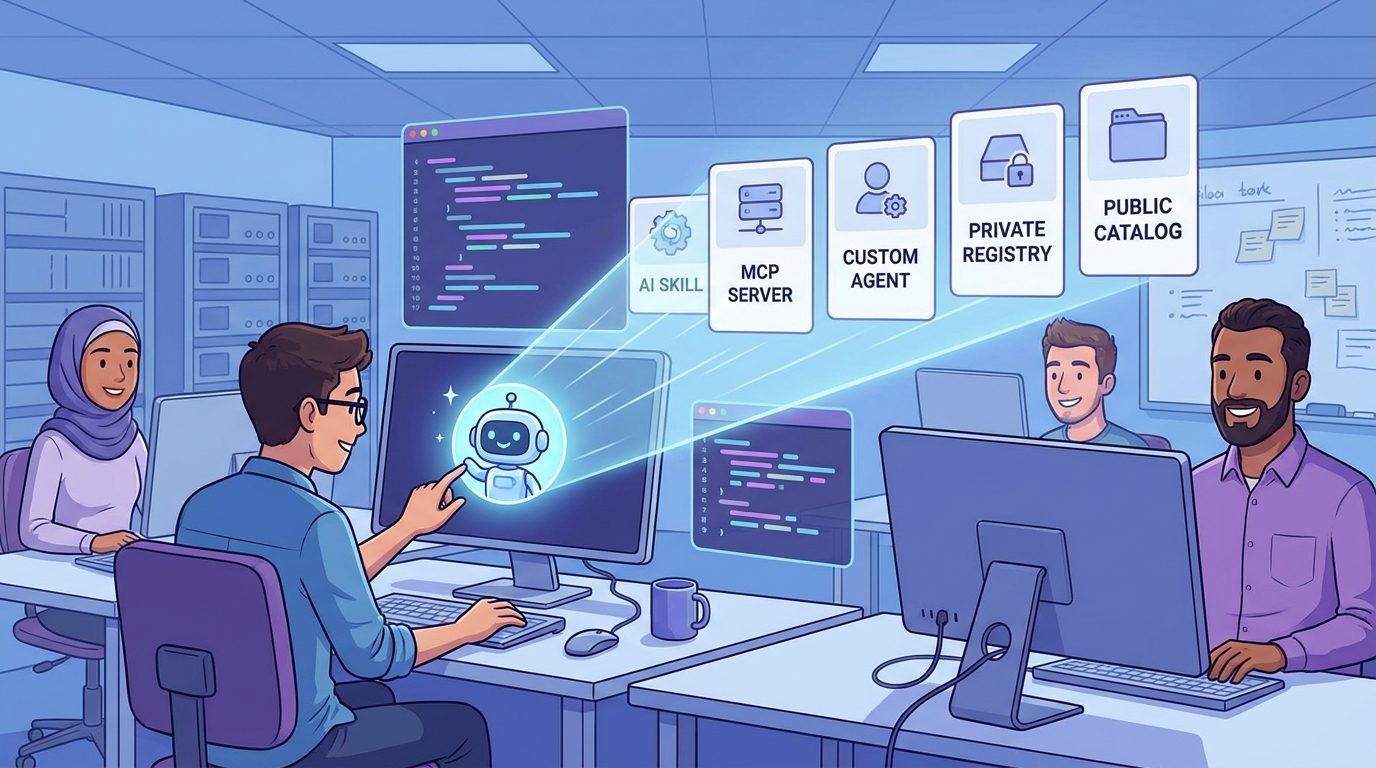
GitHub Copilot Agent Finder is a new discovery layer for AI agent workflows. Instead of loading every MCP server, skill, tool, canvas, and custom agent into context just in case, Copilot can search an approved registry, rank the right resources for the task, and let you choose what to connect.
GitHub Copilot Agent Finder: Quick Answer
GitHub Copilot Agent Finder helps Copilot discover the right AI resources for a task, such as MCP servers, skills, custom agents, canvases, and tool catalogs. The important detail is that it does not silently install or connect everything it finds. It searches a registry you choose, returns ranked matches, and keeps the user or organization in control of what actually gets wired into the workflow.
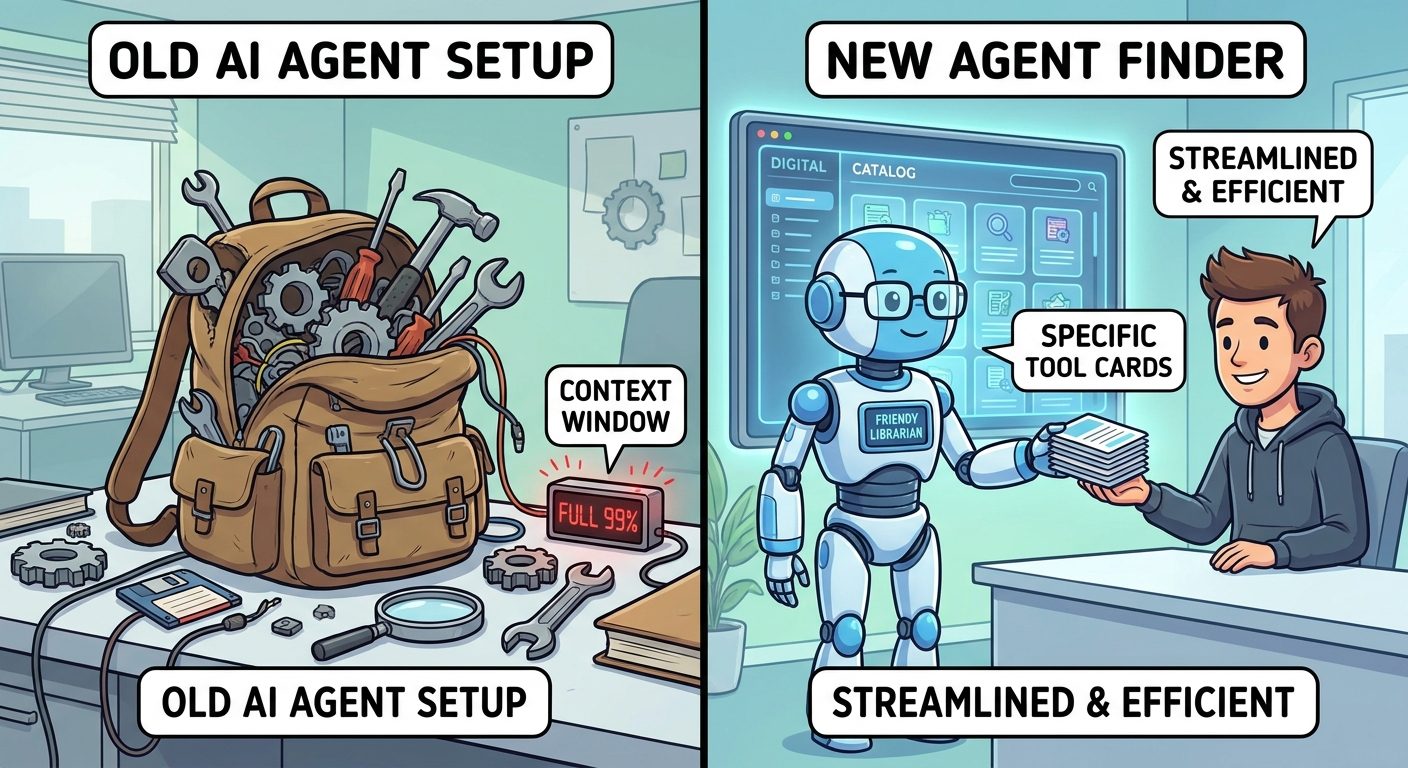
That sounds like a small feature until you have tried to run real agentic coding workflows. A modern coding agent can use file tools, issue trackers, package documentation, test runners, browser tools, cloud resources, database schemas, design systems, internal runbooks, and review rules. If you load all of that into every session, the agent becomes expensive, noisy, slow, and harder to govern. If you load too little, the agent gets stuck and asks for missing context. Agent Finder tries to solve that middle problem: discover the right capability at the moment of need.
For developers, the practical benefit is less manual setup and fewer bloated agent sessions. For teams, the practical benefit is governance: point Copilot at a curated public catalog or a private registry, enforce allowed resources through managed settings, and make tool discovery less dependent on tribal knowledge.
What Is GitHub Copilot Agent Finder?
GitHub announced Agent Finder for GitHub Copilot as a way for agents to discover relevant AI resources from a registry. The feature is built around the open Agentic Resource Discovery specification, often shortened to ARD. In plain English, ARD gives AI clients a standard way to ask, “What tools, agents, MCP servers, skills, or resources are available for this kind of task?”
Without a discovery layer, agent setup tends to become messy. A developer hears that one MCP server is good for GitHub Issues, another is useful for documentation, a third connects to an internal service, a fourth knows design tokens, and a fifth adds cloud operations. The tempting move is to connect everything. That creates a giant toolbox, but a giant toolbox is not always helpful. The model must reason over more options, context gets crowded, and security teams have a harder time knowing which resources are actually in play.
Agent Finder changes the workflow. You describe a task in normal language. Copilot can search the registry that your plan, policies, or organization allows. It then returns ranked resource matches. You can decide what to use. Enterprises can define private registries and managed settings so the agent only discovers resources that are allowed for that environment.
The most important phrase in GitHub’s announcement is “no auto installation.” Agent Finder finds the right tool at the right time, but it does not silently connect resources in the background. That distinction matters for security, compliance, and user trust. Discovery is useful; surprise installation is dangerous.
This is also why the topic deserves a practical guide instead of a short news summary. Developers need to know how Agent Finder relates to MCP, Copilot cloud agent, custom agents, code review instructions, private catalogs, and usage-based AI credits. Admins need to know how to prevent tool sprawl while still giving teams access to useful capabilities.
Why Agent Finder Matters for AI Coding Workflows
AI coding tools are shifting from “answer this question” to “complete this task.” That shift changes the bottleneck. In a chat workflow, the bottleneck is usually the prompt: did you ask the right question? In an agent workflow, the bottleneck is capability routing: does the agent have the right tools, permissions, instructions, and context to complete the job safely?
GitHub Copilot already includes cloud agents that can research a repository, create an implementation plan, edit a branch, and prepare changes for review. Copilot code review can now use repository-level AGENTS.md files. Copilot Chat auto mode can route requests to different models. VS Code is adding stronger management surfaces for Copilot spend and model providers. All of these updates point in the same direction: the coding assistant is becoming a managed agent platform, not just an autocomplete feature.
Agent Finder fits that platform because agents need a cleaner way to find capabilities. A human developer can remember that an internal release checklist lives in one repository, a design token MCP server lives in another, and a QA automation skill lives in a private catalog. An AI agent should not have to carry all of those resources all the time. It should be able to discover the right permitted resource when the task calls for it.
There is also a cost angle. GitHub recently added per-user AI credit consumption to Copilot usage metrics API reports for enterprise and organization administrators. The field is not a feature-by-feature billing breakdown, but it signals a broader reality: teams will increasingly track AI agent value, adoption, and consumption together. If Agent Finder helps reduce irrelevant context and unnecessary tool loading, it can support better budget hygiene as well as better task completion.
AI Feature Drop analytics make this especially relevant. Our recent GA4 data shows that practical Copilot explainers and cost-control pages are among the strongest performers on the site, including Copilot cowork skills, AI credit calculators, and usage reduction guides. That audience is not looking for generic AI news. They want concrete operating advice.
How GitHub Copilot Agent Finder Works
The workflow is simple on the surface, but each step matters. You begin with a task: “Find the right internal tool for triaging stale GitHub Issues,” “Help review this pull request against our repository conventions,” or “Choose the best MCP server for reading our release notes.” Agent Finder searches an approved registry and returns ranked matches. Copilot can then pull in the selected resource when the task needs it.
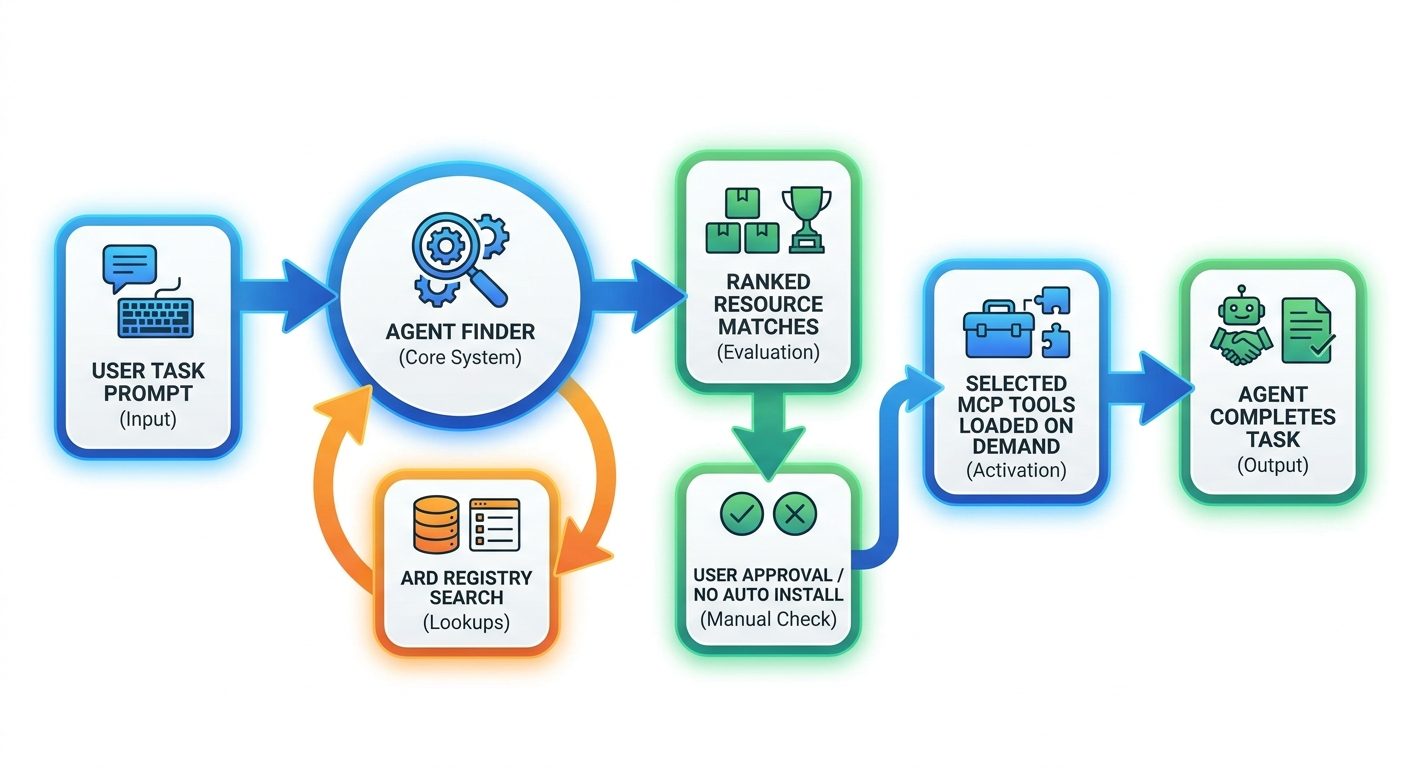
| Step | What happens | Why it matters |
|---|---|---|
| Describe the task | You explain what you want Copilot or an agent to accomplish. | The task becomes the search query for useful resources instead of a manual setup checklist. |
| Search a registry | Agent Finder searches the catalog you choose, such as GitHub’s public catalog or a private company registry. | Discovery is scoped to resources you trust, not the entire internet. |
| Rank matches | Results are ranked so the most relevant tools, agents, or skills appear first. | The user does not need to know every resource name before starting work. |
| Choose what to connect | Agent Finder does not auto-install. You decide what actually gets wired in. | This protects user control and reduces accidental access expansion. |
| Load on demand | The selected resource is used when the task calls for it. | The agent avoids carrying every tool in context just in case. |
Think of it like a package manager’s search feature crossed with an enterprise-approved tool directory, but designed for AI agents. The agent does not need every package preinstalled. It needs a reliable way to find the right package, read enough metadata to judge fit, and ask for permission before using it.
The ranking part is especially useful for organizations with many internal resources. A private AI registry can become messy quickly if every team publishes agents and skills without a discovery standard. Agent Finder gives the client a way to compare options based on task relevance instead of relying on a wiki page that goes stale.
ARD Explained: The Standard Behind Agent Finder
ARD stands for Agentic Resource Discovery. It is an open specification developed with participation from GitHub, Microsoft, Google, GoDaddy, and Hugging Face. The goal is to let AI clients discover resources from registries in a consistent way. That matters because agent ecosystems are getting fragmented. One tool may call something a skill, another may call it an agent, another may expose it as an MCP server, and another may package it as a workflow or canvas.
Model Context Protocol, or MCP, helps agents connect to external tools and data sources. ARD does something adjacent but different: it helps agents discover which resources exist and which ones may be relevant. In other words, MCP is often about connection and tool use. ARD is about discovery and selection.
The cleanest mental model is this: a registry is the shelf, ARD is the catalog system, MCP is one type of connector on the shelf, and Agent Finder is Copilot’s way to search the catalog for your task.
This distinction prevents a common misunderstanding. Agent Finder is not “another MCP server.” It is not the same as installing an MCP server. It is a discovery experience that can find MCP servers and other agentic resources. If you explain that clearly in your team documentation, you will avoid a lot of confusion.
How Teams Should Set Up Agent Finder Safely
The safest Agent Finder rollout starts with governance before enthusiasm. That does not mean blocking the feature. It means deciding which registries are allowed, who can publish resources, what metadata each resource needs, and when security review is required. The feature is designed to work with managed settings, so enterprises should use that capability instead of treating discovery as a free-for-all.
1. Start with a small approved catalog
Do not point every team at an unreviewed pile of tools on day one. Start with a short list of approved resources: a documentation search tool, an issue triage helper, a code review instruction package, and one or two internal workflow agents. Make the first catalog boring, useful, and trustworthy.
2. Require resource descriptions that agents can understand
Agent Finder is only as useful as the registry metadata. A resource should clearly describe what it does, what permissions it needs, which tasks it fits, what it should not be used for, who owns it, and how users can report problems. Vague names like “helper agent” or “internal tool” are not enough.
3. Keep no-auto-install as a trust boundary
The no-auto-install behavior is a feature, not friction. It gives users a checkpoint before a tool gets connected. Teams should preserve that pattern in internal guidance: discovery is allowed, but connection and use should remain deliberate.
4. Separate public and private registries
A public catalog can be useful for general tools. A private registry is better for internal runbooks, proprietary systems, customer data workflows, and company-specific agents. Mixing them carelessly makes review harder and increases the chance that employees choose the wrong tool for sensitive work.
5. Pair Agent Finder with AGENTS.md
GitHub also announced that Copilot code review can use repository-level AGENTS.md files. That creates a useful combination: Agent Finder helps discover resources, while AGENTS.md tells Copilot how to behave inside a specific repository. Use AGENTS.md for local conventions, review expectations, test commands, and boundaries. Use Agent Finder for finding extra capabilities when the task needs them.
6. Watch usage and value together
Enterprise administrators can now see AI credits consumed per user in Copilot usage metrics API reports. Since that metric is an overall total rather than a model-by-model or feature-by-feature breakdown, it should not be overinterpreted. Still, it gives teams a reason to connect resource discovery, adoption, and spend. If a registry resource is popular but creates poor output, fix or remove it. If it saves review time, document that value.
Practical Examples: When Agent Finder Helps
The best way to understand Agent Finder is through concrete scenarios. The feature is not only for large enterprises. It helps any team that has more agent resources than one developer can remember.
Example 1: Finding the right issue triage helper
A maintainer asks Copilot to identify duplicate or stale issues. Instead of manually searching for the right issue-management MCP server or internal triage skill, Agent Finder can search the approved registry and return relevant options. The maintainer chooses the resource, reviews its permissions, and then lets Copilot assist with the task.
Example 2: Loading the correct internal documentation tool
A developer needs to update an SDK integration but does not know where the internal API migration guide lives. Agent Finder can locate the approved internal documentation search resource. The agent can then retrieve the right guide instead of guessing from outdated context.
Example 3: Choosing a security review assistant
A team wants Copilot to review a pull request that touches authentication. Agent Finder can surface a security-focused review skill or custom agent from the private registry. The repository’s AGENTS.md can add local rules, while the discovered resource adds domain-specific security checks.
Example 4: Avoiding context bloat in multi-tool workflows
Before Agent Finder, a power user might connect issue tools, docs tools, test tools, release tools, and project tools to every agent session. That sounds powerful, but it fills the context window and increases cognitive noise. With Agent Finder, the agent can search for the specific resource needed for the current task.
The recurring pattern is simple: Agent Finder is most valuable when the resource exists but the user should not have to remember its exact name, installation path, or configuration details.
Agent Finder vs MCP, Custom Agents, Auto Mode, and AGENTS.md
GitHub Copilot is accumulating many agent-related features, so it is easy to mix them up. The differences matter because each feature solves a different part of the workflow.
| Feature | Primary job | Best used for |
|---|---|---|
| Agent Finder | Discover relevant agentic resources from an approved registry. | Finding MCP servers, skills, canvases, tools, or agents without manual searching. |
| MCP | Connect AI assistants to external tools and data sources. | Giving an agent access to systems like docs, issues, databases, or internal services. |
| Custom agents | Package a role, instructions, tools, and task boundaries. | Repeatable workflows like release prep, QA review, migration help, or documentation cleanup. |
| AGENTS.md | Provide repository-level instructions and conventions. | Code review expectations, test commands, style rules, and repository-specific boundaries. |
| Auto mode | Let Copilot select a model based on task complexity and availability. | Balancing response quality, token use, model availability, and policy constraints. |
| Usage metrics API | Track Copilot adoption and AI credit consumption signals. | Admin reporting, budget planning, and adoption analysis. |
Agent Finder sits near the beginning of the workflow. Before the agent uses a tool, before it follows a custom workflow, and before it reviews code with repository conventions, it may need to discover the right resource. That is the gap Agent Finder fills.
If you already use MCP servers, Agent Finder does not make them obsolete. It makes them easier to discover. If you already use custom agents, Agent Finder can help users find the right one. If you already maintain AGENTS.md files, Agent Finder can complement them by finding external capabilities while AGENTS.md keeps local repository behavior consistent.
Recommended Workflow for Developers
Individual developers should use Agent Finder as a way to stay focused. The risk with agentic coding is that it becomes either too manual or too magical. Too manual means you spend more time wiring tools than solving the task. Too magical means the agent connects unknown capabilities and you lose control. Agent Finder’s best workflow sits between those extremes.
- Start with a narrow task. Describe the outcome, repository area, and constraints.
- Ask Agent Finder for matching resources. Let it search the approved registry instead of guessing tool names.
- Read the top matches. Check what each resource does, what access it needs, and who maintains it.
- Connect only what the task needs. Avoid loading resources that are merely interesting.
- Run the agent in a scoped way. Ask for a plan before edits, then review the diff or output.
- Record reusable patterns. If the resource works well, add it to team docs or a recommended workflow.
This habit also reduces AI credit surprises. The more irrelevant tools and context you load, the more likely the agent is to spend tokens reasoning about things that do not matter. Agent Finder does not remove the need for judgment, but it gives you a cleaner starting point.
For a related cost-control mindset, read our guide to reducing GitHub Copilot AI credit usage. The same principle applies here: smaller context, better scoped tasks, and fewer repeated vague prompts usually produce better results.
Admin Playbook: Private Registries and Managed Settings
For enterprise administrators, Agent Finder is less about convenience and more about platform design. The question is not “Can developers find cool tools?” The question is “Can developers find the right approved tools without expanding risk?”
A practical private registry should include ownership, review status, allowed data classes, permissions, example tasks, known limitations, and deprecation rules. If a tool can read sensitive customer data, that should be visible before a user connects it. If a skill is experimental, that should be visible too. If a resource is approved only for internal repositories, the registry should make that boundary obvious.
Managed settings are the enforcement layer. Use them to define which registries are allowed and which resources agents may discover. This prevents a situation where every developer points Copilot at a different catalog and the organization loses visibility.
Finally, establish a feedback loop. Resource discovery is not a one-time configuration. Teams should review which resources are frequently selected, which ones produce useful work, and which ones create confusion. Over time, the registry becomes a living product: curated, measured, and improved.
Why This Topic Has a Search Gap
Most early coverage of Agent Finder is likely to repeat the announcement: it finds MCP servers, skills, canvases, agents, and tools; it uses ARD; it supports public and private registries; it does not auto-install resources. That is useful, but it does not answer the next layer of questions. Developers want to know when to use it, how it differs from MCP, whether it changes security posture, and how to roll it out without creating tool chaos.
The search gap is especially strong because the feature sits at the intersection of several emerging terms: Copilot agents, MCP, ARD, registries, custom agents, managed settings, AGENTS.md, and AI credits. A beginner searching one of those terms can easily land in a maze of product pages and changelog posts. A good pillar article should connect the concepts into one operating model.
That is the article angle here: not “GitHub launched a feature,” but “here is how Agent Finder changes the way teams discover, approve, and load agent capabilities.”
Limitations and Open Questions
Agent Finder is promising, but teams should avoid overhyping it. Discovery is only one layer of agent reliability. A discovered resource can still be poorly maintained, over-permissioned, badly documented, or wrong for the task. Ranking helps, but it does not replace review.
Another limitation is measurement. GitHub’s AI credits consumed per user metric is useful for high-level visibility, but the public changelog notes that it is not currently broken down by feature, model, or surface. That means administrators may know that one user consumed many credits, but not immediately know whether Agent Finder, code review, chat, cloud agent, or another workflow caused the pattern. Teams will still need internal conventions and feedback to connect usage with value.
There is also a registry quality challenge. If every resource has thin metadata, Agent Finder cannot rank it well. If every team publishes overlapping tools, users may still feel confused. If private registries are not maintained, the discovery layer becomes another stale directory.
Finally, security review remains essential. The feature’s no-auto-install behavior helps, but the resources it discovers may still require meaningful access. Treat every connection as a permission decision, not just a productivity shortcut.
Keep Learning on AI Feature Drop
- GitHub Agentic Workflows Explained — understand how GitHub’s agent workflows fit into automation and security planning.
- Copilot Cowork Skills and Plugins — related Copilot workflow coverage for skills and plugin-style extensions.
- GitHub Copilot AI Credits Calculator — estimate credit-risk patterns before running heavy agent sessions.
- How to Reduce GitHub Copilot AI Credits — practical habits for cost-aware Copilot usage.
- Claude Code Permission Rules Explained — compare agent safety models across AI coding tools.
- Google AI Studio Android App Builder — another example of AI tool workflows moving from chat to task execution.
Sources and References
- GitHub Changelog: Agent finder for GitHub Copilot now available
- GitHub Changelog: Copilot code review AGENTS.md support and UI improvements
- GitHub Changelog: Auto mode in Copilot Chat available for all users
- GitHub Changelog: AI credits consumed per user in Copilot usage metrics API
- GitHub Copilot documentation
- Visual Studio Code release notes: Copilot spend dashboard and agent updates
Feature availability, model routing, plan rules, and administrator controls can change. Always verify the current GitHub Copilot documentation and your organization settings before relying on a specific workflow.
FAQ: GitHub Copilot Agent Finder
What is GitHub Copilot Agent Finder?
GitHub Copilot Agent Finder is a discovery feature that helps Copilot find relevant AI resources such as MCP servers, skills, tools, canvases, and custom agents from an approved registry.
Does Agent Finder automatically install tools?
No. GitHub’s announcement emphasizes that Agent Finder does not silently install or connect resources. It finds relevant options, and the user or organization remains in control of what gets wired in.
What is ARD?
ARD stands for Agentic Resource Discovery. It is an open specification that helps AI clients discover agentic resources from registries in a consistent way.
Is Agent Finder the same as MCP?
No. MCP helps connect AI assistants to tools and data. Agent Finder helps discover which resources, including MCP servers, may be relevant for a task.
Can companies use private registries?
Yes. Agent Finder can point to registries chosen by the organization, including private registries of internal resources, and managed settings can govern what agents are allowed to discover.
Is Agent Finder available on all Copilot plans?
GitHub’s announcement says Agent Finder is available on all GitHub Copilot plans. Plan rules can change, so verify current GitHub documentation for your account.
How does Agent Finder reduce context bloat?
Instead of loading every possible tool into an agent session, Agent Finder lets Copilot discover and load the resource that the current task actually needs.
How should teams govern Agent Finder?
Teams should use curated registries, clear resource metadata, ownership rules, security review, managed settings, and explicit user approval before connecting discovered resources.
Post a Comment