
Google Agent Plugins Permission Checklist: Safely Package MCP Servers and Skills
A hands-on checklist for teams adopting Google-supported Agent Plugins: what to review in plugin.json, where MCP permissions really live, how to scope data access, and how to ship portable agent skills without giving tools more power than they need.
Quick Answer: Treat Agent Plugins as Packaging, Not a Permission System
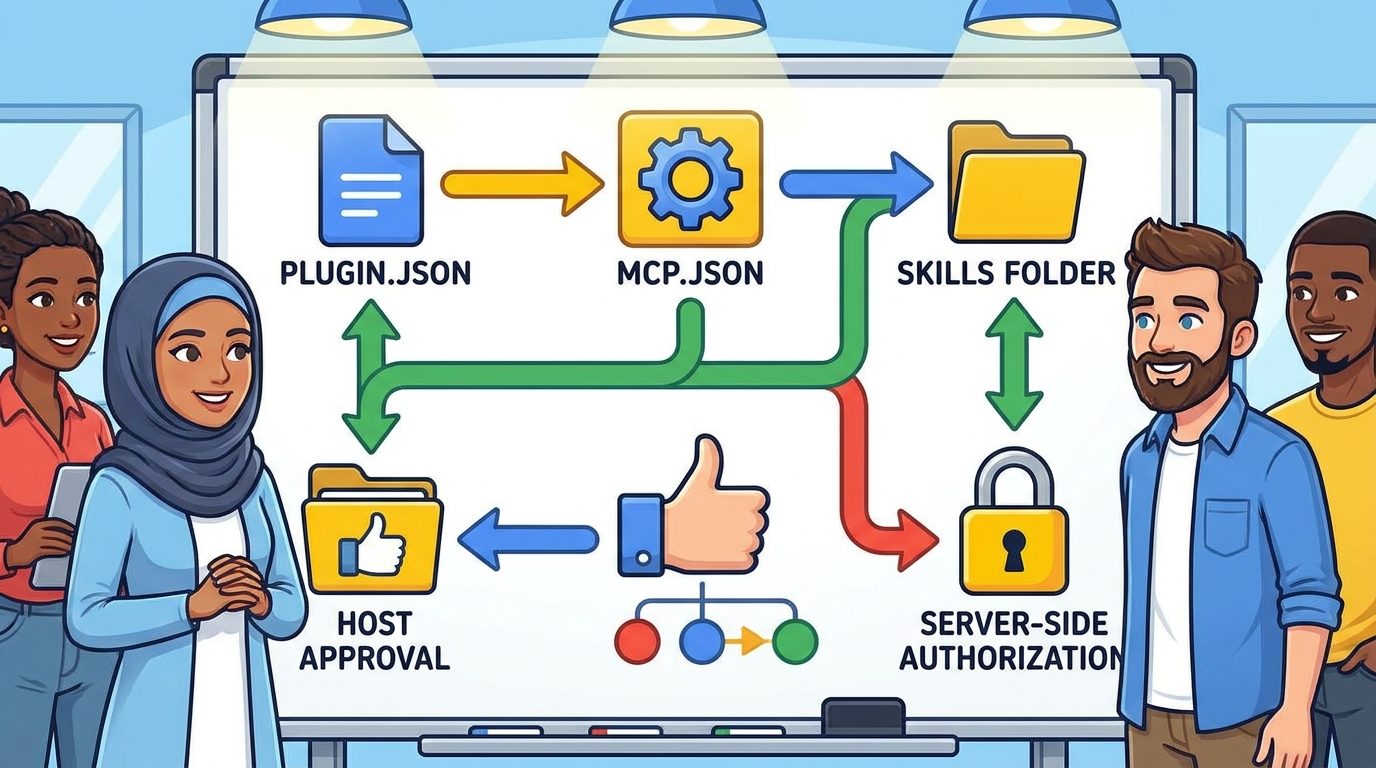
Google Agent Plugins make skills and MCP servers portable, but the plugin package itself should not be treated as a security boundary. The practical safety model is layered: use plugin.json for identity, skills/ for repeatable instructions, mcp.json for server declarations, the host client for approval and allowlisting, and the MCP server itself for real authorization, least privilege, logging, and write restrictions.
This article is the focused safety companion to our broader pillar, Google Agent Plugins Guide. The pillar explains the open packaging format, Google Agents CLI support, Data Agent Kit support, Agent Skills, and MCP servers. This cluster article answers a narrower question teams are already searching for: how do you package those components without accidentally shipping a dangerous tool bundle?
The current search results for Agent Plugins are heavy on announcement coverage and manifest examples. That is useful, but incomplete. Developers do not only need to know that a plugin folder can contain plugin.json, mcp.json, and skills/. They need a repeatable review checklist that separates portable packaging from actual permission enforcement. That distinction matters because agent tools can touch repositories, databases, local files, browser sessions, tickets, and production APIs when they are not scoped carefully.
Why Google Agent Plugins Create a New Permission Review Problem
Agent Plugins solve a real packaging problem. A team might already have a useful skill for generating a weekly data summary, plus an MCP server that can query approved reporting tables. Without a common package shape, that bundle has to be adapted separately for every AI client. Google’s announcement describes Agent Plugins as an open, vendor-neutral way to package Agent Skills and MCP servers into a portable directory that compatible clients can discover consistently.
That portability is valuable, but it also changes the review surface. A plugin can look small while hiding meaningful capabilities. A short skill file may instruct an agent to use a tool aggressively. A simple mcp.json entry may start a local process that talks to a database. A plugin that works in a sandbox can behave differently on a developer laptop where environment variables, repository secrets, browser cookies, or cloud credentials are present.
The risk is not that Agent Plugins are unsafe by design. The risk is that teams may confuse packaging with permissioning. The package tells the client where components live. It does not automatically decide whether a tool is allowed to delete records, open network connections, read private folders, or run shell commands. Those decisions belong in the client approval layer, enterprise policy, MCP server code, infrastructure credentials, and human review process.
Analytics from AI Feature Drop also support writing practical workflow pieces around agentic tooling. Over the last complete 28-day window, the site’s strongest page views clustered around Codex usage planning, desktop coding workflows, Google Flow credits, and AI coding-agent safety topics. GoogleAI pages already show traction, and the latest pillar needs a tighter cluster article aimed at implementation intent rather than another broad overview.
What Controls What in an Agent Plugin?
Use this map before reviewing a plugin. It prevents one of the most common mistakes: expecting the wrong file to enforce the wrong rule.
| Component | What it should do | What it should not be trusted to do |
|---|---|---|
plugin.json | Identify the plugin, schema, name, version, author, and metadata. | Enforce tool permissions, relocate components, or hide risky behavior. |
skills/ | Provide reusable workflows, instructions, examples, and guardrails that the model can load when relevant. | Guarantee that the agent will never misuse tools. Skills are guidance, not a sandbox. |
mcp.json | Declare MCP server entries and transports so a compatible client knows how to start or connect to tools. | Act as the only authorization layer for sensitive data or write actions. |
| Host AI client | Ask for user consent, enforce local or enterprise allowlists, control which servers can start, and show what tools are available. | Replace server-side authorization, audit logging, and least-privilege credentials. |
| MCP server implementation | Validate inputs, enforce read/write boundaries, use scoped credentials, log actions, and reject dangerous operations. | Assume every caller is trustworthy just because the plugin was installed. |
| Cloud or data platform | Provide IAM, service accounts, roles, audit logs, resource policies, and network boundaries. | Depend on prompt instructions to protect production data. |
The shortest version: plugin.json packages identity; mcp.json points to tools; the client controls installation and approval; the server and platform enforce real access.
The Google Agent Plugins Permission Checklist
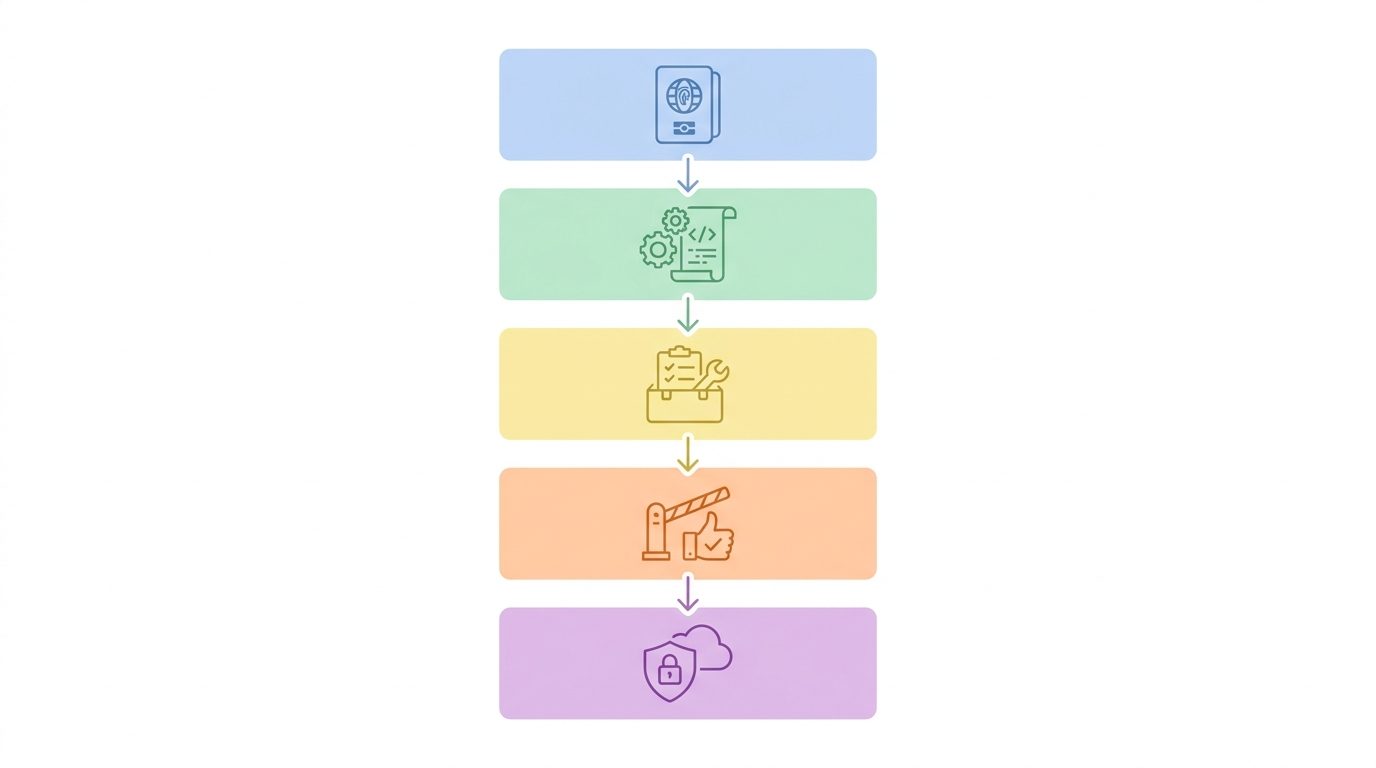
Use this checklist for any plugin that bundles Agent Skills, MCP servers, data workflows, repository automation, or cloud tools. It is intentionally practical: each item should produce a yes, no, or blocked answer before the plugin is shared.
Manifest review
Start with the manifest because it is quick and catches obvious supply-chain issues. Check whether the plugin name is understandable, whether the schema is expected, whether the version is pinned, and whether the repository or publisher is reputable. Do not install a plugin solely because the manifest looks clean. A minimal manifest is normal in the Agent Plugins model; deeper behavior lives in the skills and MCP server configuration.
Skill review
Read every SKILL.md file as if it were an operating procedure for an intern with tool access. Good skills define scope, prerequisites, verification steps, and stopping conditions. Risky skills encourage broad autonomous action, ask the agent to ignore approvals, tell the agent to collect unrelated private data, or blur the difference between read-only analysis and external writes. Skills should make the agent more predictable, not more aggressive.
MCP server review
For each server in mcp.json, answer three questions: what process or endpoint starts, what credentials it can see, and which tools it exposes. A local stdio server is not automatically safer than an HTTP server; it can still read environment variables or files. A remote server is not automatically unsafe; it may have better centralized logging and IAM. Judge the actual permissions, not the transport label.
Runtime review
Run the plugin in a clean test workspace before giving it real data. Use test credentials, a dummy repository, and a non-production cloud project. Ask the host client to show available tools. Trigger one read-only path and one denied write path. If you cannot predict which tools will be called, the plugin is not ready for a sensitive environment.
A Safe Review Workflow Before Installing or Sharing a Plugin
A permission checklist is useful only if it becomes a repeatable workflow. Here is a practical sequence for teams using Google-supported Agent Plugins in developer tools, data workflows, or internal automation.
- Open the plugin folder without running it. Inspect
plugin.json,mcp.json, andskills/first. Do not let the host client auto-start servers during initial review. - Create a tool inventory. Make a table of every MCP server and tool. Mark whether each tool reads, writes, deletes, executes code, calls a network service, or exposes secrets.
- Map credentials to capabilities. A tool that appears read-only can become risky if it receives a broad token. A safe plugin uses scoped credentials and clear resource boundaries.
- Test in a sandbox. Use synthetic data, dummy tickets, sample repositories, and a separate cloud project. Confirm that denial paths behave correctly.
- Configure host allowlists. In clients that support MCP server allowlists or enterprise policy, approve only the exact servers the team needs. Do not allow wildcard tool bundles by default.
- Write an installation note. Include supported clients, required env vars, allowed use cases, forbidden use cases, review owner, and rollback steps.
- Monitor first real use. Review logs and user reports during the first rollout. Plugins are portable, but every client environment can expose different local context.
This flow is slower than “install and try it,” but it is much faster than cleaning up a runaway automation path that touched the wrong repository, spreadsheet, database, or customer record.
Special Checklist for Google Data Agent Kit and BigQuery MCP Workflows
Google’s Data Agent Kit angle is especially powerful because it brings data skills and MCP tools closer to IDEs and CLI workflows. That can help analysts and engineers ask natural-language questions over cloud data, validate pipelines, check assets, and automate repetitive data tasks. It also raises the stakes: data agents can be wrong, overbroad, expensive, or privacy-sensitive if permissions are loose.
For a BigQuery-style workflow, start with read-only access to a limited dataset. Give the agent metadata inspection tools before query execution tools. Set query limits where the platform allows it. Require the agent to explain the SQL before running it for expensive or sensitive datasets. Log query text and destination tables. Keep production write tools out of the first plugin unless there is a strong business reason and a human approval step.
| Data agent risk | Safer control | Why it matters |
|---|---|---|
| Agent queries too much data | Dataset allowlists, query cost limits, and sampled views | Reduces cost surprises and accidental exposure. |
| Agent writes to production tables | Separate read-only and write-capable plugins | Keeps analysis workflows from becoming mutation workflows by accident. |
| Prompt includes private information | Data classification rules and redaction guidance | Prevents sensitive text from being copied into unnecessary contexts. |
| Tool returns misleading answer | Require SQL display, source table names, and caveats | Lets humans verify the chain of evidence. |
| Credentials are too broad | Dedicated service accounts with narrow roles | Limits blast radius if the tool is misused. |
The best data plugin is not the one with the most tools. It is the one with the smallest useful tool surface for the questions people actually ask. If a marketing analyst only needs campaign summary tables, the plugin should not have access to every raw event, billing export, and admin dataset in the organization.
Practical Permission Examples
Example 1: Read-only reporting plugin
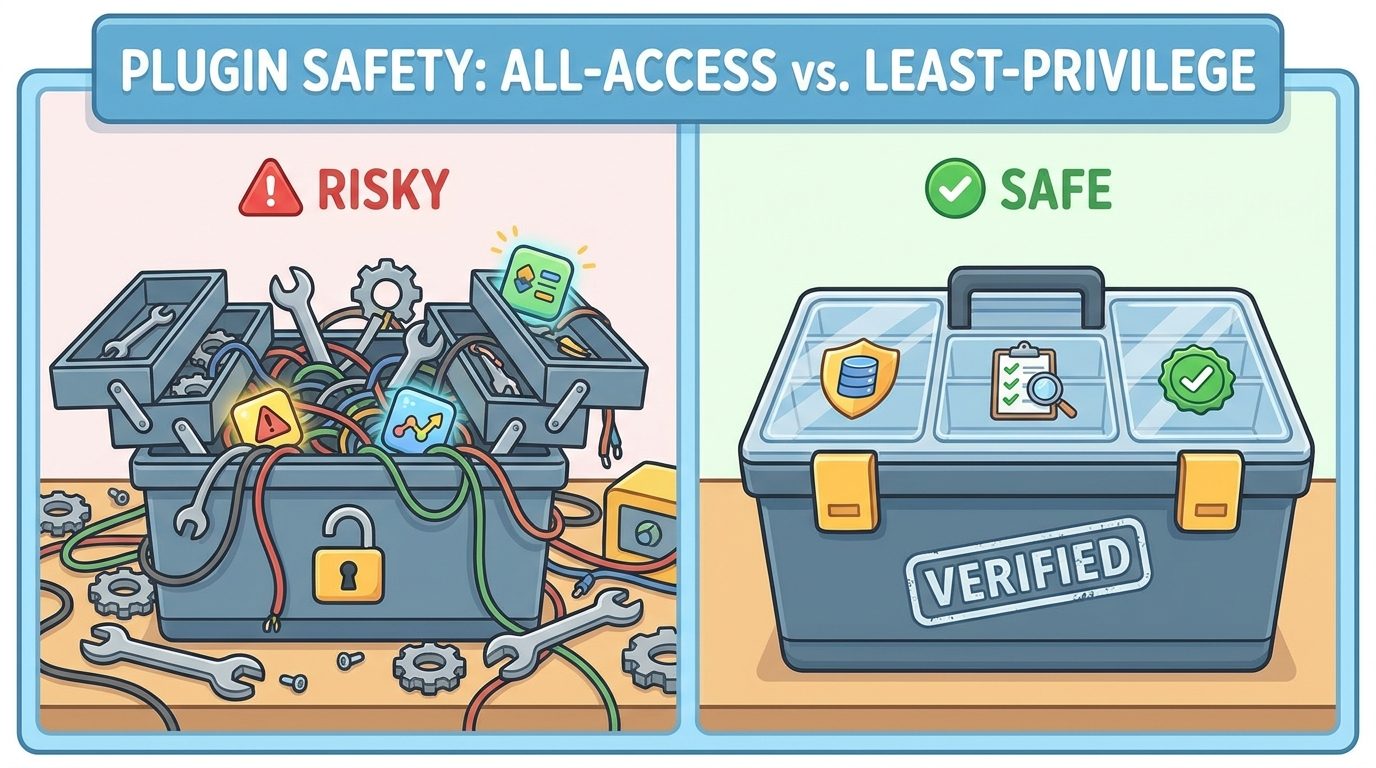
A team packages a weekly metrics skill and one MCP server that can query approved reporting views. The server uses a service account with read-only access to a reporting dataset. The skill asks the agent to summarize changes, cite table names, and flag anomalies. This is a good first plugin because the data boundary is clear and the tool outcome is easy to review.
Example 2: Repository helper plugin
A developer-tools team packages skills for issue triage, test planning, and pull-request summaries. The MCP server can read issues and repository files but cannot merge pull requests or push commits. Write actions stay in the normal Git workflow. This plugin reduces repetitive work without bypassing code review.
Example 3: Risky admin plugin
A plugin exposes cloud admin tools, deployment commands, ticket updates, and production database writes under one bundle. The skill says “be careful,” but the same credentials can do almost everything. This is not a plugin review problem anymore; it is an access-design problem. Split it into separate plugins, narrow credentials, and require explicit approvals for external writes.
Example 4: Mixed client rollout
One team wants the same plugin to work in multiple AI clients. The package structure can be portable, but the host approval behavior may vary. Test each target client separately. Document which servers are supported, which approval prompts appear, and what the user must configure. Portability reduces packaging friction; it does not remove rollout testing.
Common Mistakes to Avoid
Good plugin safety habits
- Use read-only credentials for first rollout.
- Separate analysis tools from write tools.
- Keep skills narrow and task-specific.
- Show SQL, file paths, and tool actions before risky execution.
- Test with dummy data before real credentials.
- Use host allowlists where available.
- Log tool calls and review early usage.
Risky habits
- Assuming
plugin.jsonenforces permissions. - Bundling unrelated MCP servers into one plugin.
- Using owner-level cloud credentials for convenience.
- Trusting prompt instructions as the only guardrail.
- Letting plugins auto-start without review.
- Skipping client-specific behavior checks.
- Installing unknown plugins in sensitive workspaces.
The most subtle mistake is over-bundling. Because Agent Plugins make packaging easier, teams may be tempted to put every skill and server into one “productivity” plugin. That looks convenient, but it makes approval harder. A focused plugin is easier to understand, easier to allowlist, easier to revoke, and easier to debug when something fails.
Another mistake is hiding limitations from users. If a plugin can only safely summarize data, say that. If it should not write to production, make the server incapable of writing to production. If it depends on a specific host client’s approval model, document that dependency. Good permissions are boring, visible, and testable.
Why This Cluster Topic Was Selected
This article was selected as a cluster topic because it supports the latest Google Agent Plugins pillar without competing with it. The pillar covers the broad concept: portable packages for skills, tools, and data workflows. Search-gap research showed a narrower opportunity around permission boundaries, especially for queries that combine Agent Plugins, MCP servers, plugin.json, and allowlists. Those searches often surface announcements, official docs, AI overviews, and broad explainers, but not a practical review checklist.
AI Feature Drop’s recent analytics also show that practical agent workflow topics outperform generic AI news. Top pages in the latest reporting window included Codex banked resets, ChatGPT desktop Codex setup, Google Flow and Veo credits, and coding-agent permission topics. That pattern suggests readers want operational guidance: what to enable, what to avoid, what to check, and how to use a feature safely in real work.
Keep Learning on AI Feature Drop
Sources and References
- Google Developers Blog: Agent Plugins package your skills, tools, and more
- Google Cloud Blog: Data Agent Kit brings data skills and tools to your IDE or CLI
- OpenAI Developers: Plugins documentation index
- Model Context Protocol documentation
Agent plugin specifications, client support, and cloud product behavior can change. Verify current documentation and your organization’s security policy before installing third-party plugins or connecting agents to sensitive systems.
FAQ: Google Agent Plugins Permissions
Does plugin.json control MCP server permissions?
No. In the Agent Plugins model, plugin.json is primarily for plugin identity and metadata. MCP servers are declared separately, and real access control should happen in the host client, MCP server implementation, credentials, and underlying platform permissions.
Is an Agent Plugin safe if it only contains skills?
A skills-only plugin has a smaller tool surface, but it still needs review. Skills can instruct an agent to behave in broad or risky ways. Read the skill files, check scope, and confirm that they do not encourage external actions without approval.
What is the safest way to test a plugin with Google Data Agent Kit?
Use a sandbox project, synthetic or low-risk data, read-only credentials, query limits, and logging. Confirm the plugin can answer useful questions before granting broader access.
Should write-capable MCP tools be bundled with read-only tools?
Usually not at first. Separate read-only analysis plugins from write-capable automation plugins. This makes approvals, allowlists, audits, and revocation much clearer.
Can host allowlists replace server-side authorization?
No. Host allowlists are helpful, but they are not enough. The MCP server and cloud platform should still enforce least-privilege access, validate inputs, and log actions.
What should I check before installing a third-party Agent Plugin?
Check the author, repository, manifest, skills, MCP server commands or endpoints, credentials, tool capabilities, network access, and whether the plugin can read or write sensitive data. Test in a sandbox before using real workspaces.
Post a Comment