
Google ADK Dynamic Workflows: Build Loops, Branches, and Resumable Agent Runs
Google ADK dynamic workflows are for agent tasks that cannot be expressed cleanly as a fixed graph. This guide explains when to use them, how loops and branching should be designed, what automatic checkpointing changes, and how to keep production agents reliable without turning every decision over to the model.
Google ADK Dynamic Workflows: Quick Answer
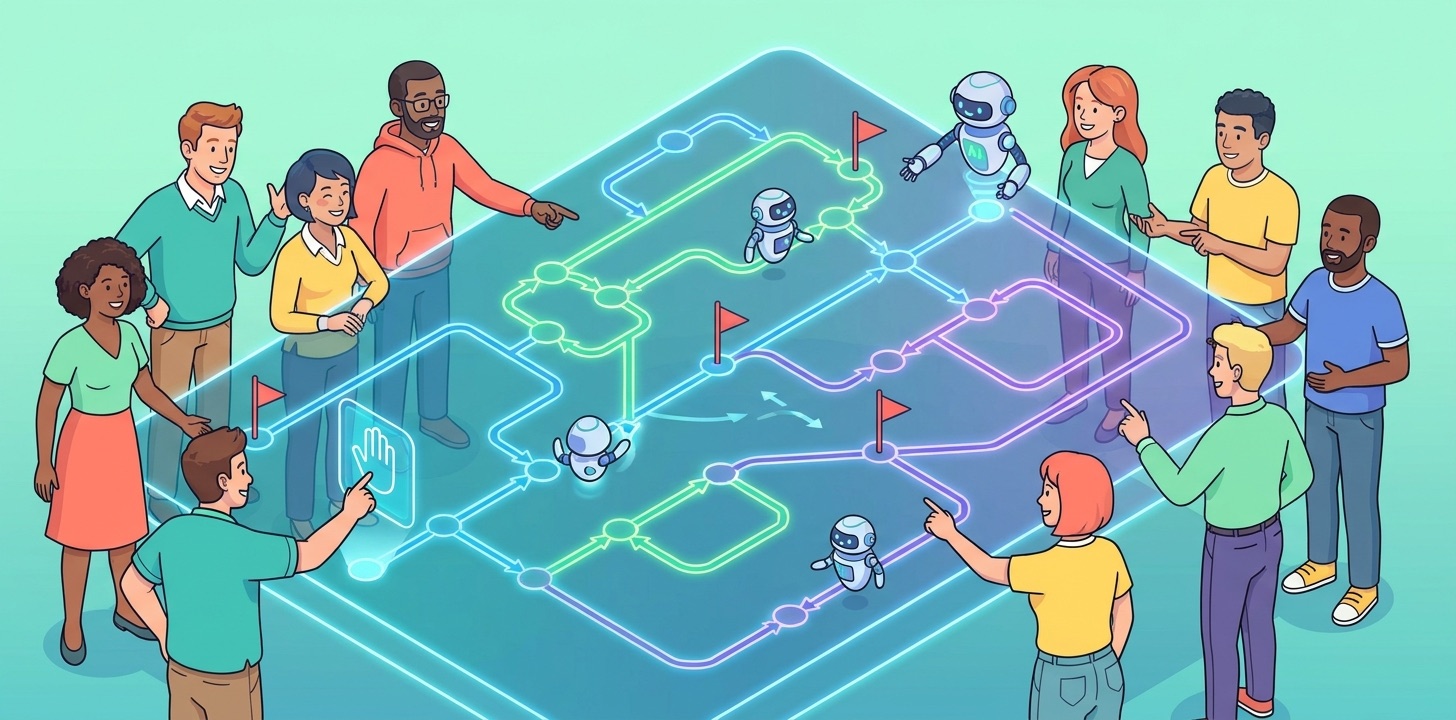
Google ADK dynamic workflows let developers define agent workflow control flow with normal programming-language logic instead of only a static graph. In ADK 2.0, a workflow can call nodes, agents, tools, and nested workflows while your code controls loops, branches, retries, state checks, and resume behavior. That makes dynamic workflows useful when the process is too conditional for a simple directed graph but still too important to leave entirely to an autonomous agent.
The easiest way to think about the feature is this: a graph workflow is like a clean flowchart, while a dynamic workflow is like a production function that can call agent nodes when language reasoning is needed. You still get structure, observability, checkpointing, and explicit node boundaries. You also get the flexibility of code when the next step depends on runtime conditions, record counts, confidence scores, source quality, tool errors, user approval, or intermediate results.
This is a cluster guide for the broader Google ADK workflows pillar. The pillar explains ADK workflows at a high level. This article goes narrower: dynamic workflows, why they exist, what they are good for, how to design them, and where teams usually make mistakes.
Why Dynamic Workflows Matter for Production Agents
Agent demos often begin with a single loop: the model receives a request, chooses a tool, sees a result, decides what to do next, and keeps going until it thinks the task is complete. That pattern is flexible and impressive, but it is also the source of many production headaches. The model may repeat a tool call, skip a required step, read too much context, accept a prompt injection, or end a task without a clean failure signal.
Google’s ADK 2.0 materials frame this as a structural problem. Large language models are frequently asked to do orchestration work that normal code already handles well: routing, scheduling, retry behavior, state transitions, failure boundaries, and execution order. A model can infer those things, but inference is slower, more expensive, and less predictable than explicit control flow. Dynamic workflows give developers a place to put that control flow back into software.
The reason this deserves a focused article is that static workflow graphs do not solve every orchestration problem. A refund process, approval process, or triage process may fit a graph. But a research agent that must keep searching until it has enough verified sources, a migration agent that must iterate over changed files, or a support agent that must branch through many product-specific policies can quickly make a static graph hard to maintain. Dynamic workflows fill that middle ground.
Recent AI Feature Drop analytics support this kind of tactical topic. Over the last complete reporting window, the site recorded 492 sessions, 766 page views, and meaningful organic search activity around practical feature explainers. Pages about Codex banked resets, OpenAI Codex pricing, GitHub Copilot AI Credits, Google Flow and Veo credits, and Codex computer use were among the strongest traffic patterns. That is a clear signal: readers are not just looking for launch news. They want practical explanations of new AI product mechanics, limits, and workflows.
Google ADK dynamic workflows match that pattern. The official docs explain the feature, but developer teams still need an independent, plain-English guide that answers the product question: when should this be a dynamic workflow, and how do we avoid making it a fragile agent loop in disguise?
When to Use ADK Dynamic Workflows Instead of a Graph
Use a static graph when the process can be drawn in a few boxes. Use a dynamic workflow when the route depends heavily on runtime logic. That sounds simple, but the decision gets harder in real projects because every agent task has some uncertainty. The trick is to distinguish uncertainty in language reasoning from uncertainty in control flow.
If the system needs to interpret messy human text, summarize a document, classify an issue, or draft a response, that uncertainty belongs in an agent node. If the system needs to keep iterating until a condition is met, choose a different branch based on a typed result, skip completed work after a resume, or fan out across records, that uncertainty belongs in workflow code. Dynamic workflows let those two forms of uncertainty coexist without asking the LLM to own the whole process.
| Situation | Best ADK shape | Why |
|---|---|---|
| A known five-step process with one approval gate | Graph workflow | The path is stable and easy to review visually. |
| A research task that loops until enough sources pass validation | Dynamic workflow | The number of iterations is data-dependent and better controlled with code. |
| A batch migration over many files or tickets | Dynamic workflow | The workflow can iterate, checkpoint, skip completed nodes, and summarize results. |
| A low-risk brainstorming assistant | Autonomous agent | Strict routing may be unnecessary overhead. |
| A coordinator delegating to several specialist agents | Collaborative workflow or dynamic workflow | The coordinator may need code-level routing plus specialist reasoning. |
A good heuristic is to ask: “Would I write this orchestration as code if there were no LLM?” If the answer is yes, it probably belongs in a workflow. Then ask: “Which steps truly require language reasoning?” Those steps become agent nodes. Everything else should be ordinary functions, tools, validation nodes, or explicit routes.
The Core Architecture: Code Controls the Loop, Agents Handle Reasoning
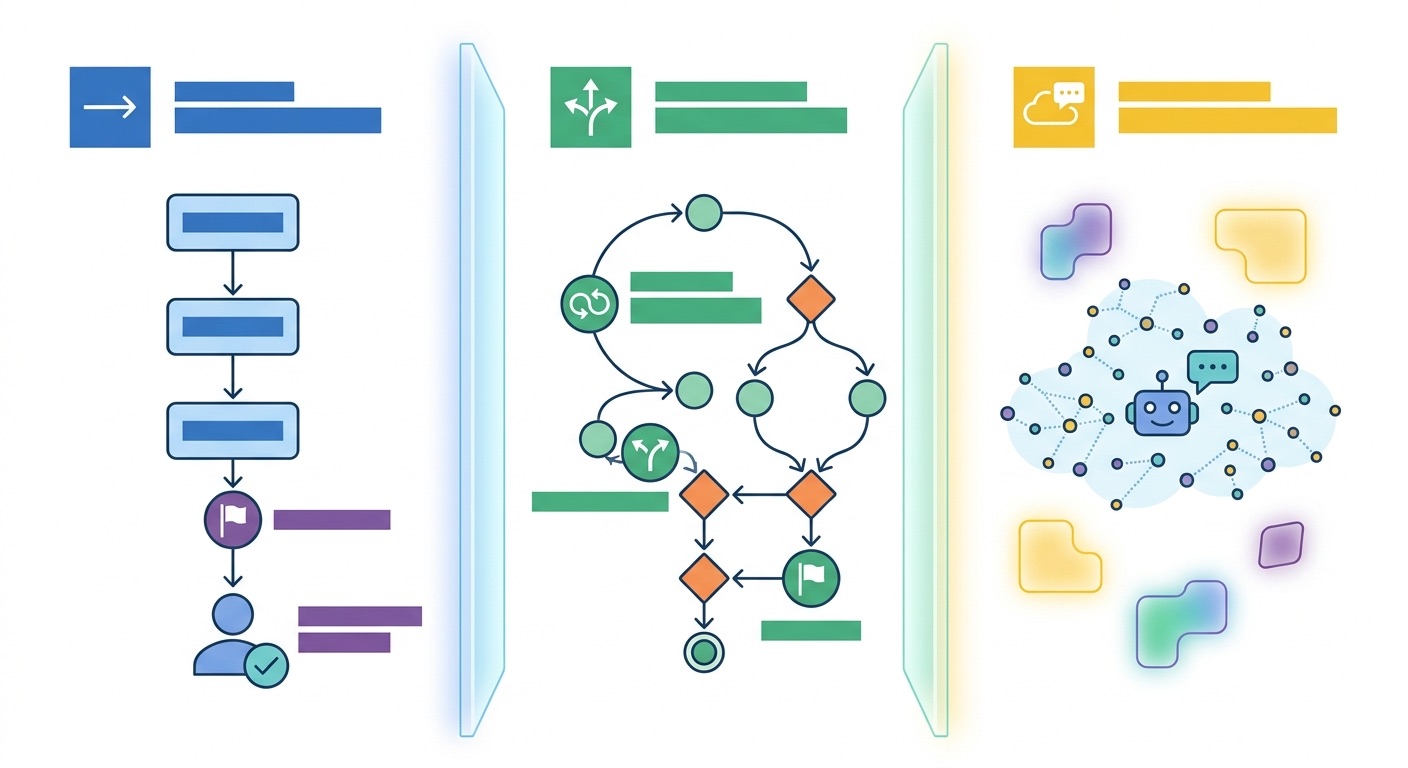
The most reliable dynamic workflow design separates three responsibilities. First, code controls order and state. Second, tools perform deterministic actions. Third, agents reason over ambiguous input or generate language. When these roles blur, dynamic workflows become hard to debug and agents begin making decisions that should have been encoded in the workflow.
Imagine a customer-support research assistant. The user asks why an API call is failing. A fragile design gives an agent access to the docs, issue tracker, status page, and ticket system, then asks it to investigate until done. A better dynamic workflow breaks the task into controlled stages: normalize the question, identify the product area, search docs, search incidents, ask an agent to reason over the likely cause, validate the answer against sources, and route to a human if confidence is too low.
dynamic_support_workflow(ticket):
    product = classify_product_agent(ticket)
    sources = []
    for query in build_queries(ticket, product):
        result = search_docs_tool(query)
        if passes_source_quality(result):
            sources.append(result)
        if enough_sources(sources):
            break
    draft = answer_agent(ticket=ticket, product=product, sources=sources)
    if confidence(draft) < threshold:
        return request_human_review(draft, sources)
    return send_response(draft)
This pseudocode is not meant to be copied into production as-is. It shows the design principle. The agent does not decide whether enough sources exist. Code decides. The agent does not silently route around review. Code decides. The agent is valuable where language reasoning is required: classifying the messy ticket and drafting a helpful answer from trusted evidence.
ADK dynamic workflows support that architecture because workflow nodes can be invoked programmatically. The dynamic workflow can use familiar constructs such as loops and conditionals, while ADK tracks node execution and supports durable resume behavior. That is much easier to reason about than hiding all orchestration in a long instruction prompt.
Data boundaries matter
One of the strongest reasons to use workflows is controlling context. In a pure autonomous loop, every tool result often becomes part of the running model context. Over time, the agent sees long logs, raw API payloads, partial errors, old plans, and irrelevant branches. That context bloat costs tokens and can degrade attention. In a dynamic workflow, the developer can pass only the subset of data each node needs.
For example, a validation node may need a URL, extracted quote, timestamp, and source type. It does not need the full web page, previous failed searches, or the user’s original long prompt. A drafting agent may need the final source bundle and the user question. It does not need internal retry counters or tool diagnostics. Keeping those boundaries clean is one of the easiest ways to make dynamic workflows cheaper, faster, and safer.
Practical ADK Dynamic Workflow Patterns
Dynamic workflows are not one pattern. They are a way to express several production patterns that are awkward in a static graph. The following patterns show where the feature becomes useful in real systems.
Pattern 1: Search until enough evidence exists
This is common in research, compliance, SEO, competitive intelligence, and customer support. The workflow runs searches, evaluates sources, stores accepted evidence, and stops when the evidence set is good enough. A pure agent may keep searching too long or stop too early. A dynamic workflow can define what “enough” means: three independent sources, one official source, no unsupported pricing claims, or at least one recent changelog.
Pattern 2: Batch processing with checkpoints
Agents often need to process many items: tickets, pull requests, documents, files, rows, or alerts. A static graph is not a natural fit for an unknown number of records. A dynamic workflow can iterate over the batch, call a node for each item, checkpoint successful node executions, and resume without repeating completed work. That matters when jobs are long-running or when tool calls are expensive.
Pattern 3: Confidence-based human review
Human input should not be a sentence hidden in a prompt. It should be an explicit workflow state. A dynamic workflow can ask an agent for a structured output, validate it, and route to a human when confidence is low, risk is high, or required fields are missing. This is especially useful for payments, account changes, customer-facing answers, security actions, and anything with compliance consequences.
Pattern 4: Cost-aware escalation
Not every step deserves a heavy model call. A dynamic workflow can start with deterministic filters or smaller models, then escalate only when necessary. For example, a support workflow might first match known error codes. If that fails, it asks a lightweight agent to classify the issue. If confidence remains low, it calls a stronger reasoning model or requests human review. This is better than making the strongest model inspect every ticket from the beginning.
Automatic Checkpointing and Resume Behavior
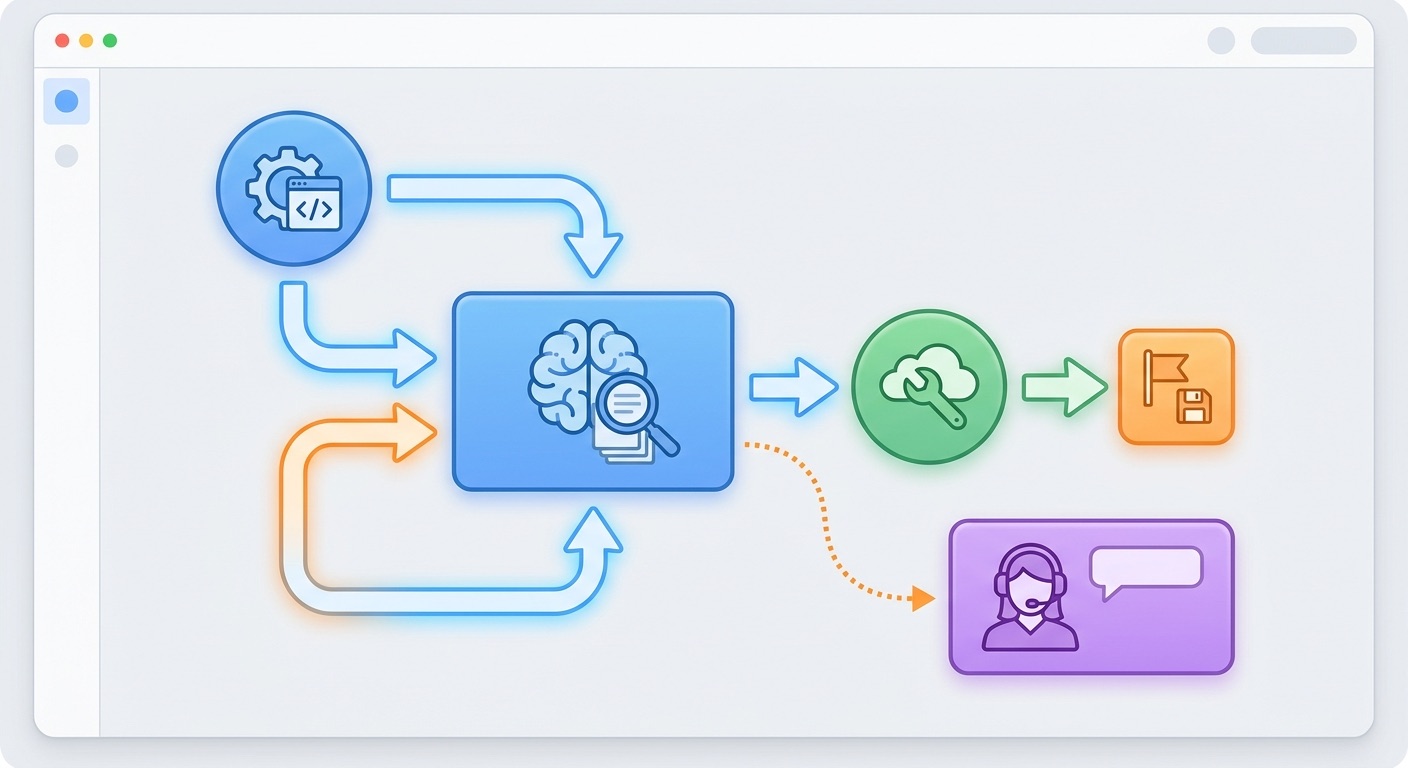
The ADK dynamic workflow docs highlight automatic checkpointing as a key benefit. In plain terms, dynamic workflows can track node execution so successful sub-nodes are skipped when a workflow resumes. That is important because real agent jobs fail in boring ways: a network request times out, a user closes a session, a tool rate limit hits, a human approval waits overnight, or a deployment restarts a worker.
Without checkpointing, a resumed agent may repeat expensive or risky work. It may issue duplicate tool calls, re-process the same records, or produce inconsistent summaries. With checkpoint-aware design, each node has a clearer execution identity and the workflow can resume from the correct point. This is especially valuable for batch jobs, research loops, and approval workflows.
Checkpointing does not remove the need for idempotency. If a node sends an email, creates a ticket, charges a card, or updates a database, your application still needs safeguards against duplicate side effects. The workflow can help track progress, but the tool itself should be designed with idempotency keys, transaction checks, or “already done” guards. Production agent reliability is always a partnership between framework behavior and application design.
Design rules for resumable dynamic workflows
- Give side-effecting actions stable identifiers. A refund, email, database update, or ticket close should be traceable and safe to retry.
- Separate read nodes from write nodes. Reads can usually be repeated; writes need stronger guards.
- Store structured outputs. A node output should be machine-checkable, not only a paragraph of reasoning.
- Validate before moving forward. Do not let a downstream node infer whether an upstream node succeeded.
- Escalate instead of looping forever. Set maximum attempts, confidence thresholds, and human review paths.
These rules sound like normal backend engineering because that is the point. Dynamic workflows let agent systems behave more like serious software instead of magical chat sessions with tool access.
Google ADK Dynamic Workflow Examples
The following examples are architecture sketches, not complete ADK programs. They are meant to help you choose the right shape before you write code.
Example 1: Compliance research workflow
A compliance team asks whether a claim can be used in a customer-facing document. The workflow searches official sources, industry references, internal policy, and recent regulatory notes. It loops until it has enough trusted evidence or reaches a search limit. An agent summarizes the evidence, but code checks source count, date freshness, and required source types. If a claim lacks support, the workflow routes it to a human reviewer instead of allowing the agent to fill the gap with confident language.
Example 2: Pull request risk triage
A developer tool scans a pull request and decides whether it needs deeper review. Deterministic code reads file types, changed line counts, dependency changes, and test status. A model node summarizes the intent of the change. The dynamic workflow branches: tiny docs-only changes get a short summary, risky security-sensitive changes go to a review agent, and unclear changes request human review. This beats a single agent reading the full diff and deciding everything from scratch.
Example 3: Customer support escalation
A support workflow starts with known-error lookup. If a known incident exists, it drafts an incident-aware reply. If no known match exists, it searches documentation and asks an agent to reason over the customer’s language. If the answer confidence is high and the issue is low-risk, the workflow sends a draft to the support queue. If the customer asks for billing changes, data deletion, account access, or refunds, the workflow pauses for human approval.
Example 4: Data cleanup assistant
A data cleanup agent processes a spreadsheet or database export. The dynamic workflow loops row by row, runs deterministic validation, asks an agent only for ambiguous classifications, stores accepted fixes, and creates a final audit report. If the workflow is interrupted, checkpointing lets it resume without starting over. If too many rows fail validation, it stops and asks for a schema review instead of wasting model calls.
Example 5: Content operations workflow
An editorial workflow gathers product sources, extracts claims, validates dates, drafts a section, checks unsupported statements, and sends uncertain claims back to research. This is exactly where dynamic workflows shine: the number of research loops depends on evidence quality. The workflow can enforce “no unsupported claims” while still using agents for summarization and writing.
ADK Graph Workflows vs Dynamic Workflows
Graph and dynamic workflows are complements. A graph gives clarity when a business process is fixed. A dynamic workflow gives flexibility when the process is controlled by code but cannot be captured comfortably as a static route. The mistake is treating dynamic workflows as a replacement for design. They still need clear state, typed outputs, and failure rules.
| Question | Graph workflow | Dynamic workflow |
|---|---|---|
| Can the flow be drawn as a stable diagram? | Yes, this is the ideal case. | Possible, but may become cluttered if logic changes often. |
| Does the flow need loops or recursion? | Use only when loops are simple and bounded. | Strong fit because loops can be expressed in code. |
| Does each run process a variable number of items? | May be awkward. | Strong fit for batches and iteration. |
| Is visual review important for stakeholders? | Strong fit. | Document the control logic carefully. |
| Does the flow need resumable sub-node execution? | Useful for known nodes. | Especially useful for long-running dynamic work. |
If you are new to ADK workflows, start with the pillar guide first: Google ADK Workflows Guide. Then come back to dynamic workflows when your graph starts looking like a bowl of spaghetti or your autonomous agent starts making too many routing decisions.
Common Mistakes With ADK Dynamic Workflows
What good teams do
- Keep deterministic routing in code.
- Use structured outputs from agent nodes.
- Set loop limits and escalation paths.
- Pass narrow context to each node.
- Use human input as an explicit workflow pause.
- Design side-effecting tools to be idempotent.
- Test resume behavior before production rollout.
What causes trouble
- Letting an agent decide whether to skip required business steps.
- Catching broad exceptions inside tools and hiding retry signals.
- Passing the whole conversation history to every node.
- Using dynamic workflows for simple fixed processes.
- Allowing unbounded loops because the agent “might find more.”
- Writing unsupported claims or pricing details without source validation.
- Treating checkpointing as a substitute for idempotency.
One migration-specific warning is worth repeating. ADK 2.0 changes event schema and workflow runtime behavior. If your ADK 1.x application uses custom session storage, strict JSON validators, custom execution overrides, or broad exception handling, read the official compatibility notes before upgrading. The broader migration article on AI Feature Drop, ADK 2.0 Migration Checklist, is a useful companion if you are already running older ADK agents.
Another common mistake is over-engineering. Dynamic workflows are powerful, but not every chat interaction needs a workflow runtime. If the user asks for a brainstorm, a short explanation, or a harmless transformation, a simple agent may be enough. Workflow structure earns its keep when the task has state, risk, retries, approvals, cost concerns, or repeated execution.
Decision Helper: Should This Be a Dynamic Workflow?
Use this quick helper before designing your ADK agent. It is intentionally simple, but it catches the most common architecture mistake: asking the model to control a process your code should own.
Why This Is a Strong Cluster Topic for AI Feature Drop
The latest AIFeatureDrop pillar post explains Google ADK workflows broadly: graph workflows, dynamic workflows, collaborative agents, migration concerns, and human approval. A cluster article should not repeat that broad guide. This article goes deeper into one narrow feature with clear search intent: how developers should understand and use ADK dynamic workflows.
The analytics case also supports the angle. Recent GA4 traffic shows that specific workflow and limits explainers perform better than generic AI news. Search Console volume is still young, but the indexed queries that do appear are practical and feature-specific. That means the best content strategy is to build topical depth around concrete features: ADK workflows, ADK migration, Genkit human approval, Antigravity artifacts, Gemini file search, and other product mechanics readers can apply immediately.
This article adds information gain by translating the official docs into production decisions: when to use dynamic workflows, how to separate code control from agent reasoning, how checkpointing affects long-running jobs, why idempotency still matters, and which examples fit the feature. It also creates a natural internal link back to the pillar and sideways links to related GoogleAI workflow coverage.
Keep Learning on AI Feature Drop
- Google ADK Workflows Guide — the broader pillar on graph workflows, dynamic logic, collaborative agents, and human approval.
- ADK 2.0 Migration Checklist — upgrade risks around event schemas, callbacks, retries, and Go import paths.
- Genkit Human Approval Guide — related patterns for pausing risky AI actions.
- Genkit Agents API Explained — full-stack agent state, streaming, and frontend integration.
- Google Antigravity Artifacts Workflow — persistent artifacts and structured agent work.
- Gemini API File Search and Multimodal RAG — context and retrieval patterns for AI workflows.
Sources and References
- Google Developers Blog: Why we built ADK 2.0
- ADK docs: Welcome to ADK 2.0
- ADK docs: Dynamic workflows
- GitHub: google/adk-python
- GitHub: google/adk-go
Product behavior, APIs, and compatibility details can change. Always verify the official ADK documentation before migrating production applications.
FAQ: Google ADK Dynamic Workflows
What are Google ADK dynamic workflows?
Google ADK dynamic workflows are programmatic workflows that let developers use normal code constructs such as loops, conditionals, and function-style node calls to orchestrate agents, tools, functions, and nested workflows.
When should I use a dynamic workflow instead of a graph workflow?
Use a dynamic workflow when the control flow needs loops, complex branching, recursion, variable batch sizes, checkpoint-aware resume behavior, or code-based routing that would make a static graph hard to maintain.
Are dynamic workflows better than autonomous agents?
They solve a different problem. Autonomous agents are useful for open-ended reasoning. Dynamic workflows are better when code should control the process and agents should handle only the reasoning-heavy parts.
What is automatic checkpointing in ADK dynamic workflows?
Automatic checkpointing means the workflow can track sub-node execution so successful nodes can be skipped when a workflow resumes. This helps avoid duplicate work in long-running or interrupted agent jobs.
Do dynamic workflows remove the need for idempotent tools?
No. Checkpointing helps, but side-effecting tools still need idempotency keys, duplicate checks, or transaction safeguards so retries do not create duplicate emails, refunds, tickets, or database writes.
Can ADK dynamic workflows include human input?
Yes. Human input should be designed as an explicit workflow pause or route, especially for risky actions, low-confidence outputs, billing changes, security-sensitive tasks, and compliance decisions.
What are good examples of ADK dynamic workflows?
Good examples include compliance research loops, support escalation, pull request risk triage, batch data cleanup, content operations, and any agent job where the number of steps depends on runtime conditions.
How do dynamic workflows reduce agent cost?
They can reduce unnecessary model calls by keeping deterministic routing in code, limiting context passed to each agent node, escalating only when needed, and avoiding repeated LLM orchestration for steps code can handle directly.
Post a Comment