
Claude Cluster guide Updated June 2026
Claude Code Dynamic Workflows Checklist: How to Prepare Your Repo Before Multi-Agent Coding
Claude Code dynamic workflows sound exciting: one prompt, many agents, bigger coding jobs. The catch is that parallel agent work can also multiply messy instructions, broken branches, duplicated edits, and expensive trial-and-error. This guide gives you a practical readiness checklist before you use dynamic workflows on a real codebase.
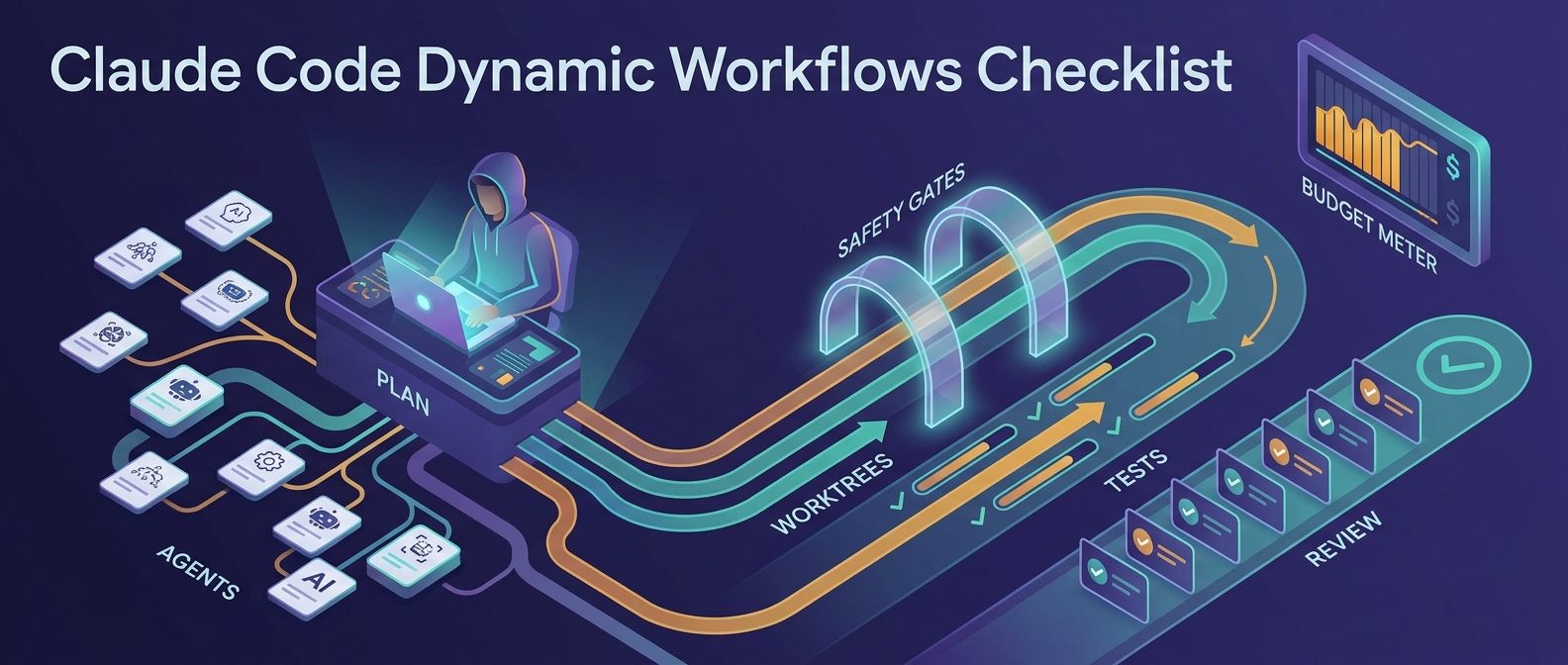
Quick answer: when should you use Claude Code dynamic workflows?
Use Claude Code dynamic workflows when the task is too large for one linear coding session but still has a clear goal, testable checkpoints, and safe boundaries. Good examples include migrating a repeated component pattern, exploring multiple bug hypotheses in parallel, preparing several small refactors, or having agents investigate separate services before a human-reviewed merge.
Do not use dynamic workflows for vague prompts like “improve the app,” high-risk production changes, payment flows, secrets handling, or anything where you cannot review every final diff. Treat it as a way to coordinate many focused coding workers, not as permission to skip engineering judgment.
Why this cluster topic matters for the Claude Code pillar
The broader AIFeatureDrop pillar, Claude Code Dynamic Workflows Explained, covers what Anthropic launched with Claude Opus 4.8 and how the feature fits into larger agentic coding. This cluster article narrows the intent: how to prepare your repo before using dynamic workflows.
That narrower search intent is important because most early coverage focuses on the announcement. Developers and team leads need operational guidance: repository hygiene, worktree isolation, prompt constraints, test gates, cost controls, and merge review. Those are the pieces that decide whether a multi-agent run produces useful code or a pile of conflicts.
What changed recently
On May 28, 2026, Anthropic introduced Claude Opus 4.8. The announcement said Claude Code gained a new “dynamic workflows” feature for very large-scale problems. The Claude Code changelog around versions 2.1.154–2.1.160 also describes workflow-related changes, agent handling, worktree behavior, background sessions, auto mode updates, and safety prompts around files that can execute commands.
Two details matter for practical users:
- Dynamic workflows are meant for large tasks. They are not just a fancier name for a normal chat session.
- The surrounding Claude Code ecosystem matters. Subagents, worktrees, hooks, CLAUDE.md, skills, memory, and review workflows can make or break the result.
The repo readiness checklist
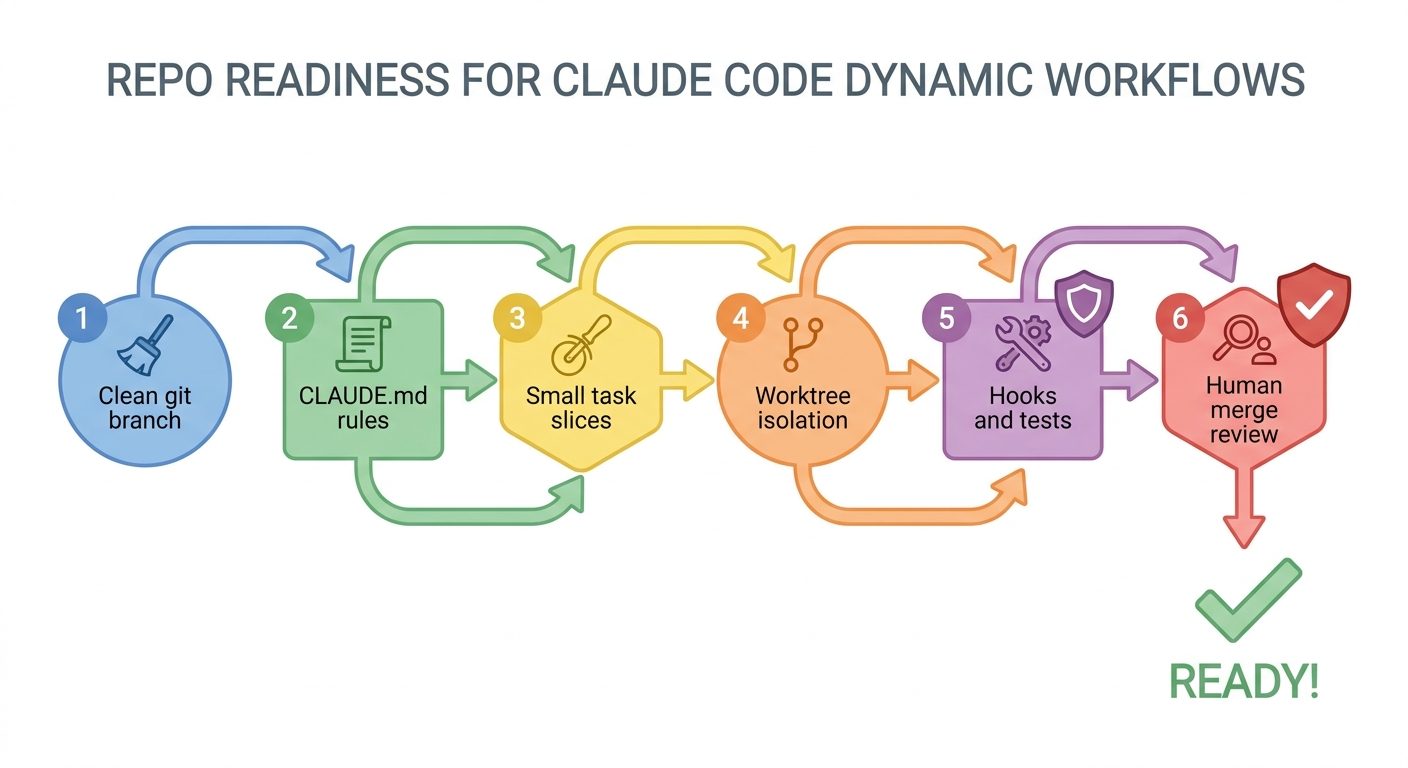
1. Start from a clean branch
Before launching a dynamic workflow, make sure the repo has a clean working tree. Commit or stash unfinished human work. Create a branch whose name describes the exact objective, such as workflow/refactor-settings-panel or workflow/investigate-auth-timeouts. If you start with mixed local changes, you make it harder to identify which agent caused which diff.
2. Write a short CLAUDE.md rule set
Claude Code documentation describes CLAUDE.md files as persistent project instructions. For dynamic workflows, keep this file concise and operational. Include build commands, test commands, style rules, restricted files, and review expectations. Do not turn it into a giant manifesto; long instructions are easier to ignore or misapply.
3. Slice the work into parallel-safe lanes
Dynamic workflows are strongest when subproblems can be explored independently. “Modernize the dashboard” is too vague. Better: “Agent A reviews chart rendering performance, Agent B checks API pagination, Agent C audits empty states, Agent D proposes test gaps.” Each lane should have a narrow output and a stop condition.
4. Decide what agents are allowed to change
Use boundaries. Tell the workflow which folders are in scope, which files are read-only, and whether agents may run commands. If the task is exploratory, ask for findings only. If the task is implementation, limit edits to specific modules and require tests before final output.
5. Set test and hook gates
Claude Code hooks provide deterministic checks at lifecycle points. The official hooks guide positions hooks as a way to enforce project rules, format code, validate commands, and run checks automatically. For dynamic workflows, hooks are useful because many agents can make small edits quickly. You want tests and formatters to catch problems before the final merge review.
6. Plan the human review lane
The final output of a dynamic workflow should not go straight to production. Require a summary with changed files, commands run, failing tests, skipped checks, assumptions, and next actions. Then review the diff yourself or route it through normal pull request review.
Dynamic workflows vs subagents vs background agents
| Mode | Best use | Risk to watch |
|---|---|---|
| Normal Claude Code session | Focused single-threaded edits, debugging, small features | Context gets crowded on broad tasks |
| Subagents | Specialized side tasks, research, logs, focused implementation helpers | Delegation quality depends on clear descriptions and tool limits |
| Background agents | Longer independent sessions you can monitor separately | Easy to lose track of assumptions across sessions |
| Dynamic workflows | Large multi-lane tasks with many agents, worktrees, and coordinated outputs | Conflicts, duplicated work, cost burn, and broad unsafe edits if scope is weak |
Claude’s docs describe subagents as specialized assistants that run in their own context and return summaries. Dynamic workflows build on the same general idea of decomposed work, but the practical bar is higher: you need better boundaries because the task is larger and more parallel.
A safer prompt template for dynamic workflows
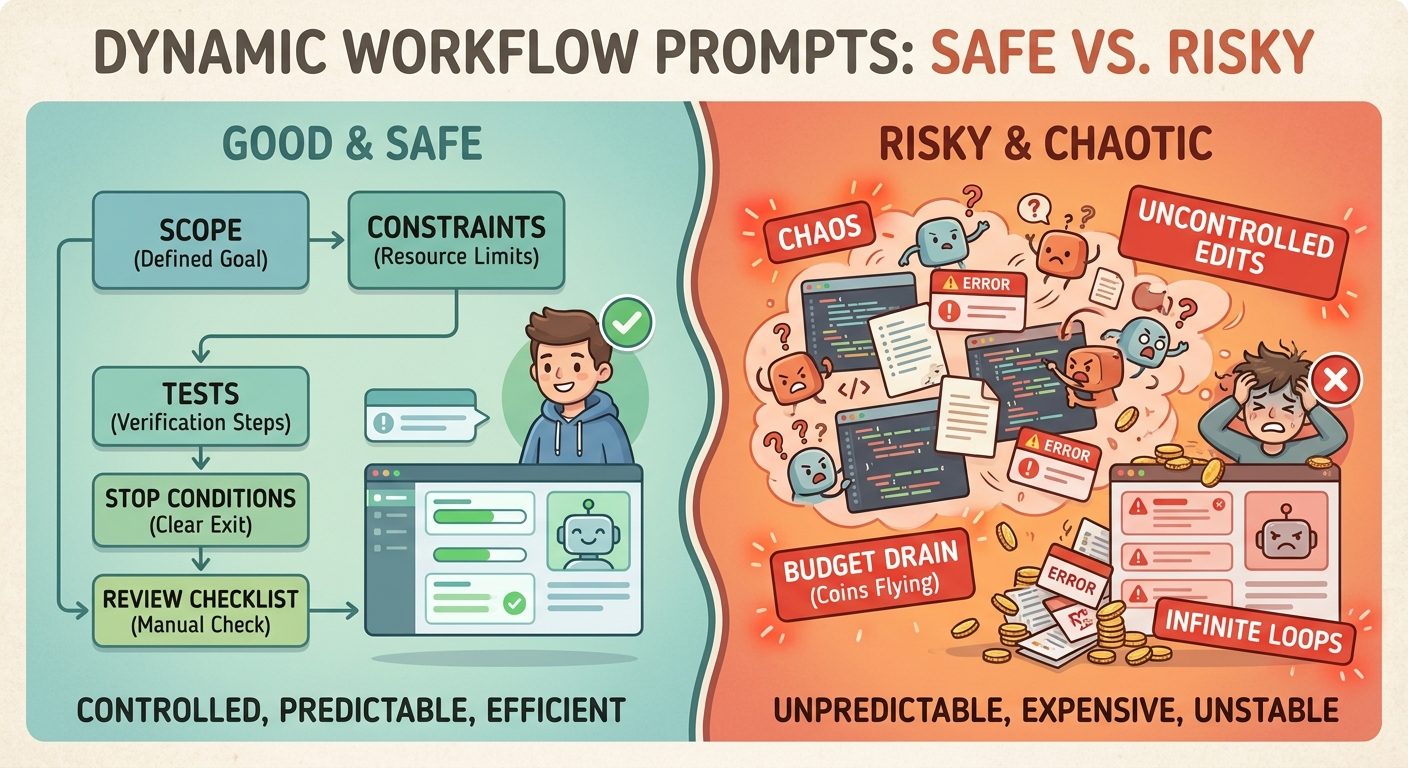
Use this template as a starting point. Adjust it to your project and risk level.
The key is to make “done” observable. If an agent cannot prove the result through tests, screenshots, logs, or a clear diff, the workflow is not finished.
Best use cases
- Large codebase exploration: send agents to inspect separate packages, services, or feature areas and return a consolidated map.
- Migration prep: check repeated patterns before a framework, library, or API migration.
- Bug hypothesis testing: test several likely root causes in isolation instead of one long speculative session.
- Test gap discovery: ask agents to inspect modules and propose focused missing tests before implementation.
- Documentation plus code cleanup: one lane updates docs while another verifies code examples and commands.
When not to use dynamic workflows
Skip dynamic workflows when the job needs sensitive judgment, strict sequencing, or low tolerance for conflicting edits. Do not use it for live incident response unless an experienced engineer is supervising. Avoid it for secrets, billing, permissions, legal text, database migrations without rollback plans, or anything that can create irreversible effects.
If you cannot review the final diff carefully, use a normal Claude Code session or read-only exploration instead.
Cost and rate-limit habits
Parallel agent work can burn tokens faster than a normal session. The solution is not to avoid the feature; it is to reduce wasted exploration. Start with a planning pass, ask for short findings, limit files, prefer read-only investigation before edits, and route routine work to cheaper/faster modes when appropriate. The broader Claude Code dynamic workflows pillar covers Opus 4.8 and effort controls; this checklist focuses on avoiding runaway work.
Useful habits:
- Ask agents to summarize before editing.
- Limit maximum scope by folder and file type.
- Run one small workflow first, then expand.
- Require agents to list assumptions.
- Stop runs that drift into unrelated refactors.
A practical launch sequence
- Create a clean branch.
- Update CLAUDE.md with five to ten project rules.
- Define allowed and blocked paths.
- Write the workflow prompt with lanes and stop conditions.
- Run a read-only discovery workflow first.
- Review the plan before allowing edits.
- Run implementation on a narrow module.
- Require tests, final diff summary, and remaining risk notes.
- Merge manually through your normal PR process.
Internal links for deeper reading
- Claude Code Dynamic Workflows Explained — the broader pillar guide.
- Claude Code CLAUDE.md Template — useful for persistent project rules.
- How to Reduce Claude Code Usage — practical context and limit-saving habits.
- Claude Code Usage Limits Explained — plan and limit context.
FAQ
- What are Claude Code dynamic workflows?
- They are a Claude Code feature introduced alongside Claude Opus 4.8 for larger coding problems that benefit from coordinated multi-agent work. Think of them as a way to decompose a large task into multiple focused lanes.
- Are dynamic workflows the same as subagents?
- No. Subagents are specialized assistants for specific tasks in isolated contexts. Dynamic workflows are aimed at larger coordinated jobs and can involve broader orchestration, so they need stronger planning and review gates.
- Do I need a CLAUDE.md file first?
- You can run Claude Code without one, but dynamic workflows are safer with a concise CLAUDE.md that states project rules, test commands, blocked files, and review expectations.
- Can dynamic workflows edit production code?
- They can edit code if permitted, but you should keep edits scoped and always review final diffs. For sensitive production areas, start with read-only analysis.
- What is the biggest mistake?
- The biggest mistake is launching a vague prompt across a messy repo. Parallel agents amplify ambiguity. Clear scope, stop conditions, and tests matter more than ever.
- Should teams use this for enterprise codebases?
- Yes, but only with branch hygiene, permission boundaries, hooks, automated tests, and human pull request review. Treat it as supervised engineering acceleration, not autonomous deployment.
Bottom line
Claude Code dynamic workflows can be powerful when your repo is ready. Prepare the branch, write compact rules, isolate lanes, require tests, and review every diff. If you want the broader feature overview, start with the AIFeatureDrop pillar: Claude Code Dynamic Workflows Explained.
Post a Comment