
PortfolioVideo Guide: AI Video Resumes, LinkedIn Portfolios, and Pitch Videos
Turn professional evidence into a video people can follow. This practical guide explores PortfolioVideo, explains which format to choose, and shows how to build a credible introduction for recruiters, clients, and investors.

AI-generated photo-style editorial image; illustrative scene, not a customer photograph.
What is PortfolioVideo, and who should use it?
PortfolioVideo is an AI video creation platform for professional introductions, personal branding, and business pitches. Its public product pages describe document-based video creation, editable narration and scenes, and optional talking-avatar delivery. The practical idea is simple: give an existing professional story a guided video introduction, then let interested viewers inspect the underlying work.
The best starting point is a real asset you already trust: a resume, selected project, service explanation, or pitch deck. A strong video helps a particular audience understand that asset. A weak one adds animation to generic claims without making your work easier to evaluate.
This guide builds on our PortfolioVideo review with a more detailed creation strategy, example scripts, publishing checklist, and interactive planning tools. Feature descriptions are based on public official pages reviewed on October 9, 2026. We did not run a paid rendering test or measure hiring, fundraising, or conversion outcomes.
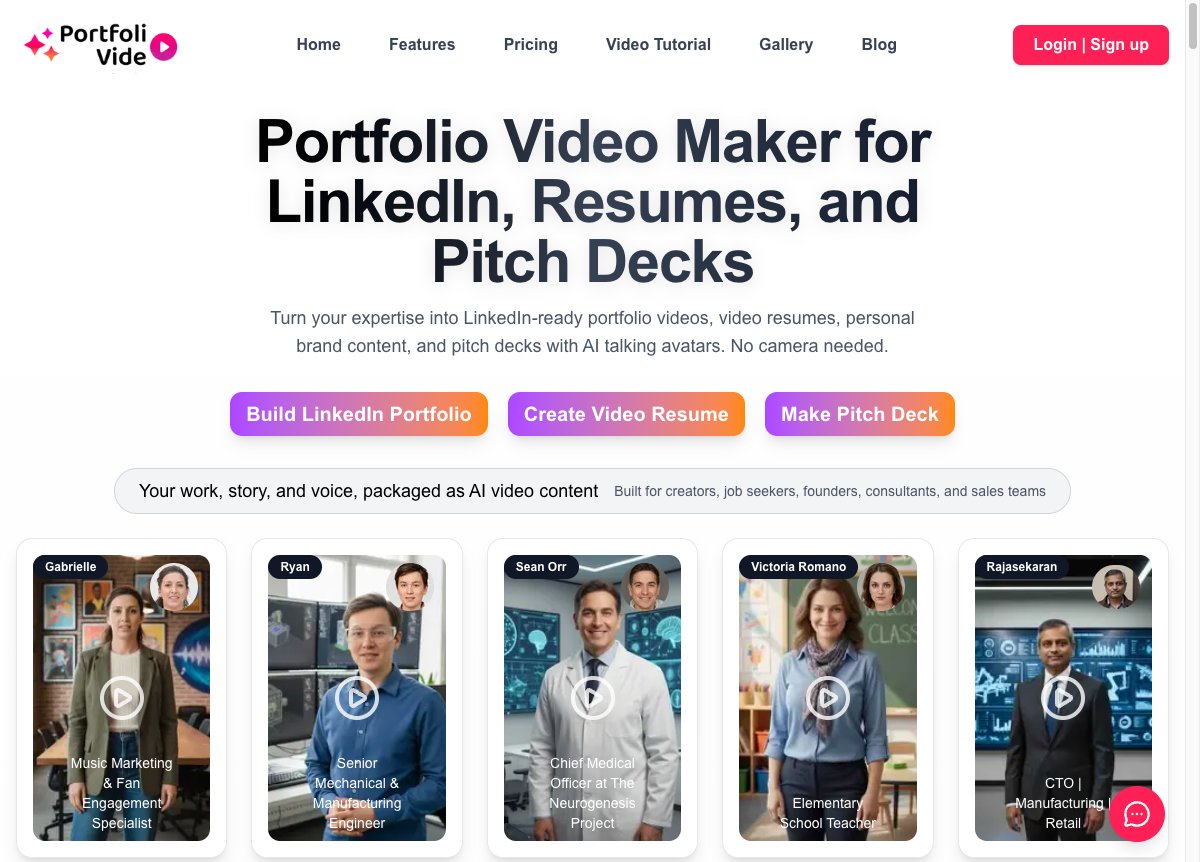
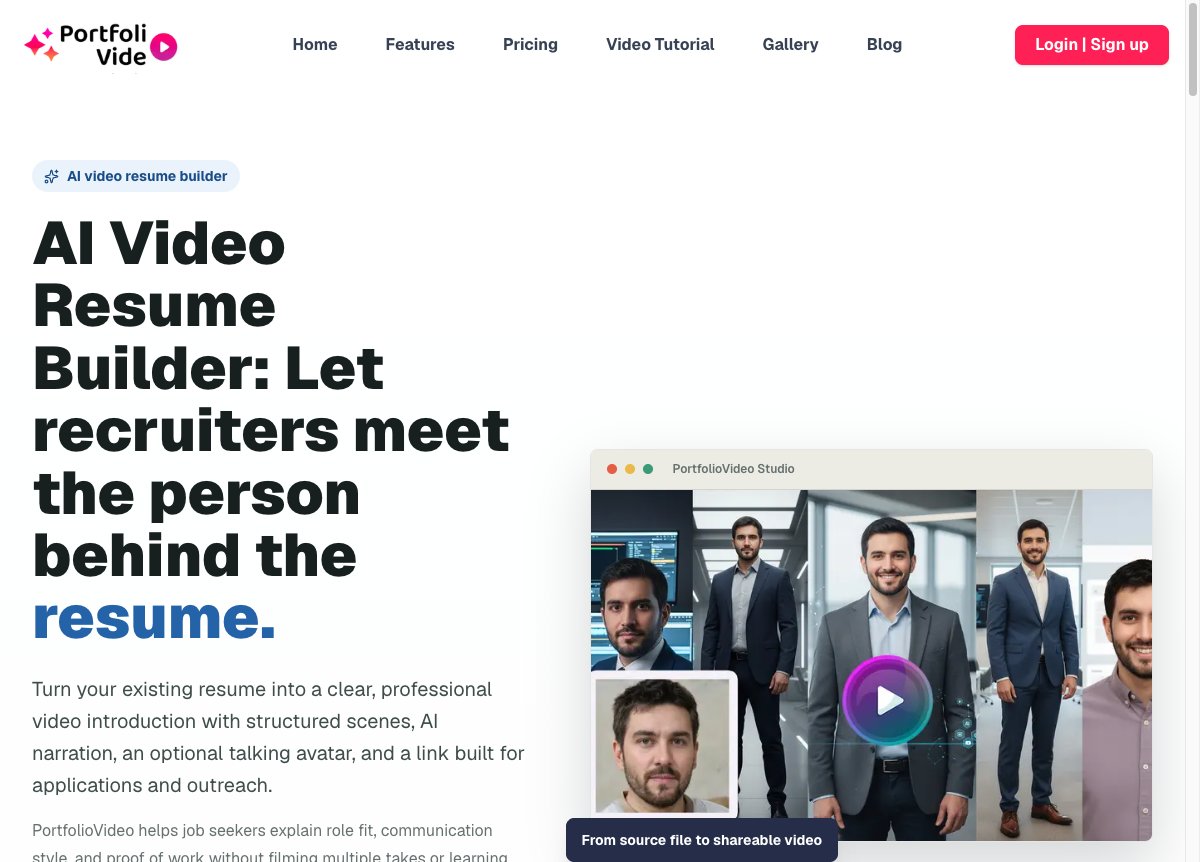
Explore the official PortfolioVideo website to see the current product entry points and examples. The screenshots below document its public pages; generated images depict illustrative professional scenarios rather than actual customers or screenshots of the editor.
Deep analysis: where PortfolioVideo fits in a professional workflow
Professional communication has two separate problems. First, the audience needs proof that you can do the work. Second, they need enough context to understand what that proof means. A resume supplies history, a portfolio supplies artifacts, and a deck supplies an argument. None automatically gives a busy viewer the best route through the material.
That is the useful role of a narrated portfolio video. It can explain what to look at, why it matters, and what to do next. Consider a designer showing an onboarding flow: the screens communicate visual craft, but narration can explain the constraint and the decision. A founder showing a market slide can explain the customer problem before asking the viewer to inspect assumptions. The value comes from better explanation.
PortfolioVideo's positioning is unusually focused on this professional context. Rather than starting with an empty editing timeline, its product pages organize the experience around resumes, branding, and pitches. Our editorial interpretation is that this can reduce the number of creative decisions a beginner faces. Whether it saves time for your particular project depends on source quality, revision needs, and the suitability of the generated delivery.
A job seeker needs a clear role target, one relevant project, and a route to the written resume.
A consultant needs a specific customer problem, a useful insight, and evidence of the approach.
A founder needs a coherent problem, solution, proof, and request supported by the original deck.
The important distinction is between presentation quality and evidence quality. An avatar may make delivery more consistent, but it cannot substantiate a career achievement. A smooth transition may make a slide easier to follow, but it cannot validate a financial forecast. Use automation for production; retain human judgment over every claim.
Another useful distinction is between reusable production and repetitive content. A stable visual identity can make a series recognizable. Repeating the same introduction, vague benefits, and stock examples can make it forgettable. Reuse the structure while changing the question, example, and evidence that each video addresses.
PortfolioVideo features: what each format is for
AI video resumes
The AI video resume builder describes a resume-to-video workflow with narration, scenes, and an optional avatar. Its strongest application is a supporting introduction that points a recruiter toward relevant work. It should add context rather than recite every position in chronological order.
For example, a career changer can explain the connection between previous responsibilities and a target role. A recent graduate can foreground a meaningful project rather than apologize for limited employment history. An experienced manager can explain scope and judgment without listing every team they have led.
LinkedIn portfolios and personal branding videos
The personal branding video maker describes camera-free professional content built from ideas or source material. This format suits a short framework, a project explanation, or an introduction to a service. Think in terms of a useful series rather than one video that must tell your entire story.
A consultant could build three distinct pieces: how to recognize a common customer problem, how to evaluate possible solutions, and how a representative project was approached. Together, those videos explain expertise more clearly than a repeated statement that the consultant is passionate, innovative, or results-driven.
AI pitch deck videos
The AI pitch deck generator describes converting decks or scripts into narrated pitch videos. A sensible use is preparing viewers for a discussion: explain the argument, highlight the strongest evidence, and leave the source deck accessible for questions.
Separate investor and buyer versions. An investor needs to understand the opportunity and assumptions. A buyer needs to understand the problem, deployment context, and practical value. One generic pitch often asks both audiences to sit through details intended for someone else.
Presenter Mode and interactive decks
PortfolioVideo's homepage describes Presenter Mode as connecting presentation material with video delivery. Its interactive deck gallery offers a place to study presentation examples. Evaluate a finished example on your target device before depending on a particular interactive behavior.
Interactivity is useful when it makes evidence easier to inspect. A project link, supporting slide, or detailed document can answer the viewer's next question. Too many simultaneous elements can split attention. Prefer one central explanation and a clear path to supporting material.
Vibe Motion
The homepage presents Vibe Motion as a five-second cinematic clip based on a document and portrait. Treat this as an attention hook. It is a different asset from a substantive introduction or narrated case study; a few seconds cannot carry a complete professional argument.
Use the Vibe Motion gallery to judge whether the visual tone fits your audience. A playful motion clip may suit a creative social post, while a conservative business proposal may benefit from restrained presentation. The right style follows the audience and purpose.
Choose your video format before you generate
Start with the decision you want the viewer to make. Are they deciding whether to inspect your portfolio, meet you, request a proposal, or review your pitch deck? Choose one primary action. Multiple competing requests weaken the ending and make it harder to evaluate whether the asset is useful.
| Your goal | Recommended starting format | Essential evidence | Next step |
|---|---|---|---|
| Introduce yourself for a role | AI video resume | Relevant project and clear contribution | Read the resume or case study |
| Explain consulting expertise | Personal branding video | Framework and concrete example | View a service page or book a discussion |
| Prepare a business meeting | Narrated pitch video | Source deck and checked claims | Review the deck or schedule questions |
| Walk through a complex project | Guided presentation | Readable visuals and supporting links | Inspect the detailed project |
| Create a brief visual hook | Vibe Motion | Appropriate professional identity | Open the fuller introduction |
Before opening the editor, write one sentence describing the viewer and one sentence describing the next action. If those sentences feel vague, the production brief is not ready. Clarity at this stage usually reduces unnecessary revisions later.
How to create a useful PortfolioVideo: a step-by-step workflow

1. Prepare a clean source document
Remove outdated roles, unsupported claims, confidential information, and details unrelated to the audience. Keep a separate source of truth for dates, project ownership, and outcomes. If the video concerns team work, distinguish your contribution from the result achieved by the entire team.
A clean input does not need to be long. It needs a clear professional identity, a relevant problem, evidence of your work, and the intended next step. Add necessary pronunciation notes for names and specialist terms so you can check narration against them later.
2. Write the audience-specific brief
Describe who will watch and why they should care. A recruiter reviewing a junior analyst needs different context from a founder evaluating a fractional finance consultant. Avoid asking an AI system to optimize for everyone. Give it a defined role, situation, and piece of proof.
3. Draft the story before polishing the visuals
Use a simple sequence: audience problem, your relevant experience, one example, and one action. Read the script aloud. Remove sentences that only repeat the headline. Replace abstract praise with concrete work: the analysis you performed, the choice you made, or the deliverable the viewer can inspect.
4. Review the generated scenes and narration
Check whether each scene earns its place. Does the visual illustrate the point being spoken? Can a mobile viewer read it? Does narration linger on a minor detail while rushing the important example? Shorten crowded scenes and separate ideas that need different supporting visuals.
Pay particular attention to the opening. The audience should understand the relevance before receiving your entire biography. Then check the ending: a clear link to the case study is more useful than a generic request to follow, connect, subscribe, email, and schedule all at once.
5. Choose delivery that fits the relationship
An avatar can help when filming is impractical, but it should not become the subject of the video. Compare avatar-led and narration-led delivery if your account offers both. Pick the version that keeps attention on the work. Where it matters to viewer expectations, explain that the presentation uses AI-assisted delivery.
6. Preview before sharing
Check names, dates, pronunciation, source links, scene order, visual legibility, and the final call to action. Watch once without sound to inspect the visual story, then listen without watching to inspect the spoken argument. Check the shared link on a phone and while signed out.
7. Publish with written context
Add a descriptive title, a short explanation, and an accessible path to the source material. A recruiter should be able to read the resume without watching. A buyer should be able to inspect the case study. An investor should be able to open the original deck. The video guides the review; the documents support it.
For a broader planning checklist, see PortfolioVideo's guide to making a video portfolio. Apply the steps to one real project before building a large library.
Example scripts for video resumes, LinkedIn, and pitch videos
The following scripts are original editorial templates. They describe hypothetical situations and are not testimonials, customer results, or claims about PortfolioVideo performance. Replace every general example with truthful details from your own work.
Video resume: explain one project
I am a data analyst focused on turning operational information into decisions. In a recent portfolio project, I cleaned inconsistent order records and built a dashboard showing where delivery delays were concentrated. My contribution covered the data checks, metric definitions, and explanation of the findings. I am looking for a role where careful analysis supports practical business choices. The linked case study includes the dataset, method, and limitations.
This works because it names a role, shows a concrete contribution, and gives the viewer somewhere to verify the work. It does not invent a dramatic percentage improvement. If a verified outcome exists, include the measurement and context; if it does not, explain the deliverable and its limits.
LinkedIn video: teach a useful idea
When a service page gets attention but few inquiries, the problem may be unclear decision information. I check whether the page explains who the service is for, what the engagement includes, and what happens after someone contacts the team. In this example, the revised structure places those answers beside the primary action. The full walkthrough shows the reasoning and the alternatives we considered.
This template turns expertise into something the audience can use. Keep the claim proportionate to the evidence. You can explain a thoughtful approach without claiming that every visitor will convert or that a single page change caused a business result.
Pitch video: prepare a better discussion
Our proposal addresses a recurring workflow problem for this customer group. Today, the process requires several disconnected steps. The product brings those steps into a guided flow. The deck explains the customer evidence, current product scope, business assumptions, and remaining risks. We would like to discuss whether the problem and implementation path fit your priorities. Please review the source deck before our meeting so we can focus on the questions that matter.
A pitch introduction should help the viewer understand the argument and inspect the evidence. Label forecasts as forecasts, distinguish pilots from paying customers, and check the permissions attached to any customer example. Production polish should support an honest discussion.
Plan the length of your professional video
A useful length depends on the audience's attention and the complexity of the explanation. A short introduction may need less time than a project walkthrough. Instead of choosing a duration because it sounds impressive, estimate how much script the intended format can comfortably carry.
Try reading the script naturally rather than racing to fit a number. If the explanation feels rushed, remove a secondary idea before increasing the speaking speed. If a slide needs time to inspect, reserve a pause. When a topic needs substantially more detail, create a short introduction and link to the full walkthrough.
Audio choices can affect clarity as much as visual choices. Our guide to AI voice design offers related discussion of deliberate speech production. It covers a separate product and does not establish which underlying speech technology PortfolioVideo uses.
PortfolioVideo pricing: understand credits before paying
The pricing section on the official homepage currently describes credit purchases without a subscription, a $10 starting purchase, and 100 signup credits described as worth $10. Treat those figures as the offer displayed when this article was researched, and confirm the current offer inside the account before buying.
Public wording is not fully consistent. Other official copy refers to a roughly $5 starting price or an older $5 credit offer. We therefore do not recommend assuming that every video costs $5, that every new account receives the same allowance, or that a fixed number of scenes determines the current charge.
Evaluate the cost of a publishable asset rather than the cost of one initial generation. If you expect to make several versions, include those versions in your planning. Keep a small record of the source, changes, credits used, and final result. That gives you useful evidence for deciding whether to repeat the workflow.
This article does not promise a particular number of finished videos from the signup allowance. Nor does it assume credit expiry, watermark rules, or refund eligibility where the reviewed pages did not settle the question. Consult the account offer and official terms before purchase.
PortfolioVideo versus recording yourself or editing manually
The meaningful comparison starts with the task. If your audience needs a personal introduction filmed in your own voice, a simple camera recording may be appropriate. If you need to explain detailed product behavior, a screen recording may be clearer. If you want to turn professional source material into a repeatable narrated presentation, PortfolioVideo deserves a closer look.
| Approach | Best reason to choose it | Main work you retain | Evaluate before committing |
|---|---|---|---|
| PortfolioVideo | Document-based professional video with AI delivery options | Script accuracy, evidence selection, preview, and revisions | Generation quality, credits, sharing, and export conditions |
| Camera recording | Your natural presence and delivery are central | Recording, sound, lighting, and retakes | Whether a simple setup meets audience expectations |
| Screen recording | The actual interface or artifact needs demonstration | Walkthrough planning and careful capture | Legibility, confidentiality, and spoken pacing |
| Manual video editing | Precise creative control over every element | Assembly, timing, audio, and visual design | Time, skill, and production requirements |
This is a workflow comparison, not a benchmark ranking. We have not measured render speed or output quality across competing tools. A practical evaluation uses the same source material, audience, script, and quality checklist for each approach. Compare the finished communication rather than the most attractive demo.
PortfolioVideo also serves a different purpose from tools focused on cinematic social effects. Our VideoPopy review discusses that neighboring category. Choose professional explanation when the work needs context; choose an effect-driven asset when the creative effect itself supports the message.

Where to share a video portfolio for meaningful engagement
Publishing is part of the communication design. The same file can help or hinder depending on where it appears and what surrounds it. Put the video near a decision, provide context before playback, and keep the destination obvious after playback.
Job applications
Follow the employer's submission instructions. Keep the required written resume in the expected format. If a portfolio or optional link field exists, a focused introduction may fit there. Never assume an application system will parse a video as a resume, and do not make essential qualifications available only in spoken narration.
LinkedIn and professional outreach
Explain the subject of the video in the accompanying text. Lead with a useful problem or project rather than a generic announcement that you have made a video. Connect the content to the audience you want to reach. Give viewers a relevant next step such as inspecting a case study or opening your service page.
Portfolio websites
Place an introduction beside a short written summary and selected evidence. Avoid making visitors wait for playback before they can discover what you do. Use a descriptive thumbnail, make playback optional, and check the page on a mobile connection. Link to the detailed project below the introduction.
Sales and founder follow-ups
Send the video with a short explanation of why it is relevant to the recipient. Keep the source deck or proposal accessible. For a longer buying process, create a version that internal champions can share with colleagues without needing to retell the entire conversation.
Measure actions that reflect the objective: visits to the linked case study, relevant replies, meeting requests, or application conversations. View counts alone do not establish whether viewers understood the work. A small audience of qualified people can be more useful than broad attention without a next step.
Strengths, limitations, and trust considerations
Reasons to explore it
A clear focus on professional stories. Multiple entry points for resumes, branding, and pitches. Publicly described AI narration and avatar options. A workflow organized around reusable source material. Galleries that help prospective users inspect examples.
What needs your evaluation
Actual output quality for your source material. Pronunciation and pacing. Credit consumption across revisions. Mobile presentation and sharing behavior. The fit of synthetic delivery for your audience. Any account-specific export or access conditions.
Be especially careful with resumes, customer examples, and business decks. They can contain private contact details, confidential project information, or material you lack permission to distribute. Prepare a public-safe version before uploading or sharing. Only use portraits and voices you have permission to use.
The PortfolioVideo privacy policy describes collecting uploaded content and using service providers. Review it for your own situation, and ask the provider about specific retention, deletion, or confidentiality requirements if those requirements determine whether you can use the service.
We do not treat homepage testimonials, user-count claims, or marketing outcome claims as independently verified evidence. This guide also does not provide a numerical product rating. A useful decision requires checking a real asset against your own quality criteria rather than relying on an unsupported score.
Your first-video quality checklist
Before sending a professional video to a recruiter, client, or investor, confirm that the viewer can answer four questions: what is this about, why is it relevant, where is the evidence, and what should I do next? Those answers matter more than elaborate transitions.
✓ The opening names the audience or professional context.
✓ Every achievement, date, and project claim matches the source.
✓ Your contribution is clearly separated from the team's work.
✓ Visuals are readable on a phone and narration is understandable.
✓ Captions or a written alternative are available where needed.
✓ Shared material is permitted and confidential details are removed.
✓ The final link works outside your signed-in session.
✓ One clear next action leads to inspectable evidence.
If a check fails, fix the communication before adding effects. Reviewers rarely need more decoration to understand a professional story. They need clearer context, stronger proof, and a simpler path to the relevant details.
Final assessment: start with one clear professional story
PortfolioVideo has a coherent proposition for people who already have useful professional material but need a better way to explain it. The combination of resume, branding, and pitch workflows makes it relevant to job seekers, consultants, creators, and founders. The strongest use is a focused introduction that makes existing evidence easier to understand.
Begin with one audience and one asset. Write a concise script, review the scenes and delivery, confirm the current credit charge, and preview the shared result. Keep the written resume, case study, or deck accessible. Then decide whether the workflow is worth repeating based on the finished asset and the response from its intended audience.
Choose the format that matches your next professional conversation, then bring source material you can confidently stand behind.
Explore AI video resumesBuild a LinkedIn portfolio videoExplore pitch deck videosFor adjacent video-generation workflows, our Google Flow and Veo credit guide explains a different production category. Keep the distinction clear: a professional portfolio should help people inspect your expertise, while a cinematic clip may serve a different creative purpose.
PortfolioVideo frequently asked questions
What is PortfolioVideo used for?
PortfolioVideo describes professional video workflows for resumes, personal branding, and business pitches. Choose a format based on the audience and the evidence you want to explain.
Can I make a professional video without filming myself?
The official product pages describe AI voice-over and optional talking-avatar delivery. Evaluate the delivery quality with your own source material before sharing.
Does an AI video resume replace a written resume?
Keep your written resume for required application materials and ATS workflows. Use a video as an optional supporting introduction where the employer permits it.
Can PortfolioVideo turn a pitch deck into a video?
Its official pitch deck page describes creating narrated pitch videos from decks, PDFs, or scripts. Keep the original deck available so viewers can inspect the details.
How much does PortfolioVideo cost?
The homepage reviewed on October 9, 2026 describes credit purchases, a $10 starting purchase, and 100 signup credits. Public wording varies, so confirm the current offer and generation charge in your account.
What is Vibe Motion?
The homepage describes Vibe Motion as a five-second cinematic clip based on a document and portrait. Use it as an attention hook rather than a complete professional explanation.
How long should my video portfolio be?
Use the shortest length that clearly explains the relevant proof. Estimate script length with duration divided by 60 multiplied by your assumed words per minute, and leave room for pauses.
Will PortfolioVideo guarantee interviews, sales, or funding?
This article does not establish or promise those outcomes. Evaluate presentation quality and track relevant audience actions rather than assuming that creating a video guarantees a result.
What should I check before uploading a resume or deck?
Remove unnecessary private details and confidential material. Confirm permission to use portraits, voices, client examples, and project evidence, and review the provider’s privacy policy.
Was this guide based on a paid hands-on test?
No. It is based on public official pages, source comparison, public-page screenshots, and editorial workflow analysis reviewed on October 9, 2026. Paid rendering quality and measured outcomes were not tested.
Sources and editorial methodology
Sources were accessed October 9, 2026. This is a public-source analysis with original editorial guidance, not a paid rendering benchmark. Pricing inconsistencies are identified above; unsupported outcome claims are excluded. The three realistic editorial images were AI-generated for this article, and two additional images are real public-page screenshots.
Post a Comment